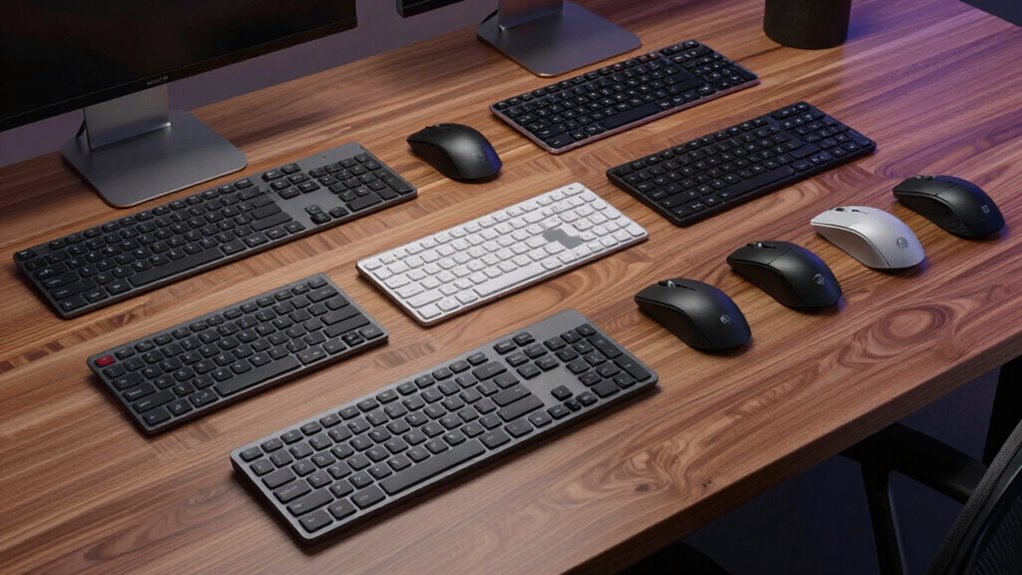

Choosing the right enterprise keyboard and mouse combo can significantly impact productivity and comfort in a busy office environment. The best options balance durability, ergonomic design, and seamless connectivity. The Logitech Signature Slim MK955 stands out as the overall top choice for its sleek design and reliable performance. For those prioritizing wireless convenience, the Logitech MK370 offers a solid mix of affordability and functionality. Meanwhile, users needing a space-saving, ergonomic setup might prefer the Logitech Wave Keys MK670. Keep reading for a detailed breakdown of these options and how to select the best combo for your business.

Get the latest gadgets delivered free — and shop member deals
- Fast, free delivery on millions of items
- Access to Prime Big Deal Days deals on October 6–7
- Prime Video, Amazon Music and more included
Complete the kit



Key Takeaways
- Top enterprise combos prioritize wireless connectivity to minimize desk clutter.
- Ergonomic designs like the Logitech Wave Keys MK670 can reduce strain during long workdays.
- Build quality and durability are fundamental for enterprise use where devices face frequent daily use.
- Value varies widely; some premium options offer advanced features that justify higher costs for demanding environments.
- Compact and slim designs are increasingly popular but may sacrifice some ergonomic benefits for space savings.
| Logitech Signature Slim MK955 for Business Keyboard and Mouse Combo |  | Best Overall for Modern, Eco-Conscious Workspaces | Connectivity: Logi Bolt and Bluetooth | Compatibility: Windows 11 | Recycled Plastic Content: 61% post-consumer recycled plastic | VIEW ON AMAZON | See Our Full Breakdown |
| Logitech MK370 for Business Wireless Keyboard and Mouse Combo – Graphite |  | Best Value for Cross-Platform Compatibility and Durability | Connectivity: Wireless with USB receiver and Bluetooth | Security: Fully encrypted, Secured Connections Only mode | Compatibility: Windows, macOS, Linux, ChromeOS, iPadOS, Android | VIEW ON AMAZON | See Our Full Breakdown |
| Logitech MK235 Full-Size Wireless Keyboard and Mouse Combo |  | Best for Basic Office Needs with Long Battery Life | Keyboard Layout: Full-size with number pad and 15 shortcut keys | Mouse: Ambidextrous optical | Wireless Range: Up to 33 ft | VIEW ON AMAZON | See Our Full Breakdown |
| Logitech MK850 Performance Wireless Keyboard and Mouse Combo – Graphite |  | Best for Multi-Device, Multi-OS Power Users | Connectivity: Wireless (USB receiver and Bluetooth) | Keyboard Type: Full-size with cushioned palm rest | Mouse Type: Contoured with hyper-fast scroll | VIEW ON AMAZON | See Our Full Breakdown |
| Logitech Wave Keys MK670 Wireless Ergonomic Keyboard Mouse Combo – Graphite |  | Best for Ergonomic Comfort and Quiet Operation | Connectivity: Bluetooth, Logi Bolt | Compatibility: Windows, macOS, iPadOS, ChromeOS | Recycled Plastic Content: Keyboard: 61%, Mouse: 65% | VIEW ON AMAZON | See Our Full Breakdown |
| Logitech MK470 Slim Wireless Combo Compact Keyboard and Mouse – Graphite |  | Best for Space-Conscious Environments | Sensor resolution: 1000 DPI | Wireless range: 10 m (33 ft) | Battery life: Keyboard: 36 months, Mouse: 18 months | VIEW ON AMAZON | See Our Full Breakdown |
| Logitech MK270 Full Size Wireless Keyboard and Mouse Combo – Black |  | Best for Traditional Desk Setups | Wireless Range: up to 33 ft | Keyboard Type: Full-size, spill-resistant | Battery Life: Keyboard: 36 months, Mouse: 12 months | VIEW ON AMAZON | See Our Full Breakdown |
| Logitech Signature MK650 Combo for Business Keyboard and Mouse – Graphite |  | Best for Enterprise-Grade Comfort and Security | Connectivity: Logi Bolt, Bluetooth Low Energy | Battery Life: Keyboard: up to 36 months, Mouse: up to 24 months | Compatibility: Windows, macOS, Linux, Chrome OS, iPadOS, Android | VIEW ON AMAZON | See Our Full Breakdown |
| enterprise keyboard and mouse combo | Connectivity | Compatibility | Design | Battery Life |
|---|---|---|---|---|
| Logitech Signature Slim MK955 | Logi Bolt and Bluetooth | Windows 11 | — | — |
| Logitech MK370 for Business Wi | Wireless with USB receiver and Bluetooth | Windows, macOS, Linux, ChromeOS, iPadOS, Android | Spill-resistant, durable keys | — |
| Logitech MK235 Full-Size Wirel | — | — | — | Up to 3 years (keyboard), 1 year (mouse) |
| Logitech MK850 Performance Wir | Wireless (USB receiver and Bluetooth) | — | — | — |
| Logitech Wave Keys MK670 Wirel | Bluetooth, Logi Bolt | Windows, macOS, iPadOS, ChromeOS | Ergonomic, Wavy layout | — |
| Logitech MK470 Slim Wireless C | — | — | — | Keyboard: 36 months, Mouse: 18 months |
| Logitech MK270 Full Size Wirel | Wireless via USB receiver | — | Low-profile keys, standard layout | Keyboard: 36 months, Mouse: 12 months |
| Logitech Signature MK650 Combo | Logi Bolt, Bluetooth Low Energy | Windows, macOS, Linux, Chrome OS, iPadOS, Android | Ergonomic, soft thumb area | Keyboard: up to 36 months, Mouse: up to 24 months |
More Details on Our Top Picks
Logitech Signature Slim MK955 for Business Keyboard and Mouse Combo
This combo stands out for its sleek, full-size design and environmentally friendly materials, making it ideal for professionals seeking a sophisticated and sustainable setup. Compared with the MK235, it offers quieter operation and more seamless multi-device switching, but it requires compatible wireless receivers or Bluetooth and is limited to Windows 11. Its secure wireless connections and smart scrolling enhance productivity, while the use of 61% post-consumer recycled plastic aligns with eco-aware priorities. However, the need for specific OS and connection types could restrict flexibility.
Pros:- Sleek, full-size design suitable for office use
- Quiet keys and mouse clicks promote a focused work environment
- Easy device switching enhances multitasking
- Made with environmentally friendly materials
Cons:- Requires compatible wireless receivers or Bluetooth-enabled devices
- Limited to Windows 11 compatibility
Best for: Professionals in modern office environments who value sustainability and a clean aesthetic.
Not ideal for: Users with mixed operating systems or older hardware lacking Bluetooth or compatible receivers.
- Connectivity:Logi Bolt and Bluetooth
- Compatibility:Windows 11
- Recycled Plastic Content:61% post-consumer recycled plastic
- Features:Quiet typing and clicking, SmartWheel technology, Easy-Switch multi-device switching
- Security:BLE with Secure Connections Only Mode
Our verdict“This pick is best for those seeking a stylish, eco-friendly combo that supports multitasking in modern office settings.”
Logitech MK370 for Business Wireless Keyboard and Mouse Combo – Graphite
The MK370 excels in versatility, offering secure encrypted connections and spill resistance, making it suitable for diverse enterprise environments. Unlike the MK235, it supports multiple operating systems including macOS, Linux, and Android, but relies on a USB receiver for optimal wireless stability and may lack detailed battery life data. Its spill-resistant, durable keys and eco-friendly recycled plastic content make it a reliable choice for busy workplaces. The limited info on battery longevity could be a concern for heavy users.
Pros:- Secure encrypted wireless connections suitable for enterprise use
- Easy setup with pre-paired USB receiver and Bluetooth support
- Spill-resistant design enhances durability
- Made with certified post-consumer recycled plastic
Cons:- Requires USB receiver for optimal wireless connection
- Limited information on battery life
Best for: IT managers or teams needing a durable, secure, multi-platform combo for varied enterprise setups.
Not ideal for: Organizations seeking a wireless combo with extensive customization or long-term battery guarantees without USB receivers.
- Connectivity:Wireless with USB receiver and Bluetooth
- Security:Fully encrypted, Secured Connections Only mode
- Compatibility:Windows, macOS, Linux, ChromeOS, iPadOS, Android
- Design:Spill-resistant, durable keys
- Eco-Friendly:Made with certified post-consumer recycled plastic
Our verdict“Ideal for enterprises prioritizing compatibility, security, and durability across multiple OS environments.”
Logitech MK235 Full-Size Wireless Keyboard and Mouse Combo
The MK235 offers a dependable full-sized keyboard with a number pad and shortcut keys, paired with an ambidextrous optical mouse, making it suitable for everyday office tasks. Compared to the MK370, it lacks advanced spill-resistance and multi-OS support but compensates with an impressive battery life of up to 3 years for the keyboard and 1 year for the mouse. Its straightforward design and reliable wireless range up to 33 feet make it a solid choice for budget-conscious environments, though it doesn’t include backlit keys or customizable shortcuts.
Pros:- Full-sized keyboard with dedicated shortcut keys
- Ambidextrous mouse for flexible use
- Long battery life up to 3 years for keyboard
- Reliable wireless connection up to 33 feet
Cons:- No backlit keys for low-light work
- Limited features without customization options
- Requires USB receiver for connection
Best for: Small businesses or home offices needing a durable, long-lasting combo for basic productivity.
Not ideal for: Power users or those requiring backlit keys, advanced shortcuts, or multi-OS support beyond Windows and basic Linux setups.
- Keyboard Layout:Full-size with number pad and 15 shortcut keys
- Mouse:Ambidextrous optical
- Wireless Range:Up to 33 ft
- Battery Life:Up to 3 years (keyboard), 1 year (mouse)
- Design Features:Spill-resistant, anti-fading treatment, sturdy tilt legs
Our verdict“A dependable choice for users wanting a straightforward, long-lasting combo for daily office tasks.”
Logitech MK850 Performance Wireless Keyboard and Mouse Combo – Graphite
The MK850 stands out for its dual-device and multi-OS support, making it suitable for professionals managing multiple screens and platforms. Unlike the MK235, it includes a cushioned palm rest and a contoured mouse with hyper-fast scrolling, but it requires software installation for full feature access and the USB receiver may be tucked away, complicating setup. Its versatile connectivity options and ergonomic design make it ideal for intensive multitasking, though setup complexity could be a barrier for some users.
Pros:- Supports multiple devices and OS for versatile use
- Comfortable full-size keyboard with cushioned palm rest
- Contoured mouse with fast scrolling
- Dual connectivity via USB receiver and Bluetooth
Cons:- Requires software for advanced features
- USB receiver placement may be inconvenient
Best for: Advanced users who switch frequently between devices and operating systems and prioritize comfort.
Not ideal for: Users seeking a plug-and-play setup or with limited technical support resources.
- Connectivity:Wireless (USB receiver and Bluetooth)
- Keyboard Type:Full-size with cushioned palm rest
- Mouse Type:Contoured with hyper-fast scroll
- Multi-device Support:Yes
- OS Compatibility:Multi-OS
Our verdict“Perfect for power users managing multiple workflows who need ergonomic, multi-device support with flexible connectivity.”
Logitech Wave Keys MK670 Wireless Ergonomic Keyboard Mouse Combo – Graphite
The MK670 emphasizes ergonomic design with its wavy keyboard layout and cushioned palm rest, making it ideal for long typing sessions. The Signature M550 L mouse with SilentTouch technology further reduces noise, creating a peaceful workspace. Compared to the MK850, it is more focused on comfort and quiet operation but supports fewer operating systems and relies on Bluetooth or Logi Bolt for connectivity, which may require setup time. Its ergonomic shape helps minimize strain but may take time for new users to adapt to the layout.
Pros:- Ergonomic, wavy keyboard design reduces strain
- Quiet mouse with 90% less click noise for peaceful work
- Supports multiple devices with Easy-Switch
- Made with recycled plastic components
Cons:- Requires Bluetooth or Logi Bolt setup
- Limited to specific operating systems listed
- Keyboard layout may take adaptation
Best for: Professionals who spend extended hours typing and need to minimize strain and noise.
Not ideal for: Users who prefer traditional keyboard layouts or need extensive multi-device support outside listed OSes.
- Connectivity:Bluetooth, Logi Bolt
- Compatibility:Windows, macOS, iPadOS, ChromeOS
- Recycled Plastic Content:Keyboard: 61%, Mouse: 65%
- Design:Ergonomic, Wavy layout
- Palm Support:Cushioned with memory foam
Our verdict“This combo suits those prioritizing ergonomic comfort and quiet operation during long work hours.”
Logitech MK470 Slim Wireless Combo Compact Keyboard and Mouse – Graphite
This compact combo stands out for its modern, space-efficient design, making it ideal for desks with limited room. Compared to larger options like the Logitech MK270, it sacrifices some ergonomic features for portability, but offers a surprisingly full set of functions, including a number pad and customizable shortcut keys. The low-profile scissor keys deliver a quieter typing experience, which is beneficial in noise-sensitive settings. However, the wireless range can be affected by environmental interference, and battery life, while impressive, may vary with heavy use. This set is perfect for professionals who need a sleek, clutter-free workspace without sacrificing essential productivity features.
Pros:- Compact and modern design saves desk space
- Long battery life minimizes maintenance
- Quiet keys and mouse for noise-sensitive environments
- Customizable shortcut keys boost productivity
Cons:- Wireless range may be limited by environmental factors
- Battery life can vary with intensive use
- Lacks advanced customization options found in premium models
Best for: Professionals working in small offices or shared spaces needing a compact, wireless solution
Not ideal for: Power users requiring extensive customization or rugged durability, as the set prioritizes size and quiet operation over advanced features
- Sensor resolution:1000 DPI
- Wireless range:10 m (33 ft)
- Battery life:Keyboard: 36 months, Mouse: 18 months
- Connection:USB nano receiver, 2.4 GHz wireless
- Key type:Low-profile scissor keys
- Number of FN keys:12
Our verdict“This combo makes a strong case for users who need a sleek, space-saving setup without sacrificing core functionality.”
Logitech MK270 Full Size Wireless Keyboard and Mouse Combo – Black
The Logitech MK270 offers a familiar, full-size layout with spill-resistant features, making it a reliable choice for everyday enterprise use. Unlike the more compact MK470, it prioritizes comfort and usability for extended typing sessions, with quiet keys and a comfortable mouse suited for both hands. The 33-foot wireless range provides flexibility in many office environments, but its basic feature set and standard design mean it lacks the advanced customization options seen in higher-end models like the MK650. This combo is well-suited for users who prefer a straightforward, dependable setup without the need for premium aesthetics or extra platform compatibility. It’s an excellent choice for traditional office workers who value reliability over bells and whistles.
Pros:- Reliable wireless range up to 33 feet
- Long battery life minimizes replacements
- Quiet, comfortable keys improve typing experience
- Includes multimedia hotkeys for quick access
Cons:- Range may be affected by environmental interference
- Basic feature set lacks advanced customization
- Design is standard and may feel outdated for some users
Best for: Office employees who prefer a familiar, full-sized keyboard and reliable wireless connection for daily tasks
Not ideal for: Tech enthusiasts seeking advanced features or a minimalist aesthetic, as this combo is designed for straightforward functionality
- Wireless Range:up to 33 ft
- Keyboard Type:Full-size, spill-resistant
- Battery Life:Keyboard: 36 months, Mouse: 12 months
- Connectivity:Wireless via USB receiver
- Design:Low-profile keys, standard layout
- Materials:Includes recycled plastic (49% mouse, 54% keyboard)
Our verdict“This combo delivers dependable performance for users who prefer familiar, straightforward office peripherals.”
Logitech Signature MK650 Combo for Business Keyboard and Mouse – Graphite
The Logitech Signature MK650 combo stands out for its ergonomic design and multi-platform compatibility, making it ideal for busy enterprise environments. Compared to the smaller MK470 and standard MK270, it offers a more contoured shape and a soft thumb rest, which can reduce fatigue during long work hours. Its secure connection options via Logi Bolt or Bluetooth add a layer of enterprise security, unlike the simpler wireless links of less premium options. The premium build and features come with a higher price tag, which may not appeal to budget-conscious buyers. This set makes the most sense for professionals who spend most of their day at the desk and need a combination of comfort, security, and versatility.
Pros:- Secure wireless connection options (Logi Bolt, Bluetooth)
- Long-lasting batteries for reduced downtime
- Ergonomic, contoured shape enhances comfort
- Compatible across multiple platforms including Windows, macOS, Linux
Cons:- Higher price point may be prohibitive for some
- Bulkier design could be less suitable for tight spaces
- Requires battery replacements over time
Best for: Enterprise users needing a secure, ergonomic, and multi-platform compatible keyboard and mouse
Not ideal for: Budget-conscious small business owners or casual users who do not require advanced security or multi-platform support
- Connectivity:Logi Bolt, Bluetooth Low Energy
- Battery Life:Keyboard: up to 36 months, Mouse: up to 24 months
- Compatibility:Windows, macOS, Linux, Chrome OS, iPadOS, Android
- Features:SilentTouch tech, SmartWheel, contoured shape
- Design:Ergonomic, soft thumb area
- Materials:Premium build with soft-touch surfaces
Our verdict“This combo suits professionals who prioritize security, comfort, and multi-platform flexibility in their enterprise setup.”
How We Picked
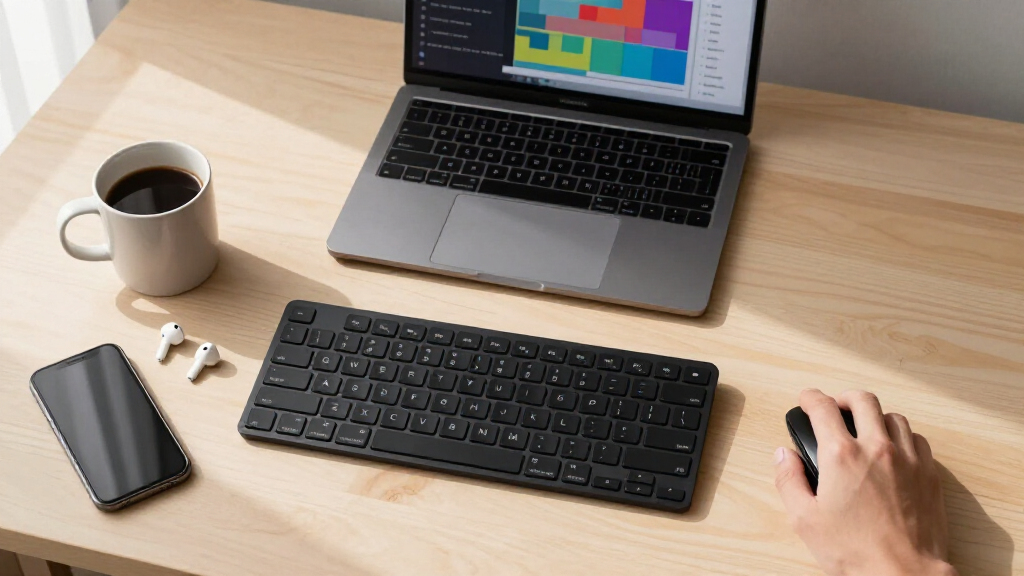
These products were evaluated based on performance, build quality, ergonomic features, ease of connectivity, and value for enterprise environments. We prioritized models with reliable wireless connections, durable construction, and features that support prolonged use without fatigue. The ranking reflects a balance between price and features, ensuring options fit a variety of business needs—from budget-conscious setups to premium ergonomic solutions. Our focus was on how well each combo supports productivity, comfort, and durability in demanding office settings, making the selections relevant for enterprise users who require dependable, long-lasting peripherals.| enterprise keyboard and mouse combo | Connectivity | Compatibility | Design | Battery Life |
|---|---|---|---|---|
| Logitech Signature Slim MK955 | Logi Bolt and Bluetooth | Windows 11 | — | — |
| Logitech MK370 for Business Wi | Wireless with USB receiver and Bluetooth | Windows, macOS, Linux, ChromeOS, iPadOS, Android | Spill-resistant, durable keys | — |
| Logitech MK235 Full-Size Wirel | — | — | — | Up to 3 years (keyboard), 1 year (mouse) |
| Logitech MK850 Performance Wir | Wireless (USB receiver and Bluetooth) | — | — | — |
| Logitech Wave Keys MK670 Wirel | Bluetooth, Logi Bolt | Windows, macOS, iPadOS, ChromeOS | Ergonomic, Wavy layout | — |
| Logitech MK470 Slim Wireless C | — | — | — | Keyboard: 36 months, Mouse: 18 months |
| Logitech MK270 Full Size Wirel | Wireless via USB receiver | — | Low-profile keys, standard layout | Keyboard: 36 months, Mouse: 12 months |
| Logitech Signature MK650 Combo | Logi Bolt, Bluetooth Low Energy | Windows, macOS, Linux, Chrome OS, iPadOS, Android | Ergonomic, soft thumb area | Keyboard: up to 36 months, Mouse: up to 24 months |
Factors to Consider When Choosing Enterprise Keyboard And Mouse Combo
When selecting an enterprise keyboard and mouse combo, it’s essential to consider factors beyond basic features. The right setup can improve comfort, reduce fatigue, and streamline workflow. Understanding key criteria helps avoid common pitfalls like choosing overly complex devices or sacrificing ergonomic support for cost savings. Here are the main considerations to guide your decision:Connectivity and Compatibility
For enterprise use, reliable wireless connections such as Bluetooth or proprietary RF are critical to prevent dropouts. Compatibility with your existing systems, whether Windows, Mac, or Linux, must also be verified. Some combos offer multi-device pairing, which can improve productivity if you manage multiple workspaces. A stable connection reduces frustration and downtime, making this a priority over cheaper wired options or unstable wireless links.
Ergonomics and Comfort
Extended hours of work demand ergonomic design to prevent strain and injury. Features like cushioned palm rests, curved key layouts, and adjustable height settings can make a significant difference. While slim, space-saving models appeal for small desks, they might compromise wrist support. Investing in ergonomic features is often worthwhile for long-term health and comfort, especially in high-volume enterprise environments.
Build Quality and Durability
Office peripherals endure constant use, so durability is non-negotiable. Look for models with high-quality materials and robust construction, especially if the devices will be shared among multiple users. Water resistance or spill-proof features are additional benefits that extend device lifespan. Cheaper plastic builds may save money upfront but often fail sooner, leading to higher replacement costs over time.
Size and Space Efficiency
Choosing between full-size and compact combos depends on workspace constraints and user preference. Compact models save desk space but can reduce ergonomic support, particularly for those with larger hands. Full-size options typically include a dedicated number pad, which can be essential for data entry but adds bulk. Consider your workflow and desk size to select a combo that balances usability with space considerations.
Additional Features and Customization
Some enterprise combos include customizable keys, programmable buttons, or backlit keys for enhanced productivity. Others may integrate with enterprise security features like secure pairing or device management tools. While these features add convenience, they often increase the cost. Evaluate whether advanced features are necessary for your team or if simpler setups suffice.
Frequently Asked Questions
How do I know if a wireless keyboard and mouse combo will be reliable in a busy office?
Reliability in a busy office hinges on the quality of the wireless connection and build. Look for combos that use advanced RF or Bluetooth technology with a proven track record of stable connectivity. Devices with dual connectivity options can also provide fallback options if one connection drops. Reading user reviews focused on connection stability can offer additional insights into real-world performance.
Are ergonomic features worth paying extra for in an enterprise combo?
Investing in ergonomic features can significantly reduce fatigue and the risk of repetitive strain injuries, especially during long work hours. While some ergonomic options come at a higher price, they often pay off in increased comfort and productivity. For roles involving extensive typing or repetitive tasks, ergonomic design becomes a valuable asset, making it a worthwhile expense for many enterprise users.
Should I prioritize a full-size or compact keyboard for enterprise use?
The choice depends on your workspace and workflow. Full-size keyboards with a dedicated number pad are better suited for data-heavy tasks and those who frequently input numerical data. Compact options save space and reduce clutter but may sacrifice some ergonomic support or functionality. Consider your typical tasks and desk space to make the best choice for your needs.
How important is build quality versus feature set in these combos?
Build quality often determines a device’s lifespan and resistance to wear and tear, which are critical in enterprise environments. Features like programmable keys, backlighting, or multi-device pairing add convenience but should not come at the expense of durability. A well-built device with essential features usually offers the best long-term value, especially when used intensively day after day.
Can I use these combos with multiple devices or operating systems?
Many enterprise keyboard and mouse combos support multi-device pairing and are compatible with various operating systems, including Windows, Mac, and Linux. Check for multi-device switch capabilities if you work across multiple systems, as this can streamline your workflow. Compatibility is usually specified in the product details, so verifying this before purchase helps avoid connectivity issues later.
Conclusion
For most enterprise users, the Logitech Signature Slim MK955 offers the best overall blend of sleek design, durability, and seamless performance. Those on a budget or needing a straightforward setup may prefer the Logitech MK370 for its affordability and reliable wireless connection. If ergonomic comfort is the priority, the Logitech Wave Keys MK670 is a strong choice, especially for long hours. Business professionals requiring space-efficient solutions should consider the Logitech MK470 Slim for its compact form. Ultimately, your decision should align with your workspace, usage patterns, and ergonomic preferences to ensure a comfortable, productive experience.
As an affiliate, we earn on qualifying purchases.Fall Picks
fall essentials