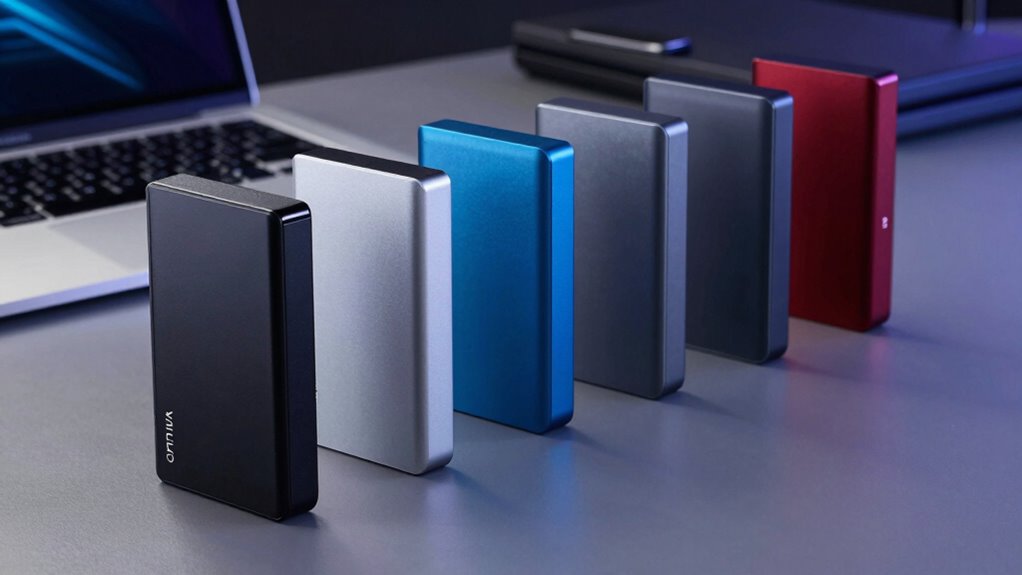
Choosing a high capacity external SSD means balancing how much you can carry with how quickly you can move files and how much protection you need. My top pick for large working files is the Samsung T9 4TB, whose listed speeds reach 2,000 MB/s in both directions. For the most room in this group, I’d look at the SanDisk 8TB Desktop SSD; for travel, the WD My Passport SSD 4TB adds encryption and fast writes in a portable design. The tradeoffs are clear: maximum capacity here comes in a desktop format, while the fastest listed drives need a compatible connection to reach their stated speeds. I rank these five by usable capacity, transfer performance, portability, and the practical extras that help protect or manage data.

Get the latest gadgets delivered free with Prime
- Fast, free delivery on millions of items
- Prime Video, Amazon Music and more included
- Member-only deals all year
Complete the kit



Key Takeaways
- The amazon.com/dp/B0CJG3Q7JW?tag=geeksalad-20&ascsubtag=dc-475843″ target=”_blank” rel=”nofollow sponsored noopener”>SanDisk Desktop SSD offers the lineup’s highest listed capacity, up to 8TB, but its desktop positioning makes it less suited to frequent travel than the portable drives.
- The Samsung T9 combines 4TB with read and write speeds up to 2,000 MB/s, making it the strongest fit for large active projects when the host supports USB 3.2 Gen 2×2.
- The WD My Passport SSD provides 4TB, listed write speeds up to 1,000 MB/s, and password-enabled hardware encryption in a portable drive.
- The Amazon Basics 2TB offers IP65 water and dust resistance plus two cables and a case, but its listed capacity is half that of the 4TB portable picks.
- The SanDisk 2TB is the simplest pocket-sized choice here; its 1,000 MB/s read ceiling and lower write speeds suit carrying files better than frequent heavy write workloads.
| SanDisk 8TB Desktop SSD, Up to 1000 MB/s, Black |  | Best Overall for Maximum Capacity | Capacity: Up to 8TB | Drive type: External SSD | Read speed: Up to 1,000 MB/s | VIEW ON AMAZON | See Our Full Breakdown |
| Samsung T9 Portable SSD 4TB, USB 3.2 Gen 2×2 External Solid State Drive |  | Best for Fast, Active Projects | Capacity: 4TB | Interface: USB 3.2 Gen 2×2 | Read speed: Up to 2,000 MB/s | VIEW ON AMAZON | See Our Full Breakdown |
| Western Digital 4TB My Passport SSD External Portable Solid-State Drive, Gray |  | Best Portable Pick for Security | Capacity: 4TB | Read speed: Up to 1,050 MB/s | Write speed: Up to 1,000 MB/s | VIEW ON AMAZON | See Our Full Breakdown |
| Amazon Basics Portable External SSD, 2TB, USB 3.2 Gen 2, Black |  | Best for Everyday Protection and Accessories | Capacity: 2TB | Interface: USB 3.2 Gen 2 | Read and write speeds: Up to 2,000 MB/s | VIEW ON AMAZON | See Our Full Breakdown |
| SanDisk 2TB Portable SSD, Black |  | Best Simple Pocket-Sized Option | Capacity: 2TB | Maximum read speed: Up to 1,000 MB/s | Connection: USB-C | VIEW ON AMAZON | See Our Full Breakdown |
| high capacity external ssd | Capacity | Read speed | Color |
|---|---|---|---|
| SanDisk 8TB Desktop SSD | Up to 8TB | Up to 1,000 MB/s | Black |
| Samsung T9 Portable SSD 4TB | 4TB | Up to 2,000 MB/s | — |
| Western Digital 4TB My Passpor | 4TB | Up to 1,050 MB/s | — |
| Amazon Basics Portable Externa | 2TB | — | Black |
| SanDisk 2TB Portable SSD | 2TB | — | Black |
More Details on Our Top Picks
SanDisk 8TB Desktop SSD, Up to 1000 MB/s, Black
For buyers who define high capacity as keeping a large library in one place, this is the standout. The SanDisk Desktop SSD offers up to 8TB, the highest stated capacity in this group, and supports Windows and Mac out of the box through exFAT formatting. Its read speed is listed at up to 1,000 MB/s, which is a practical level for accessing and moving large collections, though it sits below the Samsung T9 and Amazon Basics speed ceilings.
The desktop designation shapes the recommendation: I’d choose this for a home or office archive, photo library, or backup target, rather than as my first option for a bag that travels every day. Apple Time Machine support is useful for Mac backups, and Acronis software is available for automated backups. That extra setup is a tradeoff: the Samsung T9 is aimed more at fast active projects, while this SanDisk prioritizes room for long-term storage over maximum transfer speed. Its backup feature also depends on downloadable software.
Pros:- Highest listed capacity in this comparison, up to 8TB
- Works with Windows and Mac out of the box using exFAT
- Supports Apple Time Machine and downloadable backup software
- Read speeds listed up to 1,000 MB/s
Cons:- Desktop-oriented design is less compelling for frequent travel
- Automatic backups require downloadable software
- Listed read speed is lower than the 2,000 MB/s ceilings of the Samsung T9 and Amazon Basics drive
Best for: People who need up to 8TB for a large media collection, shared work archive, or computer backup kept at a desk.
Not ideal for: Traveling creators who want a clearly portable drive or users whose priority is the highest listed transfer speed.
- Capacity:Up to 8TB
- Drive type:External SSD
- Read speed:Up to 1,000 MB/s
- Connection:USB Type-C
- Compatibility:Windows and Mac
- File system:exFAT
- Backup support:Apple Time Machine; downloadable Acronis software
- Color:Black
Our verdict“I’d pick the SanDisk Desktop SSD when keeping the most data on one drive matters more than pocket portability or peak speed.”
Samsung T9 Portable SSD 4TB, USB 3.2 Gen 2×2 External Solid State Drive
The T9 is the speed-focused 4TB choice. Samsung lists read and write speeds up to 2,000 MB/s, giving it an advantage over the 1,000 MB/s SanDisk Desktop SSD when a project involves repeated transfers in both directions. Thermal management is designed for heavy use, a useful pairing for long sessions moving or recording large files. Its capacity is half the SanDisk desktop model’s maximum, so I’d favor it for work in progress rather than the biggest single-drive archive.
This is also the more specialized option: its USB 3.2 Gen 2×2 interface means the connected computer or device needs compatible support to make full use of the listed speed. The drive supports desktops, cameras, gaming consoles, and iPhone 15 Pro recording. Samsung Magician adds firmware updates, encryption, and drive health monitoring. Compared with the WD My Passport, the T9 claims a substantially higher speed ceiling, while the WD lists hardware encryption and drop resistance. For iPhone 15 Pro recording, the supplied SSD cable is recommended, so the cable choice deserves attention before a recording session.
Pros:- Read and write speeds listed up to 2,000 MB/s
- Thermal management designed for heavy use
- Works with desktops, cameras, gaming consoles, and iPhone 15 Pro
- Magician Software supports firmware updates, encryption, and drive health monitoring
Cons:- Full speed depends on compatible host hardware
- Its 4TB capacity is below the SanDisk Desktop SSD’s maximum of 8TB
- The included SSD cable is recommended for iPhone 15 Pro recording
Best for: Video editors, creators, and other users moving large files frequently who have devices compatible with USB 3.2 Gen 2×2.
Not ideal for: Anyone who primarily needs the largest archive, or whose host devices cannot take advantage of the interface.
- Capacity:4TB
- Interface:USB 3.2 Gen 2×2
- Read speed:Up to 2,000 MB/s
- Write speed:Up to 2,000 MB/s
- Drive type:External solid-state drive
- Compatibility:Desktop, camera, gaming console, iPhone 15 Pro
- Software:Samsung Magician Software
Our verdict“I’d choose the T9 for fast 4TB project storage when compatible devices and active transfers matter more than maximum capacity.”
Western Digital 4TB My Passport SSD External Portable Solid-State Drive, Gray
The WD My Passport SSD is a balanced portable option for someone who wants more than a basic backup drive. It pairs 4TB of capacity with listed read speeds up to 1,050 MB/s and write speeds up to 1,000 MB/s. Those figures make its read and write profile more fully specified than the SanDisk 2TB portable, whose provided details emphasize reads and say writes are lower. The Samsung T9 reaches a higher listed speed ceiling, but the WD brings a clearly stated security feature: password-enabled 256-bit AES hardware encryption.
Its metal design is described as resistant to shock and vibration, with drop resistance up to 6.5 feet. USB-C and USB-A compatibility help when moving between newer and older computers. This makes the WD a sensible travel drive for sensitive project files or personal documents, though actual performance can vary with the device and conditions. If speed under sustained heavy workloads is the deciding factor, I’d compare it with the T9; if water and dust resistance plus included cables matter more, Amazon Basics is the alternative. The WD’s distinguishing case is the combination of 4TB portability, encryption, and specified write performance.
Pros:- 4TB portable capacity
- Read speeds up to 1,050 MB/s and write speeds up to 1,000 MB/s
- Password-enabled 256-bit AES hardware encryption
- Shock, vibration, and drop resistance up to 6.5 feet
Cons:- Actual performance varies by device and usage conditions
- Listed speed ceiling is below the Samsung T9’s
- No water or dust resistance rating is provided in the supplied specifications
Best for: Mobile professionals and creators carrying sensitive files who want 4TB, hardware encryption, and broad USB compatibility.
Not ideal for: Buyers who need 8TB on one drive, the highest listed speeds, or a stated water and dust resistance rating.
- Capacity:4TB
- Read speed:Up to 1,050 MB/s
- Write speed:Up to 1,000 MB/s
- Connectivity:USB 3.2 Gen 2, USB-C; USB-A compatible
- Encryption:Password-enabled 256-bit AES hardware encryption
- Drop resistance:Up to 6.5 ft (1.98 m)
- Compatible systems:Windows 10+ and macOS 11+
- Warranty:5-year limited manufacturer’s warranty
Our verdict“I’d take the WD My Passport when portable 4TB storage and hardware encryption matter more than the T9’s higher speed ceiling.”
Amazon Basics Portable External SSD, 2TB, USB 3.2 Gen 2, Black
Amazon Basics makes a case for the buyer who carries a 2TB drive in varied settings and wants useful accessories in the box. Its standout detail is an IP65 water and dust resistance rating, supported by a metal casing and a scratch-resistant polymer bottom. The package includes USB-C to USB-C and USB-C to USB-A cables, plus a storage case, so it is ready for connections across a mix of equipment. Thermal protection is described as keeping the SSD below 50°C/122°F.
The listed read and write speeds reach up to 2,000 MB/s, but the interface is USB 3.2 Gen 2, and the product description says actual results vary by device, file size, and conditions. Buyers should not assume every setup will reach that figure. Capacity is the more obvious compromise: at 2TB, it holds half as much as the WD or Samsung 4TB models and one quarter of the SanDisk desktop option at its maximum. Compared with the SanDisk 2TB portable, this drive emphasizes resistance and included kit, while SanDisk describes a pocket-sized design and 2-meter drop protection. I’d choose Amazon Basics for a 2TB carry drive where dust, splashes, and cable flexibility matter.
Pros:- IP65 water and dust resistance
- Read and write speeds listed up to 2,000 MB/s
- Includes USB-C to USB-C and USB-C to USB-A cables
- Storage case and thermal protection are included
Cons:- 2TB capacity is below the 4TB and 8TB options
- Actual transfer speeds vary by device, file size, and conditions
- The supplied information does not specify encryption or backup software
Best for: People who need 2TB of portable storage, an IP65 rating, and both USB-C cable types included.
Not ideal for: Users building a large archive, or buyers who need verified full speed from a specific host setup.
- Capacity:2TB
- Interface:USB 3.2 Gen 2
- Read and write speeds:Up to 2,000 MB/s
- Water and dust resistance:IP65
- Thermal protection:Keeps SSD below 50°C/122°F
- Included accessories:USB-C to USB-C cable, USB-C to USB-A cable, storage case
- Casing:Metal with scratch-resistant polymer bottom
- Color:Black
Our verdict“I’d pick Amazon Basics for a protected, accessory-rich 2TB drive, while choosing WD or SanDisk when capacity is the higher priority.”
SanDisk 2TB Portable SSD, Black
This SanDisk is the straightforward choice for carrying a familiar amount of active files without stepping up to the larger, feature-rich models. It offers 2TB in a pocket-sized, lightweight body, connects by USB-C, and needs no drivers or setup according to the product description. Its read speed reaches up to 1,000 MB/s, enough to make it a more capable everyday file drive than a basic storage device, while its drop protection is rated up to 2 meters.
Capacity and write performance set its limits. It has half the space of the WD My Passport and Samsung T9, and its description specifically says write speeds are lower than reads. That makes it less compelling for repeated large video exports than the T9, which lists equal read and write ceilings up to 2,000 MB/s. Compared with Amazon Basics at the same 2TB capacity, SanDisk emphasizes pocket size and drop protection; Amazon Basics instead specifies IP65 water and dust resistance and includes two cables and a case. I’d choose this model for simple carry-and-transfer use, but step up to a 4TB option for growing libraries or regular large writes.
Pros:- Pocket-sized and lightweight
- Read speeds up to 1,000 MB/s
- Drop protection up to 2 meters
- USB-C connection requires no drivers or setup
Cons:- Write speeds are lower than read speeds
- 2TB capacity is less than the three larger-capacity picks
- No water or dust resistance rating is specified
Best for: People who want a compact 2TB USB-C SSD for photos, videos, and everyday file transfers.
Not ideal for: Users who routinely write large files, need 4TB or more, or prioritize water and dust resistance.
- Capacity:2TB
- Maximum read speed:Up to 1,000 MB/s
- Connection:USB-C
- Drop protection:Up to 2 meters
- Design:Pocket-sized and lightweight
- Setup:No drivers or setup required
- Color:Black
Our verdict“I’d choose this SanDisk for simple pocket-sized 2TB storage, but frequent heavy writes call for a faster write-rated alternative.”

How We Picked
I ranked these drives for buyers who want substantial external SSD storage, rather than treating speed or ruggedness as the only measure of a good pick. Capacity leads the comparison: the 8TB SanDisk is useful for large libraries and backups, while the 4TB models offer more room than the 2TB options without the same capacity ceiling. I also weighed whether a drive is described as portable or desktop-oriented, because a large archive kept beside a computer has different needs from footage carried between locations.
Transfer figures matter most when they change the work a drive can handle. The Samsung T9 and Amazon Basics drive list speeds up to 2,000 MB/s, but interface support and actual use affect results; I treat those figures as ceilings, not guarantees. The WD model stands apart by specifying both read and write performance, while the SanDisk portable’s listed read speed is paired with lower write speeds. I also considered the included protection, encryption, backup support, compatibility, and accessories. Where product details identify a limitation, such as downloadable software for automatic backups, I include it in the ranking logic.
That approach puts the SanDisk 8TB first for capacity-led storage, followed by the Samsung T9 for demanding active work. The WD My Passport takes the portable security role, Amazon Basics earns a place for resistance and included accessories, and the SanDisk 2TB is the entry point for compact everyday storage. These roles reflect the stated specifications and descriptions, not hands-on performance claims.
| high capacity external ssd | Read speed |
|---|---|
| SanDisk 8TB Desktop SSD | Up to 1,000 MB/s |
| Samsung T9 Portable SSD 4TB | Up to 2,000 MB/s |
| Western Digital 4TB My Passpor | Up to 1,050 MB/s |
| Amazon Basics Portable Externa | — |
| SanDisk 2TB Portable SSD | — |
Factors to Consider When Choosing High Capacity External Ssd
I’d start with the kind of data you need to keep close at hand, then match the drive’s capacity, connection, and protection to that job. A large number on the box matters only if the drive’s form and speed suit the way you use it.Choose capacity for your library and workflow
2TB can suit a working photo collection, travel files, or a portable secondary copy, but it fills faster when projects include high-resolution video. The SanDisk 2TB and Amazon Basics 2TB share that capacity, though one prioritizes simplicity and drop protection while the other adds IP65 resistance and accessories. The 4TB drives give growing collections more headroom: WD adds hardware encryption, while Samsung targets high-speed active work. For a single large archive, the SanDisk Desktop SSD’s up to 8TB is the clearest capacity choice in this lineup.
Match the interface to your devices
Listed speed is not the same as the speed every computer or phone will deliver. The Samsung T9 uses USB 3.2 Gen 2×2, so check that the host supports that interface if you are buying it for its up to 2,000 MB/s claims. Amazon Basics also lists up to 2,000 MB/s, but results vary with the device, file size, and conditions. USB-C appears across these choices, and WD also offers USB-A compatibility. Before choosing, check both the port and the cable needed for your main device, particularly for direct camera or phone recording.
Think about writes as well as reads
Read speed affects how quickly you can open or copy files from a drive; write speed matters when saving new footage, exports, or backups. The T9 lists up to 2,000 MB/s in both directions, while WD lists up to 1,050 MB/s reads and 1,000 MB/s writes. SanDisk’s 2TB portable lists a read ceiling but describes writes as slower. If your drive will mostly hold files you occasionally retrieve, that distinction may matter less. If it will receive large files every day, compare write figures and account for your host connection.
Pick protection for the risks you actually face
For a drive carried outdoors or in dusty settings, Amazon Basics is the only option here with a stated IP65 water and dust resistance rating. The two portable SanDisk descriptions give drop protection up to 2 meters, and WD specifies shock, vibration, and drop resistance up to 6.5 feet. These are different claims, so match them to likely handling rather than treating them as interchangeable. For confidential files, WD’s password-enabled hardware encryption is explicit; Samsung lists encryption through Magician Software.
Separate an archive drive from a travel drive
The SanDisk 8TB model is described as a desktop SSD and brings backup support for Apple Time Machine and downloadable Acronis software. It suits a fixed backup destination better than a pocket drive. The portable models fit mobile use, but convenience does not replace a second copy of important data. For a backup plan, consider where each copy will live and whether your process runs automatically; on the SanDisk desktop drive, the automatic backup software must be downloaded.
Frequently Asked Questions
Which drive in this comparison has the most storage?
The SanDisk Desktop SSD has the highest stated capacity, up to 8TB. It is the strongest fit for a large archive or computer backup kept at a desk. If you need a portable 4TB drive, the WD My Passport and Samsung T9 are the relevant alternatives, with the WD adding hardware encryption and the T9 listing higher read and write ceilings.
Which option is the fastest for transferring large files?
The Samsung T9 and Amazon Basics drive both list speeds up to 2,000 MB/s. The T9 specifies USB 3.2 Gen 2×2, so the host device must support that interface to approach its stated ceiling. Actual speeds can also vary with the device and workload, so those figures are best treated as maximums rather than guaranteed transfer rates.
Which drive makes the most sense for travel?
For a portable 4TB option, I’d compare the WD My Passport SSD with the Samsung T9. WD gives explicit shock, vibration, and drop resistance plus hardware encryption; Samsung is the faster listed option for compatible devices. For 2TB, the SanDisk portable is described as pocket-sized and drop-resistant, while Amazon Basics adds IP65 water and dust resistance and includes a storage case.
Do I need a 4TB or 8TB drive?
Choose capacity based on the size of your current library and how quickly you add files. 4TB provides more working room than the 2TB choices and comes in portable models here. The SanDisk Desktop SSD offers up to 8TB for a larger archive, but its desktop positioning suits a fixed storage spot. If your files are mostly temporary or modest in size, a 2TB drive may be sufficient.
Can these SSDs back up a Mac?
The SanDisk Desktop SSD explicitly supports Apple Time Machine and works with Mac out of the box using exFAT formatting. Automatic backups through Acronis require downloading its software. The other drives may be usable for Mac storage, but the supplied details do not identify the same explicit Time Machine support, so check the setup and format requirements for your intended backup method.
Conclusion
I’d match the final choice to the job. For a large home or office archive, choose the SanDisk 8TB Desktop SSD. For fast active work on compatible equipment, the Samsung T9 4TB has the strongest listed speed profile. For portable files that need hardware encryption, choose the WD My Passport 4TB. If water and dust resistance, a case, and cable flexibility matter in a 2TB drive, Amazon Basics is the distinct fit; for a simple pocket-sized 2TB companion, the SanDisk portable keeps the setup straightforward. That gives each drive a clear place: maximum capacity, active speed, secure portability, rugged convenience, or compact everyday storage.
Fall Picks
fall essentials
As an affiliate, we earn on qualifying purchases.