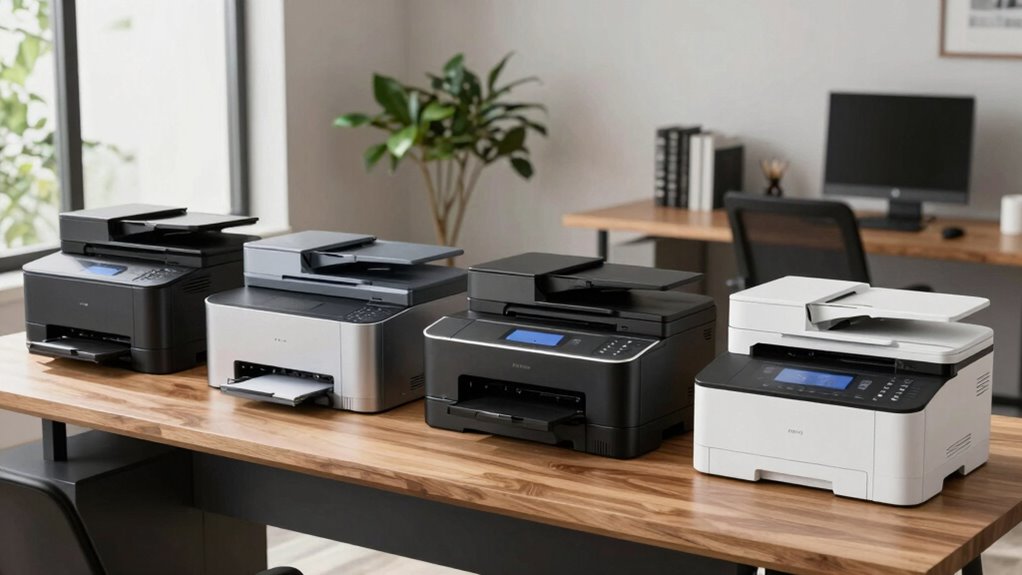

Finding the right laser printer for a home office involves balancing print quality, speed, cost, and ease of use. The HP Color LaserJet Pro MFP 3301sdw stands out as the best overall pick for its versatile all-in-one capabilities and reliable performance. For those prioritizing cost-efficiency, the Brother HL-L2405W offers solid monochrome printing with mobile support at a lower price point. Meanwhile, the HP LaserJet MFP M235sdw shines for small offices needing duplex printing and scanning. As choices vary from compact print-only models to full-featured multifunction units, understanding the tradeoffs helps in selecting the best fit. Continue reading for a detailed comparison to find the ideal laser printer for your home setup.

Get the latest gadgets delivered free with Prime
- Fast, free delivery on millions of items
- Prime Video, Amazon Music and more included
- Member-only deals all year
Complete the kit


Key Takeaways
- All-in-one models like the HP Color LaserJet Pro offer versatile functionality but tend to come at a higher cost and larger footprint.
- Monochrome printers generally cost less to operate and maintain, making them suitable for users who only need black-and-white printing.
- Wireless connectivity and mobile printing features are essential for seamless integration into a flexible home office environment.
- Compact designs like Canon‘s imageCLASS LBP6030w are perfect for small spaces but may lack advanced features needed for more complex tasks.
- Higher-end models with duplex and scanning capabilities tend to be more expensive but significantly improve productivity for frequent users.
| HP Color LaserJet Pro MFP 3301sdw Wireless All-in-One Color Laser Printer |  | Best Overall for Small Office Teams | Print Speed: up to 26 ppm | Functions: Print, Scan, Copy | Duplex: Auto duplex printing | VIEW ON AMAZON | See Our Full Breakdown |
| Brother HL-L2405W Wireless Monochrome Laser Printer with Mobile Printing |  | Best Value for Basic Monochrome Printing | Print Speed: 30 pages per minute | Connectivity: Wi-Fi (dual-band 2.4GHz/5GHz), USB | Paper Capacity: 250 sheets | VIEW ON AMAZON | See Our Full Breakdown |
| HP LaserJet MFP M235sdw All-in-One Wireless Laser Printer, Scan/Copy, Monochrome, Duplex, Office Use |  | Best for Small Office Environments with Security Needs | Printer Type: Laser | Print Media: Plain paper | Printer Output Type: Monochrome | VIEW ON AMAZON | See Our Full Breakdown |
| HP LaserJet Pro MFP 3101sdw Wireless Black and White All-in-One Laser Printer |  | Best for Small Teams Needing Fast Black-and-White Printing | Print Speed: up to 35 ppm | Color: Black and White | Connectivity: Wireless | VIEW ON AMAZON | See Our Full Breakdown |
| Canon imageCLASS LBP6030w Monochrome Wireless Laser Printer – Compact and Print-Only |  | Best Compact and Energy-Efficient for Personal Use | Printer Type: Laser | Color: Monochrome | Print Speed: 19 pages per minute | VIEW ON AMAZON | See Our Full Breakdown |
| Canon imageCLASS MF462dw II Wireless Monochrome Duplex Laser Printer |  | Best Overall for High-Volume Small Offices | Print Speed: 37 pages per minute | First Print Time: approximately 5 seconds | Connectivity: Wireless, Mobile Device Printing | VIEW ON AMAZON | See Our Full Breakdown |
| Brother DCP-L2640DW Wireless Monochrome Multi-Function Printer |  | Best Compact All-in-One for Small Spaces | Print Speed: 36 ppm | Scan Speed: 23.6/7.9 ipm | Auto Document Feeder: 50 pages | VIEW ON AMAZON | See Our Full Breakdown |
| HP LaserJet MFP M140w Wireless Black & White Printer |  | Best for Small Teams Looking for Compact Speed | Print Speed: Up to 21 pages per minute | Color: Black & White | Connectivity: Wireless | VIEW ON AMAZON | See Our Full Breakdown |
| Brother HL-L2460DW Wireless Monochrome Laser Printer with Duplex and Mobile Printing |  | Best for High-Volume Home Office Printing | Print Speed: 36 pages per minute | Connectivity: Wi-Fi (dual-band), Ethernet, USB | Paper Capacity: 250 sheets | VIEW ON AMAZON | See Our Full Breakdown |
| laser printer for home office | Connectivity | Print Speed |
|---|---|---|
| HP Color LaserJet Pro MFP 3301 | Wireless | up to 26 ppm |
| Brother HL-L2405W Wireless Mon | Wi-Fi (dual-band 2.4GHz/5GHz), USB | 30 pages per minute |
| HP LaserJet MFP M235sdw All-in | Wi-Fi, Ethernet, USB 2.0 | — |
| HP LaserJet Pro MFP 3101sdw Wi | Wireless | up to 35 ppm |
| Canon imageCLASS LBP6030w Mono | Wireless | 19 pages per minute |
| Canon imageCLASS MF462dw II Wi | Wireless, Mobile Device Printing | 37 pages per minute |
| Brother DCP-L2640DW Wireless M | Wi-Fi (dual-band), Ethernet, USB | 36 ppm |
| HP LaserJet MFP M140w Wireless | Wireless | Up to 21 pages per minute |
| Brother HL-L2460DW Wireless Mo | Wi-Fi (dual-band), Ethernet, USB | 36 pages per minute |
More Details on Our Top Picks
HP Color LaserJet Pro MFP 3301sdw Wireless All-in-One Color Laser Printer
This all-in-one color laser printer excels in small office environments that need versatile functionality, including printing, scanning, and copying. Its fast print speeds of up to 26 ppm and high-yield toner options support high-volume, professional-quality output. Unlike monochrome-only options like the Canon imageCLASS LBP6030w, this model handles color documents, making it suitable for creative or presentation materials. However, it requires specific HP cartridges with chips or circuitry, which could add to ongoing costs and complicate third-party refilling. While its feature set is comprehensive, the reliance on proprietary cartridges is a tradeoff for consistent, reliable quality.
Pros:- Fast color printing up to 26 ppm for busy workflows
- All-in-one functions including scan and copy for versatile use
- Auto duplex printing and 250-sheet input tray reduce manual intervention
Cons:- Requires HP cartridges with chips or circuitry, potentially increasing ongoing costs
- Firmware updates may restrict the use of third-party cartridges, limiting options
Best for: Small office teams needing color printing and all-in-one functionality with high-volume capacity
Not ideal for: Individuals or households only printing black-and-white documents, as the color features won’t be utilized
- Print Speed:up to 26 ppm
- Functions:Print, Scan, Copy
- Duplex:Auto duplex printing
- Input Tray Capacity:250 sheets
- Connectivity:Wireless
- Toner Compatibility:Original HP 218A and 218X cartridges
Our verdict“This model is best suited for small office environments that need reliable color printing combined with multifunction features.”
Brother HL-L2405W Wireless Monochrome Laser Printer with Mobile Printing
This compact, wireless monochrome laser printer makes a strong case for home users or small offices prioritizing speed and simplicity. Its 30 pages per minute output and large 250-sheet paper tray support high-volume, daily printing tasks without fuss. Compared with the more feature-rich HP LaserJet MFP M235sdw, this Brother model focuses solely on monochrome output, which keeps costs down and setup straightforward. The absence of duplex printing is a drawback, especially for those seeking to save paper efficiently, but the included toner subscription trial offers a convenient way to manage ongoing supplies. For those who only need black-and-white documents, this model combines speed and affordability effectively.
Pros:- Fast printing speed of 30 ppm supports quick turnaround
- Wireless connectivity with support for mobile printing
- Large 250-sheet paper tray for less frequent refilling
Cons:- Limited to monochrome printing, not suitable for color needs
- No duplex printing feature, leading to higher paper use
Best for: Home users or small offices needing fast, reliable monochrome printing with minimal fuss
Not ideal for: Users who require color printing or multi-function capabilities like scanning or copying
- Print Speed:30 pages per minute
- Connectivity:Wi-Fi (dual-band 2.4GHz/5GHz), USB
- Paper Capacity:250 sheets
- Supported Paper Types:Envelopes, specialty paper
- Warranty:1 year
- Toner:Compatible toner cartridges
Our verdict“Ideal for those who prioritize speed and volume in monochrome printing without extra features.”
HP LaserJet MFP M235sdw All-in-One Wireless Laser Printer, Scan/Copy, Monochrome, Duplex, Office Use
The HP LaserJet MFP M235sdw is tailored for small offices that need a secure, reliable monochrome laser solution. Its fast two-sided printing at 28 ppm is comparable to the Brother HL-L2405W but adds scanning and copying, making it more versatile for document workflows. Features like scan-to-email and PDF, along with secure wireless and Ethernet connectivity, suit environments where data security and multi-device access are priorities. Compared to the more basic Canon imageCLASS LBP6030w, which is a simple print-only device, this model offers more office-ready features but comes with a bit more weight at 21 pounds. It is an excellent choice for busy offices that need speed, security, and multifunctionality.
Pros:- Fast two-sided printing at 28 pages per minute
- Wireless and Ethernet for flexible connectivity
- Secure printing features and support for mobile devices
Cons:- Limited to monochrome, not suitable for color needs
- Basic features may lack advanced office functionalities
- Weight of 21 pounds may require assistance for mobility
Best for: Small office teams requiring secure, multifunction monochrome printing with high-volume capacity
Not ideal for: Home users or individuals who only need basic printing without scanning or copying features
- Printer Type:Laser
- Print Media:Plain paper
- Printer Output Type:Monochrome
- Maximum Copy Speed:14 pages per minute
- Connectivity:Wi-Fi, Ethernet, USB 2.0
- Warranty:One-year limited warranty
Our verdict“This model suits small offices needing secure, high-speed monochrome multifunction capabilities.”
HP LaserJet Pro MFP 3101sdw Wireless Black and White All-in-One Laser Printer
The HP LaserJet Pro MFP 3101sdw is designed for small teams that need quick, reliable monochrome printing, scanning, and copying. Its up to 35 ppm speed outperforms many competitors like the Canon imageCLASS LBP6030w, making it ideal for fast-paced environments. The device’s automatic duplex printing and 250-sheet input tray support efficient workflows, while its wireless connectivity simplifies setup and daily use. However, it only works with HP chips or circuitry cartridges, which might limit options and increase costs. Lacking color options and advanced office features, this pick is best suited for users focused strictly on black-and-white document production who value speed and dependability.
Pros:- Fast printing speeds of up to 35 ppm for busy workflows
- Wireless connectivity for flexible device placement
- Automatic duplex printing saves time and paper
Cons:- Limited to black-and-white printing, no color option
- Works only with HP chips or circuitry cartridges
Best for: Small teams or home offices that need high-speed monochrome printing with minimal fuss
Not ideal for: Those requiring color printing, scanning, or copying on a regular basis
- Print Speed:up to 35 ppm
- Color:Black and White
- Connectivity:Wireless
- Input Tray Capacity:250 sheets
- Auto Document Feeder:50 sheets
- Duplex Printing:Yes
Our verdict“Best for small teams prioritizing speed, efficiency, and reliable monochrome output.”
Canon imageCLASS LBP6030w Monochrome Wireless Laser Printer – Compact and Print-Only
The Canon imageCLASS LBP6030w offers a straightforward, space-saving solution for personal or small office tasks. Its print speed of 19 ppm is adequate for light daily use, and its compact 9.8″D x 14.3″W x 7.8″H size makes it easy to fit into tight spaces. Unlike multi-function models like the HP MFP M235sdw, this device is dedicated solely to printing, which simplifies setup and reduces costs. Its energy-efficient operation and lower weight of 11 pounds make it ideal for those who want a reliable, minimal device for monochrome printing only. However, the lack of scanning or copying and the limited paper capacity mean it’s best for basic, daily printing without additional functions.
Pros:- Compact design fits well into small spaces
- Wireless connectivity supports mobile printing from smartphones
- Fast printing speed of 19 pages per minute
Cons:- Print-only functionality limits versatility
- Limited to monochrome, no color or multifunction features
- Paper capacity of 150 sheets may require frequent refills for high-volume use
Best for: Individuals or small spaces needing a simple, reliable monochrome printer with minimal footprint
Not ideal for: Users needing scanning, copying, or color printing capabilities in a single device
- Printer Type:Laser
- Color:Monochrome
- Print Speed:19 pages per minute
- Maximum Print Resolution:600 x 600 dpi
- Paper Capacity:150 sheets
- Connectivity:Wireless
Our verdict“This printer is perfect for individuals seeking a compact, energy-efficient monochrome device for light daily printing.”
Canon imageCLASS MF462dw II Wireless Monochrome Duplex Laser Printer
The Canon imageCLASS MF462dw II makes a strong case as the best overall choice for small offices with high-volume needs. Its impressive speed of 37 pages per minute beats many competitors like the Brother DCP-L2640DW, which offers slightly slower printing but includes a more compact design. The large 250-sheet paper capacity and optional expandability up to 900 sheets ensure fewer interruptions, though the high-capacity toner still requires frequent replacements for heavy users. Its easy wireless setup and user-friendly 5-inch touchscreen simplify daily use, making it suitable for busy environments. However, this model is designed solely for monochrome printing, limiting its versatility for color needs, and the high-capacity toner, while cost-effective per page, could be a recurring expense for very high-volume printing. Overall, this pick is ideal for those prioritizing speed, capacity, and ease of use over color versatility or lower upfront costs.
Pros:- Fast print speeds of up to 37 pages per minute
- Large, expandable paper capacity for high-volume tasks
- Intuitive 5-inch color touchscreen for easy navigation
- Reliable wireless and mobile printing options
Cons:- Limited to monochrome printing, no color capability
- High-capacity toner still requires frequent replacements for heavy use
- Additional paper cassettes are optional and can increase costs
Best for: Small offices or home-based businesses with high-volume monochrome printing requirements.
Not ideal for: Home users needing color printing or occasional printing, as it focuses solely on black-and-white documents.
- Print Speed:37 pages per minute
- First Print Time:approximately 5 seconds
- Connectivity:Wireless, Mobile Device Printing
- Display:5-inch Color Touchscreen
- Toner:Canon Genuine Toner 070 / 070 High-Capacity
- Standard Paper Capacity:250 sheets
- Expandable Paper Capacity:up to 900 sheets with optional cassette AH-1
Our verdict“This model suits small offices needing fast, high-capacity monochrome printing with straightforward wireless connectivity.”
Brother DCP-L2640DW Wireless Monochrome Multi-Function Printer
The Brother DCP-L2640DW excels as a compact, multi-function device that combines printing, scanning, and copying in a small footprint. Its 36 pages per minute print speed is comparable to the Canon MF462dw II but with the added benefit of scanning and copying, making it more versatile for small business tasks. The 50-page automatic document feeder and 250-sheet paper capacity support continuous work without frequent refilling. While it offers multiple connectivity options, including Wi-Fi, Ethernet, and USB, its monochrome-only output limits its use for color-sensitive projects. The absence of fax functionality might be a drawback for some users. Compared with the HP LaserJet MFP M140w, it provides more features and flexibility, especially for those needing scanning and copying. This model is ideal for space-constrained offices that need multi-functionality without sacrificing speed.
Pros:- Compact size fits small office spaces
- Fast printing and scanning speeds
- High 250-sheet paper capacity reduces refill frequency
- Multiple connectivity options including Wi-Fi and Ethernet
Cons:- Limited to monochrome output, no color printing
- No fax functionality, limiting some office workflows
- Requires compatible toner cartridges for optimal performance
Best for: Small business owners or home offices needing all-in-one functionality in a limited space.
Not ideal for: Home users requiring color printing or those who need fax capabilities, which this model does not include.
- Print Speed:36 ppm
- Scan Speed:23.6/7.9 ipm
- Auto Document Feeder:50 pages
- Paper Capacity:250 sheets
- Connectivity:Wi-Fi (dual-band), Ethernet, USB
- Functions:Print, Scan, Copy
Our verdict“This printer is well-suited for small offices that need reliable, space-efficient multi-function printing without color options.”
HP LaserJet MFP M140w Wireless Black & White Printer
The HP LaserJet MFP M140w stands out as a compact, straightforward monochrome printer perfect for small teams or individual professionals. Its modest size allows it to fit easily into tight spaces, yet it still delivers a respectable 21 pages per minute, faster than many similarly sized models like the Brother HL-L2460DW. Its wireless setup is quick and reliable, supporting mobile printing from multiple devices. However, its focus on black-and-white printing limits flexibility for those needing color documents. The requirement for original HP cartridges with chips could add to ongoing costs, especially for high-volume users. Compared with the Brother HL-L2460DW, it offers a smaller footprint but slightly slower print speeds. This model makes the most sense for solo professionals or small teams with predominantly monochrome needs who value simplicity and space efficiency.
Pros:- Compact size fits tight spaces
- Reliable wireless setup for multiple devices
- Decent print speed of up to 21 ppm
- Easy to operate with mobile device compatibility
Cons:- Limited to black-and-white printing only
- Requires specific HP cartridges with chips, which can be costly
- No scanning or copying functions
Best for: Solo professionals or small teams needing fast, reliable monochrome printing in a small, easy-to-setup device.
Not ideal for: Users requiring color printing or more advanced multifunction features like scanning or copying.
- Print Speed:Up to 21 pages per minute
- Color:Black & White
- Connectivity:Wireless
- Functions:Print, Scan, Copy
- Size:Smallest in its class
Our verdict“This printer is ideal for small teams or professionals who need a simple, space-saving monochrome device with wireless convenience.”
Brother HL-L2460DW Wireless Monochrome Laser Printer with Duplex and Mobile Printing
The Brother HL-L2460DW offers a compelling combination of speed, capacity, and connectivity, making it a strong contender for high-volume home office use. Its 36 pages per minute speed keeps pace with the Canon MF462dw, while its 250-sheet paper tray minimizes frequent refills, especially useful for busy households. The automatic duplex printing feature saves time and paper, a definite advantage over models without this feature. Its wireless and Ethernet options provide flexible setup options, comparable to the Brother DCP-L2640DW. The main tradeoff is that it only prints in monochrome, which might be limiting for users needing color documents. Without additional features like scanning or copying, it’s focused on straightforward printing tasks. This pick is well-suited for those who prioritize volume and speed in a space-conscious design.
Pros:- Fast printing speed of 36 ppm
- Large 250-sheet paper tray for high-volume tasks
- Automatic duplex printing reduces waste and saves time
- Wireless and Ethernet connectivity for flexible setup
Cons:- Limited to monochrome printing, no color option
- Requires toner replacements for ongoing high-volume printing
- No scanning or copying functions included
Best for: Home offices with high-volume monochrome printing needs and a preference for fast, reliable performance.
Not ideal for: Users requiring color printing or multifunction capabilities such as scanning or copying.
- Print Speed:36 pages per minute
- Connectivity:Wi-Fi (dual-band), Ethernet, USB
- Paper Capacity:250 sheets
- Automatic Duplex:Yes
- Compatible Toner:Brother TN830/TN830XL
- Warranty:1 year
Our verdict“This printer is best for users who need rapid, high-capacity monochrome printing with simple, reliable connectivity options.”

How We Picked
These products were evaluated based on a combination of performance, usability, build quality, and value. Priority was given to printers that balanced print speed, image quality, and ease of setup, especially for home office environments. We also considered features like wireless connectivity, duplex printing, and multifunction capabilities, as these are critical for versatile home use. Cost of ongoing supplies and maintenance was factored in to identify models that offer reliable performance without excessive operational expenses. The ranking reflects a blend of affordability, feature set, and overall reliability tailored for typical home office needs.| laser printer for home office | Connectivity |
|---|---|
| HP Color LaserJet Pro MFP 3301 | Wireless |
| Brother HL-L2405W Wireless Mon | Wi-Fi (dual-band 2.4GHz/5GHz), USB |
| HP LaserJet MFP M235sdw All-in | Wi-Fi, Ethernet, USB 2.0 |
| HP LaserJet Pro MFP 3101sdw Wi | Wireless |
| Canon imageCLASS LBP6030w Mono | Wireless |
| Canon imageCLASS MF462dw II Wi | Wireless, Mobile Device Printing |
| Brother DCP-L2640DW Wireless M | Wi-Fi (dual-band), Ethernet, USB |
| HP LaserJet MFP M140w Wireless | Wireless |
| Brother HL-L2460DW Wireless Mo | Wi-Fi (dual-band), Ethernet, USB |
Factors to Consider When Choosing Laser Printer For Home Office
Choosing the right laser printer for a home office involves more than just looking at specs. Consider your primary printing needs—whether you require color, scanning, or duplexing—and match these with your budget. Space constraints are also important; compact models save room but might lack advanced features. Think about ongoing costs, especially toner replacement, which can significantly impact the total cost of ownership. Wireless and mobile printing support are increasingly vital for seamless workflow, while durability and ease of maintenance ensure your printer remains dependable over time. Avoid common mistakes like overspending on features you won’t use or opting for a model with a slow print speed that hampers productivity.Performance and Speed
In a home office, a printer’s speed and reliability directly affect workflow. Look for models with a good pages-per-minute (PPM) rate to handle multiple pages efficiently. While high-speed models tend to cost more, they prevent delays during busy periods. Consider your typical print volume; if you print frequently, investing in a faster, more durable model pays off. Conversely, light users can opt for slower, more affordable options without sacrificing quality. Speed should be balanced with ease of use to avoid frustrating jams or complicated setup processes.
Connectivity and Mobile Support
Wireless connectivity is a must-have for flexible home setups, enabling printing from multiple devices without cluttering your workspace. Features such as Wi-Fi Direct and mobile printing support apps like AirPrint or Google Cloud Print streamline workflows. However, ensure the printer’s wireless connection is stable and easy to configure—poor connectivity can negate the convenience. For shared home offices, a model with Ethernet support might be advantageous. Avoid printers that lack reliable wireless features if you plan to print from smartphones or tablets regularly.
Print Quality and Color Options
Laser printers excel at producing sharp, professional-looking text, and color models can handle graphics and images with clarity. For most home offices focused on document printing, monochrome models suffice and are more cost-effective. If you frequently print marketing materials or color charts, investing in a color laser printer makes sense, but be aware that color toner can drive up ongoing costs. Consider the resolution (measured in dpi) for clarity, especially if printing detailed images or graphics. Avoid models that compromise on quality for the sake of lower price points.
Operational Costs and Maintenance
While laser printers tend to have higher upfront costs, toner cartridges last longer and cost less per page than ink. Still, the price of replacement toner can vary widely, so check the cost and yield (pages per cartridge) before buying. Some models offer high-yield toner options, reducing the frequency and cost of replacements. Maintenance features such as easy toner replacement and reliable paper handling are also important for minimizing downtime. Be cautious of printers that promise low initial prices but have costly consumables or frequent repair needs.
Size and Design
Space constraints in a home office mean selecting a compact, unobtrusive model can be beneficial. However, smaller printers might lack features like duplexing or scanner functions. Larger, multifunction printers often take up more room but offer greater versatility, especially if your work involves scanning or copying. Think about your available space and workflow — a slightly larger, feature-rich model may increase productivity, whereas a minimal footprint device suits limited areas. Balance size with functionality to avoid having to upgrade later due to missing features.
Frequently Asked Questions
Is a color laser printer worth it for home use?
A color laser printer can be worthwhile if you regularly print graphics, presentations, or marketing materials that benefit from color. It produces high-quality images quickly and with sharp detail, making it suitable for professional-looking output. However, color toner costs more and consumes more toner per page compared to monochrome models. For simple document printing or occasional use, a monochrome laser printer often offers better value and lower ongoing costs. Consider your specific needs and how often color printing is required before choosing.
How often should I replace the toner cartridge?
The frequency of toner replacement depends on your print volume and the cartridge’s yield. High-yield cartridges last longer and are more cost-effective if you print frequently, typically handling several thousand pages. If your print volume is low, standard cartridges might suffice but will need replacement more often. It’s best to estimate your monthly page count and choose a cartridge with an appropriate yield to balance cost and convenience. Avoid cartridges with very low yields, as frequent replacements can become disruptive and costly.
Can I use a home laser printer for photo printing?
While laser printers can produce sharp text and some basic graphics, they are generally not ideal for high-quality photo printing. Color laser printers lack the nuanced color gradation and photo detail that inkjet printers provide. If photo printing is a priority, an inkjet model designed for high-resolution images is a better choice. For occasional photo prints, some color laser printers can handle basic images, but expect less vibrant color accuracy and detail. For professional photography, dedicated inkjet printers remain superior.
What is the typical lifespan of a laser printer in a home office?
A well-maintained laser printer can last between 3 to 5 years, depending on usage and build quality. Higher-end models often have more durable components and higher page yields, extending their lifespan. Regular maintenance, such as cleaning and timely toner replacements, can also prolong the device’s life. However, as technology advances, newer models may offer better efficiency and features, making replacement a worthwhile consideration after several years of service. Choosing a reputable brand and model with good support can help maximize your investment.
Should I prioritize speed or print quality for home office use?
For most home offices, a balance between speed and quality is essential. If you frequently print large volumes of documents, prioritizing faster models will keep your workflow smooth. Conversely, if your work involves detailed graphics or professional documents, focusing on higher print quality may be more beneficial. Many modern laser printers offer a good compromise, providing decent speed without sacrificing clarity. Assess your typical print jobs to decide whether rapid throughput or high-quality output is more important, and choose accordingly.
Conclusion
For general home office use, the HP Color LaserJet Pro MFP 3301sdw makes the best overall choice due to its multifunction capabilities and reliable performance. Budget-conscious users who mainly print monochrome documents should consider the Brother HL-L2405W, which delivers solid performance at a lower cost. If you need a compact device that fits into a small workspace, the Canon imageCLASS LBP6030w offers excellent space-saving features. For those with more demanding workflows, investing in a model with duplex and scanning functions, like the HP LaserJet MFP M235sdw, can significantly boost productivity. Match your needs with these options to find the best laser printer for your home office in 2026.