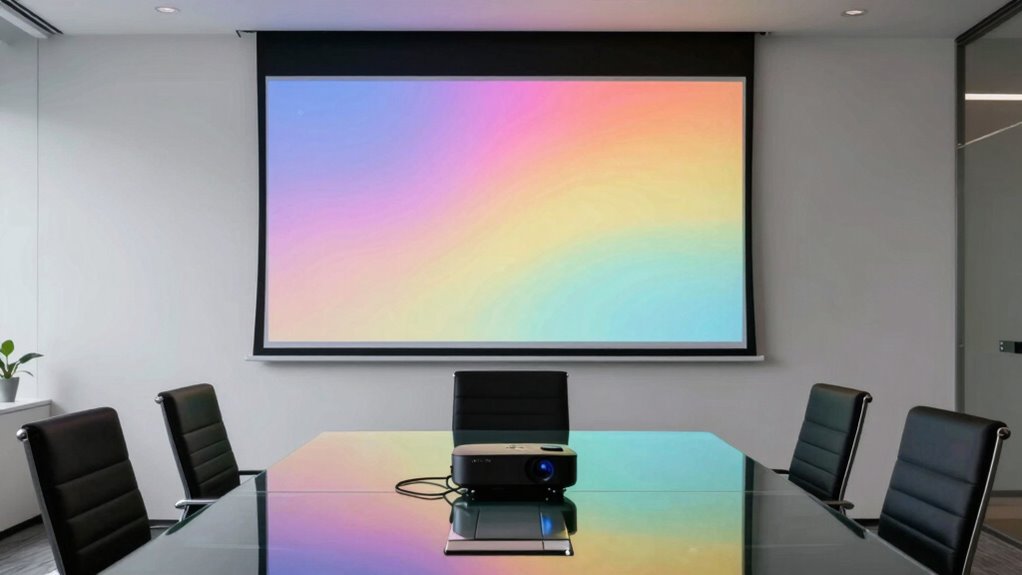
For most offices, I’d start with the Silver Ticket Products STR Series 92-inch fixed-frame screen when a room can dedicate wall space to a stable, presentation-ready setup. If you need to move between meeting rooms, the PropVue 100-inch 16:9 offers a more flexible format, while the Pyle 50-inch tripod screen suits small rooms and quick, compact presentations. The main tradeoff is between a larger image and the space, setup time, and storage that a portable stand requires. Aspect ratio matters too: a screen shaped for widescreen slides may not suit older 4:3 content as well. Read on for how these 13 options compare and which office setup each one fits best.

Get the latest gadgets delivered free with Prime
- Fast, free delivery on millions of items
- Prime Video, Amazon Music and more included
- Member-only deals all year
Complete the kit



Key Takeaways
- The fixed-frame Silver Ticket STR Series is the standout for an office with a permanent screen location; its 92-inch 16:9 format avoids the setup and storage demands shared by the tripod models.
- Portable 120-inch and 150-inch screens favor room coverage and audience visibility, but their larger size can be harder to place, carry, and store between meetings.
- PropVue’s separate 100-inch 4:3 and 16:9 models show why matching screen shape to presentation content matters as much as choosing a diagonal measurement.
- The Pyle 50-inch and 80-inch portable options fit small groups and tight spaces better than the roundup’s larger screens, which may overwhelm a compact meeting room.
- Tripod and stand screens prioritize flexibility; a fixed-frame screen makes more sense when a company has a dedicated presentation room and wants to avoid repeated setup.
| ZUVMITG 120-Inch Portable Projector Screen with Stand |  | Best for Flexible Projection | Screen size: 120 inches | Aspect ratio: 16:9 | Projection: Front and rear | VIEW ON AMAZON | See Our Full Breakdown |
| STWUI 120-Inch Portable Projector Screen with Stand |  | Best for Tool-Free Setup | Screen size: 120 inches | Aspect ratio: 16:9 | Viewing angle: 160 degrees | VIEW ON AMAZON | See Our Full Breakdown |
| 84-Inch 16:9 Projector Screen with Tripod Stand |  | Best for Small Meeting Rooms | Screen size: 84 inches | Aspect ratio: 16:9 | Surface: Wrinkle-free matte PVC | VIEW ON AMAZON | See Our Full Breakdown |
| 80-Inch Portable Projector Screen with Stand |  | Best for Fast, Compact Setup | Screen size: 80-inch diagonal | Screen dimensions: 70 × 39 inches (177 × 100 cm) | Aspect ratio: 16:9 | VIEW ON AMAZON | See Our Full Breakdown |
| 150-Inch Portable Projector Screen with Stand |  | Best for Large Group Presentations | Screen size: 150 inches | Aspect ratio: 16:9 | Screen material: Wrinkle-resistant polyester | VIEW ON AMAZON | See Our Full Breakdown |
| Silver Ticket Products STR Series Fixed Frame Projection Screen, 92-Inch, 16:9, White |  | Best for a Dedicated Office | Diagonal screen size: 92 inches | Aspect ratio: 16:9 | Viewing area: 80 × 45 inches | VIEW ON AMAZON | See Our Full Breakdown |
| Excelimage 80-Inch Portable Projector Screen with Stand |  | Best for Small Offices | Screen size: 80 inches | Aspect ratio: 16:9 | Gain: 1.2 | VIEW ON AMAZON | See Our Full Breakdown |
| TOWOND 150-Inch Portable Projector Screen with Stand |  | Best for Large Presentations | Diagonal screen size: 150 inches | Aspect ratio: 1:1 and 16:9 | Viewing angle: 160° | VIEW ON AMAZON | See Our Full Breakdown |
| ACSTAB 120-Inch Portable Projector Screen with Stand |  | Best for Outdoor Stability | Screen size: 120 inches | Aspect ratio: 16:9 | Viewing angle: 160° | VIEW ON AMAZON | See Our Full Breakdown |
| PropVue 100-Inch 4:3 Projector Screen with Tripod Stand |  | Best for Legacy Presentation Formats | Screen size: 100 inches | Aspect ratio: 4:3 | Screen material: Polyvinyl chloride (PVC) | VIEW ON AMAZON | See Our Full Breakdown |
| PropVue 100-Inch 16:9 Projector Screen with Stand | | Best for Office Presentations | Brand: PropVue | Screen size: 100 inches | Aspect ratio: 16:9 | VIEW ON AMAZON | See Our Full Breakdown |
| Pyle 50-Inch Portable Projector Screen with Tripod Stand |  | Best for Small Meeting Rooms | Brand: Pyle | Model: PRJTP52 | Screen size: 50 inches | VIEW ON AMAZON | See Our Full Breakdown |
| 120-Inch Portable Projector Screen with Stand |  | Best for Flexible Projection | Screen size: 120 inches | Aspect ratio: 16:9 | Viewing angle: 160° | VIEW ON AMAZON | See Our Full Breakdown |
| office projector screen | Aspect ratio | Screen size | Viewing angle |
|---|---|---|---|
| ZUVMITG 120-Inch Portable Proj | 16:9 | 120 inches | 160° |
| STWUI 120-Inch Portable Projec | 16:9 | 120 inches | 160 degrees |
| 84-Inch 16:9 Projector Screen | 16:9 | 84 inches | — |
| 80-Inch Portable Projector Scr | 16:9 | 80-inch diagonal | 160 degrees |
| 150-Inch Portable Projector Sc | 16:9 | 150 inches | — |
| Silver Ticket Products STR Ser | 16:9 | — | 160 degrees |
| Excelimage 80-Inch Portable Pr | 16:9 | 80 inches | 160 degrees |
| TOWOND 150-Inch Portable Proje | 1:1 and 16:9 | — | 160° |
| ACSTAB 120-Inch Portable Proje | 16:9 | 120 inches | 160° |
| PropVue 100-Inch 4:3 Projector | 4:3 | 100 inches | 160 degrees |
| PropVue 100-Inch 16:9 Projecto | 16:9 | 100 inches | — |
| Pyle 50-Inch Portable Projecto | 4:3 | 50 inches | — |
| 120-Inch Portable Projector Sc | 16:9 | 120 inches | 160° |
More Details on Our Top Picks
ZUVMITG 120-Inch Portable Projector Screen with Stand
The ZUVMITG 120-inch screen suits offices that need a large image and may place the projector on either side of the screen. Its front and rear projection support gives meeting rooms more setup flexibility than the 84-Inch 16:9 Projector Screen with Tripod Stand, which is a smaller, simpler option. The wide 160° viewing angle can help colleagues see the presentation from seats off center, and washable milk silk fabric is practical for a screen that travels between rooms or events. For occasional outdoor presentations, the steel frame, stakes, ropes, and sandbags offer several ways to secure it. The tradeoff is its footprint: a 120-inch frame takes more room to set up and store than the 80-Inch Portable Projector Screen with Stand, and assembly is required. Wind can still challenge it, so the included anchors do not remove the need to choose a sheltered setup.
Pros:- Front and rear projection support accommodates varied room layouts
- 120-inch 16:9 surface provides a large presentation area
- Stakes, ropes, and sandbags give outdoor setups multiple anchoring options
- Washable fabric and included carry bag suit repeated transport
Cons:- Large frame needs substantial setup and storage space
- Assembly is required before use
- Strong wind may still destabilize it despite the included anchors
Best for: Teams that need a large presentation surface with the option to project from either side
Not ideal for: Small offices or frequent solo presenters who need a compact screen with the least setup and storage
- Screen size:120 inches
- Aspect ratio:16:9
- Projection:Front and rear
- Viewing angle:160°
- Resolution support:4K HD
- Screen material:Washable milk silk fabric
- Frame material:Steel
- Included accessories:Carry bag, 4 ground stakes, ropes, 4 sandbags
Our verdict“Choose this for flexible, large-format presentations where two-sided projection and outdoor anchoring are useful.”
STWUI 120-Inch Portable Projector Screen with Stand
For an office that moves its screen between rooms, the STWUI 120-inch pairs a large viewing area with modular, tool-free assembly. That makes it a more convenient frequent setup than the ZUVMITG 120-Inch Portable Projector Screen with Stand, whose assembly is required. Its wrinkle-resistant woven surface and 160° viewing angle suit presentations where attendees sit across a broad area, while front and rear projection can ease placement when the room layout is awkward. The weighted base, stakes, and two windproof ropes offer outdoor securing options, though setup outdoors still involves multiple anchors. The screen and frame are also bulky to store, so it makes less sense for a compact office than the 80-Inch Portable Projector Screen with Stand. A listed 30-day warranty is another limitation for buyers expecting longer coverage.
Pros:- Modular tool-free assembly makes repeated setup more convenient
- Wrinkle-resistant surface is suited to portable use
- Front and rear projection supports flexible room placement
- Weighted base, stakes, and ropes provide several outdoor securing options
Cons:- 120-inch screen and frame need substantial storage space
- Outdoor anchoring involves multiple stakes and ropes
- Listed warranty is limited to 30 days
Best for: Office teams that regularly transport and reassemble a large screen for presentations or events
Not ideal for: Small offices with limited storage or buyers who want longer stated warranty coverage
- Screen size:120 inches
- Aspect ratio:16:9
- Viewing angle:160 degrees
- Projection:Front and rear
- Screen material:High-density woven milk silk
- Frame material:Steel
- Included accessories:Carry bag, 4 ground stakes, 2 windproof ropes
- Warranty:30 days
Our verdict“Pick the STWUI when a large, frequently moved screen and tool-free assembly matter more than compact storage or extended warranty coverage.”
84-Inch 16:9 Projector Screen with Tripod Stand
The 84-inch screen with tripod stand is the more manageable pick when an office needs portability without dedicating much floor area to a giant display. Its adjustable tripod and retractable design let presenters adapt the screen to different rooms, while the carrying bag makes transport straightforward. The matte PVC surface has a stated 1.1 gain, giving buyers a concrete surface specification absent from the ZUVMITG 120-Inch Portable Projector Screen with Stand. That larger model offers front and rear projection and more image area, so it is better for broad audiences; this 84-inch option favors smaller meetings where space and setup scale matter more. Its tradeoff is less screen area for distant viewers, and the supplied details do not specify its viewing angle or describe outdoor anchoring, which limits confidence for exposed outdoor use.
Pros:- 84-inch size is easier to accommodate in smaller rooms
- Adjustable tripod allows height changes for different setups
- Retractable design and carrying bag support transport
- Matte PVC surface has a stated 1.1 gain
Cons:- Smaller image area is less suitable for large rooms or distant seats
- Provided details do not specify outdoor anchoring hardware
- Provided details do not state front and rear projection support
Best for: Small teams presenting in compact conference rooms or moving a screen between indoor and occasional outdoor meetings
Not ideal for: Large meeting audiences or outdoor presentations that need detailed wind-securing hardware
- Screen size:84 inches
- Aspect ratio:16:9
- Surface:Wrinkle-free matte PVC
- Gain:1.1
- Stand:Adjustable tripod
- Portability:Retractable design with carrying bag
Our verdict“Choose this for compact, portable meetings where a smaller image is more practical than the 120-inch alternatives.”
80-Inch Portable Projector Screen with Stand
When meeting time is tight, this 80-inch screen stands out for its stated setup time of under three minutes and adjustable tripod. Its smaller format is easier to fit into a modest conference room than the STWUI 120-Inch Portable Projector Screen with Stand, though that larger model gives a better view to a broad audience. The fiberglass surface has a 1.2 gain and black-coated back, while the 160° viewing angle accommodates seats spread across the room. At 10 pounds, it remains portable, and the screen rolls into a storage tube. That tube is less protective and convenient to carry than the dedicated bags included with the ZUVMITG and STWUI screens. A tripod still needs floor space, and the stated height range describes the floor to screen bottom rather than the image’s full placement range.
Pros:- Stated setup time is under three minutes
- 160-degree viewing angle suits seats spread across a small room
- Adjustable tripod height supports varied presentation setups
- 10-pound weight and roll-up storage tube aid transport
Cons:- 80-inch image is limited for large rooms and distant audiences
- Tripod requires floor space
- Storage tube is specified, but no protective carrying case is listed
Best for: Office presenters who need a quick-to-assemble screen for small rooms and can store it in a tube
Not ideal for: Large conference rooms or buyers who want a carrying case and a broad image for distant viewers
- Screen size:80-inch diagonal
- Screen dimensions:70 × 39 inches (177 × 100 cm)
- Aspect ratio:16:9
- Gain:1.2
- Viewing angle:160 degrees
- Material:Fiberglass with black-coated back
- Stand height adjustment:59–89 inches (150–225 cm), floor to screen bottom
- Weight:10 pounds
- Setup time:Under 3 minutes
Our verdict“Pick this for quick small-room presentations when a compact screen and simple assembly matter more than image size.”
150-Inch Portable Projector Screen with Stand
This 150-inch screen makes sense when visibility across a large room or outdoor gathering is the priority. Its foldable, wrinkle-resistant polyester surface and included iron frame, ground nails, ropes, and carry bag form a portable kit, while the STWUI 120-Inch Portable Projector Screen with Stand is a more restrained choice for smaller audiences and easier storage. The extra diagonal can make slides and video more legible from farther back, but it also demands more room to erect and transport. The listing only claims stability in light winds, so this is a poor fit for exposed sites or weather that may change. The provided contents also do not include a projector, meaning an office buying a complete presentation setup must source that separately. Choose it for occasional large-format use rather than a compact everyday meeting room.
Pros:- 150-inch format gives distant viewers a larger image
- Foldable polyester surface is described as wrinkle-resistant
- Carry bag supports transport and storage
- Ground nails and rigging ropes are included for setup
Cons:- Large screen and frame need substantial setup and storage space
- Stability is claimed only for light winds
- Projector is not included in the listed contents
Best for: Organizations hosting large group presentations or outdoor screenings where a 150-inch image is useful
Not ideal for: Small offices, frequent solo presenters, or teams needing a screen for exposed outdoor conditions
- Screen size:150 inches
- Aspect ratio:16:9
- Screen material:Wrinkle-resistant polyester
- Frame material:Iron
- Included accessories:Carry bag, ground nails, rigging ropes
- Brand:FvcDmik
- Model number:150Inch
Our verdict“Choose this for large audiences when you can provide ample setup space and use it in calm conditions.”
Silver Ticket Products STR Series Fixed Frame Projection Screen, 92-Inch, 16:9, White
For an office with a permanent presentation wall, the Silver Ticket STR offers a taut, framed viewing surface without the setup each meeting would require from a portable screen. Its 80 × 45-inch image area and 1.1-gain white surface suit a range of projector formats, while the 160-degree viewing angle helps colleagues see the image from seats spread across a room. Compared with the Excelimage 80-Inch Portable Projector Screen with Stand, this model gives up portability for a more fixed, finished installation and a larger image.
The velvet-wrapped aluminum frame helps absorb stray light around the picture, and the tensioning rod system supports assembly. The tradeoff is commitment: it mounts to a wall, includes no stand, and some ultra-short-throw projectors may need the S7 frame series instead. I’d choose it for a room where the screen can stay in place, not a shared office that needs its wall back.
Pros:- Fixed frame provides a taut, wall-mounted viewing surface
- 160-degree viewing angle accommodates seats across a meeting room
- Black velvet-wrapped frame helps absorb stray light around the image
- Supports Full HD, 4K, 8K, HDR, and Active 3D formats
Cons:- Wall mounting makes it unsuitable for rooms that need a portable screen
- No legs or stand are included
- Some ultra-short-throw projectors may require a different frame series
Best for: Teams with a dedicated presentation room, a compatible projector, and a wall where the screen can remain installed.
Not ideal for: Shared offices that need to move or store the screen, or buyers using an ultra-short-throw projector without checking frame compatibility.
- Diagonal screen size:92 inches
- Aspect ratio:16:9
- Viewing area:80 × 45 inches
- Overall dimensions:84.75 × 49.75 inches
- Screen gain:1.1
- Viewing angle:160 degrees
- Mounting type:Wall mount
- Frame material:Beveled aluminum
Our verdict“Choose the Silver Ticket STR for a compatible projector in a dedicated office where a permanent 92-inch screen is more useful than portability.”
Excelimage 80-Inch Portable Projector Screen with Stand
The Excelimage 80-Inch is a practical fit when a conference room has limited floor space or the screen needs to travel between rooms. Its folding tripod and carrying bag make storage straightforward, and the listed setup time of about two minutes is shorter than the five-minute assembly listed for the ACSTAB 120-Inch Portable Projector Screen with Stand. The smaller 80-inch image also takes less room to position, though it gives up the larger presentation area those 120- and 150-inch options provide.
A tensioned glass-fiber surface, 1.2 gain, and 160-degree viewing angle make this a flexible portable choice for indoor or outdoor use. Portability still involves assembly whenever it comes out, so a fixed option such as the Silver Ticket STR suits a dedicated room better. I’d pick Excelimage for teams that value quick setup and compact storage over a large, always-ready display.
Pros:- Folding adjustable tripod and carrying bag support transport and storage
- About two-minute setup is quick for a portable screen
- Tensioned glass-fiber surface is designed to stay supported
- 160-degree viewing angle suits viewers spread across a room
Cons:- 80-inch size offers less viewing area than the ACSTAB 120-inch or TOWOND 150-inch
- Requires assembly each time it is used
- Portable stand takes floor space while set up
Best for: Small-office teams that move a screen between rooms and want a compact setup for presentations or occasional outdoor use.
Not ideal for: Buyers who need a large image for a wide meeting room or a screen that stays installed and ready.
- Screen size:80 inches
- Aspect ratio:16:9
- Gain:1.2
- Screen material:Glass fiber
- Viewing angle:160 degrees
- Weight:8.5 lbs
- Setup time:About 2 minutes
- Warranty:2 years
Our verdict“Choose Excelimage if your office needs a quick-to-set-up 80-inch screen that can be carried and stored between meetings.”
TOWOND 150-Inch Portable Projector Screen with Stand
When an office needs a very large image for a broad audience, the TOWOND 150-Inch provides more screen area than the ACSTAB 120-Inch Portable Projector Screen with Stand. Its support for front and rear projection can also help when the projector must sit behind the screen or room layout limits placement. The 160-degree viewing angle and included ropes and ground nails are useful for gatherings that extend beyond a conventional meeting room.
The size comes with a serious space requirement: the description calls for an indoor room wider than 140 inches. At 11.5 pounds, it is portable, but it still takes about five minutes to assemble and needs room for its stand and image. The no-tools setup and carry bag make it easier to transport than a fixed-frame option such as the Silver Ticket STR, though no warranty is listed. I’d reserve it for large rooms and events, not everyday small-office meetings.
Pros:- 150-inch diagonal surface creates a large image for bigger audiences
- Supports both front and rear projection
- Stand assembles without tools and the screen packs into a carry bag
- Includes ground nails, ropes, cross bars, and brackets
Cons:- Requires an indoor room wider than 140 inches
- About five minutes of assembly is needed before use
- No product warranty is listed
Best for: Event coordinators and large-office teams presenting to broad audiences in a spacious room or outdoor setting.
Not ideal for: Small meeting rooms or offices without more than 140 inches of indoor width to accommodate the screen.
- Diagonal screen size:150 inches
- Aspect ratio:1:1 and 16:9
- Viewing angle:160°
- Projection:Front and rear
- Material:Natural polyester fiber
- Weight:11.5 lbs
- Setup time:About 5 minutes
- Included accessories:Carry bag, 5 cross bars, 6 ground nails, 6 ropes, 2 brackets
Our verdict“Choose the TOWOND for large presentations where its 150-inch image and rear-projection option justify the space and setup.”
ACSTAB 120-Inch Portable Projector Screen with Stand
The ACSTAB 120-Inch is the portable pick in this group with stability features called out directly: its metal stand has a weighted chassis and ground-nail holes. That makes it a stronger match for camping, outdoor events, or rooms where a lightweight stand might shift. Like the TOWOND 150-Inch Portable Projector Screen with Stand, it supports front and rear projection and tool-free assembly, but its smaller 120-inch image is easier to fit into many office spaces.
The foldable, washable milk-silk material and carry bag support repeated transport, while setup takes about five minutes. The tradeoff is that a 120-inch screen still needs substantial room, and the ground nails may be needed outdoors for added stability. Its listed warranty is only 30 days, so this is a practical portable choice rather than a long-warranty investment. I’d choose it when stability and mobility matter more than a wall-mounted screen’s always-ready setup.
Pros:- Weighted metal stand with ground-nail holes supports added stability
- Front and rear projection accommodate different room layouts
- Tool-free assembly takes about five minutes
- Foldable screen and carry bag support transport
Cons:- 120-inch screen and stand require substantial setup space
- Ground nails may be needed for added stability outdoors
- Listed warranty is 30 days
Best for: Teams that take presentations to outdoor events or need a portable 120-inch screen with added stand stability.
Not ideal for: Small offices with limited floor space or buyers who want a permanent installation or a longer listed warranty.
- Screen size:120 inches
- Aspect ratio:16:9
- Viewing angle:160°
- Projection:Front and rear
- Material:Washable, foldable milk silk
- Stand:All-metal bracket with weighted chassis and ground-nail holes
- Setup time:About 5 minutes
- Warranty:30 days
Our verdict“Choose ACSTAB if you need a portable 120-inch screen with a stability-focused stand for office events or outdoor presentations.”
PropVue 100-Inch 4:3 Projector Screen with Tripod Stand
The PropVue 100-Inch 4:3 serves offices that present older slide decks or use projectors set up around the traditional presentation format. That shape distinguishes it from the Excelimage 80-Inch Portable Projector Screen with Stand and the 16:9 ACSTAB, which better match widescreen content. Its manual retractable design, tripod, carry bag, and straps make it suitable for moving between rooms or taking to an event, with setup described as a three-step process.
The matte PVC surface has a 1.1 gain and 160-degree viewing angle, giving teams a portable display with a specified finish and broad viewing coverage. At 17 pounds, however, it is heavier than Excelimage’s 8.5-pound screen, so frequent carrying is less appealing. The 4:3 shape also leaves widescreen presentations less naturally matched to the surface. I’d choose it for legacy-format slides and skip it if most office content is widescreen video or decks.
Pros:- 4:3 aspect ratio suits traditional presentation content
- Retractable screen and tripod support portable use
- Matte PVC surface has a stated 1.1 gain
- Includes a fitted carry bag and straps
Cons:- 17-pound weight is relatively burdensome for frequent transport
- 4:3 shape is less suited to widescreen presentations
- Manual operation requires setup rather than a fixed, ready-to-use installation
Best for: Organizations presenting legacy 4:3 slides or using projectors configured for the traditional presentation format.
Not ideal for: Teams whose meetings mainly use widescreen 16:9 content or staff who need a lightweight screen for frequent transport.
- Screen size:100 inches
- Aspect ratio:4:3
- Screen material:Polyvinyl chloride (PVC)
- Screen finish:Non-iron, matte
- Gain:1.1
- Viewing angle:160 degrees
- Stand:Tripod
- Item weight:17 pounds
Our verdict“Choose PropVue for portable office presentations built around 4:3 slides, especially when the screen will not be carried every day.”
PropVue 100-Inch 16:9 Projector Screen with Stand
The PropVue 100-inch screen balances a generous presentation area with a format suited to widescreen laptops and video. Its adjustable height helps position the image for a conference table or small gathering, while the tripod and fitted bag make it easier to move between rooms than a fixed-frame screen such as the Silver Ticket STR Series. The three-step setup keeps assembly straightforward, though it still takes more preparation than a retractable tabletop option like the Pyle 50-inch. A 1.1 gain is listed, but the product data does not identify the screen material, so buyers seeking a specified surface should look elsewhere. This is a practical middle ground for offices that need a portable screen larger than Pyle’s compact viewing area without stepping up to 120 inches.
Pros:- 100-inch 16:9 area suits widescreen presentations and video
- Adjustable height helps position the image for different rooms
- Fitted carrying bag supports transport between meeting spaces
- Wide-leg tripod is designed for stability
Cons:- Requires assembly before use
- Screen material is not specified in the product data
Best for: Office teams presenting widescreen slides or video to small and midsize groups who need a portable screen with adjustable height.
Not ideal for: Buyers who need a documented screen material or a screen that can be set up without assembling a tripod.
- Brand:PropVue
- Screen size:100 inches
- Aspect ratio:16:9
- Gain:1.1
- Stand:Tripod
- Setup:Three steps
- Use:Indoor and outdoor
Our verdict“Choose this PropVue when a portable, adjustable 100-inch widescreen suits your meetings better than Pyle’s compact 50-inch screen.”
Pyle 50-Inch Portable Projector Screen with Tripod Stand
The Pyle PRJTP52 is the compact choice for a huddle room, desk-side presentation, or occasional tabletop projection. At 50 inches with a 4:3 format, it occupies less space than the PropVue 100-inch widescreen, which can make it easier to place in a tight room, though the smaller image is less suited to a larger audience or modern widescreen video. Its manual retractable design and lightweight tripod support quick setup, and it can stand on a floor or table. The white matte fabric and black masking border give buyers more surface detail than the PropVue’s unspecified material. The tradeoff is limited height: its maximum listed range is 48 inches, so it offers less flexibility for seating and placement than taller portable screens.
Pros:- Compact 50-inch viewing area fits small rooms
- White matte surface and black masking border are specified
- Can be placed on a floor or table
- Lightweight tripod and manual retractable setup support portability
Cons:- 4:3 format is less suited to widescreen video than PropVue’s 16:9 screen
- Maximum listed height is 48 inches
- Manual retractable operation requires hands-on setup
Best for: Small-office teams and presenters who need a lightweight screen for close viewing, tabletop placement, or occasional use.
Not ideal for: Groups needing a large widescreen image, substantial height adjustment, or a 16:9 surface for video presentations.
- Brand:Pyle
- Model:PRJTP52
- Screen size:50 inches
- Aspect ratio:4:3
- Viewing surface:White matte fabric with black masking border
- Height range:25–48 inches
- Stand type:Portable tripod
- Setup:Manual, retractable
- Warranty:1 year
Our verdict“Pick the Pyle for close-range meetings where compact size and a specified matte surface matter more than image scale.”
120-Inch Portable Projector Screen with Stand
For offices that need a large image and more freedom in projector placement, this 120-inch screen supports both front and rear projection. That flexibility can help when the projector cannot sit in front of the audience, a capability not listed for the 100-inch PropVue. Its 160° viewing angle is intended to accommodate viewers spread across a room, and the foldable, washable milk silk surface is easier to pack and clean than a fixed screen. The tradeoff is scale: 120 inches needs more room than the Pyle 50-inch and can overwhelm a small meeting space. The stand uses a weighted base and all-metal bracket, but outdoor users may need ground nails for added stability. Tool-free assembly helps, though setup is still required.
Pros:- Front and rear projection support flexible projector placement
- 160° viewing angle accommodates viewers across a room
- Foldable, washable milk silk screen is suited to transport and cleaning
- Weighted stand and all-metal bracket support stability
Cons:- 120-inch screen may be too large for compact meeting rooms
- Requires assembly despite tool-free setup
- Ground nails may be needed for added outdoor stability
Best for: Presenters who need a large portable image, flexible front or rear projection, and a screen surface that can be washed.
Not ideal for: Small meeting rooms or offices that cannot spare space for a 120-inch screen, especially where outdoor anchoring is impractical.
- Screen size:120 inches
- Aspect ratio:16:9
- Viewing angle:160°
- Screen material:Foldable, washable milk silk
- Projection:Front and rear
- Assembly:Tool-free
- Stand:Weighted stand with all-metal bracket
- Carry bag dimensions:7.8 x 17.7 inches
Our verdict“Choose this 120-inch model when projection direction and a washable portable surface matter more than compact storage or setup simplicity.”

How We Picked
I ranked these screens around the demands of office presentations: whether the size suits a typical meeting room, whether the format works with common slide layouts, and how much setup and storage the screen asks of staff. I also weighed portability against stability and permanence, since a screen that moves easily between rooms serves a different buyer from one that stays installed.
The Silver Ticket STR Series leads for a dedicated room because its fixed-frame design favors a consistent setup. Among portable choices, screen size and aspect ratio shape the ranking: the PropVue 100-inch 16:9 is a more practical fit for widescreen office content than its 4:3 sibling, while compact models make sense where space or group size is limited. The 120-inch and 150-inch screens rank as options for rooms that can accommodate their larger footprint. Each pick has a tradeoff, especially around setup, storage, or matching image size to the room.
Factors to Consider When Choosing Office Projector Screen
I’d choose an office screen by working from the room and meeting routine first, then narrowing by size and format. These factors help avoid a screen that looks suitable on paper but takes too long to set up or crowds the presentation space.
Match the Screen to the Room and Audience
Screen size should follow the farthest seat and available wall or floor space, not the largest diagonal you can find. A 150-inch portable screen may help in a broad training room, but it can dominate a small conference room and leave little room for furniture or people moving around. Compact screens such as the Pyle 50-inch or the 80-inch options fit huddles and small groups more naturally. Before buying, measure the intended viewing area and check how much clearance the stand needs. Also consider whether chairs can face the screen without blocking a doorway or the presenter. A room-sized image is easier to use than a maximum-sized one.
Choose an Aspect Ratio That Fits Your Content
Many current laptops and slide decks use widescreen layouts, making a 16:9 screen a straightforward match for presentations and video. A 4:3 screen, such as the PropVue 100-inch 4:3, can suit legacy material or a projector setup built around that shape. The common mistake is choosing by diagonal alone: two screens with the same diagonal can have noticeably different widths and heights. Check the projector’s native aspect ratio and the content your team presents most often. If people switch between formats, expect unused screen area or blank borders with some material. Let your recurring content guide the shape, rather than assuming one format suits every office.
Decide How Often the Screen Must Move
A tripod or portable stand can serve several rooms, which is useful when the office has no dedicated presentation space. That flexibility comes with repeated assembly, a place to store the screen, and the need to carry it between meetings. Larger 120-inch and 150-inch models ask more of the person setting them up than a compact screen. If the screen stays in one room, a fixed-frame model such as the Silver Ticket may reduce setup steps before each presentation. Think about who will set it up and how much time a meeting schedule allows. Portability has the most value when the screen actually travels.
Plan for Placement, Not Just Screen Dimensions
A screen needs a clear, stable position and enough distance from the projector for the image to fill its surface. Tripod legs may occupy floor space, while a fixed-frame screen needs a suitable wall location. Check for windows, lights, whiteboards, and doors that could obstruct the image or make placement awkward. For a portable model, measure the footprint with the stand open, not just the screen width. If meetings happen around a table, confirm that the screen will not block sightlines for people seated at the sides. These checks can rule out an oversized option before it becomes an office storage problem.
Balance Image Area With Setup and Storage
A larger screen can improve visibility for a bigger audience, but only if the room and projector can support it. A screen that must be assembled for every meeting can add friction, particularly if it is bulky to carry or store. Smaller portable models are easier to place in tight rooms, though they may not serve a large group well. Consider where the screen will live when it is not in use and whether one person can move it comfortably. For frequent presentations, a stable screen that is always ready may be more useful than extra image area. For occasional meetings across rooms, portability may matter more than a permanent installation.
Frequently Asked Questions
Is a fixed-frame screen or a tripod screen better for a regular conference room?
If the room has a permanent presentation area, a fixed-frame screen like the Silver Ticket STR Series can stay ready without repeated assembly. A tripod screen makes more sense when staff need to move it or the room serves other purposes. Check whether the office can dedicate wall space before choosing a fixed frame. Also consider who is responsible for setting up portable equipment before meetings. The right fit depends on whether the room or the screen needs to be flexible.
Should I choose a 16:9 or 4:3 screen for office presentations?
Start with the projector and the slide formats your team already uses. A 16:9 screen usually pairs naturally with widescreen laptops, modern slide decks, and video, while a 4:3 model may suit older content or an existing projector configured for that shape. The PropVue 100-inch models illustrate that the same diagonal does not mean the same screen proportions. Mixing formats can leave unused areas or require image adjustments. If several people present, check their usual laptop output before standardizing on one ratio.
Is a 120-inch or 150-inch screen too large for a small meeting room?
It can be, depending on how far people sit from the image and how much floor space the stand occupies. A large screen may be useful for a training room with a spread-out audience, but it can crowd a compact conference room or dominate a small huddle. Measure the visible screen area and the stand footprint where it will be used. Check that everyone can see the image without turning awkwardly or sitting too close. For a small group, the 50-inch or 80-inch options may be easier to place.
Can one portable screen serve several meeting rooms?
Yes, a stand model can be moved between rooms, which helps when no room has a permanent presentation setup. The practical limit is how easily it can be carried, assembled, and stored, especially for the 120-inch and 150-inch choices. Check the route between rooms, including lifts or narrow doors, and decide where the screen will be kept between meetings. A smaller model may be more convenient if setup happens often. If it rarely moves, a dedicated fixed-frame screen can reduce repeated handling.
When is it worth choosing a fixed-frame screen over a portable one?
A fixed frame is most appealing when presentations happen regularly in the same room and there is a suitable wall location. It avoids the recurring setup and storage routine of a tripod screen. A portable model is a better fit when the room must serve other purposes or several rooms share one screen. Consider how often the screen is used and whether staff can leave it in place. The Silver Ticket STR Series suits a dedicated setup, while the portable options address changing room needs.
Conclusion
Best overall for a dedicated office room: I’d choose the Silver Ticket Products STR Series for a stable 92-inch widescreen setup that stays in place. Best value in flexibility: the PropVue 100-inch 16:9 is the practical portable pick for offices presenting mostly widescreen material. Best premium fit: the Silver Ticket is also my choice when a permanent, ready-to-present installation matters more than portability. Best for beginners: I’d start with an 80-inch or 100-inch portable screen, which is easier to place in a typical meeting room than the 150-inch models. Best for specific needs: choose the Pyle 50-inch for compact huddles, PropVue 100-inch 4:3 for legacy-format content, or a 120-inch or 150-inch stand screen for larger rooms. Let room size, content shape, and setup frequency make the final call.
Fall Picks
fall essentials
As an affiliate, we earn on qualifying purchases.