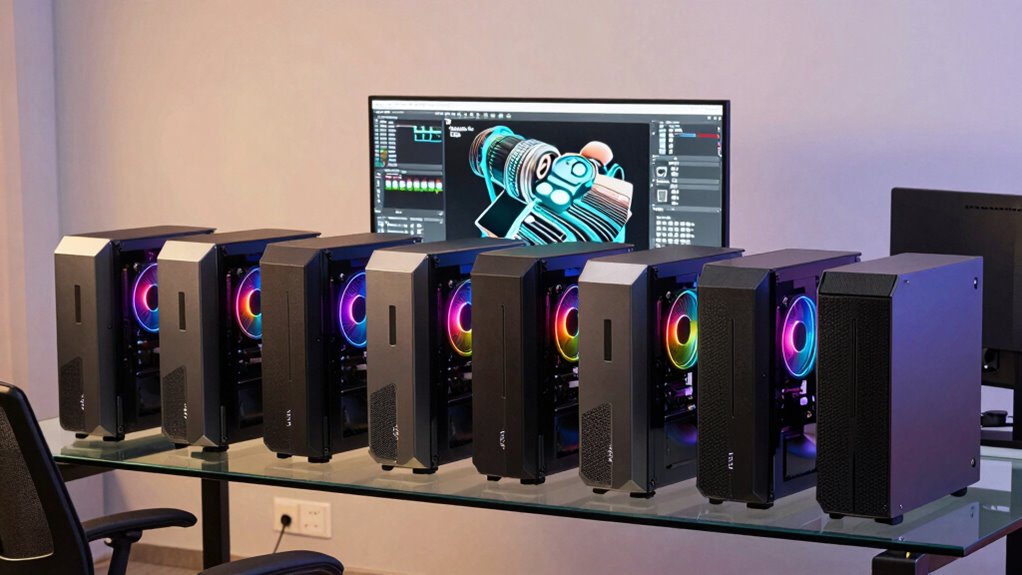

Choosing a prebuilt workstation PC means weighing the work you need it to do against the space and upgrade flexibility you have. I’d start with the HP Z4 G4 if your projects benefit from 64GB of memory, a tower chassis, and separate SSD and hard-drive storage. The Dell OptiPlex 7070 SFF is the more practical fit for general office work and multitasking, with an eight-core Core i7 and a 1TB NVMe drive in a smaller case.

Get the latest gadgets delivered free with Prime
- Fast, free delivery on millions of items
- Prime Video, Amazon Music and more included
- Member-only deals all year
Neither configuration is a modern graphics workstation: the Dell listing does not specify a discrete graphics card, while the HP’s Quadro P400 has only 2GB of graphics memory. Both are renewed systems, so the decision also involves accepting condition variability. I rank the HP first for its workstation-oriented capacity and expandability; the Dell is a better match when compact size and quick everyday responsiveness matter more than workstation graphics or upgrade room.
Complete the kit


Key Takeaways
- The HP Z4 G4 leads this comparison for memory-heavy professional workloads, with 64GB RAM and a tower chassis.
- The Dell OptiPlex 7070 SFF has the higher core count at eight, but its 32GB of RAM and compact case suit general multitasking better than expansion-heavy work.
- HP’s Quadro P400 is an entry-level professional graphics option with 2GB of memory; it is not a strong fit for demanding 3D scenes or GPU-heavy rendering.
- The Dell has twice the listed NVMe capacity at 1TB, while the HP pairs a 512GB NVMe SSD with a 2TB HDD for a different storage balance.
- Both systems are renewed, so buyers should weigh the listed specifications alongside the possibility of cosmetic wear, packaging differences, and condition variation.
| HP Z4 G4 Workstation Tower, Intel Xeon W-2133, 64GB RAM, 512GB NVMe SSD, 2TB HDD, Nvidia Quadro P400, Windows 11 Pro (Renewed) |  | Best Overall for Memory-Heavy Work | Processor: Intel Xeon W-2133, 6 cores, 3.6GHz base, up to 3.9GHz turbo | Memory: 64GB DDR4 | Storage: 512GB NVMe M.2 SSD and 2TB HDD | VIEW ON AMAZON | See Our Full Breakdown |
| Dell OptiPlex 7070 SFF Desktop Computer, Intel Core i7-9700, 32GB DDR4 RAM, 1TB NVMe SSD, Wi-Fi 6E, Windows 11 Pro, Keyboard and Mouse (Renewed) |  | Best Compact Pick for Everyday Multitasking | Processor: Intel Core i7-9700, 8 cores, 3.0GHz up to 4.70GHz | Memory: 32GB DDR4 | Storage: 1TB NVMe M.2 SSD | VIEW ON AMAZON | See Our Full Breakdown |
| prebuilt workstation pc | Processor | Memory | Storage | Form factor |
|---|---|---|---|---|
| HP Z4 G4 Workstation Tower | Intel Xeon W-2133, 6 cores, 3.6GHz base, up to 3.9GHz turbo | 64GB DDR4 | 512GB NVMe M.2 SSD and 2TB HDD | Tower |
| Dell OptiPlex 7070 SFF Desktop | Intel Core i7-9700, 8 cores, 3.0GHz up to 4.70GHz | 32GB DDR4 | 1TB NVMe M.2 SSD | Small form factor |
More Details on Our Top Picks
HP Z4 G4 Workstation Tower, Intel Xeon W-2133, 64GB RAM, 512GB NVMe SSD, 2TB HDD, Nvidia Quadro P400, Windows 11 Pro (Renewed)
The HP Z4 G4 earns the lead because it looks more like a workstation configuration than the compact Dell: it brings 64GB of RAM, a six-core Xeon W-2133, and a full tower enclosure. That extra memory can help when a project keeps large files, scenes, or several professional applications open at once. The Dell counters with eight CPU cores and a larger 1TB NVMe SSD, so it may be the more appealing choice for buyers whose daily work is general multitasking and quick file access rather than memory capacity or tower flexibility.
Storage is split by purpose. The HP’s 512GB NVMe SSD gives the operating system and active projects a fast home, while its 2TB hard drive offers room for archives and bulky files. This arrangement gives the HP more listed total capacity than the Dell, but the Dell puts all of its listed storage on NVMe, which can make a simpler single-drive setup. Buyers who want one fast volume may prefer the Dell’s 1TB drive; buyers who separate active work from stored data may prefer the HP’s combination.
The main limitation is the Quadro P400 with 2GB of graphics memory. It supplies discrete professional graphics and three Mini DisplayPort outputs, but the modest memory makes it a poor match for demanding 3D scenes, GPU rendering, or high-resolution assets. The Dell’s graphics are not specified in the listing, so I would not assume it is better for graphics work; this HP simply makes its graphics hardware explicit. With dual Ethernet, numerous USB ports, a DVD drive, and a 750W power supply, the Z4 offers a more expandable starting point. Its renewed condition and potentially generic packaging are meaningful caveats for buyers expecting a pristine, original-box system.
Pros:- 64GB of DDR4 memory gives more headroom for large projects and heavy multitasking than the Dell’s 32GB.
- A tower enclosure is a more adaptable base than the Dell’s small form factor.
- Combines a 512GB NVMe SSD with a 2TB HDD for active work and file storage.
- Dual 1GbE ports and a broad selection of USB connections support wired office and peripheral setups.
Cons:- The Quadro P400’s 2GB of graphics memory limits its suitability for demanding modern 3D and GPU workloads.
- Renewed condition can mean cosmetic variation or generic packaging.
- The six-core Xeon has fewer listed cores than the Dell’s eight-core Core i7.
Best for: Professionals and power users who want 64GB of memory, a tower chassis, dual storage, and explicit entry-level Quadro graphics for lighter workstation tasks.
Not ideal for: Buyers doing demanding GPU rendering, complex 3D work, or projects that need more than 2GB of graphics memory; also a poor fit for anyone who needs a compact desktop.
- Processor:Intel Xeon W-2133, 6 cores, 3.6GHz base, up to 3.9GHz turbo
- Memory:64GB DDR4
- Storage:512GB NVMe M.2 SSD and 2TB HDD
- Graphics:Nvidia Quadro P400, 2GB, 3 Mini DisplayPorts
- Form factor:Tower
- Networking:Two 1GbE LAN ports
- Operating system:Windows 11 Pro 64-bit
- Condition:Renewed
Our verdict“Choose the HP Z4 G4 for its 64GB memory and tower workstation foundation, provided the Quadro P400’s entry-level graphics are enough for your work.”
Dell OptiPlex 7070 SFF Desktop Computer, Intel Core i7-9700, 32GB DDR4 RAM, 1TB NVMe SSD, Wi-Fi 6E, Windows 11 Pro, Keyboard and Mouse (Renewed)
The Dell OptiPlex 7070 SFF is the more compact and straightforward choice in this pair. Its eight-core Core i7-9700 and 32GB of RAM make a capable-looking combination for office applications, browser-heavy work, and running several common tools together. The HP has twice the listed memory and a tower case, which gives it the edge for larger memory-heavy projects and future flexibility. The Dell instead prioritizes a smaller footprint and a faster single-drive storage setup, so it is easier to place in a crowded office or home workspace.
Its 1TB NVMe SSD is larger than the HP’s SSD and avoids splitting the listed storage across two drive types. That can be convenient for a buyer who wants a single fast volume for applications and working files. The tradeoff is that the HP includes a separate 2TB HDD for additional storage; the Dell’s listing does not mention a secondary drive. Wi-Fi 6E and a supplied wireless keyboard and mouse also make the OptiPlex a more ready-to-use desktop for a basic desk setup, while the HP offers dual wired Ethernet and a wider set of listed rear connections.
Compactness comes at a cost: the small form factor can constrain later upgrades, and the listing does not spell out a discrete graphics card. Two DisplayPort connections are listed for a dual-display setup, but buyers with graphics-intensive professional applications should confirm that the actual graphics configuration meets their software’s requirements. Compared with the HP, this is the better fit for space-conscious office users who value core count, Wi-Fi, and a simple SSD setup. It is less compelling for workstation buyers who need more memory, explicit professional graphics, or room to grow. Renewed status adds the same condition uncertainty as the HP.
Pros:- Eight-core Core i7-9700 offers more listed CPU cores than the HP’s six-core Xeon.
- The 1TB NVMe SSD provides a larger single fast drive than the HP’s 512GB SSD.
- Small form factor occupies less desk or workspace than the HP tower.
- Includes Wi-Fi 6E, a wireless keyboard and mouse, and two DisplayPort outputs.
Cons:- 32GB RAM is half the capacity listed for the HP Z4 G4.
- Small form factor may limit internal expansion and upgrades.
- The listing does not specify a discrete graphics card for professional graphics workloads.
- Renewed condition may involve cosmetic or packaging variation.
Best for: Home-office and business users who want a compact Windows 11 Pro desktop for multitasking, a single 1TB NVMe drive, Wi-Fi 6E, and two DisplayPort connections.
Not ideal for: Professionals who need 64GB or more of RAM, a tower’s upgrade flexibility, or a clearly specified discrete GPU for graphics-intensive applications.
- Processor:Intel Core i7-9700, 8 cores, 3.0GHz up to 4.70GHz
- Memory:32GB DDR4
- Storage:1TB NVMe M.2 SSD
- Wireless:Wi-Fi 6E
- Form factor:Small form factor
- Display outputs:Two DisplayPort connections; listing describes support for two displays
- Included accessories:Wireless keyboard and mouse
- Operating system:Windows 11 Pro
- Condition:Renewed
Our verdict“Pick the Dell OptiPlex 7070 SFF for compact, fast everyday multitasking, but choose the HP if memory capacity and tower flexibility are the priority.”

How We Picked
I ranked these two systems by how well their listed components support the work people usually expect from a prebuilt workstation PC: sustained multitasking, memory capacity, storage, connectivity, graphics capability, and room to adapt the system later. I gave the HP Z4 G4 the lead because its 64GB of RAM, tower format, dual storage, and Quadro graphics make it the more workstation-shaped configuration. That ranking does not mean it is automatically faster in every task; the Dell’s eight-core Core i7 may be the more appealing processor for workloads that benefit from its higher core count.
I also accounted for what the specs do not establish. The listings do not provide benchmark results, detailed expansion-slot availability, or a specific graphics workload certification, so I avoid claims about exact performance. The Dell is described as supporting two displays through DisplayPort, while its discrete graphics configuration is not listed. Both products are marked renewed, which matters to buyers who expect a consistent cosmetic condition or original packaging. I treat these as tradeoffs in fit rather than assume either one will suit every professional workflow.
| prebuilt workstation pc | Processor | Form factor | Operating system |
|---|---|---|---|
| HP Z4 G4 Workstation Tower | Intel Xeon W-2133, 6 cores, 3.6GHz base, up to 3.9GHz turbo | Tower | Windows 11 Pro 64-bit |
| Dell OptiPlex 7070 SFF Desktop | Intel Core i7-9700, 8 cores, 3.0GHz up to 4.70GHz | Small form factor | Windows 11 Pro |
Factors to Consider When Choosing Prebuilt Workstation Pc
I’d choose between these desktops by identifying the resource that limits your actual workload: memory, graphics, storage, desk space, or upgrade options. These two renewed systems trade those strengths in different ways.Match memory and processor to your workload
For many office tasks, the Dell’s eight-core Core i7 and 32GB of RAM should be a sensible starting point on paper. Its higher listed core count may suit multitasking and work that can use several processor cores. The HP’s 64GB of memory makes it the stronger candidate when applications keep large data sets, scenes, or many files in memory. Its Xeon has six cores, so core count alone does not make it the automatic pick for every CPU-heavy task. Check the needs of your specific software and project sizes before ranking memory against processor cores.
Treat graphics as a separate buying decision
The HP names its graphics card: an Nvidia Quadro P400 with 2GB. That makes the configuration easier to judge, but the limited graphics memory narrows its fit to lighter professional graphics tasks. The Dell listing does not identify a discrete GPU, so its two DisplayPort connections should not be mistaken for evidence of workstation-grade graphics. If your work depends on GPU rendering, complex 3D scenes, or a vendor-certified graphics card, verify the exact configuration and software requirements before buying either system.
Compare storage capacity and layout
The Dell provides a single 1TB NVMe SSD, which offers more listed fast-drive space than the HP’s 512GB SSD. The HP pairs its SSD with a 2TB HDD, giving it more total listed capacity and a natural place for archives, completed projects, or less frequently used files. An HDD is not equivalent to an NVMe drive for responsiveness, though. Think about whether you prefer one fast drive for simplicity or separate fast and high-capacity storage.
Balance case size against future changes
The OptiPlex SFF saves space, which can matter in an office or a desk setup with limited room. That compact enclosure also makes it a less flexible base if you expect to add hardware later. The HP tower takes more room but is the more natural option for buyers who value internal access and potential upgrades. The listed specs alone do not confirm which specific upgrades will fit, so verify physical clearances, slots, and power requirements against the actual system before planning a component change.
Account for renewed condition
Both listings identify the computers as renewed. The listed configuration tells you what to compare technically, but it does not guarantee identical cosmetic condition or original packaging. The HP description notes that it may arrive in a generic box. Review the seller’s condition details and the applicable return terms before placing an order, especially if appearance, included accessories, or a particular configuration is important to your setup.
Frequently Asked Questions
Which of these prebuilt workstation PCs is better for professional work?
For memory-heavy work and a more expandable tower format, I’d choose the HP Z4 G4, which lists 64GB of RAM and a Quadro P400. For office multitasking in a smaller case, the Dell OptiPlex 7070 SFF is the more practical choice, with an eight-core Core i7 and 1TB NVMe SSD. The better fit depends on your software’s memory, processor, and graphics requirements.
Is the HP Quadro P400 suitable for demanding 3D work?
The HP’s Quadro P400 has 2GB of graphics memory, so I would treat it as an entry-level graphics configuration rather than a card for demanding 3D scenes or GPU rendering. It may be appropriate for lighter graphics tasks, but buyers with professional applications should check those applications’ hardware requirements and confirm that the card supports their workload.
Does the Dell OptiPlex support two monitors?
The listing specifies two DisplayPort connections and describes support for two displays. That suits a basic dual-monitor office arrangement, assuming the displays have compatible inputs or suitable adapters. Since the listing does not specify a discrete graphics card, buyers who need particular display resolutions, refresh rates, or GPU features should confirm the exact configuration.
Which computer has more storage?
The HP has the greater total listed capacity: a 512GB NVMe SSD plus a 2TB HDD. The Dell has a larger single fast drive, with a 1TB NVMe SSD. I’d favor the Dell if you want more of your listed storage on an SSD; the HP is more attractive if you want a separate high-capacity hard drive for files and archives.
What should I check before buying either renewed desktop?
Check the seller’s description of the renewed condition, included accessories, and return terms. Confirm that the listed processor, memory, storage, graphics, and ports match your intended setup, and ask for clarification if a key component is not specified. This is especially relevant to the Dell’s graphics configuration and either system’s upgrade compatibility; the HP description also notes that packaging may be generic.
Conclusion
I’d recommend the HP Z4 G4 to buyers who need 64GB of RAM, prefer a tower, and can work within the Quadro P400’s graphics limits. Choose the Dell OptiPlex 7070 SFF if your priority is a compact desktop for everyday multitasking, with an eight-core processor, Wi-Fi 6E, and a single 1TB NVMe drive. For demanding GPU work or a strict requirement for a particular graphics card, verify the exact hardware before choosing either renewed system.
Fall Picks
fall essentials
As an affiliate, we earn on qualifying purchases.