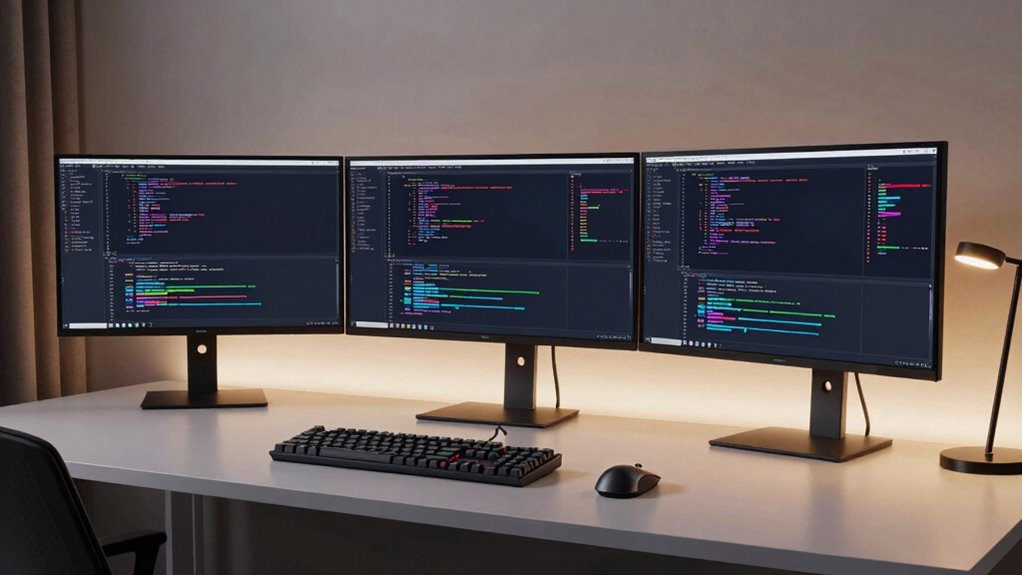

An ultrawide monitor for coding replaces the classic two-monitor setup with a single panel that holds your IDE, terminal, docs, and browser side by side without a distracting bezel gap. For most developers, the Dell UltraSharp U4025QW is the strongest all-around pick thanks to its 5K2K resolution, which delivers genuinely sharp text at a 40-inch size — the single biggest factor for long coding sessions. If that stretches the budget, the LG 34WR55QK-B offers a smart WQHD curved baseline, while the INNOCN 45C1R pushes into super-ultrawide territory for developers who live in split-pane workflows. The main tradeoffs you’ll face are resolution versus screen width, VA contrast versus IPS color and viewing angles, and whether a 34-inch panel is enough or you truly need 40-plus inches. Read on for the full breakdown of all 11 monitors and which one fits the way you work.

Get the latest gadgets delivered free with Prime
- Fast, free delivery on millions of items
- Prime Video, Amazon Music and more included
- Member-only deals all year
Complete the kit



Key Takeaways
- Pixel density mattered more than raw size: the 5K2K panels (Dell U4025QW, INNOCN 45C1R, M² Vision 40) rendered visibly sharper code than any 34-inch WQHD option, making text comfort the dividing line between premium and mid-range picks.
- The 34-inch WFHD LG 34U530A-W is the value trap of the lineup — cheap and spacious, but its low pixel density makes small fonts fuzzy, which matters more for code than for games or video.
- 49-inch super-ultrawides (Samsung LS49C954, INNOCN 49C1G) only make sense if you can run native 5120×1440; on modest GPUs or older laptops, they force scaled-down resolutions that hurt readability.
- Refresh rate is nearly irrelevant for coding beyond comfort flicker — paying for 144Hz (INNOCN 40C1R, 49C1G) buys gaming headroom, not better code, so budget coders can safely prioritize resolution instead.
- USB-C with power delivery (Dell S3425DW, Dell U4025QW) quietly became the most underrated feature in the group, turning a monitor into a docking station and eliminating a cable bundle for laptop-based developers.
| LG 34WR55QK-B 34-inch Curved UltraWide WQHD Monitor |  | Best Overall for Developers | Screen size: 34 inches | Resolution: 3440 × 1440 (WQHD) | Refresh rate: 100Hz | VIEW ON AMAZON | See Our Full Breakdown |
| LG 34U650A-B 34-inch UltraWide Curved IPS WQHD 100Hz HDR10 Monitor, Black |  | Best Single-Cable Workstation Hub | Screen size: 34 inches | Panel type: Curved IPS (3800R) | Resolution: 3440×1440 (WQHD) | VIEW ON AMAZON | See Our Full Breakdown |
| INNOCN 40C1R 40″ Ultrawide WQHD 144Hz Monitor |  | Best for Code-Plus-Gaming Setups | Screen size: 40 inches | Resolution: 3440 × 1440 (WQHD) | Refresh rate: 144Hz (DP), 100Hz (HDMI) | VIEW ON AMAZON | See Our Full Breakdown |
| Dell 34 Plus USB-C Curved Monitor S3425DW – WQHD VA, 120Hz, FreeSync Premium |  | Best Eye Comfort for Long Sessions | Screen size: 34 inches | Panel type: VA, matte finish | Resolution: 3440 × 1440 (WQHD) | VIEW ON AMAZON | See Our Full Breakdown |
| M² Vision 40-Inch 5K2K Ultrawide Monitor |  | Best Pixel Density for Code Clarity | Screen size: 40 inches | Resolution: 5120 × 2160 (5K2K) | Refresh rate: 120Hz with Adaptive Sync | VIEW ON AMAZON | See Our Full Breakdown |
| Samsung 49″ Business Curved Ultrawide Dual QHD Monitor (LS49C954UANXZA, 2024) |  | Best Docking Powerhouse | Screen Size: 49 inches | Resolution: Dual QHD (5120 × 1440) | Aspect Ratio: 32:9 | VIEW ON AMAZON | See Our Full Breakdown |
| Samsung 34″ ViewFinity S50GC Series Ultra-WQHD Monitor (LS34C502GANXZA), 100Hz, Black |  | Best Balanced 34-Inch | Screen Size: 34 inches | Resolution: Ultra-WQHD (3440 × 1440) | Aspect Ratio: 21:9 | VIEW ON AMAZON | See Our Full Breakdown |
| LG 34U530A-W 34-inch UltraWide WFHD IPS Monitor |  | Best Value Pick | Screen Size: 34 inches | Resolution: 2560 × 1080 (WFHD) | Panel Type: IPS | VIEW ON AMAZON | See Our Full Breakdown |
| Dell UltraSharp U4025QW 40″ 5K2K WUHD Curved LED Monitor |  | Best Premium Pixel Density | Screen Size: 39.7 inches | Resolution: 5120 × 2160 5K2K WUHD | Aspect Ratio: 21:9 | VIEW ON AMAZON | See Our Full Breakdown |
| INNOCN 49C1G 49-Inch Curved Ultrawide Gaming Monitor |  | Best for Code-and-Play Setups | Screen Size: 49 inches | Resolution: 3840 × 1080 | Aspect Ratio: 32:9 | VIEW ON AMAZON | See Our Full Breakdown |
| INNOCN 45C1R 45″ 5K2K Ultrawide Curved Gaming Monitor |  | Best Big-Screen Workstation Value | Screen Size: 45 inches | Resolution: 5120 x 1440 (5K2K) | Refresh Rate: Up to 120Hz | VIEW ON AMAZON | See Our Full Breakdown |
| ultrawide monitor for coding | Screen size | Resolution | Refresh rate | Panel type |
|---|---|---|---|---|
| LG 34WR55QK-B 34-inch Curved U | 34 inches | 3440 × 1440 (WQHD) | 100Hz | — |
| LG 34U650A-B 34-inch UltraWide | 34 inches | 3440×1440 (WQHD) | 100Hz | Curved IPS (3800R) |
| INNOCN 40C1R 40" Ultrawide WQH | 40 inches | 3440 × 1440 (WQHD) | 144Hz (DP), 100Hz (HDMI) | ADS IPS, 500 nits |
| Dell 34 Plus USB-C Curved Moni | 34 inches | 3440 × 1440 (WQHD) | 120Hz | VA, matte finish |
| M² Vision 40-Inch 5K2K Ultrawi | 40 inches | 5120 × 2160 (5K2K) | 120Hz with Adaptive Sync | — |
| Samsung 49" Business Curved Ul | 49 inches | Dual QHD (5120 × 1440) | 120Hz | — |
| Samsung 34" ViewFinity S50GC S | 34 inches | Ultra-WQHD (3440 × 1440) | 100Hz | — |
| LG 34U530A-W 34-inch UltraWide | 34 inches | 2560 × 1080 (WFHD) | 100Hz | IPS |
| Dell UltraSharp U4025QW 40" 5K | 39.7 inches | 5120 × 2160 5K2K WUHD | — | Curved LED |
| INNOCN 49C1G 49-Inch Curved Ul | 49 inches | 3840 × 1080 | Up to 144Hz via DisplayPort 1.4 | VA, 1800R curvature |
| INNOCN 45C1R 45" 5K2K Ultrawid | 45 inches | 5120 x 1440 (5K2K) | Up to 120Hz | VA, 1500R curvature |
More Details on Our Top Picks
LG 34WR55QK-B 34-inch Curved UltraWide WQHD Monitor
This LG stands out as the most balanced pick for a coding setup because it nails the fundamentals without overcharging for extras you may never use. The 3440 × 1440 WQHD panel gives enough horizontal space for an editor plus a browser and terminal side by side, and the 100Hz refresh rate makes scrolling through long files noticeably smoother than a standard 60Hz screen. Compared with the LG 34U650A-B, this model trades a bit of USB-C charging power (65W vs 96W) for the addition of Picture-by-Picture, which is handy if you split work between two machines. The three-sided borderless design also makes dual-monitor-less setups feel cleaner. The tradeoff: 5ms response time and a basic HDR10 implementation mean this is a productivity screen first, not a gaming display.
Pros:- WQHD resolution comfortably fits editor, terminal, and browser side by side
- USB-C carries video, data, and up to 65W charging in one cable
- Height- and tilt-adjustable stand out of the box
- Picture-by-Picture supports working across two computers
Cons:- 5ms response time and 100Hz cap feel dated next to 120Hz+ rivals
- HDR10 support is nominal rather than visually impactful
Best for: Developers who want a dependable daily-driver ultrawide with single-cable USB-C docking and a flexible stand
Not ideal for: Laptop owners with power-hungry machines — 65W charging may not keep larger workstations topped up under load
- Screen size:34 inches
- Resolution:3440 × 1440 (WQHD)
- Refresh rate:100Hz
- Response time:5ms
- USB-C power delivery:Up to 65W
- HDR:HDR10
- Stand adjustment:Height and tilt
- Ports:USB-C, 2 HDMI, 2 USB, DisplayPort, headphone jack
Our verdict“The safest all-around choice for a programmer who wants one cable, one screen, and no regrets.”
LG 34U650A-B 34-inch UltraWide Curved IPS WQHD 100Hz HDR10 Monitor, Black
What separates the 34U650A-B from the otherwise similar LG 34WR55QK-B is its 96W USB-C power delivery — enough to charge virtually any mainstream laptop at full speed through one cable, which turns the monitor into a true docking station. For a developer with a MacBook Pro or a beefy Windows laptop, that single difference justifies choosing this model over its sibling. The IPS panel with a 3800R curve delivers more consistent color across the wide screen than the VA-based Dell S3425DW, which matters if you occasionally do design-adjacent work. LG’s Switch app supports up to six-way screen split, a genuinely useful feature for tiling an IDE, logs, docs, and chat without a window manager. The compromises are the same 100Hz/5ms ceiling, and the omission of any adaptive sync.
Pros:- 96W USB-C charging powers demanding laptops through one cable
- IPS panel with up to 99% sRGB for consistent color
- Six-way screen split software purpose-built for multitasking
- Built-in speakers and full stand ergonomics reduce desk clutter
Cons:- No adaptive sync technology for gaming
- 100Hz and 5ms lag behind the 120Hz–144Hz alternatives in this lineup
Best for: Laptop-first developers who want to dock, charge at 96W, and tile six windows with one cable and zero extra accessories
Not ideal for: Anyone who also games after hours — no FreeSync or G-Sync and a 100Hz cap make it strictly a work display
- Screen size:34 inches
- Panel type:Curved IPS (3800R)
- Resolution:3440×1440 (WQHD)
- Refresh rate:100Hz
- Color coverage:Up to 99% sRGB
- USB-C power delivery:Up to 96W
- Stand adjustability:Tilt, swivel, height
- Extras:Built-in speakers, HDR10, 6-way screen split
Our verdict“The closest thing to a laptop docking station disguised as a monitor — pick it over the 34WR55QK-B if charging power matters more than Picture-by-Picture.”
INNOCN 40C1R 40″ Ultrawide WQHD 144Hz Monitor
The INNOCN 40C1R makes this list because it solves a problem the 34-inch LG models can’t: it’s a work monitor that doesn’t feel like a compromise after hours. With 144Hz over DisplayPort and AMD FreeSync Premium, it handles gaming credibly while still offering factory calibration (ΔE <2) and 95% DCI-P3 coverage for color-sensitive work. The 40-inch panel provides roughly 18% more viewable area than the 34WR55QK-B, which translates into a fourth comfortable window column — think IDE, browser, Slack, and logs all visible at once. At 500 nits it’s also brighter than the Dell S3425DW’s 300. The catch is that HDMI tops out at 100Hz, so hitting the full refresh rate depends on your cable choice, and the 1200:1 contrast ratio makes HDR content look flatter than the spec suggests.
Pros:- 144Hz over DisplayPort with FreeSync Premium for smooth gaming and scrolling
- Factory-calibrated ΔE <2 color accuracy for design work
- 40 inches of screen fits four tiled windows comfortably
- Versatile connectivity including USB-C for laptops and consoles
Cons:- Full 144Hz requires DisplayPort; HDMI users are stuck at 100Hz
- 1200:1 contrast is modest for the DisplayHDR 400 badge
Best for: Developers who code by day and game by night and want one screen that handles both without apology
Not ideal for: HDR enthusiasts and console gamers — HDMI is capped at 100Hz and the contrast ratio underdelivers on HDR400
- Screen size:40 inches
- Resolution:3440 × 1440 (WQHD)
- Refresh rate:144Hz (DP), 100Hz (HDMI)
- Panel type:ADS IPS, 500 nits
- Color:95% DCI-P3, ΔE <2 factory calibrated
- Sync technology:AMD FreeSync Premium
- Adjustability:Tilt, swivel, height; VESA mountable
- Features:PBP/PIP split screen
Our verdict“The rare ultrawide that pulls double duty — worth it if your monitor doubles as a gaming display.”
Dell 34 Plus USB-C Curved Monitor S3425DW – WQHD VA, 120Hz, FreeSync Premium
For developers who spend ten-hour days in an editor, the S3425DW’s strongest argument isn’t speed — it’s ComfortView Plus, which cuts blue light emissions to ≤35% without the yellow tint most night modes impose. That combination of eye comfort and 99% sRGB / 95% DCI-P3 coverage means text stays crisp and colors stay honest through marathon sessions. Its VA panel delivers a 3000:1 contrast ratio that makes the INNOCN 40C1R’s 1200:1 look washed out in dark IDE themes, though VA panels shift color slightly at extreme angles — less of an issue when you sit centered. The 120Hz refresh rate beats both LG models here, though it trails the INNOCN’s 144Hz. Note the practical drawbacks: at 20.7 pounds it needs a sturdy desk, and 300 nits of brightness means HDR is more checkbox than experience.
Pros:- ComfortView Plus reduces blue light to ≤35% without distorting color
- 3000:1 VA contrast makes dark IDE themes look deep and readable
- 120Hz refresh rate with 0.03ms response for fluid scrolling
- 65W USB-C single-cable connectivity with four USB ports
Cons:- Only 300 nits brightness limits HDR and bright-room visibility
- Heaviest 34-inch option here at 20.7 pounds
Best for: Full-time developers prone to eye strain who want low blue light, deep contrast for dark themes, and smooth 120Hz scrolling
Not ideal for: Wall- or arm-mounters with lightweight setups — its 20.7-pound weight demands serious mounting hardware
- Screen size:34 inches
- Panel type:VA, matte finish
- Resolution:3440 × 1440 (WQHD)
- Refresh rate:120Hz
- Contrast ratio:3000:1
- Brightness:300 nits
- Color gamut:99% sRGB, 95% DCI-P3
- USB-C power delivery:Up to 65W
Our verdict“The best pick if your priority is comfortable, high-contrast coding sessions rather than raw specs.”
M² Vision 40-Inch 5K2K Ultrawide Monitor
If you’ve ever squinted at subpixel-rendered text on a 34-inch 1440p panel, the M² Vision is the answer. Its 5120 × 2160 resolution at 40 inches delivers dramatically sharper text than the WQHD options here — closer to a Retina experience than anything the LG 34WR55QK-B or INNOCN 40C1R can offer, since both pack the same 1440p pixel count into their screens. It also runs at 120Hz with Adaptive Sync, matching the Dell S3425DW while far exceeding it in sharpness. The IPS Black panel’s 2000:1 contrast sits between typical IPS and the Dell’s VA. But two real tradeoffs shape this pick: the glossy finish throws reflections in bright rooms, and pushing that many pixels at 120Hz demands a GPU and cables that can keep up. Budget for a deep desk, too.
Pros:- 5K2K resolution produces noticeably crisper text than any WQHD option here
- 120Hz with Adaptive Sync for smooth motion and light gaming
- 2000:1 IPS Black contrast beats typical IPS panels
- 65W USB-C charging and height-adjustable stand included
Cons:- Glossy screen finish causes reflections in well-lit rooms
- 40-inch footprint demands substantial desk depth
- Full 120Hz at 5K2K requires a capable GPU and proper cabling
Best for: Developers who read and write dense text all day and want maximum sharpness without jumping to a premium 5K2K flagship like the Dell U4025QW
Not ideal for: Bright, sunlit offices — the glossy coating reflects ambient light and can fight against the display’s clarity advantage
- Screen size:40 inches
- Resolution:5120 × 2160 (5K2K)
- Refresh rate:120Hz with Adaptive Sync
- Panel technology:IPS Black, glossy
- Contrast ratio:2000:1
- Response time:1ms
- USB-C power delivery:65W
- Ports:2 HDMI, 3 USB
Our verdict“The text-sharpness champion of this group — choose it when readable code trumps everything else, and skip it if your room is bright.”
Samsung 49″ Business Curved Ultrawide Dual QHD Monitor (LS49C954UANXZA, 2024)
This Samsung stands out for developers who want one cable to rule the whole desk: its USB-C connection carries video, data, and up to 90W of charging, which is more laptop power than the INNOCN 49C1G’s 65W port delivers. The Dual QHD (5120 × 1440) resolution gives you two full 27-inch QHD screens side by side with no bezel gap — a genuine upgrade over the INNOCN’s softer 3840 × 1080 panel if you read dense code all day. The 120Hz refresh rate also makes scrolling through long files noticeably smoother than the 100Hz Samsung ViewFinity S50GC. The tradeoff is physical: a 49-inch 1000R panel needs a deep desk, and the DisplayHDR 400 certification is more of a checkbox than a real HDR experience.
Pros:- Dual QHD 5120 × 1440 resolution delivers sharp text across two virtual screens
- USB-C hub with 90W charging replaces a separate dock
- 120Hz refresh rate makes scrolling and window dragging fluid
- Height-adjustable stand and built-in speakers cut desk clutter
Cons:- Enormous footprint overwhelms smaller workspaces
- HDR performance is limited to DisplayHDR 400 brightness levels
Best for: Developers with a USB-C laptop who want a single-cable docking setup and maximum screen real estate
Not ideal for: Anyone with a shallow or narrow desk — the 49-inch curved footprint and stand demand serious space
- Screen Size:49 inches
- Resolution:Dual QHD (5120 × 1440)
- Aspect Ratio:32:9
- Curvature:1000R
- Refresh Rate:120Hz
- Ports:USB-C (90W), DisplayPort, 2x HDMI, USB
- Stand:Height adjustable
Our verdict“The pick for developers who want a docking station and a dual-monitor replacement in one curved panel.”
Samsung 34″ ViewFinity S50GC Series Ultra-WQHD Monitor (LS34C502GANXZA), 100Hz, Black
The ViewFinity S50GC hits a middle ground that pure budget panels miss: it pairs a 3440 × 1440 Ultra-WQHD panel — the same sharpness class as the LG 34WR55QK-B — with comfort features aimed at long coding sessions. The ambient light sensor automatically adjusts brightness as your room lighting changes, which matters more for eight-hour days than any gaming spec. Compared with the LG 34U530A-W, you get a meaningful resolution jump from WFHD to WQHD, so text stays crisp at full width. PIP and PBP support means you can keep a documentation laptop or server terminal visible alongside your main machine. The compromises are predictable: 100Hz and a 5ms response time put it behind the INNOCN 40C1R for after-hours gaming, and there’s no USB-C here, so laptop owners still need a separate cable for power.
Pros:- Ultra-WQHD resolution keeps code and documentation crisp across the full 21:9 width
- Ambient light sensor, Eye Saver Mode, and Flicker Free reduce fatigue in long sessions
- PIP and PBP let you work from two sources simultaneously
- HDR10 with over a billion colors for accurate visuals
Cons:- No USB-C connectivity, so laptops need separate power and video cables
- 5ms response time and 100Hz trail dedicated gaming monitors
Best for: Programmers who want sharp 1440p ultrawide text and all-day eye comfort without paying for premium extras
Not ideal for: Laptop-only users who need single-cable USB-C docking, and competitive gamers who want 144Hz+
- Screen Size:34 inches
- Resolution:Ultra-WQHD (3440 × 1440)
- Aspect Ratio:21:9
- Refresh Rate:100Hz
- Response Time:5ms
- HDR Support:HDR10
- Inputs:2 x HDMI, 1 x DisplayPort 1.2
Our verdict“A sensible, comfort-focused 34-inch WQHD choice for developers who code all day and game only casually.”
LG 34U530A-W 34-inch UltraWide WFHD IPS Monitor
This LG is the entry point of the lineup: you still get a genuine 21:9 ultrawide canvas for side-by-side editor and browser panes, but at a WFHD 2560 × 1080 resolution that keeps the price approachable. The honest tradeoff versus the Samsung ViewFinity S50GC is pixel density — text is noticeably softer at 34 inches, which matters if you spend your day in small-font terminals. What softens the blow is the IPS panel with 99% sRGB coverage for consistent colors and viewing angles, plus a USB-C port that the similarly priced Samsung S50GC lacks entirely. The fully adjustable stand (height, tilt, swivel) is another small luxury at this level, since many budget ultrawides tilt only. Built-in MaxxAudio speakers round out a package that trades sharpness for convenience.
Pros:- USB-C connectivity handles display and data over one cable
- IPS panel with up to 99% sRGB for consistent color and angles
- Height, tilt, and swivel adjustments rarely found at entry level
- Built-in Waves MaxxAudio speakers eliminate external audio
Cons:- 2560 × 1080 resolution is noticeably less sharp than WQHD rivals
- Switch app functionality requires separate software installation
Best for: Budget-conscious developers or students who want their first ultrawide with USB-C convenience
Not ideal for: Anyone who works with dense small-text editors or terminal windows — WFHD pixel density will frustrate them
- Screen Size:34 inches
- Resolution:2560 × 1080 (WFHD)
- Panel Type:IPS
- Aspect Ratio:21:9
- Refresh Rate:100Hz
- Color Coverage:Up to 99% sRGB
- Connectivity:USB Type-C, DisplayPort, HDMI
Our verdict“The most affordable route to a USB-C ultrawide coding setup, as long as you can live with softer text.”
Dell UltraSharp U4025QW 40″ 5K2K WUHD Curved LED Monitor
The UltraSharp U4025QW is the sharpness play of this roundup. Its 5120 × 2160 5K2K resolution on a 39.7-inch panel delivers pixel density that the Samsung 49-inch Dual QHD simply can’t match at the same width — text in IDEs, terminals, and documentation looks rendered rather than displayed. Compared with the M² Vision 40-inch 5K2K, Dell’s version adds 600 nits of brightness, which keeps the screen comfortable even in sun-filled offices where 300-nit panels like the ViewFinity S50GC wash out. USB-C keeps the cable situation clean for docking. The drawbacks are real, though: this is the premium tier of ultrawides, and the curved 40-inch format still demands both desk depth and a serious graphics output to drive 5K2K at full resolution without scaling tricks.
Pros:- 5K2K resolution delivers exceptional text clarity for code-heavy work
- 600 nit brightness stays usable in well-lit rooms
- USB Type-C supports clean single-cable workflows
- 5ms response time handles fast-motion content when you’re off the clock
Cons:- Premium tier pricing compared with WQHD alternatives
- Curved 40-inch format requires substantial desk depth and GPU power
Best for: Senior developers and professionals who read dense text all day and want maximum clarity in a bright office
Not ideal for: Budget buyers or those with modest GPUs — the price and the pixel count both demand capable hardware
- Screen Size:39.7 inches
- Resolution:5120 × 2160 5K2K WUHD
- Aspect Ratio:21:9
- Panel Type:Curved LED
- Response Time:5 ms
- Brightness:600 nits
- Connectivity:USB Type-C
Our verdict“The choice when text sharpness is your top priority and your budget and GPU can keep up.”
INNOCN 49C1G 49-Inch Curved Ultrawide Gaming Monitor
The 49C1G is built for developers who clock out and game on the same screen. Its 144Hz refresh rate over DisplayPort with Adaptive-Sync comfortably outruns both the Samsung 49-inch (120Hz) and the Dell S3425DW (120Hz), making it the fastest big panel here. Connectivity is a quiet strength: USB-C with 65W power delivery, an RJ45 Ethernet jack, and HDMI 2.1 give you docking and console options the LG 34U530A-W can’t touch. The obvious weakness is the 3840 × 1080 resolution — on a 49-inch VA panel that means low pixel density, so fine text looks noticeably softer than on the Samsung’s Dual QHD screen. The 3000:1 VA contrast is excellent for evening sessions, but you’re choosing speed and connectivity over sharpness, and you need the DisplayPort connection to get the full 144Hz.
Pros:- 144Hz via DisplayPort with Adaptive-Sync for smooth gaming
- USB-C with 65W charging plus RJ45 Ethernet for dock-like connectivity
- PIP and PBP for running two machines side by side
- High 3000:1 VA contrast with 99% sRGB coverage
Cons:- 3840 × 1080 resolution is low for a 49-inch panel, softening text clarity
- Full 144Hz only available through the DisplayPort 1.4 input
Best for: Developers who want one 49-inch screen for daytime coding and high-refresh evening gaming
Not ideal for: Anyone whose work centers on reading small, dense text — the 1080p-class pixel density will strain the eyes
- Screen Size:49 inches
- Resolution:3840 × 1080
- Aspect Ratio:32:9
- Panel Type:VA, 1800R curvature
- Refresh Rate:Up to 144Hz via DisplayPort 1.4
- Connectivity:DisplayPort 1.4, USB-C (65W), HDMI 2.1, USB-A, RJ45
- HDR:DisplayHDR 400
Our verdict“A code-by-day, frag-by-night pick that trades pixel density for refresh rate and ports.”
INNOCN 45C1R 45″ 5K2K Ultrawide Curved Gaming Monitor
For developers who want massive screen real estate without paying flagship prices, this option makes a strong case. The 5K2K resolution on a 45-inch 32:9 panel gives you two and a half 1440p monitors’ worth of horizontal space — enough for an IDE, a terminal, documentation, and a browser side by side. Compared with the Samsung 49″ Business Dual QHD, the INNOCN matches the 32:9 format while adding sharper 5K2K clarity and a far richer port selection, including USB-C with power delivery, RJ45 Ethernet, and HDMI 2.1, which turns it into a genuine docking station for a laptop-first workflow. Against the Dell UltraSharp U4025QW, the tradeoff is clear: you gain five inches of diagonal space and save money, but the VA panel can’t match Dell’s color accuracy and viewing angles, and its pixel response is slower — a real drawback if you game after hours. The PIP/PBP support and ergonomic stand round out a package built for serious multitasking, though it demands a deep desk.
Pros:- Massive 45-inch 32:9 canvas with sharp 5K2K resolution for multi-window coding setups
- Docking-hub connectivity: USB-C power delivery, RJ45 Ethernet, and multiple video inputs
- PIP/PBP split-screen support for pairing two machines on one panel
- Full ergonomic stand with tilt, swivel, and height adjustment
Cons:- 65W USB-C power delivery may not charge power-hungry gaming or workstation laptops under load
- VA panel offers slower response and narrower viewing angles than IPS rivals like the Dell U4025QW
- 32:9 footprint demands a very deep, wide desk
Best for: Laptop-based developers who want a single giant screen that doubles as a USB-C docking station with Ethernet
Not ideal for: Anyone with a shallow or cramped desk, or color-critical front-end designers who need IPS-grade accuracy
- Screen Size:45 inches
- Resolution:5120 x 1440 (5K2K)
- Refresh Rate:Up to 120Hz
- Panel Type:VA, 1500R curvature
- Aspect Ratio:32:9
- Color Gamut:99% sRGB, DisplayHDR 400
- Key Ports:USB-C (PD), 2x HDMI 2.1, DP 1.4, RJ45, USB-A/B
- Adjustability:Tilt, swivel, height adjustable
Our verdict“If you want the biggest, sharpest multitasking canvas with built-in docking for a laptop-centric workflow — and can live with VA panel tradeoffs — this is the value play among super-ultrawides.”

How We Picked
I judged every monitor through one lens: what it’s like to write and read code on it for hours. That starts with pixel density and text sharpness, because blurry fonts cause more eye strain than any other single factor. From there I weighed screen width and aspect ratio (34-inch versus 40-inch versus 49-inch), panel type (IPS for color and angles, VA for contrast), ergonomics like height adjustment and curvature, and connectivity — especially USB-C with power delivery for laptop users. Refresh rate was treated as a comfort feature, not a coding feature, since 100Hz to 120Hz is plenty for scrolling through an IDE.
The ranking logic is straightforward: monitors that combine high resolution with strong usability sit at the top, balanced mid-range options fill the middle, and budget panels land lower only where their compromises directly affect code readability. Where two monitors share a resolution, the one with better stand flexibility, warranty support, or docking features ranks higher, because those details decide whether a monitor stays pleasant to use after month six.
Factors to Consider When Choosing Ultrawide Monitor For Coding
Before picking a specific model, it helps to understand what actually changes your day-to-day coding experience on an ultrawide — and where manufacturers spend money on specs that don’t matter for developers.Resolution and Pixel Density Come First
The single most common mistake buyers make is chasing screen width while ignoring pixels per inch. A 34-inch WFHD panel (2560×1080) has roughly the same density as a basic 1080p monitor, which means code rendered at 12–14pt looks soft and small fonts turn to mush. WQHD (3440×1440) on the same diagonal is the comfortable minimum, and 5K2K (5120×2160) is where text approaches printed-page crispness. As a rule, the bigger the panel, the higher the resolution needs to be to keep text sharp — a 40-inch 5K2K screen reads better than a 49-inch 1440p super-ultrawide for anything text-heavy. If your budget forces a choice between a bigger panel at low resolution and a smaller panel at high resolution, take the sharper screen every time; window management can fake width, but nothing fixes fuzzy glyphs.
34, 40, or 49 Inches — Match the Panel to Your Workflow
Screen size should follow how you actually arrange your work. A 34-inch ultrawide comfortably fits an IDE plus a browser, and suits developers who mostly bounce between two windows. A 40-inch 5K2K panel adds room for documentation and a terminal without shrinking anything, which is why it tends to be the sweet spot for full-time engineers. The 49-inch super-ultrawides behave like two 27-inch QHD monitors fused together — great for side-by-side code reviews or a tall IDE next to a wide debugger, but overkill if you work in one maximized window. Also measure your desk: a 49-inch curved panel is deep, and sitting too close to a giant curve introduces its own neck strain. Bigger is only better if you’ll use the space deliberately.
Panel Type: IPS Versus VA for Text Work
VA panels (like the Dell S3425DW) deliver deeper blacks and strong contrast, which looks great in dark IDE themes — a genuine comfort factor for night-owl developers. The tradeoff is color shift at the edges of a wide curved panel and slightly softer pixel response. IPS panels (the LG 34U650A-B, most premium options) keep colors and text consistent across the whole surface, which matters when your eyes scan from the far left of a diff to the far right. For pure coding, either works well, but if you also do design-adjacent work, review color-sensitive UI, or simply hate watching contrast drift as you lean, IPS is the safer call. Curvature partly compensates for VA’s weaknesses by angling the edges toward you, which is why curved VA ultrawides still feel fine in practice.
Connectivity: Don’t Overlook USB-C
If you code on a laptop, a monitor with USB-C and power delivery converts your desk from a cable nest into a single-plug setup — video, charging, and peripherals all through one port. This is the feature buyers most often deprioritize and later regret. Check the wattage too: 65W charges thin ultrabooks, but performance laptops running compilers and containers often want 90W or more. Also count the downstream USB ports, since a monitor hub can replace a separate dock. If you’re on a desktop tower with DisplayPort and HDMI, this matters far less, and you can safely redirect that budget toward a better panel.
Refresh Rate and HDR: Where Not to Spend
Marketing pushes 144Hz and HDR hard, but neither does much for code. Anything at 100Hz or above scrolls smoothly enough to eliminate the stutter that makes reading moving text tiring — beyond that, you’re buying gaming performance. HDR on mid-range ultrawides is usually a checkbox feature with modest peak brightness and no local dimming, so it rarely improves SDR web and IDE content. Spend that money on resolution, a better stand, or USB-C instead. The exception is the developer who genuinely games after hours; for that person, a 144Hz ultrawide does double duty, and models like the INNOCN panels justify their spec sheet.
Ergonomics and Everyday Usability
Check whether the included stand offers height, tilt, and swivel adjustment — several budget ultrawides ship with tilt-only stands, forcing either a monitor arm purchase or weeks of neck discomfort at the wrong eye level. VESA mount compatibility is worth confirming even if you use the stock stand, because it keeps the arm option open. Also look at matte versus glossy coatings: matte cuts glare in bright offices, which matters more for long sessions than the slight contrast it costs. Finally, flicker-free backlighting and low blue-light modes aren’t gimmicks — they measurably reduce end-of-day eye fatigue during eight-hour coding blocks, and every monitor in this lineup that includes them earns real points for it.
Frequently Asked Questions
Is a 34-inch ultrawide big enough for coding, or do I need 40+ inches?
For most developers, 34 inches at WQHD is genuinely sufficient — it fits an IDE and a browser side by side at comfortable font sizes, and it fits on a standard desk without arm surgery. The case for 40 inches is less about width and more about resolution: 40-inch 5K2K panels like the Dell U4025QW deliver dramatically sharper text than any 34-inch WQHD monitor, and they add vertical space that reduces scrolling in long files. Move past 40 inches only if you run three or more persistent windows, do frequent side-by-side code reviews, or want a super-ultrawide to replace a true dual-monitor setup. If you mostly work in one maximized editor, a giant panel just means your eyes travel farther for no productivity gain.
Is WFHD (2560×1080) acceptable for coding, or is it too blurry?
It depends on your font sizes and sensitivity to softness. At 34 inches, WFHD gives you roughly 82 pixels per inch, which is noticeably less crisp than WQHD on the same diagonal — code at 13pt and below can look fuzzy, especially with thin font families. If you prefer large fonts, sit slightly farther back, or are buying for a secondary machine, the LG 34U530A-W style panels are workable and affordable. But if you spend eight hours a day reading dense code, the difference between WFHD and WQHD becomes obvious within a week, and it’s the first thing you’ll blame for eye strain. Treat WFHD as a budget compromise, not an equal alternative.
Do I need a high refresh rate monitor for programming?
No — with one threshold. Below roughly 90–100Hz, scrolling through long files produces visible stutter that contributes to reading fatigue, so the old 60Hz standard is worth moving past. Anything at 100Hz or higher (which covers most of this lineup) is completely smooth for IDE work, terminals, and documentation. Spending extra for 144Hz or 165Hz buys you smoother gaming and slightly snappier cursor feel, but nothing that affects code quality or comfort. If a 144Hz model costs meaningfully more than an equivalent 100Hz panel with better resolution or connectivity, the coder should take the latter every time.
Curved or flat ultrawide for coding?
Curvature wins as panels get wider, and it’s close to mandatory at 49 inches — on a flat super-ultrawide, the edges sit far enough away that both text size and viewing angles suffer. At 34 inches, the curve is a mild comfort bonus rather than a necessity, and some developers who do precision color work still prefer flat panels for their geometric consistency. A gentle 1500R to 1800R curve on a 34- or 40-inch monitor keeps the whole surface at a roughly equal distance from your eyes, which reduces the micro-refocusing your eyes do when scanning a long line of code. If you share the screen with a colleague sitting off-axis, remember that curved VA panels in particular lose contrast for side viewers — flat IPS handles that scenario better.
Will my laptop drive a 5K2K or 49-inch ultrawide monitor?
Check two things: output bandwidth and GPU capability. A 5K2K panel at 60Hz needs DisplayPort 1.4 or HDMI 2.0 with DSC on many machines, and older laptops may cap you at 30Hz or force chroma subsampling that softens text — the opposite of why you bought the panel. Modern Thunderbolt/USB4 laptops generally handle it fine over USB-C, which is one reason the docking-capable Dell models pair so well with current MacBooks and business laptops. For 49-inch 5120×1440 panels, integrated graphics can usually manage desktop work at 60Hz, but verify your laptop supports the full resolution, since some clamp external displays at 4K. When in doubt, a 40-inch 5K2K at 60Hz is easier to drive than it looks, while 144Hz on any high-resolution ultrawide realistically wants a discrete GPU.
Conclusion
The right pick depends less on specs and more on how you code. For the best overall, the Dell UltraSharp U4025QW pairs 5K2K text sharpness with Thunderbolt docking and a mature stand — the complete package for a full-time developer with a laptop. The best premium choice for maximum workspace is the INNOCN 45C1R, whose 45-inch 5K2K panel is the roomiest sharp canvas here, while the Samsung 49-inch LS49C954 suits teams replacing dual-monitor setups. For best value, the LG 34U650A-B delivers crisp IPS WQHD with 100Hz at a sensible price, and the Dell S3425DW adds USB-C docking for laptop users on a budget. Beginners testing the ultrawide waters should start with the LG 34WR55QK-B or, if the budget is tight and font sizes run large, the LG 34U530A-W. Gamers who code should look at the INNOCN 40C1R, and anyone wanting 5K2K sharpness without the premium brands can bet on the M² Vision 40. Whatever you choose, prioritize pixel density over panel size — your eyes will thank you at hour seven.
Fall Picks
fall essentials
As an affiliate, we earn on qualifying purchases.