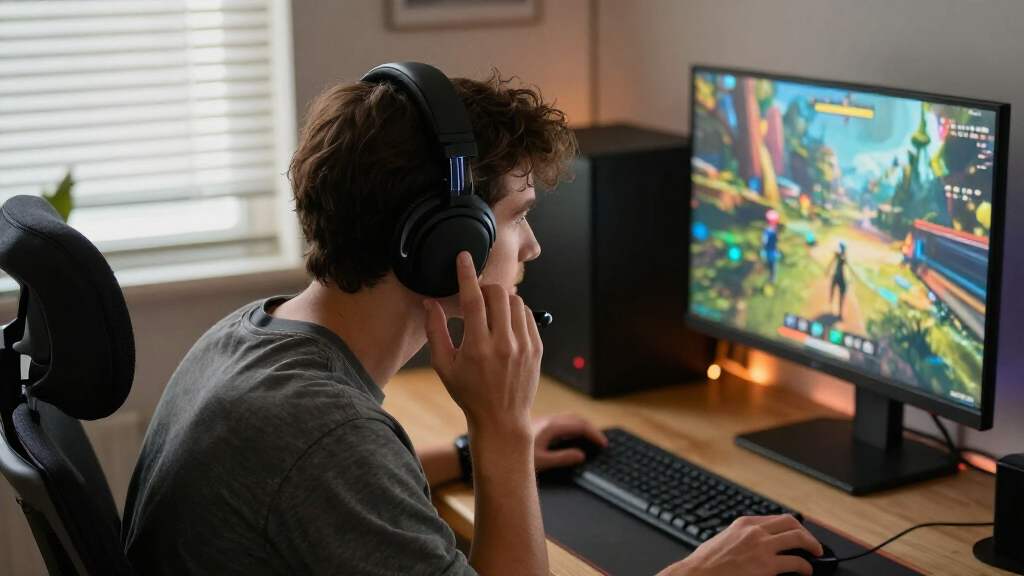

Choosing a wireless gaming headset often comes down to a practical tradeoff: do you want the more responsive connection commonly used for gaming, or a headset that pairs easily with a wider range of devices? These are not always separate product categories—some headsets support both—but 2.4 GHz models use a dedicated USB transmitter, while Bluetooth models connect directly to compatible devices.

Get the latest gadgets delivered free with Prime
- Fast, free delivery on millions of items
- Prime Video, Amazon Music and more included
- Member-only deals all year

Turtle Beach Stealth 600 Wireless Gaming Headset
- ✔ Connectivity: 2.4 GHz wireless and Bluetooth
- ✔ Compatibility: Xbox Series X|S and Xbox One, PS5 and PS4, Windows PC, Steam Deck, and mobile devices
- ✔ Drivers: 50 mm Nanoclear

HyperX Cloud III S Wireless Gaming Headset
- ✔ Connectivity: 2.4 GHz wireless, Bluetooth, and Instant Pair with select OMEN laptops
- ✔ Battery life: Up to 120 hours on 2.4 GHz; up to 200 hours on Bluetooth
- ✔ Drivers: Angled 53 mm drivers

Logitech G733 LIGHTSPEED Wireless Gaming Headset, Black
- ✔ Wireless technology: 2.4 GHz LIGHTSPEED
- ✔ Wireless range: Up to 20 meters
- ✔ Battery life: Up to 29 hours
For PC and console play where voice timing and sound responsiveness matter, 2.4 GHz is the stronger default. Bluetooth makes more sense for mobile gaming, calls, and switching among everyday devices, though latency and console support can limit its appeal. The right choice depends on where you play most and whether paying for dual wireless connections would make your headset more useful.
At a Glance
| Criteria | 2.4 GHz wireless gaming headsets | Bluetooth wireless gaming headsets | Winner |
|---|---|---|---|
| Gaming latency | Typically low latency through a dedicated USB transmitter; suited to responsive play. | Latency varies by headset and device; can be noticeable in competitive games or when sound must stay tightly synced. | A |
| Platform compatibility | Works well with many PCs and consoles that support USB audio, but compatibility varies by model and port. | Pairs directly with many phones, tablets, and computers; console support is limited or model-specific. | Depends |
| Setup and convenience | Requires a transmitter and sometimes a USB adapter; pairing is usually straightforward once connected. | No USB transmitter required; convenient for moving between compatible devices. | B |
| Battery and connection flexibility | Often optimized for gaming sessions; some models add Bluetooth for simultaneous phone audio. | Simple device switching, but battery life and multipoint support vary; some gaming features may be absent. | Depends |
| Microphone and chat | Usually designed with gaming chat in mind; quality depends on the specific headset and microphone. | Microphone performance varies, and Bluetooth call modes can reduce audio quality or change behavior. | Depends |
| Value | Best value when gaming performance is the priority and the target platform is supported. | Best value when broad device use matters more than the lowest gaming latency. | Depends |
Turtle Beach Stealth 600 Wireless Gaming Headset
The Stealth 600 earns our top spot because it covers more everyday connection scenarios than the other two picks. Its 2.4 GHz wireless and Bluetooth options let compatible players use a low-latency connection for gaming and Bluetooth with mobile devices, while the QuickSwitch button is designed to make changing connections convenient. The G733 centers its wireless setup on LIGHTSPEED, and the Cloud III S also offers 2.4 GHz and Bluetooth, but the Stealth 600’s listed QuickSwitch control gives it a particularly clear role for people who move between devices.Comfort and communication features make it a practical all-rounder. The glasses-relief memory foam cushions address a common pressure point, and the flip-to-mute microphone can be muted by moving it out of the way. AI noise reduction and four EQ presets provide ways to adjust the experience; more advanced EQ and microphone customization require the Swarm II app. Its stated battery life reaches up to 80 hours, less than the Cloud III S’s 120 hours over 2.4 GHz, but still suited to buyers who want fewer charging interruptions.There is a specification inconsistency to keep in mind: the supplied product details identify Bluetooth as version 5.2 in one place and 5.4 in another. We would not base a purchase on a specific Bluetooth version until that discrepancy is resolved. Also confirm that you are choosing the appropriate console version for your setup. Compared with the lighter G733, the Stealth 600 prioritizes connection flexibility and glasses relief over a listed ultralight weight or RGB personalization.
Pros:
- Offers both 2.4 GHz wireless and Bluetooth with a QuickSwitch button.
- Up to 80 hours of stated battery life with quick charge.
- Memory foam cushions include glasses-relief technology.
- Flip-to-mute microphone includes AI noise reduction.
Cons:
- The supplied details conflict on whether Bluetooth is version 5.2 or 5.4.
- Advanced EQ and microphone settings require the Swarm II app.
- Confirm the model version supports your particular console.
Best for: Players who want one headset for compatible console or PC gaming and Bluetooth use with mobile devices, especially those who wear glasses.
Not ideal for: Buyers who need Xbox compatibility in a specific version without checking the listing, want the longest stated 2.4 GHz battery life, or prefer customization without a companion app.
Bottom line: Choose the Stealth 600 for a feature-rich wireless setup that makes switching between compatible gaming and mobile devices a priority.
“Choose the Stealth 600 for a feature-rich wireless setup that makes switching between compatible gaming and mobile devices a priority.”
HyperX Cloud III S Wireless Gaming Headset
If charging less often is our main goal, the Cloud III S is the standout: it is listed for up to 120 hours over 2.4 GHz and up to 200 hours over Bluetooth. Those figures make it the endurance pick over the Stealth 600’s up to 80 hours and the G733’s up to 29 hours. They are stated maximums, so actual runtime can vary with how the headset is used, but the gap makes the Cloud III S especially relevant to players who want a long interval between charges.Its connection mix is broad, with 2.4 GHz wireless, Bluetooth, and Instant Pair on select OMEN laptops. The last option has a limited scope: it should not be treated as a general laptop feature. Memory foam ear cushions and a padded headband support a plush-fit design, while the detachable boom microphone can be removed when it is not needed. The listed 356 g weight is notably higher than the G733’s 278 g, so players who prioritize a lightweight headset may prefer Logitech’s approach.The decisive limitation is platform support: the Cloud III S is not compatible with Xbox. That makes it a poor fit for Xbox owners, even though it supports PC, PlayStation, Nintendo Switch, Mac, and mobile devices. Compared with the Stealth 600, it trades a more clearly described device-switching setup for considerably longer stated battery life. Magnetic earcup plates are sold separately and are available only in select regions, so they should be seen as an optional design detail rather than a standard inclusion.
Pros:
- Up to 120 hours over 2.4 GHz or 200 hours over Bluetooth, as stated.
- Supports 2.4 GHz, Bluetooth, and Instant Pair on select OMEN laptops.
- Detachable boom microphone with LED mute indicator.
- Memory foam cushions and padded headband.
Cons:
- Not compatible with Xbox.
- Listed weight is 356 g, heavier than the G733’s 278 g.
- Magnetic earcup plates are sold separately and available only in select regions.
Best for: PC, PlayStation, Switch, Mac, or mobile players who value long stated battery life and want a detachable microphone.
Not ideal for: Xbox players, those seeking a lightweight headset, or buyers expecting Instant Pair to work with laptops beyond select OMEN models.
Bottom line: Pick the Cloud III S when long stated battery life matters more than Xbox support or a lightweight design.
“Pick the Cloud III S when long stated battery life matters more than Xbox support or a lightweight design.”
Logitech G733 LIGHTSPEED Wireless Gaming Headset, Black
The G733 makes the most sense for players who value a light listed weight and a distinctive gaming look. At 278 g, it is the lightest of these three by the supplied specifications; its reversible suspension headband and dual-layer memory foam earcups are designed with extended wear in mind. That gives it a clear comfort-focused angle beside the Stealth 600, whose glasses-relief cushions target a more specific fit concern, and the heavier Cloud III S, which has the longest stated battery life.For gaming, the headset uses 2.4 GHz LIGHTSPEED wireless, with a stated range of up to 20 meters and up to 29 hours of battery life. Those figures make it the shortest-runtime option here: the Stealth 600 lists up to 80 hours, while the Cloud III S reaches up to 120 hours over 2.4 GHz. The G733’s strengths instead include dual-zone LIGHTSYNC RGB, 40 mm PRO-G drivers, and Blue VO!CE microphone filters. Players who enjoy tailoring lighting or microphone filters may value those options, though some audio customization and features rely on G HUB software.Its listed compatibility covers PC, PS5, PS4, and Nintendo Switch. The supplied details specifically note stereo play for PS4, a useful qualification for buyers comparing console use. Unlike the other two headsets, the G733’s supplied connection details do not include Bluetooth, so it is less suited to someone seeking a single headset for wireless gaming and phone use. Choose it for a lightweight, customizable setup, and look elsewhere if battery endurance or Bluetooth switching is the priority.
Pros:
- Lightest listed weight in this comparison at 278 g.
- 2.4 GHz LIGHTSPEED connection with a stated range of up to 20 meters.
- Up to 29 hours of stated battery life.
- Dual-zone RGB lighting and Blue VO!CE microphone filters.
Cons:
- Shortest stated battery life among these three options.
- Some features and audio customization rely on G HUB software.
- Supplied details specify stereo play for PS4.
Best for: PC and supported console players who prioritize a lightweight fit, suspension headband, and customizable RGB lighting.
Not ideal for: Players who want Bluetooth connectivity, the longest interval between charges, or advanced customization without Logitech G HUB.
Bottom line: Choose the G733 for a lightweight, customizable wireless gaming headset if Bluetooth and maximum battery endurance are secondary.
“Choose the G733 for a lightweight, customizable wireless gaming headset if Bluetooth and maximum battery endurance are secondary.”
As an Amazon Associate we earn from qualifying purchases.
Key Differences
The central distinction is how each headset connects. A 2.4 GHz model sends audio through a dedicated USB transmitter, which is designed to keep gaming audio responsive. That tends to make it a safer choice for fast-paced play, especially on PC and consoles with compatible USB audio. Bluetooth skips the transmitter and connects directly to supported devices. That is convenient for a phone or tablet, but latency can vary with the headset, codec, and source device.
Compatibility is not simply a win for one technology. Bluetooth is common on phones, tablets, and laptops, but many consoles do not support ordinary Bluetooth audio headsets directly. A USB transmitter can work across more gaming setups, though the headset still needs explicit support for the console and its chat functions. Check the exact model’s compatibility list before buying. Dual wireless models can bridge both uses, but their extra convenience is only useful if you regularly switch between gaming and other devices.
For most players, connection performance should decide the purchase before small differences in advertised features. Choose 2.4 GHz for a primary PC or console headset and Bluetooth for a headset used mostly with mobile devices and calls. Pay more for a dual-mode model when using both connections is a real part of your routine; otherwise, a simpler headset that matches your main device is usually better value.
Detailed Comparison
Gaming latency (2.4 GHz wireless gaming headsets wins — major)
2.4 GHz wins by a moderate to major margin for gaming. Its dedicated transmitter is generally built for responsive audio, while Bluetooth performance depends on the headset and device and may introduce more delay. In slower games the difference may matter little; in competitive play or tightly synchronized action, 2.4 GHz is the safer pick.
Platform compatibility (major difference)
This depends on the devices you own. Bluetooth is broadly available on phones, tablets, and many computers, but console support for Bluetooth audio is often restricted. A 2.4 GHz USB transmitter suits many gaming setups, but USB audio support and chat compatibility are model-specific. Confirm compatibility for the exact console or computer before purchase.
Setup and convenience (Bluetooth wireless gaming headsets wins — moderate)
Bluetooth wins by a minor to moderate margin for everyday convenience. It pairs directly with compatible devices and does not require carrying a transmitter. A 2.4 GHz headset needs its USB receiver connected, which is easy at a desk or console but less convenient when moving between devices. Once paired, either option can be simple to use.
Battery and connection flexibility (moderate difference)
Neither connection guarantees better battery life. Battery capacity, power management, and features such as simultaneous Bluetooth and 2.4 GHz matter more than the connection label. Bluetooth is convenient for switching among everyday devices; dual-mode headsets can combine phone audio with gaming, but may cost more and use battery faster. Compare real battery specifications for the models under consideration.
Microphone and chat (moderate difference)
The specific headset matters more than the wireless standard. Gaming-focused 2.4 GHz models often provide a dedicated boom microphone and USB chat support. Bluetooth can be adequate for calls, but some device and headset combinations change audio modes when the microphone is active. For frequent team chat, check microphone samples or reviews and verify console chat support.
Value (moderate difference)
Value depends on your main use. A 2.4 GHz headset is usually a better spend for someone who mainly games on a supported PC or console. Bluetooth is better value if one headset will serve a phone, tablet, and computer, and gaming latency is not a priority. The premium for dual wireless is worthwhile when both connections will see regular use.
2.4 GHz wireless gaming headsets: Pros and Cons
Pros:
- Typically responsive audio for gaming.
- USB transmitter can suit compatible PCs and consoles.
- Gaming-focused models commonly include dedicated chat microphones.
Cons:
- Requires a transmitter and an available compatible port.
- Compatibility and chat support vary by platform and model.
- Less convenient than direct Bluetooth pairing for phones and tablets.
Bluetooth wireless gaming headsets: Pros and Cons
Pros:
- Pairs directly with many phones, tablets, and computers.
- Easy to move between compatible everyday devices.
- No separate gaming transmitter is required.
Cons:
- Latency may be more noticeable in games.
- Many consoles have limited support for ordinary Bluetooth headsets.
- Microphone behavior and audio quality can vary by device.
Who Should Choose What
Choose 2.4 GHz wireless gaming headsets if:
- You mainly play on PC or a console that supports the headset’s USB transmitter.
- Responsive sound matters for competitive games or precise audio timing.
- You want a gaming-first headset and do not need frequent device switching.
Choose Bluetooth wireless gaming headsets if:
- You mainly play on a phone, tablet, or Bluetooth-equipped computer.
- You also use the headset for calls, music, and other everyday listening.
- You value simple pairing more than the lowest possible gaming latency.
Skip both if: Skip a single-connection model if you regularly move between unsupported consoles and mobile devices; look for a compatible dual-mode headset or a wired option for the unsupported platform.
Value for Money
Pay more for 2.4 GHz when it solves a real gaming need: low-latency audio on a compatible PC or console. Pay more for Bluetooth when direct pairing and everyday device switching will get frequent use. A dual-mode headset earns its higher price when you will use both connections, such as gaming through a USB transmitter while keeping a phone connected. If you will use only one mode, the extra feature may add cost without changing your experience. Check platform support, microphone behavior, and battery life for the specific model; wireless labels alone do not establish value.
Final Verdict
For a headset bought mainly for PC or console gaming, choose a compatible 2.4 GHz model. Its dedicated transmitter is generally the better fit for responsive play and gaming chat. Choose Bluetooth if mobile devices and everyday listening are your priority and you can accept variable gaming latency. The deciding factor is your main device: a USB transmitter is useful only when your platform supports it, and Bluetooth is useful only where the device accepts it. Pay extra for dual wireless only if you will regularly use both.
Frequently Asked Questions
Is 2.4 GHz better than Bluetooth for gaming?
Usually, for PC and console gaming where low latency matters. A 2.4 GHz transmitter is designed for responsive audio. Bluetooth can still suit casual or mobile play, but delay varies by headset and device.
Can I use a Bluetooth gaming headset with a console?
Sometimes, but ordinary Bluetooth audio support is limited on many consoles. Check the headset’s stated compatibility and whether its microphone and chat functions work with your specific console.
Are dual 2.4 GHz and Bluetooth headsets worth the extra cost?
They are worth considering if you switch regularly between gaming and a phone or other Bluetooth device. If you will use only one connection, choose a model focused on that use instead.
Which type is better for calls and music?
Bluetooth is usually more convenient because phones and tablets pair directly. Call quality still depends on the headset and device, so check microphone performance if calls are a regular use.