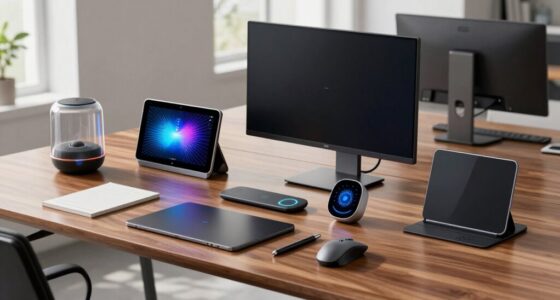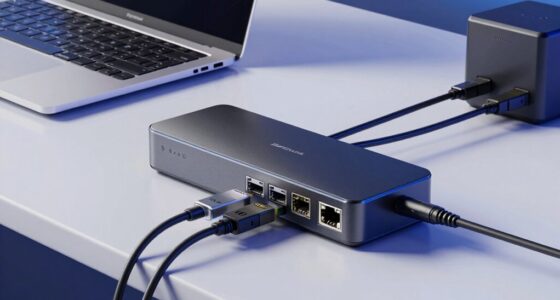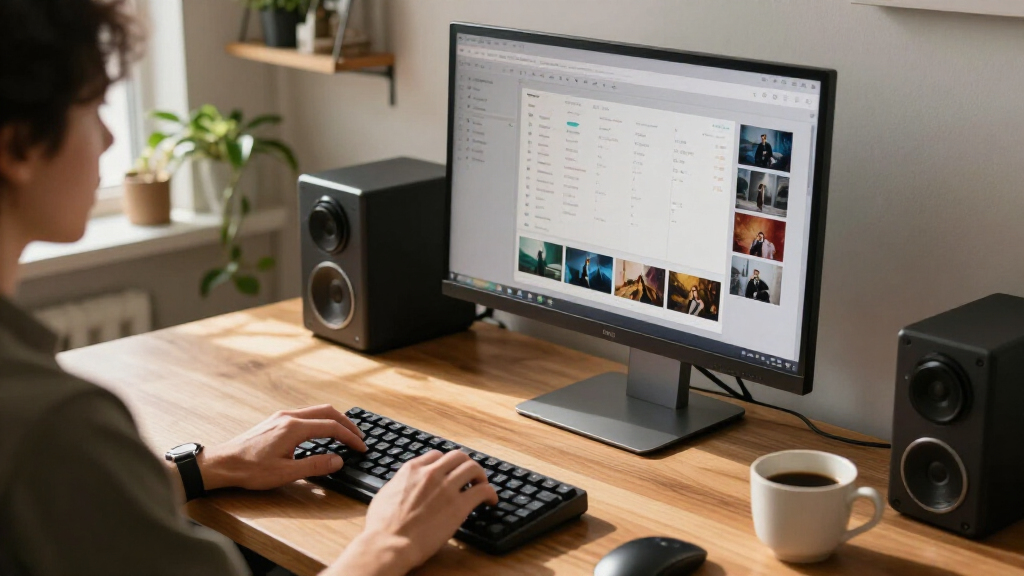

The best AI desktop computer overall for a broad mix of work and local AI tasks is the GMKtec EVO-X3, with its Ryzen AI Max+ 395, 128GB of memory, and 2TB SSD. For a familiar Windows business setup, the HP OmniDesk M03 with Core Ultra 7 265 is a more conventional choice, while the Apple Mac Studio with M5 Max suits demanding creative workloads in macOS. The main tradeoff is between compact size and upgrade options, plus whether you need a dedicated AI-focused platform or just a responsive desktop with AI features. This roundup compares 13 choices across those priorities; read on for the full breakdown and help matching a system to your workload.

Get the latest gadgets delivered free with Prime
- Fast, free delivery on millions of items
- Prime Video, Amazon Music and more included
- Member-only deals all year
Complete the kit



Key Takeaways
- The GMKtec EVO-X3 has the most ambitious memory and storage setup in this lineup, making it a standout for buyers who want to run demanding local workloads without relying entirely on cloud services.
- The Mac Studio and Mac mini serve different Apple buyers: the Studio is the premium choice for heavier creative work, while the mini is the smaller, simpler desktop route.
- Several HP OmniDesk configurations share the Core Ultra 7 265 platform; buyers should compare memory, Windows edition, and included peripherals rather than assuming the similar names mean identical setups.
- Mini PCs save desk space but limit flexibility; the GEEKOM IT13 Max and Dell Pro Micro suit compact deployments, while tower designs are a better fit when serviceability and future changes matter.
- “AI PC” does not automatically mean a dedicated local AI workstation: platform, memory capacity, software compatibility, and workload size matter more than the label alone.
| Apple Mac mini Desktop Computer with M6 Chip |  | Best Compact AI Desktop | Chip: Apple M6 | Memory: Up to 32GB unified memory | Memory bandwidth: 170GB/s | VIEW LATEST PRICE | See Our Full Breakdown |
| HP OmniDesk M03 Business Desktop PC with Intel Core Ultra 7 265 |  | Best for Configurable Business AI | Processor: Intel Core Ultra 7 265 | Memory: DDR5 configurations of 16GB, 32GB, or 64GB | Maximum memory: 64GB | VIEW LATEST PRICE | See Our Full Breakdown |
| Dell Pro Tower Desktop with Intel Core Ultra 5 235, 32GB DDR5 RAM, and 1TB PCIe SSD |  | Best for Business Multitasking | Processor: Intel Core Ultra 5 235, 14 cores and 14 threads, up to 5.0GHz | NPU: 13 TOPS | Memory: 32GB DDR5 | VIEW LATEST PRICE | See Our Full Breakdown |
| GEEKOM IT13 Max AI Mini PC – Intel Core Ultra 9 185H, 24 GB LPDDR5, 500 GB SSD |  | Best Multi-Display Mini PC | CPU: Intel Core Ultra 9 185H | Memory: 24GB LPDDR5 at 5600 MT/s | Storage: 500GB SSD | VIEW LATEST PRICE | See Our Full Breakdown |
| Apple Mac Studio Desktop Computer with M5 Max Chip |  | Best Premium AI Workstation | Chip: Apple M5 Max | Maximum unified memory: Up to 128GB | Memory bandwidth: Up to 614GB/s | VIEW LATEST PRICE | See Our Full Breakdown |
| HP OmniDesk M03 Business Desktop PC, Intel Core Ultra 7 265, 32GB DDR5 RAM, 1TB SSD, Windows 11 Pro |  | Best for Business Multitasking | Processor: Intel Core Ultra 7 265, 20 cores and 20 threads | Processor speed: 2.4 GHz base, up to 5.3 GHz | Memory: 32GB DDR5, 4800 MHz; maximum 64GB | VIEW LATEST PRICE | See Our Full Breakdown |
| HP OmniDesk Business AI Desktop Computer Ultra 5 225, 32GB DDR5 1TB SSD |  | Best for Everyday Business AI | Processor: Intel Core Ultra 5 225 | Graphics: Integrated Intel Graphics | Memory: 32GB DDR5, 4800 MHz; maximum 64GB | VIEW LATEST PRICE | See Our Full Breakdown |
| HP OmniStudio 27-inch All-in-One Desktop, AMD Ryzen AI 7 445, 16 GB RAM, 512 GB SSD, FHD, Windows 11 Home |  | Best All-in-One for Shared Spaces | Processor: AMD Ryzen AI 7 445 | Graphics: AMD Radeon 840M | Memory: 16GB DDR5, 5600 MT/s; maximum listed as 16GB | VIEW LATEST PRICE | See Our Full Breakdown |
| AMD Ryzen AI Halo Personal AI Desktop Computer, Linux Developer Platform |  | Best for Local AI Development | Processor: AMD Ryzen AI Max+ 395, 16 cores and 32 threads, up to 5.1 GHz | Graphics: AMD Radeon 8060S integrated graphics, 40 RDNA 3.5 compute units | NPU: AMD XDNA 2, up to 50 TOPS | VIEW LATEST PRICE | See Our Full Breakdown |
| HP OmniDesk Next Gen AI PC Business Desktop, Intel Core Ultra 7 265 Processor, 32GB DDR5 RAM, 1TB SSD, Keyboard & Mouse, Microsoft Copilot, Wi-Fi 6, Bluetooth, Windows 11 Pro |  | Best for Copilot-Ready Office Use | Processor: Intel Core Ultra 7 265, 20 cores and 20 threads, up to 5.3 GHz | Memory: 32GB DDR5, 5600 MHz | Storage: 1TB PCIe Gen 4 NVMe SSD | VIEW LATEST PRICE | See Our Full Breakdown |
| Dell Pro Micro QCM1250 Mini Desktop with Intel Core Ultra 5 235T |  | Best Compact Business AI Desktop | Processor: Intel Core Ultra 5 235T, 14 cores, up to 5.0 GHz | Memory: 64 GB DDR5, 4800 MHz | Storage: SSD; capacity varies by configuration, up to 2 TB | VIEW LATEST PRICE | See Our Full Breakdown |
| HP OmniDesk Desktop AI PC – Intel Core Ultra 7 265, 16 GB RAM, 1 TB SSD, Intel Graphics, Windows 11 Home, Microsoft Copilot, Gray Wood |  | Best for a Design-Conscious Everyday AI PC | Processor: Intel Core Ultra 7 265 | Memory: 16 GB DDR5, 5600 MHz | Storage: 1 TB PCIe Gen4 NVMe M.2 SSD | VIEW LATEST PRICE | See Our Full Breakdown |
| GMKtec EVO-X3 AI Mini PC with AMD Ryzen AI Max+ 395, 128GB LPDDR5X, 2TB PCIe 4.0 SSD |  | Best for Local AI and Creative Workloads | Processor: AMD Ryzen AI Max+ 395, 16 cores and 32 threads, up to 5.1 GHz | Graphics: AMD Radeon 8060S, 40 compute units, up to 2900 MHz | Memory: 128 GB LPDDR5X, 8000 MT/s | VIEW LATEST PRICE | See Our Full Breakdown |
| AI desktop computer | Memory | Storage | Operating system | Processor |
|---|---|---|---|---|
| Apple Mac mini Desktop Compute | Up to 32GB unified memory | — | macOS | — |
| HP OmniDesk M03 Business Deskt | DDR5 configurations of 16GB, 32GB, or 64GB | PCIe SSD configurations of 512GB, 1TB, or 2TB | Windows 11 Pro 64-bit | Intel Core Ultra 7 265 |
| Dell Pro Tower Desktop with In | 32GB DDR5 | 1TB PCIe SSD | Windows 11 Professional 64-bit | Intel Core Ultra 5 235, 14 cores and 14 threads, up to 5.0GHz |
| GEEKOM IT13 Max AI Mini PC | 24GB LPDDR5 at 5600 MT/s | 500GB SSD | Windows 11; supports major Linux distributions | — |
| Apple Mac Studio Desktop Compu | — | — | — | — |
| HP OmniDesk M03 Business Deskt | 32GB DDR5, 4800 MHz; maximum 64GB | 1TB SSD | Windows 11 Pro | Intel Core Ultra 7 265, 20 cores and 20 threads |
| HP OmniDesk Business AI Deskto | 32GB DDR5, 4800 MHz; maximum 64GB | 1TB SSD | Windows 11 Home | Intel Core Ultra 5 225 |
| HP OmniStudio 27-inch All-in-O | 16GB DDR5, 5600 MT/s; maximum listed as 16GB | 512GB PCIe NVMe M.2 SSD | Windows 11 Home | AMD Ryzen AI 7 445 |
| AMD Ryzen AI Halo Personal AI | 128GB LPDDR5x unified memory, 8000 MT/s; maximum 192GB | 2TB M.2 SSD | Linux | AMD Ryzen AI Max+ 395, 16 cores and 32 threads, up to 5.1 GHz |
| HP OmniDesk Next Gen AI PC Bus | 32GB DDR5, 5600 MHz | 1TB PCIe Gen 4 NVMe SSD | Windows 11 Pro | Intel Core Ultra 7 265, 20 cores and 20 threads, up to 5.3 GHz |
| Dell Pro Micro QCM1250 Mini De | 64 GB DDR5, 4800 MHz | SSD; capacity varies by configuration, up to 2 TB | Windows 11 Pro | Intel Core Ultra 5 235T, 14 cores, up to 5.0 GHz |
| HP OmniDesk Desktop AI PC | 16 GB DDR5, 5600 MHz | 1 TB PCIe Gen4 NVMe M.2 SSD | — | Intel Core Ultra 7 265 |
| GMKtec EVO-X3 AI Mini PC with | 128 GB LPDDR5X, 8000 MT/s | 2 TB PCIe 4.0 SSD | — | AMD Ryzen AI Max+ 395, 16 cores and 32 threads, up to 5.1 GHz |
More Details on Our Top Picks
Apple Mac mini Desktop Computer with M6 Chip
The Mac mini with M6 is the space-saving choice for buyers who want macOS and local AI workflows without a tower taking over the desk. Its 5-inch-square footprint is far smaller than the Dell Pro Tower, while support for up to three external displays gives it room for a multi-screen setup. Wi-Fi 7, Bluetooth 6, 2.5Gb Ethernet, and a mix of front and rear ports also make it easier to connect modern accessories and wired networks.
The tradeoff is headroom: memory tops out at 32GB, well below the Mac Studio’s 128GB ceiling. That makes the Mac mini a better fit for everyday AI-assisted work than memory-heavy production or large local models. I’d choose it for compactness and Apple’s software ecosystem, not maximum expansion.
Pros:- Very compact 5 x 5-inch footprint
- Supports up to three external displays
- 2.5Gb Ethernet plus Wi-Fi 7 and Bluetooth 6
- Front and rear ports simplify peripheral connections
Cons:- Memory configurations are limited to 32GB
- Less suited to demanding AI workloads than the Mac Studio
- The supplied product information does not specify performance results
Best for: Mac users building a compact workstation for everyday AI-assisted tasks, office work, and up to three displays.
Not ideal for: Professionals running memory-intensive local AI models or demanding creative projects who need more than 32GB of unified memory.
- Chip:Apple M6
- Memory:Up to 32GB unified memory
- Memory bandwidth:170GB/s
- Ports:Three Thunderbolt 4, one HDMI, two USB-C, headphone jack, and 2.5Gb Ethernet
- Wireless:Wi-Fi 7 and Bluetooth 6
- External display support:Up to three displays
- Dimensions and weight:5 x 5 x 1.97 inches; 1.47 pounds
- Operating system:macOS
Our verdict“Choose the Mac mini if you want a small macOS desktop for everyday AI work, but pick the Mac Studio for larger workloads and higher memory capacity.”
HP OmniDesk M03 Business Desktop PC with Intel Core Ultra 7 265
The HP OmniDesk M03 is the flexible Windows pick for offices that need to match memory and storage to their workloads. Its Core Ultra 7 265 processor is paired with configurable DDR5 memory up to 64GB and PCIe SSD options up to 2TB, giving buyers more room to tailor a business desktop than the fixed 32GB ceiling of the Mac mini. Windows 11 Pro, Ethernet, HDMI, DisplayPort, and the included wireless keyboard and mouse make it ready for a conventional office setup.
That flexibility comes with a key limit for AI and graphics work: it uses integrated Intel graphics, not a dedicated GPU. The Dell Pro Tower is a more clearly specified alternative if a fixed 32GB/1TB configuration suits the buyer, while the HP’s variable options favor those choosing capacity. I’d check the exact configuration before ordering, since the listing describes several memory and SSD combinations.
Pros:- Core Ultra 7 265 processor
- Memory options up to 64GB and SSD options up to 2TB
- Windows 11 Pro with HDMI, DisplayPort, and Ethernet
- Wireless keyboard and mouse are included
Cons:- Integrated graphics limit GPU-heavy AI and creative work
- RAM and SSD capacity vary by configuration
- Warranty coverage differs between upgraded RAM/SSD and other hardware
Best for: Small-business teams and office administrators who want Windows 11 Pro and configurable memory and storage for varied productivity workloads.
Not ideal for: AI developers or creative professionals whose work depends on dedicated graphics, and buyers who need a clearly specified fixed configuration.
- Processor:Intel Core Ultra 7 265
- Memory:DDR5 configurations of 16GB, 32GB, or 64GB
- Maximum memory:64GB
- Storage:PCIe SSD configurations of 512GB, 1TB, or 2TB
- Graphics:Integrated Intel Graphics
- Operating system:Windows 11 Pro 64-bit
- Connectivity:Wi-Fi 6, Bluetooth, and RJ-45 Ethernet
- Video outputs:HDMI and DisplayPort
- Included accessories:Wireless keyboard and mouse
Our verdict“Pick the OmniDesk M03 if configurable capacity and Windows 11 Pro matter more than dedicated graphics or a fixed, clearly defined specification.”
Dell Pro Tower Desktop with Intel Core Ultra 5 235, 32GB DDR5 RAM, and 1TB PCIe SSD
The Dell Pro Tower offers a ready-to-use business configuration rather than a menu of capacities: 32GB DDR5 RAM and a 1TB PCIe SSD give multitaskers a defined starting point for office applications, large files, and routine AI-assisted tasks. Its Core Ultra 5 235 includes a 13-TOPS NPU, and Windows 11 Pro adds business-oriented security and management tools. Compared with the HP OmniDesk M03, the Dell’s listed memory and storage are fixed, so buyers can see exactly what this configuration provides.
The tower form also gives maintenance and upgrades more room than either the Mac mini or GEEKOM IT13 Max. The compromise is integrated Intel Graphics, which makes it less appropriate for GPU-heavy AI workloads than the Mac Studio. Wireless networking relies on the included USB Wi-Fi adapter, rather than built-in Wi-Fi being specified, so wired Ethernet is the cleaner option for a permanent office setup.
Pros:- Specified 32GB DDR5 memory and 1TB PCIe SSD
- Core Ultra 5 235 includes a 13-TOPS NPU
- Windows 11 Pro and both DisplayPort and HDMI outputs
- Tower form supports maintenance and upgrades
Cons:- Integrated Intel Graphics are a limit for GPU-intensive workloads
- Wi-Fi requires the included USB adapter
- Larger than compact mini PCs such as the GEEKOM IT13 Max
Best for: Office professionals who need a specified 32GB/1TB Windows 11 Pro desktop for multitasking, business software, and routine AI-assisted work.
Not ideal for: AI creators requiring a dedicated GPU, or buyers seeking a tiny system with built-in wireless networking.
- Processor:Intel Core Ultra 5 235, 14 cores and 14 threads, up to 5.0GHz
- NPU:13 TOPS
- Memory:32GB DDR5
- Storage:1TB PCIe SSD
- Graphics:Intel Graphics
- Operating system:Windows 11 Professional 64-bit
- Display outputs:DisplayPort 1.4a and HDMI 2.1, up to 4K at 60Hz
- Network:Gigabit Ethernet and included USB Wi-Fi adapter
- Dimensions and weight:12.77 x 6.06 x 11.54 inches; 12 pounds
Our verdict“Choose the Dell Pro Tower for a clearly specified, upgrade-friendly business PC, but look to the Mac Studio for demanding graphics and AI work.”
GEEKOM IT13 Max AI Mini PC – Intel Core Ultra 9 185H, 24 GB LPDDR5, 500 GB SSD
The GEEKOM IT13 Max packs a Core Ultra 9 185H into a small chassis, with an NPU aimed at local machine-learning tasks and support for up to four displays. Its dual Ethernet ports and compatibility with Windows 11 and major Linux distributions give it a distinctive role among these picks: it suits a compact desk or lab where multiple screens, wired network links, or Linux flexibility matter. Compared with the Mac mini, it supports one more display and offers dual Ethernet, while the Mac mini has Wi-Fi 7 and a broader listed port selection.
The main compromise is limited long-term flexibility: its 24GB LPDDR5 memory and 500GB SSD are soldered, so buyers cannot count on upgrading those components later. The Dell Pro Tower is a better fit for someone who values a serviceable tower, while this GEEKOM favors small size and connectivity. Its 65W power consumption and quiet cooling suit shared spaces, but do not change the fixed-capacity limitation.
Pros:- Core Ultra 9 185H with a dedicated NPU
- Supports up to four simultaneous displays
- Dual Ethernet ports and Linux distribution compatibility
- Compact chassis with quiet IceBlast 3.0 cooling
Cons:- Memory and SSD are soldered and not user-upgradable
- 24GB memory and 500GB storage may constrain larger workloads
- No built-in optical drive
Best for: Linux-friendly home-lab users and compact workstation owners who need four displays, dual Ethernet, and local AI acceleration.
Not ideal for: Buyers who expect to upgrade memory or storage later, or who need more than 500GB of listed SSD capacity.
- CPU:Intel Core Ultra 9 185H
- Memory:24GB LPDDR5 at 5600 MT/s
- Storage:500GB SSD
- Operating system:Windows 11; supports major Linux distributions
- Displays:Up to four simultaneous displays; 8K via USB-C and 4K via HDMI
- Network:Dual Ethernet ports
- Power consumption:65W
- Dimensions and weight:4.6 x 4.4 x 1.9 inches; 1.4 pounds
- Warranty:3 years
Our verdict“Choose the GEEKOM for a compact, multi-display AI mini PC with Linux flexibility, but select the Dell tower if upgrade access matters more.”
Apple Mac Studio Desktop Computer with M5 Max Chip
The Mac Studio with M5 Max is the clear choice here for buyers prioritizing high memory capacity and demanding creative or on-device AI workloads. It supports up to 128GB of unified memory and up to 614GB/s memory bandwidth, far exceeding the Mac mini’s 32GB maximum. Four Thunderbolt 5 ports, an SDXC slot, and support for up to five displays also make it better suited to a studio desk with fast peripherals and several monitors.
This capability comes in a larger, heavier enclosure than the mini PCs, and the supplied listing gives a maximum memory figure rather than the exact configuration on offer. The GEEKOM IT13 Max is much smaller and offers dual Ethernet, but its 24GB of soldered memory places it in a different workload class. I’d choose the Mac Studio for sustained professional demands, while buyers with everyday needs may find the Mac mini more compact and sufficient.
Pros:- Up to 128GB unified memory for demanding workloads
- Memory bandwidth up to 614GB/s
- Four Thunderbolt 5 ports plus USB-A, HDMI, and SDXC
- Supports up to five external displays
Cons:- Larger and heavier than the Mac mini
- The listed memory figure is a maximum, not a specified configuration
- More capability than routine office and everyday AI tasks may require
Best for: Creative professionals and AI developers using macOS who need high unified-memory capacity, fast peripheral connections, and up to five displays.
Not ideal for: Everyday desktop users who prioritize minimal size or do not need the Studio’s higher memory ceiling and display capacity.
- Chip:Apple M5 Max
- Maximum unified memory:Up to 128GB
- Memory bandwidth:Up to 614GB/s
- Thunderbolt ports:Four Thunderbolt 5
- Other ports:Two USB-C, two USB-A, HDMI, SDXC card slot, and headphone jack
- External displays:Up to five
- Wireless:Wi-Fi 7 and Bluetooth 6
- Dimensions and weight:7.76 x 7.76 x 3.74 inches; 5.94 pounds
Our verdict“Pick the Mac Studio for memory-intensive professional AI and creative work; choose the Mac mini if compactness and everyday workloads matter more.”
HP OmniDesk M03 Business Desktop PC, Intel Core Ultra 7 265, 32GB DDR5 RAM, 1TB SSD, Windows 11 Pro
The HP OmniDesk M03 pairs a 20-core Core Ultra 7 265 with 32GB of DDR5 and Windows 11 Pro, making it a strong fit for office workloads that span large spreadsheets, video calls, and several applications at once. Compared with the OmniDesk Ultra 5 225, it offers more processor headroom for heavier concurrent work; the tradeoff is that both rely on integrated Intel graphics, so neither is a gaming or graphics-rendering specialist. Its 1TB SSD and included keyboard, mouse, and USB drive make it ready for a standard business desk, while Wi-Fi 6 and a broad selection of listed ports support common office setups. One caveat stands out: the original seal was opened for upgrades, and the rear-port description has conflicting DisplayPort and audio details. I would verify the exact configuration and warranty terms before buying.
Pros:- 20-core Intel Core Ultra 7 265 is suited to demanding multitasking
- 32GB DDR5 memory and a 1TB SSD provide useful capacity for business workloads
- Windows 11 Pro, Wi-Fi 6, and included wired keyboard and mouse
- Includes a 64GB USB flash drive
Cons:- Integrated Intel Graphics limits demanding gaming and GPU-heavy creative work
- Original seal was opened for upgrades, with upgraded RAM and SSD covered by a separate one-year warranty
- Rear-port listing has conflicting details for DisplayPort and audio outputs
Best for: Small-business staff and office power users who want Windows 11 Pro, substantial multitasking capacity, and a ready-to-use desktop.
Not ideal for: Buyers who need a dedicated graphics card or want an unopened retail configuration with unambiguous port and upgrade-warranty details.
- Processor:Intel Core Ultra 7 265, 20 cores and 20 threads
- Processor speed:2.4 GHz base, up to 5.3 GHz
- Memory:32GB DDR5, 4800 MHz; maximum 64GB
- Storage:1TB SSD
- Graphics:Intel Graphics
- Operating system:Windows 11 Pro
- Connectivity:Wi-Fi 6, Bluetooth
- Dimensions and weight:13.27 × 6.10 × 12.40 inches; 11.78 lb
Our verdict“Choose the M03 for office multitasking and Windows 11 Pro, but confirm the port layout and separate upgrade warranty before purchase.”
HP OmniDesk Business AI Desktop Computer Ultra 5 225, 32GB DDR5 1TB SSD
The HP OmniDesk with Core Ultra 5 225 makes a sensible middle ground for people who want a current AI-capable desktop without stepping up to the OmniDesk M03’s Core Ultra 7 265. Its 32GB DDR5 memory and 1TB SSD keep everyday multitasking and file storage from feeling constrained, while Wi-Fi 6, Bluetooth 5.1, and HDMI/DisplayPort outputs cover common office needs. Windows 11 Home is a meaningful distinction from the M03’s Pro edition: it suits home offices and general use, but buyers who need business-focused Windows features may prefer the M03. This model has integrated graphics only, so its AI positioning should not be mistaken for a dedicated GPU workstation. The listing also says the original seal was opened for upgrades, and a single HDMI output may limit some multi-monitor arrangements.
Pros:- Core Ultra 5 225 platform supports AI-oriented and general productivity workloads
- 32GB DDR5 memory and 1TB SSD suit busy everyday use
- Wi-Fi 6, Bluetooth 5.1, HDMI, and DisplayPort connectivity
- Includes a 64GB USB drive
Cons:- Integrated Intel Graphics is not suited to demanding GPU workloads
- Windows 11 Home lacks the Pro edition included with the OmniDesk M03
- Original seal was opened for upgrades, and only one HDMI port is listed
Best for: Home-office users and small teams who want 32GB memory, ample SSD storage, and an AI-capable Intel platform for routine productivity.
Not ideal for: Businesses that require Windows 11 Pro, users who need dedicated graphics, or buyers who want multiple HDMI-connected displays.
- Processor:Intel Core Ultra 5 225
- Graphics:Integrated Intel Graphics
- Memory:32GB DDR5, 4800 MHz; maximum 64GB
- Storage:1TB SSD
- Operating system:Windows 11 Home
- Wireless:Wi-Fi 6, Bluetooth 5.1
- Display outputs:HDMI and DisplayPort; one HDMI port
- Dimensions and weight:13.27 × 6.1 × 12.4 inches; 11.8 lb
Our verdict“Pick this OmniDesk for everyday productivity with generous memory and storage, while the M03 is the better fit for buyers who need Windows 11 Pro and a stronger processor.”
HP OmniStudio 27-inch All-in-One Desktop, AMD Ryzen AI 7 445, 16 GB RAM, 512 GB SSD, FHD, Windows 11 Home
The OmniStudio 27 is the lineup’s space-saving choice: its 27-inch screen, computer, camera, and speakers share one enclosure, so it needs less desk setup than the tower-style OmniDesk M03. That makes it appealing for a family workspace, reception area, or video-call-heavy home office. The Ryzen AI 7 445 and 16GB of DDR5 memory suit everyday work, streaming, and routine multitasking, while the FHD infrared camera adds Windows Hello face sign-in. Its compromises are clearer beside the M03: memory is listed at a maximum of 16GB, storage is 512GB rather than 1TB, and the 1920 × 1080 display is less detailed than a higher-resolution panel of the same size. I’d choose it for an uncluttered desk, not for memory-intensive AI development or demanding graphics work.
Pros:- 27-inch all-in-one design reduces separate desktop equipment on the desk
- FHD infrared camera supports Windows Hello facial recognition
- Ryzen AI 7 445 and 16GB DDR5 suit common productivity and streaming
- Includes wired keyboard and mouse
Cons:- 1920 × 1080 resolution is modest for a 27-inch display
- Maximum memory is listed as 16GB, limiting headroom for heavier workloads
- 512GB SSD provides less storage than the 1TB OmniDesk desktops
Best for: Households and shared workspaces that want a large integrated display, built-in video-call camera, and a tidy desktop setup.
Not ideal for: AI developers, heavy multitaskers who need more than 16GB memory, or buyers who want a sharper-than-FHD 27-inch screen.
- Processor:AMD Ryzen AI 7 445
- Graphics:AMD Radeon 840M
- Memory:16GB DDR5, 5600 MT/s; maximum listed as 16GB
- Storage:512GB PCIe NVMe M.2 SSD
- Display:27-inch FHD, 1920 × 1080
- Operating system:Windows 11 Home
- Camera and connectivity:FHD IR camera with HDR auto-switch; Wi-Fi 6 and Bluetooth
- Ports:2 USB-C 10 Gbps, 1 USB-A 10 Gbps, 2 USB 2.0 Type-A, HDMI-out 2.0b, RJ-45, headphone/microphone combo
Our verdict“Choose the OmniStudio for a tidy shared workspace with a built-in screen and camera; choose the OmniDesk M03 for greater memory, storage, and business-workstation flexibility.”
AMD Ryzen AI Halo Personal AI Desktop Computer, Linux Developer Platform
The Ryzen AI Halo is the specialist in this group, built around 128GB of unified memory and a Ryzen AI Max+ 395 platform for local model work rather than conventional office computing. The listing claims support for models up to 200 billion parameters; paired with Radeon 8060S graphics, an XDNA 2 NPU, and 2TB of storage, that gives developers a very different workload target from the Windows-based HP OmniDesk M03. It also brings Linux, ROCm support, Wi-Fi 7, and 10GbE in a compact six-inch-square enclosure. The tradeoff is that memory is shared among the CPU, GPU, and NPU, so the full 128GB is not dedicated to model weights. Linux also demands more setup than Windows, and the included accessories are unclear. This is a focused local-AI platform, not the easy default for general office use.
Pros:- 128GB unified memory and listed support for models up to 200 billion parameters
- Ryzen AI Max+ 395 combines a 16-core CPU, Radeon 8060S graphics, and XDNA 2 NPU
- 2TB SSD, 10GbE, Wi-Fi 7, and Bluetooth 5.4
- Compact 6 × 6 × 2-inch enclosure with Linux and ROCm support
Cons:- Unified memory is shared across CPU, GPU, and NPU rather than reserved for models alone
- Linux may require more configuration than the Windows systems in this roundup
- Included keyboard and other accessories are unclear
Best for: AI developers and technical teams who want to run or build local models on Linux and value large unified memory and fast wired networking.
Not ideal for: General office buyers seeking a plug-and-play Windows PC, or users who need dedicated, non-shared system and graphics memory.
- Processor:AMD Ryzen AI Max+ 395, 16 cores and 32 threads, up to 5.1 GHz
- Graphics:AMD Radeon 8060S integrated graphics, 40 RDNA 3.5 compute units
- NPU:AMD XDNA 2, up to 50 TOPS
- Memory:128GB LPDDR5x unified memory, 8000 MT/s; maximum 192GB
- Memory bandwidth:256 GB/s
- Storage:2TB M.2 SSD
- Operating system:Linux
- Networking and video:10GbE LAN, Wi-Fi 7, Bluetooth 5.4, HDMI 2.1b
- Dimensions:6 × 6 × 2 inches
Our verdict“Choose the Halo for local AI development and large-model experimentation; the HP OmniDesk M03 is a more straightforward fit for Windows-based office work.”
HP OmniDesk Next Gen AI PC Business Desktop, Intel Core Ultra 7 265 Processor, 32GB DDR5 RAM, 1TB SSD, Keyboard & Mouse, Microsoft Copilot, Wi-Fi 6, Bluetooth, Windows 11 Pro
This OmniDesk combines the same 20-core Core Ultra 7 265 class and 32GB memory as the M03 with an explicit Microsoft Copilot focus and Windows 11 Pro. That makes it the more directly presented choice for office users who want a familiar Windows desktop with Copilot access, while the AMD Ryzen AI Halo is aimed at people running local models on Linux rather than using a standard productivity setup. A 1TB Gen 4 NVMe SSD, Wi-Fi 6, Bluetooth 5.4, and a generous USB selection support a busy desk. The limits are conventional for this class: integrated Intel Graphics is not a substitute for a dedicated GPU, and the 280W supply and tower design may constrain future upgrades. It is also listed at nearly 14 pounds, so it is better left in place than moved between work areas.
Pros:- 20-core Intel Core Ultra 7 265 and 32GB DDR5 support demanding productivity multitasking
- Windows 11 Pro and Microsoft Copilot access suit a business desktop workflow
- 1TB PCIe Gen 4 NVMe SSD
- Wi-Fi 6, Bluetooth 5.4, and multiple USB-C and USB-A ports
Cons:- Integrated Intel Graphics limits GPU-intensive work and gaming
- 280W power supply and tower design may restrict future component upgrades
- At 13.9 lb, it is less convenient to move than a compact mini PC
Best for: Windows-based professionals who want Copilot access, Windows 11 Pro, and a strong processor for office multitasking.
Not ideal for: Buyers doing GPU-heavy creative work or gaming, frequent movers, and users planning major graphics-card upgrades.
- Processor:Intel Core Ultra 7 265, 20 cores and 20 threads, up to 5.3 GHz
- Memory:32GB DDR5, 5600 MHz
- Storage:1TB PCIe Gen 4 NVMe SSD
- Graphics:Integrated Intel Graphics
- Operating system:Windows 11 Pro
- Power supply:280W
- Wireless and wired networking:Wi-Fi 6, Bluetooth 5.4, Ethernet RJ-45
- Video outputs:1 × HDMI, 1 × DisplayPort 1.4
- Dimensions and weight:13.27 × 12.40 × 6.10 inches; 13.9 lb
Our verdict“Pick this OmniDesk for Copilot-focused Windows 11 Pro productivity, but choose the Ryzen AI Halo for local model development or a system with dedicated graphics for GPU-heavy work.”
Dell Pro Micro QCM1250 Mini Desktop with Intel Core Ultra 5 235T
The Dell Pro Micro QCM1250 is the space-saving choice for business users who want substantial memory in a tiny desktop. Its 1.2-liter chassis and 64 GB of DDR5 give it a different emphasis from the larger HP OmniDesk Desktop AI PC: Dell prioritizes a small footprint and multitasking headroom, while HP offers a more conventional tower design and a 1 TB SSD in the listed configuration. The Core Ultra 5 235T and Windows 11 Pro suit office workflows and business deployments, though the processor details alone do not establish how quickly it will run every local AI model. A broad port selection and Wi-Fi 6E make workplace setup flexible. The tradeoff is configuration uncertainty: SSD capacity varies, and compact integrated systems are not the right fit for demanding graphics or easy component upgrades.
Pros:- Small 1.2-liter chassis fits space-constrained work areas
- 64 GB of DDR5 memory supports many simultaneous business applications
- Five USB-A ports, USB-C, HDMI, DisplayPort, Ethernet, and Wi-Fi 6E provide flexible connections
- Windows 11 Pro and business security features suit managed workplace deployments
Cons:- SSD capacity varies by configuration, so buyers must confirm the selected storage
- Compact format offers less room for hardware expansion than a tower desktop
- No dedicated graphics are specified for demanding graphics work or gaming
Best for: Business users fitting a capable Windows 11 Pro desktop into a crowded desk, shared workspace, or office with heavy multitasking needs
Not ideal for: Buyers who need a specified large SSD, strong dedicated graphics, or a full-size desktop that is easier to upgrade
- Processor:Intel Core Ultra 5 235T, 14 cores, up to 5.0 GHz
- Memory:64 GB DDR5, 4800 MHz
- Storage:SSD; capacity varies by configuration, up to 2 TB
- Operating system:Windows 11 Pro
- Form factor:Mini PC, 1.2-liter chassis
- Connectivity:Wi-Fi 6E, Bluetooth, Ethernet, five USB-A, one USB-C, HDMI, DisplayPort, headphone/mic combo
- Dimensions and weight:7.17 x 1.41 x 7.01 inches; 3.1 pounds
- Warranty:3-year warranty on upgraded RAM and SSD; manufacturer warranty on other components
Our verdict“Choose the Dell for a very small business desktop with generous memory, but pick a tower such as the HP OmniDesk if expansion and a fixed 1 TB SSD matter more.”
HP OmniDesk Desktop AI PC – Intel Core Ultra 7 265, 16 GB RAM, 1 TB SSD, Intel Graphics, Windows 11 Home, Microsoft Copilot, Gray Wood
The HP OmniDesk Desktop AI PC pairs a distinctive gray-wood look with a current Core Ultra 7 processor, making it the style-forward everyday pick in this group. Its 1 TB PCIe Gen4 SSD gives users a defined amount of fast storage, unlike the Dell Pro Micro QCM1250, whose SSD capacity varies by configuration. HP also includes Windows 11 Home and Copilot, while the Dell is better suited to managed offices that need Windows 11 Pro and more memory. This HP’s 16 GB RAM is a more modest starting point than the Dell’s 64 GB or the GMKtec EVO-X3’s 128 GB, and its integrated graphics are not aimed at demanding gaming or graphics work. Recycled materials and EPEAT Gold and ENERGY STAR certifications add appeal for buyers who value sustainability alongside a tidy home-office setup.
Pros:- Core Ultra 7 265 processor pairs with Microsoft Copilot for AI-enabled everyday computing
- 1 TB PCIe Gen4 NVMe SSD provides fast storage with a specified capacity
- Gray-wood styling and recycled materials offer a less conventional desktop appearance
- EPEAT Gold with Climate+ and ENERGY STAR certifications support sustainability-minded buyers
Cons:- 16 GB of RAM is less generous than the Dell Pro Micro QCM1250 and GMKtec EVO-X3
- Integrated Intel graphics limit demanding gaming and graphics-intensive workloads
- One HDMI output may require adapters for some multi-monitor arrangements
Best for: Home-office users who want a distinctive desktop for Copilot, everyday productivity, and general media use, with a fixed 1 TB SSD
Not ideal for: AI developers, heavy multitaskers, or gamers who need large memory capacity or powerful dedicated graphics
- Processor:Intel Core Ultra 7 265
- Memory:16 GB DDR5, 5600 MHz
- Storage:1 TB PCIe Gen4 NVMe M.2 SSD
- Graphics:Integrated Intel Graphics
- Operating system and AI features:Windows 11 Home; Microsoft Copilot; AI-enabled processor
- Connectivity:Wi-Fi 6E; Bluetooth 5.3
- Ports:Seven USB ports, HDMI 2.1, DisplayPort 1.4a, headphone/mic combo
- Dimensions and weight:13.27 x 6.1 x 12.4 inches; 11.8 pounds
- Power and certifications:280 W 80 Plus Platinum power supply; EPEAT Gold with Climate+; ENERGY STAR
Our verdict“Pick the HP for a stylish, sustainability-conscious everyday AI desktop, but choose the GMKtec EVO-X3 for local AI workloads or more demanding graphics.”
GMKtec EVO-X3 AI Mini PC with AMD Ryzen AI Max+ 395, 128GB LPDDR5X, 2TB PCIe 4.0 SSD
The GMKtec EVO-X3 is the specialist pick for buyers who want a compact desktop with unusually high memory capacity and strong integrated graphics. Its 128 GB LPDDR5X, Ryzen AI Max+ 395 processor, and Radeon 8060S make it more suited to local AI experiments and graphics-heavy creative tasks than the HP OmniDesk Desktop AI PC, whose 16 GB of RAM and integrated Intel graphics are better matched to everyday use. A 2 TB SSD provides room for sizable projects, while Wi-Fi 7, 2.5G LAN, USB4, and OCuLink offer a broad set of connections. That capability comes with a fixed-memory tradeoff: LPDDR5X is onboard, so buyers cannot plan a memory upgrade later. OCuLink expansion also requires powering down before connecting or disconnecting equipment, making it less convenient than a routine hot-plug connection.
Pros:- 128 GB of fast LPDDR5X memory supports memory-intensive AI and creative workloads
- Ryzen AI Max+ 395 and Radeon 8060S combine substantial CPU and integrated graphics capability
- 2 TB PCIe 4.0 SSD offers room for datasets, projects, and applications
- OCuLink, USB4, Wi-Fi 7, and 2.5G LAN provide flexible expansion and networking
Cons:- LPDDR5X memory is onboard and cannot be upgraded
- OCuLink devices must be connected or disconnected while the PC is powered off
- Its high-capacity configuration may be excessive for routine office and web tasks
Best for: AI developers, creative professionals, and technically confident users who want high-memory local workloads in a compact system
Not ideal for: Buyers who need upgradeable memory, simple plug-and-play external GPU changes, or a desktop for basic office tasks alone
- Processor:AMD Ryzen AI Max+ 395, 16 cores and 32 threads, up to 5.1 GHz
- Graphics:AMD Radeon 8060S, 40 compute units, up to 2900 MHz
- Memory:128 GB LPDDR5X, 8000 MT/s
- Storage:2 TB PCIe 4.0 SSD
- AI performance:Up to 126 TOPS; NPU up to 50 TOPS
- External GPU connection:OCuLink PCIe Gen4 x4
- Display and USB4:HDMI 2.1 and USB4; dual displays and up to 8K output; USB4 up to 40 Gbps and PD 3.0 input up to 100 W
- Networking:Wi-Fi 7, Bluetooth 5.4, 2.5G LAN
- Cooling:Three-fan system with three copper heat pipes
Our verdict“Choose the EVO-X3 for compact local AI and creative work with substantial memory, but favor the HP OmniDesk for simpler everyday computing.”
How We Picked
I ranked these computers by how well their stated configurations match distinct AI desktop needs, rather than treating every machine carrying an AI label as equivalent. The main criteria were processor capability, available memory and storage, form factor, operating system and platform fit, and the practical balance between ready-to-use convenience and room to grow. For local AI work, memory capacity and software support can set firmer limits than general-purpose processor claims, so systems with more headroom rank ahead for demanding workloads.
The ranking also reflects how clearly each product serves a buyer. The GMKtec EVO-X3 leads for its unusually generous memory and storage configuration; the HP OmniDesk M03 and Apple Mac options offer more familiar, focused desktop experiences; and compact or all-in-one systems earn their place when space, simplicity, or a specific platform matters more than expansion. Similar HP listings are differentiated by their listed memory, operating system, and bundled features. Product names alone do not establish AI performance, so buyers should confirm software compatibility and the exact configuration before choosing.
| AI desktop computer | Graphics |
|---|---|
| Apple Mac mini Desktop Compute | — |
| HP OmniDesk M03 Business Deskt | Integrated Intel Graphics |
| Dell Pro Tower Desktop with In | Intel Graphics |
| GEEKOM IT13 Max AI Mini PC | — |
| Apple Mac Studio Desktop Compu | — |
| HP OmniDesk M03 Business Deskt | Intel Graphics |
| HP OmniDesk Business AI Deskto | Integrated Intel Graphics |
| HP OmniStudio 27-inch All-in-O | AMD Radeon 840M |
| AMD Ryzen AI Halo Personal AI | AMD Radeon 8060S integrated graphics, 40 RDNA 3.5 compute units |
| HP OmniDesk Next Gen AI PC Bus | Integrated Intel Graphics |
| Dell Pro Micro QCM1250 Mini De | — |
| HP OmniDesk Desktop AI PC | Integrated Intel Graphics |
| GMKtec EVO-X3 AI Mini PC with | AMD Radeon 8060S, 40 compute units, up to 2900 MHz |
Factors to Consider When Choosing Best AI Desktop Computers
Choosing an AI desktop is less about finding a single magic processor and more about matching hardware to the work you actually plan to run. I’d start with workload size and software compatibility, then weigh form factor, upgrade options, and setup demands.
Match memory to the AI work you plan to run
Memory can determine whether a local model fits at all, so it deserves attention before small differences in processor naming. A computer with more memory can handle larger models or more simultaneous work, but it does not guarantee fast inference or support for every tool. Check the memory type and whether it is upgradeable; compact systems often make later changes difficult or impossible. For occasional AI-assisted writing, image tools, or office features, a moderate configuration may be plenty. If you want to load models locally, compare your intended model’s memory requirements with the usable system memory, leaving capacity for the operating system and other applications. Avoid buying on a headline “AI” designation without checking the actual RAM configuration.
Separate local AI capability from cloud-based AI features
Some AI functions run on the computer, while others send requests to online services. Local processing can help with privacy, offline access, and recurring use, but it depends on compatible hardware and software. Cloud features may work well on a mainstream desktop, yet can require an account, internet access, or a separate subscription. Before buying, list the applications and models you expect to use and check whether they support the computer’s processor, graphics, and operating system. A built-in AI accelerator is useful only when your software can take advantage of it. This distinction can prevent paying for hardware capabilities that your workflow never uses.
Choose a form factor around service and expansion needs
A mini PC can keep a desk uncluttered and fit behind a monitor, but its compact case may restrict upgrades, cooling, and connector choices. Towers generally offer more room for maintenance and future component changes, though they occupy more space and may be more desktop than a light office workload needs. All-in-one designs reduce cable clutter by combining display and computer, but replacing or upgrading parts can be less straightforward. Think past the first day: account for external drives, multiple displays, wired networking, and any specialist accessories. If the machine will run long tasks, also check how its cooling design and placement suit the workspace. Favor the smallest form factor that still meets your ports, upkeep, and workload requirements.
Compare complete configurations, not just model families
Desktop listings with nearly identical names can differ in memory, storage, operating system, and included accessories. Those differences affect both setup and long-term usefulness: a business edition of Windows may fit managed environments better, while a home configuration may suit a personal workstation. Check the exact SKU and seller listing for memory capacity, drive size, wireless connectivity, keyboard and mouse, and warranty details. Do not assume an advertised processor guarantees the same overall system configuration across every listing. For AI workloads, a lower-memory version of a capable platform can become the limiting factor quickly. Compare the actual parts and software bundle, not the product-family name.
Pay more only for headroom you can use
Extra memory, faster storage, or a stronger processor can extend a desktop’s useful range, but unused capacity adds little to a light workload. Paying for higher-end hardware makes more sense when you run large local models, create demanding media projects, or need sustained performance across several applications. For office work and occasional AI assistance, prioritize a responsive configuration, a comfortable setup, and reliable support over workstation-class specifications. Think about your likely workload over the computer’s full service life, not just your first project. If needs are uncertain, a system with upgrade paths can be a better hedge than a compact machine with fixed components. Keep some budget and planning room for storage, backup, and peripherals your AI workflow may require.
Frequently Asked Questions
Do I need a high-end desktop to run AI tools locally?
No. The right system depends on the size of the models and applications you want to run, and many everyday AI features work through online services or on ordinary desktop hardware. Local model use places more weight on memory, graphics support, and compatibility than simple AI-assisted office tasks do. Start by checking the requirements for the specific tools you intend to use instead of buying for a broad “AI-ready” claim. If you are unsure, a configuration with more memory and a return policy can reduce the risk of hitting limits early. You can also begin with cloud tools and move to local workloads only when privacy, offline use, or recurring costs make that worthwhile.
Is more RAM or a faster processor more useful for local AI?
For many local model workloads, available memory is the first constraint: a model that cannot fit in memory may not run as expected, regardless of processor speed. Once the workload fits, processor and graphics capabilities affect how quickly it runs and how smoothly other tasks can happen at the same time. The balance varies by model and software, so check the application’s hardware guidance before deciding. Also account for the operating system and background applications rather than treating all installed memory as available to a model. If you mainly use cloud-based AI services, those local hardware priorities may matter less than a solid everyday configuration.
Can I upgrade a mini PC if my AI needs grow?
Sometimes, but upgrade options depend on the exact mini PC and its configuration. Storage may be replaceable even when memory is soldered, and a compact case can limit cooling or access to components. Check the manufacturer’s service documentation for memory type, storage slots, supported capacity, and warranty terms before buying. If future upgrades are central to your plan, a tower is usually a safer starting point than assuming a mini PC can be expanded later. Also consider external storage and peripherals, which can add capacity but will not fix a memory ceiling for local models.
Is an Apple desktop a sensible choice for AI work?
It can be, especially if your workflow already relies on macOS applications and the software you need supports Apple silicon. The Mac mini favors a compact, straightforward setup, while the Mac Studio is positioned for heavier creative workloads and greater performance headroom. Neither should be chosen on chip branding alone: verify that your intended AI tools run on macOS and make use of the available hardware. Buyers who depend on Windows-only business software or specific GPU workflows may find a Windows desktop easier to fit into their setup. Compare your application list first, then choose the Apple model whose capacity matches the actual workload.
Should I buy a desktop with Windows Pro for personal AI projects?
Windows Pro is most useful when you need business administration, managed-device features, or compatibility with an organization’s setup. For personal projects, Windows Home may cover everyday use, but the applications you plan to run should guide the decision. A Pro edition does not by itself improve local AI performance, so it is not a substitute for adequate memory or compatible hardware. Check whether your work or school requires a particular Windows edition before paying for features you may not use. If the computer will join a managed network, confirm requirements with the administrator before ordering.
Conclusion
For the broadest local-AI headroom in this group, I’d choose the GMKtec EVO-X3 as the best overall pick, especially for buyers who value its 128GB memory and 2TB SSD configuration. The HP OmniDesk M03 with Core Ultra 7 265 is my best value-style choice for a conventional Windows business desktop, while the Apple Mac Studio is the best premium option for demanding macOS creative work. Beginners who want an uncluttered, familiar setup should look at the Apple Mac mini or an appropriately configured OmniDesk, depending on their preferred operating system. For specific needs, choose the GEEKOM IT13 Max or Dell Pro Micro when compact size leads, the HP OmniStudio when an all-in-one display is the priority, and the AMD Ryzen AI Halo when its Linux developer-platform fit matches your workflow. My final check would be the exact memory configuration and software compatibility—not the AI label on the box.
Halloween Picks
halloween
As an affiliate, we earn on qualifying purchases.