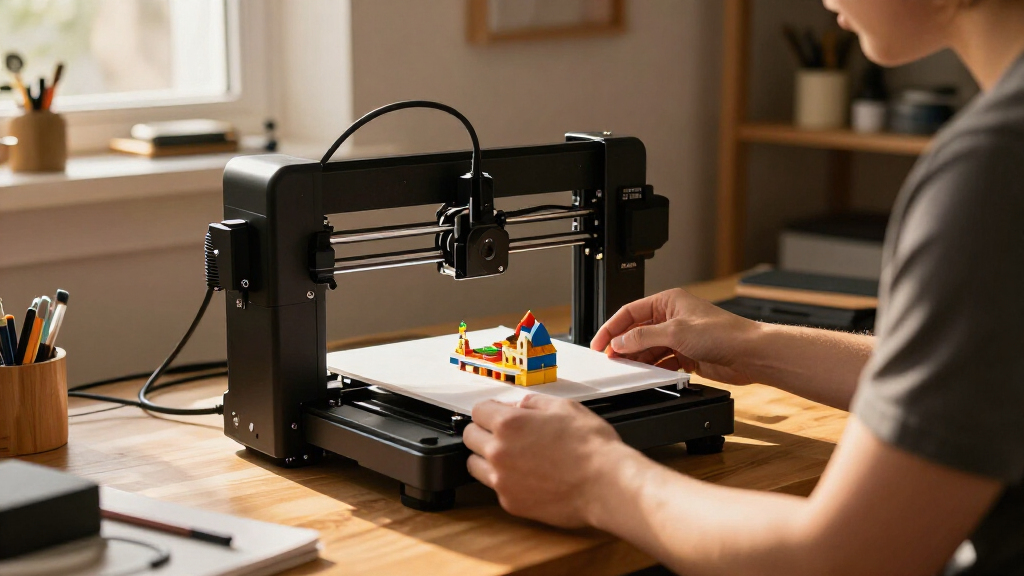
The best miniature 3D printers balance a small footprint with the detail and workflow your projects need. My best overall pick is the Bambu Lab A1 mini for its approachable FDM setup, while the ANYCUBIC Photon Mono 4 stands out for fine resin detail and the TINA2S for a simple starter kit. The main tradeoff is between resin’s crisp small features and its washing, curing, and handling demands, versus FDM’s easier cleanup and broader utility. Some compact machines also give up build volume, while larger options in this roundup take more space than the word miniature suggests. Read on for the full breakdown, including how each printer fits different buyers.

Get the latest gadgets delivered free with Prime
- Fast, free delivery on millions of items
- Prime Video, Amazon Music and more included
- Member-only deals all year
Complete the kit


Key Takeaways
- Print method separates the shortlist: resin models such as the Photon Mono 4 and Phrozen Sonic Mini 8K S suit fine miniature detail, while FDM picks such as the A1 mini are easier to use for general household and hobby prints.
- The Bambu Lab A1 mini is the strongest all-around fit: its compact format and beginner-friendly workflow make it more versatile for mixed projects than dedicated resin printers.
- Small does not always mean miniature-focused: the Adventurer 5M and Centauri 2 Combo offer larger-format or multicolor capabilities, but need more room and may be excessive for tiny figurines.
- Several listings overlap: the Photon Mono 4 appears in multiple named versions, so buyers should check the exact bundle and specifications rather than treating repeated listings as different printer classes.
- Resin detail comes with a workspace commitment: washing, curing, ventilation, and resin handling can matter as much as printer footprint when choosing a machine for a home or shared room.
| TINA2S Fully Assembled Mini 3D Printer Starter Kit | 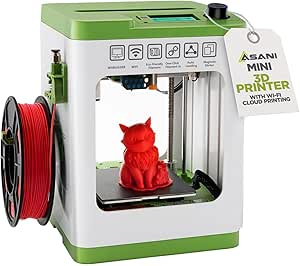 | Best Mini FDM Starter Kit | Printer type: FDM | Dimensions: 8.3 × 8.3 × 11.4 inches | Weight: 6.4 lb | VIEW LATEST PRICE | See Our Full Breakdown |
| ANYCUBIC Photon Mono 4 Resin 3D Printer with 7-Inch 10K Mono LCD Screen |  | Best for Fine Detail | Printer type: Resin | LCD screen: 7-inch 10K monochrome | Resolution: 9024 × 5120 | VIEW LATEST PRICE | See Our Full Breakdown |
| Entina Tina2C Mini 3D Printer |  | Best for STEM Projects | Printer type: FDM | Print volume: 3.9 × 3.9 × 3.9 in | Dimensions: 8 × 6.5 × 10 in | VIEW LATEST PRICE | See Our Full Breakdown |
| ANYCUBIC Photon Mono 4 10K Resin 3D Printer |  | Best Ready-Calibrated Resin Pick | Printer type: Resin | Screen: 7-inch 10K monochrome LCD | Resolution: 9024 × 5120 pixels | VIEW LATEST PRICE | See Our Full Breakdown |
| MALYAN S100 Mini Resin 3D Printer with 5.5-Inch 2K LCD |  | Best Compact Resin Setup | Printer type: Resin | Display: 5.5-inch LCD, 2560 × 1440 | Build volume: 115 × 65 × 110 mm | VIEW LATEST PRICE | See Our Full Breakdown |
| Portable FDM 3D Printer with 100 × 100 × 100 mm Build Volume |  | Best for the Smallest Workspaces | Printing technology: FDM | Build volume: 100 × 100 × 100 mm | Filament compatibility: 1.75 mm PLA and TPU | VIEW LATEST PRICE | See Our Full Breakdown |
| FLASHFORGE AD5X Multi-Color CoreXY 3D Printer |  | Best for Multicolor Miniatures | Print technology: CoreXY | Color capacity: Up to 4 colors | Build volume: 220 × 220 × 220 mm | VIEW LATEST PRICE | See Our Full Breakdown |
| ELEGOO Mars 5 Resin 3D Printer |  | Best for Straightforward Resin Setup | Printer type: Resin 3D printer | LCD resolution: 4K monochrome | Build volume: 5.65 × 3.53 × 5.91 inches | VIEW LATEST PRICE | See Our Full Breakdown |
| ELEGOO Mars 5 MSLA Resin 3D Printer |  | Best for Measured Resin Detail | Technology: MSLA resin | LCD screen: 6.6-inch monochrome 4K | LCD resolution: 4098 × 2560 px | VIEW LATEST PRICE | See Our Full Breakdown |
| Adventurer 5M 3D Printer – 600 mm/s High-Speed, One-Click Auto Leveling, Upgraded Direct Extruder with Quick-Detach 280°C Nozzle, Dual-Sided PEI Plate, 220 × 220 × 220 mm Build Volume |  | Best Fast FDM All-Rounder | Print volume: 220 × 220 × 220 mm | Maximum print speed: 600 mm/s | Acceleration: 20,000 mm/s² | VIEW LATEST PRICE | See Our Full Breakdown |
| Phrozen Sonic Mini 8K S LCD Resin 3D Printer |  | Best for Fine Miniature Detail | Display: 7.1-inch monochrome LCD | XY resolution: 22 microns | Build volume: 16.5 × 7.2 × 17 cm (6.5 × 2.8 × 6.7 inches) | VIEW LATEST PRICE | See Our Full Breakdown |
| ANYCUBIC 10K Resin 3D Printer, Photon Mono 4 |  | Best Resin Detail with More Build Room | LCD: 7-inch 10K monochrome LCD | LCD resolution: 9024 × 5120 | XY pixel size: 17 × 17 microns | VIEW LATEST PRICE | See Our Full Breakdown |
| FLASHFORGE Adventurer 5M 3D Printer |  | Best Fast FDM Option for Miniature Workshops | Print volume: 220 × 220 × 220 mm | Maximum travel speed: 600 mm/s | Acceleration: 20,000 mm/s² | VIEW LATEST PRICE | See Our Full Breakdown |
| Bambu Lab A1 mini 3D Printer with LED Lamp Kit |  | Best Beginner-Friendly Miniature Printer | Product type: 3D printer | Included accessory: LED Lamp Kit | Dimensions: 15.21 × 16.77 × 17.94 inches | VIEW LATEST PRICE | See Our Full Breakdown |
| ELEGOO Centauri 2 Combo Multicolor 3D Printer |  | Best for Multicolor Miniature Projects | Printing: Four-color | Maximum speed: 500 mm/s | Acceleration: 20,000 mm/s² | VIEW LATEST PRICE | See Our Full Breakdown |
| miniature 3D printer | Weight | Dimensions | Build volume |
|---|---|---|---|
| TINA2S Fully Assembled Mini 3D | 6.4 lb | 8.3 × 8.3 × 11.4 inches | — |
| ANYCUBIC Photon Mono 4 Resin 3 | — | — | 153.4 × 87 × 165 mm |
| Entina Tina2C Mini 3D Printer | 5.28 lb | 8 × 6.5 × 10 in | — |
| ANYCUBIC Photon Mono 4 10K Res | 7.7 lb | 10 × 10 × 15 in | — |
| MALYAN S100 Mini Resin 3D Prin | 7.7 lb | 7.87 × 7.87 × 11.42 in | 115 × 65 × 110 mm |
| Portable FDM 3D Printer with 1 | 2.2 pounds | 6.8 × 6.1 × 8.3 inches | 100 × 100 × 100 mm |
| FLASHFORGE AD5X Multi-Color Co | 24.2 pounds | 16 × 14 × 18 inches | 220 × 220 × 220 mm |
| ELEGOO Mars 5 Resin 3D Printer | 14.52 pounds | 15.75 × 18.5 × 9.06 inches | 5.65 × 3.53 × 5.91 inches |
| ELEGOO Mars 5 MSLA Resin 3D Pr | 19.11 pounds | — | 143.43 × 89.6 × 150 mm |
| Adventurer 5M 3D Printer | 23.8 pounds | 14.29 × 15.83 × 17.64 inches | — |
| Phrozen Sonic Mini 8K S LCD Re | 22 lbs | 11.4 × 11.4 × 16.9 inches | 16.5 × 7.2 × 17 cm (6.5 × 2.8 × 6.7 inches) |
| ANYCUBIC 10K Resin 3D Printer | — | — | 153.4 × 87 × 165 mm (6.04 × 3.42 × 6.49 inches) |
| FLASHFORGE Adventurer 5M 3D Pr | — | — | — |
| Bambu Lab A1 mini 3D Printer w | 12.1 lbs | 15.21 × 16.77 × 17.94 inches | — |
| ELEGOO Centauri 2 Combo Multic | 33 lbs | 19.69 × 18.9 × 23.23 inches | — |
More Details on Our Top Picks
TINA2S Fully Assembled Mini 3D Printer Starter Kit
The TINA2S is a strong fit for a first printer when a small footprint and a ready-to-start bundle matter more than large models. It arrives assembled, and auto leveling plus one-touch filament loading cut down on setup steps that can frustrate new users. The included PLA and preloaded microSD card also let a beginner try a print without first sourcing every accessory. Compared with the Entina Tina2C, it specifies Wi-Fi and support for PLA, PLA Pro, and TPU, while the Tina2C offers app or TF-card printing and Chromebook compatibility. Either way, the compact build volume is the main constraint: this is for small projects, not sizable parts. Its proximity sensor also depends on a magnetic metal build plate, so plate compatibility deserves attention.
Pros:- Arrives fully assembled, reducing initial setup.
- Auto leveling and one-touch filament loading simplify early prints.
- Starter kit includes 10 m of PLA and a preloaded microSD card.
- Supports PLA, PLA Pro, and TPU across Mac, Windows, and Linux.
Cons:- Compact print area limits project size.
- Proximity sensor requires a compatible magnetic metal build plate.
- TPU support may take more tuning than beginner-friendly PLA.
Best for: First-time buyers, families, and classroom users who want an assembled FDM printer with basic supplies included.
Not ideal for: Makers planning large prints or users who need a printer that can work with a non-magnetic build plate.
- Printer type:FDM
- Dimensions:8.3 × 8.3 × 11.4 inches
- Weight:6.4 lb
- Filament compatibility:1.75 mm PLA, PLA Pro, and TPU
- Included filament:10 m PLA
- Display:2.4-inch LCD
- Connectivity:Wi-Fi
- Build plate:Flexible magnetic plate
- Supported operating systems:Mac, Windows, Linux
Our verdict“Choose the TINA2S for a ready-to-use miniature FDM starter kit, but skip it if your projects need more build space.”
ANYCUBIC Photon Mono 4 Resin 3D Printer with 7-Inch 10K Mono LCD Screen
Among these miniature printers, the Photon Mono 4 is the pick when small models need crisp surface detail rather than easy, low-mess operation. Its 10K monochrome LCD and 17 × 17 μm pixels support fine features on miniatures, while the LighTurbo matrix light source is designed to spread exposure evenly. That makes it a more detail-focused choice than the MALYAN S100, whose 2K screen trades resolution for a simpler compact setup. The Mono 4’s build volume is still small, but its taller capacity suits many figurines and components. Resin brings a real workflow cost: handling, washing, and curing add steps beyond printing. Four-point leveling is also part of setup, and Anycubic app support is absent, so buyers should expect to manage prints through other software and workflows.
Pros:- 10K monochrome LCD and fine pixel size support detailed small models.
- LighTurbo matrix light source is designed for even illumination.
- Laser-engraved platform is designed to aid adhesion and print removal.
- Print recovery can continue a job after power is restored.
Cons:- Resin requires careful handling and post-print washing and curing.
- Anycubic app is not supported.
- Four-point leveling adds setup work compared with automatic-leveling FDM options.
Best for: Miniature painters, tabletop gamers, and model makers prioritizing fine resin detail in small parts.
Not ideal for: Beginners seeking a clean, low-maintenance workflow or buyers who require Anycubic app control.
- Printer type:Resin
- LCD screen:7-inch 10K monochrome
- Resolution:9024 × 5120
- Pixel size:17 × 17 μm
- Build volume:153.4 × 87 × 165 mm
- Light source:Anycubic LighTurbo matrix
- Maximum printing speed:70 mm/h
- Leveling:Four-point
- Product dimensions and weight:10 × 10 × 15 in; 7.7 lb
Our verdict“Pick the Photon Mono 4 when fine miniature detail matters more than app control or a simple cleanup routine.”
Entina Tina2C Mini 3D Printer
The Entina Tina2C suits homes and learning spaces that want a compact FDM printer with flexible ways to start a job. It comes assembled, offers Wi-Fi app or TF-card printing, and includes more than 25 DIY modules, giving beginners guided project material alongside the hardware. Its 3.9-inch-cubed print volume is similar in spirit to the TINA2S: both favor small prints and approachable setup over large parts. The Tina2C pulls ahead for mixed-device households because it lists Chromebook compatibility, while the TINA2S specifies TPU support and includes filament in its starter kit. Automatic leveling, power-loss recovery, and a flexible magnetic plate add convenience, but the small build area limits growth as projects get more ambitious. Maintenance guidance for nozzle cleaning is also limited in the supplied product information.
Pros:- Fully assembled design and automatic leveling reduce setup effort.
- Offers both 2.4 GHz Wi-Fi and TF-card printing.
- Power-loss recovery can help preserve interrupted jobs.
- Works with Windows, macOS, Linux, and Chromebook and includes 25+ DIY modules.
Cons:- 3.9-inch-cubed print volume restricts project dimensions.
- Product information gives limited detail on nozzle cleaning and maintenance.
- Unlike the TINA2S starter kit, included filament is not specified.
Best for: Families, teachers, and STEM clubs seeking a compact FDM machine with app and offline printing options.
Not ideal for: Makers who want to print larger functional parts or buyers who need detailed maintenance instructions.
- Printer type:FDM
- Print volume:3.9 × 3.9 × 3.9 in
- Dimensions:8 × 6.5 × 10 in
- Weight:5.28 lb
- Connectivity:2.4 GHz Wi-Fi, TF card
- Build plate:Flexible magnetic
- Features:Automatic leveling, power-loss recovery, quick-swap printhead
- Software compatibility:Cura, Simplify3D
- Operating systems:Windows, macOS, Linux, Chromebook
Our verdict“Choose the Tina2C for guided home or classroom projects and broad device compatibility, not for prints that need more room.”
ANYCUBIC Photon Mono 4 10K Resin 3D Printer
This Photon Mono 4 is aimed at resin buyers who want high detail without starting from a bare assembly. It arrives assembled and factory-calibrated, though the included four-point leveling check still needs to be completed before printing. Its 7-inch 10K screen and 17 × 17 μm pixel precision put it in the same fine-detail class as the other Photon Mono 4 listing, rather than the lower-resolution MALYAN S100. The 1.5-second exposure specification and power-failure recovery are useful workflow features, but they do not remove resin’s handling and post-processing demands. The build area remains modest, which suits small figures and detailed components better than larger models. Buyers should also distinguish this listing from the other Mono 4: the supplied data here specifies exposure time and factory calibration, while the other listing details the LighTurbo source and explicitly notes missing app support.
Pros:- 10K screen with 17 × 17 μm pixel precision supports fine miniature detail.
- Assembled and factory-calibrated to reduce initial setup.
- Power-failure recovery can resume interrupted work.
- 1.5-second exposure specification supports a defined print workflow.
Cons:- A four-point leveling check remains necessary before printing.
- Resin requires careful handling and post-processing.
- Compact build volume limits larger models.
Best for: Resin newcomers who want a compact, high-resolution printer that arrives assembled and calibrated.
Not ideal for: People who want a no-mess FDM workflow, large prints, or a printer requiring no leveling check.
- Printer type:Resin
- Screen:7-inch 10K monochrome LCD
- Resolution:9024 × 5120 pixels
- Pixel precision:17 × 17 μm
- Exposure time:1.5 seconds
- Print volume:6.04 × 3.43 × 6.49 in
- Dimensions:10 × 10 × 15 in
- Weight:7.7 lb
- Power failure recovery:Yes
Our verdict“Pick this Mono 4 for assembled, high-resolution resin printing if you accept the leveling check and resin cleanup.”
MALYAN S100 Mini Resin 3D Printer with 5.5-Inch 2K LCD
The MALYAN S100 is the straightforward compact resin option here: it combines automatic calibration and leveling with a removable magnetic build plate that can come off for cleaning. That hands-on convenience may suit a small workspace better than the higher-resolution ANYCUBIC Photon Mono 4, whose 10K screen is the stronger choice for fine miniature features. The tradeoff is clear: the S100’s 2K LCD and 115 × 65 × 110 mm build volume are better matched to modest models than intricate pieces where surface detail is the priority. Its 57 W parallel LED array is designed for even illumination, and the laser-engraved platform aims to aid adhesion. Resin still means handling and post-processing, so this is compact hardware, not a mess-free route to miniature printing.
Pros:- Automatic calibration and leveling simplify initial setup.
- Removable magnetic plate eases access for cleaning.
- Parallel LED array is designed to provide even illumination.
- Compact dimensions suit a constrained work area.
Cons:- 2K resolution offers less fine detail than the Photon Mono 4’s 10K screen.
- 115 × 65 × 110 mm build volume limits model size.
- Resin handling and post-print cleanup remain part of the workflow.
Best for: Resin users with limited workspace who value automatic leveling and an easily removable plate over maximum resolution.
Not ideal for: Miniature makers seeking the finest facial or surface details, or buyers who need a larger print area.
- Printer type:Resin
- Display:5.5-inch LCD, 2560 × 1440
- Build volume:115 × 65 × 110 mm
- Light source:57 W parallel LED array
- Build plate:Removable magnetic, laser-engraved
- Auto leveling:Yes
- Dimensions:7.87 × 7.87 × 11.42 in
- Weight:7.7 lb
Our verdict“Choose the S100 for compact resin printing with convenient leveling and plate removal, but favor the Photon Mono 4 for finer detail.”
Portable FDM 3D Printer with 100 × 100 × 100 mm Build Volume
At 2.2 pounds and just 6.8 × 6.1 × 8.3 inches, this is the most space-conscious FDM choice in this group. Its 100 mm cubed build volume is suited to small models and practice pieces, not household parts or larger prototypes. Compared with the 220 mm build volumes of the FLASHFORGE AD5X and Adventurer 5M, it gives up a great deal of usable print area in exchange for a much smaller footprint.
It accepts PLA and TPU, so beginners can try both a straightforward rigid filament and a flexible one. A removable plate and included starter filament, tools, storage card, and setup videos lower the barrier to a first print. The tradeoff is that it needs modular assembly and bed leveling; buyers seeking a near-ready experience may prefer a preassembled mini printer such as the TINA2S.
Pros:- Very small footprint and low 2.2-pound weight suit tight workspaces.
- Supports both 1.75 mm PLA and TPU.
- Removable build plate helps release finished models.
- Includes starter PLA, tools, storage card, and video setup guides.
Cons:- 100 × 100 × 100 mm build volume rules out larger prints.
- Modular assembly and bed leveling add setup work.
- Included 10 m of PLA is only a small amount for ongoing printing.
Best for: Beginners with very limited desk or shelf space who want to learn FDM printing on small PLA or TPU projects.
Not ideal for: Makers printing larger functional parts, or buyers who want a ready-to-print machine without assembly and manual bed leveling.
- Printing technology:FDM
- Build volume:100 × 100 × 100 mm
- Filament compatibility:1.75 mm PLA and TPU
- Nozzle diameter:0.4 mm
- Layer thickness:0.05–0.3 mm
- Dimensions:6.8 × 6.1 × 8.3 inches
- Weight:2.2 pounds
- Included storage:8 GB TF card and reader
Our verdict“Choose this printer if minimal size matters more than print capacity and you are comfortable assembling and leveling it yourself.”
FLASHFORGE AD5X Multi-Color CoreXY 3D Printer
The AD5X earns its place for buyers who want up to four colors in one FDM setup, a rare advantage for miniature prints that benefit from colored details without separate paintwork. Its 220 mm cubed build volume also gives it far more room than the 100 mm Portable FDM printer, while its CoreXY system is rated for speeds up to 600 mm/s. That combination makes it a more capable all-round machine than a tiny starter printer, though its 16 × 14 × 18-inch body and 24.2-pound weight are a substantial step up in desk space.
One-click auto leveling, print recovery, and app-based monitoring reduce routine oversight. The 300°C direct-drive extruder and several nozzle options add flexibility beyond the Adventurer 5M’s stated 280°C maximum. The listed details do not specify the AD5X’s material range or operational limitations, so I would not choose it on assumed compatibility alone.
Pros:- Supports printing with up to four colors.
- 220 × 220 × 220 mm build volume accommodates larger projects than the compact FDM option.
- One-click auto leveling reduces manual setup.
- Print recovery and remote monitoring add useful workflow controls.
Cons:- Its 16 × 14 × 18-inch dimensions and 24.2-pound weight make it a poor fit for small desks.
- Multicolor capability adds setup and workflow complexity compared with single-color FDM printers.
- The supplied product details do not state supported filament types.
Best for: Makers who want multicolor FDM miniatures and have room for a full-size desktop printer.
Not ideal for: Buyers seeking a truly miniature footprint, a simple single-color starter machine, or a printer with clearly stated filament compatibility before purchase.
- Print technology:CoreXY
- Color capacity:Up to 4 colors
- Build volume:220 × 220 × 220 mm
- Maximum print speed:600 mm/s
- Acceleration:20,000 mm/s²
- Maximum extruder temperature:300°C
- Nozzle sizes:0.25 mm, 0.4 mm, 0.6 mm, 0.8 mm
- Dimensions:16 × 14 × 18 inches
- Weight:24.2 pounds
Our verdict“Pick the AD5X if multicolor output matters more than a compact footprint and you can accommodate a larger CoreXY printer.”
ELEGOO Mars 5 Resin 3D Printer
For small, detail-focused models, the Mars 5 makes a stronger case than the FDM printers here: its 4K monochrome LCD is intended for fine resin detail, while one-click leveling cuts down on a common setup chore. Its build area measures 5.65 × 3.53 × 5.91 inches, which suits compact figures but is not generous; the FLASHFORGE AD5X offers a substantially larger 220 mm cubed volume for bigger objects. The Mars 5 instead prioritizes resin printing in a relatively light 14.52-pound machine.
Residue detection, resin and leveling alerts, a pre-print check, and overheat protection at 80°C give beginners several safeguards. Those features do not remove the ongoing work of handling resin and cleaning the tank. Compared with the Mars 5 MSLA listing in this roundup, this model’s provided specs are less detailed on screen dimensions and XY resolution, so buyers focused on those measurements may prefer the other listing.
Pros:- 4K monochrome LCD supports detailed small prints.
- One-click automatic leveling simplifies setup.
- Residue detection, resin alerts, and pre-print checks help catch issues.
- Overheat protection stops printing if LED temperature exceeds 80°C.
Cons:- Resin handling and tank cleanup add work after printing.
- Build volume is limited for larger models.
- The supplied specs do not include XY resolution or a print-speed figure.
Best for: Miniature and small-figure makers who want resin-level detail with automatic leveling and built-in print checks.
Not ideal for: People who want clean, low-mess operation, need a larger print area, or prefer the simpler filament handling of an FDM printer.
- Printer type:Resin 3D printer
- LCD resolution:4K monochrome
- Build volume:5.65 × 3.53 × 5.91 inches
- Automatic leveling:One-click
- Overheat protection threshold:80°C
- Dimensions:15.75 × 18.5 × 9.06 inches
- Weight:14.52 pounds
- Model number:EL-3D-M5
Our verdict“Choose the Mars 5 for detailed, small resin models if you accept resin cleanup and do not need a large build area.”
ELEGOO Mars 5 MSLA Resin 3D Printer
This Mars 5 listing stands out when the detail figures matter to your choice: it specifies a 6.6-inch 4K monochrome LCD, 4098 × 2560 pixel resolution, and 35 × 35 μm XY resolution. That makes its detail claims more concrete than the other ELEGOO Mars 5 listing here, which names a 4K screen but gives no XY resolution. Its 143.43 × 89.6 × 150 mm build area is also taller than it is wide, a useful shape for slender miniatures, though the 20.98-inch product length takes considerable room beside the compact Portable FDM printer.
Automatic leveling, mechanical issue sensors, and one-touch build-plate locking simplify parts of the workflow; the dual tank pouring spouts also help when handling resin. The 70 mm/h maximum speed is specified, but successful results still depend on settings and supports. Like the other resin models, it requires tank cleaning after prints and careful resin handling.
Pros:- Provides explicit 4098 × 2560 pixel and 35 × 35 μm XY resolution figures.
- Automatic leveling and mechanical sensors help flag common print problems.
- One-touch build-plate locking and dual tank pouring spouts support resin handling.
- 150 mm build height accommodates taller narrow models.
Cons:- Resin tank cleaning is required after printing.
- Print success depends on correct settings and model supports.
- At 20.98 inches long, it takes substantially more desk space than the small FDM printer.
Best for: Resin miniature makers who want stated pixel and XY-resolution figures, plus a taller build area for narrow models.
Not ideal for: Desk-limited buyers, people who want a low-cleanup printing process, or beginners unwilling to tune settings and supports.
- Technology:MSLA resin
- LCD screen:6.6-inch monochrome 4K
- LCD resolution:4098 × 2560 px
- XY resolution:35 × 35 μm
- Maximum print speed:70 mm/h
- Build volume:143.43 × 89.6 × 150 mm
- Leveling:Automatic
- Light source:COB, 92% light uniformity
- Weight:19.11 pounds
Our verdict“Pick this Mars 5 if published resolution details and a taller resin build area matter more than compact dimensions or easy cleanup.”
Adventurer 5M 3D Printer – 600 mm/s High-Speed, One-Click Auto Leveling, Upgraded Direct Extruder with Quick-Detach 280°C Nozzle, Dual-Sided PEI Plate, 220 × 220 × 220 mm Build Volume
The Adventurer 5M is the more balanced high-speed FDM pick for makers who want a roomy build area without the AD5X’s multicolor focus. Its 220 × 220 × 220 mm volume handles models far larger than the 100 mm Portable FDM printer, and its CoreXY system is rated up to 600 mm/s. One-click leveling, vibration compensation, filament run-out detection, and power-loss recovery are aimed at keeping prints moving with less routine intervention.
The 280°C quick-detach direct extruder and stated support for PLA, PETG, TPU, and selected carbon-fiber filaments give it a broader material path than a basic mini printer. But the open frame needs a suitable ventilated workspace, and its 14.29 × 15.83 × 17.64-inch footprint is not miniature in the desk-saving sense. Compared with the AD5X, it lacks the stated four-color capacity and has a lower maximum nozzle temperature.
Pros:- 600 mm/s maximum speed and 20,000 mm/s² acceleration support rapid printing.
- One-click auto leveling helps simplify first-layer setup.
- Quick-detach direct extruder reaches 280°C.
- Filament run-out detection and power-loss recovery help protect longer prints.
Cons:- Open-frame design calls for a suitable ventilated workspace.
- Large footprint and 23.8-pound weight are at odds with a truly miniature setup.
- No stated multicolor capability, unlike the FLASHFORGE AD5X.
Best for: Makers who want fast, larger-format FDM printing, automatic leveling, and several stated filament options in an open-frame machine.
Not ideal for: People with very small desks, buyers who need an enclosed printer, or anyone prioritizing resin-style miniature detail over speed and build area.
- Print volume:220 × 220 × 220 mm
- Maximum print speed:600 mm/s
- Acceleration:20,000 mm/s²
- Maximum nozzle temperature:280°C
- Bed type:Dual-sided PEI steel plate
- Filament compatibility:PLA, PETG, TPU with 0.4 mm nozzle; PLA-CF, PETG-CF with 0.6 mm nozzle
- Dimensions:14.29 × 15.83 × 17.64 inches
- Weight:23.8 pounds
- Sensors:Filament run-out and power-loss recovery
Our verdict“Choose the Adventurer 5M for speed and flexible FDM printing when you have room for a full-size open-frame machine.”
Phrozen Sonic Mini 8K S LCD Resin 3D Printer
The Sonic Mini 8K S is the detail-first choice here: its 22-micron XY resolution is suited to small figures, fine surface textures, and crisp facial features. Its 7.1-inch monochrome LCD and compact body keep the machine focused on miniature-scale resin work rather than large parts. Compared with the ANYCUBIC Photon Mono 4, it has a smaller stated build volume, so the Phrozen is easier to justify when fine detail matters more than fitting several or larger models on the plate. Support for Lychee, Chitubox, and Tango gives slicer choice, while precise Z-axis calibration helps with setup. The tradeoff is the usual resin workflow: compatible resin and careful handling are required, and its build area limits project size.
Pros:- 22-micron XY resolution targets fine miniature features
- Supports Lychee, Chitubox, and Tango slicers
- Compact printer dimensions suit a smaller workspace
- Precise Z-axis calibration supports accurate setup
Cons:- Build volume is restrictive for larger models or multiple sizable parts
- Resin printing requires compatible resin and careful handling
Best for: Miniature painters, tabletop gamers, and sculptors prioritizing fine detail on small resin models
Not ideal for: Buyers who want to print larger props or prefer the simpler material handling of an FDM printer
- Display:7.1-inch monochrome LCD
- XY resolution:22 microns
- Build volume:16.5 × 7.2 × 17 cm (6.5 × 2.8 × 6.7 inches)
- Maximum load capacity:22 lbs
- Dimensions:11.4 × 11.4 × 16.9 inches
- Weight:22 lbs
- Model number:SOMIN8KSUS
Our verdict“Choose the Sonic Mini 8K S for detailed small resin models; pick the Photon Mono 4 if you need more stated build area.”
ANYCUBIC 10K Resin 3D Printer, Photon Mono 4
The Photon Mono 4 combines 10K resolution with a larger stated build volume than the Phrozen Sonic Mini 8K S, making it a stronger fit when miniature detail and plate capacity both matter. Its 17 × 17-micron XY pixel size is designed to render small features, while the LighTurbo matrix light source aims for even exposure across the screen. A redesigned build platform is intended to limit lifting and warping without making model removal difficult, and print-resume support can help reduce wasted work after a power interruption. Compared with the Phrozen, this Anycubic offers more room, but the supplied information does not list its dimensions or weight, so workspace planning is less certain. It remains a resin machine, with the handling and material requirements that entails.
Pros:- 10K LCD with 17 × 17-micron XY pixels for fine detail
- Build volume exceeds the stated volume of the Phrozen Sonic Mini 8K S
- LighTurbo matrix light source is designed for balanced exposure
- Print-resume support can reduce waste after a power outage
Cons:- Resin printing calls for compatible materials and careful handling
- Dimensions and weight are not provided in the supplied product data
Best for: Resin-printing hobbyists who want finely detailed miniatures and room for somewhat larger models or multiple pieces
Not ideal for: Buyers seeking an FDM printer, or those who need a well-documented machine footprint before choosing a workspace
- LCD:7-inch 10K monochrome LCD
- LCD resolution:9024 × 5120
- XY pixel size:17 × 17 microns
- Build volume:153.4 × 87 × 165 mm (6.04 × 3.42 × 6.49 inches)
- Light source:LighTurbo matrix
- Single-layer exposure time:As low as 1.5 seconds
- Power-loss feature:Print resume after power is restored
Our verdict“Pick the Photon Mono 4 if you want fine resin detail with more stated build space than the Phrozen Sonic Mini 8K S.”
FLASHFORGE Adventurer 5M 3D Printer
For buyers who want miniature printing without a resin workflow, the Adventurer 5M offers a 220 × 220 × 220 mm build volume and a fast CoreXY system. Automatic bed leveling removes a common setup chore, while the 280°C direct-drive extruder supports a broader range of print tasks than the small resin-focused Phrozen Sonic Mini 8K S. That flexibility comes with a different result: FDM is less suited to tiny facial details and smooth miniature surfaces than high-resolution resin printing. The 5M instead makes sense for terrain, organizers, display bases, and functional parts. Quick nozzle changes and a dual-sided PEI platform help with routine use, but some nozzle sizes are optional, and its larger body is not as compact as the resin printers in this group.
Pros:- 220 × 220 × 220 mm build volume accommodates larger pieces than the resin printers listed here
- Automatic bed leveling reduces manual setup
- CoreXY motion, vibration compensation, and high travel speed support rapid printing
- Quick nozzle changes and dual-sided PEI platform simplify routine swaps and removal
Cons:- FDM is less suited than resin printers such as the Photon Mono 4 to very fine miniature detail
- Some supported nozzle sizes are optional rather than standard
Best for: Hobbyists making tabletop terrain, bases, organizers, and practical small parts who want FDM materials and a roomy build area
Not ideal for: Miniature makers whose main goal is highly detailed character figures or who have very limited desk space
- Print volume:220 × 220 × 220 mm
- Maximum travel speed:600 mm/s
- Acceleration:20,000 mm/s²
- Maximum extruder temperature:280°C
- Nozzle flow rate:32 mm³/s
- Nozzle sizes:0.25–0.8 mm supported; 0.4 mm standard
- Platform:Dual-sided PEI
- Dimensions and weight:15.83 × 14.29 × 17.64 inches; 22 lbs
Our verdict“Choose the Adventurer 5M for fast, versatile FDM printing of terrain and useful parts, not for the finest character miniatures.”
Bambu Lab A1 mini 3D Printer with LED Lamp Kit
The A1 mini is the approachable pick for newcomers who want to make decorative prints and small projects without starting with resin handling. Automatic calibration and simple setup lower the initial learning curve, while operation rated at ≤48 dB makes it a more considerate choice for a shared home workspace than a printer chosen mainly for speed. Its included LED Lamp Kit gives the bundle a clear creative angle: printed models can become light-up decorations. Compared with the FLASHFORGE Adventurer 5M, the A1 mini is positioned around ease and quiet operation rather than a listed high-speed specification or a stated 220 mm cube build area. The supplied data does not give its build volume, so buyers should check whether their intended models fit before choosing it.
Pros:- Automatic calibration and simple setup suit beginners
- Includes an LED Lamp Kit for light-up decorative projects
- Specified noise level of 48 dB or less suits shared spaces
- MakerWorld and the Bambu Handy app support model discovery and print management
Cons:- The supplied product data does not state the build volume
- Compact format may limit project size
- The lamp kit is a narrower bonus for buyers focused on functional prints
Best for: First-time FDM users, families, and hobbyists making small decorative prints who value automatic setup and quieter operation
Not ideal for: Buyers planning large models or needing a clearly specified build volume before purchase
- Product type:3D printer
- Included accessory:LED Lamp Kit
- Dimensions:15.21 × 16.77 × 17.94 inches
- Weight:12.1 lbs
- Noise level:≤48 dB
- Automatic calibration:Yes
- Active flow rate compensation:Yes
- Model number:PF002-M-EU
Our verdict“Choose the A1 mini for an easier, quieter start and lamp projects; choose the Adventurer 5M if a documented larger build volume matters more.”
ELEGOO Centauri 2 Combo Multicolor 3D Printer
The Centauri 2 Combo is the specialist choice for buyers who want four-color prints without painting every detail by hand. Its CoreXY system reaches a stated maximum speed of 500 mm/s, and 22 sensors monitor printing, pairing color capability with automatic calibration and pre-print checks. A 5-inch touchscreen and app control offer more direct ways to manage jobs than the A1 mini’s beginner-oriented model and app setup. The tradeoff is size: at nearly 20 × 19 × 23 inches and 33 pounds, it is much less suited to a cramped desk than the compact Phrozen Sonic Mini 8K S. The listed data also does not identify supported filament types, so material compatibility needs checking before purchase. It is an FDM option, not a fine-detail resin substitute.
Pros:- Four-color printing can add color without separate hand-painting
- Automatic calibration and smart pre-print checks simplify preparation
- CoreXY system with vibration compensation supports fast printing
- Touchscreen and app control provide multiple ways to manage prints
Cons:- Large footprint and 33-pound weight are a poor fit for tight workspaces
- Supported filament types are not specified in the supplied product data
- FDM output is less suited to the finest miniature surface detail than resin printing
Best for: Makers who want multicolor tabletop terrain, display pieces, or decorative models and have room for a larger printer
Not ideal for: Buyers with a small workspace, those focused on resin-level miniature detail, or anyone needing confirmed filament compatibility before buying
- Printing:Four-color
- Maximum speed:500 mm/s
- Acceleration:20,000 mm/s²
- Nozzle temperature:350°C
- Sensors:22
- Display:5-inch touchscreen
- Dimensions:19.69 × 18.9 × 23.23 inches
- Weight:33 lbs
Our verdict“Choose the Centauri 2 Combo for multicolor FDM display pieces if you have the space and can confirm the filament types you plan to use.”
How We Picked
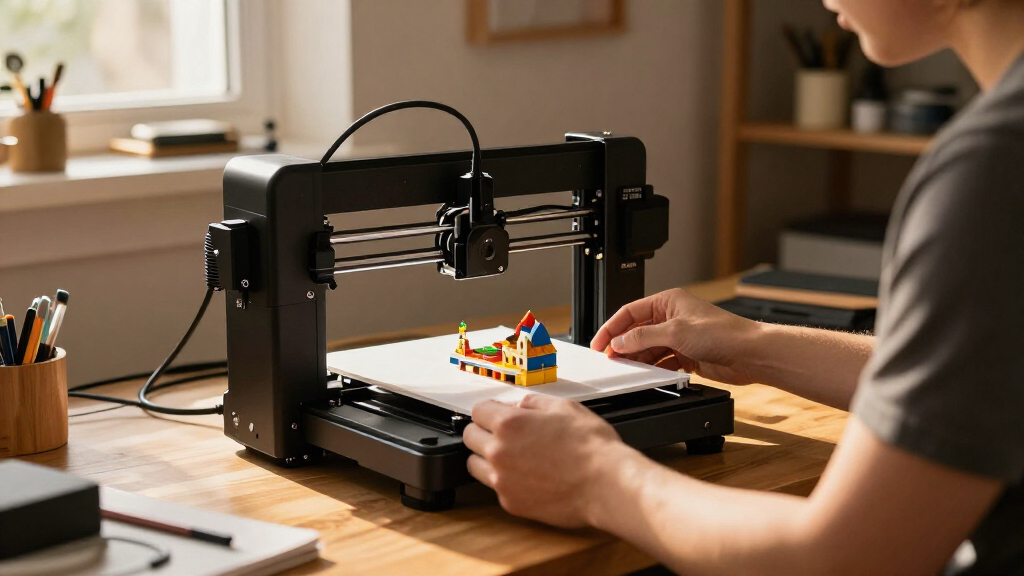
I ranked these printers around the practical meaning of miniature: a machine should be manageable in a small workspace, suit small-scale projects, and avoid demanding more space or setup than its intended use warrants. I weighed print method and detail potential alongside build volume, setup effort, workflow, maintenance needs, and useful flexibility. For resin machines, I treated washing, curing, and safe material handling as part of the ownership experience; for FDM models, I considered how approachable the setup is and whether their added speed or features serve small-print buyers.
The order favors all-around fit over a single headline specification. That puts compact, accessible options ahead of larger or more specialized machines for most readers, while resin models rise for buyers whose priority is fine detail. Multicolor and high-speed printers remain worthwhile for their specific strengths, but their added footprint or complexity limits their place in a miniature-focused ranking. Repeated Photon Mono 4 listings are treated as closely related choices, not as proof of distinct capabilities.
Factors to Consider When Choosing Miniature 3D Printers
Choosing among miniature 3D printers starts with the objects you want to make and the space you can devote to the whole workflow. A compact printer can still need room for accessories, material storage, and post-processing. These factors can help prevent a small machine from becoming an inconvenient setup.
Match Print Method to the Objects You Make
Resin and FDM solve different problems, even when both printers fit on a desk. Resin is often the better match for tiny faces, surface texture, and fine sculpted features, but each print brings liquid material handling and post-processing. FDM is a more flexible starting point for functional parts, organizers, and larger hobby objects, though very small details can be less refined. A common mistake is choosing by sample-photo detail alone without asking whether the cleanup routine fits daily life. If your projects split evenly between figurines and practical parts, decide which type you would rather compromise on before buying.
Measure the Whole Workspace, Not Just the Printer
The machine’s footprint is only one part of its space requirement. Resin printing may need room for a wash-and-cure setup, gloves, tools, and a safe place to handle materials. FDM needs clearance for the moving print head and bed, plus space to remove finished parts and store filament. Measure the work surface and the room around it, then check whether the printer can stay level and undisturbed. Buyers often underestimate accessories and end up placing a compact printer in a cramped, inconvenient spot.
Treat Build Volume as a Practical Limit
A small build area can be an advantage if most prints are tiny: it can reduce wasted space and keep the machine focused on its intended job. It becomes limiting when models need to be printed in multiple pieces or when you want to batch several objects together. Look at the size of your largest regular project, not just the average miniature, and leave some room for future experimentation. A larger printer may sound like a safer purchase, but it can take up more room without improving the fine detail you care about. Choose extra volume only if you expect to use it.
Account for the Full Ownership Routine
Print time is not the whole time commitment. Resin workflows add washing, curing, and careful handling, while FDM workflows may involve bed preparation, filament changes, and occasional nozzle or surface maintenance. Think about how often you expect to print and whether you want a machine that can run with minimal attention. A beginner should favor a clear setup path over advanced controls they may not use. Before choosing, check what routine supplies and support equipment are needed so the printer’s purchase price does not become the only planning point.
Pay for Features You Will Use Repeatedly
Automatic leveling, quick-change components, multicolor capability, and higher print speeds can make a real difference, but only when they suit your projects. For a steady stream of small single-color prints, a multicolor system may add setup and material management without much benefit. Speed matters more for frequent batches than for occasional display pieces. More advanced features can also mean a larger machine or a more involved workflow, which conflicts with a small-space goal. Prioritize one or two recurring needs rather than buying a printer around a feature you might use once.
Check Listing Details Before Comparing Similar Models
Product names can be confusing when a printer appears in multiple listings or bundles. Confirm the exact model, included accessories, build volume, screen specification, and whether necessary post-processing equipment is included. This matters especially for the repeated Photon Mono 4 entries in this roundup: a similar name does not guarantee an identical package. Do not assume that a bundle includes every tool required for a complete workflow. Comparing the specification and included-items lists side by side is a simple way to avoid buying the wrong version.
Frequently Asked Questions
Should I choose resin or FDM for tabletop miniatures?
Choose resin if fine facial features, small textures, and crisp sculpted details matter more than a simple cleanup routine. Choose FDM if you want one printer for miniatures plus practical parts, props, or organizers, and prefer to avoid liquid resin handling. Resin prints need washing and curing after printing, so factor in the extra equipment and workspace. FDM can still make useful small models, but the finest features may not look as sharp. Your choice should reflect both the finish you want and the workflow you can maintain.
Can I keep a resin miniature printer in a bedroom or shared room?
Do not choose a location based on the printer’s small footprint alone. Resin printing involves liquid materials and post-processing, so ventilation, safe handling, and separation from everyday living areas deserve attention. Follow the printer and resin makers’ handling guidance and plan a stable area for tools, washing, and curing. A shared room can make spills, odors, and storage harder to manage. If you cannot create a suitable workspace, an FDM model may be a more practical fit.
Is the smallest build volume enough for most miniature projects?
For single figurines and other small objects, a compact build area may be entirely workable. The limitation becomes more apparent when you want to print several models at once, produce terrain, or make parts that cannot be split easily. Consider the largest item you plan to print regularly, not only the smallest one. Slicing a large model into sections can work, but it adds assembly and finishing steps. A larger printer is worth the extra space only when those bigger jobs are part of your routine.
Are the repeated ANYCUBIC Photon Mono 4 listings meaningfully different?
The listed names point to the same Photon Mono 4 family, so the entries should not automatically be read as separate printer designs. Differences may come from bundle contents, listing details, or how the screen specification is presented. Compare the exact model identifier and included accessories before choosing between them. Pay particular attention to whether post-processing equipment and other needed items are part of the package. If the core specifications match, choose based on the bundle that best fits your planned workflow.
When does a larger or multicolor printer make sense for miniature work?
A larger-format printer can be useful if your miniature projects include terrain, display bases, props, or batches of pieces that benefit from more build area. Multicolor printing helps when you want color variation without painting every part, but it can add material management and setup demands. Neither feature automatically improves fine detail on a small figurine. The Adventurer 5M and Centauri 2 Combo make more sense when their extra capacity or color options support regular projects beyond tiny models. If your work is mostly single-color figures, a smaller, simpler machine may serve you better.
Conclusion
For most buyers, I would start with the Bambu Lab A1 mini as the best overall option: it balances compact size and approachable FDM use without limiting you to resin-only projects. The TINA2S is my best value-style pick for a buyer seeking a straightforward starter setup, while the ANYCUBIC Photon Mono 4 is the better fit when fine resin detail takes priority. Beginners who want an accessible FDM path should compare the A1 mini and TINA2S; buyers focused on highly detailed miniatures should look at the Photon Mono 4, Mars 5, or Phrozen Sonic Mini 8K S and plan for post-processing. For multicolor or larger-format projects, consider the Centauri 2 Combo or Adventurer 5M, but choose them only if you have the room and will use their added capabilities. My final choice comes down to one question: do you want simpler everyday printing, or the finest small-model detail?
Fall Picks
fall essentials
As an affiliate, we earn on qualifying purchases.