
Among the 15 portable external hard drives in this roundup, I rank the WD 6TB Elements as the best overall because it combines generous portable capacity with straightforward Windows and Mac support. The WD 2TB Elements is my value pick for buyers who need dependable everyday space without paying for security extras. For sensitive files, the WD 2TB My Passport stands apart with password encryption and ransomware-focused protection. The main choice is between capacity, physical portability, security features, console compatibility, and the convenience of a drive that does not need wall power. Continue reading for the full breakdown and a buyer-focused explanation of where each model fits.

Get the latest gadgets delivered free with Prime
- Fast, free delivery on millions of items
- Prime Video, Amazon Music and more included
- Member-only deals all year
Complete the kit



Key Takeaways
- WD 6TB Elements earned the top position by offering one of the largest capacities in a genuinely portable format without adding desktop-drive bulk or power requirements.
- Two terabytes emerged as the practical value tier: WD Elements favors simplicity, while Seagate Portable 2TB is the stronger fit for buyers moving between computers and game consoles.
- WD 2TB My Passport is the security-focused choice because it is the only listed model that explicitly adds password encryption and ransomware protection.
- The 500GB and 1TB slim drives favor portability over longevity; they suit light backups, but larger photo, video, and game libraries may outgrow them quickly.
- Seagate Expansion 8TB offers the most capacity but ranks lower for travel because its desktop design makes it better as a stationary archive than an everyday portable drive.
| WD 6TB Elements Portable External Hard Drive |  | Best Overall for High-Capacity Portability | Capacity: 6TB | Primary interface: USB 3.2 Gen 1 | USB compatibility: USB 3.0 | VIEW LATEST PRICE | See Our Full Breakdown |
| Maxone 1TB Ultra Slim Portable External Hard Drive |  | Best Slim Metal Design | Capacity: 1TB | Interface: USB 3.0 | Maximum interface speed: Up to 5 Gbit/s | VIEW LATEST PRICE | See Our Full Breakdown |
| 500 GB Portable USB 3.0 Slim External Hard Drive |  | Best Budget Pick for Light Storage | Capacity: 500GB | Interface: USB 3.0 | Read speed: 110MB/s to 133MB/s | VIEW LATEST PRICE | See Our Full Breakdown |
| WD 2TB My Passport Portable External Hard Drive |  | Best for Secure Backups | Capacity: 2TB | Interface: USB 3.1/3.0 and USB 2.0 | Form factor: 2.5 inches | VIEW LATEST PRICE | See Our Full Breakdown |
| Seagate Portable 2TB External Hard Drive |  | Best for Consoles and Simple Setup | Capacity: 2TB | Interface: USB 3.0 | Windows compatibility: Yes | VIEW LATEST PRICE | See Our Full Breakdown |
| Western Digital 2TB Elements Portable External Hard Drive |  | Best Everyday Backup Drive | Storage capacity: 2TB | Interface: USB 2.0/3.0 | Maximum data rate: 5Gbps | VIEW LATEST PRICE | See Our Full Breakdown |
| Avolusion X1 6TB Portable External Hard Drive |  | Best High-Capacity Value | Storage capacity: 6TB | Interface: USB 3.0 | Maximum data rate: Up to 5Gbps | VIEW LATEST PRICE | See Our Full Breakdown |
| Seagate 8TB Expansion Desktop Hard Drive |  | Best Stationary High-Capacity Option | Storage capacity: 8TB | Interface: USB 3.0 | Maximum data rate: 5Gbps | VIEW LATEST PRICE | See Our Full Breakdown |
| UnionSine 1TB Ultra Slim Portable External Hard Drive |  | Best Compact Pick | Storage capacity: 1TB | Interface: USB 3.0 | Maximum transfer speed: Up to 125MB/s | VIEW LATEST PRICE | See Our Full Breakdown |
| WD 6TB My Passport Portable External Hard Drive |  | Best for Secure Backups | Storage capacity: 6TB | Interface: USB 3.1/USB 3.0 | Drive format: 2.5-inch portable HDD | VIEW LATEST PRICE | See Our Full Breakdown |
| UnionSine 500GB Ultra Slim Portable External Hard Drive HDD | | Best Budget Compact Drive | Capacity: 500GB | Interface: USB 3.0 | Transfer Speed: Up to 125MB/s | VIEW LATEST PRICE | See Our Full Breakdown |
| WD 5TB My Passport Portable External Hard Drive |  | Best Overall | Capacity: 5TB | Interface Compatibility: USB 3.1 and USB 3.0 | Color: Black | VIEW LATEST PRICE | See Our Full Breakdown |
| Seagate 4TB Portable Hard Drive USB 3.0 | | Best for Simple High-Capacity Storage | Capacity: 4TB | Interface: USB 3.0 | Transfer Speed: Up to 120MB/s | VIEW LATEST PRICE | See Our Full Breakdown |
| Western Digital 5TB Elements Portable External Hard Drive | | Best Value 5TB Pick | Capacity: 5TB | Interface: USB 3.2 Gen 1 | Backward Interface Compatibility: USB 3.0 | VIEW LATEST PRICE | See Our Full Breakdown |
| Seagate Portable 1TB External Hard Drive HDD |  | Best for Casual Console Storage | Capacity: 1TB | Interface: USB 3.0 | Read Speed: 120MB/s | VIEW LATEST PRICE | See Our Full Breakdown |
| portable external hard drife | Interface | Capacity |
|---|---|---|
| WD 6TB Elements Portable Exter | — | 6TB |
| Maxone 1TB Ultra Slim Portable | USB 3.0 | 1TB |
| 500 GB Portable USB 3.0 Slim E | USB 3.0 | 500GB |
| WD 2TB My Passport Portable Ex | USB 3.1/3.0 and USB 2.0 | 2TB |
| Seagate Portable 2TB External | USB 3.0 | 2TB |
| Western Digital 2TB Elements P | USB 2.0/3.0 | — |
| Avolusion X1 6TB Portable Exte | USB 3.0 | — |
| Seagate 8TB Expansion Desktop | USB 3.0 | — |
| UnionSine 1TB Ultra Slim Porta | USB 3.0 | — |
| WD 6TB My Passport Portable Ex | USB 3.1/USB 3.0 | — |
| UnionSine 500GB Ultra Slim Por | USB 3.0 | 500GB |
| WD 5TB My Passport Portable Ex | — | 5TB |
| Seagate 4TB Portable Hard Driv | USB 3.0 | 4TB |
| Western Digital 5TB Elements P | USB 3.2 Gen 1 | 5TB |
| Seagate Portable 1TB External | USB 3.0 | 1TB |
More Details on Our Top Picks
WD 6TB Elements Portable External Hard Drive
I rank the WD 6TB Elements highest here because it pairs desktop-class capacity with a portable, USB-powered format. Six terabytes leaves far more room for photo libraries, videos, and computer backups than the 2TB Seagate Portable or WD My Passport, reducing how often a buyer must manage or delete files. USB 3.2 Gen 1 provides a modern connection, while plug-and-play setup keeps routine storage simple. The tradeoff is that this remains a 2.5-inch portable drive rather than a ruggedized model, so it needs careful handling during travel. It also lacks the hardware encryption and password controls supplied with the WD My Passport. I see this as the strongest capacity-first choice, but buyers storing sensitive work may prefer My Passport security over the Elements model’s extra storage space.
Pros:- 6TB capacity accommodates large media collections and multiple backups
- USB 3.2 Gen 1 supports fast file transfers
- Plug-and-play operation keeps setup simple
- Works with both Windows and Mac systems
Cons:- No hardware encryption or password protection is listed
- Portable 2.5-inch construction may be less resistant to rough handling than a rugged drive
- Requires a wired USB connection whenever files are needed
Best for: Photographers, video collectors, and laptop owners who need several terabytes of portable, straightforward storage
Not ideal for: Security-focused professionals who need built-in encryption, or travelers who require a ruggedized drive
- Capacity:6TB
- Primary interface:USB 3.2 Gen 1
- USB compatibility:USB 3.0
- Windows compatibility:Yes
- Mac compatibility:Yes
- Plug-and-play setup:Yes
Our verdict“I recommend this as the leading portable choice for buyers who value maximum capacity more than integrated security features.”
Maxone 1TB Ultra Slim Portable External Hard Drive
The Maxone 1TB Ultra Slim earns its place through physical design rather than raw capacity. Its 0.4-inch aluminum enclosure is better suited to a tightly packed laptop bag than the higher-capacity WD 6TB Elements, and the metal body offers a sturdier, cooler-running shell than basic plastic alternatives. USB 3.0 supports transfers rated up to 5 Gbit/s, making it practical for everyday documents, media, and game storage. Capacity is the main compromise: 1TB fills quickly when used for large video projects or several console libraries, while the Seagate Portable provides twice the space. Maxone also lists no encryption or security software, so private files need another protection method. I favor this pick for buyers who want easy daily portability, a broad device range, and a three-year warranty without paying for unused multi-terabyte capacity.
Pros:- 0.4-inch profile slips easily into compact bags and sleeves
- All-aluminum enclosure provides a durable exterior and helps manage heat
- USB 3.0 connection is rated up to 5 Gbit/s
- Three-year warranty is longer than the Seagate Portable’s coverage
Cons:- 1TB capacity is restrictive for large media or game collections
- No encryption or password-protection features are listed
- Compatibility information names older Windows versions and does not list macOS
Best for: Students and commuters who carry a drive daily and need 1TB of storage in a thin metal enclosure
Not ideal for: Video archivists, multi-device backup users, and anyone who needs built-in file encryption
- Capacity:1TB
- Interface:USB 3.0
- Maximum interface speed:Up to 5 Gbit/s
- Thickness:0.4 inch
- Enclosure:All-aluminum
- Windows compatibility:Windows 7, 8, and 10
- Other compatible devices:PC, laptop, and game console
- Warranty:3 years
Our verdict“I would choose the Maxone for everyday carry when a slim metal body matters more than high capacity or integrated security.”
500 GB Portable USB 3.0 Slim External Hard Drive
I place this 500 GB Portable USB 3.0 Drive in the light-storage role because its greatest advantage is carrying a modest file set without much weight. At 0.35 pounds, it suits students moving documents, photos, or a limited game collection between Windows, Linux, Mac, PlayStation, and Xbox hardware. Listed read speeds of 110MB/s to 133MB/s give buyers a clearer performance expectation than the Seagate Portable provides. Yet 500GB is only half the Maxone’s capacity and one quarter of the 2TB Seagate, so it is poorly matched to full-system archives or expanding media libraries. Mac users must format it before use, and current-generation games cannot run directly from the drive. I would pick it for broad device compatibility and basic plug-and-play storage, not for long-term capacity or a seamless modern-console library.
Pros:- 0.35-pound body is easy to carry
- Supports Windows, Mac, Linux, PlayStation, and several Xbox systems
- Listed read and write speeds provide useful performance guidance
- Plug-and-play operation requires no software installation
Cons:- 500GB capacity is inadequate for large or growing backup collections
- Mac use requires reformatting
- Current-generation games cannot be played directly from the drive
Best for: Students and casual console owners who need a lightweight drive for documents, media, or a small game archive
Not ideal for: Creators backing up large projects, Mac users wanting immediate setup, or current-generation gamers seeking direct game playback
- Capacity:500GB
- Interface:USB 3.0
- Read speed:110MB/s to 133MB/s
- Write speed:Up to 103MB/s
- Weight:0.35 lbs
- Computer compatibility:Windows, Mac, and Linux
- Console compatibility:PS4, Xbox One, and Xbox 360
- Software installation:Not required
- Mac preparation:Formatting required
Our verdict“I recommend this only for lightweight, cross-device storage when 500GB is enough and the lowest practical capacity is acceptable.”
WD 2TB My Passport Portable External Hard Drive
The WD 2TB My Passport is my security-focused pick because it adds hardware encryption, password protection, and backup software to a portable 2TB drive. That package makes more sense for client records, financial documents, or private personal archives than the similarly sized Seagate Portable, which offers no included backup software. Ransomware protection also gives this model a clearer role than storage-only alternatives. Buyers pay for that added layer with more setup: the backup features require a software download and installation, whereas the Seagate favors immediate drag-and-drop use. The supplied data lists a very low 0.125MB/s transfer figure, which conflicts with the stated USB 3.1/3.0 connectivity and deserves verification before purchase. Capacity also stops at 2TB in this model. I rank it below the WD 6TB Elements for bulk storage but ahead for sensitive files and managed backups.
Pros:- Hardware encryption and password protection help secure private files
- Included backup software supports ransomware-protected backup workflows
- Compact 2.5-inch form factor is convenient for travel
- Three-year warranty provides longer coverage than the Seagate Portable
Cons:- Backup and protection features require software download and installation
- 2TB capacity trails the 6TB WD Elements for large archives
- Listed 0.125MB/s transfer rate appears inconsistent with the USB interface and should be verified
Best for: Freelancers and professionals carrying confidential files who want password-protected, scheduled portable backups
Not ideal for: Buyers needing more than 2TB, software-free operation, or a drive selected primarily for clearly documented transfer performance
- Capacity:2TB
- Interface:USB 3.1/3.0 and USB 2.0
- Form factor:2.5 inches
- Hardware encryption:Yes
- Password protection:Yes
- Backup protection:Ransomware protection
- Enclosure material:Aluminum
- Color:Black
- Warranty:3 years
Our verdict“I would buy the My Passport for protected portable backups, provided 2TB is sufficient and installing WD’s software is acceptable.”
Seagate Portable 2TB External Hard Drive
I give the Seagate Portable 2TB the easiest cross-device role because its drag-and-drop setup serves PC, Mac, PlayStation, and Xbox owners without centering the experience on extra software. It offers four times the capacity of the 500GB Portable USB 3.0 drive, making it better for larger game collections and mixed household backups while remaining travel-friendly. Compared with the WD My Passport, Seagate sacrifices hardware encryption, ransomware protection, and bundled backup tools; that makes it simpler, but less suitable for confidential or automated backups. Its one-year warranty is also much shorter than the three-year coverage attached to the My Passport and Maxone. The included 18-inch USB 3.0 cable makes initial connection straightforward, though wired access is always required. I see this as a flexible everyday drive for buyers who prioritize console support and uncomplicated storage over security features.
Pros:- Works with Windows, macOS, PlayStation, and Xbox
- Plug-and-play drag-and-drop operation is easy to understand
- 2TB provides a useful middle ground for games, media, and backups
- Includes an 18-inch USB 3.0 cable
Cons:- No included backup software, hardware encryption, or password protection
- One-year warranty is shorter than the Maxone and WD My Passport warranties
- 2TB may be restrictive for several large system or media archives
Best for: Households sharing storage across computers and game consoles that want 2TB with simple drag-and-drop operation
Not ideal for: Professionals storing confidential data or buyers who expect bundled backup software and longer warranty coverage
- Capacity:2TB
- Interface:USB 3.0
- Windows compatibility:Yes
- macOS compatibility:Yes
- PlayStation compatibility:Yes
- Xbox compatibility:Yes
- Included cable:18-inch USB 3.0 cable
- Setup:Plug-and-play with drag-and-drop file handling
- Warranty:1 year
Our verdict“I recommend the Seagate Portable to computer and console users who want uncomplicated 2TB storage and do not need built-in security tools.”
Western Digital 2TB Elements Portable External Hard Drive
I place the WD Elements 2TB high on my list for buyers who want straightforward storage without paying for security software they may never use. Its USB-powered, compact design is easier to carry between a laptop, desktop, and console than the desk-bound Seagate 8TB Expansion. Two terabytes also provides more breathing room than the UnionSine 1TB while remaining a sensible size for routine document, photo, and media backups. The tradeoff is simplicity: unlike the WD 6TB My Passport, this model lacks password protection, hardware encryption, and ransomware-focused backup tools. Its 5400 RPM mechanism also favors capacity and portability over SSD-like responsiveness. I rank it as the best everyday choice because its plug-and-play approach suits buyers who value ease and broad compatibility more than advanced protection.
Pros:- Compact, USB-powered design is easy to carry
- 2TB capacity balances storage space with everyday portability
- Up to 5Gbps interface speed supports practical file transfers
- Plug-and-play operation keeps setup simple
Cons:- Plastic enclosure offers less physical reassurance than a ruggedized case
- 5400 RPM disk is slower than an external SSD
- No integrated encryption or advanced backup protection
Best for: Laptop and desktop owners who want an uncomplicated 2TB drive for routine backups and file transfers
Not ideal for: Travelers carrying sensitive business data, since it lacks built-in encryption and password protection
- Storage capacity:2TB
- Interface:USB 2.0/3.0
- Maximum data rate:5Gbps
- Rotational speed:5400 RPM
- Enclosure material:Plastic
- Color:Black
- Compatible devices:Desktop, laptop, and gaming console
- Setup:Plug and play
Our verdict“I recommend this drive for everyday backups when simple operation and portable 2TB capacity matter more than security extras.”
Avolusion X1 6TB Portable External Hard Drive
The Avolusion X1 6TB earns its place by putting substantial storage into a drive that draws power from USB. That makes it much easier to move than the Seagate 8TB Expansion, which needs a wall adapter, while supplying three times the capacity of the WD Elements 2TB. I see it as the lineup’s high-capacity value choice for large game libraries, video collections, and multi-computer backups. Flexibility comes with setup work: Mac, PlayStation, or Xbox users may need to reformat it, and compatibility can vary by device. It also lacks the hardware encryption and ransomware protection supplied with the WD 6TB My Passport. The X1 ranks below that model for sensitive files, but its 6TB USB-powered format makes more sense when maximum portable capacity is the main goal.
Pros:- Large 6TB capacity suits game libraries and media archives
- USB-powered operation eliminates a separate power adapter
- USB 3.0 supports transfer rates up to 5Gbps
- Compact design is more portable than a desktop drive
Cons:- Mac and some console setups may require reformatting
- Device compatibility can vary
- No stated password protection or hardware encryption
Best for: Gamers and media collectors who need 6TB of USB-powered storage across PCs or compatible consoles
Not ideal for: Buyers who want built-in encryption or seamless switching among Windows, Mac, and consoles without reformatting
- Storage capacity:6TB
- Interface:USB 3.0
- Maximum data rate:Up to 5Gbps
- Power source:USB bus power
- Windows compatibility:Windows 11, 10, 8, and 7
- Mac compatibility:Supported after reformatting
- Console compatibility:PlayStation and Xbox
Our verdict“I favor the Avolusion X1 for buyers seeking lots of portable storage who can accept reformatting and limited security features.”
Seagate 8TB Expansion Desktop Hard Drive
I include the Seagate Expansion 8TB as a boundary pick: it offers the largest capacity here, but it is a desktop drive rather than a genuinely portable one. Its 8TB of storage suits full-computer backups and large photo or video archives, and the listed 120MB/s read speed is adequate for routine HDD transfers. Compared with the Avolusion X1 6TB, however, the Seagate is heavier, bulkier, and tied to a power outlet. That sharply limits its appeal for commuting or travel. Mac owners must also reformat it for Time Machine, while buyers receive no included backup-management software. I rank it behind every USB-powered option for mobility, yet it remains the better choice when capacity outranks portability. The included data-recovery service adds value for a drive likely to hold a large archive.
Pros:- 8TB capacity accommodates extensive computer and media backups
- Listed read speed of 120MB/s is suitable for routine HDD transfers
- Plug-and-play USB 3.0 connection simplifies basic setup
- Includes a data-recovery service
Cons:- Desktop design and external power adapter undermine portability
- Time Machine use requires reformatting
- No included backup-management software
Best for: Home-office users who want an 8TB backup repository that will remain beside one computer
Not ideal for: Commuters and frequent travelers, because the 2.9-pound desktop unit requires its power adapter
- Storage capacity:8TB
- Interface:USB 3.0
- Maximum data rate:5Gbps
- Read speed:120MB/s
- Form factor:3.5-inch desktop
- Weight:2.9 pounds
- Dimensions:8.58 x 8.4 x 3.15 inches
- Included accessories:USB cable and power adapter
- Data recovery service:Included
Our verdict“I recommend this only when 8TB capacity matters more than true grab-and-go portability.”
UnionSine 1TB Ultra Slim Portable External Hard Drive
The UnionSine 1TB Ultra Slim is my compact pick for buyers who care more about carrying comfort than storing an enormous archive. Its slim, lightweight body is better suited to a crowded laptop bag than the Seagate 8TB Expansion, and its stated transfer speed of up to 125MB/s is respectable for a portable mechanical drive. The heat-dissipating design also targets steadier operation during longer transfers. Capacity is the compromise: the WD Elements 2TB doubles the available space, while the Avolusion X1 offers six times as much. UnionSine also provides no encryption features, and older-device compatibility may vary. I place it behind those larger drives for backup value, but ahead of them for minimal travel bulk. The three-year warranty further separates it from basic slim-drive options whose coverage is less clearly stated.
Pros:- Ultra-slim, lightweight design is easy to pack
- Transfer speed is rated at up to 125MB/s
- Plug-and-play operation requires no software installation
- Three-year warranty adds longer-term reassurance
Cons:- 1TB capacity is modest beside the other drives in this batch
- No included encryption features
- Compatibility may vary with older devices
Best for: Students and mobile workers who carry a small laptop bag and need 1TB for documents, photos, and selected media
Not ideal for: Video creators and game collectors who will quickly outgrow the limited 1TB capacity
- Storage capacity:1TB
- Interface:USB 3.0
- Maximum transfer speed:Up to 125MB/s
- Design:Ultra slim and lightweight
- Thermal design:Heat-dissipating enclosure
- Color:Black
- Setup:Plug and play
- Warranty:3 years
Our verdict“I pick this UnionSine drive for light travelers who prioritize a slim footprint over capacity and security tools.”
WD 6TB My Passport Portable External Hard Drive
I rank the WD 6TB My Passport as the strongest choice here for buyers carrying valuable or private files. It combines the Avolusion X1’s 6TB capacity with password protection, hardware encryption, and ransomware-focused backup software, giving it a clear advantage for business records and irreplaceable personal data. Its slim, durable design is also far more travel-friendly than the powered Seagate 8TB Expansion. Those extras may make it costlier than simpler capacity-first drives, and a mechanical 2.5-inch format still cannot match an external SSD for speed or shock resistance. Buyers who only need casual media storage may get better value from the WD Elements 2TB. Even so, I put My Passport first for protected portable storage because its security features are built into the package rather than left to separate software and buyer setup.
Pros:- 6TB capacity supports large portable backup sets
- Hardware encryption and password protection secure sensitive files
- Included backup software adds ransomware defense
- Slim, durable design is suited to travel
Cons:- May cost more than basic 6TB drives without security software
- Mechanical construction is less shock-resistant than an SSD
- USB 3.1/3.0 connectivity lacks a stated alternative interface
Best for: Mobile professionals and photographers carrying large collections of confidential or difficult-to-replace files
Not ideal for: Budget-focused buyers storing replaceable media, since they may pay for protection features they do not need
- Storage capacity:6TB
- Interface:USB 3.1/USB 3.0
- Drive format:2.5-inch portable HDD
- Password protection:Included
- Hardware encryption:Included
- Ransomware defense:Included with backup software
- Design:Slim and durable
- Color:Black
Our verdict“I recommend the WD My Passport when protected 6TB storage justifies paying more than a basic portable drive.”
UnionSine 500GB Ultra Slim Portable External Hard Drive HDD
I place the UnionSine 500GB Ultra Slim here for buyers who value a light, inexpensive carry drive over a large media archive. Its claimed speeds up to 125MB/s slightly exceed the listed read speed of the Seagate Portable 1TB, while plug-and-play support makes routine file transfers straightforward across computers and consoles. The heat-dissipating shell and three-year warranty also give it an advantage over the Seagate 4TB model’s one-year coverage. Capacity is the defining compromise: 500GB can hold documents, photos, and a modest game library, but it fills far sooner than the 1TB UnionSine or 5TB WD drives. I also rank it below the WD My Passport for sensitive files because it lacks backup software and encryption. Older hardware may present compatibility issues.
Pros:- Up to 125MB/s transfer speed
- Ultra-slim, lightweight body
- Plug-and-play operation
- Three-year warranty
Cons:- 500GB is restrictive for large media or game libraries
- No bundled backup or encryption tools
- Compatibility may vary with older devices
Best for: Students and commuters who need a small drive for documents, photos, and occasional console transfers
Not ideal for: Video creators and game collectors who will quickly outgrow the 500GB capacity
- Capacity:500GB
- Interface:USB 3.0
- Transfer Speed:Up to 125MB/s
- Form Factor:Ultra-slim portable
- Computer Compatibility:PC and Mac
- Console Compatibility:PS4 and Xbox
- Color:Black
- Warranty:3 years
Our verdict“I recommend this for buyers prioritizing portability and price over capacity or built-in security.”
WD 5TB My Passport Portable External Hard Drive
I rank the WD 5TB My Passport first among these five because it combines travel-friendly capacity with safeguards the simpler drives omit. Its 5TB capacity matches the WD Elements, but backup software, ransomware protection, and hardware encryption make My Passport better suited to work records, family archives, and other files that need more than basic storage. The Elements remains the cleaner choice for buyers who dislike bundled utilities, while the Seagate 4TB offers uncomplicated operation at the cost of 1TB less space and a shorter warranty. My Passport is still a mechanical drive, so it requires a USB cable and will not deliver SSD-like responsiveness. The bundled security features may also feel excessive for console storage. For general portable backup, though, I find its balance of capacity and protection the strongest.
Pros:- Large 5TB capacity in a portable body
- Hardware encryption and password security
- Backup software with ransomware protection
- Three-year warranty
Cons:- Bundled software adds complexity for basic storage needs
- Requires a wired USB connection
- Mechanical performance trails portable SSDs
Best for: Remote workers and families carrying large photo, document, or backup collections that need password protection
Not ideal for: Console-only users or speed-focused editors who do not need security software and would benefit more from simpler storage or an SSD
- Capacity:5TB
- Interface Compatibility:USB 3.1 and USB 3.0
- Color:Black
- Backup Software:Included
- Ransomware Protection:Included
- Password Security:Supported
- Encryption:Hardware encryption
- Warranty:3 years
Our verdict“I see this as the best all-around choice for buyers who want substantial portable storage with stronger file protection.”
Seagate 4TB Portable Hard Drive USB 3.0
The Seagate 4TB Portable Hard Drive earns this role by offering ample space without asking buyers to manage security utilities or a power adapter. I would choose it over the Seagate Portable 1TB for a growing photo library or several large computer backups, since the extra 3TB delays the need for another drive. It is also lighter on setup than the WD My Passport, but that simplicity removes automatic backup and encryption tools. Its listed 120MB/s ceiling is adequate for documents and scheduled backups, though large video transfers will take time. The WD Elements supplies another terabyte and a faster-generation USB connection, while this model’s one-year warranty is the weakest coverage among these five. Mac users may also need setup work before moving files freely between operating systems.
Pros:- Useful 4TB capacity in a portable 2.5-inch format
- Straightforward plug-and-play setup
- Supports Windows and Mac
- Cable-powered design avoids a separate power adapter
Cons:- Transfer speed is limited to about 120MB/s
- No included backup or encryption software
- One-year warranty is shorter than several rivals
Best for: Home users who want roomy, cable-powered storage for photo libraries and recurring computer backups without bundled utilities
Not ideal for: Buyers storing confidential files or moving large video projects under tight deadlines, due to absent encryption and modest transfer speed
- Capacity:4TB
- Interface:USB 3.0
- Transfer Speed:Up to 120MB/s
- Form Factor:2.5 inches
- Compatibility:Windows and Mac
- Weight:260 g
- Dimensions:4.61 x 3.15 x 0.79 inches
- Warranty:1 year
Our verdict“I recommend it for buyers who want plenty of portable space and uncomplicated operation, provided software security is not a priority.”
Western Digital 5TB Elements Portable External Hard Drive
I give the WD 5TB Elements the value role because it delivers the same headline capacity as the WD My Passport while keeping the feature set focused on basic storage. Its USB 3.2 Gen 1 connection supports everyday backups and bulk file moves, and plug-and-play operation reduces setup friction for Windows users. Compared with My Passport, however, Elements omits password protection, hardware encryption, and bundled backup software; that makes it easier to manage but weaker for confidential data. It also offers 1TB more than the Seagate 4TB, making it a better fit for large media collections when security extras are unnecessary. Mac compatibility is listed, though formatting requirements can depend on the intended workflow. I rank it below My Passport overall because capacity alone cannot replace file protection, yet it is the more direct storage purchase.
Pros:- Generous 5TB portable capacity
- Simple plug-and-play operation
- USB 3.2 Gen 1 connectivity
- Works with Windows and Mac systems
Cons:- No hardware encryption or password protection
- No bundled backup software
- USB 3.2 Gen 1 cannot match newer high-bandwidth interfaces
Best for: Budget-focused photographers and households needing 5TB for media archives, manual backups, or general file overflow
Not ideal for: Professionals carrying sensitive client data who need password security, encryption, or automated backup tools
- Capacity:5TB
- Interface:USB 3.2 Gen 1
- Backward Interface Compatibility:USB 3.0
- Maximum Interface Bandwidth:5Gbps
- Operating System Compatibility:Windows and Mac
- Plug and Play:Yes
- Power Connection:USB
Our verdict“I would pick this for straightforward 5TB storage when capacity and simplicity matter more than bundled security.”
Seagate Portable 1TB External Hard Drive HDD
I assign the Seagate Portable 1TB this role because its broad PC, Mac, PlayStation, and Xbox support suits buyers moving a modest game or media collection between devices. At 190 g and 0.58 inches thick, it is easier to carry than the 260 g Seagate 4TB, while plug-and-play USB 3.0 keeps console setup simple. The tradeoff is capacity: 1TB offers twice the space of the UnionSine 500GB but only a quarter of the larger Seagate, so modern game installations can consume it quickly. Its listed 120MB/s read speed is reasonable for mechanical storage, not a match for an SSD when load times matter. Mac users may need to reformat the drive, and there is no backup software or encryption. I favor it for affordable, flexible expansion, not long-term archival growth.
Pros:- Supports PCs, Macs, PlayStation, and Xbox
- Compact 190 g portable design
- Simple plug-and-play USB setup
- Listed read speed of 120MB/s
Cons:- 1TB fills quickly with modern games
- Mac use may require reformatting
- No bundled backup software or encryption
Best for: Casual PlayStation or Xbox owners who want a compact 1TB expansion drive that can also connect to a computer
Not ideal for: Players with large game libraries and Mac users seeking a ready-made cross-platform backup workflow
- Capacity:1TB
- Interface:USB 3.0
- Read Speed:120MB/s
- Rotational Speed:7200 RPM
- Form Factor:Portable
- Compatible Devices:Desktop, laptop, and gaming console
- Hardware Platform:PC
- Weight:190 g
- Dimensions:4.61 x 3.15 x 0.58 inches
Our verdict“I recommend this as a compact, uncomplicated drive for casual console expansion rather than a large permanent game archive.”
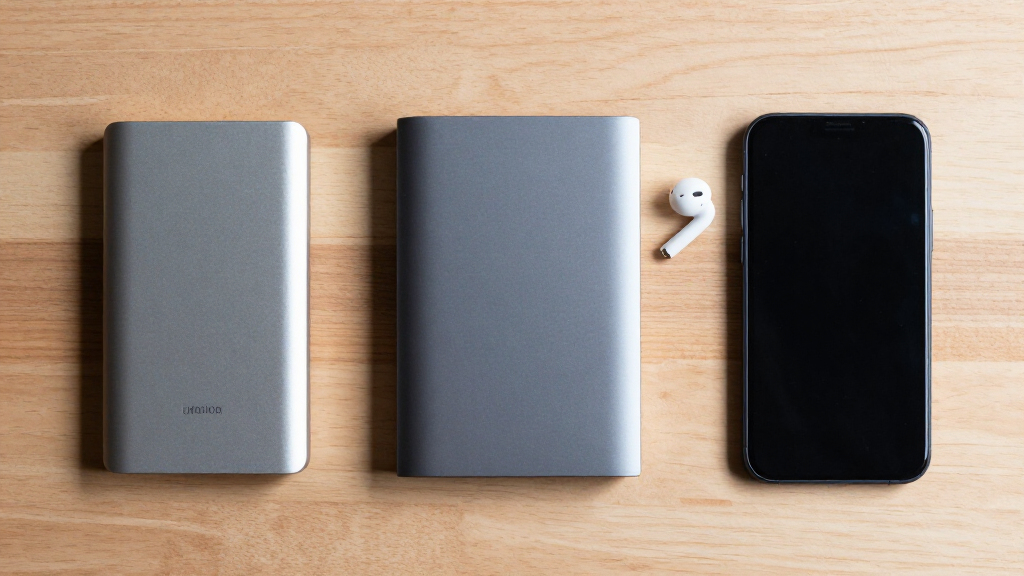
How We Picked
I ranked these drives through the specific lens of portable storage, weighing stated capacity, device compatibility, physical format, connection type, security features, and ease of setup. I gave greater weight to models that provide useful capacity without desktop-drive compromises, while the 8TB Seagate Expansion lost ground because its stationary design conflicts with the roundup’s portable focus. I also separated basic storage models from drives offering encryption or ransomware-focused tools, since those extras change who should pay more.
My ranking gives the strongest positions to products with a clear buyer advantage rather than the largest specification alone. Value reflects the balance of capacity and features rather than a temporary sale price, while versatility reflects support for Windows, Mac, PlayStation, and Xbox where stated. Slim 500GB and 1TB models received narrower roles because their portability is appealing but their limited room can shorten their useful life. This approach places broadly useful drives first and more specialized choices farther down the list.
| portable external hard drife | Interface |
|---|---|
| WD 6TB Elements Portable Exter | — |
| Maxone 1TB Ultra Slim Portable | USB 3.0 |
| 500 GB Portable USB 3.0 Slim E | USB 3.0 |
| WD 2TB My Passport Portable Ex | USB 3.1/3.0 and USB 2.0 |
| Seagate Portable 2TB External | USB 3.0 |
| Western Digital 2TB Elements P | USB 2.0/3.0 |
| Avolusion X1 6TB Portable Exte | USB 3.0 |
| Seagate 8TB Expansion Desktop | USB 3.0 |
| UnionSine 1TB Ultra Slim Porta | USB 3.0 |
| WD 6TB My Passport Portable Ex | USB 3.1/USB 3.0 |
| UnionSine 500GB Ultra Slim Por | USB 3.0 |
| WD 5TB My Passport Portable Ex | — |
| Seagate 4TB Portable Hard Driv | USB 3.0 |
| Western Digital 5TB Elements P | USB 3.2 Gen 1 |
| Seagate Portable 1TB External | USB 3.0 |
Factors to Consider When Choosing Portable External Hard Drives
Choosing among portable external hard drives starts with how the drive will travel, what it will store, and how quickly that collection is likely to grow. I would decide on those points before comparing small differences in casing or advertised transfer rates. The following factors explain where paying more changes the ownership experience and where a basic model is enough.
Choose Capacity for the Next Few Years
Capacity is the easiest specification to overbuy or underestimate. I would treat 500GB as a light-duty size for documents, selected photos, or a small console library rather than a long-term media archive. A 1TB drive gives casual users more breathing room, while 2TB is the most balanced starting point for mixed backups and games. Buyers storing raw photos, edited video, or several computer backups will gain more from 4TB to 6TB. Those larger portable drives cost more upfront, but they reduce the need to split files across several devices. An 8TB desktop model suits a large home archive, though it gives up the grab-and-go convenience promised by this category. A common mistake is buying for today’s files alone instead of allowing room for future backup versions and library growth.
Separate Portable Drives From Desktop Drives
Not every external hard drive is equally travel-friendly, even when the product pages appear together. True portable drives draw power through the data cable, making them easier to carry between a laptop, console, and office computer. Desktop models commonly use a larger enclosure and separate power adapter, which adds cable clutter and limits where they can be used. I would choose that format only when maximum capacity matters more than mobility. Slim drives are appealing for daily commuting, but their thin cases do not make the mechanical disk inside immune to drops. A padded sleeve and careful handling matter more than a few millimeters of thickness. For frequent travel, fewer accessories and lower weight usually deliver more value than one extra terabyte that stays at home.
Check Formatting and Device Compatibility
A compatibility claim does not always mean the drive can move freely among every listed platform without setup. Windows, macOS, PlayStation, and Xbox may require different file systems or dedicated formatting. Reformatting normally erases existing data, so I would decide which device owns the drive before copying anything onto it. A console-formatted drive may be reserved for game storage and become inconvenient for ordinary computer files. Mac users should also check whether they need write access on Windows, since the chosen format affects that workflow. USB 3.x connections remain backward compatible in many cases, but an older port can reduce transfer speed. The safest buying habit is to verify the connector, included cable, operating-system support, and formatting plan rather than relying solely on a broad PC, Mac, and console label.
Decide Whether Security Features Justify the Premium
Password encryption matters most when the drive leaves home or carries financial records, client work, and personal documents. A basic Elements or Seagate Portable model may be perfectly adequate for replaceable media and console games. My Passport models make more sense when access control and ransomware-focused software are part of the purchase decision. Software features can depend on supported operating systems and continued updates, so I would check those details before treating them as permanent safeguards. Encryption also does not replace a second copy; a failed, lost, or corrupted encrypted drive can still take its only copy of a file with it. Paying extra is sensible for privacy and managed backup features, but unnecessary when the drive will hold non-sensitive files beside one computer. The stronger protection plan combines encryption with another independent backup.
Judge Speed, Durability, and Value Realistically
All 15 products are hard-drive-based storage, so buyers should expect different behavior from an external SSD. USB 3.0 does not guarantee SSD-like performance; the spinning disk often sets the practical speed limit during large transfers. Portable HDDs remain attractive because they usually provide more capacity for the money, especially for backups that run overnight. They are less suited to editing high-bitrate video directly from the drive or being moved while actively reading and writing data. I would value a stable cable connection, manageable size, and enough capacity above small advertised speed differences among similar HDDs. Price per terabyte usually improves at larger capacities, but unused space is not a bargain if it requires a desktop enclosure or exceeds the buyer’s real needs. The best value is the drive that fits the workload for several years while preserving a separate copy of irreplaceable files.
Frequently Asked Questions
Is 1TB or 2TB Better for a Portable External Hard Drive?
I would choose 1TB for documents, everyday photos, and occasional transfers when low cost and a slim enclosure matter most. A 2TB drive is the safer choice for full-computer backups, larger game libraries, or steadily growing media collections. The extra room also leaves space for multiple backup versions instead of one snapshot. In this lineup, 2TB offers the strongest balance between usable capacity and portability. Buyers expecting several years of growth are less likely to replace a 2TB model prematurely.
Can One Drive Be Shared Between Windows, Mac, and a Game Console?
One drive may support all three platforms, but sharing it simultaneously is often impractical. Consoles can format external storage for games, which may prevent a computer from using the same space for ordinary files. Windows and macOS also need a mutually supported file system if both require write access. I would assign one drive to the console and another to computer backups whenever the data matters. If a single drive must move between computers, confirm the format and back up its contents before reformatting.
Is the Seagate 8TB Expansion Really Portable?
The Seagate 8TB Expansion is a desktop drive, so I would view it as movable storage rather than a travel-first device. Its larger capacity is useful for a home archive, shared media collection, or several computer backups. The desktop format brings more bulk and commonly relies on external power, making spontaneous laptop use less convenient. A 5TB or 6TB bus-powered model is a better match for frequent travel. Choose the 8TB model when capacity outranks bag-friendly operation.
Do Password Protection and Ransomware Features Replace a Second Backup?
No; security features and backup redundancy solve different problems. Password encryption can limit access after loss or theft, while ransomware-focused software may help protect or recover selected data. Neither feature protects the only copy from mechanical failure, accidental deletion, fire, or a misplaced drive. I would keep irreplaceable files on at least two separate devices, with one copy stored away from the main computer. The WD 2TB My Passport adds useful safeguards, but another independent copy remains necessary.
Should I Buy a Portable HDD or Pay More for an SSD?
I would choose a portable HDD for high-capacity backups at a lower cost, especially when transfer speed is not the main concern. An SSD makes more sense for frequent travel, faster project loading, or work performed directly from external storage. SSDs have no moving disk, so they cope better with vibration and everyday movement, though they often cost more per terabyte. Every model in this roundup favors capacity value over SSD-level speed and resilience. Buyers moving large creative projects daily may be better served by an SSD, while archive and backup users gain more from these HDDs.
Conclusion
For most buyers, I recommend the WD 6TB Elements as the best overall because it delivers substantial capacity in a portable, straightforward package. The WD 2TB Elements is my best-value choice, while the Seagate Portable 2TB is the better beginner pick for simple storage across computers and supported consoles. Buyers carrying sensitive records should choose the WD 2TB My Passport as the premium security option; those wanting a slim light-duty drive should look at the Maxone 1TB. For specific needs, the Seagate 4TB suits a larger console library, and the Seagate 8TB Expansion fits a stationary high-capacity archive. I would match the final choice to where the drive will live, how quickly the files will grow, and whether portability, protection, or raw capacity deserves priority.