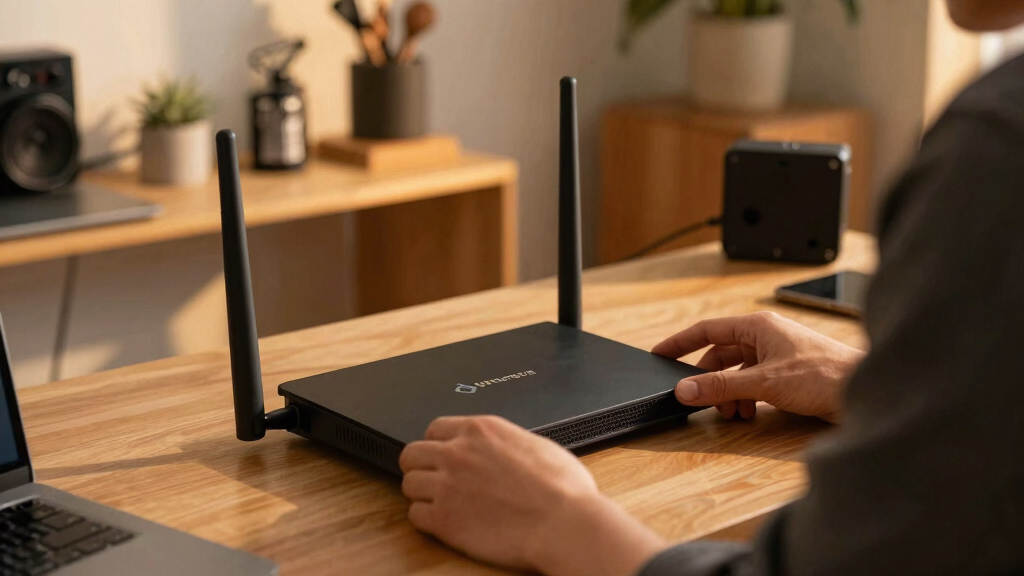

Finding the best open source router in 2026 requires balancing customization, performance, and ease of use. The TP-Link Archer BE550 stands out as the overall top pick thanks to its robust tri-band WiFi 7, 2.5G ports, and easy mesh setup. For portability, the GL.iNet GL-BE3600 offers excellent dual-band Wi-Fi 7 with VPN support in a compact form. Meanwhile, the Youyeetoo Banana Pi OpenWrt One appeals to those who want a highly customizable, developer-focused experience with WiFi 6. Keep in mind, tradeoffs like complexity versus simplicity and portability versus power are central in this category. Continue reading for a detailed breakdown of these options and more.

Get the latest gadgets delivered free with Prime
- Fast, free delivery on millions of items
- Prime Video, Amazon Music and more included
- Member-only deals all year
Key Takeaways
- The top-ranked TP-Link Archer BE550 offers a blend of performance and user-friendly features, making it ideal for most users.
- Portability-focused routers like the GL.iNet models excel for travelers but may sacrifice some advanced customization options.
- Open source flexibility varies: some routers support full OpenWrt firmware, while others offer limited or proprietary customization layers.
- Wi-Fi 7 adoption is growing, but not all models fully leverage its capabilities, often due to hardware or firmware limitations.
- Price and build quality are closely linked; premium models generally deliver better durability and faster speeds but come at a higher cost.
| TP-Link Tri-Band WiFi 7 Router (Archer BE550) – 6-Stream, 2.5G Ports, EasyMesh, VPN |  | Best Overall | WiFi Standard: WiFi 7 | Speed: up to 5760 Mbps | Bands: Tri-band (6 GHz, 5 GHz, 2.4 GHz) | VIEW LATEST PRICE | See Our Full Breakdown |
| GL.iNet GL-BE3600 (Slate 7) Portable Travel Router, Dual-Band Wi-Fi 7, 2.5G Ethernet, VPN Support |  | Best for Travel and Customization | Wireless Speed: 688Mbps (2.4G) + 2882Mbps (5G) | Ethernet Ports: 2 (1x WAN, 1x LAN, 2.5G) | USB Port: USB 3.0 | VIEW LATEST PRICE | See Our Full Breakdown |
| Youyeetoo Banana Pi OpenWrt One – WiFi 6 Router with MediaTek MT7981B SoC |  | Best for Network Management and IoT Projects | Processor: MediaTek MT7981B SoC | RAM: 1GB DDR4 | WiFi: WiFi 6, dual-band, 3×3/2×2 | VIEW LATEST PRICE | See Our Full Breakdown |
| GL.iNet GL-SFT1200 (Opal) Portable WiFi Travel Router |  | Best Budget Travel Router | Wireless Speed: 300 Mbps (2.4G) + 867 Mbps (5G) | Ports: 2 Gigabit LAN, 1 Gigabit WAN | Weight: 145g | VIEW LATEST PRICE | See Our Full Breakdown |
| GL.iNet GL-MT3600BE (Beryl 7) Portable Travel Router, Wi-Fi 7, Dual Band, VPN Support |  | Best for Power Users and Security | Wireless Speed: 688Mbps (2.4G) + 2882Mbps (5G) | VPN Speed: 1100 Mbps (WireGuard), 1000 Mbps (OpenVPN-DCO) | Ports: 2.5G Ethernet (WAN & LAN), USB 3.0 | VIEW LATEST PRICE | See Our Full Breakdown |
| NETGEAR Nighthawk Dual-Band WiFi 7 Router (RS90) |  | Best Overall High-Performance WiFi 7 Router | WiFi Speed: up to 3.6 Gbps | Bands: Dual-Band (2.4 GHz + 5 GHz) | Coverage: up to 2,000 sq. ft. | VIEW LATEST PRICE | See Our Full Breakdown |
| TP-Link Roam 7 BE3600 Wi-Fi 7 Portable Travel Router |  | Best for Travelers and Remote Workers | Wi-Fi Standard: Wi-Fi 7 | Dual-Band: Yes | 2.5G Port: Yes | VIEW LATEST PRICE | See Our Full Breakdown |
| open source router | Ports |
|---|---|
| TP-Link Tri-Band WiFi 7 Router | 1 x 2.5G WAN, 4 x 2.5G LAN |
| GL.iNet GL-BE3600 | — |
| Youyeetoo Banana Pi OpenWrt On | — |
| GL.iNet GL-SFT1200 | 2 Gigabit LAN, 1 Gigabit WAN |
| GL.iNet GL-MT3600BE | 2.5G Ethernet (WAN & LAN), USB 3.0 |
| NETGEAR Nighthawk Dual-Band Wi | — |
| TP-Link Roam 7 BE3600 Wi-Fi 7 | 1x 2.5 Gbps WAN, 1x 1 Gbps LAN |
More Details on Our Top Picks
TP-Link Tri-Band WiFi 7 Router (Archer BE550) – 6-Stream, 2.5G Ports, EasyMesh, VPN
This model stands out for its combination of high-speed tri-band WiFi 7 and extensive features, making it ideal for large households with demanding bandwidth needs. Compared with the GL.iNet SLate 7, the Archer BE550 offers a more powerful WiFi standard and greater coverage, but it requires a dedicated modem and may be overly complex for casual users. Its 6-stream configuration ensures robust performance for gaming, streaming, and smart home devices, while full 2.5G ports support fast wired connections. The EasyMesh support simplifies multi-router setups, and security features like WPA3 and VPN support protect your network. However, its complexity and premium price might be unnecessary for small households with basic needs.
Pros:- High-speed tri-band WiFi 7 with 5760 Mbps total bandwidth
- Full 2.5G ports for fast wired connections
- Supports EasyMesh for seamless whole-home coverage
- Advanced security including VPN and HomeShield
Cons:- Requires a compatible modem for internet access
- Setup can be complex for non-technical users
- Premium features may be overkill for small households
Best for: Large families or tech-savvy users needing high-speed, future-proof WiFi with seamless coverage.
Not ideal for: Casual users or small households seeking simple plug-and-play solutions, as setup and advanced features could be overwhelming.
- WiFi Standard:WiFi 7
- Speed:up to 5760 Mbps
- Bands:Tri-band (6 GHz, 5 GHz, 2.4 GHz)
- Number of Streams:6-Stream
- Ports:1 x 2.5G WAN, 4 x 2.5G LAN
- Coverage:Up to 2,000 sq. ft.
Our verdict“This router is best suited for users seeking top-tier performance and future-ready features in a large home environment.”
GL.iNet GL-BE3600 (Slate 7) Portable Travel Router, Dual-Band Wi-Fi 7, 2.5G Ethernet, VPN Support
The GL.iNet Slate 7 excels as a portable Wi-Fi 7 router, offering dual-band connectivity and a touchscreen for straightforward control. Compared with the GL.iNet Opal, the Slate 7’s open-source OpenWrt firmware enables extensive customization, making it perfect for tech enthusiasts and travelers who need flexibility. Its 2.5G Ethernet port supports fast wired connections, and the dual-band WiFi ensures reliable speed for most travel scenarios. The built-in VPN client and server enhance security on the go, but the setup process may be complex for those unfamiliar with networking, and active VPN subscriptions are often necessary for full functionality. Its portability and open-source nature make it a standout for tech-savvy travelers, though it might be overkill for casual users.
Pros:- Supports Wi-Fi 7 with high-speed dual-band connectivity
- Built-in touchscreen for easy setup and management
- OpenWrt firmware allows deep customization
- Supports VPN client and server for secure access
Cons:- Setup can be complicated for beginners
- Requires active VPN subscription for full security features
- Price may be higher due to advanced capabilities
Best for: Travelers and network enthusiasts who want portable, customizable, and secure internet access on the road.
Not ideal for: Non-technical users seeking plug-and-play solutions, as setup and configuration can be challenging.
- Wireless Speed:688Mbps (2.4G) + 2882Mbps (5G)
- Ethernet Ports:2 (1x WAN, 1x LAN, 2.5G)
- USB Port:USB 3.0
- Operating System:OpenWrt 23.05
- Coverage:Indoor, up to 120+ devices
Our verdict“This router is ideal for tech-savvy travelers needing flexible, secure WiFi with extensive customization options.”
Youyeetoo Banana Pi OpenWrt One – WiFi 6 Router with MediaTek MT7981B SoC
The Youyeetoo Banana Pi OpenWrt One offers a compact solution for network management, ideal for those working on IoT projects or needing a customizable platform. Its WiFi 6 capability provides faster wireless speeds compared to older standards but falls behind the WiFi 7 options like the TP-Link BE550. Compared to the GL.iNet Slate 7, it emphasizes hardware flexibility with multiple connectivity options, including M.2 SSD support and PoE, making it suitable for advanced users. The limited storage capacity and technical complexity make it less suitable for beginners or casual users. This device shines in environments where customization and hardware expandability are priorities.
Pros:- Supports WiFi 6 with solid wireless performance
- OpenWrt pre-installed for extensive customization
- Multiple connectivity options including Ethernet, USB, and M.2 SSD
- PoE support and additional expansion features
Cons:- Limited internal storage (256 MiB NAND)
- Complex setup may intimidate novices
- No dedicated user-friendly interface for beginners
Best for: Advanced users managing IoT networks or developing custom network solutions needing flexible hardware options.
Not ideal for: Beginners or users seeking a simple, plug-and-play router, due to its technical setup and limited storage.
- Processor:MediaTek MT7981B SoC
- RAM:1GB DDR4
- WiFi:WiFi 6, dual-band, 3×3/2×2
- Ethernet Ports:1 x 2.5Gbit WAN, 1 x 1Gbit LAN
- Storage:256 MiB NAND, 16 MiB NOR, M.2 SSD
Our verdict“This router is best for experienced users wanting a flexible platform for IoT and custom network projects.”
GL.iNet GL-SFT1200 (Opal) Portable WiFi Travel Router
The GL.iNet Opal is a lightweight, dual-band router designed for travelers seeking reliable, secure WiFi on the go. Its speeds of up to 867 Mbps on the 5 GHz band and 300 Mbps on 2.4 GHz are adequate for most travel needs, and the full gigabit ports ensure fast wired connections. Compared with the GL.iNet Beryl 7, the Opal offers a more straightforward setup and is more budget-friendly, making it suitable for casual use. Its retractable antennas improve signal reception, while VPN support enhances security during public WiFi use. However, it lacks some advanced features like tethering support and may have variable speeds depending on network conditions. This router fits budget-conscious travelers who want reliable, portable WiFi with security features.
Pros:- Dual-band WiFi speeds up to 867 Mbps
- Compact, lightweight design for portability
- Supports VPN (OpenVPN, WireGuard) for secure browsing
- Full gigabit Ethernet ports
Cons:- Lacks tethering support for easy mobile sharing
- Default toggle switch needs setup to function
- Speed and performance depend on network conditions
Best for: Travelers and remote workers needing dependable WiFi and VPN security without complex setup.
Not ideal for: Power users or those requiring advanced customization or higher speeds for demanding tasks.
- Wireless Speed:300 Mbps (2.4G) + 867 Mbps (5G)
- Ports:2 Gigabit LAN, 1 Gigabit WAN
- Weight:145g
- VPN Support:OpenVPN, WireGuard
Our verdict“This router is suitable for travelers seeking a simple, affordable, and secure portable WiFi solution.”
GL.iNet GL-MT3600BE (Beryl 7) Portable Travel Router, Wi-Fi 7, Dual Band, VPN Support
The GL.iNet Beryl 7 stands out for combining Wi-Fi 7 speeds with robust VPN and OpenWrt customization, making it a strong choice for security-conscious travelers and advanced users. Compared to the Opal, the Beryl 7 offers higher speeds and a more powerful processor, supporting dual-band Wi-Fi 7 with speeds up to 2882 Mbps on 5 GHz. Its VPN capabilities, including client and server modes, provide secure browsing, while OpenWrt firmware allows deep customization. While setup may be complex for casual users, it is perfect for those wanting full control over their network and security. Its compact design ensures portability, but active VPN subscriptions are often necessary for full security benefits.
Pros:- Supports Wi-Fi 7 with up to 2882 Mbps on 5 GHz
- Built-in VPN client and server for secure browsing
- OpenWrt firmware for extensive customization
- Dual-band Wi-Fi with strong security protocols
Cons:- Setup and configuration can be complex
- Active VPN subscriptions often needed for full features
- Price may be higher for advanced capabilities
Best for: Power users, travelers, and security enthusiasts who want high-speed WiFi combined with extensive customization and VPN features.
Not ideal for: Beginners or casual users who prefer simple, plug-and-play routers due to the setup complexity.
- Wireless Speed:688Mbps (2.4G) + 2882Mbps (5G)
- VPN Speed:1100 Mbps (WireGuard), 1000 Mbps (OpenVPN-DCO)
- Ports:2.5G Ethernet (WAN & LAN), USB 3.0
- Operating System:OpenWrt 21.02
- Memory:512MB RAM
Our verdict“This router is tailored for users seeking a portable, high-speed, and highly customizable WiFi solution with security at its core.”
NETGEAR Nighthawk Dual-Band WiFi 7 Router (RS90)
The NETGEAR Nighthawk RS90 stands out as the best overall choice for those seeking top-tier WiFi 7 performance in a home or small office environment. Its quad-core 2.0 GHz processor and speeds up to 3.6 Gbps ensure fast, reliable streaming and gaming on multiple devices, especially compared to older Wi-Fi standards like Wi-Fi 6. The dual-band setup and support for smart connect optimize network efficiency, while the 2,000 sq. ft. coverage fits most typical homes. However, this router requires a separate modem, which could add complexity, and its coverage might fall short in larger or multi-story homes. Setup can also be somewhat involved for users with less technical experience. This pick is ideal for users who prioritize cutting-edge speed and security without concern for the extra hardware needed.
Pros:- Exceptional Wi-Fi 7 speeds up to 3.6 Gbps for demanding applications
- Supports multiple devices efficiently with smart connect and guest WiFi
- Advanced security with WPA3 and NETGEAR Armor
Cons:- Requires a separate modem, increasing setup complexity
- Coverage may not suffice for larger homes or multi-story layouts
- Setup process can be challenging for less experienced users
Best for: Tech-savvy households or small offices demanding the fastest Wi-Fi 7 speeds and robust security features.
Not ideal for: Large multi-story homes or users seeking an all-in-one device, since it needs a separate modem and has limited coverage for bigger spaces.
- WiFi Speed:up to 3.6 Gbps
- Bands:Dual-Band (2.4 GHz + 5 GHz)
- Coverage:up to 2,000 sq. ft.
- WAN Port:2.5 Gigabit
- LAN Ports:4 Gigabit
- Security:WPA3, NETGEAR Armor
- Processor:Quad-core 2.0 GHz
Our verdict“This router is best suited for users who want premium Wi-Fi 7 performance combined with advanced security, willing to handle additional hardware setup.”
TP-Link Roam 7 BE3600 Wi-Fi 7 Portable Travel Router
The TP-Link Roam 7 BE3600 offers a flexible, portable solution for travelers who need a secure, high-speed Wi-Fi connection on the go. Unlike the NETGEAR RS90, which is designed primarily for stationary use, this router’s compact size and multiple operation modes—router, hotspot, and access point—make it ideal for creating a private network from public hotspots or hotel Wi-Fi, especially compared to traditional home routers. Its Wi-Fi 7 support ensures fast speeds, while VPN support via OpenVPN and WireGuard adds a layer of security for remote browsing. The absence of the 6 GHz band is a minor limitation for cutting-edge speed, but it still supports up to 90 devices, making it versatile for multiple users. The need for external power via USB-C might be inconvenient in some scenarios. This device makes the most sense for frequent travelers or remote workers needing reliable, secure Wi-Fi anywhere.
Pros:- Supports multiple operation modes for versatile connectivity options
- Fast Wi-Fi 7 speeds with dual-band support and 2.5 Gbps ports
- Secure VPN support with OpenVPN and WireGuard for private browsing
- Lightweight, compact design for easy travel
Cons:- Does not support the 6 GHz Wi-Fi band, limiting the latest Wi-Fi 7 speeds
- Requires external power via USB-C, which might be inconvenient
- Limited to Wi-Fi 7, incompatible with older Wi-Fi standards
Best for: Travelers, remote workers, and digital nomads who require portable, high-speed Wi-Fi with VPN security on the move.
Not ideal for: Home users with large households or those seeking a stationary, all-in-one router, since portability and external power are required compromises.
- Wi-Fi Standard:Wi-Fi 7
- Dual-Band:Yes
- 2.5G Port:Yes
- USB:USB 3.0
- Ports:1x 2.5 Gbps WAN, 1x 1 Gbps LAN
- Supports 90 devices:Yes
- Supports VPN:OpenVPN, WireGuard
- Supported Modes:Router, Hotspot, AP/RE/Client
Our verdict“This router is perfect for frequent travelers and remote workers needing a portable, secure Wi-Fi 7 solution with flexible modes and VPN support.”
How We Picked
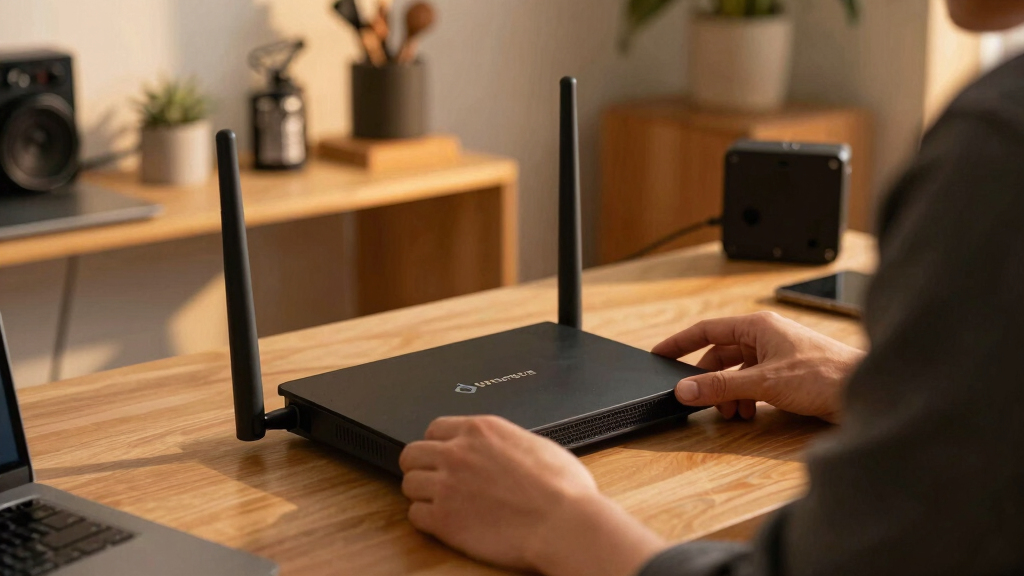
Our selection process focused on performance, firmware flexibility, build quality, ease of setup, and value. We prioritized routers that support full or substantial open source firmware like OpenWrt or DD-WRT, ensuring users can customize their network. Portability and advanced features such as multi-Gig ports, mesh support, and Wi-Fi 7 compatibility were also key considerations. To rank these options, we balanced technical specs with practical usability, aiming to recommend models suitable for both tech-savvy enthusiasts and those seeking reliable, open source-enabled networking devices.Factors to Consider When Choosing Best Open Source Routers
When choosing an open source router, consider not only raw performance but also firmware flexibility, hardware longevity, and intended use case. Some routers shine for their customization potential, while others prioritize portability or ease of setup. Understanding these factors helps avoid common pitfalls, such as investing in hardware that doesn’t support your preferred firmware or overpaying for features you won’t use. The right choice aligns with your technical comfort, network needs, and future upgrade plans.Firmware Compatibility and Support
Ensure the router supports open source firmware such as OpenWrt, DD-WRT, or Tomato. Full support means you can unlock advanced features, security patches, and customization options. Limited support or proprietary firmware can restrict your ability to modify settings or improve security, which defeats the purpose of choosing an open source device. Also, check the community activity around firmware support to gauge ongoing updates and troubleshooting resources.
Hardware Capabilities and Ports
Look for routers with sufficient processing power, RAM, and storage capacity to handle your network load and firmware modifications. Multi-Gig ports, support for mesh systems, and multiple antennas can enhance coverage and speed. Be cautious of hardware that is outdated or underpowered, as it may limit future firmware upgrades or slow down your network. Balance your needs with what the hardware can realistically support over time.
Ease of Setup and User Interface
While open source routers offer customization, they should still be accessible for setup and daily management. Some models come with user-friendly interfaces or pre-installed firmware images, reducing initial complexity. Consider your comfort level with command-line configuration if opting for more advanced models. A smoother setup process can save time and frustration, especially for those new to open source networking.
Portability and Form Factor
Portability is key if you travel frequently or need a router that can be easily moved. Compact, lightweight models with integrated batteries or simple power options are ideal for on-the-go use. However, these often sacrifice some hardware capabilities or advanced features found in larger, stationary routers. Decide whether mobility or raw power takes priority based on your specific requirements.
Price and Long-term Value
Premium models often provide better build quality, faster hardware, and broader firmware support — but at a higher cost. Cheaper options might lack certain features or have limited firmware support, which can lead to frustration or additional upgrades later. Consider your budget alongside your plan for future upgrades, ensuring the router provides a good balance of cost and capability for your intended use.
Frequently Asked Questions
Can I install open source firmware on any router?
Not all routers support open source firmware, so it’s essential to verify compatibility before purchase. Many popular models like certain TP-Link, GL.iNet, and Netgear routers have official or community-supported firmware options. Installing unsupported firmware can void warranties and may brick the device if not done carefully. Always check the manufacturer’s support list and firmware community forums for guidance on specific models.
Is it worth upgrading to a Wi-Fi 7 router if I primarily use a standard broadband connection?
Wi-Fi 7 offers future-proofing, higher speeds, and lower latency, which can benefit high-bandwidth activities like 4K streaming, gaming, or multiple device connections. However, if your internet plan is below the Wi-Fi 7 capabilities or if your current hardware meets your needs, the upgrade might not be necessary immediately. Evaluate your current usage and future plans before investing in the latest Wi-Fi standard.
How much technical knowledge do I need to manage an open source router effectively?
Managing an open source router varies; some models come with user-friendly interfaces suitable for beginners, while others require familiarity with command-line tools and firmware flashing. If you prefer a plug-and-play experience, choose models with pre-installed firmware and simple setup guides. For advanced users, open source firmware provides extensive customization options but demands more technical expertise and ongoing maintenance.
Are portable open source routers reliable for daily home use?
Portable open source routers can be reliable if they feature robust hardware and good firmware support. They are particularly useful for travelers or temporary setups but might lack the range or stability of full-sized routers. For permanent home use, prioritize models with strong hardware and community backing to ensure consistent performance and security updates.
Should I pay extra for routers with multi-Gig ports and advanced features?
Investing in routers with multi-Gig ports and advanced features makes sense if your network demands high throughput, such as gaming, 4K streaming, or multiple concurrent users. These features can future-proof your network and improve overall performance. However, if your current internet speed and device needs are modest, simpler models may provide sufficient value without the added expense.
Conclusion
Choosing the best open source router depends heavily on your specific needs. For general use and ease of setup, the TP-Link Archer BE550 offers excellent performance and user-friendly features. If portability is your priority, the GL.iNet GL-BE3600 makes a compelling choice, especially for travelers. For tech-savvy users seeking maximum customization, the Youyeetoo Banana Pi OpenWrt One provides deep control. Budget-conscious buyers should consider models that balance features and affordability, while those looking for premium hardware should focus on higher-end Wi-Fi 7 options. Match your technical skill, network demands, and mobility needs to find the best fit.
Halloween Picks
halloween
As an affiliate, we earn on qualifying purchases.