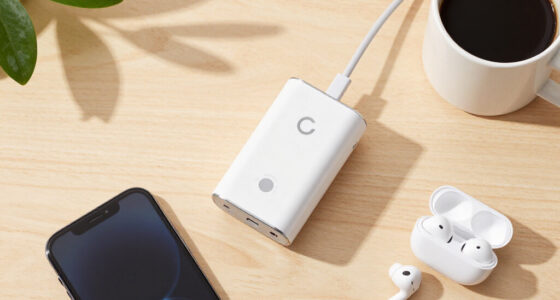
The best AI voice recorders pair dependable audio capture with transcription and summaries that fit the way you work. I rank the Plaud Note Pro as the best overall pick for a polished capture-to-notes workflow, while the Anker soundcore Work stands out for dictation and the iFLYTEK Offline Voice Recorder for buyers who prioritize on-device processing. The main tradeoffs are not just recording quality: transcription limits, cloud privacy, phone compatibility, and ongoing service requirements can matter just as much. A compact magnetic recorder may be easier to carry, while a larger model with more storage can suit long sessions. Read on for the full comparison, buying criteria, and recommendations by use case.

Get the latest gadgets delivered free with Prime
- Fast, free delivery on millions of items
- Prime Video, Amazon Music and more included
- Member-only deals all year
Complete the kit



Key Takeaways
- Plaud Note Pro leads this lineup for buyers who want an integrated recording and AI note workflow; a simpler recorder may be a better fit if you only need audio files.
- Anker soundcore Work has a distinct role for dictation, while the Plaud models are stronger matches for people focused on meeting capture and organized notes.
- Storage varies across the lineup, from 64GB options to the Turonic L813’s 128GB; capacity matters most when recordings stay on the device for long periods.
- The iFLYTEK Offline Voice Recorder addresses a different priority than cloud-first tools: local processing and privacy can outweigh automated convenience for sensitive conversations.
- Transcription and translation claims are not interchangeable: buyers should check language support, usage limits, and whether processing requires an account or connected service before choosing.
| Prouder Mage AI Voice Recorder, 64GB, Slate Purple |  | Best for Phone-Call Recording | Storage: 64 GB | Transcription languages: 118 | Recording range: 1–7 m | VIEW LATEST PRICE | See Our Full Breakdown |
| BOYA Notra AI Voice Recorder with 64GB Storage and Magnetic Design (Orange) |  | Best for Multisource Capture | Storage: 64 GB | Languages supported: 140+ | Pickup range: 10 meters | VIEW LATEST PRICE | See Our Full Breakdown |
| Pocket AI Voice Recorder with Transcription, Summaries, and MagSafe Compatibility |  | Best for Searchable Meeting Follow-Ups | Storage: 64 GB | Battery life: Up to 4 days | Compatibility: Smartphones; iOS and Android | VIEW LATEST PRICE | See Our Full Breakdown |
| Plaud Note Pro AI Voice Recorder, Capture, Understood, Done, Black |  | Best for Professional Workflows | Storage: 64 GB | Microphones: Four | Capture range: Up to 5 m | VIEW LATEST PRICE | See Our Full Breakdown |
| Innioasis PR1 AI Voice Recorder with 64GB Storage, Transcription and Translation, Black |  | Best for On-Device AI and Translation | Storage: 64 GB | RAM: 4 GB | Screen size: 3.99 inches | VIEW LATEST PRICE | See Our Full Breakdown |
| Plaud Note AI Voice Recorder and Transcriber |  | Best for Privacy-Conscious Professionals | Storage: 64 GB | Dimensions: 0.12 × 2.13 × 3.43 inches | Weight: 30 g (1.06 oz) | VIEW LATEST PRICE | See Our Full Breakdown |
| RECPOINT Note AI Voice Recorder with GPT-5.5 Transcription and Translation |  | Best for Multilingual Meetings | Storage: 64 GB | Battery life: 30 hours | Recording time: 600 hours | VIEW LATEST PRICE | See Our Full Breakdown |
| EVISTR AI Voice Recorder with Transcription, 64GB, Blue |  | Best for Long Recording Sessions | Storage: 64 GB | Battery life: Up to 60 hours | Recording time: Up to 3600 minutes | VIEW LATEST PRICE | See Our Full Breakdown |
| Anker soundcore Work AI Voice Recorder & Dictation Device (64GB) |  | Best for Wearable Capture and Dictation | Storage: 64 GB | Weight: 0.35 oz (48 g as listed) | Battery life: 32 hours | VIEW LATEST PRICE | See Our Full Breakdown |
| RECPOINT Note AI Voice Recorder with AI Note Taker |  | Best for Structured Meeting Notes | Storage: 64 GB | Battery life: 30 hours | Digital recording time: 512 hours | VIEW LATEST PRICE | See Our Full Breakdown |
| Turonic L813 AI Voice Recorder, 128GB |  | Best for High-Capacity Recording | Storage: 128 GB | Recording format: WAV | Microphones: Dual built-in microphones; mono operation | VIEW LATEST PRICE | See Our Full Breakdown |
| EurekaMind AI Voice Recorder with Unlimited Transcription |  | Best for Phone Calls and Multilingual Transcription | Dimensions: 3.39 × 2.13 × 0.12 inches | Weight: 29 g (1.02 oz) | Battery life: 30 hours | VIEW LATEST PRICE | See Our Full Breakdown |
| ANYPIN Note Pod P1 AI Voice Recorder |  | Best Wearable Recorder | Storage: 64 GB | Recording time: 20 hours | Standby time: 140 hours | VIEW LATEST PRICE | See Our Full Breakdown |
| iFLYTEK Offline Voice Recorder with AI Transcription and Noise Reduction |  | Best for Offline Transcription | Offline transcription languages: English, Chinese, Japanese, Korean, Russian | Microphones: 6 built-in microphones | Recording modes: Intelligent, conference, interview, speech | VIEW LATEST PRICE | See Our Full Breakdown |
| iFLYTEK S6 64GB AI Voice Recorder with Real-Time Transcription |  | Best for Large Meetings | Storage: 64 GB | Microphone system: 8-microphone array | Capture range: Up to 20 meters | VIEW LATEST PRICE | See Our Full Breakdown |
| AI voice recorder | Storage | Connectivity | Dimensions | Weight |
|---|---|---|---|---|
| Prouder Mage AI Voice Recorder | 64 GB | Bluetooth 5.3, USB 2.0 | 0.12 × 2.08 × 3.34 inches | 30 g |
| BOYA Notra AI Voice Recorder w | 64 GB | Bluetooth 5, USB-C | — | — |
| Pocket AI Voice Recorder with | 64 GB | — | 1.77 × 3.2 × 7.4 inches | — |
| Plaud Note Pro AI Voice Record | 64 GB | Bluetooth 5 | — | 30 g |
| Innioasis PR1 AI Voice Recorde | 64 GB | — | — | — |
| Plaud Note AI Voice Recorder a | 64 GB | Bluetooth | 0.12 × 2.13 × 3.43 inches | 30 g (1.06 oz) |
| RECPOINT Note AI Voice Recorde | 64 GB | Micro USB 2.0 | 0.1 × 2.6 × 3.3 inches | — |
| EVISTR AI Voice Recorder with | 64 GB | USB 3.0 Type-C | — | 0.9 oz |
| Anker soundcore Work AI Voice | 64 GB | USB Type-C | — | 0.35 oz (48 g as listed) |
| RECPOINT Note AI Voice Recorde | 64 GB | — | 0.1 × 2.6 × 3.3 inches | — |
| Turonic L813 AI Voice Recorder | 128 GB | USB 2.0, USB-C charging, 3.5 mm headphone jack | 0.28 × 2.28 × 3.15 inches | 52.7 g |
| EurekaMind AI Voice Recorder w | — | — | 3.39 × 2.13 × 0.12 inches | 29 g (1.02 oz) |
| ANYPIN Note Pod P1 AI Voice Re | 64 GB | Bluetooth 5, Wi-Fi | 0.4 × 0.8 × 2.4 inches | 20 g (0.7 oz) |
| iFLYTEK Offline Voice Recorder | — | — | 0.6 × 1.8 × 4.6 inches | 100 g |
| iFLYTEK S6 64GB AI Voice Recor | 64 GB | USB 3.1 Type-C | 0.47 × 2.59 × 5.55 inches | 200 g |
More Details on Our Top Picks
Prouder Mage AI Voice Recorder, 64GB, Slate Purple
The Prouder Mage is a strong fit if phone calls are as important as in-person meetings. Its magnetic design and separate recording modes are aimed at capturing both, while the app adds transcription in 118 languages, summaries, and mind maps. Compared with the BOYA Notra, it has a longer stated continuous recording time—up to 35 hours versus 24—but BOYA lists a wider pickup range and support for more languages. The Mage’s 64GB storage, local encryption, and compact 30 g body make it suitable for carrying between calls and interviews. Its main limitation is the Starter Plan’s 600 free transcription minutes per month, so frequent users may face a plan limit. There’s also no headphone jack for direct wired monitoring.
Pros:- Magnetic design and dedicated modes support phone-call and ambient recording.
- AI transcription supports 118 languages and can generate summaries and mind maps.
- Up to 35 hours of continuous recording and 64GB of storage.
- Local encryption and a 30 g aluminum-alloy body.
Cons:- Starter Plan transcription is limited to 600 minutes per month.
- No headphone jack for wired listening or monitoring.
Best for: People who regularly record phone calls and meetings and want a small magnetic recorder with long continuous runtime.
Not ideal for: Heavy transcription users who need more than 600 free minutes each month or anyone who needs a headphone jack for wired monitoring.
- Storage:64 GB
- Transcription languages:118
- Recording range:1–7 m
- Continuous recording time:Up to 35 hours
- Standby time:Up to 166 days
- Connectivity:Bluetooth 5.3, USB 2.0
- Dimensions:0.12 × 2.08 × 3.34 inches
- Weight:30 g
Our verdict“Choose the Prouder Mage if call recording and extended continuous runtime matter more than a wider language list or a larger pickup range.”
BOYA Notra AI Voice Recorder with 64GB Storage and Magnetic Design (Orange)
The BOYA Notra stands apart for capturing more than room audio: it supports ambient meetings, phone calls, and Bluetooth audio, making it a versatile choice for people who switch recording sources throughout the day. Its listed 10-meter pickup range and AI noise cancellation also give it a broader stated reach than the Prouder Mage, whose range is 1–7 meters. BOYA adds automatic speaker identification and templates to its transcription and summaries in over 140 languages. That breadth comes with a service tradeoff: the free plan allows 320 transcription minutes per month, fewer than the Mage’s 600. Full AI features rely on the smartphone app and cloud connectivity, so this is less appealing if you want a recorder that works independently. The 24-hour recording time is also shorter than the Mage’s 35 hours.
Pros:- Captures ambient audio, phone calls, and Bluetooth audio.
- Over 140 supported languages, with speaker identification and professional templates.
- 10-meter pickup range and AI noise cancellation.
- Magnetic aluminum design with encrypted cloud backup.
Cons:- Free transcription is limited to 320 minutes per month.
- Full AI features and storage depend on the app and cloud connectivity.
- Listed recording time is 24 hours, shorter than the Prouder Mage’s 35 hours.
Best for: Mobile professionals who record meetings, calls, and Bluetooth audio and want speaker identification across a broad language set.
Not ideal for: People who need extensive transcription without a paid plan or who want AI features to work independently of a phone app and cloud connection.
- Storage:64 GB
- Languages supported:140+
- Pickup range:10 meters
- Recording time:24 hours
- Standby time:365 days
- Connectivity:Bluetooth 5, USB-C
- Material:Aluminium
- Warranty:1 year
Our verdict“Pick the BOYA Notra if capturing several audio sources and identifying speakers matter more than long runtime or generous free transcription.”
Pocket AI Voice Recorder with Transcription, Summaries, and MagSafe Compatibility
Pocket’s distinguishing feature is its ability to answer questions about recorded content, alongside creating summaries, action items, and conversation maps. That can help users retrieve a decision or follow-up from a long meeting without relying only on a transcript. The simple one-tap approach and MagSafe attachment suit people who want a phone-friendly capture workflow; the BOYA Notra offers more explicit support for different audio sources and speaker identification, while Pocket emphasizes working with the recording afterward. Its listed four-day battery life is an appealing headline, though no recording-mode details are provided to clarify how it compares with continuous recording figures such as the Prouder Mage’s 35 hours. Core tools are included, but additional premium features require an optional subscription. The listed dimensions are also unusually large for a product described as pocketable, so check the measurements before buying.
Pros:- Can answer questions based on recorded content.
- Creates AI summaries, action items, and conversation maps.
- One-tap recording for meetings, calls, and conversations.
- MagSafe compatibility and a stated battery life of up to four days.
Cons:- Additional premium features require an optional subscription.
- The four-day battery figure does not specify recording conditions.
- Listed dimensions are large for a device described as pocketable.
Best for: Students and meeting-heavy professionals who want to ask questions about recordings and turn conversations into action items.
Not ideal for: Buyers who need a clearly specified continuous-recording runtime, extensive source-capture details, or premium AI tools without a subscription.
- Storage:64 GB
- Battery life:Up to 4 days
- Compatibility:Smartphones; iOS and Android
- Hardware interface:Bluetooth
- Microphone:Built-in
- Recording format:RealAudio
- MagSafe compatible:Yes
- Dimensions:1.77 × 3.2 × 7.4 inches
Our verdict“Choose Pocket for AI question-and-answer and follow-up tools, but compare its listed size and subscription needs with the more clearly specified Prouder Mage and BOYA Notra.”
Plaud Note Pro AI Voice Recorder, Capture, Understood, Done, Black
The Plaud Note Pro is the most workflow-oriented choice here. It combines four microphones with a 5-meter capture range for in-person conversations, while Plaud Desktop is listed for online meetings. After transcription, its tools can shape recordings into emails, reports, presentations, spreadsheets, and other structured work, with integrations for services including Google Calendar, Slack, and Notion. That goes well beyond the Pocket recorder’s summaries, action items, and question-answering focus. The tradeoff is reliance on Plaud’s software ecosystem and a Starter Plan capped at 300 transcription minutes per month; the BOYA Notra offers a higher free monthly allowance. Runtime is mode-dependent: the description lists 30 hours in Enhance mode and 50 in Endurance mode, while the product specifications list a 30-hour battery life. Buyers should weigh those differences against the thin 30 g design and stated security standards.
Pros:- Four microphones capture in-person conversations from up to 5 meters.
- Plaud Agent can turn recordings into emails, reports, presentations, and spreadsheets.
- Integrations include Google Calendar, Slack, and Notion, with Zapier support.
- Thin 30 g design, 64GB storage, and stated SOC 2, HIPAA, and GDPR compliance.
Cons:- Starter Plan includes 300 transcription minutes per month.
- No headphone jack.
- Listed runtime varies by recording mode, and the specifications also state 30 hours of battery life.
Best for: Professionals and teams who need meeting recordings turned into structured documents and shared across workplace apps.
Not ideal for: People who want high free transcription volume, a headphone jack, or a simple recorder without a connected software workflow.
- Storage:64 GB
- Microphones:Four
- Capture range:Up to 5 m
- Recording time:30 hours in Enhance mode; 50 hours in Endurance mode
- Screen size:0.95 inches
- Weight:30 g
- Format:WAV
- Connectivity:Bluetooth 5
Our verdict“Choose the Plaud Note Pro if converting recordings into workplace deliverables and connecting them to team tools matters more than a larger free transcription allowance.”
Innioasis PR1 AI Voice Recorder with 64GB Storage, Transcription and Translation, Black
The Innioasis PR1 is the clearest pick for buyers who want a larger touchscreen and on-device transcription rather than a slim recorder controlled mainly through a phone. Offline transcription and translation can be useful when connectivity is limited or keeping voice data on the device is a priority. Its four-microphone array, extra high-SNR microphone, and noise-cancellation modes are geared toward challenging recording settings. Compared with the Plaud Note Pro, the PR1 leans toward standalone translation and device controls, while Plaud offers more explicit integrations for turning notes into workplace documents. The PR1’s 3.99-inch screen and 2800mAh battery make it much larger in approach than the 30 g Plaud. Runtime also depends on use: AI recording is listed at up to 17 hours with the screen off, versus up to 58 hours for audio recording.
Pros:- On-device transcription supports offline use.
- Online translation supports over 150 languages; offline translation supports 40.
- Four-microphone array plus a high-SNR microphone and noise-cancellation modes.
- Wi-Fi backups and a 3.99-inch touchscreen support standalone file management.
Cons:- AI recording is listed at up to 17 hours with the screen off.
- Online translation and some backup features need an internet connection.
- The touchscreen recorder is less suited to buyers prioritizing a slim, lightweight form.
Best for: People who need offline transcription or translation, on-device note tools, and a display they can use without relying on a phone.
Not ideal for: Commuters seeking a very slim, lightweight recorder or users who need the longest runtime specifically while AI recording is active.
- Storage:64 GB
- RAM:4 GB
- Screen size:3.99 inches
- Battery capacity:2800 mAh
- AI recording time:Up to 17 hours
- Audio recording time:Up to 58 hours
- Transcription languages:70+
- Interfaces:3.5 mm audio, Bluetooth 5, USB Type-C
Our verdict“Pick the Innioasis PR1 if offline AI tools and translation are more useful to you than the Plaud Note Pro’s thinner design and workplace integrations.”
Plaud Note AI Voice Recorder and Transcriber
The Plaud Note is a strong fit for professionals who need a slim recorder that can capture both room conversations and phone calls. Its dual-mode recording uses air and vibration conduction, giving it a broader use case than the meeting-focused RECPOINT Note with AI Note Taker. At just 0.12 inches thick and 30 grams, it is also easy to keep on hand without adding much bulk. Plaud supports 112 languages and lists SOC 2, HIPAA, GDPR, and EN18031 compliance, which may appeal to teams handling sensitive discussions. The tradeoff is that extended transcription minutes require a subscription, and full functionality depends on companion apps and cloud services. There is also no headphone jack for direct monitoring.
Pros:- Slim, lightweight body is easy to carry
- Dual-mode recording captures room audio and phone calls
- Supports 112 languages for transcription
- Lists SOC 2, HIPAA, GDPR, and EN18031 compliance
Cons:- Extended transcription minutes require a subscription
- Full functionality relies on companion apps and cloud services
- No headphone jack for direct audio monitoring
Best for: Professionals who record both in-person meetings and phone calls and need stated privacy compliance for sensitive work.
Not ideal for: Buyers who want generous ongoing transcription without a subscription, standalone operation, or a headphone jack for monitoring.
- Storage:64 GB
- Dimensions:0.12 × 2.13 × 3.43 inches
- Weight:30 g (1.06 oz)
- Battery life:30 hours recording; 60 days standby
- Connectivity:Bluetooth
- Supported languages:112
- Audio format:WAV
- Compliance:SOC 2, HIPAA, GDPR, EN18031
Our verdict“Choose the Plaud Note if call recording, portability, and stated privacy compliance matter more to you than subscription-free transcription.”
RECPOINT Note AI Voice Recorder with GPT-5.5 Transcription and Translation
For people working across languages, the RECPOINT Note puts translation and transcription breadth at the center: it supports 150 languages and can generate summaries and to-do lists. That makes it a more language-focused alternative to the Plaud Note, which lists support for 112 languages and emphasizes dual-mode meeting and call capture. RECPOINT also includes 1080 free monthly AI minutes, giving buyers a defined allowance before paid use; the allowance may suit regular meetings, though it is not unlimited. Its 64GB storage and 30-hour battery support extended capture, while the aluminum body adds a durable feel. The main compromises are Micro USB 2.0 rather than USB-C and the need for desktop software for advanced editing and management. AI minutes are capped after the included allowance.
Pros:- Supports transcription and translation in 150 languages
- Generates structured summaries and to-do lists
- Includes 1080 free monthly AI minutes
- Slim aluminum body and 64GB storage
Cons:- Uses Micro USB 2.0 instead of USB-C
- AI use is limited by monthly minutes after the included allowance
- Advanced editing and management require desktop software
Best for: International teams, students, and frequent travelers who need transcription and translation across many languages.
Not ideal for: Buyers who want USB-C charging, unrestricted AI minutes, or advanced editing directly on a phone.
- Storage:64 GB
- Battery life:30 hours
- Recording time:600 hours
- Dimensions:0.1 × 2.6 × 3.3 inches
- Connectivity:Micro USB 2.0
- Supported languages:150
- Body material:Aluminum alloy
- Included accessories:Protective case, finger ring, charging cable, quick start guide
Our verdict“Pick this RECPOINT model for broad language support and a defined monthly AI allowance, but skip it if modern USB-C connectivity is a priority.”
EVISTR AI Voice Recorder with Transcription, 64GB, Blue
The EVISTR stands out for buyers who want long recording stretches and flexible placement, rather than the thinnest possible device. Its stated up to 60-hour battery life exceeds the 30-hour figures listed for both Plaud Note and RECPOINT Note models in this group. Air and vibration conduction sensors cover ambient conversations and calls, while the magnetic back offers a practical way to place it hands-free. In the companion app, AI features include transcription, summaries, mind maps, to-do lists, and speaker labeling across 100+ languages. The monthly AI plan includes 400 minutes, so frequent transcription can run into a limit; additional time can be purchased. It is also thicker than the ultra-slim RECPOINT models, and its listed nonstandard battery may complicate replacement.
Pros:- Up to 60 hours of battery life
- Air and vibration conduction support ambient and call capture
- App features include summaries, mind maps, and speaker labeling
- Magnetic back supports hands-free placement
Cons:- AI service plan includes 400 transcription and summarization minutes per month
- Additional transcription time costs extra
- Uses a nonstandard battery
Best for: People who record long interviews, classes, or work sessions and value extended battery life plus magnetic placement.
Not ideal for: Frequent transcription users who need more than the included monthly AI minutes, or buyers who want a standard replacement battery.
- Storage:64 GB
- Battery life:Up to 60 hours
- Recording time:Up to 3600 minutes
- Weight:0.9 oz
- Thickness:0.24 inches
- Audio format:MP3
- Connectivity:USB 3.0 Type-C
- AI language support:100+ languages
- AI service plan:400 minutes of transcription and summarization per month
Our verdict“Choose the EVISTR for long recording sessions and flexible placement, provided its monthly AI allowance and battery type suit your routine.”
Anker soundcore Work AI Voice Recorder & Dictation Device (64GB)
The Anker soundcore Work is the most wearable-focused choice here: at a listed 0.35 oz, it can attach by collar clip, necklace, or magnetic ring, making it better suited to capturing speech while moving than the more card-like Plaud Note. Its two modes also widen its role beyond recording meetings: AI Note-Taking handles transcription and summaries, while Dictation Mode turns spoken input into polished text. Speaker identification and support for more than 140 languages add practical help for shared discussions. Anker lists 300 free monthly transcription minutes and AES-256 encryption, but increased capacity and advanced features require a paid plan. Dictation also needs separate account registration, and iPhone 7 and earlier are unsupported. Its 32-hour battery is solid, though not as long as EVISTR’s stated 60 hours.
Pros:- Very lightweight with several wearable attachment options
- Offers both meeting note-taking and dictation modes
- Supports 140+ languages and speaker identification
- AES-256 encryption and MFi certification for compatible Apple devices
Cons:- Includes 300 free transcription minutes per month before paid plans are needed
- Typeless dictation requires separate account registration
- Not compatible with iPhone 7 and earlier
Best for: Mobile professionals who want a wearable meeting recorder and a separate speech-to-text mode for drafting notes.
Not ideal for: Owners of iPhone 7 or earlier, or buyers who need high transcription volume without a paid plan.
- Storage:64 GB
- Weight:0.35 oz (48 g as listed)
- Battery life:32 hours
- Connectivity:USB Type-C
- Microphone type:Lavalier
- Compatibility:iOS (MFi certified, iPhone 8+), Android
- Supported languages:140+
- Encryption:AES-256
Our verdict“Pick the soundcore Work if wearable recording and dictation are more useful to you than the EVISTR’s longer stated battery life.”
RECPOINT Note AI Voice Recorder with AI Note Taker
This RECPOINT Note is aimed at people who want recordings turned into organized follow-up material: its AI can produce summaries, mind maps, and to-do lists, with support for 150 languages and smart noise cancellation. Compared with the RECPOINT model with GPT-5.5 in this lineup, its supplied data emphasizes file exports and digital recording capacity rather than a stated monthly allowance of free AI minutes. The 64GB device lists up to 512 hours of digital recording time and a 30-hour battery, making it suited to keeping source audio as well as derived notes. The tradeoffs are its Micro USB 2.0 interface, smartphone-focused compatibility, and reliance on app integration for AI processing. Buyers who want USB-C should look instead at the EVISTR or soundcore Work.
Pros:- Creates summaries, mind maps, and to-do lists
- Supports 150 languages and smart noise cancellation
- Lists 512 hours of digital recording time
- Slim design includes a protective case
Cons:- Uses Micro USB 2.0 rather than USB-C
- Listed compatibility is limited to smartphones
- AI processing relies on app integration
Best for: Students and meeting-heavy professionals who want AI-generated action items and organized notes from recorded audio.
Not ideal for: Buyers who prefer USB-C, need broader device compatibility, or want AI processing that does not depend on an app.
- Storage:64 GB
- Battery life:30 hours
- Digital recording time:512 hours
- Dimensions:0.1 × 2.6 × 3.3 inches
- Interface:Micro USB 2.0 Type A
- Supported languages:150
- File formats:.doc, .txt, .xls, .xml
- Compatibility:Smartphone
Our verdict“Choose this RECPOINT model when structured meeting outputs matter most, and favor the soundcore Work or EVISTR if USB-C is a stronger requirement.”
Turonic L813 AI Voice Recorder, 128GB
The Turonic L813 suits people who record for long stretches and want AI transcription and summaries without constantly managing files. Its 128GB capacity is the largest stated storage option in this group, while WAV recording, trimming, and encryption make it a flexible choice for keeping and organizing source audio. Dual microphones and noise reduction support everyday lectures and meetings, though the microphone operation is mono, not stereo. Compared with the six-microphone iFLYTEK Offline Voice Recorder, the L813 is smaller and offers far more storage, but it gives up more specialized microphone coverage and offline transcription. The 0.98-inch screen is also a limited interface for navigating recordings. Choose it for capacity and compactness, not detailed on-device control.
Pros:- 128GB storage supports extensive recording archives
- AI transcription and meeting summarization help turn audio into usable notes
- Dual built-in microphones and noise reduction suit routine meeting and lecture capture
- Compact body includes file trimming and encryption
Cons:- Mono microphone operation offers less spatial detail than the iFLYTEK offline recorder’s stereo setup
- The 0.98-inch screen limits on-device file navigation
- AI features are described, but the supplied product data does not specify their language support or offline availability
Best for: Students, interviewers, and frequent meeting attendees who need substantial local storage for long recordings and want AI-assisted notes.
Not ideal for: Buyers who need stereo capture, a large screen for navigating files, or offline transcription in multiple languages.
- Storage:128 GB
- Recording format:WAV
- Microphones:Dual built-in microphones; mono operation
- Screen:0.98 inches
- Battery life:Up to 1165 hours
- Connectivity:USB 2.0, USB-C charging, 3.5 mm headphone jack
- Dimensions:0.28 × 2.28 × 3.15 inches
- Weight:52.7 g
- Warranty:1 year
Our verdict“Pick the Turonic L813 if you value large recording capacity and compact WAV capture more than stereo audio or a roomy screen.”
EurekaMind AI Voice Recorder with Unlimited Transcription
The EurekaMind is the clearest fit here for people who need to capture both in-room conversation and phone calls. Its ambient and call recording modes pair with transcripts, speaker labels, summaries, and action items, so it aims to turn conversations into follow-up material rather than just audio files. The included 12 months of membership adds unlimited transcription, real-time translation in 138 languages, and an AI assistant with web search. That subscription arrangement is the central tradeoff: AI access requires membership after the included year. Compared with the wearable ANYPIN Note Pod P1, EurekaMind is better aligned with phone-centered recording and call capture, while ANYPIN offers a four-mic array and encrypted on-device storage. EurekaMind’s 30-hour battery life and lack of a headphone jack may also matter to people who record all day or monitor audio directly.
Pros:- Ambient and call modes cover both nearby conversations and phone discussions
- Produces transcripts, summaries, speaker labels, and action items
- Includes 12 months of unlimited transcription and real-time translation in 138 languages
- Credit-card-sized body attaches magnetically to a phone
Cons:- Transcription and other AI features require a membership after the included 12 months
- No headphone jack for direct audio monitoring
- Listed battery and digital recording time are both 30 hours
Best for: Smartphone users who regularly record calls or multilingual conversations and want transcripts, speaker labels, and action items in one workflow.
Not ideal for: People who want AI transcription without an ongoing membership, need a headphone jack, or expect recording endurance beyond 30 hours.
- Dimensions:3.39 × 2.13 × 0.12 inches
- Weight:29 g (1.02 oz)
- Battery life:30 hours
- Digital recording time:30 hours
- Recording modes:Ambient and call
- Transcription:Unlimited with included membership
- Translation:Real-time; 138 languages
- Included membership:12 months
- Compatible devices:Smartphone
Our verdict“Choose EurekaMind if phone-call capture and multilingual AI notes matter more than subscription-free service or longer recording endurance.”
ANYPIN Note Pod P1 AI Voice Recorder
For buyers who want a recorder they can wear rather than keep beside a phone, the ANYPIN Note Pod P1 is the most purpose-built option in this set. At 20 g, it supports clip, magnetic, or necklace wear, and its four-microphone array, noise reduction, and speaker separation are geared toward making conversations easier to distinguish. AI transcription and translation cover more than 120 languages, with one year included before the service drops to a limited free tier. Compared with the card-shaped EurekaMind, ANYPIN emphasizes wearable placement and encrypted on-device storage rather than phone-call recording. Its 20-hour recording limit is modest beside the Turonic L813’s stated capacity, and file transfer depends on Wi-Fi syncing to the companion app: USB-C data transfer is not supported. The necklace lanyard is sold separately.
Pros:- Lightweight 20 g design supports clip, magnetic, and necklace wear
- Four-microphone array, noise reduction, and speaker separation aid conversation capture
- Supports transcription and translation in more than 120 languages
- Encrypted on-device storage and auto-pause in private zones support privacy
Cons:- Recording time is limited to 20 hours
- Recordings must sync through Wi-Fi and the companion app; USB-C data transfer is unavailable
- Unlimited AI service expires after 12 months, and the necklace lanyard is sold separately
Best for: Mobile professionals, students, and interviewers who want a very light wearable recorder with multilingual transcription and speaker separation.
Not ideal for: People who need more than 20 hours of recording, direct USB-C file transfer, or ongoing unlimited AI transcription after the first year.
- Storage:64 GB
- Recording time:20 hours
- Standby time:140 hours
- Weight:20 g (0.7 oz)
- Dimensions:0.4 × 0.8 × 2.4 inches
- Connectivity:Bluetooth 5, Wi-Fi
- Microphone:Four-mic array
- Supported languages:120+
- Audio format:MP3
Our verdict“Pick the Note Pod P1 if hands-free wear and multilingual speaker-separated notes outweigh shorter recording time and app-dependent transfers.”
iFLYTEK Offline Voice Recorder with AI Transcription and Noise Reduction
The iFLYTEK Offline Voice Recorder stands apart for buyers who want transcription without relying on an internet connection. It recognizes speech offline in five listed languages and combines that with six microphones, four recording modes, and stereo operation. This makes it more specialized for varied meeting setups than the compact mono Turonic L813, while its 3-inch screen, timeline playback, and bookmarks make reviewing long sessions more manageable. The tradeoff is storage: 8GB is far less than the Turonic’s 128GB, and recognition can suffer with background noise or accents. Its listed battery life and digital recording time are each 190 hours, but that does not remove the need to manage space. Choose this model for offline speech-to-text and playback tools, not for a large archive or guaranteed recognition in difficult audio.
Pros:- Offline transcription supports five listed languages
- Six built-in microphones and stereo operation support meeting and interview capture
- Four recording modes tailor capture to different settings
- Timeline playback and bookmarks help locate key moments, with multiple import and export formats
Cons:- 8GB storage is limited compared with the Turonic L813’s 128GB
- Background noise and accents may reduce transcription recognition
- Covering the microphones can degrade audio and noise reduction, and there is no headphone jack
Best for: Researchers, field workers, and multilingual professionals who need offline transcription in English, Chinese, Japanese, Korean, or Russian.
Not ideal for: People who need a large recording archive, broader stated language coverage, or dependable transcription in noisy rooms and across varied accents.
- Offline transcription languages:English, Chinese, Japanese, Korean, Russian
- Microphones:6 built-in microphones
- Recording modes:Intelligent, conference, interview, speech
- Memory storage:8 GB
- Screen:3 inches
- Battery life:190 hours
- Microphone operation:Stereo
- Dimensions:0.6 × 1.8 × 4.6 inches
- Weight:100 g
Our verdict“Choose this iFLYTEK model if offline transcription and on-device review matter more than abundant storage or performance in challenging audio.”
iFLYTEK S6 64GB AI Voice Recorder with Real-Time Transcription
The iFLYTEK S6 is aimed at rooms where speakers sit far apart. Its eight-microphone array is specified to capture audio up to 20 meters, and real-time transcription, speaker identification, and structured meeting notes target teams that need more than a basic recording. Unlike the smaller-screen iFLYTEK Offline Voice Recorder, the S6 adds a touchscreen for on-device file management and supports offline use; hardware-level encryption also suits sensitive discussions. The tradeoffs are its 200 g weight and 16-hour battery life, which make it less appealing for all-day portable use than the 20 g ANYPIN Note Pod P1. Offline transcription also requires language packs to be downloaded in advance, and Pro membership features are limited to five years after registration. This is a room-focused tool, not the lightest everyday carry.
Pros:- Eight-microphone system is specified for capture up to 20 meters
- Real-time transcription, speaker identification, and structured notes support meeting follow-up
- Touchscreen enables recording and file management without a phone
- Hardware-level encryption and local storage support sensitive meeting use
Cons:- At 200 g, it is much heavier than the 20 g ANYPIN Note Pod P1
- 16-hour battery life is shorter than the 190-hour rating listed for the other iFLYTEK recorder
- Offline transcription requires pre-downloaded language packs, and Pro membership features are time-limited to five years
Best for: Teams, lecturers, and meeting organizers who need to capture multiple speakers across a large room and manage recordings on the device.
Not ideal for: Commuters and all-day interviewers who prioritize low weight or long battery life, or users who need offline transcription without preparing language packs.
- Storage:64 GB
- Microphone system:8-microphone array
- Capture range:Up to 20 meters
- Battery life:16 hours
- Digital recording time:960 minutes
- Connectivity:USB 3.1 Type-C
- Dimensions:0.47 × 2.59 × 5.55 inches
- Weight:200 g
- Format:WAV
Our verdict“Pick the S6 for large-room capture and on-device meeting management, but skip it if light carry or longer battery life comes first.”
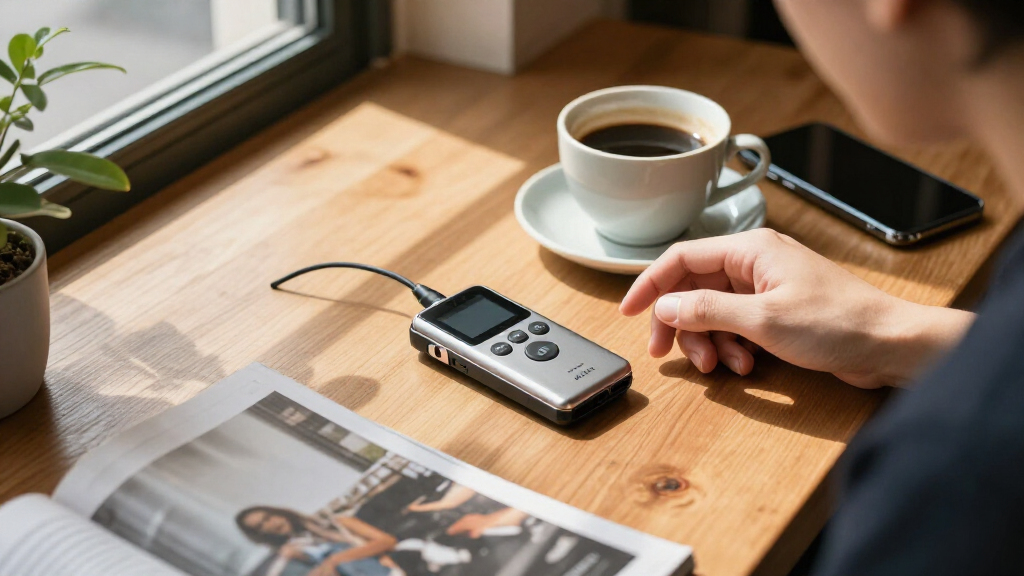
How We Picked
I compared these 15 devices around the jobs buyers actually need them to do: capture understandable speech, turn recordings into useful text, and make notes easy to retrieve later. I weighed recording and transcription workflows alongside storage, portability, controls, phone compatibility, language features, privacy options, and how much dependence each product places on an app or online service. A large storage figure or a long feature list did not automatically move a recorder up the ranking if the broader workflow appeared less suited to everyday use.
The ranking favors options with a clear, practical role and a balanced capture-to-transcript experience. That puts the Plaud Note Pro first as the strongest all-around fit, with the Anker soundcore Work and iFLYTEK Offline Voice Recorder recognized for more specific priorities. The remaining models offer alternatives for compact carry, larger storage, translation, or different AI note workflows, but buyers should verify current software terms and device compatibility before relying on any stated transcription capability.
Factors to Consider When Choosing Best AI Voice Recorders
Choosing an AI recorder is partly a hardware decision and partly a decision about where your words go after recording. I would start with your actual recording routine, then check the software and privacy details that can change the device’s usefulness over time.
Choose the Workflow Before the Feature List
Decide whether you mainly capture meetings, interviews, lectures, or quick personal thoughts. A device built around meeting summaries may save time after a long discussion, while a dictation-oriented model may suit solo notes better. Before buying, trace the full path from pressing record to finding a usable transcript later. Check whether the companion app organizes recordings by date, speaker, project, or another method you will actually use. A common mistake is choosing based on a headline AI feature without checking how many steps it takes to export or share the result. If you already have a note-taking system, confirm that the recorder can fit into it rather than creating another disconnected library.
Check Transcription Limits and Language Needs
Transcription can depend on monthly allowances, subscription terms, supported languages, and whether the audio must be uploaded for processing. Treat phrases such as unlimited transcription as a claim to verify in the current service terms, including any fair-use restrictions or feature exclusions. If you record multilingual conversations, confirm that both the spoken language and any requested translation direction are supported. Test how the service handles names, technical vocabulary, and speakers who interrupt one another before making it central to your workflow. For occasional recordings, a limited plan may be enough; for daily meetings, recurring limits can become a friction point. The useful comparison is not simply whether transcription exists, but how reliably and predictably you can access it.
Match Storage to Recording Habits
On-device storage affects how often you need to transfer or delete files, but it does not tell you how much recording time you will get under every setting. Audio quality, file format, and whether transcripts or other data also occupy space can change capacity in practice. The Turonic L813’s stated 128GB capacity is a stronger fit for people who want more room on the recorder, while many models here list 64GB. If recordings are routinely backed up to a phone or computer, that extra capacity may matter less than easy file transfer. Avoid treating storage as a substitute for a backup plan: a lost device can take its recordings with it. Check how recordings can be exported and whether the app retains a separate copy.
Decide Where Sensitive Audio Can Be Processed
Meeting audio can include personal, client, or workplace information, so privacy settings belong in the purchase decision. An offline-capable recorder such as the iFLYTEK option may appeal when local processing is a priority, but buyers should confirm which features still work without a connection. Cloud transcription can be convenient, yet it may involve account setup, uploads, and service-specific data practices. Read the current privacy policy and check retention, deletion, and sharing controls rather than relying on a product label alone. For workplace use, follow organizational rules and get consent where required before recording other people. The best privacy fit is the one whose actual processing path matches the sensitivity of your recordings.
Prioritize Portability and Compatibility
A recorder that is easy to carry is more likely to be available when a useful conversation happens. Magnetic and phone-attached designs can suit people who keep their recorder with a mobile device, while a standalone form may be easier to hand around a table or use without a phone. Check whether MagSafe compatibility applies to your phone and case rather than assuming every magnetic setup will hold securely. Also confirm operating-system support, connection requirements, and whether setup requires an app you are willing to use. Small controls can be awkward during an interview, while a larger recorder may be easier to operate but less convenient in a pocket. Choose around the places you record, not just the dimensions listed on a product page.
Pay More Only for a Difference You Will Use
Premium features are most useful when they reduce repeated work, such as sorting meeting notes or capturing conversations in demanding settings. If you only need a basic audio file, an elaborate AI workflow may add account and app complexity without much benefit. Compare the complete cost of ownership, including any paid transcription plan, replacement accessories, or service needed to keep features active. A lower-cost recorder can be the better value when your recording volume is modest and manual review is acceptable. On the other hand, frequent users may benefit from better organization and less time spent turning audio into notes. Write down the task you want to make easier, then pay for features that directly improve that task.
Frequently Asked Questions
Do AI voice recorders need an internet connection to transcribe recordings?
Not always, but many AI transcription workflows rely on an app or online processing service. Offline recording may still work even when transcription does not, so check the exact functions available without a connection. The iFLYTEK Offline Voice Recorder is the clearest option in this lineup for buyers interested in offline capabilities, though its feature details should be confirmed for the specific workflow you need. If you travel or work in places with limited connectivity, test whether you can record, transcribe, and export without internet access. Do not assume that the word “offline” applies to every AI feature.
Can I use an AI voice recorder for confidential work meetings?
That depends on your workplace rules, local recording laws, and how the device processes audio. Check whether recordings or transcripts are uploaded, how long service providers retain them, and what deletion controls are available. An offline-capable device may reduce reliance on cloud processing, but you should verify which functions actually stay local. You may also need permission from participants before recording, even when the device is used only for note-taking. For sensitive work, ask your organization to approve the recorder and its associated app before using it.
Is 64GB enough storage for an AI voice recorder?
For many people, 64GB can be ample if they regularly transfer recordings and delete files they no longer need. The amount of audio it holds depends on recording settings and file formats, so storage capacity alone does not give an exact recording-time estimate. Buyers who keep a large archive on the device may prefer the Turonic L813’s listed 128GB capacity. Whichever size you choose, plan how recordings will be backed up and exported. Capacity helps avoid frequent cleanup, but it does not protect files if the recorder is lost or damaged.
Should I choose a recorder with transcription or use a separate transcription app?
A built-in workflow can make it easier to go from recording to searchable notes, especially if you capture conversations often. A separate app may offer more flexibility if you already have a preferred service or want to compare transcription tools. Before choosing, check file export options, supported languages, usage limits, and whether the recorder locks useful features behind a particular account. For frequent meeting notes, an integrated system such as the Plaud Note Pro may reduce handoffs. If you record only now and then, a standalone recorder plus a service you already use may be simpler.
What should I check before buying a phone-attached or MagSafe recorder?
Confirm that the device works with your phone model and case, since magnetic alignment and attachment strength can vary. Check whether recording controls remain accessible when the recorder is mounted and whether the phone must stay connected during capture. A phone-attached option can be convenient for someone who already carries a compatible device, but it may be less flexible for sharing a recorder or recording without a phone nearby. Also review how audio transfers into the app and what happens if the phone battery runs low. If you record interviews or meetings away from your phone, a standalone recorder may be a safer fit.
Conclusion
For the broadest mix of AI-assisted capture and note-making, I recommend the Plaud Note Pro as the best overall choice. The Anker soundcore Work is my pick for buyers who focus on dictation, while the iFLYTEK Offline Voice Recorder suits people who put offline processing high on their list. For value, compare the core functions and service terms of the EVISTR AI Voice Recorder and other 64GB options against the features you will use; the lowest-complexity fit can be better value than paying for unused AI tools. Beginners should choose the recorder with the clearest app workflow and easiest export process, then verify setup requirements before purchase. If your main need is more on-device capacity, the Turonic L813 stands apart with its listed 128GB; if portability is the priority, compare the magnetic and compact designs against your phone and recording habits.