
TL;DR
For wireless earbuds for travel, start with a comfortable, secure fit, effective active noise cancellation, and battery life that covers your longest listening stretch with room for calls. Check transparency controls, device compatibility, and whether you need a Bluetooth transmitter for a seat-back screen; advertised features matter less if the earbuds hurt or run flat mid-flight.
A long flight can turn a tiny earbud problem into a six-hour annoyance: one side feels loose, the cabin rumble leaks through, and your podcast keeps asking you to turn the volume up. Fit, comfort, and battery life shape how useful wireless earbuds feel when you’re far from home.

Get the latest gadgets delivered free with Prime
- Fast, free delivery on millions of items
- Prime Video, Amazon Music and more included
- Member-only deals all year
This guide helps you choose earbuds for planes, trains, and airport waits, then get more from the pair you already own. You’ll see what noise cancellation can and cannot do, how to judge battery claims, and what to check before pairing with a seat-back screen. Small choices matter: the right ear tip can feel like closing a drafty window.
Test tip sizes in both ears; a secure seal supports comfort, passive isolation, and ANC.
Compare ANC-on runtime with your longest expected listening stretch, including calls.
Use transparency mode for announcements, and remove an earbud when you need full awareness.
Check whether a seat-back screen supports Bluetooth; a transmitter may be needed for its headphone jack.
Choose controls, case protection, and device features that match the phone and devices you actually carry.
Start with the fit that stays comfortable for hours
Wireless earbuds for travel work best when they sit securely without pressing painfully into your ears. Ear shape, tip size, and earbud weight affect whether earbuds remain comfortable through a flight or train ride, and a loose seal can weaken both sound quality and noise cancellation. That seal is doing two jobs: it keeps outside sound from leaking in and gives ANC a more consistent fit to work with. If it breaks whenever you chew or shift against a headrest, you may compensate by turning up the volume, which can make a long listening session tiring.
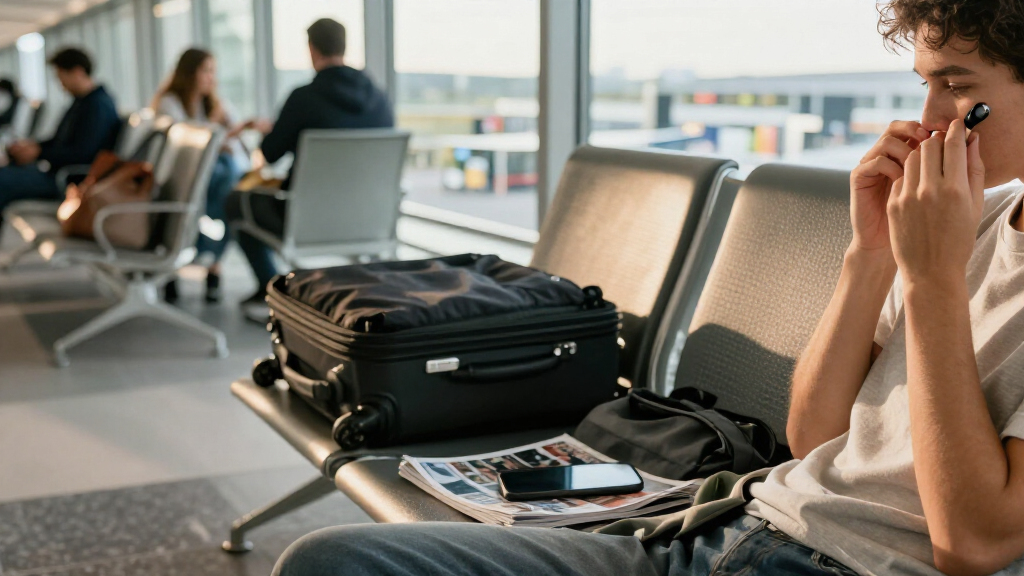
Try the included tip sizes at home before you pack. If the left earbud slips while you chew but the right one stays put, you may need different tip sizes for each ear; many people do. A good seal should feel snug, like a door closing gently, rather than jammed shut. If the companion app offers a fit test, use it as a helpful check, then trust your comfort over a chart. A test can indicate whether the seal is adequate at that moment, but it cannot tell you whether pressure will become painful after several hours.
For example, imagine boarding an overnight flight with earbuds that feel fine for ten minutes. Two hours later, the hard shell presses against your ear as you lean against the window. A lighter model or a softer tip may be a better travel choice than a feature-packed pair that hurts. Comfort over long stretches is personal, so try the fit while sitting, walking, and lying on your side before deciding. A model that stays comfortable in more than one position is more likely to work on a train, during a nap, and while moving through an airport.
Foam and silicone tips feel different and may fit differently. Foam can conform to the ear, while silicone is easy to wipe clean; neither is automatically right for everyone. Foam may give some listeners a more stable seal, but it can need more frequent replacement and careful handling. Silicone is simpler to clean and reuse, though its shape may not suit every ear. Check the maker’s care instructions, and bring spare tips if yours are easy to lose.
Products Worth Considering

Samsung 34-Inch Odyssey G5 Curved Ultra WQHD Gaming Monitor, 180Hz

Apple Watch SE 3 GPS 44mm Smartwatch

Bose TV Speaker Compact Soundbar with Bluetooth and HDMI-ARC, Black
As an affiliate, we earn on qualifying purchases.
Know what noise cancellation can quiet—and what it cannot
Active noise cancellation works best on steady, low-pitched sounds such as the rolling rumble of an aircraft or train. It can make those sounds less intrusive, but it does not create silence and does less against sudden clatter or nearby conversation. The practical benefit is a less tiring background: music or speech can be easier to follow without competing as much with a constant drone. How much you notice depends on the fit, the ANC design, and the sound around you.
That distinction matters when you choose a seat and set expectations. On a morning flight, ANC may take the drone out of the background while you listen to a downloaded album. The passenger behind you laughing or a cart rattling down the aisle may still come through. A snug ear-tip seal adds passive isolation, giving ANC a better starting point; a poor seal can leave the cabin sounding oddly hollow and loud. If voices matter more than low rumble in your environment, ANC alone may not solve the problem, so consider comfort and isolation as well as the headline cancellation claim.
Look for a useful transparency mode as well as ANC. At a gate, you can lower or pause noise control to hear a boarding call without fumbling to remove both earbuds. This convenience comes with a tradeoff: transparency mode lets outside sound in, but how naturally and clearly it does so varies by model and settings. Adaptive modes may adjust automatically, but they vary by model and setting. In a crowded station, remove an earbud when you need full awareness of announcements or your surroundings.
Noise cancellation is not hearing protection. It does not make it safe to ignore traffic, platform warnings, crew instructions, or other hazards.
ANC can help you listen at a comfortable volume on a noisy trip, but it cannot make careless listening safe. Keep the volume at a level that lets you respond when needed, and check local transit or airline instructions about Bluetooth use during each stage of travel.
Compare battery life against your actual travel day
Choose earbuds whose real-world runtime covers your longest listening stretch, with a margin for calls and noise cancellation. A charging case adds extra charges, but the earbuds’ per-charge runtime matters when you are seated for hours without a place to recharge. The distinction is useful: case capacity helps across the day, while per-charge runtime determines whether you have to stop listening during a flight or long train ride.
Read battery figures as test results under particular conditions, not a promise for every trip. ANC, volume, calls, and temperature can change runtime, and ANC often shortens it. If a maker lists different figures with ANC on and off, compare the ANC-on figure to your longest expected listening session. Someone taking a four-hour train and making calls may need more headroom than a traveler using earbuds for one short commute. Treat a small margin as practical insurance: battery estimates are based on testing, and your real combination of settings and use may be more demanding.
Plan the charging chain, too. USB-C is common on newer earbuds, which can reduce the number of cables in your bag; case features and included cables still vary. A quick-charge feature could help during a short layover, but check how much listening time it adds and how long you need to plug in. The case is a spare fuel tank: useful, but only if you remembered to fill it. If its charge is low, extra case capacity offers no backup, so a short charging stop may matter more than the advertised total hours.
Before leaving, charge both earbuds and their case, and pack the cable that matches the case. For a full travel day, check the case’s remaining charge before boarding rather than assuming it can rescue you. A low battery warning is a poor substitute for a plan when the charging outlet is across a crowded terminal. If outlets are unreliable or you expect to use ANC throughout, allow more margin or plan a listening break that lets the earbuds recharge in their case.
Check your devices before you rely on Bluetooth
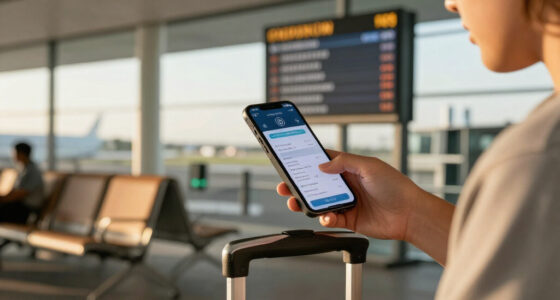
Wireless earbuds connect easily to many phones and tablets, but a plane’s seat-back entertainment system may need a wired connection. Some systems have a headphone jack, and a compatible Bluetooth audio transmitter can connect that jack to earbuds; the transmitter becomes one more device to charge and pair. That extra step can be worthwhile if you want to use the onboard screen, but it adds another battery and connection to manage during travel.
Test the setup before departure if the onboard film matters to you. For instance, pair your earbuds with your phone at home, then check whether your airline’s entertainment system offers Bluetooth audio or a headphone socket. Bluetooth audio can have a slight delay, and the transmitter’s controls may differ from your earbuds’ controls. Bring wired headphones if you want a simple fallback and already have a compatible pair. The choice is a tradeoff between carrying fewer items and having a backup that works without charging or pairing.
Multipoint lets some models stay connected to two devices, such as a laptop and phone, but the switching experience varies. Check whether your particular devices are supported and whether switching is automatic. It is frustrating when a laptop grabs the connection just as you press play on your phone. Multipoint can save time when it works smoothly, but testing it beforehand helps you avoid troubleshooting between connections in a noisy cabin.
Most standard Bluetooth earbuds work with both iPhone and Android. Some extras—such as spatial audio, quick pairing, high-quality codecs, and device-finding networks—depend on the phone or operating system. Prioritize fit, comfort, dependable noise control, and battery life before paying extra for features tied to just one device. Those core qualities shape every trip; device-specific extras are useful only if they work with the devices you actually carry.
Use controls and durability features that suit the journey
Dependable controls and a protective case help prevent small travel hassles from becoming lost listening time. Physical buttons or well-designed touch controls should be easy to use without repeated taps or accidental pauses when you adjust an earbud. On a trip, that ease matters because you may be handling a bag or moving through a crowded aisle, when fiddly controls are harder to correct.
Try the controls before your trip. If a single tap pauses playback but brushing the earbud triggers the same gesture, you may stop your podcast every time you settle your scarf. Check whether the earbuds reconnect reliably after you return them to the case, and whether the companion app can show a last-known location. Location features vary in availability and accuracy, so treat them as a backup when an earbud slips between airplane seats. A reliable connection and controls can save time, but they do not replace keeping track of loose earbuds when you take them out.
An IP rating describes resistance to dust or water under specified test conditions; it does not mean earbuds are waterproof. Check the model’s rating and care advice before wearing them in rain or wiping them down. A secure-lid case and small protective pouch can help keep grit, keys, and loose coins away from the earbuds in your bag. The case’s protection matters particularly when the earbuds are not in your ears: one loose item in a pocket can expose them to scratches or pressure.
Take a realistic airport scene: you place the case in an outer pocket, hurry through the gate, then pull out a transit card. A case that opens easily can spill an earbud; a pouch gives it another layer of protection. Case size, lid security, and easy controls are plain details, but you will notice them every time you change trains. A larger case may be more protective yet take up more space, so weigh that against how and where you carry it.
Run this five-step check before you leave
A quick pre-trip check catches the problems you can fix at home: a slipping tip, a flat case, or a pairing surprise. Give yourself a few minutes before packing rather than troubleshooting in a noisy boarding area. Each check tests something that can affect the trip itself: comfort, how much of the background you hear, whether the battery lasts, whether devices connect, and whether onboard audio is accessible.
- Try both ears. Fit each earbud, walk around, and check whether talking or chewing loosens the seal. This can reveal an uneven fit that a quick test while sitting still misses.
- Test your listening modes. Compare ANC, transparency, and off modes in a steady indoor hum, such as near a fan. Notice whether ANC reduces the constant sound enough to make listening more comfortable, and whether transparency is clear enough for brief conversations.
- Check runtime and charging. Charge the earbuds and case, then pack the right USB-C or other charging cable. Use the runtime for your usual ANC and volume settings when judging whether one charge covers the longest stretch.
- Pair every device you’ll use. Confirm your phone, tablet, and laptop behave as expected; check multipoint switching if you use it. This catches connection conflicts while you have time to change settings.
- Plan for onboard audio. Check whether your seat-back system supports Bluetooth or needs a headphone jack and transmitter. If you rely on the onboard screen, test the transmitter and pack its charging cable too.
Here’s how that looks for a weekend trip: you notice the medium tip slips when you laugh, change the left ear to a small tip, and rerun the fit test. Then you charge the case, download a playlist for a patchy signal, and pack a transmitter because your airline lists a headphone jack. Each step removes one avoidable surprise, and the offline playlist gives you an option if Bluetooth audio is inconvenient.
Make a short note of the settings that worked. If you usually use ANC at medium volume, that is the battery estimate to plan around, not the best-case figure with ANC off. That note also makes it easier to restore a comfortable setup after connecting to another device. A little preparation can make the ride feel quieter and less fussy.
Frequently Asked Questions
Are noise-cancelling earbuds worth it for flying?
They can make steady cabin rumble less intrusive and help you listen at a comfortable volume. Results depend on fit and the earbuds’ ANC performance; sudden noises and nearby conversation may remain audible.
Are earbuds or over-ear headphones better for travel?
Earbuds are compact and easy to pack, while over-ear headphones may suit people who prefer not to have anything inside the ear. Comfort and isolation are personal, so try your preferred style for a longer listening session before travel.
Can I use Bluetooth earbuds with an airplane seat-back screen?
Sometimes, but many systems still offer a headphone jack instead of direct Bluetooth. A compatible Bluetooth transmitter can connect earbuds to that jack, though you will need to charge and pair it too.
How long should travel earbuds last on one charge?
Choose a model whose tested runtime covers your longest expected listening stretch, with extra time for ANC and calls. Battery claims depend on test conditions, and the case’s extra charges help only if it has power.
Do wireless earbuds work with both Android and iPhone?
Most standard Bluetooth earbuds pair with both. Companion app features, spatial audio, quick pairing, and device-finding options can depend on your phone’s operating system.
Are travel earbuds waterproof?
Some models resist water or sweat, but an IP rating has specific limits and does not mean the earbuds are waterproof. Check the rating and the maker’s care instructions before exposing them to rain or moisture.
Conclusion
Pick travel earbuds by testing how they feel after an hour, how they handle steady rumble, and how long they last with your usual settings. A comfortable fit and enough battery will matter on a long ride more than a feature you rarely use.
Try your setup at home, pack its cable, and check the entertainment system before you board. Then the loudest sound in your bag can be the crinkle of a snack wrapper.