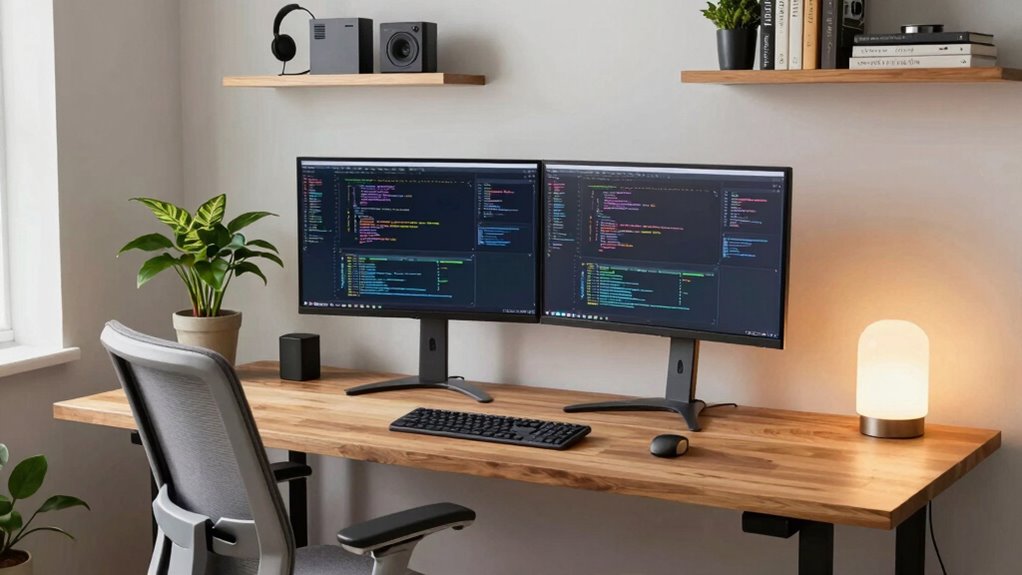
A good coding setup for a home office starts with a desk that fits your monitors, supports comfortable work, and suits the space you have. My best overall pick is the Veken 63 × 28-Inch Electric Standing Desk, whose wider surface gives a multi-monitor setup more room than the compact electric desks here. The Huuger 47 x 24 Inch Electric Standing Desk adds built-in power access, while the OffiGo U-Shaped Electric Standing Desk suits coders who need room for several work zones. The tradeoff is between adjustable height and a simpler fixed setup, as well as between a compact footprint and more room for equipment. Read on for the full comparison, buying advice, and picks by workspace and work style.

Get the latest gadgets delivered free — and shop member deals
- Fast, free delivery on millions of items
- Access to Prime Big Deal Days deals on October 6–7
- Prime Video, Amazon Music and more included
Complete the kit



Key Takeaways
- The Veken 63 × 28-Inch stands out for coders who need a broad surface for multiple monitors; it takes more room than the 47-inch desks.
- The Huuger 47 x 24 Inch combines electric height adjustment with built-in outlets and USB-C, reducing the need to reach for a separate charging hub.
- The FEZIBO and ErGear offer straightforward electric sit-stand formats, while their more restrained feature sets may suit buyers who do not need integrated lighting or extensive storage.
- The L-shaped and U-shaped desks prioritize separate work zones and equipment capacity, but their larger footprints make room measurement especially important.
- The compact Lufeiya and drawer-equipped Korfile favor a smaller or more organized setup; neither offers the same broad, open work surface as the larger standing desks.
| Huuger 47 x 24 Inch Electric Standing Desk with Power Outlets and USB-C Port, Black |  | Best Overall Standing Desk | Dimensions: 47 x 24 inches | Height Range: 28.7–46.5 inches | Power Outlets: 4 AC, 1 USB, 1 USB-C | VIEW ON AMAZON | See Our Full Breakdown |
| FEZIBO Electric Height-Adjustable Standing Desk, 47.2 x 23.6 Inch, Maple |  | Best for Bright, Warm Home Offices | Desktop Dimensions: 47.2 x 23.6 inches | Height Range: 28.3–46.5 inches | Weight Capacity: 176 lbs | VIEW ON AMAZON | See Our Full Breakdown |
| Veken 47.2 Inch Electric Standing Desk, Black |  | Best Value Sit-Stand Desk | Desktop Size: 47.24 x 23.64 inches | Height Range: 28.3–46.5 inches | Frame Material: Carbon steel | VIEW ON AMAZON | See Our Full Breakdown |
| Veken 63 × 28-Inch Electric Height-Adjustable Standing Desk, Brown |  | Best for Multi-Monitor Coding Rigs | Desktop Dimensions: 63 × 28 inches | Height Range: 28.3–46.5 inches | Frame Material: Metal, dual-beam | VIEW ON AMAZON | See Our Full Breakdown |
| PRAISUN 47.2 Inch Gaming Desk with LED Lights & Power Outlets |  | Best for Coders Who Game After Hours | Dimensions: 47.2W x 18.9D x 29H inches | Charging Ports: 4 AC outlets, 2 USB, 1 USB-C | LED Lighting: 12 preset modes, 60,000+ colors via app | VIEW ON AMAZON | See Our Full Breakdown |
| ODK 53″ L-Shaped Gaming Desk with Shelves, LED Lights and Power Outlets, Black |  | Best Corner Desk for Dual-Monitor Coding | Dimensions: 53″W x 18.9″D x 29.8″H | Shape: L-shaped, reversible left or right | Power: 3 AC outlets, 2 USB ports | VIEW ON AMAZON | See Our Full Breakdown |
| AODK Reversible L-Shaped Gaming Desk with LED Lights and Power Outlets | 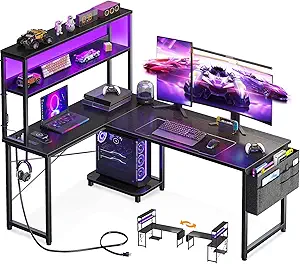 | Best Budget Corner Pick | Dimensions: 53″W x 18.9″D x 29.8″H | Design: Reversible L-shaped | Power: 3 AC outlets, 2 USB charging ports | VIEW ON AMAZON | See Our Full Breakdown |
| ErGear 48 x 24 Inch Electric Height Adjustable Standing Desk (Black) |  | Best Standing Desk for Ergonomics | Size: 48 x 24 inches | Height Range: 28.35″ – 46.46″ | Weight Capacity: 176 lbs | VIEW ON AMAZON | See Our Full Breakdown |
| Korfile 66” L-Shaped Gaming Desk with Storage Drawers, Power Outlets, and LED Lights |  | Best Large Corner Command Center | Dimensions: 65.4″W x 42.5″D x 36.5″H | Shape: L-shaped, reversible | Working Surface: 78-inch diagonal | VIEW ON AMAZON | See Our Full Breakdown |
| Lufeiya 39.4-Inch Computer Desk with LED Lights, Power Outlets, and Monitor Stand |  | Best Compact Desk for Small Spaces | Dimensions: 39.4″W x 19.7″D x 33.4″H | Color: White | Power: 2 outlets, 2 USB ports | VIEW ON AMAZON | See Our Full Breakdown |
| Korfile 47-Inch Gaming Computer Desk with LED Lights, Power Outlets, Monitor Stand, and 5 Drawers |  | Best Storage on a Budget | Width: 47 inches | Lighting: RGB LED strip with 22 effects | Power: 3 AC outlets and 2 USB charging ports | VIEW ON AMAZON | See Our Full Breakdown |
| OffiGo 55 Inch U-Shaped Electric Standing Desk with Keyboard Tray, White |  | Best Corner Command Center | Desk Shape: U-Shaped | Desktop Size: 55 inches | Color: White | VIEW ON AMAZON | See Our Full Breakdown |
| coding setup for home office | Dimensions | Height Range | Power |
|---|---|---|---|
| Huuger 47 x 24 Inch Electric S | 47 x 24 inches | 28.7–46.5 inches | — |
| FEZIBO Electric Height-Adjusta | — | 28.3–46.5 inches | — |
| Veken 47.2 Inch Electric Stand | — | 28.3–46.5 inches | — |
| Veken 63 × 28-Inch Electric He | — | 28.3–46.5 inches | — |
| PRAISUN 47.2 Inch Gaming Desk | 47.2W x 18.9D x 29H inches | — | — |
| ODK 53" L-Shaped Gaming Desk w | 53"W x 18.9"D x 29.8"H | — | 3 AC outlets, 2 USB ports |
| AODK Reversible L-Shaped Gamin | 53"W x 18.9"D x 29.8"H | — | 3 AC outlets, 2 USB charging ports |
| ErGear 48 x 24 Inch Electric H | — | 28.35" – 46.46" | — |
| Korfile 66” L-Shaped Gaming D | 65.4"W x 42.5"D x 36.5"H | — | 3 AC outlets, 2 USB ports |
| Lufeiya 39.4-Inch Computer Des | 39.4"W x 19.7"D x 33.4"H | — | 2 outlets, 2 USB ports |
| Korfile 47-Inch Gaming Compute | — | — | 3 AC outlets and 2 USB charging ports |
| OffiGo 55 Inch U-Shaped Electr | — | 28.3" – 46.5" | 3 AC outlets, 2 USB ports |
More Details on Our Top Picks
Huuger 47 x 24 Inch Electric Standing Desk with Power Outlets and USB-C Port, Black
This option stands out for solving the two biggest frustrations of home-office coding desks in one package: cable clutter and missing outlets. With 4 AC outlets, USB-A, and USB-C built right into the frame, a laptop, monitor, and phone can all charge without a separate power strip snaking under the desk. Compared with the FEZIBO Maple desk, the Huuger is noticeably quieter at under 35 dB versus 45 dB — a real difference on video calls — and its 220 lb capacity and anti-collision sensor give it a sturdier, safer feel for a dual-monitor rig. The tradeoff is that the outlet placement suits some layouts better than others, and three memory presets is the bare minimum for shared workstations.
Pros:- Built-in charging station powers up to 6 devices without a separate power strip
- Ultra-quiet motor under 35 dB is suitable for calls and shared rooms
- 220 lb reinforced steel frame with anti-collision technology protects gear
- Assembles in roughly 30 minutes
Cons:- Only 3 memory presets for saved heights
- Outlet placement may not suit every desk layout
Best for: Developers with dual monitors who want integrated charging and a desk quiet enough for meetings
Not ideal for: Households sharing one desk among several users — only three presets and fixed outlet placement limit flexibility
- Dimensions:47 x 24 inches
- Height Range:28.7–46.5 inches
- Power Outlets:4 AC, 1 USB, 1 USB-C
- Memory Presets:3
- Noise Level:Under 35 dB
- Weight Capacity:220 lbs
- Assembly Time:Approx. 30 minutes
Our verdict“If you want one desk that handles height adjustment, charging, and a heavy coding rig without compromises, this is the pick.”
FEZIBO Electric Height-Adjustable Standing Desk, 47.2 x 23.6 Inch, Maple
Most standing desks in this price bracket come in black, which can turn a sunny spare room into a cave of dark surfaces. The FEZIBO’s FSC-certified maple desktop is the differentiator here — it reads as furniture rather than office equipment, and the responsibly sourced wood is a plus for eco-conscious buyers. Compared with the Huuger, you give up the integrated charging station and some motor refinement (45 dB versus 35 dB), but the reinforced steel frame still carries 176 lbs, enough for a monitor arm, laptop, and speakers. The splice-design desktop means a visible seam where two sections join, which some buyers will notice daily and others will never think about.
Pros:- FSC-certified wood desktop with a warm maple finish
- Reinforced steel frame supports up to 176 lbs
- Three memory presets for quick sit-stand switching
- Pre-assembled components and video guide simplify setup
Cons:- Splice-design desktop has a visible seam
- Assembly is still required despite pre-assembled parts
Best for: Buyers styling a light, warm-toned home office who want a certified wood surface
Not ideal for: Anyone who wants built-in charging or the quietest possible motor — the Huuger covers both
- Desktop Dimensions:47.2 x 23.6 inches
- Height Range:28.3–46.5 inches
- Weight Capacity:176 lbs
- Memory Presets:3
- Motor Noise:Under 45 dB
- Tested Lift Cycles:Up to 50,000
- Desktop Material:FSC-certified wood, Maple
Our verdict“This makes the most sense for coders prioritizing aesthetics and sustainable materials over integrated tech features.”
Veken 47.2 Inch Electric Standing Desk, Black
For buyers who want motorized height adjustment without paying for extras they don’t need, this model strips things down to the essentials. The carbon steel frame stays stable at full extension, and the built-in cable management is a thoughtful touch that many budget desks skip. Unlike the Huuger, there’s no charging station, and the motor is louder at up to 52 dB — noticeable in a quiet room, though not disruptive. Where the FEZIBO asks you to accept a wood-tone splice top, the Veken’s all-black two-board desktop hides its seams better in a dark setup. Assembly runs as quick as 10 minutes for confident builders.
Pros:- Quiet electric motor with memory presets at a lower feature count and price
- Carbon steel frame stays stable at full height
- Built-in cable management keeps the workspace tidy
- Fast assembly of 10–30 minutes
Cons:- Desktop is two joined boards rather than one piece
- Stability varies depending on floor type and load weight
Best for: Budget-conscious developers who want reliable electric height adjustment and can live without charging ports
Not ideal for: Noise-sensitive shared spaces — 52 dB is louder than the Huuger or FEZIBO motors
- Desktop Size:47.24 x 23.64 inches
- Height Range:28.3–46.5 inches
- Frame Material:Carbon steel
- Top Material:Engineered wood, Cyber Black
- Motor Noise:Under 52 dB
- Memory Presets:Yes
- Item Weight:42.1 pounds
- Assembly Time:10–30 minutes
Our verdict“A sensible choice when you want the sit-stand functionality itself and nothing you won’t use.”
Veken 63 × 28-Inch Electric Height-Adjustable Standing Desk, Brown
Every other sit-stand desk in this lineup tops out around 47 inches wide, which gets cramped fast once you add a 27-inch monitor, a laptop stand, and a notebook. This model’s 63 × 28-inch desktop gives a full-size battlestation room to breathe, and the 28-inch depth lets you push monitors back to a comfortable focal distance — something the shallower 24-inch tops can’t do. Compared with the smaller Veken 47.2-inch, the dual-beam frame is the meaningful upgrade, adding torsional rigidity that matters more at this span. The brown laminated finish suits wood-toned rooms better than the FEZIBO’s maple if you want a darker palette. The joined-piece desktop remains the main compromise.
Pros:- Extra-wide 63 × 28-inch surface fits multi-monitor and ultrawide setups
- Dual-beam frame improves stability across the longer span
- Memory presets save preferred sitting and standing heights
- Laminated top wipes clean easily
Cons:- Desktop made from joined pieces rather than one whole slab
- Large footprint demands a dedicated workspace area
Best for: Developers running dual or ultrawide monitors who need depth and width for a full rig
Not ideal for: Small bedrooms or tight corners — the footprint is substantially larger than 47-inch models
- Desktop Dimensions:63 × 28 inches
- Height Range:28.3–46.5 inches
- Frame Material:Metal, dual-beam
- Desktop Material:Engineered wood, laminated
- Motor Noise:Under 52 dB
- Features:Electric height adjustment; memory presets; dual-beam frame
- Color:Brown desktop; black/white base
- Item Weight:42.1 pounds
Our verdict“If your monitors outnumber your desk space, this wider top is the upgrade worth making.”
PRAISUN 47.2 Inch Gaming Desk with LED Lights & Power Outlets
This is the only fixed-height desk in this batch, and it earns its slot by trading sit-stand functionality for features that matter at a stationary battlestation. The 7-port charging station outguns even the Huuger’s 6 ports, and the storage design — fabric drawer, open shelf, under-desk PC shelf, monitor stand, and S-hooks — means everything from headphones to a tower PC has a home. The RGB lighting with 60,000+ app-controlled colors and music sync is pure gaming personality, which also makes long evening coding sessions feel less sterile. The adjustable monitor stand with two height settings is a genuine ergonomic plus. Against the Veken standing desks, you lose height adjustment entirely and the particleboard build won’t match steel-framed tops for longevity.
Pros:- Charging station with 4 AC outlets, 2 USB, and 1 USB-C keeps everything powered
- Extensive storage: drawer, shelves, under-desk PC shelf, and S-hooks
- Adjustable monitor stand reduces neck strain at two heights
- App-controlled RGB lighting with 12 modes and music sync
Cons:- Particleboard construction is less durable than engineered-wood standing desks
- Fixed height with no electric adjustment despite the assembly effort
Best for: Developers who double as gamers and want charging, storage, and lighting in one fixed station
Not ideal for: Anyone specifically shopping for sit-stand ergonomics — this desk does not adjust
- Dimensions:47.2W x 18.9D x 29H inches
- Charging Ports:4 AC outlets, 2 USB, 1 USB-C
- LED Lighting:12 preset modes, 60,000+ colors via app
- Top Material:Engineered wood (particleboard)
- Frame Material:Metal / Iron
- PC Tower Clearance:Up to 21.7 inches in height
- Storage:1 fabric drawer, open shelf, PC shelf, monitor stand, 3 S-hooks
- Weight:30.9 pounds
Our verdict“Choose this if your desk is a gaming-and-coding hybrid hub and standing height isn’t a priority.”
ODK 53″ L-Shaped Gaming Desk with Shelves, LED Lights and Power Outlets, Black
Corner placement is one of the smartest ways to carve a coding station out of a spare bedroom, and this ODK desk makes the most of it. The 53-inch L-shaped surface swallows a dual-monitor setup plus a laptop with room left over for note-taking, and the reversible panels mean you can flip the configuration if your room layout changes. Where the ErGear standing desk wins on ergonomics, this ODK model counters with built-in infrastructure: three AC outlets and two USB ports right at the desk edge, so a dock, laptop charger, and phone never fight over a wall strip. The dual shelves and CPU stand keep the tower off the floor and cables corralled. The catch is that you lose sit-stand flexibility entirely, and the RGB strip is mood lighting rather than anything that helps you read code at night.
Pros:- Built-in power strip with 3 AC outlets and 2 USB ports keeps chargers and a dock within reach
- Reversible L-shape adapts to left- or right-facing corners without new parts
- Dedicated storage — shelves, CPU stand, hook, and tool bag — keeps the work surface clear
- X-shaped steel frame handles dual-monitor weight without wobble
Cons:- Fixed height with no sit-stand option
- RGB LED strip is decorative only, not usable as task lighting
Best for: Developers setting up a permanent dual-monitor corner station in a bedroom or den who want charging and storage built in
Not ideal for: Anyone wanting to alternate between sitting and standing during long coding sessions — this desk is fixed height
- Dimensions:53″W x 18.9″D x 29.8″H
- Shape:L-shaped, reversible left or right
- Power:3 AC outlets, 2 USB ports
- LED Lighting:RGB strip, 10 color presets, 8 brightness levels, 10 modes
- Storage:Dual shelves, CPU stand, accessory hook, tool bag
- Frame:X-shaped steel with adjustable foot pads
Our verdict“A strong pick for coders who want a fully wired corner command center and don’t care about standing while they work.”
AODK Reversible L-Shaped Gaming Desk with LED Lights and Power Outlets
This AODK desk delivers roughly the same formula as the ODK 53-inch L-shaped desk — reversible layout, three outlets, two USB ports, LED strip, and a bundle of storage accessories — which makes it the natural value play in this batch. The storage bag and headphone hook are genuinely useful for a coder’s clutter: dongles, cables, and headphones all get a home off the desktop. Compared with the Korfile 66-inch model, the working surface here is tighter, so a wide ultrawide monitor plus a second screen will feel cramped. That’s the real tradeoff: you save money and floor space, but you’re budgeting every inch of the desktop. The reversible design still lets you match your room’s corner orientation, and the labeled-part assembly keeps setup from becoming a weekend project.
Pros:- Same built-in power and USB convenience as pricier L-shaped rivals
- Reversible layout works in either corner orientation
- Storage bag, shelves, and CPU stand included rather than sold separately
- Straightforward assembly with labeled parts and instructions
Cons:- Limited working surface compared with the Korfile 66-inch alternative
- Fixed height with no ergonomic adjustment
Best for: Students or junior developers furnishing a first apartment office who need corner seating and built-in charging without a big spend
Not ideal for: Coders running an ultrawide plus a second monitor — the desktop depth and width will feel confined
- Dimensions:53″W x 18.9″D x 29.8″H
- Design:Reversible L-shaped
- Power:3 AC outlets, 2 USB charging ports
- LED Lighting:10 static colors, 8 brightness levels, 10 dynamic modes, memory function
- Storage:2 shelves, CPU stand, headphone hook, storage bag
- Assembly:Labeled parts and step-by-step instructions included
Our verdict“The sensible budget corner desk for a single-monitor or laptop-plus-monitor coding setup.”
ErGear 48 x 24 Inch Electric Height Adjustable Standing Desk (Black)
Every fixed desk in this roundup asks your body to adapt to it; the ErGear flips that relationship. The electric lift spans 28.35 to 46.46 inches with four memory presets, so switching between sitting and standing mid-session is a two-button affair — a meaningful upgrade for anyone whose back complains after long debug marathons. The frame is rated for 100,000 lift cycles and 176 lbs, which comfortably covers a monitor arm, ultrawide, and desktop tower. Compared with the ODK and AODK L-shaped desks, you give up built-in outlets, shelves, and hooks — this is a clean rectangular slab, so charging and storage become your problem. The low-VOC materials are a quiet bonus for a home office you sit in all day. At 43.8 lbs, plan your placement carefully, because you won’t want to move it twice.
Pros:- Electric sit-stand adjustment with 4 memory presets for effortless position changes
- Heavy-duty steel frame rated for 100,000 lift cycles and 176 lbs
- Low-VOC construction supports healthier air in a closed home office
- Clean rectangular top works with any monitor arm or desk accessory
Cons:- At 43.8 lbs it’s awkward to reposition once assembled
- 48 x 24 inch surface is tight for triple-monitor or large ultrawide-plus-laptop setups
Best for: Remote developers dealing with back or hip discomfort who want to alternate sitting and standing throughout the workday
Not ideal for: Coders who want an all-in-one desk with built-in power, storage, and lighting — this is a bare surface by comparison
- Size:48 x 24 inches
- Height Range:28.35″ – 46.46″
- Weight Capacity:176 lbs
- Lift Mechanism:Electric, 4 memory presets
- Frame:Alloy steel with aerospace-grade lifting columns
- Top Thickness:0.67 inches
Our verdict“The pick for ergonomics-first coders who’d rather add their own accessories than accept a fixed-height desk.”
Korfile 66” L-Shaped Gaming Desk with Storage Drawers, Power Outlets, and LED Lights
If your coding setup has outgrown a single desk, the Korfile 66-inch is the roomiest corner option in this batch. With a 78-inch diagonal working surface, it fits an ultrawide, a second vertical monitor, and a laptop stand without the crowding you’d feel on the AODK 53-inch model. What separates it from the other L-shaped picks is real furniture-grade organization: two fabric drawers and a sliding CPU shelf, so paperwork, notebooks, and your tower tuck away instead of migrating across the desktop. The integrated monitor riser also addresses neck strain — something neither the ODK nor AODK desks do — though the ErGear still beats it on full ergonomic adjustability. The tradeoffs are footprint and durability: this desk demands a genuinely large room, and fabric drawers won’t survive years of hard use like solid ones.
Pros:- 78-inch diagonal surface accommodates ultrawide-plus-secondary-monitor setups
- Two fabric drawers and sliding CPU shelf provide closed storage the smaller L-desks lack
- Built-in monitor riser raises screens toward eye level to reduce neck strain
- Power station with 3 AC outlets and 2 USB ports keeps a full desk of gear charged
Cons:- Large footprint overwhelms small rooms
- Fabric drawers are less durable than solid wood or metal alternatives
Best for: Developers with a dedicated home office room who run multi-monitor rigs and need drawers and a CPU shelf, not just a big desktop
Not ideal for: Anyone in a small bedroom or shared space — the 66-inch L-shape plus drawers eats serious floor area
- Dimensions:65.4″W x 42.5″D x 36.5″H
- Shape:L-shaped, reversible
- Working Surface:78-inch diagonal
- Storage:2 fabric drawers, sliding CPU shelf, 2 shelves, headphone hooks
- Power:3 AC outlets, 2 USB ports
- LED Lighting:20 colors, 22 dynamic scenes, 5 brightness settings
Our verdict“The max-capacity corner desk for coders with the square footage to match their ambitions.”
Lufeiya 39.4-Inch Computer Desk with LED Lights, Power Outlets, and Monitor Stand
Not every home office is a spare room — sometimes it’s a corner of a studio or the end of a hallway. At 39.4 inches wide, the Lufeiya fits where nothing else in this roundup can, including the slimmer AODK. Despite the footprint, it doesn’t strip out the conveniences: a built-in power strip with two outlets and two USB ports, a monitor stand that raises your screen to eye level, and removable headphone hooks. The white finish also brightens a tight space where a black slab like the ErGear would feel heavy. The obvious compromise is capacity — this is a laptop-plus-external-monitor desk at most, and anyone planning a dual-monitor or tower setup should step up to an L-shaped option instead. Two-person assembly is also worth knowing before you unbox it alone.
Pros:- Compact 39.4-inch footprint fits spaces no other desk in this lineup can
- Built-in power strip with 2 outlets and 2 USB ports despite the small size
- Included monitor stand improves screen ergonomics for laptop-based setups
- Scratch- and water-resistant engineered wood surface holds up to daily use
Cons:- Only 39.4 inches of workspace — a hard ceiling on your setup
- Two-person assembly is recommended
Best for: Renters and students squeezing a coding station into a bedroom corner, hallway nook, or studio apartment
Not ideal for: Multi-monitor or desktop-tower coders — the 39.4-inch surface runs out of room fast
- Dimensions:39.4″W x 19.7″D x 33.4″H
- Color:White
- Power:2 outlets, 2 USB ports
- LED Lighting:7 adjustable colors, 4 dynamic modes, 16 static types
- Accessories:Monitor stand, storage bag, 2 removable headphone hooks
- Tabletop Thickness:0.75 inches
Our verdict“The right desk when floor space is your scarcest resource and your rig is a laptop plus one monitor.”
Korfile 47-Inch Gaming Computer Desk with LED Lights, Power Outlets, Monitor Stand, and 5 Drawers
Among all the desks in this roundup, the Korfile 47-Inch is the only one that treats storage as a headline feature. Five fabric drawers with four mounting configurations mean a coder drowning in cables, notebooks, and peripherals can finally clear the desktop — something the Lufeiya 39.4-Inch simply cannot match, despite sharing the same LED-and-outlets formula. The monitor stand raises screens to a more comfortable viewing angle, and the built-in 3 AC outlets plus 2 USB ports keep a laptop, phone, and lamp powered without a separate power strip underfoot.
The tradeoff is clear: this is a fixed-height desk. Unlike the Huuger 47 x 24 Inch Electric Standing Desk, there’s no sit-stand adjustment, so anyone sold on alternating positions should look elsewhere. The drawers are non-woven fabric, not rigid boxes — lighter duty than the Korfile 66” L-Shaped’s setup, and assembly takes real patience.
Pros:- Five drawers with four reversible mounting options for flexible room layouts
- Integrated 3 AC outlets and 2 USB ports eliminate under-desk power strips
- RGB LED strip with 22 effects adds ambient lighting for late-night sessions
- Included monitor stand improves screen ergonomics without extra purchases
Cons:- Fixed height with no sit-stand adjustment unlike electric competitors in this lineup
- Fabric drawers are lightweight and less durable than rigid storage
Best for: Developers in small home offices who need maximum storage organization and integrated power at a low price point
Not ideal for: Anyone wanting sit-stand ergonomics — the fixed height means no position changes during long coding sessions
- Width:47 inches
- Lighting:RGB LED strip with 22 effects
- Power:3 AC outlets and 2 USB charging ports
- Storage:5 non-woven fabric drawers
- Drawer Installation:Reversible, 4 mounting options
- Frame:Powder-coated steel
- Desktop:High-density, scratch-resistant
Our verdict“This desk makes the most sense for coders who prioritize organized storage and built-in power over height adjustability.”
OffiGo 55 Inch U-Shaped Electric Standing Desk with Keyboard Tray, White
The OffiGo U-Shaped plays a different game than every straight desk here. Where the Veken 63 × 28-Inch offers one deep surface, the U-shaped wraparound design surrounds you on two sides — ideal for a multi-monitor coding rig, a reference laptop, and a notebook zone all at once. Unlike the ODK 53″ L-Shaped, which is fixed-height, this one adds electric sit-stand adjustment from 28.3″ to 46.5″ with 3 presets, so switching positions mid-sprint takes one button press.
Ergonomic extras pile up: a full-size monitor stand that fits two displays, a slide-out keyboard tray, and the same 3-outlet, 2-USB power hub found on the Korfile desks. The 154 lb steel frame handles heavy rigs with headroom. The catch? A U-shaped footprint consumes floor space — in a tight bedroom office, the simpler ErGear 48 x 24 is the smarter call. Assembly is also a multi-hour project even with labeled parts.
Pros:- Electric height adjustment with 3 presets makes alternating sitting and standing effortless
- U-shaped dual-corner design provides far more usable workspace than standard rectangular desks
- Full-size monitor stand accommodates a dual-monitor setup with better ergonomics
- Built-in 3 outlets and 2 USB ports plus a keyboard tray and hooks reduce desktop clutter
Cons:- U-shaped footprint requires significant floor space, ruling out compact rooms
- Assembly is time-consuming even with labeled parts
Best for: Developers with a dedicated corner or spare room who want maximum wraparound workspace and true sit-stand ergonomics
Not ideal for: Small home offices or bedrooms — the U-shaped base demands substantial floor area that compact spaces can’t spare
- Desk Shape:U-Shaped
- Desktop Size:55 inches
- Color:White
- Height Range:28.3″ – 46.5″
- Height Adjustment:Electric with 3 preset buttons
- Weight Capacity:154 lbs
- Frame Material:Steel
- Power:3 AC outlets, 2 USB ports
- Included Accessories:Keyboard tray, monitor stand, 2 hooks, LED light strip
Our verdict“If you have the square footage and want a sit-stand corner battlestation, this is the most complete workstation in the lineup — but it’s overkill for tight spaces.”

How We Picked
I compared these desks as foundations for a home coding workspace, focusing on usable surface area, height adjustability, power access, storage, and footprint. Those factors affect whether a desk can handle monitors and peripherals, support changes in working position, and fit a room without turning the setup into a daily compromise. I also considered how each design’s extras—such as shelves, drawers, lighting, or a keyboard tray—serve a coding workflow rather than treating a longer feature list as an automatic advantage.
The ranking gives more weight to workstation flexibility and everyday fit than to gaming-oriented lighting or decorative features. The Veken 63 × 28-Inch leads for its more generous work surface, while the Huuger earns a strong place for combining electric adjustment with power access in a more compact size. Simpler electric desks follow for buyers who want sit-stand flexibility without extra storage furniture; larger L- and U-shaped desks suit specialized layouts but rank lower for buyers with limited room. Compact fixed desks are useful for smaller setups, though they give up the height adjustment and expansion room found higher in the list.
Factors to Consider When Choosing Coding Setup For Home Office
Choosing a desk for coding means planning around the full workday, not just the computer. I would start with your room and equipment, then weigh adjustability, cable routing, and storage against how likely your setup is to change.
Measure the Whole Setup, Not Just the Desk
Measure the desk’s intended location and leave space for the chair to move back, drawers to open, and you to enter or exit comfortably. Then map the actual footprint of monitors, stands, speakers, and notebooks; a desk’s stated width does not tell you how much uninterrupted keyboard space remains. Depth matters too, since a monitor pushed close to the back edge can leave little room for your hands or reference materials. Corner desks can use an awkward corner well, but their dimensions may interfere with doors, radiators, or walkways. A common mistake is measuring only the desktop and forgetting that an L- or U-shaped frame occupies floor space on more than one side. If the room is tight, prioritize clear movement paths over extra shelves.
Choose Height Adjustment for Your Routine
An electric sit-stand desk can make position changes easier during a long coding day, but height adjustment only helps if you can set the desk to a comfortable working level. Check the desk’s height range against your seated posture and standing height, especially if several people will share it. A fixed desk can be a sensible choice when its height already suits you and the work area is stable. Do not assume that standing for long stretches is automatically more comfortable; the point is having a choice and changing positions when it suits you. Compare the adjustment controls and any saved-position features when those details are available. Also account for cables and monitor arms, which need enough slack to move with the desktop.
Plan Monitor Space and Ergonomics Together
Count the monitors you use now and decide whether a laptop, dock, or future display may join them. A wide or deep desktop can keep screens, keyboard, and notes from competing for the same space, while a compact surface may call for a monitor arm or a smaller keyboard. Screen height and viewing distance depend on your chair and body as well as the desk, so the desk alone cannot fix an awkward setup. Check whether shelves or monitor stands place screens at a useful height without consuming the work area below. Buyers often add storage accessories first and discover they have crowded the surface needed for daily typing. Leave room for a comfortable posture before adding optional gear.
Treat Power and Cable Routing as Part of the Layout
Built-in outlets and USB ports can make charging and device access more convenient, but they do not remove the need to plan cable routing. Check where the desk’s power connection sits relative to the wall outlet and whether moving the desktop could pull on cables. A surge protector or dock may still be needed for a monitor, computer, and peripherals, so count plugs before relying on integrated power. Keep power bricks and loose cables clear of moving parts and leg space. Lighting can add ambience, yet it may create more cable clutter without improving the work surface. Prioritize reachable power and a tidy route for cables over extras that do not support your actual devices.
Decide Whether Storage Belongs on the Desk
Drawers and shelves can keep notebooks, adapters, and small accessories close by, which helps when the desk also serves as a general home office. They also add bulk and can restrict where a chair or legs fit. For coding, frequently used items should be reachable without filling the area around your keyboard. A separate drawer unit can offer more flexibility than built-in storage if you expect to rearrange the room, while integrated storage can simplify a compact layout. Before choosing, list what you need to store and what can live elsewhere. Avoid paying for a large storage structure that reduces the clear work surface you need every day.
Pay for Flexibility You Will Use
Extra size, electric adjustment, and integrated features are useful when they solve a real constraint in your work setup. A multi-monitor developer may benefit from a wider desktop, while someone with one laptop and a limited room may prefer a smaller footprint. Consider how often your equipment changes: a stable setup can favor simplicity, while a shared or evolving workstation gains from flexibility. Compare the desk’s stated capacity and construction details with the load you plan to place on it; do not judge sturdiness by appearance alone. Remember that monitor arms, chairs, lighting, and cable management also shape the final workspace. Spend on the feature that removes your biggest daily friction, then keep the rest of the setup adaptable.
Frequently Asked Questions
Is a standing desk worth choosing for coding at home?
It can be a good fit if you want to change working positions during the day or share the desk with someone who needs a different height. Electric models make adjustments convenient, though they also bring a motor, power connection, and more setup considerations. A fixed desk may suit you better if you have a comfortable working height and prefer a simpler workspace. Think about whether you will actually adjust the desk, not just whether the feature sounds appealing. Check the height range against your chair and standing posture before deciding.
How much desk space do I need for two monitors and a laptop?
The answer depends on monitor sizes, stands, and whether you use arms that free up desktop space. Measure the equipment side by side and leave clear room in front for your keyboard, mouse, and notes. A deeper surface can help keep the screens at a comfortable distance while preserving room to work. The Veken 63 × 28-Inch offers more room for a broad setup than the 47-inch options, but it needs a larger place in the room. If space is limited, a monitor arm and careful placement can stretch a smaller desktop.
Should I choose an L-shaped desk or a wide rectangular desk?
An L-shaped desk makes sense when you want distinct zones, such as coding on one side and notes or equipment on the other. A wide rectangular desk is often easier to place against a wall and keeps the main work surface in one continuous line. Corner layouts can consume more floor area than their front edge suggests, so tape out the full footprint before buying. Consider where your chair will sit and whether shelves or drawers will obstruct movement. Choose the shape that fits the room and your workflow rather than the one with the most apparent surface area.
Do built-in outlets and USB ports replace a docking station?
Usually they serve a different purpose: desk outlets and USB ports provide convenient power access, while a dock connects a laptop to monitors and peripherals. The Huuger includes outlets and USB-C, which can reduce cable reach to a wall or floor hub, but check its port specifications against your devices. Count how many powered devices you use and confirm whether the desk’s connections meet their needs. You may still want a dock, surge protector, or both. Plan cable slack so height adjustments do not tug on connected equipment.
What should I prioritize in a first home coding desk?
Start with a desk that fits the room and holds the equipment you already own, then check that its height works with your chair. A stable, uncluttered surface matters more than decorative extras when you are setting up a first workstation. If you expect your work habits or equipment to change, electric height adjustment can add flexibility. Storage is useful when the desk doubles as a general office, but built-in shelves and drawers can limit legroom or placement. The right first desk solves your current space and posture needs without forcing you into a layout you cannot expand.
Conclusion
For most multi-monitor home offices, I would choose the Veken 63 × 28-Inch Electric Standing Desk as the best overall pick because its wider, deeper surface gives a coding setup room to breathe. The Huuger 47 x 24 Inch is my best value-style choice for a smaller setup that benefits from electric adjustment and built-in power access, while the OffiGo U-Shaped is the premium fit for buyers who need distinct work zones and have the room. For beginners who want a straightforward adjustable desk, I would start with the ErGear 48 x 24 Inch or the FEZIBO 47.2 x 23.6 Inch. Choose the Lufeiya when compact size matters most, or an L-shaped Korfile, ODK, or AODK when storage and a corner layout better match your specific needs. Measure the room and equipment first, then pick the desk whose tradeoffs fit your daily workflow.
Halloween Picks
halloween
As an affiliate, we earn on qualifying purchases.