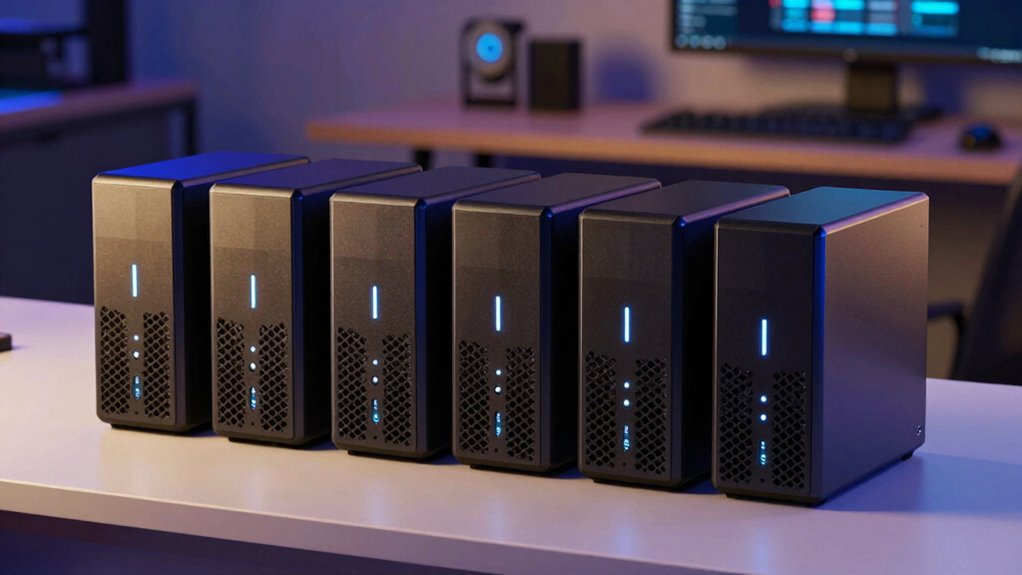

For anyone looking to run a robust Plex media server alongside reliable backup solutions, choosing the right NAS is essential. The best options balance performance, ease of use, and expandability, but often require tradeoffs between cost and features. The Synology DS223 stands out as a versatile all-rounder, offering solid performance for most home and small office setups. Meanwhile, the Asustor AS5402T provides higher processing power and more advanced features for power users. Keep reading to see how these and other models compare to help you find the perfect fit for your media and backup needs.

Get the latest gadgets delivered free — and shop member deals
- Fast, free delivery on millions of items
- Access to Prime Big Deal Days deals on October 6–7
- Prime Video, Amazon Music and more included
Complete the kit



Key Takeaways
- The top models offer a balance between media streaming performance and backup reliability, but not all are equally scalable.
- 4-bay NAS options generally provide more flexibility for future storage expansion than 2-bay models.
- Processors and RAM significantly impact Plex streaming quality, especially for high-definition content.
- Network interface options, like 2.5GbE or higher, improve media streaming speeds and backup transfer rates.
- Ease of setup and management varies, with some brands prioritizing user-friendly interfaces for beginners.
| Synology DS223 2-Bay Diskless NAS Home & Office Backup Hub |  | Best Overall for Versatile Home & Small Office Use | Model: DS223 | Type: NAS | Number of Bays: 2 | VIEW ON AMAZON | See Our Full Breakdown |
| UGREEN NAS DXP2800 2-Bay for Advanced Home Users, Remote Workers & Creators |  | Best for Large Storage & Power Users | Digital Storage Capacity: 80 TB | Hard Disk Interface: SATA | Processor: Intel N100 Quad-Core | VIEW ON AMAZON | See Our Full Breakdown |
| Asustor AS5402T 2-Bay NAS with Intel Quad-Core CPU, 4 M.2 NVMe Slots, Dual 2.5GbE, 4GB RAM |  | Best for High-Performance Media & Virtualization | Processor: Intel N5105 Quad-Core | SSD Slots: 4x M.2 NVMe | RAM: 4GB DDR4, expandable to 16GB | VIEW ON AMAZON | See Our Full Breakdown |
| Synology DS425+ 4-Bay Diskless NAS Private Cloud Media Server |  | Best for Small Business Multi-User & Surveillance | Number of Bays: 4 | Data Transfer Speed: 278 MB/s | Supported Users: 10+ | VIEW ON AMAZON | See Our Full Breakdown |
| Synology 2-Bay DiskStation DS223j (Diskless) |  | Best for Budget-Conscious Personal Use | Model Number: DS223j | Number of Bays: 2 | Warranty: 2 years | VIEW ON AMAZON | See Our Full Breakdown |
| Synology DS225+ Private Cloud Media Server – 2-Bay Diskless NAS with Intel CPU |  | Best Compact Private Cloud for Small-Scale Media & Surveillance | Model: DS225+ | Type: Private Cloud Media Server | Number of Bays: 2 | VIEW ON AMAZON | See Our Full Breakdown |
| nas for plex and backup | Number of Bays | Warranty |
|---|---|---|
| Synology DS223 2-Bay Diskless | 2 | 2 years |
| UGREEN NAS DXP2800 2-Bay for A | — | — |
| Asustor AS5402T 2-Bay NAS with | — | — |
| Synology DS425+ 4-Bay Diskless | 4 | 3 years |
| Synology 2-Bay DiskStation DS2 | 2 | 2 years |
| Synology DS225+ Private Cloud | 2 | 3 years |
More Details on Our Top Picks
Synology DS223 2-Bay Diskless NAS Home & Office Backup Hub
The Synology DS223 stands out for its combination of file centralization, automated backups, and surveillance capabilities, making it a well-rounded choice for small offices and home users. It supports multiple device types and offers reliable hardware backed by a 2-year warranty. Compared with the Synology DS223j, it provides more advanced features, though it shares the need for users to supply their own disks, which could be a hurdle for beginners. Its complex setup might be daunting for those unfamiliar with network configurations, but the payoff is a dependable, multi-functional NAS. This model is best suited for users who want a flexible, reliable device for backups, file sharing, and surveillance at home or in a small office, without requiring enterprise-level performance.
Pros:- Centralizes files from multiple devices for easy access
- Supports automated backups for various platforms
- Includes surveillance features with IP camera integration
- Reliable hardware with professional support
Cons:- Requires separate disks to operate, adding initial cost
- Features may be too complex for complete beginners
Best for: Small business owners and home tech enthusiasts seeking an all-in-one backup, file sharing, and surveillance solution
Not ideal for: Absolute beginners or those seeking a plug-and-play setup with included drives, as the setup complexity and need for separate disks may be overwhelming
- Model:DS223
- Type:NAS
- Number of Bays:2
- Diskless:Yes
- Warranty:2 years
Our verdict“This NAS offers a balanced mix of backup, sharing, and surveillance features, making it ideal for users comfortable with setup and seeking versatility.”
UGREEN NAS DXP2800 2-Bay for Advanced Home Users, Remote Workers & Creators
The UGREEN NAS DXP2800 is tailored for high-demand environments, supporting up to 80TB of storage with flexible drive options. Its powerful hardware, featuring an Intel N100 CPU and 8GB DDR5 RAM, handles demanding workloads like media editing, large backups, or remote work setups more effectively than typical entry-level NAS devices. Compared to the Synology DS425+, it offers larger capacity and raw power, though at the cost of requiring users to purchase their own drives and handle more complex setup steps. This model’s advanced features and hardware make it less suitable for novices, but it excels for those managing large digital libraries or needing heavy multitasking. It’s perfect for experienced users who want a highly customizable, high-capacity NAS for backups and media workflows.
Pros:- Supports massive storage capacity up to 80TB with flexible drive options
- Powerful hardware for demanding multitasking
- AI-powered surveillance for security
- Compatible with multiple OS and devices
Cons:- HDDs/SSDs are sold separately, increasing initial setup cost
- Requires technical expertise to configure effectively
Best for: Power users, remote workers, and digital creators needing large, flexible storage with high performance
Not ideal for: Beginners or users seeking an all-in-one, easy-to-setup NAS with included drives, as this requires technical knowledge and additional purchases
- Digital Storage Capacity:80 TB
- Hard Disk Interface:SATA
- Processor:Intel N100 Quad-Core
- RAM:8GB DDR5, expandable to 16GB
- Connectivity:Ethernet, USB
Our verdict“This NAS is best suited for experienced users who need large-scale, high-performance storage and surveillance capabilities, not for plug-and-play simplicity.”
Asustor AS5402T 2-Bay NAS with Intel Quad-Core CPU, 4 M.2 NVMe Slots, Dual 2.5GbE, 4GB RAM
The Asustor AS5402T offers impressive performance for intensive tasks like media streaming, virtualization, and fast backups. Its quad-core Intel processor, support for four NVMe SSDs for caching, and dual 2.5GbE ports make it a powerful choice for users who need speed and multitasking. Compared with the Synology DS425+, it provides more advanced connectivity options and SSD support, though at a higher price point and with a steeper learning curve. This device’s setup complexity and need for additional disks may deter beginners, but for those comfortable with network configuration, it delivers exceptional performance. It’s ideal for media professionals or tech-savvy users who require a versatile, high-speed NAS for backups, media, or virtualization projects.
Pros:- High-performance quad-core processor for multitasking
- Supports four NVMe SSDs for caching and fast access
- Dual 2.5GbE ports for high-speed networking
- Expandable RAM up to 16GB
Cons:- No pre-installed drives, additional purchase needed
- Complex setup may challenge less experienced users
Best for: Tech-savvy users needing high-speed media streaming, virtualization, and multitasking capabilities
Not ideal for: Beginners or those seeking a simple, pre-configured NAS with included drives, due to complex setup and higher cost
- Processor:Intel N5105 Quad-Core
- SSD Slots:4x M.2 NVMe
- RAM:4GB DDR4, expandable to 16GB
- Network Ports:2x 2.5GbE
Our verdict“This NAS caters to power users who demand speed, expandability, and advanced features for media and virtualization tasks, not for those seeking simplicity.”
Synology DS425+ 4-Bay Diskless NAS Private Cloud Media Server
The Synology DS425+ excels as a multi-user NAS with high-speed transfer (278 MB/s) and robust data protection, making it ideal for small business environments. Its four-bay design supports RAID and snapshots, providing reliable backups and file sharing for teams. When compared to the 2-bay Synology DS223, the DS425+ offers greater capacity, user management, and surveillance support (up to 30 cameras). However, its more complex setup and higher cost make it less suitable for personal or very small-scale use. This NAS suits organizations that need scalable, secure storage with multi-user access and surveillance integration, even if it requires more network configuration expertise.
Pros:- High-speed data transfer of 278 MB/s
- Supports multiple users with access controls
- Robust data protection features, including RAID and snapshots
- Supports surveillance for up to 30 IP cameras
Cons:- Requires technical knowledge for network setup
- No included drives, additional costs for disks
Best for: Small offices and businesses needing multi-user, secure data sharing, and surveillance capabilities
Not ideal for: Home users or individuals with limited network experience, as setup and management can be complex and involve additional costs for disks
- Number of Bays:4
- Data Transfer Speed:278 MB/s
- Supported Users:10+
- Warranty:3 years
Our verdict“This NAS is best for small business environments that prioritize multi-user access, data security, and surveillance, assuming users can handle setup complexity.”
Synology 2-Bay DiskStation DS223j (Diskless)
The Synology DS223j provides a simple, energy-efficient solution for creating a private cloud, sharing files, and monitoring security footage. Its two-bay design keeps initial costs low, especially for users who already have drives or prefer to choose their own. While it doesn’t match the performance or capacity of larger NAS systems like the Synology DS425+, it offers essential backup and file sharing capabilities with a straightforward setup. Compared with the DS223, it’s more budget-friendly but less feature-rich and scalable. This model is ideal for home users or small households needing basic backup and media sharing without the complexity of enterprise features.
Pros:- Creates a private cloud for secure data sharing
- Supports automated backups across devices
- Energy-efficient and compact design
- Reliable with 2-year warranty
Cons:- Requires network setup and configuration
- Limited to two drive bays, restricting capacity
Best for: Home users or small households seeking a cost-effective, easy-to-configure private cloud solution
Not ideal for: Power users or small businesses needing high capacity, multi-user access, or surveillance features, as it’s limited to two drives and basic functions
- Model Number:DS223j
- Number of Bays:2
- Warranty:2 years
Our verdict“This NAS makes a practical choice for budget-conscious home users focused on basic backups, file sharing, and surveillance, with minimal complexity.”
Synology DS225+ Private Cloud Media Server – 2-Bay Diskless NAS with Intel CPU
The Synology DS225+ stands out for users seeking a reliable private cloud and media streaming hub in a compact form. Its dual bays support RAID redundancy, providing peace of mind for data protection, while the Intel CPU ensures smooth 4K media playback—surpassing basic NAS models like the Synology DS223 in processing power. Compared with larger NAS options like the Synology DS425+, the DS225+ is more suited to personal setups or small offices that don’t require extensive storage but still need AI-driven surveillance with support for up to 30 IP cameras. A notable tradeoff is that it’s diskless, requiring users to purchase drives separately, and setup can be complex for beginners unfamiliar with RAID configurations. Its max transfer speed of 282 MB/s ensures decent performance for streaming and backups, but the small form factor limits expansion options. If your needs include reliable media streaming, automated backups, and surveillance in a compact package, this model delivers excellent value despite setup hurdles.
Pros:- Supports 4K media streaming and personal cloud storage
- RAID redundancy enhances data protection
- AI-enabled surveillance support for up to 30 IP cameras
- Compact design fits small spaces
Cons:- Requires additional disks for storage, adding to initial cost
- Complex setup process for users unfamiliar with RAID and NAS configurations
- No included drives, so storage capacity depends on user choice
Best for: Tech-savvy individuals or small business owners who want a compact, all-in-one private cloud with media and surveillance capabilities.
Not ideal for: Beginners or users seeking large, turnkey storage solutions with minimal setup—its complex setup and disk requirements may be overwhelming.
- Model:DS225+
- Type:Private Cloud Media Server
- Number of Bays:2
- CPU:Intel
- Storage:Diskless
- Max Transfer Speed:282 MB/s
- Surveillance Support:Up to 30 IP cameras
- Warranty:3 years
Our verdict“This NAS makes sense for small-scale users who need media, backups, and surveillance in a compact form but are comfortable with setup complexity.”
How We Picked
These NAS devices were evaluated based on performance, usability, build quality, scalability, and value for Plex media streaming and backups. I considered processor speed, RAM capacity, network interfaces, and storage expandability as critical factors. Devices with features tailored specifically for media serving, such as hardware transcoding, were rated higher for Plex use. The ranking reflects a balance between affordability and advanced capabilities, aiming to serve both casual users and more demanding setups. Devices that excelled in ease of management and future-proofing earned higher positions, while those with significant tradeoffs in these areas ranked lower.Factors to Consider When Choosing Nas For Plex And Backups
Choosing the right NAS for Plex and backups involves understanding your current needs and future plans. Key factors include processing power for media transcoding, storage capacity and expandability, network speed, ease of use, and cost. Making an informed decision means balancing these elements against your budget and technical comfort level. This guide highlights important considerations beyond just raw specs, helping you avoid common pitfalls and select a device that grows with your media library and data backup requirements.Processing Power and Transcoding Capabilities
For smooth Plex streaming, especially with high-definition or 4K content, hardware transcoding is essential. Look for NAS devices with Intel or AMD processors that support hardware acceleration, as this reduces the load on the CPU and ensures seamless playback across devices. Cheaper models with lower-end processors may struggle with multiple simultaneous streams or high-bitrate files, leading to buffering or quality drops. Prioritize a processor that matches your expected media quality and usage level to avoid bottlenecks.
Storage Capacity and Scalability
Consider how much storage you need now and in the future. 2-bay NAS units are usually more affordable and simpler but limit expansion options. 4-bay or larger models provide room for additional drives, making them better suited for growing media libraries and backups. Look for models that support hot-swappable drives and easy expansion options to avoid complex migrations later. Also, consider whether the NAS supports RAID configurations to protect against drive failure while maintaining performance.
Network Interfaces and Transfer Speeds
Fast network connectivity directly impacts streaming quality and backup speeds. While Gigabit Ethernet is standard, models with 2.5GbE or higher interfaces deliver noticeable improvements in data transfer rates. This is especially beneficial if multiple devices are streaming simultaneously or backing up large files. Check whether the NAS supports link aggregation for even higher throughput if your network infrastructure allows. A stable, high-speed connection minimizes buffering and reduces backup times.
Ease of Use and Management
An intuitive interface and straightforward setup process make managing your media and backups less stressful, especially for newcomers. Brands like Synology excel here with user-friendly DSM software, while some competitors may require more technical expertise. Consider whether the NAS offers mobile apps, cloud integration, and automatic backup features to streamline routine tasks. Ease of maintenance can save time and reduce frustration over the device’s lifespan.
Cost and Overall Value
While higher-end models offer more features and better performance, they also come with increased costs. Balance your budget against your needs; sometimes a slightly less powerful device can handle your current demands adequately. Look for models that provide good software support and hardware reliability for the price. Remember, investing in expandability and better hardware upfront can save money in the long run by delaying hardware upgrades.
Frequently Asked Questions
Do I need hardware transcoding for Plex on my NAS?
If you plan to stream high-definition or 4K content to multiple devices, hardware transcoding significantly improves playback smoothness and reduces CPU load. Not all NAS models support hardware transcoding, so check if the device has an Intel or AMD processor with integrated graphics or dedicated transcoding support. For casual streaming of lower-resolution media, software transcoding may suffice, but for a robust Plex experience, hardware acceleration is highly recommended.
Is a 2-bay NAS enough for my Plex library and backups?
A 2-bay NAS can work well for small to moderate media libraries and backups, especially if you choose drives with ample capacity. However, it offers limited expandability, so if your media collection is likely to grow or you need multiple backup versions, a 4-bay or larger model might be more suitable. Also, RAID configurations can help protect data but may reduce usable storage space. For long-term flexibility, larger models tend to provide better scalability.
How important is network speed for Plex streaming and backups?
Network speed plays a crucial role in media streaming quality and backup efficiency. While Gigabit Ethernet is standard, upgrading to 2.5GbE or higher can greatly improve data flow, especially with multiple simultaneous streams or large backups. If your network hardware supports link aggregation, you can further boost throughput. Ensuring a fast, stable connection minimizes buffering issues and reduces backup times, making high-speed networking a worthwhile investment for media-heavy setups.
Should I prioritize CPU power over storage capacity?
For Plex media serving, CPU power often takes precedence because it directly impacts streaming quality and transcoding capabilities. A powerful processor can handle multiple high-resolution streams without lag. Storage capacity is also important but can be expanded later with larger drives or additional units. If your primary goal is media playback with minimal transcoding, focus on a device with a strong CPU. For backups, storage capacity might be more critical, depending on your data volume.
Is pre-configured or diskless NAS better for my needs?
Pre-configured NAS units are more straightforward to set up and ideal for users who want a ready-to-use system. Diskless models, like most in this roundup, offer flexibility to choose your drives, which can be cost-effective and allow for higher-quality drives tailored to your needs. However, they require some technical know-how for installation and setup. If you prefer a plug-and-play solution, opt for a pre-configured unit; if you want customization and future expandability, a diskless model makes more sense.
Conclusion
For general home media enthusiasts and small offices, the Synology DS223 offers a balanced mix of performance and ease of use, making it the best overall choice. Power users with larger media libraries or demanding backup needs should consider the Asustor AS5402T for its superior processing and expandability. Budget-conscious buyers seeking value will find the Synology DS225+ provides excellent features at a lower cost. Beginners will appreciate the simplicity of Synology models, while those with advanced technical skills can explore more expandable options like the Synology DS425+. Each of these picks aligns with different user priorities, ensuring you find the right fit for your Plex and backup setup in 2026.
Fall Picks
fall essentials
As an affiliate, we earn on qualifying purchases.