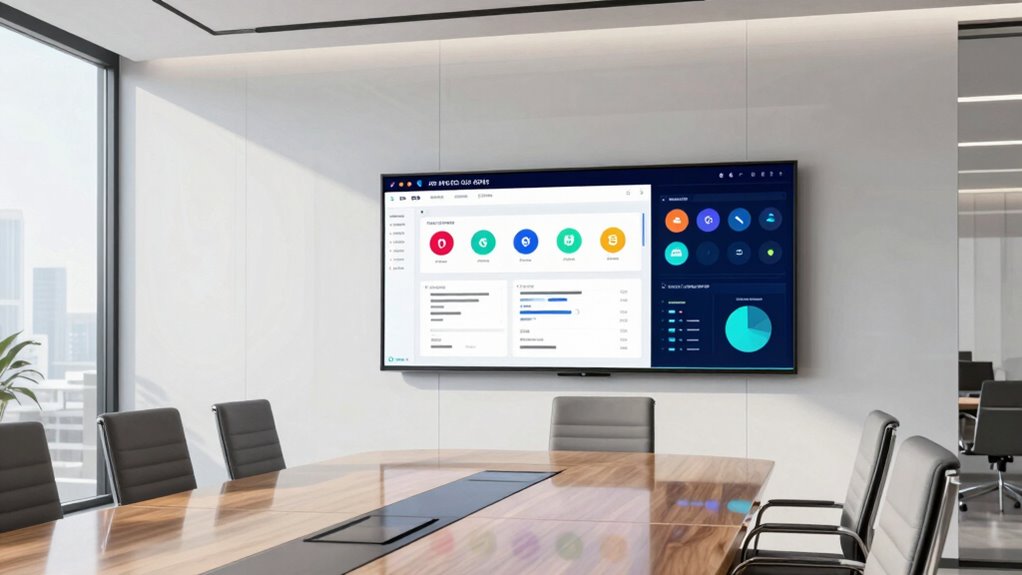

A smart whiteboard for office needs to do three things well: run the collaboration apps your team already uses, handle video calls without a tangle of peripherals, and keep brainstorming sessions flowing without lag. After comparing eight leading models, the JAV 65 Inch Smart Board Pro stands out as my best overall pick because its Google EDLA certification gives you native access to the Play Store and Google Meet, while its 48MP AI camera and 100W soundbar eliminate most meeting-room add-ons. The NewBoard 75E makes sense for larger conference rooms where a 65-inch panel feels cramped, and the BIG VUE Plus 55″ is the smart choice for huddle spaces and smaller budgets. The main tradeoff in this category is between screen real estate and price, and between certified Android ecosystems and proprietary software that can lock you in. Keep reading for the full breakdown of each board, who each one suits, and which ones to skip.

Get the latest gadgets delivered free — and shop member deals
- Fast, free delivery on millions of items
- Access to Prime Big Deal Days deals on October 6–7
- Prime Video, Amazon Music and more included
Complete the kit



Key Takeaways
- Google EDLA certification was the biggest differentiator in this lineup — the JAV 65 Pro, JAV 55 Pro, JAV 65 standard, and NewBoard 75E all run native Google apps, while the HORION and COOLHOOD boards rely on proprietary or sideloaded app ecosystems that add friction for Google Workspace teams.
- Three of the eight boards share the same 65-inch size, so screen size alone doesn’t separate them — the deciding factors were built-in conferencing hardware, storage capacity, and mount inclusion.
- The JAV 55 Pro and BIG VUE Plus 55″ prove that stepping down to 55 inches buys you premium features (AI camera, soundbar, EDLA) at the cost of collaborative writing space — a fair trade for huddle rooms, a poor one for boardrooms.
- The NewBoard 75E is the only 75-inch option here, which alone justifies its premium positioning for rooms seating ten or more people; every other board caps out at 65 inches.
- Mount and accessory inclusion varied wildly — some boards ship with wall mounts and stylus kits bundled, while others assume you’ll source your own, which affects the real total cost of a rollout.


| smart whiteboard for office | Resolution | Operating System | Screen Size | Camera |
|---|---|---|---|---|
| HORION 65-Inch 4K Digital Smar | 4K | Android 13 with Google Play | 65 inches | — |
| JAV 65 Inch Smart Board Pro | 4K UHD | Android 14 | 65 inches | 48MP AI camera |
| JAV 65-Inch 4K UHD Google EDLA | 4K UHD | Android 14 | 65 inches | 48MP AI camera |
| BIG VUE Plus 55" Smart Board 4 | 3840 x 2160 (4K UHD) | Android 14 | 55 inches | 48MP with AI assistant |
| JAV 55" Smart Board Pro | 3840 x 2160 (4K UHD) | Android 14 | 55 inches | 48MP AI camera |
| COOLHOOD 65" Smart Board | 3840 x 2160 (4K UHD) | Android 13 | 65 inches | — |
| NewBoard 75E 75-Inch 4K Google | 4K UHD | Android 14 | — | — |
| HORION 65-Inch 4K Pro Digital | 4K | Android 13 (Google EDLA) | 65 inches | 48MP built-in |
More Details on Our Top Picks
HORION 65-Inch 4K Digital Smart Whiteboard for Classroom & Office
This option stands out for its 40-point touch with sub-30ms latency, which is the smoothest multi-user writing experience in this batch. Where the JAV 65-Inch EDLA board caps out at 20 touch points, the HORION lets larger teams annotate simultaneously without lag — a real difference during fast-moving brainstorming sessions. The anti-glare 4K panel holds up in glass-walled meeting rooms, and Android 13 with Google Play keeps app installs simple. Zoom and Teams compatibility, plus 4-way split-screen sharing, make hybrid meetings genuinely collaborative rather than one presenter mirroring a laptop. The tradeoff: unlike the JAV Smart Board Pro, there is no built-in camera or microphone, so budget for external conferencing hardware. The 18-month warranty — longer than JAV’s one year — softens that blow.
Pros:- 40-point touch with sub-30ms latency for genuinely fluid multi-user collaboration
- 4-way split-screen wireless sharing across iOS, Mac, Windows, and Android
- Anti-glare 4K display suits bright offices and glass-walled rooms
- 18-month warranty with wall mount and dual stylus pens included
Cons:- No built-in camera or microphones — external conferencing gear required
- 65-inch panel demands dedicated wall space and proper installation
Best for: Mid-sized teams that run frequent hybrid meetings and need true multi-user whiteboarding
Not ideal for: Teams wanting an all-in-one video conferencing setup — camera and mics are extra purchases
- Screen Size:65 inches
- Resolution:4K
- Touch Points:40-point touchscreen
- Touch Latency:<30ms
- Operating System:Android 13 with Google Play
- Connectivity:Dual-band Wi-Fi 5, Bluetooth 5.2
- Video Conferencing:Zoom and Teams compatible
- Warranty:18 months
Our verdict“Buy this if collaborative writing and hybrid meetings drive your workflow and you’re willing to add your own camera.”
JAV 65 Inch Smart Board Pro – Google EDLA Certified 4K UHD Interactive Whiteboard
What separates this JAV Pro from the HORION 65-inch is that everything you need for video calls lives inside the board: a 48MP AI camera, tempered anti-glare glass, and Android 14 on 8GB of RAM. The Google EDLA certification means native access to Google Play and Workspace apps — something the HORION’s more open Android 13 setup doesn’t verify. Security features are unusually thoughtful for a meeting-room display, with USB password protection and QR code-based secure file sharing, which matters if visitors present from the board regularly. The compromise compared with the BIG VUE Plus 55″ is storage: 128GB fills faster for teams that archive recorded sessions locally. And because Android underpins everything, desktop Windows applications simply won’t run without adding a PC.
Pros:- Integrated 48MP AI camera eliminates separate conferencing hardware
- Google EDLA certification for verified Play and Workspace app access
- Layered security with screen lock, USB password protection, and QR file sharing
- Anti-glare tempered glass performs well in bright rooms
Cons:- Android OS can’t run desktop-class Windows applications
- 128GB storage limits local media archives for heavy users
- Only a 1-year warranty versus HORION’s 18 months
Best for: Security-conscious offices that want a certified Google ecosystem board with integrated conferencing hardware
Not ideal for: Teams whose workflows depend on Windows desktop apps — Android 14 won’t run them
- Screen Size:65 inches
- Resolution:4K UHD
- Operating System:Android 14
- Memory:8GB RAM, 128GB storage
- Camera:48MP AI camera
- Certification:Google EDLA
- Warranty:1 year
Our verdict“This pick makes the most sense for Google Workspace offices that want one certified, secure board with the camera already built in.”
JAV 65-Inch 4K UHD Google EDLA Smart Interactive Whiteboard
Where the JAV Smart Board Pro makes you weigh security features, this model goes the other direction and bundles the full AV stack: 48MP camera, eight array microphones with 180-degree pickup, and a 100W soundbar. That combination suits a genuinely large conference room where the BIG VUE Plus 55″ would feel undersized — the audio alone fills spaces smaller boards struggle with. Google EDLA certification brings Play and Workspace apps natively, and PDF annotation plus split-screen sharing covers the everyday meeting loop. Compared with the HORION 65-inch, touch support drops to 20 points, so workshops with five people writing at once will feel more constrained. One caution: the product listings show inconsistent screen-size references (55 and 65 inches appear), so confirm the exact panel size with the seller before mounting hardware is ordered.
Pros:- Complete AV package: 48MP camera, 8-array mics, and 100W soundbar
- Google EDLA access to Play and Workspace apps out of the box
- PDF annotation and wireless split-screen sharing for standard meetings
- 180-degree microphone pickup covers wide conference tables
Cons:- Only 20 touch points limits simultaneous multi-user writing
- Inconsistent screen-size references in product listings create purchase risk
Best for: Large conference rooms that need built-in camera, mics, and big sound in one purchase
Not ideal for: Multi-user workshops needing many simultaneous writers — 20 touch points is the limit
- Screen Size:65 inches
- Resolution:4K UHD
- Operating System:Android 14
- Touch Points:20
- Camera:48MP AI camera
- Audio:100W soundbar, 8 array microphones
- Certification:Google EDLA
Our verdict“Choose this when room-filling audio and an integrated camera matter more than maximum touch capacity.”
BIG VUE Plus 55″ Smart Board 4K UHD Touchscreen Interactive Whiteboard
The 55-inch footprint is the story here: compared with the 65-inch JAV and HORION boards, the BIG VUE Plus fits huddle rooms and small offices where a bigger panel would overwhelm the wall. Despite the smaller size, nothing else feels cut down — 60 touch points is double what the JAV boards offer, and the OPS expansion slot means you can slot in a Windows module later to run desktop apps, sidestepping the Android limitation that constrains the JAV Smart Board Pro. With 256GB of storage, it also doubles the capacity of every JAV model in this lineup. The drawbacks are structural: the OPS module costs extra, and the onsite warranty only applies in India, which is a real risk for buyers elsewhere relying on support.
Pros:- Up to 60 touch points — the most in this lineup for group exercises
- OPS slot allows adding a Windows compute module for desktop apps
- 256GB storage doubles the capacity of comparable JAV models
- Native 4K panel with 178-degree viewing angle and 10.7 billion colors
Cons:- OPS expansion module sold separately, adding hidden cost
- Onsite warranty coverage limited to India
- 55-inch panel is small for boardrooms seating 10+ people
Best for: Small teams in compact meeting rooms who may want to add a Windows PC module later
Not ideal for: Buyers outside India who expect dependable onsite warranty support
- Screen Size:55 inches
- Resolution:3840 x 2160 (4K UHD)
- Touch Points:Up to 60
- Operating System:Android 14
- Memory:8GB RAM, 256GB storage
- Camera:48MP with AI assistant
- OPS Slot:Yes (module sold separately)
Our verdict“This model is better suited to huddle rooms and growing teams that value the OPS upgrade path over sheer screen size.”
JAV 55″ Smart Board Pro – Google EDLA Certified 4K UHD Interactive Whiteboard
This is the board you buy when video calls are the main event. The JAV 55″ Pro supports Zoom, Teams, Google Meet, and Webex natively, with an 8-array microphone using AI noise suppression and speaker tracking — a step up from the BIG VUE Plus 55″, which offers a camera and mic but no comparable audio processing. Dual-user writing with palm erase and OCR annotation handles the whiteboarding side well, though its 20 touch points again trail the BIG VUE’s 60. Connectivity is the most generous in this batch: 3 HDMI and 4 USB ports mean laptops, room PCs, and spare devices all stay plugged in without cable swapping. The weak spot is the 2-core processor, which can bog down when video conferencing, annotation, and screen sharing run together — a limitation the 65-inch JAV Pro’s beefier spec avoids.
Pros:- Native support for Zoom, Teams, Google Meet, and Webex with AI noise suppression
- 100W soundbar and 8-array microphone with speaker tracking
- 3 HDMI and 4 USB ports for permanent multi-device setups
- Dual-user writing, palm erase, and OCR annotation tools included
Cons:- Only 2 processor cores — performance drops under heavy multitasking
- Stand sold separately; only the wall mount is included
- 20 touch points lag behind the BIG VUE Plus 55″
Best for: Teams running daily video calls across multiple platforms who want everything wired in permanently
Not ideal for: Power users who multitask heavily — the 2-core processor struggles under combined workloads
- Screen Size:55 inches
- Resolution:3840 x 2160 (4K UHD)
- Touch Points:20
- Operating System:Android 14
- Memory:8GB RAM, 128GB storage
- Camera:48MP AI camera
- Audio:100W soundbar, 8-array microphone
- Ports:3 HDMI, 4 USB
Our verdict“Pick this if conference calls dominate your calendar and you want a fully wired, camera-and-audio-included setup on a 55-inch frame.”
COOLHOOD 65″ Smart Board – 4K UHD Touchscreen Interactive Digital Whiteboard
Where the COOLHOOD 65-inch smart board pulls ahead of similarly priced boards like the HORION M6APro is in writing feel: its 6ms touch response and ±1mm precision make annotation feel closer to pen on paper than to tapping glass, which matters a lot if your team lives in brainstorming sessions and markup-heavy reviews. The matte IPS panel also handles overhead office lighting better than glossy alternatives. Android 13 with 128GB of storage gives you room for apps and saved whiteboard sessions, and cross-platform sharing covers Mac, Windows, iOS, and Android without dongles.
The tradeoff is what’s missing: no built-in camera or microphone array, so you’ll pair it with a separate conferencing rig — a real gap compared to the HORION’s all-in-one approach. The single HDMI port and wall-mount-only packaging add friction too.
Pros:- 4K UHD matte display with fast 6ms touch response for natural writing
- ±1mm touch precision keeps annotations sharp during detailed markup
- Cross-platform wireless screen sharing across all major operating systems
- 128GB of storage plus open Android 13 app ecosystem
Cons:- No built-in camera or microphone for video conferencing
- Stand sold separately — wall mount is the only included mounting option
- Only one HDMI port limits wired peripheral setups
Best for: Teams that prioritize whiteboarding and annotation quality over built-in video conferencing
Not ideal for: Offices that want a single device for hybrid meetings — the lack of an integrated camera and mics means extra purchases and cables
- Screen Size:65 inches
- Resolution:3840 x 2160 (4K UHD)
- Touch Response Time:6 ms
- Touch Precision:±1mm
- Operating System:Android 13
- Storage:128GB
- HDMI Ports:1
- USB Ports:2 (USB 3.0)
Our verdict“This is the pick for teams who treat the board as a canvas first and can source their own conferencing hardware.”
NewBoard 75E 75-Inch 4K Google EDLA-Certified Interactive Whiteboard
The NewBoard 75E earns its spot on one strength: scale. With 50-point multitouch for up to 10 simultaneous users and wireless sharing from up to 16 devices, it out-collaborates every 65-inch option here, including the COOLHOOD’s 20-point panel. In a training room or workshop setting where multiple people crowd the board at once, that difference is immediately visible — no waiting for a turn at the glass.
The Google EDLA certification also means native Play Store and Workspace access on Android 14, a step up from boards like the HORION M6APro that run an older OS version. The catch is uncertainty: this model has little established track record in the field, and its 64GB of storage is half what COOLHOOD and HORION offer, which could bite if you install many apps or cache large files.
Pros:- Supports up to 10 simultaneous users at the board
- Wireless screen sharing from up to 16 connected devices
- Google EDLA certification with Play Store and Workspace access
- Newest Android 14 platform with over-the-air updates
Cons:- Limited market track record, so long-term support and reliability are unproven
- 64GB storage is smaller than competing boards at this size
Best for: Training rooms and large workshop spaces where many people collaborate at the board simultaneously
Not ideal for: Buyers who want a proven, well-documented product — this model is new enough that long-term reliability is unverified
- Display Size:75 inches
- Resolution:4K UHD
- Operating System:Android 14
- RAM:8 GB
- Storage:64 GB
- Multi-touch:50-point; up to 10 simultaneous users
- Wireless Sharing:Up to 16 devices
- Certification:Google EDLA
Our verdict“Choose the NewBoard 75E when group size, not polish, is the deciding factor — just accept some first-adopter risk.”
HORION 65-Inch 4K Pro Digital Smart Board for Office & Business
The HORION M6APro is the most complete package in this lineup — it’s the only board here that arrives with a 48MP camera, 8-microphone AI array, and 60W of speaker output built in, so a hybrid meeting room needs nothing else. Compared to the COOLHOOD, which requires external conferencing gear, that integration eliminates a whole category of setup headaches and cable clutter. The anti-glare 50-point touchscreen, Wi-Fi 6, and bundled stylus pens, remote, and wall mount round out a genuinely turnkey experience, backed by an 18-month warranty.
Two caveats temper the pitch. Touch latency is rated at under 30ms — noticeably slower than the COOLHOOD’s 6ms — so handwriting feels slightly less immediate. And the board’s limited field history means long-term reliability claims rest mostly on the warranty rather than a proven record.
Pros:- True all-in-one design with integrated 48MP camera and 8-mic AI array
- 60W speaker system suitable for full-size conference rooms
- Google EDLA-certified Android 13 with Wi-Fi 6 and Bluetooth 5.3
- Complete accessory bundle with 18-month warranty and lifetime support
Cons:- Touch latency under 30ms is slower than dedicated annotation boards
- Short market history makes long-term reliability unverified
- 65-inch footprint typically requires professional installation
Best for: Hybrid meeting rooms that want whiteboarding, video conferencing, and screen sharing in one purchase
Not ideal for: Teams that mainly handwrite and annotate — the sub-30ms latency lags nimbler boards like the COOLHOOD
- Screen Size:65 inches
- Resolution:4K
- Touch:50-point, <30ms latency
- Camera:48MP built-in
- Audio:8-mic array; 3 x 20W speakers
- Operating System:Android 13 (Google EDLA)
- RAM / Storage:8GB / 128GB
- Connectivity:Wi-Fi 6, Bluetooth 5.3, USB-C 60W
- Warranty:18 months
Our verdict“If you want one box that runs the entire hybrid meeting with no add-ons, this is the most complete option in the roundup.”

How We Picked
My ranking starts with software ecosystem, because a smart whiteboard lives or dies by the apps it runs. Boards with Google EDLA certification scored higher for most offices, since native Google Meet, Drive, and Play Store access removes the compatibility headaches that plague uncertified Android panels. From there I weighed conferencing hardware — camera quality, microphone arrays, and speaker output — because the whole point of an office smart board is replacing a separate webcam, speakerphone, and display with one device.
Next came touch and writing performance: 4K resolution is now table stakes across this lineup, so what separates boards is responsiveness, multi-touch support, and stylus accuracy during fast whiteboarding sessions. Storage and memory mattered for teams that plan to run heavy apps or keep files locally, and mount and accessory inclusion affected real-world value. Finally, I factored in room fit — a 75-inch board and a 55-inch board serve completely different spaces, so each pick is framed around who it actually fits rather than ranked as if one size suits all.
| smart whiteboard for office | Operating System |
|---|---|
| HORION 65-Inch 4K Digital Smar | Android 13 with Google Play |
| JAV 65 Inch Smart Board Pro | Android 14 |
| JAV 65-Inch 4K UHD Google EDLA | Android 14 |
| BIG VUE Plus 55" Smart Board 4 | Android 14 |
| JAV 55" Smart Board Pro | Android 14 |
| COOLHOOD 65" Smart Board | Android 13 |
| NewBoard 75E 75-Inch 4K Google | Android 14 |
| HORION 65-Inch 4K Pro Digital | Android 13 (Google EDLA) |
Factors to Consider When Choosing Smart Whiteboard For Office
Before settling on a specific board, it helps to understand the category-level decisions that shape whether a smart whiteboard succeeds in your office. These are the factors that separate a board people actually use from an expensive wall ornament.
Certified Android vs. Proprietary Software
The single most common mistake buyers make is assuming every “smart” board runs the same software. Google EDLA-certified boards give you the Play Store, native Google Meet, and consistent app updates — meaning your team signs into the same tools they use at their desks. Proprietary platforms, by contrast, often require export plugins, account bridges, or screen mirroring to share work into Google Workspace or Microsoft 365, and every extra step reduces the chance people actually use the board. Ask your IT team which ecosystem your meeting workflows depend on before looking at screen specs at all. Also check how long the manufacturer commits to software updates, because an abandoned platform turns a five-year hardware investment into a two-year one. Certification isn’t glamorous, but it’s the difference between a board that fits your stack and one that fights it.
Screen Size and Room Geometry
Size should be dictated by your room, not by ambition. A useful rule of thumb: the diagonal screen size in inches should roughly match the distance in inches from the board to the farthest seat, divided by three. That puts a 55-inch board in huddle rooms seating two to four people, 65 inches in standard conference rooms of six to ten, and 75 inches or larger in boardrooms. Going too large wastes budget and can overwhelm a small wall; going too small means people at the back of the room squint at shared documents. Also measure wall depth and check whether the included mount tilts or is fixed, since glare from windows is a frequent complaint in glass-walled offices. And remember that touch reach matters — a board mounted too high makes the bottom third of the canvas uncomfortable to write on.
Built-In Conferencing Hardware
Camera, microphone, and speaker quality is where cheap boards quietly cut corners, and it’s the hardware your remote colleagues experience most directly. A board with a high-resolution AI camera and a dedicated soundbar can replace several hundred dollars of separate peripherals and simplify the room’s cabling. Look for camera placement — a wide-angle lens at the top edge of the panel frames the room far better than a side-mounted one — and for microphone arrays with echo cancellation if your rooms have hard surfaces. If your organization already standardizes on a bar-style meeting camera, a board with weaker built-in audio is less of a problem; if you’re building the room from scratch, integrated hardware usually wins. Test the camera’s framing on the number of people who actually sit in the room, not the number who could.
Memory, Storage, and Longevity
Spec sheets list RAM and storage, but few buyers translate those numbers into outcomes. 8GB of RAM keeps video calls and whiteboarding apps running smoothly at the same time, while 4GB boards can stutter when you switch between them mid-meeting. 128GB of storage sounds generous until you consider cached meeting recordings, offline files, and multiple collaboration apps competing for space over a three-to-five-year lifespan. Since replacing an office smart board is a capital expense involving mounting, cabling, and IT setup, buying a tier more headroom than you need today usually costs less than an early replacement. Also confirm whether storage is expandable via USB or microSD, and whether the board supports wireless screen sharing from laptops without dongles — small conveniences that determine daily adoption.
Installation, Mounting, and Total Cost
The sticker price of a smart whiteboard rarely tells the whole story. Some models bundle a wall mount, styluses, and cables, while others treat these as extras, and commercial-grade mobile stands can add a meaningful amount to a rollout across multiple rooms. Factor in professional installation if your walls are glass, concrete, or stud-free, and confirm the board’s weight against your mounting surface before purchase. Consider whether you need wheels: a mobile stand lets one board serve several small rooms, which can halve your per-room cost in flexible office layouts. Also check the warranty terms on the touch panel specifically, since that’s the component under the most physical stress. Budgeting for the full deployment — not just the panel — is what separates a smooth rollout from a stalled one.
Frequently Asked Questions
Is Google EDLA certification actually worth paying more for in an office setting?
For most offices, yes — especially if your team lives in Google Workspace. EDLA certification means the board passed Google’s compatibility requirements, so Google Meet, Drive, Calendar, and the Play Store run natively rather than through workarounds. That translates to meetings that start on time instead of ten minutes of screen-sharing fiddling, and IT teams get predictable update behavior. Where certification matters less is in Microsoft-centric organizations already running Teams Rooms hardware, or in rooms where the board is primarily a local whiteboarding and presentation surface. Uncertified boards can still be capable machines, but expect to lean more heavily on screen mirroring and to manage app sideloading yourself, which adds ongoing IT overhead that certified boards avoid.
Should I choose a 55-inch or 65-inch board for my office?
Base this on your room’s seating and the farthest viewer’s distance, not on which size feels more impressive. A 55-inch board suits huddle rooms and offices of two to four people, where everyone sits within about twelve feet of the screen — and choosing the smaller panel can free up budget for a better camera or more storage. A 65-inch board fits the typical six-to-ten-person conference room and gives more physical writing space for collaborative sessions, which matters if whiteboarding rather than slide presentation is the primary use. If you regularly host ten or more people, neither size is ideal and a 75-inch board like the NewBoard 75E becomes the better call. Going oversized in a small room creates neck strain and glare problems, so restraint here usually pays off.
Can these smart whiteboards replace a dedicated video conferencing room system?
Increasingly, yes — but the quality of the built-in hardware determines whether the replacement is seamless or a compromise. Boards with high-resolution AI cameras, microphone arrays with echo cancellation, and dedicated soundbars can legitimately replace a separate webcam, speakerphone, and display, and they simplify the room to a single device with one cable run. The weak point on lower-spec boards is usually the microphone: pickup beyond eight to ten feet gets muddy, which frustrates remote participants. If your rooms are large or acoustically difficult, you may still want a supplemental table microphone even on a well-equipped board. For small and mid-size rooms, though, an all-in-one board is now the more cost-effective and reliable path.
What happens to my board’s software in three to five years — should I worry about updates?
You should, because software support is where budget smart boards most often fall short of their hardware. Panels are typically rated for 30,000 to 50,000 hours of display life, meaning the screen will outlast the software ecosystem by years unless the manufacturer keeps the Android layer updated. Ask specifically how many years of OS and security updates the manufacturer commits to, and whether app compatibility is maintained for the conferencing platforms you use. Google EDLA-certified boards generally have an advantage here, since maintaining Play Store access requires ongoing compliance with Google’s requirements. For uncertified boards, plan for the possibility that a major meeting platform drops support for older Android versions, and consider whether the board can function as a dumb touchscreen display with an external compute module as a fallback.
Do I need a mobile stand or is wall mounting better?
Wall mounting is the right default for a primary conference room: it’s more stable, keeps cables hidden, and puts the board at a consistent writing height. A mobile stand makes sense when flexibility outweighs polish — open-plan offices, training rooms, or when one board needs to serve multiple spaces, which can meaningfully lower your cost per room. The tradeoffs with stands are real: they add cost, take up floor space, and cheaper casters can shift the board while people write on it, which is genuinely annoying during fast whiteboarding sessions. If you go mobile, check the stand’s rated weight capacity against the board’s actual weight with margin to spare, and look for locking casters. For most offices buying a single board, wall mounting with a quality tilt mount is the more satisfying long-term setup.
Conclusion
For best overall, the JAV 65 Inch Smart Board Pro is the pick I’d point most offices toward: Google EDLA certification, a 48MP AI camera, and a 100W soundbar cover the full meeting-room workload in one device. For best value, the BIG VUE Plus 55″ delivers 4K touch performance and core smart features for smaller rooms without the premium-hardware markup. The NewBoard 75E takes best premium for large boardrooms where its 75-inch canvas is the only panel in this lineup big enough to serve every seat. For beginners and smaller teams, the JAV 55″ Smart Board Pro offers the easiest entry into the certified Google ecosystem while keeping the AI camera and soundbar from its larger sibling. And for specific needs: the COOLHOOD 65″ suits offices prioritizing straightforward local whiteboarding over app ecosystems, while the HORION 65-Inch Pro fits business buyers who want a polished, presentation-focused panel. Match the board to your room size and software stack first — everything else in this category follows from those two decisions.
Fall Picks
fall essentials
As an affiliate, we earn on qualifying purchases.