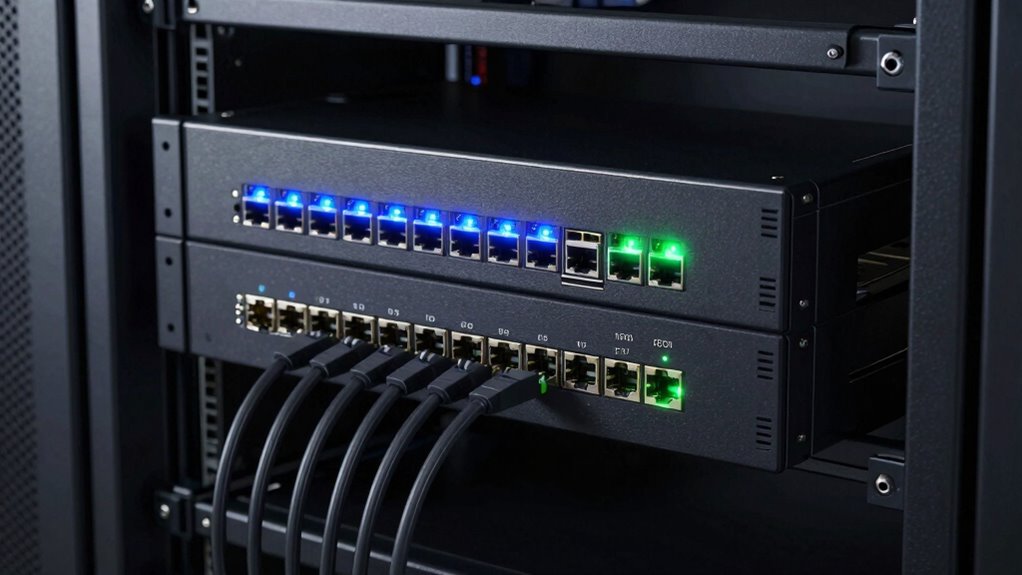

For power users, the best 10GbE switch depends on whether you need many fast wired devices, flexible network controls, or a compact way to connect a few high-speed systems. I’d start with the Zyxel XGS1250-12 as the best overall pick for its 12-port mix and web management. The MikroTik CRS304-4XG-IN suits buyers who want four 10GbE ports and more control, while the TP-Link TL-SX105 keeps a smaller setup simple. The main tradeoffs are RJ45 versus SFP+, managed features versus plug-and-play use, and port count versus heat and noise. Read on for the full comparison and guidance by setup.

Get the latest gadgets delivered free with Prime
- Fast, free delivery on millions of items
- Prime Video, Amazon Music and more included
- Member-only deals all year
Complete the kit



Key Takeaways
The Zyxel XGS1250-12 stands out for combining 12 ports with web management, giving power users more room to grow and configure than the unmanaged options.
The lineup splits between 10GbE-focused switches and mixed-speed models such as the NICGIGA and VunLink, which pair two 10GbE ports with eight 2.5GbE ports for home labs with varied client speeds.
SFP+ ports add cabling flexibility and can suit fiber or direct-attach links, while RJ45 is easier to integrate with copper Ethernet equipment already in place.
Compact options such as the TP-Link TL-SX105 and MikroTik CRS304-4XG-IN serve different needs: one favors straightforward expansion, the other gives a small setup a more configurable platform.
Port count alone does not define the best fit: buyers should weigh management, uplinks, cooling, and device speeds together, since each affects how well a switch fits a growing network.
| NICGIGA 10-Port Unmanaged Ethernet Switch with 2 x 10Gb RJ45 and 8 x 2.5Gb Ports |  | Best for 2.5GbE Device Hubs | Ports: 8 x 2.5Gb Ethernet, 2 x 10Gb RJ45 | Supported speeds: 100Mbps, 1Gbps, 2.5Gbps; ports 9–10 also support 5Gbps and 10Gbps | Switching capacity: Up to 80Gbps | VIEW ON AMAZON | See Our Full Breakdown |
| Zyxel XGS1250-12 12-Port Web-Managed 10G Ethernet Switch |  | Best for Mixed Fiber and Copper Networks | Ports: 3 x multi-gig RJ45, 1 x 10G SFP+, 8 x Gigabit | RJ45 speeds: 100M, 1G, 2.5G, 5G, 10G | Management: Browser-based web GUI | VIEW ON AMAZON | See Our Full Breakdown |
| MikroTik CRS304-4XG-IN 10 Gigabit Ethernet Switch with 4 Ports |  | Best Compact 10GbE Switch | Model: CRS304-4XG-IN | Ports: 4 | Ethernet speed: 10 Gigabit | VIEW ON AMAZON | See Our Full Breakdown |
| TP-Link TL-SX1008 8-Port 10G Multi-Gigabit Unmanaged Ethernet Switch |  | Best for an All-Copper 10GbE Core | Ports: 8 x RJ45 | Port speeds: 100Mbps, 1G, 2.5G, 5G, 10G | Switching capacity: 160Gbps | VIEW ON AMAZON | See Our Full Breakdown |
| 8-Port Unmanaged 10Gb Ethernet Switch with 6 RJ45 and 2 SFP+ Ports |  | Best for Copper-to-Fiber Uplinks | Ports: 8 total: 6 x RJ45, 2 x SFP+ | Data transfer rate: 10Gbps | Bandwidth: Up to 160Gbps | VIEW ON AMAZON | See Our Full Breakdown |
| TP-Link TL-SX105 5-Port 10G/Multi-Gig Unmanaged Ethernet Switch |  | Best Quiet Desktop 10G Upgrade | Ports: 5 × 10-Gigabit Ethernet | Supported link speeds: 100 Mbps, 1 Gbps, 2.5 Gbps, 5 Gbps, 10 Gbps | Switching capacity: Up to 100 Gbps | VIEW ON AMAZON | See Our Full Breakdown |
| 10GbE Unmanaged Ethernet Switch with 6 10GBase-T Ports and 2 10G SFP+ Uplinks |  | Best for Mixed Copper and SFP+ Links | Ports: 6 × 10GBase-T; 2 × 10G SFP+ uplink | Supported speeds: 1G, 2.5G, 5G, 10G | Switching capacity: 160 Gbps | VIEW ON AMAZON | See Our Full Breakdown |
| TRENDnet TEG-S7102 10-Port 10G Unmanaged Switch |  | Best Rack-Mount 10G Expansion | Ports: 8 × 10GBASE-T RJ-45; 2 × 10G SFP+ | RJ-45 link speeds: 1 Gbps, 2.5 Gbps, 10 Gbps | SFP+ link speeds: 1 Gbps, 10 Gbps | VIEW ON AMAZON | See Our Full Breakdown |
| TRENDnet TEG-S762 6-Port 10G Switch |  | Best for a 2.5G-to-10G Step-Up | Ports: 4 × 2.5G RJ-45; 2 × 10G RJ-45 | Switching capacity: 60 Gbps | 2.5G cabling: Cat5e or better | VIEW ON AMAZON | See Our Full Breakdown |
| VunLink 10-Port Multi-Gigabit Ethernet Switch with 8 x 2.5GbE and 2 x 10GbE Ports |  | Best for a 2.5G-Heavy Quiet Network | Ports: 8 × 2.5GbE; 2 × 10GbE RJ45 | Supported speeds: 100 Mbps, 1 Gbps, 2.5 Gbps; 10GbE ports also support 5 Gbps | Switching capacity: 60 Gbps | VIEW ON AMAZON | See Our Full Breakdown |
| QNAP QSW-L3208-2C6T-US 8-Port Multi-Gig 10GbE Network Switch |  | Best Lite-Managed Copper-and-Fiber Mix | Ports: 6 x 10GbE RJ-45; 2 x combo 10GbE SFP+/RJ-45 | Supported RJ-45 speeds: 10G/5G/2.5G/1G/100M | Switching capacity: 160 Gbps | VIEW ON AMAZON | See Our Full Breakdown |
| 10gbe switch for power user | Ports | Switching capacity |
|---|---|---|
| NICGIGA 10-Port Unmanaged Ethe | 8 x 2.5Gb Ethernet, 2 x 10Gb RJ45 | Up to 80Gbps |
| Zyxel XGS1250-12 12-Port Web-M | 3 x multi-gig RJ45, 1 x 10G SFP+, 8 x Gigabit | 96Gbps |
| MikroTik CRS304-4XG-IN 10 Giga | 4 | — |
| TP-Link TL-SX1008 8-Port 10G M | 8 x RJ45 | 160Gbps |
| 8-Port Unmanaged 10Gb Ethernet | 8 total: 6 x RJ45, 2 x SFP+ | — |
| TP-Link TL-SX105 5-Port 10G/Mu | 5 × 10-Gigabit Ethernet | Up to 100 Gbps |
| 10GbE Unmanaged Ethernet Switc | 6 × 10GBase-T; 2 × 10G SFP+ uplink | 160 Gbps |
| TRENDnet TEG-S7102 10-Port 10G | 8 × 10GBASE-T RJ-45; 2 × 10G SFP+ | 200 Gbps |
| TRENDnet TEG-S762 6-Port 10G S | 4 × 2.5G RJ-45; 2 × 10G RJ-45 | 60 Gbps |
| VunLink 10-Port Multi-Gigabit | 8 × 2.5GbE; 2 × 10GbE RJ45 | 60 Gbps |
| QNAP QSW-L3208-2C6T-US 8-Port | 6 x 10GbE RJ-45; 2 x combo 10GbE SFP+/RJ-45 | 160 Gbps |
More Details on Our Top Picks
NICGIGA 10-Port Unmanaged Ethernet Switch with 2 x 10Gb RJ45 and 8 x 2.5Gb Ports
I’d choose this NICGIGA when a network has many 2.5GbE devices but only a couple need a 10GbE connection. Its eight 2.5GbE ports give NAS units, workstations, and access points room to run faster than gigabit, while two 10Gb RJ45 ports can link high-throughput endpoints or an uplink. Compared with the TP-Link TL-SX1008, it trades six 10GbE ports for a quieter, fanless design and a more practical mix for a smaller multi-gig network. Plug-and-play operation and desktop or wall mounting keep setup simple. The tradeoff is no management interface: I would skip it if VLANs, traffic controls, or link aggregation are part of the plan. Its one-year warranty is also shorter than the TP-Link’s stated three years.
Pros:- Eight 2.5GbE ports suit a cluster of faster-than-gigabit clients
- Two 10Gb RJ45 ports connect high-throughput devices without SFP+ modules
- Fanless metal case supports quiet desktop use
- Desktop and wall mounting offer flexible placement
Cons:- Unmanaged operation provides no VLAN or traffic configuration
- Only two ports support 10GbE
- One-year warranty is shorter than the TP-Link TL-SX1008’s stated coverage
Best for: Home lab owners or small offices with several 2.5GbE clients and one or two 10GbE devices
Not ideal for: Power users who need managed VLANs or more than two 10GbE connections
- Ports:8 x 2.5Gb Ethernet, 2 x 10Gb RJ45
- Supported speeds:100Mbps, 1Gbps, 2.5Gbps; ports 9–10 also support 5Gbps and 10Gbps
- Switching capacity:Up to 80Gbps
- Management:Unmanaged
- Mounting:Desktop or wall mount
- Cooling:Fanless
- Warranty:One year
Our verdict“Choose this NICGIGA if most of your devices need 2.5GbE and just two need 10GbE.”
Zyxel XGS1250-12 12-Port Web-Managed 10G Ethernet Switch
The Zyxel XGS1250-12 is the lineup’s clearest fit for a power user who wants basic network controls alongside a flexible mix of connection types. Three multi-gig RJ45 ports can serve fast copper devices, while its 10G SFP+ port provides a fiber option and eight Gigabit ports handle ordinary clients. The browser interface adds VLAN, QoS, and link aggregation, features the unmanaged NICGIGA and TP-Link TL-SX1008 do not offer. That makes the Zyxel more adaptable when segmenting a home lab or prioritizing traffic. Its compromise is port allocation: there is only one SFP+ port and just three multi-gig copper ports, so it is less suited to an all-10GbE rack. The temperature-controlled fan and LED ECO mode help reduce distractions, though it is not a fanless design.
Pros:- Browser interface supports VLAN, QoS, and link aggregation
- Combines multi-gig RJ45, 10G SFP+, and Gigabit ports
- Temperature-controlled fan and LED ECO mode help limit noise and light
- 12K-byte jumbo frame support
Cons:- Only three RJ45 ports support multi-gig speeds
- One SFP+ port limits fiber expansion
- Fan may still be audible compared with fanless switches
Best for: Power users connecting a few multi-gig copper devices, a fiber link, and several standard Gigabit clients who want VLAN and QoS controls
Not ideal for: Users building an all-10GbE copper network or needing multiple SFP+ links
- Ports:3 x multi-gig RJ45, 1 x 10G SFP+, 8 x Gigabit
- RJ45 speeds:100M, 1G, 2.5G, 5G, 10G
- Management:Browser-based web GUI
- Switching capacity:96Gbps
- Forwarding rate:71.42Mpps
- Packet buffer:1.5MB
- MAC address table:16K
- Mounting:Desktop or wall mount
Our verdict“Pick the Zyxel if flexible port types and web-based controls matter more than having 10GbE on every port.”
MikroTik CRS304-4XG-IN 10 Gigabit Ethernet Switch with 4 Ports
When space and silence matter more than port count, the CRS304-4XG-IN earns its place with four 10-gigabit ports in a compact, quietly operating design. Multiple mounting and powering options make it easier to fit into a small rack, workspace, or network cabinet than the larger eight-port TP-Link TL-SX1008. The dual-core ARM CPU is a useful distinction in a lineup that includes several simple plug-and-play switches, although the supplied details do not specify a management interface or its features. I would treat this as a focused small-network option, not a high-density aggregation switch: four ports leave less room for expansion than the Zyxel XGS1250-12’s twelve-port mix. The sparse port and feature information also makes it harder to judge fit for buyers who need specific speed negotiation or management capabilities.
Pros:- Four 10-gigabit Ethernet ports in a compact design
- Silent operation suits a desk or quiet room
- Multiple mounting options simplify placement
- Multiple powering options add installation flexibility
Cons:- Four ports provide limited room for network growth
- Supplied product data does not specify management features
- Supplied product data does not list supported Ethernet speeds below 10Gb
Best for: A home lab builder or workstation owner who needs a few 10GbE connections in a compact, silent setup
Not ideal for: Users who need eight or more 10GbE ports, documented VLAN controls, or detailed speed compatibility
- Model:CRS304-4XG-IN
- Ports:4
- Ethernet speed:10 Gigabit
- CPU:Dual-core ARM
- Operation:Silent
- Mounting:Multiple options
- Powering:Multiple options
Our verdict“Choose the CRS304-4XG-IN for a small, quiet 10GbE cluster where four ports are enough.”
TP-Link TL-SX1008 8-Port 10G Multi-Gigabit Unmanaged Ethernet Switch
For a power user who wants to connect a whole set of fast wired devices, the TL-SX1008 makes a straightforward case with eight 10GbE RJ45 ports and auto-negotiation down to 100Mbps. Its 160Gbps switching capacity is a better match for a dense copper network than the NICGIGA, which has only two 10GbE ports and devotes the rest to 2.5GbE. The metal chassis supports desktop or rackmount placement, giving it a more rack-ready role than the compact MikroTik CRS304-4XG-IN. Setup is simple because it is unmanaged, but that also means no VLAN or QoS controls for users who want traffic segmentation. An adjustable smart fan helps with cooling, yet adds a noise source that the fanless NICGIGA avoids. The stated three-year warranty is a plus for a switch likely to sit at a network core.
Pros:- Eight RJ45 ports support connections up to 10GbE
- Auto-negotiates at 100Mbps, 1G, 2.5G, 5G, and 10G
- 160Gbps switching capacity suits a dense high-speed network
- Metal case supports desktop or rackmount installation
Cons:- Unmanaged design lacks VLAN and traffic configuration
- Adjustable fan can produce noise
- RJ45-only design does not provide SFP+ ports
Best for: Home lab operators and small studios connecting several 10GbE workstations, servers, and NAS units over copper
Not ideal for: Quiet-room users or network administrators who need managed VLAN, QoS, or link aggregation settings
- Ports:8 x RJ45
- Port speeds:100Mbps, 1G, 2.5G, 5G, 10G
- Switching capacity:160Gbps
- Switch type:Unmanaged
- Case material:Metal
- Mounting:Desktop or rackmount
- Dimensions:11.57 x 7.09 x 1.73 in
- Warranty:3 years
Our verdict“Choose the TL-SX1008 when you need many 10GbE copper ports and can accept fan noise and unmanaged operation.”
8-Port Unmanaged 10Gb Ethernet Switch with 6 RJ45 and 2 SFP+ Ports
This eight-port switch splits its connections between six 10Gb RJ45 ports and two 10Gb SFP+ ports, giving a power user a practical way to link copper devices with fiber-capable equipment. Compared with the all-RJ45 TP-Link TL-SX1008, it sacrifices two copper ports in exchange for SFP+ connectivity, which can suit a fiber uplink or compatible network gear. Its stated standard and VLAN modes offer a small amount of isolation absent from fully unmanaged options such as the NICGIGA, but the product data does not describe broader configuration controls. The metal case and built-in fan support cooling in a wired home or office setup; the fan may be a poor fit for a quiet desk. SFP+ links also depend on compatible modules and cabling, adding setup requirements that direct RJ45 connections avoid.
Pros:- Six RJ45 and two SFP+ ports combine copper and fiber connectivity
- Up to 160Gbps bandwidth
- Standard and VLAN modes provide basic port isolation
- Auto-negotiates at 1Gbps, 2.5Gbps, and 10Gbps
Cons:- SFP+ connections require compatible modules and cabling
- Built-in fan may be audible in a quiet workspace
- Unmanaged design limits configuration beyond the listed modes
Best for: Small office or home lab owners who need several 10GbE copper ports plus two SFP+ connections for fiber-capable equipment
Not ideal for: Buyers who need a silent fanless switch, broad management features, or an all-copper port layout
- Ports:8 total: 6 x RJ45, 2 x SFP+
- Data transfer rate:10Gbps
- Bandwidth:Up to 160Gbps
- Supported speeds:1Gbps, 2.5Gbps, 10Gbps
- Modes:Standard, VLAN
- Voltage:12V DC
- Cooling:Built-in fan
- Maximum transmission distance:100m
Our verdict“Pick this switch if your 10GbE network needs both copper endpoints and two SFP+ links.”
TP-Link TL-SX105 5-Port 10G/Multi-Gig Unmanaged Ethernet Switch
The TL-SX105 suits a power user who wants several fast wired connections without adding fan noise or a configuration task. Its five ports negotiate from 100 Mbps through 10 Gbps, so a mixed setup of newer workstations and slower devices can share the switch. Compared with the TRENDnet TEG-S7102, it gives up five ports and rack mounting, but its fanless desktop or wall-mount design is a better fit for a quiet office. The tradeoff is its unmanaged operation: there are no controls for VLANs or traffic policies, and five ports can fill quickly once a NAS, workstation, and access point are connected. Choose it for a compact 10G edge; skip it if you need room to grow or managed network features.
Pros:- Five ports support link speeds from 100 Mbps to 10 Gbps
- Fanless metal enclosure avoids fan noise
- Plug-and-play setup needs no software or configuration
- Desktop or wall mounting suits compact workspaces
Cons:- Five ports provide limited room for expansion
- Unmanaged design lacks VLAN and traffic configuration
- No SFP+ ports for fiber or direct-attach links
Best for: Power users building a quiet desktop 10G cluster with a NAS and a few multi-gig PCs.
Not ideal for: Rack-based teams or users who need more than five connections, VLANs, or other managed controls.
- Ports:5 × 10-Gigabit Ethernet
- Supported link speeds:100 Mbps, 1 Gbps, 2.5 Gbps, 5 Gbps, 10 Gbps
- Switching capacity:Up to 100 Gbps
- Flow control:IEEE 802.3X
- Cooling:Fanless
- Casing and mounting:Metal; desktop or wall mount
- Warranty:3 years
Our verdict“Choose the TL-SX105 for a quiet, simple 10G desktop network with a small number of wired devices.”
10GbE Unmanaged Ethernet Switch with 6 10GBase-T Ports and 2 10G SFP+ Uplinks
This eight-port switch targets power users who need several 10G copper connections plus separate SFP+ uplinks for a compatible server, storage link, or network backbone. Its combination of six 10GBase-T ports and two SFP+ ports offers more connection flexibility than the TP-Link TL-SX105, while the listed 160 Gbps switching capacity supports a busier set of high-speed links. It also accepts 1G, 2.5G, and 5G connections, which helps when devices upgrade at different times. The tradeoff is a built-in fan and unmanaged operation: it may be audible near a desk, and there are no configuration options for segmenting or prioritizing traffic. Pick it when port variety matters more than silence or control.
Pros:- Six 10GBase-T ports and two 10G SFP+ uplinks
- Supports 1G, 2.5G, 5G, and 10G connections
- 160 Gbps switching capacity
- Metal casing and built-in fan for heat dissipation
Cons:- Built-in fan may be audible in a quiet workspace
- Unmanaged design provides no network configuration options
- SFP+ connections require compatible transceivers or cables
Best for: Home lab builders connecting multiple 10G copper devices alongside SFP+ servers or backbone links.
Not ideal for: Quiet-office users and network administrators who need VLANs, monitoring, or traffic controls.
- Ports:6 × 10GBase-T; 2 × 10G SFP+ uplink
- Supported speeds:1G, 2.5G, 5G, 10G
- Switching capacity:160 Gbps
- Lightning protection:6 kV
- Casing:Metal
- Cooling:Built-in fan
- Installation:Desktop or wall mount
Our verdict“Choose this model when your power-user setup needs both multiple 10G copper ports and SFP+ uplinks.”
TRENDnet TEG-S7102 10-Port 10G Unmanaged Switch
For a power user wiring a rack or a dense home lab, the TEG-S7102 offers the broadest port count in this batch: eight 10GBASE-T ports and two SFP+ slots. Its 200 Gbps switching capacity and rack-mountable 1U metal housing make it a more natural core for a larger setup than the compact TP-Link TL-SX105. The two SFP+ slots add options for compatible fiber or direct-attach connections, while the smart fan design is intended to limit noise and energy use. Those benefits come with practical constraints: this is a rack-oriented, unmanaged switch, and its SFP+ ports need matching cables or transceivers. The lifetime manufacturer protection listed here applies only in the U.S. and Canada, so buyers elsewhere should weigh that support limitation.
Pros:- Eight 10GBASE-T ports plus two 10G SFP+ slots
- 200 Gbps switching capacity
- Rack-mountable 1U metal housing
- Smart fan design intended to reduce noise and energy consumption
Cons:- Unmanaged operation offers no configuration controls
- SFP+ ports require compatible transceivers or cables
- Listed lifetime manufacturer protection is limited to the U.S. and Canada
Best for: Power users expanding a rack-based lab with many 10G devices and compatible SFP+ links.
Not ideal for: Desktop users with only a few devices, or buyers outside the U.S. and Canada who rely on the listed lifetime protection.
- Ports:8 × 10GBASE-T RJ-45; 2 × 10G SFP+
- RJ-45 link speeds:1 Gbps, 2.5 Gbps, 10 Gbps
- SFP+ link speeds:1 Gbps, 10 Gbps
- Switching capacity:200 Gbps
- Compatibility:Backwards compatible with 100/1000BASE-T devices
- Mounting:1U, 19-inch rack-mountable metal housing
- Installation:Unmanaged; no configuration required
- Warranty:Lifetime manufacturer protection in the U.S. and Canada
Our verdict“Choose the TEG-S7102 for rack-based 10G expansion when port count matters more than managed features.”
TRENDnet TEG-S762 6-Port 10G Switch
The TEG-S762 is a sensible bridge for power users whose network is mostly 2.5G, with just a couple of devices ready for 10G. Four 2.5G RJ-45 ports can serve upgraded PCs or access points, while two 10G RJ-45 ports give a NAS and workstation faster links. That mix makes it less wasteful for a gradual upgrade than the all-10G-port TP-Link TL-SX105, though it also caps the number of devices that can connect at 10G. The 60 Gbps switching capacity and desktop or wall-mount installation suit a compact network, and the 2.5G ports can use Cat5e or better cabling. It remains an unmanaged switch, so users needing segmentation or traffic controls should look elsewhere. The listed lifetime protection is limited to the U.S. and Canada.
Pros:- Combines four 2.5G ports with two 10G RJ-45 ports
- 2.5G connections work over Cat5e or better cabling
- 60 Gbps switching capacity
- Desktop or wall-mount installation
Cons:- Only two ports support 10G
- Unmanaged design provides no configuration controls
- Listed lifetime manufacturer protection applies only in the U.S. and Canada
Best for: Power users upgrading a Cat5e-wired home network with several 2.5G devices and two 10G endpoints.
Not ideal for: Users who need three or more 10G connections, SFP+ uplinks, or managed networking features.
- Ports:4 × 2.5G RJ-45; 2 × 10G RJ-45
- Switching capacity:60 Gbps
- 2.5G cabling:Cat5e or better
- Installation:Desktop or wall mountable
- Model:TEG-S762
- Warranty:Lifetime manufacturer protection in the U.S. and Canada
- Compliance:NDAA and TAA compliant
Our verdict“Choose the TEG-S762 when most of your devices need 2.5G and only a NAS or workstation needs 10G.”
VunLink 10-Port Multi-Gigabit Ethernet Switch with 8 x 2.5GbE and 2 x 10GbE Ports
The VunLink is aimed at power users with many 2.5GbE devices and a smaller number of 10G endpoints. Its eight 2.5GbE ports can connect workstations, access points, and other multi-gig equipment, while two 10GbE RJ45 ports leave room for a fast NAS and an uplink. Compared with the TRENDnet TEG-S762, it offers more 2.5G connections and a fanless metal case, but both provide only two 10G ports. The 60 Gbps switching capacity is ample on paper for its listed port mix, and plug-and-play operation keeps setup straightforward. One detail deserves verification before buying: the supplied title and description disagree about the port count, though the specifications list ten. Its one-year limited warranty is also shorter than the three years listed for the TP-Link TL-SX105.
Pros:- Eight 2.5GbE ports and two 10GbE RJ45 ports
- Fanless metal housing supports quiet operation
- 60 Gbps switching capacity and 44.64 Mpps forwarding rate
- Desktop or wall-mount installation with plug-and-play setup
Cons:- Unmanaged design lacks configuration options
- Only two ports support 10GbE
- Product title and description conflict on the port count; listed warranty is one year
Best for: Quiet home lab or studio users connecting many 2.5GbE devices plus a 10G NAS and one other 10G endpoint.
Not ideal for: Users needing more than two 10G connections, managed controls, or a longer stated warranty.
- Ports:8 × 2.5GbE; 2 × 10GbE RJ45
- Supported speeds:100 Mbps, 1 Gbps, 2.5 Gbps; 10GbE ports also support 5 Gbps
- Switching capacity:60 Gbps
- Forwarding rate:44.64 Mpps
- Management:Unmanaged
- Cooling and housing:Fanless; metal
- Installation:Desktop or wall mount
- Warranty and support:1-year limited warranty; lifetime technical support
Our verdict“Choose the VunLink for a quiet network with many 2.5GbE clients and just two 10GbE connections.”
QNAP QSW-L3208-2C6T-US 8-Port Multi-Gig 10GbE Network Switch
The QSW-L3208-2C6T-US suits power users who need six 10GbE copper ports plus two combo ports that can take SFP+ or RJ-45 connections. That flexibility makes it a stronger fit for a mixed home lab or small studio than the TP-Link TL-SX1008, which is unmanaged and has no listed fiber option. VLAN, QoS, LACP, and IGMP Snooping give you practical control over traffic and link aggregation without moving to a more involved network setup. Its 160 Gbps switching capacity and 12K jumbo-frame support suit heavy local transfers, while smart cooling and a metal enclosure address sustained operation. The tradeoff is that its management is lite rather than extensive, and the supplied details do not specify noise levels or mounting options. I’d choose it for a capable mixed-media network, not for buyers who want a simple plug-and-play switch.
Pros:- Six 10GbE RJ-45 ports plus two combo SFP+/RJ-45 ports support mixed copper and fiber setups.
- VLAN, QoS, LACP, and IGMP Snooping provide useful lite-managed controls.
- 160 Gbps switching capacity and 80 Gbps non-blocking throughput support heavy network traffic.
- 12K jumbo-frame support can help with large file transfers on compatible devices.
Cons:- Lite-managed controls may not satisfy administrators who need more extensive network management.
- The supplied product details do not specify noise levels or mounting options.
- At 36 W, it may draw more power than a smaller, simpler switch.
Best for: Home-lab operators and small creative teams combining 10GbE copper devices with SFP+ fiber links and needing basic traffic controls.
Not ideal for: Buyers who want an unmanaged switch with minimal configuration, or administrators who need extensive management features and documented acoustic or mounting details.
- Ports:6 x 10GbE RJ-45; 2 x combo 10GbE SFP+/RJ-45
- Supported RJ-45 speeds:10G/5G/2.5G/1G/100M
- Switching capacity:160 Gbps
- Non-blocking throughput:80 Gbps
- Management features:VLAN, QoS, LACP, IGMP Snooping, loop detection
- Jumbo frame support:12K
- Power consumption:36 W
- Enclosure:Metal
Our verdict“Choose the QSW-L3208-2C6T-US if your power-user network needs both 10GbE copper and SFP+ flexibility with basic traffic management.”

How We Picked
I compared these switches around the jobs power users commonly need them to handle: connecting workstations, NAS devices, servers, access points, and mixed-speed clients. The main criteria were port type and count, the balance of 10GbE and 2.5GbE ports, management features, expansion paths, and how readily each design fits a copper-first or SFP+-capable network. I also considered practical ownership factors such as setup complexity, cooling needs, and whether the feature set matches a small desktop setup or a growing rack or lab.
The order favors useful capability for a broad range of power-user setups, followed by more specialized strengths. The Zyxel ranks first for its blend of capacity and management; switches with narrower port counts, unmanaged operation, or more specific port mixes rank lower for general use but can be better choices for focused jobs. Where product naming gives limited detail about noise, power, or switching capacity, I avoid treating those qualities as established advantages.
Factors to Consider When Choosing 10gbe Switch For Power Users
Before choosing a model, map the connections your network needs now and the ones it is likely to add. The right switch is shaped by link speed, cable type, management needs, and placement as much as by the headline port count.
Match port speeds to the devices you own
List each device and its actual network interface speed before choosing a switch. A NAS with a 10GbE port benefits from a 10GbE connection, while laptops, access points, and smart-home hubs may need only 2.5GbE or less. Mixed-speed models can reserve their 10GbE ports for a workstation and storage while serving several slower clients without using a larger all-10GbE switch. Avoid paying for a bank of high-speed ports if only one or two devices can use them. Also check whether your router or core switch can accept the uplink speed you plan to use. A fast access switch cannot make the rest of the network faster than its slowest shared path.
Choose RJ45 and SFP+ around your cabling plan
RJ45 ports work with familiar Ethernet cabling and make it easy to connect standard copper devices. SFP+ ports can support fiber or direct-attach cables, which may suit short equipment-to-equipment links or longer runs, depending on the transceivers and cable. The connector is only part of the decision: confirm which modules the switch supports and account for the cost and power needs of those modules. Do not assume an SFP+ port accepts every transceiver or that a copper SFP+ module will behave like a built-in RJ45 port. For a mixed installation, count the required ports by connector type before comparing total port numbers. This avoids discovering that the switch has enough ports but the wrong physical interfaces.
Decide how much management you will use
An unmanaged switch is easy to add when all you need is a larger set of Ethernet connections. Web-managed and more configurable switches can support tasks such as separating traffic with VLANs or setting port behavior, but the exact feature set varies by model. These controls matter when work, storage, cameras, or guest devices should remain on separate network segments. They can also create extra setup and maintenance work if you only want devices to communicate on one flat network. Check the product documentation for the management functions you actually need instead of treating the word “managed” as a complete feature list. If you may add segmentation later, choosing a switch with the required controls now can save a replacement.
Plan for heat, noise, and placement
Multi-gigabit switches can generate meaningful heat, and some models use fans that may be noticeable in a quiet office or living space. Product listings do not always make noise behavior or thermal limits easy to compare, so check the manufacturer’s specifications and installation guidance. A compact switch may fit neatly on a desk, but placement still needs airflow and accessible cabling. In a closet or rack, consider whether the switch’s cooling approach suits the surrounding equipment and room temperature. Avoid enclosing a fan-cooled unit in a sealed cabinet simply because it is small. The best location is one that provides ventilation without putting fan noise next to a workstation.
Check uplinks and the network path beyond the switch
Think about how traffic leaves the switch, not only how devices connect to it. A fast NAS and workstation on the same switch may communicate at high speed, but traffic to a router or another switch can be limited by the uplink between them. Dedicated SFP+ uplinks can free RJ45 ports for endpoints, while combo ports may be shared with another interface, so read the port layout carefully. Check the router, network cards, transceivers, and cabling along the full path for compatible speeds. If several users will access shared storage at once, consider whether the switch’s published switching capacity and the server’s network interface can support that workload. This system-level check is more useful than selecting a switch from port count alone.
Pay for headroom only when it has a job
Extra ports and management features make sense when you can name the devices or network changes they will support. A small studio with one workstation and one NAS may be better served by a compact five-port switch than by a larger unit that sits mostly unused. A lab with multiple servers, storage, and segmented traffic can benefit from more ports and configuration options, even if setup takes longer. Leave room for a few planned additions, such as a second access point or a faster desktop, but do not count speculative devices as immediate needs. Check warranty and support information as part of the ownership decision, especially for equipment that will run continuously. A well-matched switch is easier to maintain and can leave a clear path for the next upgrade.
Frequently Asked Questions
Should I choose a managed switch if I only want faster NAS transfers?
For a simple NAS-to-workstation connection on one network, an unmanaged switch may cover the need with less setup. Management features become useful if you want to separate work and personal devices, control traffic between network segments, or connect the switch into a more involved lab. A managed model does not automatically improve transfer speed; the endpoints, cabling, and network path still need to support the target rate. Check whether the management features are accessible through an interface you are comfortable maintaining. If you expect to add VLANs or multiple network zones, those controls may justify choosing a managed model now.
Will 10GbE make file transfers ten times faster than my current network?
Not by itself. The sending and receiving devices need compatible network interfaces, and the storage, processor, cables, and switch path must keep up with the link. A hard drive or busy NAS may become the limiting factor well before the network reaches its theoretical rate. Shared traffic, protocol overhead, and the speed of the other endpoint also affect real transfers. Check the full path between the two devices and identify its slowest component before upgrading. The largest gains usually come when both endpoints and the storage workload can sustain higher throughput.
Is an SFP+ switch a poor fit if most of my devices use copper Ethernet?
It can still fit if only your high-speed backbone or a few device links need SFP+, but confirm how many native RJ45 ports remain for endpoints. Fiber and direct-attach cables can be useful between nearby network equipment or across longer runs, though they require compatible modules or cables. Copper SFP+ modules may add heat and have compatibility limits, so verify support before planning around them. A switch with dedicated RJ45 ports is simpler when nearly every connection uses standard copper patch cables. Choose based on the devices and cable runs you actually have rather than assuming one connector type is universally better.
How many 10GbE ports should I plan for in a home lab?
Count the endpoints that can use 10GbE today, then add likely near-term upgrades such as a second workstation or storage server. Remember to include the connection to another switch or router if that link needs to carry aggregated traffic at 10GbE. Devices that only have 2.5GbE interfaces do not need dedicated 10GbE ports, so a mixed-speed switch may leave more capacity for the faster endpoints. A few spare ports provide useful room for change, but a large unused port bank adds little value to a small setup. Also check whether any advertised combo ports share capacity or connector choices.
What should I verify before placing a 10GbE switch in a quiet office?
Look up whether the model uses active fans, its stated noise level if available, and the airflow clearance recommended by the manufacturer. A fanless design may be appealing for a desk, but it still needs room to dissipate heat under load. Confirm the unit’s power supply and ventilation requirements before placing it in a cabinet or close to a wall. Avoid relying on product photos to infer cooling behavior, since they may not show how the device operates in a warm room. If the manufacturer does not publish noise details, factor in the possibility that a fan-cooled switch will be audible nearby.
Conclusion
For the broadest mix of port capacity and management, I’d choose the Zyxel XGS1250-12 as best overall. The TP-Link TL-SX105 is a straightforward pick for beginners who need just a few fast connections, while the NICGIGA 10-Port is a value-oriented fit for networks with several 2.5GbE devices and only a couple of 10GbE endpoints. For a more configurable compact setup, the MikroTik CRS304-4XG-IN suits buyers ready to spend time on network controls. If your specific need is SFP+ connectivity or a different port mix, compare the QNAP, TRENDnet, and other RJ45/SFP+ models against your cabling and uplink plan before choosing. Match the switch to the devices and controls you will use, and the shortlist becomes much clearer.