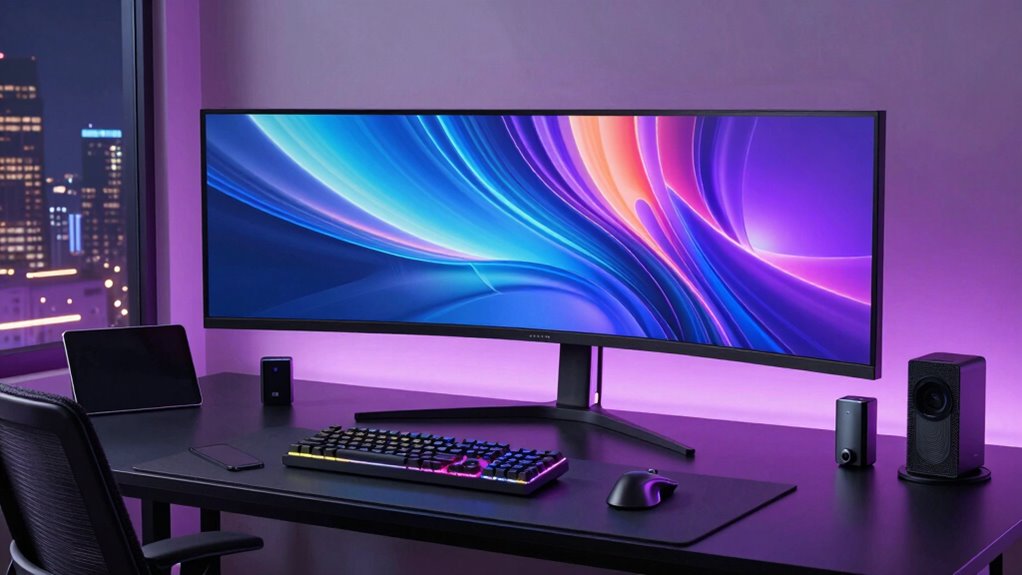

For developers who also create — recording screencasts, editing video, running local AI models, building and demoing apps — a creator desktop has to balance raw compile power, GPU muscle, and RAM headroom without wasting money on specs you will never touch. The CLX Creator Workstation with Ryzen 9 9950X3D2 and RTX Pro 6000 takes the top spot because it is the only machine here that handles heavy local AI inference, 3D rendering, and parallel compilation without flinching. Close behind, the Apple Mac Studio M5 Max wins for developers living in the Apple ecosystem who want class-leading performance-per-watt, and the Dell Tower with RTX 5060 and 64GB RAM is the smart value pick for most budgets. The core tradeoff in this category is between all-in-one convenience and tower upgradability, and between GPU-heavy AI workloads and CPU-bound everyday coding. Read on for the full breakdown of all twelve machines.

Get the latest gadgets delivered free with Prime
- Fast, free delivery on millions of items
- Prime Video, Amazon Music and more included
- Member-only deals all year
Complete the kit



Key Takeaways
- The CLX RTX Pro 6000 workstation and Mac Studio M5 Max pulled away from the pack because both pair a flagship-tier CPU with a serious GPU — every other machine here forces a compromise on one side of that equation.
- All-in-ones like the HP OmniStudio 27, Lenovo Yoga AIO 32i, and ASUS VM670 traded upgradability for a clean desk; if you expect to add RAM or a second GPU within three years, a tower is the better call.
- 16GB configs (the Dell i7-14700 build) are the most common trap in this category — modern dev toolchains, containers, and a browser alone can exhaust that before any creative app opens.
- Mini PCs split into two very different camps: the BOSGAME AI 9 is a competent compact daily driver, while the Ryzen AI Halo is a niche developer platform for AI experimentation, not a main workstation.
- Older-generation hardware still earns its place — the Dell Precision 3660 with i9-13900 and RTX A4000 outperforms several newer midrange builds, proof that GPU VRAM and RAM capacity matter more than the newest CPU badge.
| HP OmniStudio 27-Inch All-in-One Desktop, Intel Core Ultra 7 355, 32GB DDR5 RAM, 1TB NVMe SSD, Windows 11 Pro |  | Best All-in-One for Desk-Based Development | Processor: Intel Core Ultra 7 355, 8 cores and 8 threads | Memory: 32GB DDR5 | Storage: 1TB PCIe NVMe M.2 SSD | VIEW ON AMAZON | See Our Full Breakdown |
| Lenovo Yoga AIO 32i All-in-One Desktop with Intel Core Ultra 7 258V and RTX 4050 |  | Best All-in-One for GPU-Enabled Work | Processor: Intel Core Ultra 7 258V | Graphics: NVIDIA RTX 4050 | Memory: 32GB onboard RAM | VIEW ON AMAZON | See Our Full Breakdown |
| CLX Creator Workstation with AMD Ryzen 9 9950X3D2 and RTX Pro 6000 |  | Best for High-Memory GPU Workloads | Processor: AMD Ryzen 9 9950X3D2, 16 cores, up to 5.60GHz | Graphics: NVIDIA RTX Pro 6000 with 96GB GDDR7 ECC memory | Memory: 192GB DDR5 | VIEW ON AMAZON | See Our Full Breakdown |
| Apple Mac Studio Desktop Computer with M5 Max |  | Best Compact Mac for Multi-Display Development | Chip: Apple M5 Max | Unified memory: Up to 128GB | Memory bandwidth: Up to 614GB/s | VIEW ON AMAZON | See Our Full Breakdown |
| Dell Pro Max Tower T2 Workstation – NVIDIA RTX 2000 Ada 16GB, Intel Core Ultra 7 265, 32GB DDR5, 1TB SSD |  | Best Expandable Windows Workstation | Processor: Intel Core Ultra 7 265 vPro, 20 cores, up to 5.3GHz | Graphics: NVIDIA RTX 2000 Ada, 16GB GDDR6 | Memory: 32GB DDR5 5600MHz, maximum 64GB | VIEW ON AMAZON | See Our Full Breakdown |
| HP OmniDesk M03 Business Desktop PC with 64GB Flash Drive Bundle |  | Best for Multi-Monitor Business Development | Processor: Intel Core Ultra 7 265, 20 cores and 20 threads, up to 5.3 GHz | Memory: 32GB DDR5 | Storage: 1TB PCIe NVMe M.2 SSD | VIEW ON AMAZON | See Our Full Breakdown |
| Dell Desktop Computer, Intel Core i7-14700 (20-Core), 16GB DDR5, 512GB PCIe SSD |  | Best for Standard Business Development | Processor: Intel Core i7-14700, 20 cores and 28 threads | Cache: 33MB | Memory: 16GB DDR5 | VIEW ON AMAZON | See Our Full Breakdown |
| Dell Precision 3660 Tower Desktop, Intel Core i9-13900, 64GB DDR5 RAM, 2TB NVMe SSD, NVIDIA RTX A4000 16GB, Windows 11 Pro |  | Best for GPU-Accelerated Development | Processor: Intel Core i9-13900, 24 cores | Memory: 64GB DDR5 | Storage: 2TB NVMe SSD | VIEW ON AMAZON | See Our Full Breakdown |
| BOSGAME AI 9 Mini PC, AMD Ryzen AI 9 HX 470, 32GB DDR5, 1TB PCIe 4.0 SSD |  | Best Compact AI Development Desktop | Processor: AMD Ryzen AI 9 HX 470, 12 cores and 24 threads, up to 5.2 GHz | NPU: XDNA 2, 55 TOPS dedicated and 86 TOPS total platform | Graphics: AMD Radeon 890M | VIEW ON AMAZON | See Our Full Breakdown |
| ASUS VM670 27-Inch All-in-One Desktop Computer with Touchscreen, 32GB DDR5 RAM, and 1TB SSD |  | Best All-in-One for a Shared Coding Desk | Processor: AMD Ryzen AI 7 350, 8 cores and 16 threads, up to 5.0 GHz | NPU: 50 TOPS | Display: 27-inch Full HD (1920 x 1080) IPS anti-glare touchscreen | VIEW ON AMAZON | See Our Full Breakdown |
| AMD Ryzen AI Halo Personal AI Desktop Computer – Developer Platform |  | Best for Local AI Development | Processor: AMD Ryzen AI Max+ 395, 16 cores, 32 threads, up to 5.1 GHz | Graphics: AMD Radeon 8060S, 40 RDNA 3.5 compute units | NPU: AMD XDNA 2, up to 50 TOPS | VIEW ON AMAZON | See Our Full Breakdown |
| Dell Tower Desktop Computer with Intel Core Ultra 7 265F, RTX 5060, 64GB RAM, 2TB SSD, Windows 11 Pro |  | Best Windows Creator Desktop | Processor: Intel Core Ultra 7 265F, 20 cores | Graphics: NVIDIA GeForce RTX 5060, 8GB GDDR7 | Memory: 64GB DDR5 | VIEW ON AMAZON | See Our Full Breakdown |
| creator desktop for developer | Processor | Memory | Storage | Graphics |
|---|---|---|---|---|
| HP OmniStudio 27-Inch All-in-O | Intel Core Ultra 7 355, 8 cores and 8 threads | 32GB DDR5 | 1TB PCIe NVMe M.2 SSD | Integrated Intel Xe 4-core graphics |
| Lenovo Yoga AIO 32i All-in-One | Intel Core Ultra 7 258V | 32GB onboard RAM | 4TB PCIe M.2 SSD | NVIDIA RTX 4050 |
| CLX Creator Workstation with A | AMD Ryzen 9 9950X3D2, 16 cores, up to 5.60GHz | 192GB DDR5 | 4TB SSD | NVIDIA RTX Pro 6000 with 96GB GDDR7 ECC memory |
| Apple Mac Studio Desktop Compu | — | — | — | — |
| Dell Pro Max Tower T2 Workstat | Intel Core Ultra 7 265 vPro, 20 cores, up to 5.3GHz | 32GB DDR5 5600MHz, maximum 64GB | 1TB SSD | NVIDIA RTX 2000 Ada, 16GB GDDR6 |
| HP OmniDesk M03 Business Deskt | Intel Core Ultra 7 265, 20 cores and 20 threads, up to 5.3 GHz | 32GB DDR5 | 1TB PCIe NVMe M.2 SSD | — |
| Dell Desktop Computer | Intel Core i7-14700, 20 cores and 28 threads | 16GB DDR5 | 512GB PCIe SSD | — |
| Dell Precision 3660 Tower Desk | Intel Core i9-13900, 24 cores | 64GB DDR5 | 2TB NVMe SSD | NVIDIA RTX A4000 with 16GB graphics memory |
| BOSGAME AI 9 Mini PC | AMD Ryzen AI 9 HX 470, 12 cores and 24 threads, up to 5.2 GHz | 32GB DDR5-5600; expandable to 256GB | 1TB PCIe 4.0 SSD; three M.2 slots, expandable to 8TB | AMD Radeon 890M |
| ASUS VM670 27-Inch All-in-One | AMD Ryzen AI 7 350, 8 cores and 16 threads, up to 5.0 GHz | 32GB DDR5-5600 | 1TB PCIe 4.0 NVMe SSD | — |
| AMD Ryzen AI Halo Personal AI | AMD Ryzen AI Max+ 395, 16 cores, 32 threads, up to 5.1 GHz | 128GB LPDDR5x unified memory, 8000 MT/s | 2TB M.2 PCIe x4 SSD | AMD Radeon 8060S, 40 RDNA 3.5 compute units |
| Dell Tower Desktop Computer wi | Intel Core Ultra 7 265F, 20 cores | 64GB DDR5 | 2TB NVMe PCIe SSD | NVIDIA GeForce RTX 5060, 8GB GDDR7 |
More Details on Our Top Picks
HP OmniStudio 27-Inch All-in-One Desktop, Intel Core Ultra 7 355, 32GB DDR5 RAM, 1TB NVMe SSD, Windows 11 Pro
The HP OmniStudio suits developers who want a tidy workstation with its display and webcam built in. Its 32GB of DDR5 memory and 1TB NVMe SSD give room for an IDE, browser tabs, and local development tools, while the pop-up IR camera supports Windows Hello for frequent video calls. Compared with the Lenovo Yoga AIO 32i, it offers less storage and lacks a discrete RTX 4050, so it is a weaker fit for GPU-heavy creative work. The tradeoff is a simpler all-in-one setup, but its 27-inch Full HD screen gives developers less workspace for code than a higher-resolution display would. Integrated graphics also limit demanding 3D and graphics workloads. Choose it for a clean general-purpose coding desk, not as a graphics workstation.
Pros:- 32GB DDR5 memory supports everyday multitasking and development tools.
- 1TB NVMe SSD provides fast local storage for projects and applications.
- Pop-up 1080p IR webcam supports Windows Hello.
- Three-year limited hardware warranty and lifetime technical support are included.
Cons:- Full HD resolution on a 27-inch screen limits workspace for code and split windows.
- Integrated Intel Xe graphics are a constraint for GPU-heavy development and creative workloads.
- All-in-one design offers less component flexibility than a desktop tower.
Best for: Developers who want a single-screen Windows workstation with built-in webcam, Windows Hello, and enough memory for everyday coding.
Not ideal for: Developers who need a high-resolution multi-window display or discrete graphics for 3D, GPU computing, or demanding games.
- Processor:Intel Core Ultra 7 355, 8 cores and 8 threads
- Memory:32GB DDR5
- Storage:1TB PCIe NVMe M.2 SSD
- Graphics:Integrated Intel Xe 4-core graphics
- Display:27-inch Full HD (1920 × 1080), 300 nits
- Operating system:Windows 11 Pro 64-bit
- Wireless:Wi-Fi 7 and Bluetooth 5.4
- Webcam:Pop-up 1080p IR camera with Windows Hello
Our verdict“Choose the HP OmniStudio for a neat, everyday coding desk with an integrated webcam, provided Full HD and integrated graphics meet your needs.”
Lenovo Yoga AIO 32i All-in-One Desktop with Intel Core Ultra 7 258V and RTX 4050
The Lenovo Yoga AIO 32i brings a discrete RTX 4050 to an all-in-one format, making it a more plausible choice for developers who also run GPU-aware creative tools or occasional local graphics workloads. Its 32GB of onboard RAM and 4TB SSD offer substantially more project and asset space than the HP OmniStudio’s 1TB drive. The Yoga also includes Wi-Fi 7 and USB-C ports for current peripherals. There are meaningful caveats: the original seal was opened for upgrades, and coverage for the upgraded RAM and SSD comes from PCOnline US, while other components retain the manufacturer’s one-year coverage. Onboard memory also limits flexibility compared with an expandable tower such as the Dell Pro Max Tower T2. This fits buyers who value an integrated screen and stronger graphics over easy upgrades.
Pros:- RTX 4050 adds discrete graphics capability absent from the HP OmniStudio.
- 4TB PCIe M.2 SSD provides generous local space for projects and media.
- 32GB onboard RAM supports multitasking.
- Wi-Fi 7, two USB-C ports, and HDMI support modern connectivity.
Cons:- Original seal was opened for upgrades.
- Upgraded RAM and SSD coverage is provided by PCOnline US, separately from the manufacturer’s coverage.
- Onboard memory reduces future upgrade flexibility.
Best for: Developers who want an all-in-one coding setup with discrete graphics and substantial built-in storage for creative assets.
Not ideal for: Buyers who require factory-sealed hardware, a single consistent warranty provider, or upgradeable memory.
- Processor:Intel Core Ultra 7 258V
- Graphics:NVIDIA RTX 4050
- Memory:32GB onboard RAM
- Storage:4TB PCIe M.2 SSD
- Ports:2 USB 3.0 Type-A, 2 USB Type-C, 1 HDMI
- Wireless:Wi-Fi 7 and Bluetooth
- Condition:Original seal opened for upgrades
- Coverage:One year for upgraded RAM and SSD from PCOnline US; remaining components retain original one-year manufacturer coverage
Our verdict“Pick the Lenovo Yoga AIO 32i if you want an all-in-one with discrete graphics and large storage and are comfortable with its opened-box upgrade history.”
CLX Creator Workstation with AMD Ryzen 9 9950X3D2 and RTX Pro 6000
For development that leans on large models, complex 3D scenes, or other memory-intensive GPU work, the CLX Creator Workstation is the most specialized system in this group. Its RTX Pro 6000 with 96GB of GDDR7 ECC memory and 192GB of system RAM give substantial headroom for workloads that exceed the Dell Pro Max Tower T2’s 16GB of graphics memory and 32GB of RAM. A 16-core Ryzen 9 processor, 4TB SSD, and 2.5 Gigabit wired networking round out a serious tower configuration. That capacity makes it a poor match for routine web or application development: buyers would be carrying workstation-class hardware and a 360mm liquid cooler for resources they may not use. The product data also gives no warranty details or listed downsides, so I would compare support terms carefully before choosing it.
Pros:- RTX Pro 6000 includes 96GB of GDDR7 ECC graphics memory.
- 192GB DDR5 RAM provides substantial capacity for demanding multitasking.
- 16-core Ryzen 9 processor and 4TB SSD suit large development workloads.
- 2.5 Gigabit wired networking supports fast local network transfers.
Cons:- Its high-capacity workstation configuration is excessive for many everyday coding tasks.
- The professional mid-tower and 360mm liquid cooler require more desk and system space than compact options.
- Warranty and support details are not provided in the product data.
Best for: Developers running memory-heavy local AI, GPU compute, large 3D projects, or demanding creative pipelines that benefit from substantial graphics memory.
Not ideal for: Web and application developers whose workloads fit a conventional desktop, or buyers who need clearly stated warranty and support terms.
- Processor:AMD Ryzen 9 9950X3D2, 16 cores, up to 5.60GHz
- Graphics:NVIDIA RTX Pro 6000 with 96GB GDDR7 ECC memory
- Memory:192GB DDR5
- Storage:4TB SSD
- Cooling:360mm liquid cooler
- Wired networking:2.5 Gigabit
- Operating system:Windows 11 Pro
- Case:Professional mid-tower
Our verdict“Choose the CLX when your development workload can use its unusually large GPU memory and system RAM, and verify support terms before purchase.”
Apple Mac Studio Desktop Computer with M5 Max
The Mac Studio with M5 Max is the compact pick for developers who want a small desktop, broad peripheral connectivity, and support for as many as five external displays. Four Thunderbolt 5 ports, an SDXC slot, HDMI, and USB-A make it easier to build a multi-display desk without relying entirely on adapters. Its up-to-128GB unified memory and bandwidth up to 614GB/s point to demanding creative and professional workloads, though the listing does not say which memory or storage configuration is included. That uncertainty makes comparison with the Dell Pro Max Tower T2 harder: the Dell’s listed 32GB RAM and 1TB SSD are explicit. The Mac’s compact footprint is attractive, but developers committed to Windows-only tooling or a conventional upgradeable tower should look elsewhere.
Pros:- Supports up to five external displays.
- Four Thunderbolt 5 ports plus USB-A, HDMI, and SDXC provide flexible connectivity.
- Up to 128GB unified memory and up to 614GB/s memory bandwidth target demanding workflows.
- Compact 7.76-inch square chassis weighs 5.94 pounds.
Cons:- The product description does not specify the included memory or storage configuration.
- MacOS may not suit developers whose tools or deployment workflows require Windows.
- Compact integrated design offers less component replacement flexibility than a tower.
Best for: Mac developers and creative technologists who need a compact workstation with several displays and a broad selection of ports.
Not ideal for: Developers who depend on Windows-only tools, need a specified included memory and storage configuration, or prioritize an upgradeable tower.
- Chip:Apple M5 Max
- Unified memory:Up to 128GB
- Memory bandwidth:Up to 614GB/s
- Ports:Four Thunderbolt 5, two USB-C, two USB-A, HDMI, SDXC card slot, headphone jack
- External displays:Up to five
- Wireless:Wi-Fi 7 and Bluetooth 6
- Dimensions:7.76 × 7.76 × 3.74 inches
- Weight:5.94 pounds
Our verdict“Choose the Mac Studio for a compact Mac-based development desk with multiple displays, after confirming the specific memory and storage configuration.”
Dell Pro Max Tower T2 Workstation – NVIDIA RTX 2000 Ada 16GB, Intel Core Ultra 7 265, 32GB DDR5, 1TB SSD
The Dell Pro Max Tower T2 is a practical middle ground for developers who need Windows, professional graphics, and a conventional tower. Its 20-core Core Ultra 7 265 vPro and RTX 2000 Ada with 16GB of VRAM support a broader mix of technical and creative software than the integrated graphics in the HP OmniStudio. Dell lists 32GB of DDR5, a 1TB SSD, and support for up to four 8K displays, with a long port selection that includes Thunderbolt 4. Compared with the much larger CLX Creator Workstation, the Dell is a more measured fit for typical professional development, though its 32GB RAM and 16GB VRAM offer far less capacity for unusually large GPU workloads. This listing is resealed after a third-party SSD upgrade, with split coverage; its 18-pound tower also takes more room than an all-in-one.
Pros:- 20-core processor supports demanding development and multitasking.
- RTX 2000 Ada graphics includes 16GB GDDR6 memory and professional application certifications.
- Thunderbolt 4 and extensive USB and display connections support varied workstation setups.
- Supports up to four displays at up to 8K at 60Hz.
Cons:- Resealed unit has a third-party SSD upgrade and split warranty coverage.
- 32GB RAM and 1TB storage are less generous than the CLX Creator Workstation’s capacities.
- The 18-pound tower takes more space than the all-in-one systems.
Best for: Windows developers using CAD, professional graphics, or multi-display workflows who want a tower with standard connectivity.
Not ideal for: Buyers who want factory-sealed hardware, one unified warranty provider, a compact desktop, or very high GPU memory capacity.
- Processor:Intel Core Ultra 7 265 vPro, 20 cores, up to 5.3GHz
- Graphics:NVIDIA RTX 2000 Ada, 16GB GDDR6
- Memory:32GB DDR5 5600MHz, maximum 64GB
- Storage:1TB SSD
- Operating system:Windows 11 Pro 64-bit
- Ports:3 USB-C, 1 Thunderbolt 4, 6 USB-A, 2 DisplayPort 1.4a, 4 Mini DisplayPort 1.4a, RJ-45, audio jack
- Display support:Up to four displays, up to 8K at 60Hz
- Dimensions and weight:17.24 × 15.24 × 7.4 inches; 18 pounds
- Coverage:Three-year warranty on upgraded SSD from Issaquah Highlands Tech; Dell ProSupport until July 2029
Our verdict“Choose the Dell Pro Max Tower T2 for a capable Windows workstation with professional graphics and ports, if its resealed condition and split coverage suit you.”
HP OmniDesk M03 Business Desktop PC with 64GB Flash Drive Bundle
The HP OmniDesk M03 suits developers who keep terminals, documentation, and project tools spread across several screens. Its 20-core Core Ultra 7 265, 32GB of DDR5 memory, and 1TB NVMe SSD give it a strong multitasking foundation, while support for up to four 4K monitors offers more workspace than the Dell i7-14700 desktop, which supports two. Windows 11 Pro and Wi-Fi 6 add practical business features out of the box. The tradeoff is its third-party memory and storage upgrade: the original seal has been opened, and coverage is split between PCOnline US and HP. Its integrated graphics also make it a less suitable choice than the Dell Precision 3660 for GPU-heavy creative work. I’d choose it for screen-heavy coding and office workloads where a dedicated graphics card is not the priority.
Pros:- 20-core Intel Core Ultra 7 265 processor for demanding multitasking
- 32GB DDR5 memory and 1TB NVMe SSD
- Supports up to four 4K monitors
- Includes Wi-Fi 6, wired keyboard and mouse, and a 64GB USB drive
Cons:- The original factory seal was opened for third-party RAM and SSD upgrades
- Warranty coverage is split between the upgrader and the manufacturer
- No dedicated graphics card is listed
Best for: Windows developers who want a ready-to-use business tower for multitasking across as many as four 4K displays.
Not ideal for: Developers who need a discrete GPU or prefer a factory-sealed system with one manufacturer handling the full warranty.
- Processor:Intel Core Ultra 7 265, 20 cores and 20 threads, up to 5.3 GHz
- Memory:32GB DDR5
- Storage:1TB PCIe NVMe M.2 SSD
- Operating system:Windows 11 Pro
- Display support:Up to four 4K monitors
- Networking:Wi-Fi 6 and RJ-45 Ethernet
- Video outputs:1 HDMI and 1 DisplayPort
- Included accessories:Wired keyboard and mouse; A-DATA UC310 64GB USB flash drive
- Warranty:3-year coverage on upgraded RAM and SSD from PCOnline US; 1-year manufacturer coverage on other components
Our verdict“Choose the OmniDesk M03 for a Windows development workspace built around multiple 4K screens, provided its split upgrade warranty suits you.”
Dell Desktop Computer, Intel Core i7-14700 (20-Core), 16GB DDR5, 512GB PCIe SSD
The Dell Pro tower is the straightforward pick for developers whose daily work centers on coding, business apps, and a pair of 4K displays. Its 20-core Core i7-14700 gives it plenty of CPU capacity for parallel tasks, and Windows 11 Pro brings business-oriented security and remote desktop features. Compared with the HP OmniDesk M03, it has half the listed memory and storage, and supports fewer displays, but avoids the HP’s disclosed third-party RAM and SSD upgrade arrangement. There are two practical catches: Wi-Fi is not built in, so wireless users need a separate adapter, and 512GB can fill quickly with local repositories, virtual machines, and build artifacts. I’d place it below the HP for heavier screen and memory demands, while keeping it in contention for developers who value a conventional Dell business tower.
Pros:- 20-core Intel Core i7-14700 with 28 threads
- Windows 11 Pro with enterprise security and remote desktop features
- Supports dual 4K monitors
- USB-C and PCIe SSD storage
Cons:- No built-in Wi-Fi
- 512GB SSD may constrain projects, datasets, and virtual machines
- 16GB RAM is more limited for running many development tools at once
Best for: Windows developers who need a business tower for CPU-heavy coding and dual-monitor work and already have wired networking.
Not ideal for: Developers who rely on Wi-Fi, keep large local datasets or virtual machines, or want room for more than two 4K displays.
- Processor:Intel Core i7-14700, 20 cores and 28 threads
- Cache:33MB
- Memory:16GB DDR5
- Storage:512GB PCIe SSD
- Operating system:Windows 11 Pro
- Form factor:Tower
- Display support:Dual 4K monitors
- Connectivity:USB-C; no built-in Wi-Fi
Our verdict“Pick this Dell for a familiar business tower and dual-4K coding setup if wired networking and its modest memory and storage capacity fit your workload.”
Dell Precision 3660 Tower Desktop, Intel Core i9-13900, 64GB DDR5 RAM, 2TB NVMe SSD, NVIDIA RTX A4000 16GB, Windows 11 Pro
For developers whose work extends into GPU computing, 3D tools, or graphics-heavy content creation, the Dell Precision 3660 is the most capable workstation in this batch. Its RTX A4000 with 16GB of graphics memory gives it a clear advantage over the integrated Radeon graphics in the BOSGAME AI 9 Mini PC, while 64GB of DDR5 memory and a 2TB NVMe SSD leave more room for demanding projects and local environments. The 24-core Core i9-13900 adds substantial CPU capacity too. That power comes in a tower that needs dedicated desk or floor space; the BOSGAME is much easier to fit into a compact setup. The provided data also lists HDMI and DisplayPort but does not specify monitor count. I’d rank this above the general-purpose HP and Dell towers when GPU capability matters, while developers focused only on coding may not need its graphics hardware.
Pros:- NVIDIA RTX A4000 with 16GB of graphics memory
- 24-core Intel Core i9-13900 processor
- 64GB DDR5 memory
- 2TB NVMe SSD, Wi-Fi, and Bluetooth
Cons:- Tower form factor requires dedicated desk or floor space
- May be more graphics capability than coding-only workloads need
- The supplied specifications do not state how many monitors it supports
Best for: Developers building GPU-enabled applications or working with 3D, visualization, and other graphics-intensive tools who can accommodate a full tower.
Not ideal for: Developers with limited desk space or CPU-focused workflows that do not make use of a discrete professional graphics card.
- Processor:Intel Core i9-13900, 24 cores
- Memory:64GB DDR5
- Storage:2TB NVMe SSD
- Graphics:NVIDIA RTX A4000 with 16GB graphics memory
- Operating system:Windows 11 Pro
- Form factor:Tower
- Wireless:Wi-Fi and Bluetooth
- Video outputs:HDMI and DisplayPort
- Expansion:10 USB ports and 5 expansion slots
Our verdict“Choose the Precision 3660 when your development work benefits from a powerful discrete GPU and you have room for a tower.”
BOSGAME AI 9 Mini PC, AMD Ryzen AI 9 HX 470, 32GB DDR5, 1TB PCIe 4.0 SSD
The BOSGAME AI 9 Mini PC packs unusually broad development options into a compact chassis. Its Ryzen AI 9 HX 470 pairs 12 CPU cores and 24 threads with an XDNA 2 NPU rated at 55 TOPS, giving developers a platform for local AI experiments without the space demands of the Dell Precision 3660. Triple M.2 slots and expandable memory give it a credible path to larger local projects; dual 2.5GbE ports and Wi-Fi 7 also suit network-heavy or lab setups. An Oculink port supports an external GPU, but that adds hardware and cost beyond the compact machine itself. The integrated Radeon 890M is less suited to sustained graphics-heavy work than the Precision’s RTX A4000, and the small enclosure may limit long-running performance under heavy loads. I’d choose it for compact, expandable AI development, not as a workstation replacement for GPU-intensive tasks.
Pros:- Ryzen AI 9 HX 470 with 12 cores and 24 threads
- XDNA 2 NPU with 55 TOPS of dedicated AI performance
- Expandable memory up to 256GB and storage up to 8TB
- Oculink eGPU connection, Wi-Fi 7, and dual 2.5GbE LAN
Cons:- Integrated Radeon 890M is less suited to demanding graphics workloads than the Dell Precision 3660’s RTX A4000
- External GPU requires a separate purchase
- Compact chassis may limit sustained performance under heavy loads
Best for: Developers who want a small desktop for local AI experiments, network lab work, and future memory or storage expansion.
Not ideal for: Developers who need strong built-in graphics for sustained GPU-heavy workloads or prefer a larger workstation with a discrete GPU included.
- Processor:AMD Ryzen AI 9 HX 470, 12 cores and 24 threads, up to 5.2 GHz
- NPU:XDNA 2, 55 TOPS dedicated and 86 TOPS total platform
- Graphics:AMD Radeon 890M
- Memory:32GB DDR5-5600; expandable to 256GB
- Storage:1TB PCIe 4.0 SSD; three M.2 slots, expandable to 8TB
- External GPU connection:Oculink PCIe 4.0 x4, up to 64 Gbps
- Networking:Dual 2.5GbE LAN, Wi-Fi 7, and Bluetooth 5.4
- Display outputs:HDMI 2.1, DisplayPort 1.4, and USB4; quad-display support
- Warranty:1-year full machine and 3-year parts
Our verdict“Pick the BOSGAME for a compact, expandable AI development machine if you can accept integrated graphics or plan to add an external GPU.”
ASUS VM670 27-Inch All-in-One Desktop Computer with Touchscreen, 32GB DDR5 RAM, and 1TB SSD
The ASUS VM670 combines a 27-inch touchscreen, webcam, and computer in one unit, which can simplify a shared home office or a desk where separate monitor and tower space is scarce. Its 32GB DDR5 memory and 1TB NVMe SSD provide a useful base for everyday development, while the 50 TOPS NPU supports on-device AI features. Unlike the HP OmniDesk M03, it includes a built-in display and 1080p IR camera; HDMI input also lets the screen serve another device. The tradeoff is the display’s Full HD resolution: code and windows have less room and sharpness than on a 4K setup. The listed specifications do not include a discrete GPU, so graphics-heavy workflows are a weaker fit than on the Dell Precision 3660. I’d choose it for convenience and collaboration, rather than display detail or GPU power.
Pros:- 27-inch anti-glare Full HD IPS touchscreen
- 32GB DDR5 memory and 1TB PCIe 4.0 NVMe SSD
- 50 TOPS NPU for on-device AI tasks
- 1080p IR camera, Wi-Fi 6, and HDMI input and output
Cons:- Full HD resolution provides less workspace and detail than a 4K display
- No discrete graphics card is specified
- All-in-one design ties the computer and display together
Best for: Developers who want a single, tidy workstation with a large touchscreen and built-in camera for calls and shared desk use.
Not ideal for: Developers who need a high-resolution coding canvas, discrete graphics, or the flexibility to upgrade a separate tower and monitor independently.
- Processor:AMD Ryzen AI 7 350, 8 cores and 16 threads, up to 5.0 GHz
- NPU:50 TOPS
- Display:27-inch Full HD (1920 x 1080) IPS anti-glare touchscreen
- Memory:32GB DDR5-5600
- Storage:1TB PCIe 4.0 NVMe SSD
- Wireless:Wi-Fi 6 and Bluetooth 5.4
- Camera:1080p IR camera with Windows Hello support
- Video connections:HDMI-in 1.4 and HDMI-out 2.1b
- Security:Microsoft Pluton, BIOS protection, and Kensington lock slot
Our verdict“Choose the ASUS VM670 for a streamlined coding and video-call desk if its Full HD screen and unspecified graphics fit your work.”
AMD Ryzen AI Halo Personal AI Desktop Computer – Developer Platform
The Ryzen AI Halo is the specialist pick here for developers who want to run large AI models locally. Its 128GB of unified memory is the key distinction: it can accommodate models that would exceed the memory available in the Dell Tower Desktop’s 64GB, while the compact 6-by-6-inch footprint leaves more room on a crowded creator desk. Linux, ROCm support, and preloaded AI workflows also make it a focused platform for AMD-based development. That focus narrows its appeal, though. The Dell offers Windows 11 Pro and an NVIDIA GPU, a more familiar fit for many creative applications and toolchains. The Halo’s Linux-only setup and AI-centered hardware make it a poor match for developers seeking a conventional, broadly compatible desktop; its 50-TOPS NPU does not erase that software tradeoff.
Pros:- 128GB unified memory supports workloads involving very large models
- 16-core, 32-thread Ryzen AI Max+ 395 combines substantial CPU resources with integrated Radeon graphics
- Linux system with ROCm support and preloaded AI development workflows
- Compact 6-by-6-inch footprint with 10GbE, Wi-Fi 7, and a 2TB SSD
Cons:- Linux-only operating system can exclude Windows-dependent applications and workflows
- AMD ROCm support may not fit projects built around NVIDIA CUDA
- Specialized AI hardware is a less compelling fit for ordinary development and creator tasks
Best for: Developers building or evaluating local AI workflows who need substantial unified memory and are comfortable working in Linux with ROCm.
Not ideal for: Developers who depend on Windows-only creative software, CUDA-based tools, or a general-purpose desktop setup.
- Processor:AMD Ryzen AI Max+ 395, 16 cores, 32 threads, up to 5.1 GHz
- Graphics:AMD Radeon 8060S, 40 RDNA 3.5 compute units
- NPU:AMD XDNA 2, up to 50 TOPS
- Memory:128GB LPDDR5x unified memory, 8000 MT/s
- Storage:2TB M.2 PCIe x4 SSD
- Operating system:Linux
- Connectivity:10GbE Ethernet, Wi-Fi 7, Bluetooth 5.4, USB-C, HDMI 2.1b
- Dimensions:6 x 6 x 2 inches
Our verdict“Choose the Ryzen AI Halo if large local AI workloads and a Linux-based AMD stack matter more to you than broad software compatibility.”
Dell Tower Desktop Computer with Intel Core Ultra 7 265F, RTX 5060, 64GB RAM, 2TB SSD, Windows 11 Pro
The Dell Tower is the more practical all-rounder for developers who also edit media or work with GPU-accelerated creative software. Its 64GB of DDR5 memory, 2TB NVMe SSD, and RTX 5060 provide a conventional Windows setup with dedicated graphics, while the included keyboard and mouse help make it ready for a desk. Compared with the Ryzen AI Halo, Dell trades the ability to accommodate much larger local models for Windows 11 Pro and NVIDIA graphics, which may suit a wider range of existing creator tools. The tradeoff is room to grow: the 360W power supply may constrain future upgrades, and its 8GB graphics memory is less suited to especially large GPU workloads than a workstation card such as the RTX A4000 in the Dell Precision 3660. Gigabit Ethernet is also more modest than the Halo’s 10GbE.
Pros:- 20-core Intel Core Ultra 7 265F supports demanding multitasking
- RTX 5060 provides dedicated graphics for creator and GPU-accelerated workloads
- 64GB DDR5 memory and 2TB NVMe SSD provide room for active projects and tools
- Windows 11 Pro, SD card reader, and included wired keyboard and mouse
Cons:- 360W power supply may limit future component upgrades
- RTX 5060 has 8GB of graphics memory, less headroom for large GPU workloads than the RTX A4000 in the Dell Precision 3660
- Gigabit Ethernet is slower than the Ryzen AI Halo’s 10GbE connection
Best for: Windows-based developers who edit video, build GPU-assisted projects, or want a capable desktop with memory and storage ready for multitasking.
Not ideal for: Developers planning major graphics-card upgrades or running very large local AI models that need more than 64GB of system memory or 8GB of GPU memory.
- Processor:Intel Core Ultra 7 265F, 20 cores
- Graphics:NVIDIA GeForce RTX 5060, 8GB GDDR7
- Memory:64GB DDR5
- Storage:2TB NVMe PCIe SSD
- Operating system:Windows 11 Pro
- Connectivity:Wi-Fi 6, Bluetooth, Gigabit Ethernet
- Video outputs:1 x HDMI 2.1, 1 x DisplayPort 1.4a
- Power supply:360W
- Dimensions:11.54 x 6.06 x 12.77 inches
Our verdict“Pick the Dell Tower if you want a ready-to-use Windows creator desktop with dedicated NVIDIA graphics and broad everyday utility.”

How We Picked
I judged every machine against what actually limits developer-creators: sustained CPU performance for compilation and builds, GPU capability and VRAM for local AI models, video encoding, and rendering, RAM capacity and expandability for containers, VMs, and creative suites running side by side, and storage speed and upgrade paths for growing project and asset libraries. Form factor played a role too — a tower you can open and extend earns a different long-term value than a sealed all-in-one, no matter how polished the screen.
The ranking rewards machines that solve the developer-creator’s real problem: doing compute-heavy creative work without slowing down the development workflow running next to it. That is why workstation-class towers with discrete pro GPUs cluster at the top, balanced mainstream towers fill the middle, and the all-in-ones and mini PCs sit where their specific tradeoffs make sense — for space-constrained desks, secondary machines, or AI-focused experimentation rather than primary workstations.
| creator desktop for developer | Operating system |
|---|---|
| HP OmniStudio 27-Inch All-in-O | Windows 11 Pro 64-bit |
| Lenovo Yoga AIO 32i All-in-One | — |
| CLX Creator Workstation with A | Windows 11 Pro |
| Apple Mac Studio Desktop Compu | — |
| Dell Pro Max Tower T2 Workstat | Windows 11 Pro 64-bit |
| HP OmniDesk M03 Business Deskt | Windows 11 Pro |
| Dell Desktop Computer | Windows 11 Pro |
| Dell Precision 3660 Tower Desk | Windows 11 Pro |
| BOSGAME AI 9 Mini PC | — |
| ASUS VM670 27-Inch All-in-One | — |
| AMD Ryzen AI Halo Personal AI | Linux |
| Dell Tower Desktop Computer wi | Windows 11 Pro |
Factors to Consider When Choosing Creator Desktop For Developers
Before committing to any of these twelve machines, it helps to understand the broader patterns in this category — the mistakes buyers repeat, and where spending more actually changes your daily experience.CPU Cores vs. Single-Thread Speed
Developers constantly over-index on core count. More cores accelerate video encoding and container builds, but your editor, linters, and REPL responsiveness depend on single-thread performance. A modern 8-core chip with high clock speeds often feels faster day to day than an older 20-core beast. The mistake to avoid: buying a last-generation high-core-count CPU when a current-generation midrange one matches it in single-thread work. Match the core count to what you actually parallelize — if you are not running CI locally or rendering regularly, cores beyond eight or twelve mostly sit idle while your money would have worked harder in RAM or the GPU.
GPU VRAM Is the Real AI Currency
For local AI work, the spec that decides everything is VRAM capacity, not the GPU’s name. A 16GB pro card like the RTX 2000 Ada or RTX A4000 can run models that a consumer card with 8GB simply cannot load, regardless of how fast its gaming benchmarks look. If running local LLMs or fine-tuning models is on your roadmap, prioritize 16GB minimum and treat 24GB-plus as the serious-work tier. Buyers who skip this end up streaming every model from the cloud, which quietly erases the cost savings of a cheaper GPU. Also check driver support: professional cards like the Ada and A-series get certified drivers for creative and compute workloads that consumer cards do not.
RAM: Buy for Your Worst Day, Not Your Average One
The single most common regret in this category is underspeccing memory. A typical developer-creator session — IDE, Docker, browser with dozens of tabs, plus a video editor or DAW — can consume 24GB before you notice. 32GB is the sensible floor for this use case, and 64GB is the comfort zone if you run VMs, large model inference, or 4K editing. Just as important: confirm the machine has open slots so you can add memory later. Sealed all-in-ones lock you at the factory configuration forever, which is fine today and painful in year three when your toolchain outgrows it.
Tower vs. All-in-One: The Tradeoff Nobody Escapes
All-in-ones like the OmniStudio, Yoga AIO, and ASUS VM670 deliver a clean desk, a built-in quality display, and one cable — genuinely valuable in small studios or shared spaces. But you are buying a laptop-class thermal design in a desktop footprint: components throttle under sustained load, the GPU is fixed, and when the screen dies, the whole computer dies with it. Towers cost the same or less for more performance, accept upgrades for years, and let you pick your own monitor. My rule: choose an all-in-one only if desk space or aesthetics genuinely constrain you, and choose a tower if your workload has any chance of growing. A middle path — a compact tower plus a separate monitor you keep across upgrades — beats both extremes for most people.
Storage Strategy: Speed Now, Space Later
Every machine here ships with NVMe storage, and the speed differences between PCIe generations matter far less than capacity planning. A 512GB drive fills within months once you account for toolchains, Docker images, node_modules, and video projects. The practical approach: get at least a 1TB NVMe boot drive, and verify the machine has a second M.2 slot or drive bay so you can add cheap bulk storage later rather than paying upfront premiums or juggling external drives. Model datasets and video assets belong on a second drive anyway — it keeps your boot volume fast and your backups simple. Bundled flash-drive add-ons, like the OmniDesk’s 64GB stick, are accessories, not a storage strategy.
Ecosystem Lock-In and Platform Risk
Your OS choice shapes your toolchain more than any hardware spec. The Mac Studio offers superb performance-per-watt and Unix-based tooling, but Apple silicon locks your RAM and storage at purchase and ARM compatibility still occasionally bites with niche dependencies. Windows towers give you maximum flexibility, CUDA access, and upgrade paths, at the cost of more environment maintenance. If you build for Apple platforms or iOS, the decision is made for you — nothing else here can compile for them. Everyone else should weigh whether specific tools (CUDA, specific Docker images, Xcode) dictate the platform before comparing spec sheets, because a perfectly-specced machine in the wrong ecosystem is the most expensive mistake in this category.
Frequently Asked Questions
Do I need a workstation GPU like the RTX Pro 6000, or is a consumer RTX 5060 enough for developer work?
It depends entirely on whether AI work is central or incidental to your workflow. A consumer card like the RTX 5060 handles everyday development, light video editing, and smaller local models without issue, and it costs a fraction of a pro card. The RTX Pro 6000 earns its premium when you need to run large local LLMs, fine-tune models, or render professionally — its massive VRAM capacity and certified drivers support workloads that consumer cards physically cannot hold in memory. A reasonable middle ground exists in the 16GB professional tier: the RTX 2000 Ada in the Dell Pro Max or the RTX A4000 in the Precision 3660 give you pro driver support and enough VRAM for mid-size models at a much lower commitment than the flagship.
Is the Mac Studio M5 Max a mistake if I mostly work in Windows-centric corporate environments?
It can be, and it is worth being honest about that before buying. The Mac Studio is outstanding for native Apple development, web work, and creative production, and its performance-per-watt is unmatched by anything in this lineup. But if your daily work depends on Windows-only enterprise tools, .NET Framework legacy builds, or CUDA-based ML pipelines, you will spend your life in VMs or remote sessions, which erodes the hardware advantage. A dual-machine strategy — a Windows tower as the primary plus a Mac for Apple-platform and creative work — is common in this situation, though it doubles your maintenance burden. If you can only buy one machine, pick the OS your actual workload demands first and optimize specs second.
Can a mini PC like the BOSGAME AI 9 realistically serve as a primary developer machine?
For many developers, yes — with clear limits. The BOSGAME’s Ryzen AI 9 HX 470 and 32GB of RAM comfortably handle full-stack development, containers, and moderate creative work, and its compact size suits tight desks or portable setups. Where it falls short is sustained heavy load: compact thermal designs throttle during long renders or extended model inference, and there is no realistic GPU upgrade path for serious AI work. Treat it as a capable daily driver rather than a workstation. The AMD Ryzen AI Halo is a different animal entirely — it is positioned as an AI development platform for experimentation, which makes it a compelling second machine for AI-focused developers but an odd choice as your only computer.
Are all-in-one desktops a false economy for developers compared to towers?
Not universally, but the risk is real and asymmetric. All-in-ones like the Lenovo Yoga AIO 32i with its RTX 4050 and large display offer genuine value — you would pay separately for a monitor and GPU with a tower, and the result is a cleaner workspace. The catch is longevity: when the internals age, you are replacing the screen too, and none of these machines let you swap the GPU or add memory in most cases. If you replace your computer every three to four years and value the tidy setup, an all-in-one is defensible. If you tend to upgrade components incrementally and keep machines for five-plus years, a tower like the Dell Precision or CLX will cost less over its lifetime despite the higher initial complexity.
How much does the CPU generation matter — is the older i9-13900 in the Dell Precision 3660 a downside?
Less than you would expect from the model numbers. The i9-13900 in the Precision 3660 still delivers strong multi-core throughput for compilation and content creation, and in this lineup it outperforms several newer midrange chips in sustained workloads. Generation matters most for efficiency, integrated features, and future platform support rather than raw capability — newer Core Ultra chips bring better power efficiency and NPUs for on-device AI features, but few developer tools exploit those yet. What matters more is the surrounding configuration: the Precision’s 64GB of RAM and 16GB RTX A4000 make it a more capable machine than newer builds paired with 16GB and integrated graphics. Prioritize balanced configurations over the newest CPU badge unless a specific new-platform feature is on your must-have list.
Conclusion
Mapping these twelve machines to real buyers: the CLX Creator Workstation with RTX Pro 6000 is the best overall pick for professional developer-creators whose work involves serious AI inference, rendering, or parallel build loads — it is the only machine here with no meaningful performance ceiling. The Dell Tower with RTX 5060, 64GB RAM, and 2TB SSD is the best value, hitting the 32GB-plus, discrete-GPU, upgradable-formula that most developers actually need without workstation pricing. For the premium buyer, the Apple Mac Studio M5 Max is the refined choice — exceptional performance-per-watt and a superb ecosystem fit for Apple-platform and creative-heavy work, provided you can live with zero upgrades. The Dell Pro Max Tower T2 with RTX 2000 Ada is the best entry point for beginners moving into GPU-accelerated work, offering pro drivers and 16GB of VRAM at the accessible end of the workstation tier. For specific needs: choose the Dell Precision 3660 if you want workstation credibility on a midrange budget, the Lenovo Yoga AIO 32i if you want an all-in-one that still carries a real GPU, the BOSGAME AI 9 for a compact secondary machine, and the Ryzen AI Halo if local AI experimentation is the actual mission. Whatever you pick, resist the 16GB configurations — that is the one mistake this entire comparison makes easy to avoid.
Halloween Picks

Kalolary 11 ft Halloween Inflatable Archway Ghost House Tunnel

Kalolary 12ft Halloween Witch Haunted House Inflatable Archway

Max Fun 10-Foot Halloween Dragon and Pumpkin Inflatable Archway with LED Lights
As an affiliate, we earn on qualifying purchases.