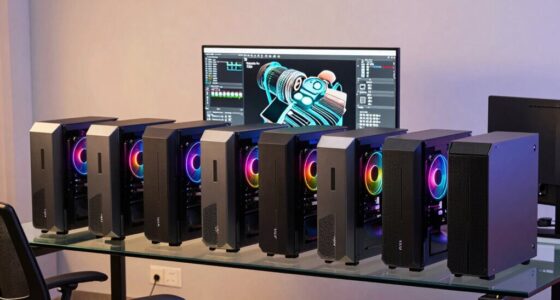
For most cybersecurity professionals, I’d start with the HP ProBook 460 G11: its 32GB of memory and 1TB SSD offer a practical base for running several work tools at once. The Lenovo ThinkBook 16 Gen 9 is a strong alternative for buyers who want similar memory and storage with an AMD processor, while the Dell Latitude 5430 Rugged suits field work where a tougher chassis matters more than a newer processor. The central tradeoff is between memory and storage for virtual labs, portability and battery demands, and the durability needed outside an office. Older or renewed rugged models can be useful for harsh conditions, but their age and support status deserve extra scrutiny. Read on for the full comparison and guidance on matching a laptop to your security workload.

Get the latest gadgets delivered free with Prime
- Fast, free delivery on millions of items
- Prime Video, Amazon Music and more included
- Member-only deals all year
Complete the kit



Key Takeaways
- 32GB of RAM and a 1TB SSD recur among the strongest general-purpose configurations, including the HP ProBook 460 G11, Lenovo ThinkBook 16 Gen 9, and Dell Latitude 5550.
- The rugged Latitude models serve a different job: they prioritize field durability, while newer conventional laptops in this list offer more current processors and roomier everyday setups.
- The GEEKOM GeekBook M16 and ASUS VivoBook advertise high-end processor configurations, but buyers should confirm the exact RAM, storage, and upgrade options in the listing before treating them as lab-ready.
- Several 16-inch laptops provide more screen space for logs and dashboards, while the 14-inch rugged options are easier to carry into demanding field environments.
- The Lenovo V15 configurations and IdeaPad Slim 3 can cover lighter work, but their listed 16GB configurations offer less headroom for multiple virtual machines than the 32GB picks.
| Dell Latitude 5430 Rugged 14-Inch Touchscreen Laptop |  | Best for Field Security Work | Processor: Intel Core i5-1145G7 vPro, 4 cores, up to 4.40 GHz | Memory: 32GB DDR4 | Storage: 256GB M.2 SSD | VIEW ON AMAZON | See Our Full Breakdown |
| GEEKOM GeekBook M16 16-Inch Laptop with Intel Core Ultra 9 185H |  | Best for Multi-Display Analysis | Processor: Intel Core Ultra 9 185H | Graphics: Intel Arc | Display: 16-inch 16:10 IPS; resolution not specified | VIEW ON AMAZON | See Our Full Breakdown |
| HP ProBook 460 G11 16-inch Laptop, Intel Core Ultra 7 155U |  | Best for Managed Business Security | Processor: Intel Core Ultra 7 155U, up to 4.80 GHz | Memory: 32GB DDR5 | Storage: 1TB PCIe NVMe M.2 SSD | VIEW ON AMAZON | See Our Full Breakdown |
| Dell 16-Inch Touchscreen Laptop with AMD Ryzen 7 |  | Best for Touchscreen Note-Taking | Processor: AMD Ryzen 7 250, 8 cores, up to 5.1 GHz | Memory: 16GB DDR5 | Storage: 256GB PCIe NVMe SSD | VIEW ON AMAZON | See Our Full Breakdown |
| Lenovo ThinkBook 16 Gen 9 Laptop, AMD Ryzen 7 250 |  | Best for Portable Local Lab Work | Processor: AMD Ryzen 7 250, 8 cores, 16 threads | Memory: 32GB | Storage: 1TB SSD | VIEW ON AMAZON | See Our Full Breakdown |
| Lenovo ThinkBook 16 Gen 8 Laptop, Intel Core Ultra 7, 32GB DDR5, 1TB SSD |  | Best for Multi-Tool Lab Work | Processor: Intel Core Ultra 7 255H, 16-core hybrid | Memory: 32GB DDR5 | Storage: 1TB PCIe NVMe SSD | VIEW ON AMAZON | See Our Full Breakdown |
| Dell Latitude 5550 15.6-Inch FHD Laptop, Intel Core Ultra 5 125U, 32GB DDR5 RAM, 1TB SSD |  | Best for Managed Business Work | Processor: Intel Core Ultra 5 125U, 12 cores | Memory: 32GB 4800MHz DDR5 | Storage: 2 × 512GB PCIe NVMe M.2 SSD | VIEW ON AMAZON | See Our Full Breakdown |
| Lenovo IdeaPad Slim 3 16-Inch Laptop, Intel Core i5-13420H, 16GB DDR5 RAM, 512GB SSD |  | Best for Entry-Level Security Study | Processor: Intel Core i5-13420H, 8-core, 12-thread | Memory: 16GB DDR5 | Storage: 512GB PCIe NVMe SSD | VIEW ON AMAZON | See Our Full Breakdown |
| Lenovo V15 15.6-Inch FHD Laptop with AMD Ryzen 5 5500U, 16GB RAM, 512GB SSD, and Windows 11 Pro |  | Best for Wired Office Setups | Processor: AMD Ryzen 5 5500U, 6 cores, 12 threads | Memory: 16GB | Storage: 512GB PCIe NVMe M.2 SSD | VIEW ON AMAZON | See Our Full Breakdown |
| Dell Latitude Rugged 5424 14-Inch Laptop, Core i5-8350U, 16GB RAM, 512GB SSD, Windows 11 Pro (Renewed) |  | Best for Field Work on a Legacy Platform | Processor: Intel Core i5-8350U, quad-core, up to 3.6 GHz | Memory: 16GB DDR4 SDRAM | Storage: 512GB SSD | VIEW ON AMAZON | See Our Full Breakdown |
| Dell Latitude Rugged 5430 14-Inch Touchscreen Laptop |  | Best for Field Security Work | Processor: Intel Core i7-1185G7, 4 cores | Display: 14-inch FHD touchscreen, 1920 × 1080 | Memory: 32GB DDR4, 3200MHz | VIEW ON AMAZON | See Our Full Breakdown |
| Lenovo V-Series V15 Business Laptop, 15.6-inch FHD, AMD Ryzen 7 5825U, 40GB RAM, 1TB SSD, Windows 11 Pro |  | Best for Network Lab Connectivity | Processor: AMD Ryzen 7 5825U, 8 cores, 16 threads, 2.0 GHz base, up to 4.5 GHz | Display: 15.6-inch FHD, 1920 × 1080 | Graphics: AMD Radeon Graphics | VIEW ON AMAZON | See Our Full Breakdown |
| ASUS VivoBook 15.6-inch FHD Laptop with Intel Core i9-13900H, up to 48GB RAM, up to 2TB SSD, fingerprint reader, webcam shield, backlit numeric keyboard, Wi-Fi 6, Windows 11 Pro – Blue |  | Best for CPU-Heavy Analysis | Processor: Intel Core i9-13900H | Display: 15.6-inch FHD non-touch, 1920 × 1080 | Memory: Up to 48GB DDR4 | VIEW ON AMAZON | See Our Full Breakdown |
| laptop for cybersecurity professional | Processor | Memory | Storage | Display |
|---|---|---|---|---|
| Dell Latitude 5430 Rugged 14-I | Intel Core i5-1145G7 vPro, 4 cores, up to 4.40 GHz | 32GB DDR4 | 256GB M.2 SSD | 14-inch FHD touchscreen, 1920 × 1080, 1100 nits |
| GEEKOM GeekBook M16 16-Inch La | Intel Core Ultra 9 185H | 16GB LPDDR5 6400MHz | 512GB PCIe Gen4 SSD | 16-inch 16:10 IPS; resolution not specified |
| HP ProBook 460 G11 16-inch Lap | Intel Core Ultra 7 155U, up to 4.80 GHz | 32GB DDR5 | 1TB PCIe NVMe M.2 SSD | 16-inch WUXGA, 1920 × 1200, IPS, anti-glare, 300 nits |
| Dell 16-Inch Touchscreen Lapto | AMD Ryzen 7 250, 8 cores, up to 5.1 GHz | 16GB DDR5 | 256GB PCIe NVMe SSD | 16-inch FHD+ IPS touchscreen, 1920 × 1200, 300 nits |
| Lenovo ThinkBook 16 Gen 9 Lapt | AMD Ryzen 7 250, 8 cores, 16 threads | 32GB | 1TB SSD | 16-inch WUXGA IPS, 1920 × 1200, 16:10, 60Hz, 300 nits, 45% NTSC |
| Lenovo ThinkBook 16 Gen 8 Lapt | Intel Core Ultra 7 255H, 16-core hybrid | 32GB DDR5 | 1TB PCIe NVMe SSD | 16-inch WUXGA IPS, 1920 × 1200, 300 nits, anti-glare |
| Dell Latitude 5550 15.6-Inch F | Intel Core Ultra 5 125U, 12 cores | 32GB 4800MHz DDR5 | 2 × 512GB PCIe NVMe M.2 SSD | 15.6-inch FHD IPS, 1920 × 1080, anti-glare |
| Lenovo IdeaPad Slim 3 16-Inch | Intel Core i5-13420H, 8-core, 12-thread | 16GB DDR5 | 512GB PCIe NVMe SSD | 16-inch WUXGA IPS, 1920 × 1200, 300 nits, anti-glare |
| Lenovo V15 15.6-Inch FHD Lapto | AMD Ryzen 5 5500U, 6 cores, 12 threads | 16GB | 512GB PCIe NVMe M.2 SSD | 15.6-inch LCD, 1920 × 1080, glossy |
| Dell Latitude Rugged 5424 14-I | Intel Core i5-8350U, quad-core, up to 3.6 GHz | 16GB DDR4 SDRAM | 512GB SSD | 14-inch non-touch LED, 1920 × 1080 |
| Dell Latitude Rugged 5430 14-I | Intel Core i7-1185G7, 4 cores | 32GB DDR4, 3200MHz | 1TB PCIe NVMe M.2 SSD | 14-inch FHD touchscreen, 1920 × 1080 |
| Lenovo V-Series V15 Business L | AMD Ryzen 7 5825U, 8 cores, 16 threads, 2.0 GHz base, up to 4.5 GHz | 40GB RAM | 1TB PCIe NVMe M.2 SSD | 15.6-inch FHD, 1920 × 1080 |
| ASUS VivoBook 15.6-inch FHD La | Intel Core i9-13900H | Up to 48GB DDR4 | Up to 2TB PCIe M.2 SSD | 15.6-inch FHD non-touch, 1920 × 1080 |
More Details on Our Top Picks
Dell Latitude 5430 Rugged 14-Inch Touchscreen Laptop
The Latitude 5430 Rugged earns its place for security professionals who work beyond a climate-controlled office. Its IP-53 protection, MIL-STD-810H testing, and hazardous-location certification suit field inspections and industrial sites where a conventional laptop is a less practical choice. The 1100-nit touchscreen remains easier to read outdoors than the 300-nit panels on the HP ProBook 460 G11 and ThinkBook 16 Gen 9. Its 32GB RAM can support several concurrent tools, while Ethernet, serial, Thunderbolt 4, and 5G give it useful connection options in varied work settings. The tradeoff is portability: at 4.35 pounds, it is heavier than those business laptops, and its 256GB SSD leaves less room for virtual machines or evidence files. The sealed keyboard is also non-backlit.
Pros:- 1100-nit touchscreen is suited to bright outdoor work
- IP-53 protection, MIL-STD-810H testing, and hazardous-location certification
- 32GB RAM supports multitasking across security tools
- Thunderbolt 4, Ethernet, serial, and Verizon 5G connectivity
Cons:- 256GB SSD can constrain virtual machines, toolkits, and collected files
- Weighs 4.35 pounds
- Sealed keyboard has no backlighting
Best for: Incident responders and security auditors who need a bright screen, rugged protection, and wired or cellular connectivity at field sites.
Not ideal for: Analysts who travel daily with a large collection of virtual machines or work mostly in dim offices; its 4.35-pound build, 256GB SSD, and non-backlit keyboard are limiting.
- Processor:Intel Core i5-1145G7 vPro, 4 cores, up to 4.40 GHz
- Memory:32GB DDR4
- Storage:256GB M.2 SSD
- Display:14-inch FHD touchscreen, 1920 × 1080, 1100 nits
- Operating system:Windows 11 Pro
- Wireless:Wi-Fi 6E, Bluetooth 5.2, Verizon 5G
- Ports:USB 3.2, Thunderbolt 4/USB-C, HDMI, RJ-45 Ethernet, headset, serial
- Durability:MIL-STD-810H tested, IP-53 protected, Class 1 Division 2 certified
- Weight:4.35 lbs
Our verdict“Choose the Latitude 5430 Rugged for field conditions and outdoor visibility, provided its weight and limited storage fit your workload.”
GEEKOM GeekBook M16 16-Inch Laptop with Intel Core Ultra 9 185H
The GeekBook M16 suits a security analyst who wants a large workspace and several attached monitors. Its 16-inch 16:10 display, USB4 port, HDMI, and stated support for up to three external displays can make log review, dashboards, and documentation easier to arrange. The Core Ultra 9 185H is the strongest named processor in this five-laptop group, though the 16GB of memory is less generous for running multiple virtual machines than the 32GB in the HP ProBook 460 G11 or ThinkBook 16 Gen 9. Its 512GB SSD sits between their 1TB drives and the Dell touchscreen’s 256GB. A 99.9Wh battery and 100W charging add flexibility, but stated battery life depends on use, and the listing gives no display resolution. I would verify that detail before relying on it for dense technical work.
Pros:- Core Ultra 9 185H processor
- USB4 and HDMI with support for up to three external displays
- 99.9Wh battery with 100W PD charging
- Includes a 5-in-1 docking station with LAN
Cons:- 16GB memory is less suited to running several virtual machines than the 32GB alternatives
- Display resolution is not specified
- Battery-life claim depends on usage
Best for: Security analysts who mainly work at a desk, connect multiple external displays, and value a higher-tier processor for varied workloads.
Not ideal for: Red-teamers or malware analysts who need substantial memory for several virtual machines, or buyers who require confirmed screen resolution before purchase.
- Processor:Intel Core Ultra 9 185H
- Graphics:Intel Arc
- Display:16-inch 16:10 IPS; resolution not specified
- Memory:16GB LPDDR5 6400MHz
- Storage:512GB PCIe Gen4 SSD
- Operating system:Windows 11
- Battery:99.9Wh; up to 24 hours stated, depending on usage
- Ports and display support:USB4, HDMI 2.0, multiple USB ports; up to three external displays
- Included accessory:5-in-1 docking station with USB-A, USB-C, HDMI, and LAN
Our verdict“Pick the GeekBook M16 for a multi-display desk setup and processor headroom, after confirming that its display details and 16GB memory suit your work.”
HP ProBook 460 G11 16-inch Laptop, Intel Core Ultra 7 155U
The HP ProBook 460 G11 is the most balanced fit here for a security professional who needs a conventional business laptop with room for work files and multitasking. Its 32GB DDR5 memory and 1TB SSD give it more practical capacity for tool suites and several active tasks than the 16GB GeekBook M16, while Windows 11 Pro, HP Wolf Security, and a fingerprint reader add business-focused security features. The 16-inch anti-glare 16:10 screen provides more vertical workspace than the Dell Latitude 5430 Rugged, though its 300-nit brightness is less suited to outdoor use. The tradeoff is purchase provenance: this unit has been resealed for the memory and SSD upgrade, and warranty coverage is split between the upgrade provider and HP. Buyers who want a clearer single-source warranty should compare it with the ThinkBook 16 Gen 9.
Pros:- 32GB DDR5 and 1TB NVMe SSD
- HP Wolf Security and fingerprint reader
- 16-inch anti-glare WUXGA 16:10 display
- Ethernet, HDMI 2.1, and support for up to three external monitors
Cons:- Resealed for memory and SSD upgrades
- Warranty coverage is split between the upgrade provider and HP
- 300-nit screen is less suited to bright outdoor environments
Best for: Hybrid security analysts who want Windows 11 Pro, a fingerprint reader, business security software, and substantial memory and storage.
Not ideal for: Buyers who need a rugged field laptop or prefer an untouched unit with warranty coverage from one provider.
- Processor:Intel Core Ultra 7 155U, up to 4.80 GHz
- Memory:32GB DDR5
- Storage:1TB PCIe NVMe M.2 SSD
- Display:16-inch WUXGA, 1920 × 1200, IPS, anti-glare, 300 nits
- Operating system:Windows 11 Pro 64-bit
- Security:HP Wolf Security, fingerprint reader
- Wireless:Wi-Fi 6E, Bluetooth 5.3
- Ports:2 USB-C, 2 USB-A, HDMI 2.1, Ethernet, headphone/microphone combo
- Warranty:3 years on upgraded memory and SSD from Issaquah Highlands Tech; 1 year on remaining components from HP
Our verdict“Choose the ProBook 460 G11 for a well-equipped Windows 11 Pro work system if the resealing and split warranty are acceptable.”
Dell 16-Inch Touchscreen Laptop with AMD Ryzen 7
The Dell 16-inch touchscreen is the straightforward choice for a security student or help desk analyst who wants a large touch display for notes, diagrams, or navigating reference material. Its Ryzen 7 250 with eight cores and 16GB DDR5 make a capable everyday combination, but the configuration has less memory and storage than the 32GB, 1TB HP ProBook 460 G11. That difference matters if your routine includes multiple virtual machines or a sizable local tool collection. Its 1920 × 1200 screen matches the resolution class of the HP and ThinkBook 16 Gen 9, while the backlit keyboard and FHD webcam suit office and remote sessions. Windows 11 Home lacks the Pro designation found on those business-focused picks, and the 256GB SSD may fill quickly. HDMI 1.4 also trails the ThinkBook’s HDMI 2.1.
Pros:- 16-inch FHD+ touchscreen with 1920 × 1200 resolution
- Eight-core Ryzen 7 250 processor
- Backlit keyboard and FHD webcam
- USB-C supports DisplayPort 1.4 and Power Delivery
Cons:- 256GB SSD can constrain virtual machines and local evidence files
- Windows 11 Home rather than Windows 11 Pro
- HDMI 1.4 is older than the ThinkBook 16 Gen 9’s HDMI 2.1
Best for: Cybersecurity students and support staff who favor a large touchscreen for training, notes, and everyday analysis.
Not ideal for: Professionals running several virtual machines or needing Windows 11 Pro and ample local storage; this configuration has 16GB RAM, a 256GB SSD, and Windows 11 Home.
- Processor:AMD Ryzen 7 250, 8 cores, up to 5.1 GHz
- Memory:16GB DDR5
- Storage:256GB PCIe NVMe SSD
- Display:16-inch FHD+ IPS touchscreen, 1920 × 1200, 300 nits
- Operating system:Windows 11 Home
- Wireless:Wi-Fi 6, Bluetooth 5.0
- Ports:USB-C with DisplayPort 1.4 and Power Delivery, 2 USB 3.2, HDMI 1.4, headphone jack
- Webcam:FHD 1920 × 1080 with built-in microphone
- Weight:4.18 lbs
Our verdict“Pick this Dell for a touchscreen-focused learning or support setup, but choose a 32GB Windows 11 Pro model for heavier security workloads.”
Lenovo ThinkBook 16 Gen 9 Laptop, AMD Ryzen 7 250
The ThinkBook 16 Gen 9 pairs a 32GB memory configuration and 1TB SSD with a relatively light 3.74-pound chassis, making it a strong fit for analysts who carry their work between home, office, and client sites. Its Windows 11 Pro, fingerprint reader, and Ethernet are useful business features, while HDMI 2.1, an SD card reader, and Wi-Fi 7 broaden connectivity. Compared with the HP ProBook 460 G11, it is lighter and lists a newer wireless standard, though the HP includes HP Wolf Security and a specified three-year warranty on its upgraded memory and storage. The ThinkBook’s 300-nit screen and 45% NTSC gamut are modest, so it is better suited to code, logs, and documents than color-sensitive work. The listing also gives conflicting upgrade limits, making future expansion uncertain.
Pros:- 32GB RAM and 1TB SSD for toolkits and local work files
- Windows 11 Pro and fingerprint reader
- Broad ports including Ethernet, HDMI 2.1, and SD card reader
- 3.74-pound weight for a 16-inch laptop
Cons:- 300-nit display with 45% NTSC color gamut
- Listing gives conflicting maximum memory and storage capacities
- No dedicated security software is specified, unlike the HP ProBook 460 G11
Best for: Mobile analysts who want a light 16-inch Windows 11 Pro laptop with 32GB RAM, 1TB storage, and built-in Ethernet.
Not ideal for: Buyers who need a bright, color-rich display or want clearly documented memory and storage upgrade limits.
- Processor:AMD Ryzen 7 250, 8 cores, 16 threads
- Memory:32GB
- Storage:1TB SSD
- Display:16-inch WUXGA IPS, 1920 × 1200, 16:10, 60Hz, 300 nits, 45% NTSC
- Operating system:Windows 11 Pro
- Wireless:Wi-Fi 7, Bluetooth
- Ports:2 USB-C, 2 USB-A, HDMI 2.1, Ethernet, SD card reader, headphone/mic combo
- Security:Fingerprint reader
- Weight:3.74 lbs
Our verdict“Choose the ThinkBook 16 Gen 9 for a lighter, well-connected local analysis machine if its modest screen and unclear upgrade limits are acceptable.”
Lenovo ThinkBook 16 Gen 8 Laptop, Intel Core Ultra 7, 32GB DDR5, 1TB SSD
The ThinkBook 16 Gen 8 suits security professionals who need room for several tools, logs, and reference windows at once. Its 32GB of memory gives it more headroom for concurrent workloads than the 16GB Lenovo IdeaPad Slim 3, while the 1TB SSD leaves space for local files and virtual machine images. Thunderbolt 4, Gigabit Ethernet, HDMI, and a card reader make it easier to connect lab gear and external displays without relying on a hub. Windows 11 Pro adds business security features, including BitLocker and TPM 2.0. The tradeoff is a 300-nit display and no stated battery life; buyers who value a stated runtime may prefer the Dell Latitude 5550, while this model offers a larger 16:10 workspace.
Pros:- 32GB DDR5 memory supports heavier multitasking than the 16GB options in this batch.
- 1TB NVMe SSD provides space for work files and local lab images.
- 16-inch 16:10 display offers more vertical workspace for code and logs.
- Thunderbolt 4, Gigabit Ethernet, HDMI, and SD card reader support varied peripherals.
Cons:- Battery life is not specified, making unplugged work harder to plan.
- The 300-nit display may be less comfortable in bright environments.
Best for: Security analysts who run several work applications or lightweight virtual machines and want a large screen with business security features.
Not ideal for: Travelers who need a confirmed long battery runtime or professionals whose work depends on a brighter display for outdoor use.
- Processor:Intel Core Ultra 7 255H, 16-core hybrid
- Memory:32GB DDR5
- Storage:1TB PCIe NVMe SSD
- Display:16-inch WUXGA IPS, 1920 × 1200, 300 nits, anti-glare
- Operating system:Windows 11 Pro
- Security:TPM 2.0, BitLocker, fingerprint reader, Kensington lock slot
- Connectivity:Thunderbolt 4, Wi-Fi 6E, Gigabit Ethernet, HDMI 2.1, USB-A, USB-C, SD card reader
- Weight:3.75 lb
Our verdict“Choose the ThinkBook 16 Gen 8 for memory capacity, storage, and a spacious work area when verified battery life is not your priority.”
Dell Latitude 5550 15.6-Inch FHD Laptop, Intel Core Ultra 5 125U, 32GB DDR5 RAM, 1TB SSD
For a security professional whose laptop must fit a conventional business setup, the Latitude 5550 pairs Windows 11 Pro with 32GB of memory, Ethernet, and two Thunderbolt 4 ports. The listed battery life of up to 11 hours gives buyers a planning reference that the Lenovo ThinkBook 16 Gen 8 lacks, though actual runtime will vary with workload. Its two 512GB SSDs add up to 1TB, but the split configuration may be less straightforward to manage than a single drive. Compared with the ThinkBook’s 16-inch 16:10 screen, Dell’s 15.6-inch FHD display gives less vertical workspace. This listing is also resealed for its memory and storage upgrade, with warranty coverage divided between the upgraded parts and the remaining components.
Pros:- 32GB DDR5 memory supports multiple security and business applications.
- Two Thunderbolt 4 ports, Ethernet, HDMI, and USB-A offer flexible connections.
- Privacy-shutter webcam and anti-glare display suit shared or office environments.
- Up to 11 hours of stated battery life gives a usage estimate for planning.
Cons:- The computer was resealed for memory and SSD upgrades.
- Warranty coverage differs between upgraded components and the rest of the laptop.
- Two 512GB SSDs may be less convenient to manage than one 1TB drive.
Best for: Business security staff who need Windows 11 Pro, ample memory, wired networking, and a stated battery-life estimate.
Not ideal for: Buyers who require an untouched factory configuration, uniform warranty coverage, or a taller screen for long code and log sessions.
- Processor:Intel Core Ultra 5 125U, 12 cores
- Memory:32GB 4800MHz DDR5
- Storage:2 × 512GB PCIe NVMe M.2 SSD
- Display:15.6-inch FHD IPS, 1920 × 1080, anti-glare
- Operating system:Windows 11 Pro 64-bit
- Ports:2 × Thunderbolt 4, 2 × USB-A, HDMI 2.1, RJ-45 Ethernet, microSD, audio
- Wireless:Wi-Fi 6E, Bluetooth 5.3
- Battery life:Up to 11 hours stated
Our verdict“Pick the Latitude 5550 if business ports and a stated battery estimate matter more than factory-sealed condition or a 16:10 screen.”
Lenovo IdeaPad Slim 3 16-Inch Laptop, Intel Core i5-13420H, 16GB DDR5 RAM, 512GB SSD
The IdeaPad Slim 3 is a practical fit for students and early-career practitioners doing coursework, scripting, and browser-based labs. Its 16-inch WUXGA screen provides more vertical room than the 15.6-inch FHD screens on the Dell Latitude 5550 and Lenovo V15, which can help when reading code beside documentation. The 16GB RAM and 512GB SSD are more modest than the 32GB and 1TB in the ThinkBook 16 Gen 8, so large local virtual-machine setups may call for a different pick. Windows 11 Home also lacks the Pro edition supplied with those business-focused models. A webcam shutter and TPM 2.0 add useful baseline protections, but the listing does not state battery life or offer a dedicated Ethernet port.
Pros:- 16-inch 16:10 display gives useful vertical space for code and documentation.
- 16GB DDR5 memory and NVMe storage suit everyday study and multitasking.
- Camera privacy shutter and TPM 2.0 provide baseline security features.
- USB-C, HDMI, SD card reader, and Wi-Fi 6 cover common connections.
Cons:- Windows 11 Home lacks the Pro edition included with the ThinkBook and Latitude.
- 16GB memory and 512GB storage limit larger local lab setups.
- Battery life is not specified, and Ethernet is not listed.
Best for: Cybersecurity students and beginners focused on coursework, scripting, and lighter labs who want a large anti-glare screen.
Not ideal for: Practitioners running several virtual machines locally or needing Windows 11 Pro and built-in Ethernet for a work environment.
- Processor:Intel Core i5-13420H, 8-core, 12-thread
- Memory:16GB DDR5
- Storage:512GB PCIe NVMe SSD
- Display:16-inch WUXGA IPS, 1920 × 1200, 300 nits, anti-glare
- Operating system:Windows 11 Home
- Security:TPM 2.0, camera privacy shutter
- Ports and wireless:USB-A, USB-C, HDMI 1.4, SD card reader, Wi-Fi 6, Bluetooth 5.2
- Weight:3.70 lb
Our verdict“Choose the IdeaPad Slim 3 for study and lighter security labs if you can work within Windows 11 Home and 16GB of memory.”
Lenovo V15 15.6-Inch FHD Laptop with AMD Ryzen 5 5500U, 16GB RAM, 512GB SSD, and Windows 11 Pro
The Lenovo V15 makes its case with Windows 11 Pro and RJ-45 Ethernet in a straightforward 15.6-inch business configuration. That wired connection can be handy for a security professional working at a fixed desk or connecting to networks that restrict wireless access. Its 16GB RAM and 512GB SSD are enough for routine analysis and office work, but they offer less lab capacity than the 32GB ThinkBook 16 Gen 8 or Latitude 5550. The Ryzen 5 5500U is an older six-core processor, so it is a more modest choice for concurrent workloads than the newer Core Ultra chips in those Dell and Lenovo models. The listing also specifies a glossy display, which may be distracting under office lights.
Pros:- Windows 11 Pro includes business-oriented OS features.
- RJ-45 Ethernet supports wired office and lab connections.
- 16GB RAM and a 512GB NVMe SSD cover common work files and applications.
- Numeric keypad and HDMI add practical desk-use convenience.
Cons:- 16GB memory and 512GB storage provide less lab headroom than the ThinkBook 16 Gen 8.
- The glossy display can reflect overhead lighting.
- The Ryzen 5 5500U is an older processor than the Core Ultra options in this lineup.
Best for: Security staff working mainly at a desk who need Windows 11 Pro, wired Ethernet, and a numeric keypad for routine tasks.
Not ideal for: Analysts who run demanding local labs, need more memory for concurrent workloads, or prefer an anti-glare screen.
- Processor:AMD Ryzen 5 5500U, 6 cores, 12 threads
- Memory:16GB
- Storage:512GB PCIe NVMe M.2 SSD
- Display:15.6-inch LCD, 1920 × 1080, glossy
- Operating system:Windows 11 Pro
- Graphics:Integrated AMD Radeon Graphics
- Ports and wireless:USB-A, USB-C, HDMI, RJ-45, Wi-Fi 6, Bluetooth 5.3
- Weight:3.8 lb
Our verdict“Choose the V15 for a Windows 11 Pro desk laptop with Ethernet, provided your security workload does not need larger local labs.”
Dell Latitude Rugged 5424 14-Inch Laptop, Core i5-8350U, 16GB RAM, 512GB SSD, Windows 11 Pro (Renewed)
The Latitude Rugged 5424 is the field-oriented choice in this batch, with a 14-inch non-touch FHD screen and built-in Ethernet alongside Wi-Fi, Bluetooth, and HDMI. Those connections may suit technicians who need to connect directly to equipment at a site, while its renewed condition makes its status different from the new ThinkBook 16 Gen 8 and the resealed Latitude 5550. Its four-core Core i5-8350U and 16GB of DDR4 memory are older and less capable on paper than the newer Core Ultra systems with 32GB RAM; buyers planning heavier analysis or several local virtual machines should look at those first. The supplied details do not describe rugged certification, and the listed 300-watt-hour battery capacity is unusual enough that runtime cannot be inferred from it.
Pros:- 14-inch FHD display creates a smaller workspace footprint than the 15.6- and 16-inch options.
- Ethernet and HDMI support direct connections to site networks and external equipment.
- Windows 11 Pro and a 512GB SSD provide a usable base for routine field work.
Cons:- Renewed condition may not suit buyers seeking a new laptop.
- The four-core Core i5-8350U and DDR4 memory are older than the lineup’s Core Ultra and DDR5 options.
- No rugged certification or usable battery runtime is specified.
Best for: Field technicians who prioritize a compact 14-inch Windows 11 Pro machine with Ethernet and HDMI for equipment connections.
Not ideal for: Analysts needing newer processor performance, DDR5 memory, touch input, or clear evidence of rugged certification and battery runtime.
- Processor:Intel Core i5-8350U, quad-core, up to 3.6 GHz
- Memory:16GB DDR4 SDRAM
- Storage:512GB SSD
- Display:14-inch non-touch LED, 1920 × 1080
- Operating system:Windows 11 Pro
- Condition:Renewed
- Connectivity:Wi-Fi, Bluetooth, Ethernet, USB, HDMI
- Battery:Lithium-ion; listed capacity 300 watt-hours
Our verdict“Consider the renewed Latitude Rugged 5424 for compact wired field work only if its older platform and unspecified rugged credentials fit your needs.”
Dell Latitude Rugged 5430 14-Inch Touchscreen Laptop
Built for field deployments, the Latitude Rugged 5430 pairs a 14-inch FHD touchscreen with Windows 11 Pro, 32GB of RAM, and a 1TB NVMe SSD. That configuration gives a cybersecurity professional room for virtual machines, analysis tools, and case files in a compact format. Compared with the standard Dell Latitude 5430 Rugged with Core i5 elsewhere in this roundup, this model has a faster listed processor and four times the listed SSD capacity, which favors heavier local workloads.
The rugged designation and touchscreen make it a distinct choice among the larger, conventional business laptops here, though the supplied details do not specify a durability rating. Its four-core, 11th Gen processor is older than the newer chips in options such as the HP ProBook 460 G11, and integrated graphics share system memory. The seller may have opened the package for the storage upgrade, so buyers should also check the separate warranty coverage for upgraded components.
Pros:- 32GB RAM supports running several security tools and virtual machines at once.
- 1TB NVMe SSD provides space for local datasets, virtual machine images, and case files.
- 14-inch FHD touchscreen offers a compact interactive workspace.
- Windows 11 Pro and two-year warranty coverage are stated in the listing.
Cons:- The four-core 11th Gen processor is older than the newer chips in several roundup alternatives.
- Integrated graphics use shared system memory.
- Seller may have opened the original packaging, and upgraded components have separate seller warranty coverage.
Best for: Security consultants and incident responders who need a compact Windows 11 Pro laptop with substantial memory and storage for work away from a desk.
Not ideal for: Analysts prioritizing a newer processor, dedicated graphics, or a documented ruggedness rating; the listing provides no specific durability standard.
- Processor:Intel Core i7-1185G7, 4 cores
- Display:14-inch FHD touchscreen, 1920 × 1080
- Memory:32GB DDR4, 3200MHz
- Storage:1TB PCIe NVMe M.2 SSD
- Operating system:Windows 11 Pro
- Connectivity:Wi-Fi and Bluetooth
- Warranty:Dell two-year warranty; seller two-year warranty on upgraded components
Our verdict“Choose this Latitude when field-friendly size, touchscreen input, and ample local memory and storage matter more than a newer processor.”
Lenovo V-Series V15 Business Laptop, 15.6-inch FHD, AMD Ryzen 7 5825U, 40GB RAM, 1TB SSD, Windows 11 Pro
For a desk-based security lab, the Lenovo V15 stands out for its 40GB of RAM and built-in RJ45 port. The memory headroom can help keep multiple analysis tools and virtual machines available, while wired Ethernet connects directly to lab networks without a USB adapter. Compared with the Lenovo V15 with Ryzen 5 5500U in this roundup, this configuration lists a Ryzen 7 5825U, 40GB of memory, and a 1TB SSD, making it the stronger fit for heavier local multitasking.
Its eight-core, 16-thread processor and Windows 11 Pro suit a broad business workload, but this is a conventional 15.6-inch FHD laptop, not a compact field option like the Dell Latitude Rugged 5430. The listed Radeon graphics are integrated, and the display resolution is Full HD rather than higher resolution. The product details also omit battery life and weight, so mobile buyers have less information to judge how it will travel between sites.
Pros:- 40GB RAM gives headroom for simultaneous security applications and virtual machines.
- Ryzen 7 5825U has eight cores and 16 threads for parallel workloads.
- RJ45, HDMI, USB-C, and USB-A support varied lab and office connections.
- Windows 11 Pro and a numeric keypad suit business use.
Cons:- 15.6-inch FHD display provides less workspace detail than a higher-resolution panel.
- Battery life and laptop weight are not provided in the product data.
- Integrated Radeon graphics are not a substitute for dedicated graphics in GPU-heavy tasks.
Best for: Security analysts who run several local tools or virtual machines and connect to wired lab networks from a fixed workstation.
Not ideal for: Frequent travelers who need known battery life and weight, or analysts who want a higher-resolution display or dedicated graphics.
- Processor:AMD Ryzen 7 5825U, 8 cores, 16 threads, 2.0 GHz base, up to 4.5 GHz
- Display:15.6-inch FHD, 1920 × 1080
- Graphics:AMD Radeon Graphics
- Memory:40GB RAM
- Storage:1TB PCIe NVMe M.2 SSD
- Operating system:Windows 11 Pro
- Ports:USB-C, two USB-A 3.2, USB-A 2.0, HDMI, RJ45, headphone/microphone combo
- Other features:Numeric keypad, webcam, Wi-Fi, Bluetooth
Our verdict“Pick the Lenovo V15 for a memory-rich, wired-network workstation that prioritizes practical lab connectivity over travel details or display resolution.”
ASUS VivoBook 15.6-inch FHD Laptop with Intel Core i9-13900H, up to 48GB RAM, up to 2TB SSD, fingerprint reader, webcam shield, backlit numeric keyboard, Wi-Fi 6, Windows 11 Pro – Blue
CPU-heavy local analysis is the ASUS VivoBook’s clearest role: its Intel Core i9-13900H is the highest-tier processor among these three picks, and the listed configuration supports up to 48GB RAM and a 2TB SSD. Those ceilings can help analysts who need to work with large local datasets or keep many tools open. Compared with the Lenovo V-Series V15, it offers more listed memory and storage capacity, plus Wi-Fi 6 and a fingerprint reader with a webcam privacy shield.
The tradeoff is that its headline memory and storage figures are maximum supported capacities, not confirmation of the installed configuration. Its 15.6-inch panel remains FHD, and the integrated Intel UHD graphics share the system’s graphics resources. The opened seal and split warranty also deserve attention: upgraded RAM and SSD have separate three-year coverage, while other components have a one-year manufacturer warranty. It suits a performance-focused desk setup better than buyers seeking a clearly specified rugged machine like the Dell Latitude Rugged 5430.
Pros:- Intel Core i9-13900H targets demanding CPU-intensive analysis.
- Supports up to 48GB RAM and a 2TB PCIe M.2 SSD.
- Fingerprint reader and webcam privacy shield add practical access and camera controls.
- Wi-Fi 6, USB-C, USB-A, and HDMI provide flexible connections.
Cons:- Up to 48GB RAM and 2TB storage describe supported maximums, not necessarily the shipped configuration.
- Integrated Intel UHD graphics share system resources.
- The listing states that the seal was broken for upgrades, with different warranty terms for upgraded and other components.
Best for: Security researchers and analysts who prioritize a high-performance processor, configurable memory and storage, and built-in login and webcam privacy features.
Not ideal for: Buyers who need confirmed installed RAM and SSD capacities, a ruggedness rating, or one consistent warranty covering the full system.
- Processor:Intel Core i9-13900H
- Display:15.6-inch FHD non-touch, 1920 × 1080
- Memory:Up to 48GB DDR4
- Storage:Up to 2TB PCIe M.2 SSD
- Operating system:Windows 11 Pro
- Graphics:Integrated Intel UHD Graphics
- Connectivity:Wi-Fi 6, Bluetooth 5.x
- Ports and security:USB-C, three USB-A ports, HDMI (4K), 3.5mm audio, fingerprint reader, webcam privacy shield
- Warranty:Three-year coverage on upgraded RAM/SSD; one-year manufacturer warranty on other components
Our verdict“Choose the VivoBook for CPU-focused security work if you confirm its shipped memory and storage configuration and are comfortable with the split warranty.”

How We Picked
I ranked these laptops around the work a cybersecurity professional may need to do: run analysis tools alongside browsers and terminals, keep a local virtual lab, review logs on screen, and carry a system between office and field settings. I gave more weight to listed memory and storage capacity than to processor branding alone, since a fast chip cannot make up for limited room for virtual machines or captured data. Build style and operating system also shaped the fit: rugged Latitude models make more sense for field exposure, while business laptops offer a more balanced daily-work profile.
The order reflects how ready each listed configuration appears for sustained, mixed workloads, then adjusts for specialization and uncertainty. Models with 32GB RAM and 1TB storage rank ahead of 16GB or 256GB configurations for lab flexibility; rugged machines rank higher for buyers whose work demands a protected chassis. Where product names indicate variable configurations or renewed condition, I treat the listed specification as something to verify before purchase. No single model is right for every security role, so the roundup gives each option a distinct use case and calls out the compromises.
| laptop for cybersecurity professional | Operating system |
|---|---|
| Dell Latitude 5430 Rugged 14-I | Windows 11 Pro |
| GEEKOM GeekBook M16 16-Inch La | Windows 11 |
| HP ProBook 460 G11 16-inch Lap | Windows 11 Pro 64-bit |
| Dell 16-Inch Touchscreen Lapto | Windows 11 Home |
| Lenovo ThinkBook 16 Gen 9 Lapt | Windows 11 Pro |
| Lenovo ThinkBook 16 Gen 8 Lapt | Windows 11 Pro |
| Dell Latitude 5550 15.6-Inch F | Windows 11 Pro 64-bit |
| Lenovo IdeaPad Slim 3 16-Inch | Windows 11 Home |
| Lenovo V15 15.6-Inch FHD Lapto | Windows 11 Pro |
| Dell Latitude Rugged 5424 14-I | Windows 11 Pro |
| Dell Latitude Rugged 5430 14-I | Windows 11 Pro |
| Lenovo V-Series V15 Business L | Windows 11 Pro |
| ASUS VivoBook 15.6-inch FHD La | Windows 11 Pro |
Factors to Consider When Choosing Laptop For Cybersecurity Professionals
I’d choose a laptop for the workload it must support over the next few years, rather than matching it to a job title. These broader checks can help you avoid a configuration that looks capable on paper but becomes limiting once tools, virtual machines, and work files accumulate.
Estimate Your Virtual Machine Load
Start with the number and size of virtual machines you expect to run at the same time. A single test environment can work on a modest system, but an endpoint, server, and attacker simulation running together can quickly consume memory. Leave capacity for the host operating system, browser tabs, and security tools instead of assigning every gigabyte to a guest machine. Memory capacity often sets the practical ceiling before a processor does for a home lab. Check whether RAM is upgradeable and whether the laptop has an accessible slot before buying a lower-memory configuration. If your employer supplies a remote lab, you may be able to prioritize portability over maximum local capacity.
Plan Storage Around Evidence and Lab Images
Virtual disk images, packet captures, and forensic collections can take far more space than routine documents. A small internal drive may be workable if you can store approved data on a secure external device or network location, but that adds steps and can create policy concerns. Choose storage for the files you must keep local, and check whether the SSD can be replaced or expanded. Confirm your organization’s rules before putting sensitive evidence on removable media or a personal cloud account. Encryption and reliable backup procedures matter as much as raw capacity. A larger drive is useful, but it does not replace a controlled retention plan.
Match Portability to Screen and Docking Needs
A larger display gives logs, code, and documentation more room, which can reduce constant window switching during analysis. The tradeoff is more weight and a larger footprint when commuting or working on-site. Smaller laptops travel more easily, but may push you toward an external monitor or dock at your desk. Check the ports and external-display support if your normal setup includes multiple monitors, wired networking, or security hardware. A compact system with a capable dock can suit a hybrid worker better than a large laptop carried every day. Consider the power adapter and battery demands of your workload as part of the actual carry weight.
Treat Security Features as a Whole-System Choice
A fingerprint reader or webcam shutter can improve convenience and privacy, but neither feature replaces good account controls, encryption, or device management. Check that the exact configuration supports your organization’s operating system, endpoint tools, and firmware requirements. Windows Pro may fit a managed business environment, though your IT team may require a specific build or enrollment process. Firmware support and update availability matter because security work often involves handling sensitive systems and data. Ask whether the manufacturer provides drivers and firmware for the expected service life. If the device is renewed or older, verify support dates and the condition of its security components.
Decide When Rugged Construction Pays Off
A reinforced chassis makes sense when the laptop regularly travels through dusty, wet, or impact-prone work sites. For desk-based analysis, extra protection may add bulk without improving the performance you notice day to day. Rugged models can also use older processors or smaller displays than current business laptops, so weigh protection against speed, battery life, and support longevity. Buy rugged hardware for a real exposure risk, not as a general sign of professional quality. Check the specific model’s protection claims and service options instead of assuming every rugged label covers the same conditions. With renewed devices, inspect warranty terms and replacement-part availability before relying on one for field operations.
Verify the Exact Configuration Before Ordering
Some product listings use a family name while offering several memory, storage, or processor combinations. That can make a powerful headline specification a poor guide to the unit actually being sold. Confirm the exact processor, installed RAM, SSD size, screen, and operating system in the selected configuration and seller details. Check whether listed maximum memory or storage is installed or merely supported. For cybersecurity work, also confirm that the machine can use required virtualization features and connect to any specialized peripherals. Save the exact configuration details so that support or procurement can resolve discrepancies later.
Frequently Asked Questions
How much RAM do I need to run a cybersecurity home lab?
For a lab with several virtual machines running together, 32GB is a more comfortable starting point than 16GB. The right amount depends on how much memory each guest needs and whether your host system runs analysis tools at the same time. If you mainly use one lightweight test machine or connect to a remote lab, 16GB may be enough. Check whether memory can be upgraded before choosing a lower-capacity configuration. Keep some headroom for the host so a lab workload does not make ordinary work sluggish.
Should I choose a rugged laptop or a newer business laptop?
Choose rugged construction when your work regularly exposes equipment to impact, dust, rain, or demanding transport conditions. For office, home, and occasional travel, a newer business laptop may give you a better balance of processor age, screen space, memory, and storage. Compare the exact protection claims with the environments where you will use the device. Older rugged systems may also have a shorter remaining support window, so check firmware and parts availability. The rugged option is most useful when physical exposure is a regular part of the job.
Is a high-end processor enough for running virtual machines?
No. A capable processor helps with compute-heavy tasks, but each virtual machine also needs memory and storage, and those limits can become the bottleneck first. A laptop with a fast processor and 16GB RAM may handle fewer concurrent guests than a more balanced configuration with 32GB. Check virtualization support and the exact installed memory rather than relying on a processor name alone. If your work involves large labs, plan for RAM expansion and fast, sufficient SSD storage. A strong CPU is most useful when the rest of the system can keep up.
Can a 16GB laptop work for a cybersecurity beginner?
Yes, if you are learning with one or two lightweight virtual machines, browser-based labs, or remote environments. It may feel restrictive once you run several guests, monitoring tools, and documentation together. Beginners who expect their lab to grow should check whether the laptop accepts a memory upgrade. Storage also matters as training images and captures build up. A 16GB model can be a sensible starting point when its limits match the work you plan to do.
What should I verify when buying a renewed or variable-configuration laptop?
Confirm the exact installed processor, RAM, SSD, operating system, and display in the selected listing, since family names can cover different versions. For a renewed laptop, check the warranty, return terms, battery condition, and whether its firmware and drivers remain supported. Ask whether the seller has tested the ports and any security hardware you rely on. Also verify virtualization support and upgrade options against your intended lab workload. These checks help distinguish a usable configuration from one whose headline description leaves out a limiting detail.
Conclusion
For a balanced daily system, I’d choose the HP ProBook 460 G11 as best overall, with 32GB RAM and 1TB storage giving it a useful base for varied security work. The Lenovo ThinkBook 16 Gen 9 is my best value fit for buyers who want similar listed memory and storage in an AMD-based configuration. For buyers seeking a premium processor configuration, the GEEKOM GeekBook M16 stands out on paper, though I’d verify its exact installed memory and storage first. Beginners working with lighter labs can start with the Lenovo IdeaPad Slim 3, while the Dell Latitude 5430 Rugged is the pick for field conditions where chassis protection takes priority. If you need a renewed rugged option, compare support and condition carefully before choosing the older Latitude 5424.
Evergreen bestsellers Picks

Ninja Crispi Microwave and Air Fryer with FusionCrisp, Silver, MW101

Ninja Crispi Microwave & Air Fryer with FusionCrisp Technology, 14-in-1, Black (MW101BK1)

Ninja CREAMi Scoop & Swirl 13-in-1 Ice Cream and Soft Serve Maker, NC701
As an affiliate, we earn on qualifying purchases.