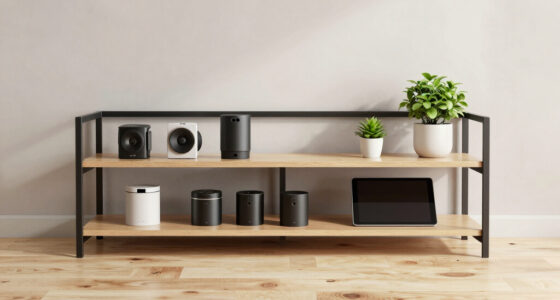
Choosing the right NAS for your home office backup needs involves balancing performance, capacity, and ease of setup. For those seeking high-powered multitasking and extensive storage, the UGREEN NAS DXP4800 GT stands out with its AMD Ryzen processor and flexible drive options. If simplicity and affordability are your priorities, the Yxk Zero1 offers a quiet, compact solution with remote access. Meanwhile, the Synology DS223 provides a reliable, user-friendly platform for centralized file sharing and automated backups, but with limited drive bays. Each of these picks caters to different user requirements, with tradeoffs between capacity, complexity, and expandability.

Get the latest gadgets delivered free — and shop member deals
- Fast, free delivery on millions of items
- Access to Prime Big Deal Days deals on October 6–7
- Prime Video, Amazon Music and more included
Complete the kit



Key Takeaways
- The UGREEN DXP4800 GT is best for power users needing high performance and extensive storage capacity.
- The Synology DS223 offers a balanced mix of ease of use and reliable backup features for small teams.
- Beginners or personal users will find the Yxk Zero1 straightforward and space-efficient, though it has limited capacity.
- Drive bays and expandability vary significantly, affecting long-term upgrade options.
- Consider your technical comfort level; more advanced options require more setup and configuration.
| UGREEN NAS DXP4800 GT 4-Bay for Creators, Tech Enthusiasts, and Office Teams |  | Best for Power Users Needing High Performance and Extensive Storage | Processor: AMD Ryzen Embedded R2514, 4 cores, up to 3.70GHz | RAM: 8GB DDR4, expandable to 64GB | Storage Capacity: Up to 144TB with NVMe support | VIEW ON AMAZON | See Our Full Breakdown |
| Synology DS223 2-Bay Diskless NAS Home & Office Backup Hub |  | Best for Reliable, User-Friendly Backup and File Sharing | Model: DS223 | Type: 2-Bay Diskless NAS | Use Case: Home & Office Backup | VIEW ON AMAZON | See Our Full Breakdown |
| UGREEN NAS DH2300 2-Bay Personal Storage for Beginners & Personal Use |  | Best for Beginners and Personal Storage | Digital Storage Capacity: 64 TB | Hard Disk Interface: Serial ATA | Connectivity: Ethernet, HDMI, SATA, USB | VIEW ON AMAZON | See Our Full Breakdown |
| Yxk Zero1 2-Bay Desktop NAS for Home & Personal Storage (Diskless) |  | Best for Compact, Quiet Personal Storage | Hard Drive Compatibility: Hard drives purchased separately | Connectivity: 2.5GbE | RAM: 4GB | VIEW ON AMAZON | See Our Full Breakdown |
| BUFFALO LinkStation 210 2TB 1-Bay NAS Network Attached Storage with HDD Included |  | Best Budget-Friendly, Simple Storage for Home Backup | Capacity: 2TB | Drive Bays: 1 | Included Drives: HDD included | VIEW ON AMAZON | See Our Full Breakdown |
| nas for home office backup | Connectivity |
|---|---|
| UGREEN NAS DXP4800 GT 4-Bay fo | USB 3.0, USB-C, HDMI, SD card slot |
| Synology DS223 2-Bay Diskless | — |
| UGREEN NAS DH2300 2-Bay Person | Ethernet, HDMI, SATA, USB |
| Yxk Zero1 2-Bay Desktop NAS fo | 2.5GbE |
| BUFFALO LinkStation 210 2TB 1- | — |
More Details on Our Top Picks
UGREEN NAS DXP4800 GT 4-Bay for Creators, Tech Enthusiasts, and Office Teams
The UGREEN DXP4800 GT stands out for its robust multitasking abilities thanks to an AMD Ryzen embedded processor. Its high storage capacity—up to 144TB—along with dual 10GbE ports makes it suitable for demanding tasks like media processing, Docker applications, and surveillance. Compared to more basic options, this NAS offers advanced network features and expandability, but it also requires a more complex setup and additional investment for drives. Its non-ECC RAM may be a concern for critical data environments, but for most home office backups, that’s manageable.
Pros:- High-performance AMD Ryzen processor for multitasking
- Massive storage capacity up to 144TB
- Dual 10GbE ports for fast data transfer
- Supports surveillance, media, and Docker apps
Cons:- Drives not included; additional purchase needed
- Setup can be complex for advanced features
- Non-ECC RAM limits for critical data use
Best for: Power users and small businesses needing extensive storage and multitasking capabilities
Not ideal for: Beginners or users seeking a simple, plug-and-play backup solution
- Processor:AMD Ryzen Embedded R2514, 4 cores, up to 3.70GHz
- RAM:8GB DDR4, expandable to 64GB
- Storage Capacity:Up to 144TB with NVMe support
- Network:Dual 10GbE ports
- Drive Bays:4 SATA, 2 U.2 NVMe, 2 M.2 SSD
- Connectivity:USB 3.0, USB-C, HDMI, SD card slot
Our verdict“Ideal for tech-savvy users who need high capacity and multitasking power in their home office.”
Synology DS223 2-Bay Diskless NAS Home & Office Backup Hub
The Synology DS223 offers a straightforward approach to home and small office backup with two drive bays, making it an excellent choice for users prioritizing simplicity and reliability. Its user-friendly DSM software simplifies setup and ongoing management, while supporting automated backups from multiple devices. The limited capacity—maxing out at two drives—means it’s best suited for small-scale storage needs. Surveillance features are available but require some setup, and the disk drives are sold separately, which may add to initial costs.
Pros:- Easy to set up and manage with Synology DSM
- Supports automated backups from multiple devices
- Transforms IP cameras into surveillance system
- Reliable software updates and security
Cons:- Limited to 2 drive bays, restricting capacity
- Drives need to be purchased separately
- Surveillance features require configuration
Best for: Small teams or home users seeking easy centralized backup and file sharing
Not ideal for: Power users requiring high performance or large capacity
- Model:DS223
- Type:2-Bay Diskless NAS
- Use Case:Home & Office Backup
- Warranty:2 years
Our verdict“A dependable, user-friendly NAS ideal for small office backups and media sharing, but not for demanding workloads.”
UGREEN NAS DH2300 2-Bay Personal Storage for Beginners & Personal Use
The UGREEN NAS DH2300 simplifies personal storage with its easy setup and AI-powered features. Supporting up to 64TB, it’s suitable for storing photos, videos, and personal files. Its straightforward interface makes it accessible for beginners, and fast transfer speeds up to 125MB/s ensure smooth operation. However, lacking Wi-Fi support and virtual machine capabilities limits its scope to basic backup and storage tasks. It’s a solid choice for those new to NAS, but not ideal for larger or more complex needs.
Pros:- Easy to set up with minimal technical knowledge
- Supports large capacity up to 64TB
- Fast transfer speeds and AI photo organization
- Strong security features
Cons:- No Wi-Fi support; wired Ethernet required
- Limited to personal use without advanced features
- No support for Docker or VM
Best for: Beginners and personal users needing simple, reliable backup
Not ideal for: Power users or those who want to expand beyond basic storage
- Digital Storage Capacity:64 TB
- Hard Disk Interface:Serial ATA
- Connectivity:Ethernet, HDMI, SATA, USB
- Additional Features:AI photo organization
Our verdict“A user-friendly NAS tailored for beginners seeking straightforward personal backup and storage.”
Yxk Zero1 2-Bay Desktop NAS for Home & Personal Storage (Diskless)
The Yxk Zero1 offers a compact, quiet storage option for personal use, with remote access capabilities and support for Docker. Its 2.5GbE connection speeds provide faster transfers than typical gigabit NAS devices, making it suitable for remote file access and media streaming. The device is diskless, so users must purchase drives separately, which allows for flexible storage choices. Its limited RAM—just 4GB—may restrict heavy workloads, but for light backups and media storage, it’s a practical, space-efficient choice.
Pros:- Compact and quiet design
- Supports remote access and private cloud setup
- Fast 2.5GbE connectivity
- Supports Docker for advanced users
Cons:- Hard drives sold separately
- Limited to 4GB RAM, not for intensive tasks
- Basic features may lack for enterprise use
Best for: Personal users wanting a simple, space-efficient NAS with remote access
Not ideal for: Heavy workloads or multi-user environments requiring large RAM
- Hard Drive Compatibility:Hard drives purchased separately
- Connectivity:2.5GbE
- RAM:4GB
- Media Outputs:4K HDMI
Our verdict“A good fit for personal users seeking a small, quiet NAS with remote access and Docker support, but not for heavy-duty tasks.”
BUFFALO LinkStation 210 2TB 1-Bay NAS Network Attached Storage with HDD Included
The BUFFALO LinkStation 210 offers a straightforward, budget-friendly option for basic home backup with an included 2TB HDD. Its single bay limits upgrade options, but it excels at simple, hassle-free setup for users who want to centralize files without fuss. Compatibility with Windows and macOS makes it flexible for mixed environments. However, its limited capacity and feature set mean it’s best suited for light, personal backups rather than expanding storage needs or advanced tasks like surveillance or Docker hosting.
Pros:- Easy to set up and use
- Includes HDD, no need for separate purchase
- Secure file sharing with access controls
- No monthly fees
Cons:- Limited to 1 drive bay, restricting expansion
- Basic feature set with limited scalability
- Only compatible with certain macOS versions
Best for: Home users needing quick, easy backup with minimal complexity
Not ideal for: Users with growing storage needs or requiring advanced features
- Capacity:2TB
- Drive Bays:1
- Included Drives:HDD included
- Support:Windows, macOS
Our verdict“A practical choice for simple, budget-conscious home backup, but not suitable for future growth or complex tasks.”

How We Picked
Our selection process centered on several key factors: overall performance, ease of setup, expandability, and suitability for home office use. We prioritized NAS devices that are well-suited for data backup, file sharing, and occasional media or surveillance tasks, since these are common needs for home office users. Devices with flexible storage options, reliable security features, and straightforward user interfaces earned higher consideration. We also looked at the tradeoffs, such as complexity versus features and initial cost versus long-term value, ensuring each choice offers a distinct role for different user profiles.
Factors to Consider When Choosing Nas For Home Office Backup
Selecting a NAS for home office backup requires understanding your storage needs, technical comfort, and future scalability. Key factors include capacity, ease of setup, expandability, and compatibility with your existing devices. Consider whether you prefer a simple plug-and-play device or a more powerful, customizable solution that can handle multiple tasks. It’s also important to evaluate the security features and network connectivity options to ensure your data remains safe and accessible across your home network.Capacity and Scalability
Assess your current storage needs and consider future growth. Devices with more drive bays or support for larger drives offer better scalability, but often come with higher costs and complexity. For most home office users, 2-4TB might suffice initially, but choose a NAS that allows easy expansion if your data grows quickly.
Ease of Use and Setup
If you’re new to NAS devices, look for models with intuitive interfaces and straightforward setup procedures. Brands like Synology excel here, offering user-friendly dashboards and helpful apps. More advanced users may prefer models with additional features like Docker support, but this can increase setup complexity.
Performance and Connectivity
Faster network connections, such as 2.5GbE or 10GbE, reduce transfer times when working with large files. Consider whether your network hardware supports these speeds, and match your NAS’s connectivity options accordingly. For most home offices, gigabit Ethernet is sufficient, but higher speeds benefit media workflows and backups involving large datasets.
Security and Compatibility
Security features like encryption, user access controls, and regular software updates help protect your data. Compatibility with your existing devices (Windows, macOS, mobile) ensures smooth backups and file sharing. If surveillance or media streaming are priorities, check for specific support and integrations.
Frequently Asked Questions
What is the ideal NAS capacity for a home office backup?
The ideal capacity depends on your current data volume and future growth plans. For most home offices, starting with 2-4TB and choosing a device with expansion options is a practical approach. Larger capacities are beneficial if you handle extensive media files or large datasets regularly.
Is a 2-bay NAS sufficient for backup needs?
A 2-bay NAS is suitable for small-scale backups, file sharing, and light media storage. However, if you require more redundancy, capacity, or plan to grow your data, a model with more bays or support for additional drives will serve you better in the long run.
Can I use a NAS for surveillance and media streaming?
Yes, many NAS devices support surveillance cameras and media streaming, but features vary. Check if the NAS has dedicated surveillance apps or media servers, and ensure it has enough processing power and storage to handle these tasks alongside backups.
Do I need technical expertise to set up a NAS?
Basic NAS models designed for home use, like Synology or Yxk, often feature intuitive interfaces that require minimal technical knowledge. More advanced devices with features like Docker or surveillance integrations may need some familiarity with network configuration and system management.
Is it better to buy a diskless NAS or one with drives included?
If you prefer flexibility and to choose your own drives, a diskless NAS like the Synology DS223 or Yxk Zero1 makes sense. For a quick setup with minimal fuss, models with pre-installed drives, such as the Buffalo LinkStation 210, can be more convenient but limit upgrade options.
Conclusion
For home office users who prioritize straightforward, reliable backup solutions, the Synology DS223 offers an excellent balance of ease of use and dependable performance. Those seeking advanced features and maximum storage capacity will find the UGREEN DXP4800 GT compelling, especially if comfortable with more complex setups. Beginners and personal users with modest needs should consider the Yxk Zero1 for its compact size and remote access. Budget-conscious users will appreciate the simple, included storage of the Buffalo LinkStation 210. Ultimately, your choice depends on your technical comfort, capacity requirements, and whether you value expandability or simplicity.
Halloween Picks
halloween
As an affiliate, we earn on qualifying purchases.