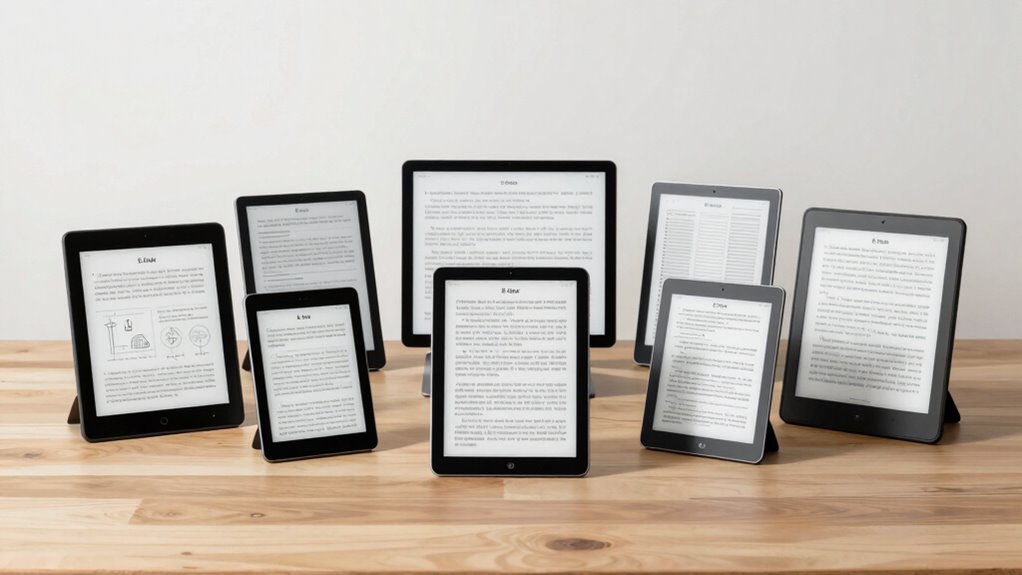

When searching for a portable e ink tablet, the ideal device balances lightweight design with clear, paper-like display and versatile features. The VIWOODS AiPaper 10.65″ stands out as the best overall, offering a spacious screen and advanced AI-powered note features. For those seeking a more compact option, the VIWOODS AiPaper Mini 8.2″ delivers portability without sacrificing core reading and writing capabilities. Meanwhile, the reMarkable Paper Pro is favored for its premium build and excellent stylus support. The main tradeoffs involve screen size versus portability, color versus monochrome displays, and feature depth versus simplicity. Keep reading for a detailed breakdown to find the best fit for your needs.

Get the latest gadgets delivered free with Prime
- Fast, free delivery on millions of items
- Prime Video, Amazon Music and more included
- Member-only deals all year
Complete the kit



Key Takeaways
- Larger screens like the 10.65″ provide a better reading and writing experience but reduce portability.
- AI-powered features and bundled pens add significant value for note-takers and students.
- Color e ink options are emerging but often come with tradeoffs in refresh speed and power efficiency.
- Build quality and stylus support are crucial for a premium experience, especially for professional use.
- Price often correlates with features—more advanced models tend to be more expensive but offer better performance and durability.
| VIWOODS AiPaper 10.65″ AI E Ink Tablet, Digital Notebook Bundle with Pen |  | Best Overall for Versatile Productivity | Display: 10.65 inches, Carta 1300 E Ink, 2560 x 1920 resolution | Stylus: W2 Stylus Pro, 4096 pressure levels, 750-micron pen gap | Storage: 128GB | VIEW ON AMAZON | See Our Full Breakdown |
| VIWOODS AiPaper Mini 8.2″ AI E Ink Tablet, Digital Notebook Bundle with Pen |  | Best Compact for Portability and Reading | Display: 8.2 inches, 292 PPI E Ink | Weight: 230g | Storage: 128GB | VIEW ON AMAZON | See Our Full Breakdown |
| reMarkable Paper Pro with Marker Plus and Basalt Book Folio |  | Best for Creative and Professional Use in Larger Format | Display Size: 11.8 inches | Color: Color display | Included Accessories: Marker Plus, 6 spare tips, Book Folio, USB-C | VIEW ON AMAZON | See Our Full Breakdown |
| BOOX Go 6th Gen II E Ink Tablet with Front Light and Active Stylus |  | Best for Basic Reading and Note-Taking | Display: 6-inch E Ink with 300 PPI | Front Light: Yes | Stylus Support: Active stylus included | VIEW ON AMAZON | See Our Full Breakdown |
| BOOX Tablet Go Color 7 Gen II E Ink Tablet Support Active Stylus InkSense (Black) |  | Best for Color Content and Light Multimedia | Display: 7″ Kaleido 3 color E Ink, 4096 colors, 1680 x 1264 resolution | Processor: Octa-core | RAM: 4GB | VIEW ON AMAZON | See Our Full Breakdown |
| reMarkable Paper Pro with Marker Plus |  | Best for Creative Professionals and Note-Takers | Display: 11.8-inch Canvas Color | Features: Color display, adjustable reading light, low-glare screen, handwriting to text | Included: reMarkable Paper Pro, Marker Plus stylus, 6 spare tips | VIEW ON AMAZON | See Our Full Breakdown |
| Ocean 64GB+4GB 7” E-Ink Paper Tablet with Handwriting Support |  | Best for Reading and Basic Note-Taking on the Go | Display: 7-inch E Ink | Processor: Octa-core 2.2GHz | RAM: 4GB | VIEW ON AMAZON | See Our Full Breakdown |
| portable e ink tablet | Display | Storage |
|---|---|---|
| VIWOODS AiPaper 10.65" AI E In | 10.65 inches, Carta 1300 E Ink, 2560 x 1920 resolution | 128GB |
| VIWOODS AiPaper Mini 8.2" AI E | 8.2 inches, 292 PPI E Ink | 128GB |
| reMarkable Paper Pro with Mark | — | — |
| BOOX Go 6th Gen II E Ink Table | 6-inch E Ink with 300 PPI | 32GB |
| BOOX Tablet Go Color 7 Gen II | 7" Kaleido 3 color E Ink, 4096 colors, 1680 x 1264 resolution | 64GB |
| reMarkable Paper Pro with Mark | 11.8-inch Canvas Color | — |
| Ocean 64GB+4GB 7” E-Ink Paper | 7-inch E Ink | 64GB |
More Details on Our Top Picks
VIWOODS AiPaper 10.65″ AI E Ink Tablet, Digital Notebook Bundle with Pen
The VIWOODS AiPaper 10.65″ stands out as the most balanced option for users seeking a premium digital writing experience. Its high-resolution paper-like display minimizes glare and eye strain, making long reading or writing sessions comfortable. The responsive stylus with 4096 pressure levels ensures natural handwriting and sketching, comparable to the reMarkable Paper Pro but with a larger screen. AI-assisted tools elevate organization and translation, adding a layer of convenience that surpasses simpler devices. However, its larger size and high-end features mean it involves a steeper learning curve and a need for regular charging. Compared to smaller or lower-cost options, this tablet offers a seamless workflow but at a premium price point.
Pros:- High-resolution, paper-like display reduces glare and eye strain
- Responsive stylus with pressure sensitivity for natural writing and drawing
- AI tools for organizing, translating, and content management
- Includes accessories and ample storage for productivity
Cons:- E Ink refresh latency can be noticeable during rapid updates
- Limited color options due to E Ink technology
Best for: Digital artists, writers, and professionals who need a high-quality, versatile E Ink device for extended use.
Not ideal for: Casual readers or students seeking a lightweight, budget-friendly device for occasional note-taking.
- Display:10.65 inches, Carta 1300 E Ink, 2560 x 1920 resolution
- Stylus:W2 Stylus Pro, 4096 pressure levels, 750-micron pen gap
- Storage:128GB
- Included Accessories:Protective folio cover, replacement pen nibs, USB-C charging cable
Our verdict“This tablet is ideal for professionals and creatives who prioritize display quality and advanced features over portability.”
VIWOODS AiPaper Mini 8.2″ AI E Ink Tablet, Digital Notebook Bundle with Pen
The VIWOODS AiPaper Mini 8.2″ offers a highly portable solution for users who want crisp reading and note-taking on the go. Its 292 PPI E Ink display provides sharp text, closely rivaling larger models like the AiPaper 10.65″, but in a smaller, more manageable size. The lightweight design at just 230g makes it convenient for travel or daily commutes. Adjustable warm light enhances reading comfort, especially in varying lighting conditions. The included stylus and multiple nibs support precise writing and sketching, though the smaller screen may limit detailed work. Compared to the larger AiPaper, it sacrifices some workspace but gains unmatched portability, making it perfect for students and busy professionals.
Pros:- Lightweight and pocketable design for portability
- Adjustable warm light for comfortable reading in various settings
- Includes stylus with multiple nibs for versatile note-taking
- Large 128GB storage with flexible file transfer options
Cons:- E Ink refresh latency may affect smoothness during quick updates
- Limited color options, primarily black and white
Best for: Students and travelers needing a compact, versatile device for reading, annotations, and light note-taking.
Not ideal for: Users requiring extensive drawing or large-format work, due to limited screen real estate.
- Display:8.2 inches, 292 PPI E Ink
- Weight:230g
- Storage:128GB
- Included Accessories:Folio cover, Stylus, 5 replacement nibs, USB-C cable
Our verdict“This device is best suited for mobile users who prioritize portability without sacrificing essential reading and note-taking features.”
reMarkable Paper Pro with Marker Plus and Basalt Book Folio
The reMarkable Paper Pro excels with its expansive 11.8-inch color display, ideal for artists, designers, and professionals who need a larger canvas. Its paper-like surface offers a natural writing experience, comparable to the AiPaper models but with added color capabilities. The low-glare screen and adjustable reading light make it suitable for outdoor or long sessions. The device’s ecosystem is tightly integrated with the included Marker Plus and accessories, though this premium setup comes with a higher price tag. Battery life details remain unclear, which could impact longer workflows. Compared to smaller or monochrome tablets, the Paper Pro prioritizes visual versatility and size, making it less portable but more feature-rich for specific tasks.
Pros:- Large 11.8-inch color display for versatile use
- Paper-like writing with a responsive stylus
- Low-glare screen suitable for outdoor use
- Includes comprehensive accessories for creative workflows
Cons:- Expensive compared to smaller or monochrome devices
- Limited ecosystem compatibility and ecosystem lock-in
- Battery life details are not provided
Best for: Creative professionals and serious note-takers who need a large, color-capable E Ink device for detailed work and presentations.
Not ideal for: Casual users or those on a tight budget who do not require color or large-format screens.
- Display Size:11.8 inches
- Color:Color display
- Included Accessories:Marker Plus, 6 spare tips, Book Folio, USB-C
- Features:Adjustable reading light, low-glare screen, handwriting to text
Our verdict“This device suits users who prioritize size and color for creative and professional projects, accepting the higher cost and reduced portability.”
BOOX Go 6th Gen II E Ink Tablet with Front Light and Active Stylus
The BOOX Go 6th Gen II delivers a straightforward reading and note-taking experience in a compact 6-inch form. Its 300 PPI display provides sharp text clarity, comparable to larger devices but on a smaller screen. The built-in front light enhances usability in low-light conditions, while the included active stylus allows for accurate handwriting. Its modest 3GB RAM and 32GB storage are sufficient for basic tasks but limit multitasking or extensive file storage. Unlike larger or premium models, this device offers a simple, focused experience, making it suitable for quick notes or reading in tight spaces. However, the small size and limited storage may frustrate users with heavier workflows or extensive document collections.
Pros:- High-resolution 300 PPI display for sharp text
- Front light for reading in dim environments
- Compact, pocketable size for portability
- Includes active stylus for precise input
Cons:- Limited to 6-inch display size, restricting workspace
- No mention of waterproofing or ruggedness
- Basic hardware limits multitasking
Best for: Readers and students who need a compact device for quick notes, annotations, and reading on the go.
Not ideal for: Creative users or professionals requiring larger screens or extensive app support.
- Display:6-inch E Ink with 300 PPI
- Front Light:Yes
- Stylus Support:Active stylus included
- RAM:3GB
- Storage:32GB
Our verdict“This device is best for users needing a small, efficient tool for quick reading and note-taking without extra bulk.”
BOOX Tablet Go Color 7 Gen II E Ink Tablet Support Active Stylus InkSense (Black)
The BOOX Tablet Go Color 7 Gen II introduces color capabilities into the E Ink realm with a 7-inch Kaleido 3 display supporting 4096 colors. Its compact size and Android 13 OS open it to a variety of apps and formats, making it suitable for reading, light multimedia, and creative projects. The 4GB RAM and 64GB storage provide decent performance and space, though the color E Ink technology inherently offers darker, grayer visuals compared to LCD screens, a tradeoff for extended battery life and glare reduction. The stylus (sold separately) supports precise input, but the absence of included stylus and the limited size mean it’s less suited for detailed artwork or heavy multimedia. This device makes the most sense for casual users wanting vibrant visuals with the benefits of E Ink’s low power consumption.
Pros:- Color E Ink display with 4096 colors for vibrant visuals
- Supports a wide range of document and image formats
- Lightweight and portable design
- Supports third-party apps due to Android 13
Cons:- Color E Ink screens have inherent limitations, resulting in darker or grayer visuals
- Stylus is not included, adding extra cost
- Display quality may feel lower compared to LCD screens
Best for: Color enthusiasts and casual users seeking a lightweight, versatile device for reading and light multimedia in vibrant color.
Not ideal for: Users demanding high-quality color displays or extensive app ecosystems, as E Ink color limits vibrancy and detail.
- Display:7″ Kaleido 3 color E Ink, 4096 colors, 1680 x 1264 resolution
- Processor:Octa-core
- RAM:4GB
- Storage:64GB
- Connectivity:Wi-Fi, Bluetooth 5.1, USB-C, microSD card slot
- Battery:2,300mAh Li-ion
- Dimensions:156 x 137 x 6.4 mm
- Weight:195 g
Our verdict“This tablet suits casual users who want a colorful, low-power device for reading and light multimedia, accepting some display limitations.”
reMarkable Paper Pro with Marker Plus
The reMarkable Paper Pro stands out for its vivid 11.8-inch color display, which makes writing, sketching, and reading more engaging than the monochrome options like the Ocean E Ink Tablet. Its paper-like responsiveness and included Marker Plus stylus deliver a natural writing experience, especially appealing to artists and students who want more than just reading. The adjustable lighting enhances usability in various environments, setting it apart from simpler e-readers that lack illumination. However, compared to the Ocean Tablet, which offers more storage and multimedia support, the Paper Pro’s connectivity and battery life details are less clear, and its price remains unspecified. This makes it a strong choice for users seeking a versatile digital paper device with color capability, but it might be less suitable for those requiring long battery life or extensive storage without further information.
Pros:- Vivid 11.8-inch color display enhances creative and reading experiences
- Paper-like responsiveness makes writing and sketching natural
- Adjustable lighting improves usability in diverse lighting conditions
- Organizational features like folders and handwriting-to-text conversion
Cons:- Limited information about battery life and connectivity options
- No specified storage capacity or expandability
- Price details are not provided, making cost comparison difficult
Best for: Creative professionals, students, and note-takers wanting a color e-ink device with handwriting support and sketching capabilities
Not ideal for: Casual readers or users on a tight budget who prioritize long battery life and extensive storage without needing color or advanced features
- Display:11.8-inch Canvas Color
- Features:Color display, adjustable reading light, low-glare screen, handwriting to text
- Included:reMarkable Paper Pro, Marker Plus stylus, 6 spare tips
- Connectivity:Not specified
- Dimensions:Not specified
- Weight:Not specified
Our verdict“This device suits users seeking a high-quality color digital paper experience with flexible writing and sketching, provided they are comfortable with some unknowns around battery and storage.”
Ocean 64GB+4GB 7” E-Ink Paper Tablet with Handwriting Support
The Ocean 7-inch E Ink Tablet offers a compact, glare-free display that excels in long-form reading, making it a compelling choice next to the larger reMarkable Paper Pro, which emphasizes creative work. Its high-resolution screen reduces eye strain during extended reading sessions, and its octa-core processor paired with 64GB of storage ensures smooth performance and ample space for books, images, and audio. While it supports handwriting with a stylus, the pen is sold separately, and its smaller 7-inch size may feel limiting for those wanting a more expansive workspace like the Paper Pro’s 11.8-inch display. It’s best suited for users who prioritize portability, long battery life, and multimedia support over creative sketching or color reading features.
Pros:- High-resolution glare-free E Ink display reduces eye fatigue
- Long-lasting battery supports extended reading and note sessions
- Powerful octa-core processor and 64GB storage for multimedia and books
- Supports multiple formats including images, audio, and ebooks
Cons:- Stylus pen must be purchased separately, adding to cost
- Limited to a 7-inch screen, which may restrict detailed work
- Some features depend on third-party apps, adding complexity
Best for: Readers, students, and users who need a lightweight device for extensive reading and basic note-taking, with occasional handwriting support
Not ideal for: Creative professionals or artists seeking a larger, color-capable device for sketching or detailed visual work
- Display:7-inch E Ink
- Processor:Octa-core 2.2GHz
- RAM:4GB
- Storage:64GB
- Battery Life:Long-lasting
- Supported Formats:jpg, jpeg, png, txt, epub, pdf, umd, mobi, ebk2, ebk3, azw3, ttf, otf, ttc, mp3, flac, wav, m4a, aac, xls, xlsx, ppt, pptx, doc, docx
Our verdict“This compact, high-performance e-ink tablet is ideal for avid readers and casual note-takers who value portability and long battery life, but less so for creative or detailed visual tasks requiring a larger screen or integrated stylus.”

How We Picked
All products were evaluated based on display quality, portability, build durability, stylus support, and feature set. We prioritized devices that balance lightweight design with usability, ensuring they are truly portable without sacrificing core functionalities like note-taking or reading. Additional considerations included battery life, software features, and overall value. The ranking reflects a combination of these factors, emphasizing how well each device meets the needs of different user types, from casual readers to professionals. Devices with extensive features but poor portability or high costs were ranked lower, ensuring the list remains practical for everyday use.Factors to Consider When Choosing Portable E Ink Tablet
Choosing the right portable e ink tablet involves understanding your primary use case, desired features, and budget. Not all devices are equally suited for reading, note-taking, or drawing, so clarifying your main needs will help narrow your options. Consider how important factors like screen size, color capability, stylus support, and battery life are for your daily tasks. Making the right choice means finding a balance between portability and functionality, avoiding common pitfalls like overly small screens or limited software support. This guide highlights key considerations to help you select a device that truly enhances your digital reading and writing experience.Screen Size and Portability
Size influences how easily you can carry your device and how comfortable it is to read or write on. Larger screens, like 10.65 inches, offer a more natural reading experience but can be bulkier, reducing portability. Smaller options, such as 8.2 inches, are easier to slip into bags or pockets but may compromise on viewing comfort. Think about where you’ll use the device most often—commuting, at home, or travel—and choose a size that balances ease of carrying with your preferred screen experience.
Display Quality and Color
While monochrome e ink screens excel for reading and long battery life, color screens are becoming more common and can be useful for comics, magazines, or annotations that benefit from color. However, color displays often have slower refresh rates and higher power consumption, which can impact usability and battery life. Consider whether color is a priority for your use case or if a high-contrast black-and-white display is sufficient for your needs.
Stylus Support and Note-Taking
If you plan to take notes or sketch, stylus support is essential. Devices like the reMarkable Paper Pro and BOOX models offer advanced stylus technology, including pressure sensitivity and palm rejection. Cheaper or smaller tablets might only support basic stylus input or require third-party accessories that may not be as seamless. Evaluate how much you value precise writing, drawing capabilities, and whether the stylus feels natural in your hand.
Battery Life and Software Ecosystem
Long battery life ensures your device can last through extended reading or work sessions without frequent charging. Moreover, a well-supported software ecosystem with regular updates impacts usability, app compatibility, and security. Some models include cloud syncing, annotations, or note organization features that enhance productivity. Be aware that more feature-rich devices may consume more power, so consider your typical usage patterns when assessing battery expectations.
Price and Long-Term Value
Higher-priced devices usually offer better build quality, more features, and longer durability, making them worthwhile for intensive users or professionals. Budget options can serve casual readers or those new to e ink tablets but may lack advanced stylus support or color. Avoid overpaying for features you won’t use, but also be cautious about opting for very cheap models that might compromise on core functions or longevity. Finding the right balance depends on your specific needs and how much you’re willing to invest.
Frequently Asked Questions
Can I use a portable e ink tablet for digital note-taking and sketching?
Yes, many modern e ink tablets support stylus input with pressure sensitivity and palm rejection, making them suitable for note-taking and sketching. Devices like the reMarkable Paper Pro and BOOX models excel in this area, providing a paper-like writing experience. However, the quality of stylus support varies, so it’s worth choosing a device with a highly responsive stylus if this is a priority. Keep in mind that some color or larger-screen devices may have slower response times, which can affect your drawing experience.
Are color e ink tablets worth considering for casual reading?
Color e ink tablets are becoming more available, offering the ability to view comics, magazines, or documents with colored elements. For casual reading, they can add visual appeal and variety. However, they often feature slower refresh rates and reduced battery life compared to monochrome models. If color is a key factor for your enjoyment, it’s worth balancing that with the device’s overall performance and how much you’re willing to compromise on battery life or refresh speed.
How important is screen size for portability and usability?
Screen size directly impacts both how portable a device is and how comfortable it is to read or write on. Larger screens, like 10.65 inches, are better for detailed reading or note-taking but tend to be heavier and less pocket-friendly. Smaller screens, such as 8.2 inches, are easier to carry around but may require more scrolling or zooming to read comfortably. Your typical usage environment will determine whether you prioritize a compact device or a larger display for enhanced ease of use.
Should I prioritize stylus support over other features?
If your main goal is to take notes or draw, stylus support is a non-negotiable feature. A responsive, pressure-sensitive stylus with palm rejection can significantly improve your experience and make digital writing as natural as pen and paper. However, if reading or simple document viewing is your focus, stylus support may be less critical, and you can prioritize display size, battery life, and portability instead. Always test stylus responsiveness if possible before making a purchase.
Is it worth paying more for a premium e ink tablet?
Investing in a premium device often translates into a more durable build, better display technology, and enhanced stylus support, which can be valuable for frequent or professional users. These devices may also offer more features, better software, and longer software support. However, for casual users or those new to e ink tablets, a mid-range or budget device can provide sufficient functionality without the higher price tag. Consider how often you’ll use the device and whether the extra features justify the additional cost.
Conclusion
For casual readers or students just starting with e ink tablets, the VIWOODS AiPaper Mini offers a compact and affordable option that covers basic needs. Professionals or serious note-takers should consider the reMarkable Paper Pro for its premium stylus support and build quality, while those seeking a balance of size and features will find the BOOX Go 6th Gen II a versatile choice. The large-screen models like the VIWOODS AiPaper 10.65″ are best suited for extended reading and detailed annotation, making them ideal for heavy users. Ultimately, your choice should reflect your specific tasks, portability preferences, and budget constraints.Fall Picks
fall essentials
As an affiliate, we earn on qualifying purchases.