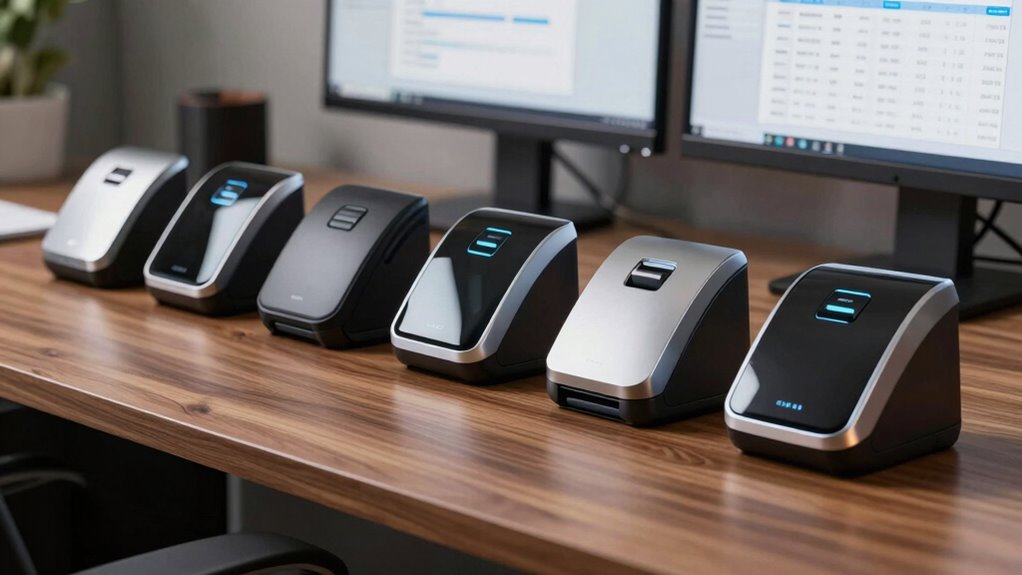

A shoebox of crumpled receipts is an accountant’s nightmare and an audit risk no small business wants to carry. The right receipt scanner turns that pile into searchable, categorized digital records that can flow straight into QuickBooks or TurboTax — but the five options on my list solve that problem very differently. The ScanSnap iX2500 stands out as the best overall pick for offices that process stacks of receipts and invoices daily, thanks to its 100-sheet feeder and automatic receipt sorting. For solo operators and frequent travelers, the Epson RapidReceipt RR-60 makes more sense because it was purpose-built to extract and categorize receipt data on the road. And if budget is the deciding factor, the Brother DS-640 delivers respectable speed and broad software compatibility at the entry end of this lineup.

Get the latest gadgets delivered free with Prime
- Fast, free delivery on millions of items
- Prime Video, Amazon Music and more included
- Member-only deals all year
The core tradeoff in this category is simple: volume versus portability. Desktop feeders like the iX2500 handle bulk but anchor you to a desk, while pocket-sized USB scanners go anywhere but feed one page at a time. Speed, software intelligence, and financial-software integration are the other dividing lines — and I break down exactly where each model falls on all of them below.
Complete the kit



Key Takeaways
- The ScanSnap iX2500 wins for volume with a 100-sheet feeder and 45 ppm duplex scanning, while the iX1300 covers most small offices at a fraction of the footprint.
- The Epson RapidReceipt RR-60 is the only pick here with built-in receipt data extraction and direct export to QuickBooks and TurboTax — the closest match for pure business-records workflows.
- Single-sheet mobile scanners (Epson ES-50, Brother DS-640) are ideal for on-the-go capture but become tedious when processing more than a dozen receipts at once.
- All five scanners create searchable PDFs via OCR; the difference lies in whether that OCR feeds an organizational system or just produces files you file manually.
- Wi-Fi models (iX1300, iX2500) can scan without a computer attached; the ES-50, DS-640, and RR-60 all require a USB connection to operate.
| ScanSnap iX2500 Wireless or USB High-Speed Document Scanner, Black |  | Best Overall | Brand: ScanSnap | Model: iX2500 | Scanning Speed: Up to 45 ppm, double-sided | VIEW ON AMAZON | See Our Full Breakdown |
| Epson RapidReceipt RR-60 Compact Mobile Document and Receipt Scanner |  | Best for Financial Organization | Brand: Epson | Model: RapidReceipt RR-60 | Scan Speed: Up to 10 ppm (Automatic Feeding Mode) | VIEW ON AMAZON | See Our Full Breakdown |
| ScanSnap iX1300 Wireless or USB Duplex Color Document Scanner, Black |  | Best Compact Desktop | Brand: ScanSnap | Model: iX1300 | Scanning: Duplex, up to 30 ppm | VIEW ON AMAZON | See Our Full Breakdown |
| Epson WorkForce ES-50 Compact & Lightweight Mobile Document Scanner |  | Best for Speed on the Go | Brand: Epson | Model: WorkForce ES-50 | Type: Single-sheet-fed mobile document scanner | VIEW ON AMAZON | See Our Full Breakdown |
| Brother DS-640 Compact Mobile Document Scanner |  | Best Value | Brand: Brother | Model: DS-640 | Scan Speed: Up to 16 ppm, color and black & white | VIEW ON AMAZON | See Our Full Breakdown |
| receipt scanner for business record | Brand | Model | Compatibility | Connectivity |
|---|---|---|---|---|
| ScanSnap iX2500 Wireless or US | ScanSnap | iX2500 | PC, Mac, mobile devices | Wi-Fi 6, USB-C |
| Epson RapidReceipt RR-60 Compa | Epson | RapidReceipt RR-60 | — | — |
| ScanSnap iX1300 Wireless or US | ScanSnap | iX1300 | Mac, PC, mobile devices, Chromebook, cloud services | USB, Wi-Fi |
| Epson WorkForce ES-50 Compact | Epson | WorkForce ES-50 | Windows, Mac | USB 2.0 |
| Brother DS-640 Compact Mobile | Brother | DS-640 | Windows, Mac, Linux; TWAIN/WIA, ICA, SANE drivers | — |
More Details on Our Top Picks
ScanSnap iX2500 Wireless or USB High-Speed Document Scanner, Black
For a business that reconciles expenses in batches — a stack of receipts, a pile of invoices, a month’s worth of paperwork — throughput is everything, and this is where the iX2500 leaves the rest of the lineup behind. Its 100-sheet automatic document feeder and 45 pages-per-minute duplex scanning mean a quarterly records dump that would take half an hour on the single-sheet ES-50 finishes in minutes here. The brake roller system, multi-feed sensor, and skew detection matter more than they sound like they would: receipts are the worst-behaved paper in any office, and this hardware is built to keep them moving without jamming or misaligned captures.
What separates the iX2500 from a generic fast office scanner is the software layer. It automatically optimizes, names, and sorts receipts, documents, photos, and business cards into distinct categories, so files land where they belong instead of in one giant unsorted folder. The large touchscreen with customizable profiles lets different team members run their own one-touch workflows — a bookkeeper’s profile might send receipts to the accounting folder while a manager’s sends contracts elsewhere. Compared with its sibling iX1300 below, this model trades desk footprint for capacity and speed, which is the right trade for any office with real volume.
The drawbacks are real, though not dealbreakers. It is by far the largest and least portable option here, so anyone who needs to capture receipts at point of purchase should look elsewhere. And while the Wi-Fi 6 and USB-C connectivity is modern, some cloud services and advanced workflows require initial setup effort that casual users may find fiddly. Still, as the machine that anchors a business records system, this pick makes the most sense.
Pros:- 100-sheet feeder and 45 ppm duplex scanning handle batch record-keeping in minutes
- Automatic optimization, naming, and sorting separates receipts from other document types
- Large touchscreen with customizable profiles supports multi-user workflows
- Wi-Fi 6 and USB-C connectivity with PC, Mac, and mobile support
Cons:- Largest footprint in this lineup — not a portable option
- Cloud service and advanced workflow setup takes time upfront
- Far more capacity than a solo operator capturing a few receipts a week actually needs
Best for: Small-to-mid-size offices and bookkeepers who process high volumes of receipts and invoices in batches
Not ideal for: Mobile professionals who need to capture receipts on the road or anyone with minimal desk space
- Brand:ScanSnap
- Model:iX2500
- Scanning Speed:Up to 45 ppm, double-sided
- Document Feeder:100 sheets
- Connectivity:Wi-Fi 6, USB-C
- Display:Large touchscreen
- Paper Handling:Brake roller, multi-feed sensor, skew detection
- Compatibility:PC, Mac, mobile devices
Our verdict“If batch-processing business records is a regular part of your month, the iX2500’s speed, capacity, and automatic sorting justify its desk-bound design.”
Epson RapidReceipt RR-60 Compact Mobile Document and Receipt Scanner
Most scanners on this list treat a receipt like any other piece of paper — they digitize it and move on. The RR-60 is the exception, because it was built around receipt data from the ground up. Its ScanSmart AI PRO technology extracts and categorizes data from receipts and invoices automatically, then exports to QuickBooks and TurboTax, which closes the loop between capturing a receipt and actually booking the expense. For a freelancer or small business owner doing their own books, that pipeline is the difference between a scanning chore and a functioning records system.
At under 10 ounces, it is the smallest and lightest scanner in this comparison — lighter than the Brother DS-640 and more specialized than the ES-50. The tradeoff is speed: at 10 pages per minute, it is the slowest feeder here, and since it is a single-sheet mobile design like the ES-50, big backlog sessions become tedious. It also lacks a battery, so it needs a USB power source from a connected computer, same as the other mobile picks.
Where the RR-60 beats the similarly portable ES-50 is intent. The ES-50 is a fine general document scanner that happens to handle receipts; the RR-60 flips that priority, accepting receipts, invoices, business cards, and ID cards while producing searchable, editable PDFs and pushing them to OneDrive, Dropbox, or Google Drive. If your records ultimately end up in accounting software, this specialization matters far more than raw scanning speed.
Pros:- Purpose-built receipt data extraction with automatic categorization
- Direct export to QuickBooks and TurboTax eliminates manual re-entry
- Smallest and lightest scanner in its class at under 10 ounces
- USB-powered with cloud scanning to OneDrive, Dropbox, and Google Drive
Cons:- 10 ppm is the slowest feed rate in this lineup
- Single-sheet design makes bulk backlogs tedious
- No battery — requires a USB power source to operate
Best for: Freelancers, sole proprietors, and small business owners who want receipts flowing into QuickBooks or TurboTax with minimal manual data entry
Not ideal for: High-volume users or anyone who needs a general-purpose office document scanner
- Brand:Epson
- Model:RapidReceipt RR-60
- Scan Speed:Up to 10 ppm (Automatic Feeding Mode)
- Weight:Under 10 oz
- Max Page Size:8.5 x 72 in
- Media:Receipts, invoices, documents, business cards, ID cards
- Power:USB-powered
- Software:ScanSmart AI PRO; QuickBooks, TurboTax export; cloud scanning
Our verdict“For pure business-records workflows that end in accounting software, the RR-60’s data extraction and financial exports make it the most purpose-fit scanner here despite its modest speed.”
ScanSnap iX1300 Wireless or USB Duplex Color Document Scanner, Black
The iX1300 occupies the middle ground between the mobile single-sheet scanners and the big iX2500, and for many small offices that middle ground is exactly right. It delivers one-touch duplex scanning at up to 30 pages per minute in a footprint small enough to tuck beside a monitor, and its media handling is unusually broad — documents, photos, receipts, business cards, plastic cards, and thick items all feed reliably. Compared with the ES-50 or DS-640, the ability to capture both sides of a receipt in a single pass and apply automatic deskew, color optimization, and blank-page removal means less time fixing scans afterward.
The Wi-Fi option is the standout differentiator among the compact picks. Where the ES-50, DS-640, and RR-60 all require a USB tether to a computer, the iX1300 can scan without a computer entirely, sending receipts straight to mobile devices, Chromebooks, or cloud services. For a receptionist capturing vendor receipts or a shared office scanner that multiple people send to from their own devices, that flexibility changes how the machine gets used day to day.
Its limits mirror its size. It lacks the 100-sheet feeder and 45 ppm pace of the iX2500, so it is not the tool for serious batch processing, and buyers coming from cheaper single-sheet models should note that its advantages come at a higher position in the price ladder. But as a space-saving workhorse that handles receipts and mixed business media with minimal babysitting, this model is better suited to real offices than any of the pocketable options.
Pros:- 30 ppm duplex scanning with automatic deskew and blank-page removal
- Handles diverse media including plastic cards and thick receipts
- Wi-Fi or USB connectivity with scanning to mobile, Chromebook, and cloud
- Compact footprint fits where the iX2500 cannot
Cons:- No automated receipt data categorization or accounting export like the RR-60
- Smaller capacity and slower than the iX2500 for bulk jobs
- More expensive than the single-sheet mobile picks without adding portability
Best for: Small offices and home offices that want desktop duplex scanning and wireless flexibility without a large footprint
Not ideal for: High-volume batch scanning or buyers who need receipt data extraction into accounting software
- Brand:ScanSnap
- Model:iX1300
- Scanning:Duplex, up to 30 ppm
- Connectivity:USB, Wi-Fi
- Media:Documents, photos, receipts, business cards, plastic cards, thick items
- Compatibility:Mac, PC, mobile devices, Chromebook, cloud services
- Image Processing:Automatic deskew, color optimization, blank-page removal
- Color:Black
Our verdict“The iX1300 hits the sweet spot between the portability of mobile scanners and the throughput of the iX2500, with wireless scanning the USB-tethered picks can’t match.”
Epson WorkForce ES-50 Compact & Lightweight Mobile Document Scanner
Among the single-sheet mobile scanners, the ES-50 stands out for raw per-page speed: a page in as little as 5.5 seconds beats the RR-60’s 10 ppm pace noticeably when you are feeding receipts one at a time between meetings. It also accepts documents up to 8.5 x 72 inches, which covers those absurdly long pharmacy and warehouse-club receipts that defeat shorter-feed scanners — a genuinely practical detail for business expense records.
Its software bundle is stronger than the DS-640’s for document work: Epson ScanSmart plus Nuance OCR produces searchable PDFs and editable Word and Excel files, which means a scanned receipt’s text can be searched, copied, and repurposed rather than trapped in an image. Scanning directly to cloud storage keeps records synchronized across devices without extra steps.
The structural limitation is unavoidable for its class: a single-sheet-fed design means no automatic document feeder, so a shoebox of 80 receipts means 80 manual feeds. It also requires a live USB connection to a computer — no battery, no Wi-Fi, no standalone operation. Compared with the RR-60, this model is the better general document scanner but the weaker receipt organizer; if your goal is categorization and accounting export, Epson’s RapidReceipt line is the smarter fit. If your goal is fast, flexible capture of receipts and documents from a laptop bag, this one wins.
Pros:- 5.5-second single-page scanning is the fastest per-page capture among the mobile picks
- Handles long receipts and documents up to 72 inches
- Nuance OCR creates searchable PDFs and editable Word/Excel files
- USB-powered with no external power supply and direct cloud scanning
Cons:- Single-sheet feed makes multi-receipt sessions tedious
- Requires a USB-tethered computer to operate
- No receipt-specific categorization or financial software export
Best for: Traveling professionals who want fast one-at-a-time capture of receipts and documents from a laptop
Not ideal for: Batch processing backlogs or users who want receipts auto-categorized into accounting software
- Brand:Epson
- Model:WorkForce ES-50
- Type:Single-sheet-fed mobile document scanner
- Scan Speed:Single page in as little as 5.5 seconds
- Max Document Size:8.5 x 72 in
- Connectivity:USB 2.0
- Power:USB-powered, no external supply
- Compatibility:Windows, Mac
- Software:Epson ScanSmart, Nuance OCR, TWAIN driver
Our verdict“The ES-50 is the fastest way to digitize receipts and documents from a laptop bag, as long as you accept feeding everything one sheet at a time.”
Brother DS-640 Compact Mobile Document Scanner
The DS-640 is the practical entry point of this lineup, and its appeal rests on breadth rather than brilliance. At roughly 1.5 pounds and under a foot long, it matches the portability of the ES-50 while adding Linux support and TWAIN, WIA, ICA, and SANE drivers — a compatibility spread no other scanner here can claim. For a business running mixed or non-standard systems, that driver support is not a footnote; it is the difference between a scanner that integrates and one that fights you.
At 16 ppm, it sits between the RR-60 and the ES-50 in single-sheet throughput, and Brother’s software adds genuinely useful image cleanup for records work: text enhancement and background removal make faded thermal receipts legible and clean-looking, which helps when those records support tax filings or audits. Multiple scan-to destinations — PC, network, cloud services, email, and OCR — give small teams flexible routing without extra software purchases.
The compromises are modest but worth knowing. The image rotation feature is PC only, which will annoy Mac users, and like the ES-50 it lacks a battery and needs a USB-tethered computer to run. It also does nothing receipt-specific — no categorization, no accounting export — so it occupies the same generalist lane as the ES-50 with slower per-page speed but wider compatibility and a friendlier price position. For a first scanner or a backup unit that lives in a bag, this model makes the most sense.
Pros:- Broadest OS and driver compatibility here, including Linux
- Text enhancement and background removal improve faded thermal receipts
- 16 ppm scanning with scan-to destinations including cloud, network, email, and OCR
- Ultra-compact at under a foot long and roughly 1.5 lbs
Cons:- Image rotation limited to PC only
- No battery — requires USB connection to a computer
- Lacks receipt data extraction and financial software export
Best for: Budget-conscious buyers and businesses on mixed Windows, Mac, or Linux systems who need portable, no-frills receipt capture
Not ideal for: Mac users who need image rotation, or anyone wanting automated receipt categorization and accounting integration
- Brand:Brother
- Model:DS-640
- Scan Speed:Up to 16 ppm, color and black & white
- Weight:Approximately 1.5 lbs
- Length:Under 1 foot
- Power:Micro USB 3.0 cable (included)
- Compatibility:Windows, Mac, Linux; TWAIN/WIA, ICA, SANE drivers
- Software:Brother iPrint&Scan, document management and OCR software
- Scan Destinations:PC, network, cloud, email, OCR
Our verdict“The DS-640 delivers dependable portable scanning and the widest compatibility in this lineup at the most accessible position, making it the sensible entry pick.”

How We Picked
Because every model here is marketed as a “receipt scanner” to some degree, I judged them against the criteria that actually matter for business record-keeping rather than general document scanning. First, I looked at paper handling: crumpled, thermal, and oddly sized receipts punish cheap feed mechanisms, so I weighed feeder design and media flexibility heavily. Second, I evaluated software intelligence — whether a scanner merely produces an image or actually extracts data, categorizes expenses, and exports to accounting tools. Third, I considered throughput versus portability, since a bookkeeper batching a month of receipts has opposite needs from a contractor scanning receipts from a truck cab.
I also factored in connectivity flexibility — the ability to scan to cloud services or run without a computer changes daily workflows considerably — and cross-platform compatibility, because a business running mixed Windows and Mac machines shouldn’t need workarounds. Finally, I required meaningful drawbacks for every pick. No scanner on this list is perfect for everyone, and I’ve made clear who should skip each one.
| receipt scanner for business record | Brand | Model | Connectivity | Compatibility |
|---|---|---|---|---|
| ScanSnap iX2500 Wireless or US | ScanSnap | iX2500 | Wi-Fi 6, USB-C | PC, Mac, mobile devices |
| Epson RapidReceipt RR-60 Compa | Epson | RapidReceipt RR-60 | — | — |
| ScanSnap iX1300 Wireless or US | ScanSnap | iX1300 | USB, Wi-Fi | Mac, PC, mobile devices, Chromebook, cloud services |
| Epson WorkForce ES-50 Compact | Epson | WorkForce ES-50 | USB 2.0 | Windows, Mac |
| Brother DS-640 Compact Mobile | Brother | DS-640 | — | Windows, Mac, Linux; TWAIN/WIA, ICA, SANE drivers |
Factors to Consider When Choosing Receipt Scanner For Business Records
Choosing a receipt scanner for business records comes down to four questions: how much you scan, where you scan it, what happens to the file afterward, and what systems it must plug into. The sections below break down each decision point as it applies to the five models above.Feed Design: Single-Sheet vs. Document Feeder
This is the single biggest fork in the road. The Epson ES-50, Brother DS-640, and Epson RR-60 are single-sheet scanners: you feed each receipt by hand, which is perfectly fine for capturing expenses as they happen but painful for processing a month’s backlog. The ScanSnap iX1300 and iX2500 use automatic feeders, with the iX2500’s 100-sheet capacity built for batch sessions. My rule of thumb: if you regularly face more than a dozen receipts at once, get a feeder.
Software Intelligence and Accounting Integration
Every scanner here produces digital files, but only one — the Epson RapidReceipt RR-60 — extracts and categorizes receipt data and exports directly to QuickBooks and TurboTax. The ScanSnap models go partway, automatically optimizing, naming, and sorting receipts into categories, while the ES-50 and DS-640 stop at OCR and searchable PDFs. If your records feed an accounting workflow, this difference saves hours of manual data entry every month; if you just need archival copies, simpler software is fine.
Connectivity and Standalone Operation
Three of the five scanners (ES-50, DS-640, RR-60) require a USB tether to a running computer. The ScanSnap iX1300 and iX2500 add Wi-Fi, meaning they can scan to mobile devices, cloud services, or run without any computer attached. If multiple people share the scanner or you want receipts landing in cloud storage automatically, wireless capability changes the workflow fundamentally. If the scanner lives next to one laptop, USB is a non-issue.
Media Handling for Difficult Receipts
Business receipts are hostile media: thin thermal paper, odd widths, long tape-style printouts, and sometimes laminated or thick cards. The iX1300 handles thick items and plastic cards; the ES-50 and RR-60 both accept pages up to 72 inches long, covering long register tapes. Cheap feeder mechanisms misalign or jam on crumpled paper, which is why build quality in the feed path matters more for receipts than for standard documents.
Speed Ratings in Context
Pages-per-minute numbers only compare fairly within the same feed design. The iX2500’s 45 ppm duplex is a true batch rate; the ES-50’s 5.5 seconds per page sounds slower on paper but is actually the quickest single-sheet capture here because you are not waiting on a feeder cycle. Match the speed spec to your actual pattern — steady trickle capture favors fast single-sheet units, while monthly dumps favor high-ppm feeders.
Frequently Asked Questions
Can a receipt scanner replace manual data entry in my accounting software?
Partially, and the degree depends on the model. The Epson RapidReceipt RR-60 is the strongest option here for this, using ScanSmart AI PRO to extract amounts, dates, and vendors from receipts, categorize them, and export directly to QuickBooks or TurboTax — that can eliminate most manual re-entry for typical business expenses. The ScanSnap iX1300 and iX2500 automatically sort and organize receipt scans into categories, which reduces filing work but still leaves the actual bookkeeping entries to you. The ES-50 and DS-640 produce searchable PDFs via OCR, so you can find and copy text from receipts, but they do not push structured data into accounting software. If minimizing data entry is your main goal, the RR-60 is the clear choice in this lineup.
Is a single-sheet mobile scanner enough for a small business?
It can be, depending on your capture habits. Single-sheet units like the ES-50, DS-640, and RR-60 excel when receipts are scanned as they happen — one or two at a time, right after a purchase, from wherever you are. Under that pattern, the absence of an automatic feeder never hurts. The trouble starts when receipts accumulate: processing forty backlogged receipts by hand-feeding each one is genuinely tedious, and thermal receipts fade, so delays carry a real cost. If your tendency is weekly or monthly batch sessions, an automatic feeder model like the iX1300 or iX2500 will serve you far better despite the larger footprint.
Do these scanners work without being connected to a computer?
Two of the five do. The ScanSnap iX1300 and iX2500 offer Wi-Fi connectivity and can scan to mobile devices, cloud services, or run standalone workflows without a computer attached, which makes them well suited to shared office placement. The Epson ES-50, Brother DS-640, and Epson RR-60 all require a USB connection to a running computer for both power and operation — none includes a battery. That is not inherently a flaw for solo laptop-based users, but it does mean those three models cannot serve as a central office scanner that multiple people walk up to and use independently.
How do these scanners handle long or unusual receipt formats?
Long register-style receipts are a common failure point, and two models address it directly: the Epson ES-50 and Epson RR-60 both accept pages up to 8.5 x 72 inches, easily covering warehouse-club and pharmacy tape receipts. The iX1300 takes a different strength, accepting thick items and plastic cards alongside standard receipts and business cards. The iX2500’s brake roller system, multi-feed sensor, and skew detection are designed to keep mixed and awkward paper moving through a feeder without jams. Standard-width short receipts are handled by all five without issue, so format only becomes a deciding factor if your business generates long tapes or card-based receipts regularly.
Will a receipt scanner actually help with taxes and audits?
Yes, provided the output is organized and searchable. All five scanners here produce searchable PDFs through OCR, which means you can locate a specific receipt by searching for a vendor name or amount rather than digging through folders — that alone transforms audit responses. The RR-60 goes further with direct TurboTax export and categorized expense data, which streamlines year-end preparation. One practical caution: thermal receipt paper fades within months, sometimes weeks, so scanning receipts promptly matters more than which scanner you buy. The best records system is the one you actually use before the ink disappears.
Conclusion
The right pick depends less on specs and more on how your receipts actually arrive. If they arrive in stacks — weekly expense envelopes, vendor invoices, a quarterly reconciliation pile — the ScanSnap iX2500 is the obvious choice, pairing a 100-sheet feeder with automatic receipt sorting at 45 ppm duplex. Offices with lighter volume but limited desk space should step down to the ScanSnap iX1300, which keeps duplex scanning and adds wireless, computer-free operation in a compact body.
For solo operators whose records end in accounting software, the Epson RapidReceipt RR-60 is the sharpest match in this lineup thanks to automatic data extraction and QuickBooks and TurboTax export — just accept its slower 10 ppm feed. Traveling professionals who capture receipts one at a time from a laptop bag get the best per-page speed from the Epson ES-50, including support for 72-inch-long register tapes. And budget-conscious buyers, or anyone on Linux or mixed systems, get dependable portable capture and the widest driver compatibility from the Brother DS-640. Whatever you choose, scan receipts promptly — thermal ink fades faster than any scanner can save it.
Halloween Picks
halloween
As an affiliate, we earn on qualifying purchases.