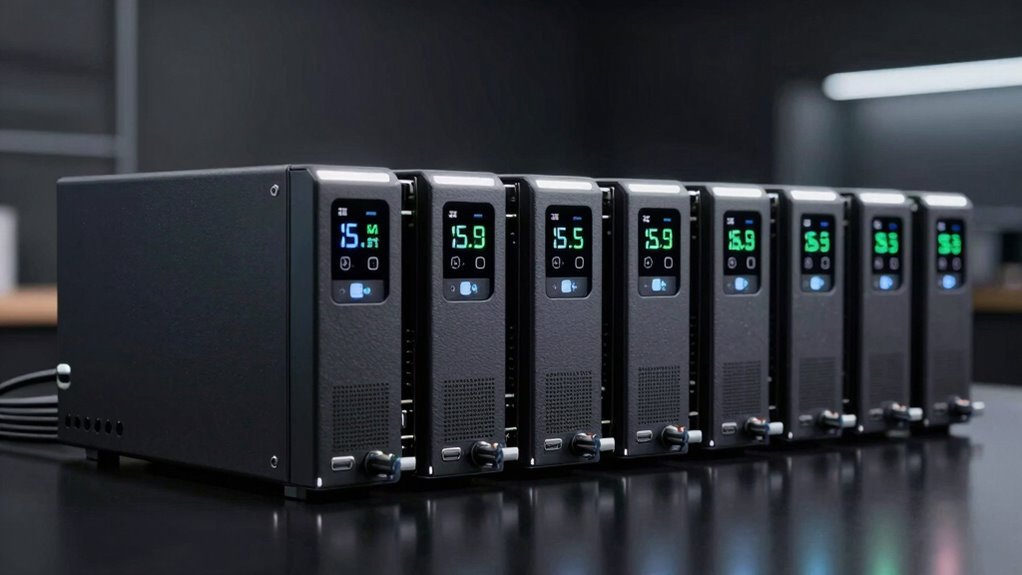

For most home networks and small offices, I’d start with the CyberPower CP1500PFCRM2U: its rackmount design and 1500VA capacity make it a strong fit when several network devices need backup. The APC BX1000M is a more approachable tower option, while the CyberPower CP500PFCRM1U suits a smaller rack where space matters. The key tradeoffs are runtime versus load, rack versus desktop placement, and how much capacity you need beyond a router and modem. Smaller standby models can cover brief outages for basic gear, but they offer less headroom for switches, access points, or longer interruptions. Read on for the full comparison, selection criteria, and guidance for matching a UPS to your network.

Get the latest gadgets delivered free with Prime
- Fast, free delivery on millions of items
- Prime Video, Amazon Music and more included
- Member-only deals all year
Complete the kit



Key Takeaways
- The CyberPower CP1500PFCRM2U is the strongest general rack choice in this lineup for buyers balancing higher capacity with rack installation; the 500VA rack models are better for lighter loads.
- Rack fit changes the shortlist: CyberPower and Eaton Tripp Lite offer several 1U or 2U options, while the APC BX and BE models are more suited to desks or shelves.
- Capacity varies widely. The 1500VA models provide more room for multiple devices than the compact 425VA and 500VA choices, but actual runtime still depends on connected wattage.
- For an entry-level home network, simpler APC and CyberPower standby models may be enough if the goal is to keep a modem and router running through brief interruptions.
- Network-specific buyers should match the UPS to their installation: rack owners can favor rackmount models, while buyers with small loads and limited space may prefer a compact desktop unit.
| CyberPower CP500PFCRM1U PFC Sinewave Rackmount UPS |  | Best Compact Rackmount Pick | Capacity: 500VA / 300W | Form factor: Rackmount | Outlets: 6 NEMA 5-15R; 4 battery backup and surge protected, 2 surge protected | VIEW ON AMAZON | See Our Full Breakdown |
| CyberPower CP1500PFCRM2U PFC Sinewave UPS Battery Backup |  | Best High-Capacity Rackmount | Capacity: 1500VA / 1000W | Output waveform: Sine wave | Outlets: 8 NEMA 5-15R | VIEW ON AMAZON | See Our Full Breakdown |
| APC BX1000M 1000VA/600W Pro UPS Battery Backup |  | Best for Extended Runtime | Capacity: 1000VA / 600W | Backup runtime: Over 42 minutes at a 100W load | Outlets: 8 total: 4 battery backup and 4 surge-only | VIEW ON AMAZON | See Our Full Breakdown |
| CyberPower OR500LCDRM1U Smart App LCD Rackmount UPS, 500VA/300W, 6 Outlets |  | Best for Basic Rack Loads | Capacity: 500VA / 300W | Form factor: 1U rackmount | Outlets: 6 total: 4 battery backup and surge protected, 2 surge protected | VIEW ON AMAZON | See Our Full Breakdown |
| CyberPower CP1500AVRLCD3 1500VA/900W LCD UPS Battery Backup |  | Best Tower for a Home Network | Capacity: 1500VA / 900W | Output waveform: Simulated sine wave | Outlets: 12 NEMA 5-15R: 6 battery backup and surge protected, 6 surge protected | VIEW ON AMAZON | See Our Full Breakdown |
| Ubiquiti 2U Rackmount UPS |  | Best for Ubiquiti Rack Setups | Load capacity: 1000W / 1440VA | Form factor: 2U rackmount | Outlets: 8 NEMA 5-15R; 4 battery backup and surge protected, 4 surge only | VIEW ON AMAZON | See Our Full Breakdown |
| APC BE425M UPS Battery Backup and Surge Protector |  | Best for Small Network Basics | Capacity: 425VA / 255W | Outlets: 6 total: 4 battery backup and surge protection, 2 surge-only | Runtime: Up to 15 minutes at a 100W load | VIEW ON AMAZON | See Our Full Breakdown |
| CyberPower ST425 Standby UPS Battery Backup and Surge Protector |  | Best for Extra Surge-Only Outlets | Capacity: 425VA / 260W | Output waveform: Simulated sine wave | Outlets: 8 NEMA 5-15R; 4 battery backup and surge protected, 4 surge protected | VIEW ON AMAZON | See Our Full Breakdown |
| APC BE650G1 Battery Backup UPS, 550VA/330W |  | Best for Longer Home Network Runtime | Model: BE650G1 | Capacity: 550VA / 330W | Outlets: 8 total: 4 battery backup and surge protection, 4 surge-only | VIEW ON AMAZON | See Our Full Breakdown |
| APC BE600M1 UPS Battery Backup and Surge Protector |  | Best for Five Battery-Backed Devices | Runtime: 23 minutes at a 100W load | Battery backup outlets: 5 with surge protection | Surge-only outlets: 2 | VIEW ON AMAZON | See Our Full Breakdown |
| Eaton Tripp Lite SMART1500LCD 1500VA/900W 2U Rack Mount UPS |  | Best Rackmount Choice for a Full Network Stack | Capacity: 1500VA / 900W | Outlets: 8 NEMA 5-15R | Form factor: 2U rack mount or tower | VIEW ON AMAZON | See Our Full Breakdown |
| CyberPower EC850LCD Ecologic UPS Battery Backup and Surge Protector |  | Best for Mixed Network and Home Office Setups | Outlets: 12 NEMA 5-15R: 6 battery-backed and surge-protected; 6 surge-only | ECO outlets: 3 ECO-controlled surge-only outlets | Maximum power: 500W | VIEW ON AMAZON | See Our Full Breakdown |
| APC 500VA/300W Backup Battery Power Supply for Home Office (BE500G3) |  | Best Compact Backup for a Modem and Router | Capacity: 500VA / 300W | Runtime: Up to 17 minutes at 100W | Outlets: 6 total: 4 battery-backed and surge-protected; 2 surge-only | VIEW ON AMAZON | See Our Full Breakdown |
| APC BX1500M 1500VA UPS Battery Backup and Surge Protector |  | Best Long-Runtime Desktop Option | Capacity: 1500VA / 900W | Outlets: 10 total: 5 battery-backed and 5 surge-only | Backup runtime: Up to 68 minutes at 100W | VIEW ON AMAZON | See Our Full Breakdown |
| Eaton Tripp Lite SmartPro 500VA 1U Rack Mount UPS, 300W AVR |  | Best Compact Rack UPS for a Small Network Shelf | Capacity: 500VA | Output power: 300W | Form factor: 1U rack mount or tower | VIEW ON AMAZON | See Our Full Breakdown |
| ups for networking gear | Outlets | Capacity | Warranty |
|---|---|---|---|
| CyberPower CP500PFCRM1U PFC Si | 6 NEMA 5-15R; 4 battery backup and surge protected, 2 surge protected | 500VA / 300W | 3 years, including batteries |
| CyberPower CP1500PFCRM2U PFC S | 8 NEMA 5-15R | 1500VA / 1000W | 3 years, including the battery |
| APC BX1000M 1000VA/600W Pro UP | 8 total: 4 battery backup and 4 surge-only | 1000VA / 600W | 3 years |
| CyberPower OR500LCDRM1U Smart | 6 total: 4 battery backup and surge protected, 2 surge protected | 500VA / 300W | 3 years, including batteries |
| CyberPower CP1500AVRLCD3 1500V | 12 NEMA 5-15R: 6 battery backup and surge protected, 6 surge protected | 1500VA / 900W | 3 years, including battery |
| Ubiquiti 2U Rackmount UPS | 8 NEMA 5-15R; 4 battery backup and surge protected, 4 surge only | — | — |
| APC BE425M UPS Battery Backup | 6 total: 4 battery backup and surge protection, 2 surge-only | 425VA / 255W | 3 years |
| CyberPower ST425 Standby UPS B | 8 NEMA 5-15R; 4 battery backup and surge protected, 4 surge protected | 425VA / 260W | 3 years, including the battery |
| APC BE650G1 Battery Backup UPS | 8 total: 4 battery backup and surge protection, 4 surge-only | 550VA / 330W | 3 years |
| APC BE600M1 UPS Battery Backup | — | — | — |
| Eaton Tripp Lite SMART1500LCD | 8 NEMA 5-15R | 1500VA / 900W | — |
| CyberPower EC850LCD Ecologic U | 12 NEMA 5-15R: 6 battery-backed and surge-protected; 6 surge-only | — | — |
| APC 500VA/300W Backup Battery | 6 total: 4 battery-backed and surge-protected; 2 surge-only | 500VA / 300W | 3 years |
| APC BX1500M 1500VA UPS Battery | 10 total: 5 battery-backed and 5 surge-only | 1500VA / 900W | — |
| Eaton Tripp Lite SmartPro 500V | 6 NEMA 5-15R | 500VA | — |
More Details on Our Top Picks
CyberPower CP500PFCRM1U PFC Sinewave Rackmount UPS
The CP500PFCRM1U suits a shallow rack where a router, switch, or security device needs clean battery power without taking much space. Its 9.04-inch depth is shorter than the CP1500PFCRM2U’s 10.5 inches, though that larger model offers much more capacity for a heavier load. Sine wave output supports active PFC power supplies, making this a better match for sensitive networking hardware than the OR500LCDRM1U, which uses simulated sine wave output and is specified for equipment without active PFC. Automatic voltage regulation handles minor fluctuations without draining the battery, and the LCD makes local status checks straightforward. The tradeoff is limited headroom at 300W: only four outlets have battery backup, and remote monitoring requires an optional card.
Pros:- Short 9.04-inch depth fits space-limited rack installations
- Sine wave output supports active PFC power supplies
- AVR corrects minor voltage fluctuations without using battery
- LCD shows runtime, battery status, power conditions, and alerts
Cons:- Only four of six outlets provide battery backup
- Remote monitoring requires an optional management card
- 300W capacity limits the connected load
Best for: Network administrators fitting a low power router or switch into a shallow rack who need sine wave output.
Not ideal for: Buyers powering several high draw devices or needing remote monitoring without an add-on card.
- Capacity:500VA / 300W
- Form factor:Rackmount
- Outlets:6 NEMA 5-15R; 4 battery backup and surge protected, 2 surge protected
- Input:15A, NEMA 5-15P straight plug
- Input voltage:120V AC
- Depth:9.04 inches
- Power cord:10 feet
- Warranty:3 years, including batteries
Our verdict“Choose this compact rack UPS for a modest networking load that benefits from sine wave output and a shallow chassis.”
CyberPower CP1500PFCRM2U PFC Sinewave UPS Battery Backup
For a rack carrying more than a modem and a small switch, the CP1500PFCRM2U offers the strongest capacity among the five picks: 1500VA/1000W with sine wave output. That gives it substantially more load headroom than the 500VA CP500PFCRM1U, while keeping a short-depth rackmount design. Its eight outlets make it easier to connect a broader set of networking and security gear, and AVR manages minor voltage changes without relying on battery. Compared with the tower-shaped CP1500AVRLCD3, this model is designed to fit a rack, though the tower has more total outlets and USB charging ports. The CP1500PFCRM2U has a 6-foot cord and 10.5-inch depth, so buyers should check rack placement and outlet reach before choosing it.
Pros:- 1000W capacity provides more load headroom than the 500VA rack options
- Sine wave output supports compatible active PFC equipment
- Eight outlets accommodate several connected devices
- LCD and AVR help monitor and manage power conditions
Cons:- Six-foot power cord may constrain rack placement
- 10.5-inch depth is longer than the CP500PFCRM1U
- Rackmount form factor may not suit users without a rack
Best for: Small office or home lab operators with multiple rack devices and a need for more power headroom.
Not ideal for: Buyers with only one or two low draw devices, or those who need a longer power cord or USB charging ports.
- Capacity:1500VA / 1000W
- Output waveform:Sine wave
- Outlets:8 NEMA 5-15R
- Input plug:NEMA 5-15P, right-angle, 45-degree offset
- Power cord:6 feet
- Depth:10.5 inches
- Voltage regulation:Automatic voltage regulation
- Warranty:3 years, including the battery
Our verdict“Pick this model when a rack installation needs sine wave backup and more capacity for several networking devices.”
APC BX1000M 1000VA/600W Pro UPS Battery Backup
The APC BX1000M stands out for buyers who want a stated runtime reference: it provides over 42 minutes at a 100W load, which can give a modem and router time to ride through an outage or shut down equipment cleanly. Its coaxial and Ethernet surge protection also covers lines that the rack-focused CyberPower models do not list. Compared with the CP1500PFCRM2U, the APC has lower capacity at 600W and a desktop form factor, but it adds a user-replaceable battery and a useful LCD readout for estimated runtime and load. Four of its eight outlets are surge-only, so the connected devices need to be prioritized. The replacement battery is sold separately, and the runtime figure applies specifically to a 100W load.
Pros:- Over 42 minutes of runtime specified at a 100W load
- Ethernet and coaxial surge protection cover connected lines
- AVR regulates voltage fluctuations without using battery power
- LCD reports battery charge, load, estimated runtime, and power status
Cons:- Only four outlets provide battery backup
- Replacement battery is sold separately
- Runtime decreases as the connected load rises
Best for: Home office and small network owners prioritizing longer backup time for a low power modem, router, and related gear.
Not ideal for: Rack operators or buyers who need battery backup on more than four outlets or a replacement battery included.
- Capacity:1000VA / 600W
- Backup runtime:Over 42 minutes at a 100W load
- Outlets:8 total: 4 battery backup and 4 surge-only
- Voltage regulation:Corrects brownouts from 88V and surges of +/-13%; regulates to 120V
- Surge protection:Coaxial and Ethernet
- Battery:User-replaceable; APCRBC158 sold separately
- Efficiency:92%+; ENERGY STAR certified
- Warranty:3 years
Our verdict“Choose the BX1000M for a low power home network where extended stated runtime and line surge protection matter more than rack mounting.”
CyberPower OR500LCDRM1U Smart App LCD Rackmount UPS, 500VA/300W, 6 Outlets
The OR500LCDRM1U is a practical fit for a basic rack load when the connected equipment does not require pure sine wave output. Its 1U chassis, 10-foot cord, AVR, and LCD cover the core needs of a router, switch, or telecom device in a compact installation. The CP500PFCRM1U shares the 500VA/300W capacity and rack format, but its sine wave output makes it the stronger choice for active PFC supplies; this OR model is specified for equipment without active PFC. That distinction matters more than the similar capacity when choosing compatible gear. The OR500 also limits battery backup to four outlets, and its remote management needs an optional card. Choose it for a straightforward, compatible load; skip it if power supply requirements are uncertain.
Pros:- 1U rackmount design suits compact installations
- AVR handles minor power fluctuations without switching to battery
- LCD displays runtime, battery status, and power conditions
- Three-year warranty includes batteries
Cons:- Simulated sine wave may not suit equipment requiring pure sine wave
- Only four of six outlets provide battery backup
- Remote management requires an optional card
Best for: Rack owners powering compatible network or telecom equipment without active PFC supplies who want local LCD monitoring.
Not ideal for: Buyers whose equipment requires pure sine wave output, or who need more than 300W of backup capacity.
- Capacity:500VA / 300W
- Form factor:1U rackmount
- Outlets:6 total: 4 battery backup and surge protected, 2 surge protected
- Input:120V, 15A, NEMA 5-15P
- Power cord:10 feet
- Output:120V AC, 2.5A
- Battery charge time:8 hours
- Warranty:3 years, including batteries
Our verdict“Choose the OR500LCDRM1U for a modest rack load confirmed to work with simulated sine wave output.”
CyberPower CP1500AVRLCD3 1500VA/900W LCD UPS Battery Backup
The CP1500AVRLCD3 makes sense when networking gear shares a desk or media cabinet rather than a rack. Its mini-tower case supplies 900W and has 12 outlets, with six backed by battery, so a home router, modem, storage device, and other electronics can share one unit. The BX1000M is smaller in capacity and specifies more than 42 minutes at a 100W load; this CyberPower instead offers greater capacity and six battery-backed outlets, but no runtime figure is provided here. Its simulated sine wave output is a key compatibility tradeoff, especially beside the sine wave CP1500PFCRM2U. AVR, a color LCD, and USB-A/USB-C charging add convenience, though only half the outlets support battery backup.
Pros:- 900W capacity supports a substantial home networking load
- Twelve outlets include six with battery backup
- AVR and color LCD support power monitoring
- USB-A and USB-C ports charge small devices
Cons:- Simulated sine wave output may not suit equipment requiring pure sine wave
- Only six outlets provide battery backup
- Mini-tower design takes floor or shelf space outside a rack
Best for: Home network owners who want a high-capacity tower UPS with several battery-backed outlets and USB charging.
Not ideal for: Rack users or owners of equipment that requires pure sine wave output.
- Capacity:1500VA / 900W
- Output waveform:Simulated sine wave
- Outlets:12 NEMA 5-15R: 6 battery backup and surge protected, 6 surge protected
- Input plug:NEMA 5-15P
- Power cord:6 feet
- USB ports:1 Type-A, 1 Type-C
- Form factor:Mini-tower
- Warranty:3 years, including battery
Our verdict“Pick this tower for a home network with multiple devices when its simulated sine wave output matches their power supply requirements.”
Ubiquiti 2U Rackmount UPS
For a network rack that needs substantial power capacity and centralized monitoring, the Ubiquiti 2U Rackmount UPS is the clear fit in this group. Its 1000W / 1440VA capacity and rackmount enclosure suit larger equipment stacks better than desktop units like the APC BE650G1. Remote management support and two RJ45 surge protection ports also help protect and monitor a wired network from the rack. The tradeoff is outlet coverage: only four of its eight outlets provide battery backup, while the other four offer surge protection only. Runtime reaches up to 8 minutes at half load, so this is mainly a bridge for brief outages or orderly shutdowns, not extended operation. Allow 6 to 8 hours to recharge to 90%.
Pros:- 1000W / 1440VA capacity for rack equipment
- 2U rackmount design fits network and server racks
- Remote management support and Ethernet surge protection
- Eight outlets, including four with battery backup
Cons:- Runtime is up to 8 minutes at half load
- Only four outlets provide battery backup
- Recharge to 90% takes 6 to 8 hours
Best for: Network administrators with a rack of compatible gear who want remote monitoring and high power capacity.
Not ideal for: Home users with just a router and modem, or anyone who needs long battery runtime or backup on every outlet.
- Load capacity:1000W / 1440VA
- Form factor:2U rackmount
- Outlets:8 NEMA 5-15R; 4 battery backup and surge protected, 4 surge only
- Batteries:Dual 12V lead-acid
- Runtime:Up to 8 minutes at half load
- Recharge time:6 to 8 hours to 90% capacity
- Ethernet surge protection:2 RJ45 GbE surge in/out ports
- Management port:10/100 Mb/s Ethernet
Our verdict“Choose this Ubiquiti model for a monitored rack with a higher power draw, and choose a desktop UPS like the APC BE650G1 for a small home network.”
APC BE425M UPS Battery Backup and Surge Protector
The APC BE425M keeps a simple router-and-modem setup protected without taking up rack space. Its wall-mountable shape and four battery-backed outlets make it easier to place near networking gear than a rack unit such as the Ubiquiti 2U Rackmount UPS. At 425VA / 255W, it is aimed at low-power electronics, and the listed runtime is up to 15 minutes at a 100W load. That can provide a short window for an outage or a safe shutdown, but it leaves less headroom than the APC BE650G1, which has 550VA / 330W capacity. Two outlets are surge-only, so check which devices need to stay on during a cut. Wiring fault and audible alerts add useful status cues.
Pros:- Wall-mountable design suits compact home network areas
- Four battery backup and surge protection outlets
- Wiring fault indicator and audible alerts
- Three-year warranty
Cons:- 425VA / 255W capacity limits connected equipment
- Only four of six outlets provide battery backup
- Listed runtime is up to 15 minutes at a 100W load
Best for: Apartment residents or home network owners backing up a router, modem, and a few low-power devices.
Not ideal for: Users with a NAS or several higher-draw devices who need more capacity, longer runtime, or battery backup on more outlets.
- Capacity:425VA / 255W
- Outlets:6 total: 4 battery backup and surge protection, 2 surge-only
- Runtime:Up to 15 minutes at a 100W load
- Mounting:Wall-mountable
- Warranty:3 years
- Equipment protection:$75,000
Our verdict“Pick the BE425M for a small router and modem setup where wall mounting matters; step up to the APC BE650G1 for greater capacity and runtime.”
CyberPower ST425 Standby UPS Battery Backup and Surge Protector
Among the compact options here, the CyberPower ST425 gives a network corner more places to plug in: it has eight outlets, with four offering battery backup and four surge protection only. That outlet count beats the APC BE425M’s six, but both models provide battery backup on only four outlets, so the extra connections do not extend outage protection to every device. Its 425VA / 260W capacity is close to the APC’s 425VA / 255W, while the ST425 uses simulated sine wave output; buyers should check that their connected equipment is compatible. LED indicators report power and wiring fault status, and the three-year warranty includes the battery. The supplied cord is five feet, which can constrain placement relative to a wall outlet.
Pros:- Eight outlets, including four with battery backup
- LED indicators show power and wiring fault status
- Three-year warranty includes the battery
- Compact form factor suits a desk or small network area
Cons:- Only four outlets provide battery backup
- Simulated sine wave output may not suit every device
- Five-foot power cord may limit placement
Best for: Home network owners who need several surge-protected connections alongside battery backup for a router and modem.
Not ideal for: Buyers who need battery backup for more than four devices or require a waveform other than simulated sine wave.
- Capacity:425VA / 260W
- Output waveform:Simulated sine wave
- Outlets:8 NEMA 5-15R; 4 battery backup and surge protected, 4 surge protected
- Input plug:NEMA 5-15P right-angle, 45-degree offset
- Power cord:5 feet
- Voltage:120 volts
- Warranty:3 years, including the battery
- Connected equipment guarantee:$75,000
Our verdict“Choose the ST425 when you want more total outlets than the APC BE425M provides and your critical network devices fit within its four battery-backed outlets.”
APC BE650G1 Battery Backup UPS, 550VA/330W
The APC BE650G1 is a stronger match than the smaller APC BE425M when a home network includes a router, modem, and a NAS or other low-power equipment that should ride through brief outages. It raises capacity to 550VA / 330W and lists up to 22 minutes at a 100W load, giving connected gear more time than the BE425M’s listed 15 minutes at that load. Eight outlets help organize a home office, though only four are battery-backed; the rest protect against surges without keeping devices running. Its user-replaceable battery can extend the unit’s service life, but the replacement battery is sold separately. This remains a desktop-scale option, well below the Ubiquiti rackmount unit’s power capacity.
Pros:- 550VA / 330W capacity exceeds the APC BE425M
- Up to 22 minutes of runtime at a 100W load
- User-replaceable battery
- Eight outlets for networking and home office devices
Cons:- Only four outlets provide battery backup
- Replacement battery is sold separately
- Desktop capacity is not suited to larger racks
Best for: Home office owners who need backup for a router, modem, and a modest NAS, with the option to replace the battery.
Not ideal for: Rack operators or buyers who need battery backup across more than four outlets or support for high-draw equipment.
- Model:BE650G1
- Capacity:550VA / 330W
- Outlets:8 total: 4 battery backup and surge protection, 4 surge-only
- Runtime:Up to 22 minutes at a 100W load
- Replacement battery:APCRBC110, sold separately
- Warranty:3 years
- Equipment protection:$75,000
Our verdict“Choose the BE650G1 for a small home network that needs more runtime and capacity than the BE425M, provided four backed-up outlets are enough.”
APC BE600M1 UPS Battery Backup and Surge Protector
For buyers who count outlets before they count total capacity, the APC BE600M1 stands apart: five outlets provide battery backup, one more than the APC BE650G1 and CyberPower ST425. That can help keep a router, modem, and several small network accessories running together, while two additional outlets offer surge protection only. The listed 23-minute runtime at a 100W load is close to the BE650G1’s 22 minutes, though the supplied data does not state this model’s capacity in VA or watts. A USB port adds 1.5A charging, but it does not replace a dedicated network connection or add battery-backed outlets. Like the BE650G1, its internal battery is replaceable and sold separately.
Pros:- Five battery backup and surge protection outlets
- Up to 23 minutes of runtime at a 100W load
- Two additional surge-only outlets
- 1.5A USB charging port
Cons:- Replacement battery is sold separately
- Provided specifications do not state VA or watt capacity
- Runtime figure is specified only at a 100W load
Best for: Home network owners who need battery backup for five low-power devices and value an extra backed-up outlet.
Not ideal for: Buyers who need stated capacity figures for load planning or support for a larger rack or high-draw equipment.
- Runtime:23 minutes at a 100W load
- Battery backup outlets:5 with surge protection
- Surge-only outlets:2
- USB port output:1.5A
- Replacement battery:APCRBC154, sold separately
Our verdict“Choose the BE600M1 if one more battery-backed outlet than the BE650G1 matters for your small network and its listed runtime suits your load.”
Eaton Tripp Lite SMART1500LCD 1500VA/900W 2U Rack Mount UPS
The SMART1500LCD suits a rack with a modem, router, switch, and other network gear that need battery backup from one unit. Its eight battery-backed outlets give it more room for a multi-device stack than the APC BX1500M, which has five battery-backed outlets among its ten total. Automatic voltage regulation can correct input swings without using battery capacity, while the rotatable LCD makes status readable in either rack or tower placement. The tradeoff is its 2U footprint, which takes more rack space than the 1U Eaton Tripp Lite SmartPro 500VA. Also, its output switches to modified sine wave on battery, so buyers whose equipment calls for sine-wave battery output should look at a different model. It is a stronger fit for outlet count and rack flexibility than for compactness or waveform-sensitive loads.
Pros:- Eight outlets provide battery backup and surge protection for a multi-device network stack.
- Can be installed as a 2U rack unit or used as a tower.
- Automatic voltage regulation addresses brownouts and overvoltage without relying on the battery.
- Rotatable LCD reports voltage, runtime, load, battery status, and operating mode.
Cons:- Modified sine-wave output on battery may not suit equipment that requires a pure sine wave.
- The 2U rack footprint uses more space than the 1U Eaton Tripp Lite SmartPro 500VA.
- Its 1500VA capacity may be more than a small router-and-modem setup needs.
Best for: Home lab and small-office owners who need battery-backed outlets for several network devices and have 2U of rack space.
Not ideal for: Rack owners short on vertical space or buyers whose equipment requires sine-wave output while running on battery.
- Capacity:1500VA / 900W
- Outlets:8 NEMA 5-15R
- Form factor:2U rack mount or tower
- Input cord:6-foot NEMA 5-15P
- Voltage regulation:Corrects 75V–147V input to 120V
- Battery-mode output:Modified sine wave (PWM)
- Dataline protection:RJ45 Ethernet, up to 100 Mbps
- Battery:User-replaceable internal batteries
Our verdict“Choose the SMART1500LCD for a rack with several network devices and room for 2U, provided modified sine-wave battery output fits your equipment.”
CyberPower EC850LCD Ecologic UPS Battery Backup and Surge Protector
The EC850LCD is a practical fit when a modem and router share a desk or media area with a computer and peripherals. Of its 12 outlets, six provide battery backup and surge protection; three of the surge-only outlets are ECO-controlled and can switch off peripherals when a connected computer is asleep or off. That outlet split offers more peripheral management than the APC BE500G3, though the APC adds USB-C and USB-A charging. For networking gear, the main limitation is the listed two-minute runtime: it gives little time to ride out an outage or shut equipment down gracefully. Simulated sine-wave output is another constraint for devices that specify sine wave. I’d choose it for outlet flexibility and automatic peripheral shutoff, not for long backup time or a dedicated rack installation.
Pros:- Six battery-backed outlets can cover a small set of networking and office devices.
- Three ECO-controlled surge-only outlets can cut power to peripherals when a computer is off or asleep.
- LCD displays battery and power conditions.
- Three-year warranty includes the battery.
Cons:- Listed runtime is only two minutes, leaving little outage buffer.
- Simulated sine-wave battery output may not fit equipment that calls for sine wave.
- Only six of the 12 outlets provide battery backup.
Best for: Desk-based home-office users who want battery backup for a modem and router plus ECO-controlled outlets for peripherals.
Not ideal for: Buyers who need extended networking uptime during outages or need sine-wave output on battery.
- Outlets:12 NEMA 5-15R: 6 battery-backed and surge-protected; 6 surge-only
- ECO outlets:3 ECO-controlled surge-only outlets
- Maximum power:500W
- Input voltage:120V
- Output voltage:230V AC
- Surge protection:526 joules
- Runtime:2 minutes
- Battery:Sealed lead acid
Our verdict“Pick the EC850LCD for a desk setup that benefits from ECO outlet control, but skip it if your network needs more than a brief outage buffer.”
APC 500VA/300W Backup Battery Power Supply for Home Office (BE500G3)
The APC BE500G3 is the small-load pick for buyers who want to keep a modem and router online through a short interruption without adding a rack unit. It provides up to 17 minutes at a 100W load, a useful reference point for a modest network setup, though actual runtime depends on the connected load. Four of its six outlets have battery backup; the other two are surge-only. Compared with the CyberPower EC850LCD, it has fewer outlets and no ECO-controlled group, but its stated runtime at 100W is far more useful than that model’s listed two minutes. USB-C and USB-A ports can charge small devices, although they share a limited 5V/3A output. This is a focused desktop or wall-mount option, not a high-capacity solution for a loaded switch or server.
Pros:- Up to 17 minutes of runtime at a 100W load provides a useful benchmark for a modest network setup.
- Wall-mountable design can fit a home office without rack space.
- Six outlets include four with battery backup and surge protection.
- USB-C and USB-A ports add charging options.
Cons:- Only four outlets provide battery backup.
- USB-C and USB-A share 5V/3A output.
- The 300W capacity limits its suitability for larger network stacks.
Best for: Home users who need backup for a modem and router, with a couple of extra outlets and USB charging nearby.
Not ideal for: Network closets with several power-hungry devices or buyers who need battery backup at more than four outlets.
- Capacity:500VA / 300W
- Runtime:Up to 17 minutes at 100W
- Outlets:6 total: 4 battery-backed and surge-protected; 2 surge-only
- USB ports:USB-C and USB-A, 5V/3A shared
- Form factor:Wall-mountable
- Warranty:3 years
- Equipment protection:$75,000
- Model:BE500G3
Our verdict“Choose the BE500G3 for a compact modem-and-router backup with a stated 100W runtime, not for a multi-device network cabinet.”
APC BX1500M 1500VA UPS Battery Backup and Surge Protector
The APC BX1500M stands out for buyers who want substantial capacity and a stated runtime reference for a desktop network setup: up to 68 minutes at a 100W load. That figure can help a modem, router, and modest network stack stay powered during a longer interruption, though a heavier load will reduce runtime. Its ten outlets are divided evenly between battery-backed and surge-only, so it has fewer backed outlets than the eight on the Eaton Tripp Lite SMART1500LCD. In return, APC includes coaxial and Ethernet surge protection alongside outlet protection, plus automatic voltage regulation and an LCD with runtime and load information. The battery is user-replaceable, but sold separately. This tower-style unit favors runtime visibility and line protection over rack integration or backing up every connected device.
Pros:- Up to 68 minutes at 100W offers a useful runtime reference for light network loads.
- Coaxial and Ethernet surge protection supplement the protected outlets.
- LCD reports battery charge, estimated runtime, load, and input voltage.
- User-replaceable battery supports a battery swap.
Cons:- Only five of the ten outlets provide battery backup.
- Replacement APCRBC124 battery is sold separately.
- Runtime drops as the connected load increases.
Best for: Home-office owners who want long stated runtime at a light load, line protection, and a replaceable battery in a desktop UPS.
Not ideal for: Rack users or buyers who need more than five battery-backed outlets for their network equipment.
- Capacity:1500VA / 900W
- Outlets:10 total: 5 battery-backed and 5 surge-only
- Backup runtime:Up to 68 minutes at 100W
- Voltage regulation:Corrects low voltage from 88V and surges of ±13%; regulates to 120V
- Surge protection:Outlets, coaxial, and Ethernet
- Battery:User-replaceable APCRBC124, sold separately
- Efficiency:92%+; ENERGY STAR certified
- Display:LCD with charge, estimated runtime, load, and input voltage
Our verdict“Pick the BX1500M for a desktop network setup where light-load runtime and coaxial or Ethernet surge protection matter more than rack mounting.”
Eaton Tripp Lite SmartPro 500VA 1U Rack Mount UPS, 300W AVR
For a shallow rack with just a router, modem, or small switch, the SmartPro 500VA keeps the footprint down: it occupies 1U and has an installed depth of 11.8 inches. That makes it easier to fit in a compact cabinet than the 2U Eaton Tripp Lite SMART1500LCD, though its 300W output is aimed at a much smaller load. Automatic voltage regulation handles brownouts without drawing on the battery, and USB, RS232, and EPO connections support monitoring and shutdown workflows. One outlet can be controlled individually for load shedding, a useful detail when a nonessential device should be switched off first. The limitation is that only one outlet has this control, and an SNMP/Web card is optional. I’d choose it for rack fit and basic management, not for a growing stack or advanced built-in network monitoring.
Pros:- 1U rack or tower form factor fits compact network spaces.
- 11.8-inch installed depth suits shallow racks.
- AVR corrects brownouts without using battery capacity.
- USB, RS232, EPO, and PowerAlert support monitoring and shutdown options.
Cons:- 300W output limits it to a modest network load.
- Only one outlet is individually controllable.
- SNMP/Web management requires an optional card.
Best for: Owners of shallow network racks who need compact backup for a router, modem, or small switch and want AVR plus basic monitoring connections.
Not ideal for: Buyers powering multiple high-draw devices or those who need built-in SNMP/Web management or several individually controlled outlets.
- Capacity:500VA
- Output power:300W
- Form factor:1U rack mount or tower
- Installed depth:11.8 inches
- Outlets:6 NEMA 5-15R
- Connections:USB, RS232, EPO
- Voltage regulation:Automatic voltage regulation (AVR)
- Included software:PowerAlert
Our verdict“Choose the SmartPro 500VA when rack depth and 1U sizing matter most for a small network load, and look to a higher-capacity unit for a larger stack.”

How We Picked
I ranked these UPS systems around the needs of networking gear: keeping a modem, router, switch, or access point powered during an outage, fitting the intended installation, and leaving enough capacity for the connected load. I gave more weight to useful capacity and rack suitability for buyers building network closets, while compact standby units remain relevant for a basic home setup. The listed VA and watt ratings help distinguish broad capacity classes, but they do not establish how long a particular network will run; runtime depends on load and battery condition.
That puts the CyberPower CP1500PFCRM2U first as a capable rackmount option, with the CP500PFCRM1U and OR500LCDRM1U serving smaller rack loads. Tower models such as the APC BX1000M and CyberPower CP1500AVRLCD3 offer alternatives when rack mounting is unnecessary. Compact standby models rank lower for multi-device or extended-backup needs, though their simpler footprint can suit one or two low-draw devices. I considered each product’s stated form factor, capacity, and intended use, and treated battery replacement, outlet layout, and feature details as model-specific checks for buyers.
Factors to Consider When Choosing Ups For Networking Gear
Choosing a UPS for networking gear starts with the network you need to keep online and how you plan to install the backup. A router alone puts different demands on a unit than a modem, router, PoE switch, and several access points. These broader checks help prevent buying a unit that fits the shelf but cannot support the load, or paying for capacity your setup will not use.
Size the UPS Around the Whole Network Load
List every device that must stay on during an outage, including the modem, router, switch, and any access point powered by the switch. Check each device’s power draw and add the loads rather than sizing around the router alone. A PoE switch can draw much more when it powers cameras or access points, and its demand can change as connected devices operate. Choose a UPS whose watt capacity exceeds the combined load with some room for growth. VA ratings help compare models, but the watt rating is the more direct ceiling for the actual equipment draw. A common mistake is treating a 1500VA label as a promise of long runtime; capacity and runtime are related, but they are not interchangeable.
Decide How Long the Network Needs to Stay Up
Think about what you need the backup to accomplish: ride through a short flicker, keep internet service available while you save work, or maintain connectivity through a longer outage. Higher device loads use battery energy faster, so the same UPS can provide very different runtimes in different homes. If you only need time for an orderly shutdown of a network appliance, a smaller unit may be adequate. If you rely on the connection for work or remote access, consider a larger capacity class and check manufacturer runtime estimates at a load close to yours. Also remember that a UPS can power your local network while the internet provider’s equipment or neighborhood service is down. That distinction can prevent expectations a battery backup cannot meet.
Match the Form Factor to the Installation
Rackmount units make a tidy choice for a network cabinet, but confirm the rack’s available height, depth, mounting hardware, and ventilation before buying. A compact 1U unit saves vertical space, while a 2U model may suit a rack with more room and a larger capacity requirement. Tower units can be easier to place beside a modem or desk setup, though they need stable floor or shelf space and accessible outlets. Measure cable reach as well as the UPS enclosure; short power cords or a crowded outlet layout can complicate a clean installation. Avoid squeezing a UPS into a sealed cabinet, since heat can affect battery service life. Let the location guide the form factor before comparing feature lists.
Check Outlet Layout and Which Sockets Have Battery Backup
UPS outlet counts do not always tell the full story because some sockets may provide surge protection without battery backup. Make sure the devices that must remain online can reach battery-backed outlets, and leave room for bulky power adapters. Separate less critical equipment, such as a printer or spare charger, from the backed-up group if the unit has limited battery outlets. This keeps the battery focused on networking gear and can extend its useful runtime under load. For a rack, look at outlet orientation and cord clearance so power bricks do not block neighboring connections. A quick outlet map before purchase can save awkward cable changes later.
Plan for Battery Aging and Replacement
UPS batteries are consumable parts, so consider how you will find and replace the battery when backup performance declines. Check the product documentation for battery type, replacement guidance, and whether the unit provides a clear status indicator or alarm. A neglected battery may fail to carry the network even if the UPS still powers connected equipment from the wall. If the UPS is difficult to access in a deep rack or cabinet, routine inspection becomes less likely. Keep the model information and replacement instructions with your network records. This maintenance planning matters more than a small difference in headline capacity for equipment you depend on.
Pay for Capacity and Features You Will Use
Paying more makes sense when it buys meaningful headroom, a rack-ready enclosure for an existing cabinet, or monitoring features that fit your setup. Extra capacity is useful if you expect to add a switch or more powered access points, but it does not remove the need to estimate load and runtime. For a modem and router on a shelf, a compact standby model may be a simpler match than a rack unit with unused capacity. An LCD can make status and load easier to check, though it is less valuable if the UPS is tucked away and rarely inspected. Compare the full outlet and management details for the exact model before deciding that a feature is worth the extra spend. The best fit is the unit whose capacity, installation, and upkeep match the network you actually run.
Frequently Asked Questions
Is a 500VA UPS enough for a modem, router, and switch?
It may be enough for a low-draw modem, router, and small switch, but the VA label alone cannot answer that. Add the devices’ watt draw and compare it with the UPS’s watt rating, leaving capacity for variation or future additions. A PoE switch powering access points or cameras can change the calculation substantially. If the combined draw approaches the UPS limit, choose a larger model. Check a runtime chart at your estimated load before relying on it for a specific outage duration.
Should I choose a rackmount UPS or a tower model for a home network?
Choose based on where your network equipment lives and how much room the backup has. A rackmount unit fits a network cabinet and keeps the installation consolidated, while a tower model is often easier to place beside a modem and router on a shelf. Measure the available depth and height, and confirm the mounting hardware and cord access for rack installation. If you do not already have a rack, a rack unit may add setup complexity without helping your network. Either format still needs enough battery-backed outlets for the equipment you want to keep running.
Will a UPS keep my internet working during a power outage?
A UPS can keep your modem, router, and local network powered, but it cannot keep an internet provider’s equipment running if that equipment loses power. Some cable, fiber, or fixed wireless services may continue during a local outage, while others may not. Your backup duration also depends on the connected load and battery condition. If internet access during an outage is essential, ask your provider how its service behaves during local power loss. Consider backup power for provider-owned equipment in your home only if it is permitted and compatible.
Do I need a pure sine wave UPS for a router or network switch?
Many networking devices use external power adapters, so compatibility depends on the adapter and the UPS output rather than the router’s label alone. Check the device or adapter documentation for guidance on waveform requirements. A pure sine wave model can be a sensible choice when equipment documentation calls for it or when you want broader compatibility across a mixed setup. For a simple modem and router, confirm the manufacturer’s requirements before paying extra for a feature you may not need. Keep the UPS’s watt capacity and outlet arrangement in view as well.
How much extra UPS capacity should I leave for adding PoE access points?
Estimate the PoE load using the access points’ maximum draw, then add the switch’s own consumption and every other backed-up device. Compare that total with the UPS watt limit and leave headroom for startup variation and future network changes. The switch’s PoE budget describes how much power it can distribute, not necessarily what it draws at every moment, so use device specifications where available. If the planned load leaves little margin, step up to a larger capacity class before installing the access points. Recheck expected runtime at the expanded load, since added capacity use shortens battery time.
Conclusion
For most network closets, I’d choose the CyberPower CP1500PFCRM2U as the best overall fit from this group because it combines rackmount installation with a higher capacity class. Buyers who need a compact rack option for lighter equipment should look at the CP500PFCRM1U, while the APC BX1000M is a practical tower pick for a home setup without a rack. For beginners backing up only a modem and router, the APC BE650G1 or a similar compact standby model keeps the setup simple. If your priority is a premium rack installation, compare the 1500VA rack choices, including the Eaton Tripp Lite SMART1500LCD, against your rack dimensions and device load. Match the final choice to the combined watt draw, the outlets you need on battery, and the time you want the network to stay online.
Evergreen bestsellers Picks
bestsellers
As an affiliate, we earn on qualifying purchases.