TL;DR
Listen free for 30 days with Audible
Thousands of audiobooks and originals — cancel anytime.
As an affiliate, we earn on qualifying purchases.
Thorsten Meyer AI reports that the old rule that DIY AI workstations are always cheaper no longer holds in 2026. The guide says buyers now need to compare exact quotes because component shortages have pushed up RAM, GPU and SSD prices while some vendors may benefit from bulk purchasing and factory validation.
Thorsten Meyer AI says the build-versus-buy decision for AI workstations has changed in 2026, with component price spikes making prebuilt systems a serious price and risk-management option rather than only a time-saving choice.
The report says the AI infrastructure boom has pushed up prices for parts commonly used in local AI rigs, including DDR5 memory, GPUs and SSDs, with DDR4 also affected. According to the guide, a DIY build that previously came in under $1,000 can now cost $1,250 or more before an operating system license.
The guide does not say prebuilts are always cheaper. Its central finding is narrower: buyers should price both routes for the exact configuration they need because large workstation vendors may have bought parts in bulk before some price increases. That can make some prebuilt systems difficult for an individual buyer to match part by part.
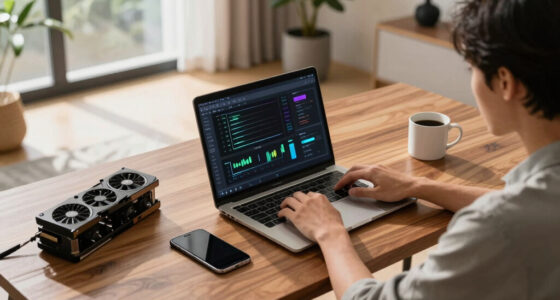
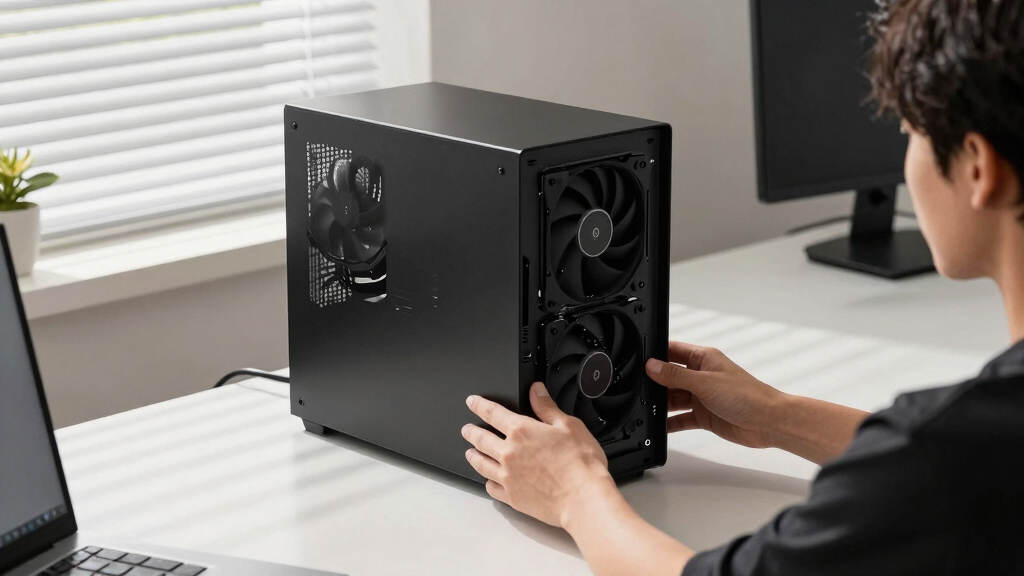
Thorsten Meyer AI frames the decision around heat and noise under sustained AI workloads. It says a high-power AI workstation needs five practical controls: GPU undervolting, cooler matching, case airflow, fan tuning and physical placement. In a DIY build, the owner handles that work. In a prebuilt, the vendor may handle much of it before shipment.
Why It Matters
The shift matters because local AI users are buying machines for long, heavy GPU workloads, not short bursts of desktop use. A system that looks affordable on a parts list can become more costly if it runs hot, makes too much noise, throttles under load or requires repeated troubleshooting.
For readers choosing between DIY and a prebuilt workstation, the trade is now broader than purchase price. The relevant comparison includes time, thermal engineering, warranty coverage, support, noise levels, upgrade control and the value of learning the machine by building it.
The report says DIY still fits users who want maximum control, a learning experience and the ability to tune every part. Prebuilt systems may fit buyers who want faster deployment, validated thermals and one support path if something fails.
As an affiliate, we earn on qualifying purchases.
Background
For years, the common advice for workstation buyers was that building a PC saved money while buying prebuilt saved time. Thorsten Meyer AI says that rule has weakened in the 2026 AI market because the same demand driving interest in local AI workstations has also strained supply for the parts those systems need.
The new guide is part of a broader Thorsten Meyer AI series focused on reducing heat and noise in high-power AI workstations. It follows related guidance on whether to choose a Mac or a GPU tower for local LLM use and on how to manage heat and noise in a sustained-load workstation.
The prebuilt vendor landscape cited in the source material includes Puget Systems, BIZON and Lambda. The guide also describes the Mac Studio as a different kind of prebuilt option for users who want a quiet system without managing PC tower thermals.
“building is no longer automatically cheaper”
— Thorsten Meyer AI guide
“You can no longer assume DIY is the bargain.”
— Thorsten Meyer AI guide
“24-48h burn-in”
— Thorsten Meyer AI source material on Puget Systems
“up to 30% lower noise and temperature”
— Thorsten Meyer AI source material on BIZON
As an affiliate, we earn on qualifying purchases.
What Remains Unclear
Exact pricing remains uncertain because component and prebuilt prices can change quickly. The source material says buyers should quote their exact configuration at the time of purchase. It is also unclear from the provided material how many prebuilt systems beat comparable DIY pricing, or how vendor claims compare under independent testing across identical workloads.
As an affiliate, we earn on qualifying purchases.
What’s Next
Readers comparing options should price a DIY parts list and a prebuilt system with the same GPU, memory, storage, cooling and warranty assumptions. The next practical step is to compare the total cost against the buyer’s tolerance for tuning, noise, heat, support needs and downtime.
As an affiliate, we earn on qualifying purchases.
Key Questions
Is building an AI workstation still cheaper in 2026?
Not always, according to Thorsten Meyer AI. The guide says component shortages and price increases mean buyers need to compare exact DIY and prebuilt quotes instead of assuming DIY wins on price.
Why might a prebuilt AI workstation make sense now?
A prebuilt system may include factory thermal validation, burn-in testing, tuned fans, support and warranty coverage. Those factors can matter for machines running long GPU-heavy AI workloads.
Who should still build their own AI workstation?
DIY remains a fit for users who want control over every component, want to learn the system, or are willing to tune thermals, airflow and fan behavior themselves.
What remains unclear from the current guidance?
The guide does not provide a universal price winner. Prices vary by configuration, vendor, inventory and timing, so buyers still need current quotes for their own workload and budget.
Source: Thorsten Meyer AI
NFL season / tailgating Picks
team gear
As an affiliate, we earn on qualifying purchases.