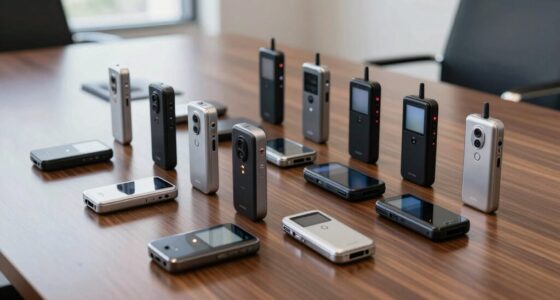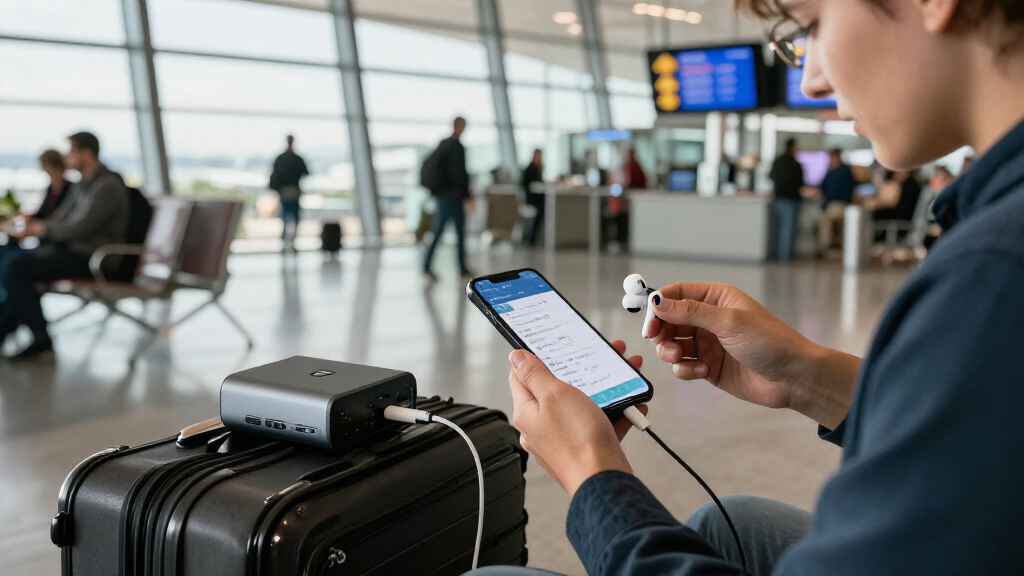
This checklist is for travelers who want their essential tech to be easier to pack, power, and use on the move. It brings together picks for charging, backup power, headphones, luggage tracking, and hands-free phone use, plus advice for choosing a compact USB-C charger. Start with your travel habits: a frequent flyer, road tripper, and light packer may need different gear.

Get the latest gadgets delivered free with Prime
- Fast, free delivery on millions of items
- Prime Video, Amazon Music and more included
- Member-only deals all year
The sections are organized by job: charging devices, carrying extra power, making travel more comfortable, keeping tabs on luggage, and setting up a phone. Each product has a short verdict and a note about who it suits. The compact charger section is advice only, with no specific product pick. Match each slot to a real need before adding another item to your bag.
Use the look-for lists to check practical details against your own devices and trip plans. Confirm plug compatibility for your destination, the charging connections your gear uses, and whether an item’s size and setup fit your luggage. Check compatibility before packing, and prioritize the items that solve the biggest problems on your next trip.
Universal travel adapter
A travel adapter earns its place when your itinerary includes outlets that differ from the plugs on your devices. The listed pick is the Anker 100W GaN USB-C Travel Charger with Universal Plug Support. Before choosing it, check the outlet types used at your destinations and confirm that the charger’s plug support covers them. A universal label is a starting point, not a substitute for checking the countries on your route. Destination coverage comes first.
A common mistake is treating plug shape and electrical compatibility as the same thing. Check the input requirements for each device and whether the charger’s output and USB-C connection suit what you plan to charge. Consider how many devices you may plug in at once and whether the charger will be easy to access in a crowded outlet. For a multi-stop trip, confirm the adapter setup works across every leg rather than only the first destination. Check device requirements individually, especially if you are packing a mix of phones, tablets, and other electronics.
Think about bag space and where you will use it: a charger that fits your carry-on may still be awkward in a tight hotel outlet. Keep any region-specific plug pieces together so they are easy to find. Pack for the whole route and choose a setup you can use without rummaging through your luggage.
What to look for:
- Plug support for every destination on your itinerary
- USB-C connection and output suited to your devices
- Enough charging connections for the devices you carry
- A form factor that fits your carry-on and outlet access
- Clear setup instructions for changing plug configurations
Anker 100W GaN USB-C Travel Charger with Universal Plug Support

This compact Anker 100W GaN charger supports fast charging for up to four devices simultaneously, including laptops and smartphones. It features universal plug adapters for multiple regions, a smart LCD display for real-time monitoring, and a secure flat-plug design for travel convenience.
Pros:
- Supports fast charging for multiple devices simultaneously
- Universal plug adapters for international travel
- Compact and lightweight design
- Real-time voltage and power monitoring
Cons:
- No built-in AC outlet
- AU plug not included
- Limited to 100W power output
Best for: Travelers carrying USB-C devices across destinations with different outlet styles.
Not ideal for: People who only need a simple charger for one familiar outlet type.
Bottom line: Check destination plugs and device requirements before packing this universal-support charger.
Portable power bank
The Jackery Explorer 1000 v2 Portable Power Station, 1070Wh, 1500W is a substantial backup-power pick for trips where access to an outlet may be limited. Its listed capacity and output make it important to plan around both the devices you intend to power and the way you will transport it. Consider whether your trip is based around a vehicle or campsite, and where the unit will be stored and used. Plan around its size and role before treating it like an everyday pocket power bank.
A common buying mistake is choosing backup power by capacity alone. Make a list of the devices you want to use, check their power requirements, and confirm the station’s connections suit them. Think through how often you will need to recharge the station and whether your trip provides a practical way to do that. For air travel, check current airline and airport rules for portable power equipment before bringing it; do not assume a large power station is accepted in the same way as a small personal battery. Verify travel rules in advance.
Fit matters here too: account for the station, its accessories, and any space needed to reach its ports. Avoid packing it where it could shift or become difficult to access. Choose it for planned power needs, not simply because more capacity sounds useful.
What to look for:
- Device power requirements matched to the station’s output
- Connections that work with the devices you plan to run
- A realistic plan for recharging during the trip
- Storage space and a secure way to transport the unit
- Current carrier rules if the itinerary includes air travel
Jackery Explorer 1000 v2 Portable Power Station, 1070Wh, 1500W

Portable power station with a 1,070Wh LFP battery, 1,500W AC output, and 3,000W surge capacity for camping, travel, and emergency backup. It supports app-controlled charging modes, including optional one-hour emergency charging, and has multiple AC, USB, and DC ports.
Pros:
- High 1,070Wh capacity with 1,500W output
- LFP battery rated for 4,000 charge cycles
- Multiple AC, USB, and DC ports
- App offers charging modes, including quiet overnight charging
Cons:
- One-hour charging requires enabling emergency charging in the app
- Solar panels are sold separately and must be Jackery panels
Best for: Road trippers or campers planning to power several devices away from outlets.
Not ideal for: Light packers and travelers who only need phone-sized backup power.
Bottom line: Confirm device needs, transport space, and carrier rules before planning a trip around this power station.
Noise-canceling headphones
The Bose QuietComfort Headphones, Twilight Blue – Limited Edition Wireless are a travel pick for people who want headphones on flights, transit, or in shared spaces. Fit and comfort deserve as much attention as the feature list: headphones that press uncomfortably or shift during a long ride may spend more time in a bag than on your ears. Comfort over a full journey matters, so consider how the headband and ear cups feel during extended listening.
Before buying, check how the headphones connect to the devices you will carry and whether their controls are convenient to use while seated or walking. Think about where you expect to listen, whether you need to hear announcements, and how you prefer to manage listening modes. A common mistake is assuming noise cancellation means you will never need to hear your surroundings. Plan to pause or adjust your listening when safety or travel information calls for attention. Keep awareness in your routine.
Consider storage as well: check whether the headphones fold or fit the case you plan to bring, and leave room in your carry-on for them. If you expect to use them across a long day, check the manufacturer’s battery and charging details against your itinerary. Test the fit and controls before relying on them for a long trip.
What to look for:
- A comfortable fit for your expected listening duration
- Wireless connection compatibility with your travel devices
- Accessible controls for volume and listening modes
- Storage dimensions that suit your carry-on
- Battery and charging details that fit your itinerary
Bose QuietComfort Headphones, Twilight Blue – Limited Edition Wireless Bluetooth

Experience high-fidelity audio with Bose QuietComfort wireless headphones featuring active noise cancellation, adjustable modes, and up to 24 hours of battery life. These over-ear headphones offer comfort, customizable sound, and seamless device switching, making them ideal for immersive listening in various environments.
Pros:
- Excellent noise cancellation and customizable modes
- Long-lasting battery life of up to 24 hours
- Comfortable over-ear design with plush cushions
- Seamless multi-device switching
Cons:
- Premium price may be high for some users
- Limited color options beyond Twilight Blue
- Requires app for full feature access
Best for: Travelers who want wireless headphones for flights and transit.
Not ideal for: People who prefer lightweight, minimal gear or need to hear their surroundings continuously.
Bottom line: Check fit, device compatibility, and listening controls before making these your travel headphones.
Bluetooth luggage tracker
The Apple AirTag (2nd Generation), 4-Pack is a luggage-tracking pick for travelers who want tags for more than one bag or item. Before buying, check that the tracker works with the phone and account setup you use, and understand how its location features operate. A tracker can support your luggage routine, but you should still label bags and keep essential items with you. Compatibility is the first check, particularly if the traveler using the tags does not have a compatible Apple device.
A common mistake is buying a multi-pack without deciding where each tracker will go. Pick the bags or belongings you want to track, then consider whether each has a secure, practical place for a tag. Check the tracker’s dimensions and how you will attach or store it; the product name does not include an accessory, so confirm what you need for your intended placement. Plan the attachment method so the tag stays with the item through handling.
Set up the tracker before departure, learn how to check its status, and review current airline guidance on tracking devices in checked luggage. Think of it as one part of a broader travel plan, not a guarantee that a bag will be found. Test setup at home and keep a record of which tag is assigned to each bag.
What to look for:
- Phone and account compatibility for every intended user
- A secure attachment or storage method for each tag
- A clear assignment plan for the four trackers
- Setup and location-checking steps understood before departure
- Current airline guidance for devices placed in checked bags
Apple AirTag (2nd Generation), 4-Pack

AirTag helps you locate personal items through the Find My app, with Precision Finding directions on compatible iPhone and Apple Watch models. It features an upgraded speaker, Ultra Wideband and Bluetooth chips, secure location sharing, and a replaceable battery that lasts more than a year under typical use.
Pros:
- Find My tracking with Precision Finding on compatible devices
- Speaker is 50% louder than the previous generation
- Replaceable battery lasts more than a year under typical use
- Supports temporary location sharing with trusted contacts and participating airlines
Cons:
- Some features require specific Apple devices, operating systems, or regions
- Battery life varies with usage and environmental conditions
Best for: Apple device users who want trackers for multiple pieces of luggage.
Not ideal for: Travelers without compatible Apple devices or a plan to attach the tags.
Bottom line: Confirm compatibility and attachment needs, then set up and label each tracker before departure.
Foldable phone stand
The Wonderjune 12-Pack Foldable Adjustable Phone Stands, Black offers multiple stands for travelers who want a phone propped up for video calls, viewing, or hands-free use. A twelve-pack may suit a household, group trip, or someone who wants stands in several places, but it may be more than a solo traveler needs. Consider how many you will use before deciding the pack belongs in your luggage.
Check that the stand’s support area and adjustment range work with your phone and the cases you normally use. A common mistake is assuming any stand will stay stable on a tray table, narrow desk, or soft surface. Think about where you plan to set it up, how you orient the phone, and whether the viewing angle is comfortable from your seat. Test your phone and case together so you know the stand can hold the setup you actually carry.
Foldable design can help with packing, but check the folded dimensions and how many stands you plan to bring. Keep them somewhere they will not bend or get buried in a bag. If you are sharing the pack, decide who gets which stand before the trip. Pack only the quantity you need and try the stand on your usual travel surfaces before relying on it.
What to look for:
- Support that fits your phone with its usual case
- A stable base for the surfaces where you will use it
- Adjustment that gives a comfortable viewing angle
- Folded dimensions that suit your carry-on
- A quantity that matches your individual or group needs
Wonderjune 12-Pack Foldable Adjustable Phone Stands, Black

This set includes 12 foldable phone stands with adjustable height from about 3 to 6.3 inches and a flexible viewing angle. Non-slip feet, a silicone back panel, and a charging cable notch help keep devices in place while you watch videos, read, or follow recipes.
Pros:
- Includes 12 stands
- Height and viewing angle are adjustable
- Non-slip feet and silicone backing help stabilize and protect devices
Cons:
- Specific supported device dimensions are not provided
Best for: Groups or households that can use multiple foldable stands.
Not ideal for: Solo travelers who want to carry only one small accessory.
Bottom line: Check case fit, stability, and pack size before deciding how many stands to bring.
Compact USB-C charger
A compact USB-C charger is useful when you want to charge a phone or other compatible device without dedicating much bag space to the charger. There is no specific product pick for this slot, so compare options by the devices you carry and the places you expect to charge. Start with your device list and its charging requirements rather than choosing by appearance alone.
A common mistake is assuming every USB-C charger delivers the same power or suits every device. Check the charger’s output against each device’s requirements, and consider whether one charger can cover your usual set of electronics. If you want to charge more than one item at a time, verify the number and type of ports and how output is shared. Match output and ports to the way you actually travel.
Also consider the charger’s shape and plug placement. A compact body may still block a neighboring outlet, or sit awkwardly behind furniture. For international trips, pair it with a compatible travel adapter and confirm destination plug support. Check the cable connections you need and pack cables that reach the surfaces where you charge. Test the full charging setup at home, including adapter and cable, before relying on it away from home.
What to look for:
- USB-C output matched to your devices’ charging requirements
- Enough ports for the items you expect to charge at once
- A size and shape that fits crowded outlets
- Cable compatibility and practical cable length
- Destination plug support when paired with a travel adapter
Build your list in order of need: first cover the charging connections required by your devices and destinations, then decide whether you need backup power. Next prioritize comfort or luggage tracking based on your itinerary, and add a phone stand if hands-free viewing will be useful. Put essential charging first, and compare each item’s space and setup needs with your luggage limits.
You do not need every slot to make a trip work better. Start with the gear that solves a specific problem, check fit and compatibility at home, and leave room for the items you will use every day. A thoughtful, tested kit travels well; make your checklist your own and enjoy the journey.