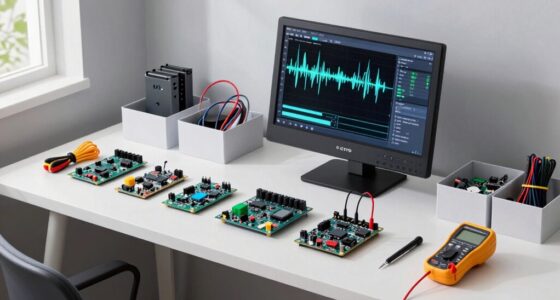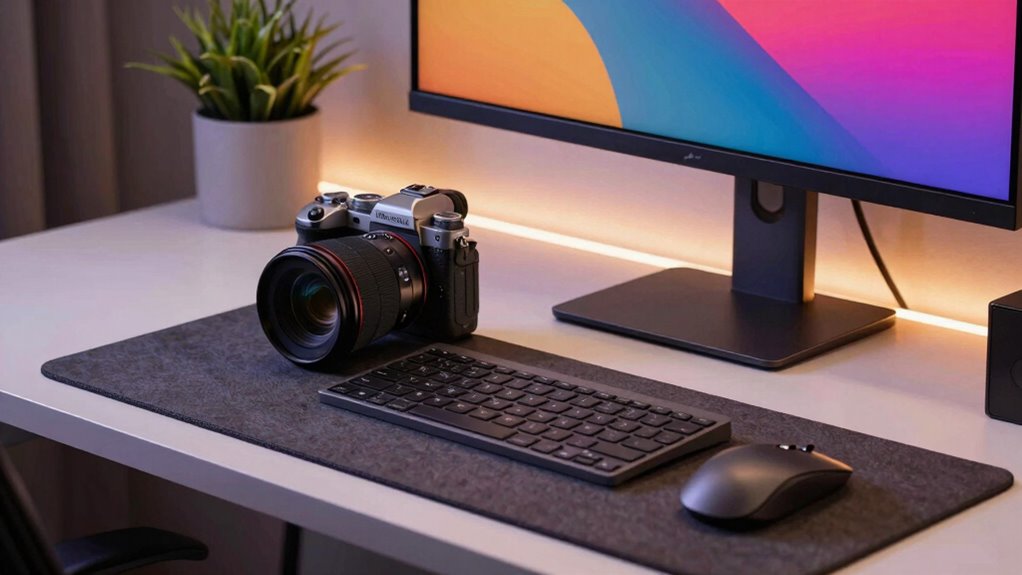

Finding the right content creator camera for desk setups usually comes down to one question: do you need maximum image quality, or maximum flexibility? In 2026, two EMEET models sit at the center of that decision. The EMEET S600L stands out as my pick for best overall, thanks to genuine 4K capture from a large Samsung sensor and a built-in ring light that solves the most common problem in desk recording — bad lighting. The EMEET C960 takes the best value slot by pairing a dependable 1080p camera with an adjustable mini tripod, which matters more than most people expect when you’re trying to frame a shot at a desk. The tradeoff between them is straightforward: the S600L delivers sharper footage and smarter autofocus but locks you into its fixed clip-and-light design, while the C960 trades resolution for framing freedom and broader accessory compatibility. My guide below breaks down who each model actually suits.

Get the latest gadgets delivered free — and shop member deals
- Fast, free delivery on millions of items
- Access to Prime Big Deal Days deals on October 6–7
- Prime Video, Amazon Music and more included
Complete the kit



Key Takeaways
- The S600L’s 1/2.0-inch Samsung sensor and 4K/30 or 1080p/60 capture make it the stronger choice for creators publishing to YouTube, Twitch, or polished edit workflows.
- The C960’s bundled tripod (6.7–18.5 inches, 360° swivel, 1/4-inch screw) gives it framing flexibility the S600L can’t match, making it better for overhead or off-monitor shots.
- The S600L’s integrated four-mode ring light removes the need for a separate lighting purchase; the C960 relies instead on automatic low-light correction, which only goes so far.
- Both cameras have fixed lenses with no optical zoom — the C960’s wider 90° field of view suits small rooms, while the S600L’s tighter 73° view is more flattering for talking-head content.
- Neither camera supports Windows Hello, and the C960 lacks a phone holder, so verify accessory and OS needs before buying.
| EMEET C960 1080P Webcam with Adjustable Tripod and Microphone |  | Best Value — flexibility-first pick for creators who need framing freedom | Sensor Type: CMOS | Resolution: 1920 x 1080 (Full HD) | Connectivity: USB | VIEW ON AMAZON | See Our Full Breakdown |
| EMEET S600L 4K Webcam with Ring Light |  | Best Overall — image-quality pick with built-in lighting | Maximum Resolution: 4K at 30 fps | 1080p Frame Rate: 60 fps | Sensor: 1/2.0-inch Samsung sensor | VIEW ON AMAZON | See Our Full Breakdown |
| content creator camera for desk setup | Microphones | Sensor Type | Resolution | Connectivity |
|---|---|---|---|---|
| EMEET C960 1080P Webcam with A | 2 built-in noise-canceling | CMOS | 1920 x 1080 (Full HD) | USB |
| EMEET S600L 4K Webcam with Rin | Dual microphones, voice capture up to 10 ft | — | — | — |
More Details on Our Top Picks
EMEET C960 1080P Webcam with Adjustable Tripod and Microphone
The C960 makes my best value slot for one reason that overshadows everything else: the bundled adjustable mini tripod. Compared with the S600L’s monitor clip, this 6.7-to-18.5-inch tripod with a 360° swivel head lets you position the camera exactly where your shot demands — low for a talking-head angle, raised for a desktop demo, or angled off to the side for a two-shot with your gear. The 1/4-inch screw is the quiet advantage here: it accepts phones, action cameras, and other small cameras, so the tripod stays useful even if you outgrow the webcam itself.
Image-wise, the C960 is honest 1080p rather than aspirational 4K. The 90° wide-angle lens captures more of the room, which is a double-edged sword — useful in a cramped space, but it can make a close-up face look slightly distorted compared with the S600L’s tighter 73° view. Its automatic low-light correction does respectable work in dim rooms, but it can’t compete with the S600L’s actual hardware ring light, which adds illumination rather than just digitally boosting it. The dual noise-canceling microphones cover the basics for streaming and calls, filtering keyboard clatter reasonably well.
The tradeoffs are real: the fixed focal length means no zoom flexibility, there’s no Windows Hello support, and the tripod doesn’t include a phone holder despite being phone-capable. But if your priority is control over your framing rather than maximum resolution, this pick makes the most sense for a desk setup that changes shape from one project to the next.
Pros:- Adjustable tripod (6.7–18.5 in) with 360° swivel head enables framing options a monitor clip can’t reach
- Dual noise-canceling microphones reduce background noise from keyboards and room hum
- Automatic low-light correction and color enhancement improve dim-desk footage
- 1/4-inch tripod screw works with phones, cameras, and action cameras, extending its usefulness
Cons:- Fixed focal length means no zoom flexibility for tighter shots
- No Windows Hello support and limited compatibility with some Chrome OS versions
- Phone holder is not included despite the tripod supporting phones
Best for: Budget-conscious creators, students, and streamers who need flexible camera positioning or an overhead angle for tutorials and desk demos.
Not ideal for: Creators producing 4K content, anyone who wants built-in lighting, or users needing Windows Hello biometric login.
- Sensor Type:CMOS
- Resolution:1920 x 1080 (Full HD)
- Connectivity:USB
- Viewing Angle:90 degrees
- Microphones:2 built-in noise-canceling
- Focal Range:11.8 to 118.1 inches
- Tripod Height:6.7 to 18.5 inches
- Compatible OS:Windows 7/10/11, macOS 10.14+, Linux, Android TV 7.0+
Our verdict“The C960 is the smart buy when framing flexibility matters more than raw resolution — its tripod alone justifies the pick for dynamic desk setups.”
EMEET S600L 4K Webcam with Ring Light
The S600L earns my best overall ranking because it attacks the two weaknesses that ruin most desk footage: soft images and bad lighting. Its 1/2.0-inch Samsung sensor is considerably larger than what typical budget webcams use, and that translates directly into cleaner detail and better performance when your desk lamp is doing all the work. With 4K at 30 fps or 1080p at 60 fps, this model suits creators who crop or reframe in the edit — something the C960’s fixed 1080p simply cannot support.
The integrated ring light is the S600L’s defining advantage over the C960. Four modes (Cool White, Warm White, Natural White, and Ambient) with adjustable brightness via a built-in dial or the EMEET STUDIO software mean you can match your key light to your room without buying a separate lamp. That said, best results still depend on positioning it sensibly — the light is close-range, so it won’t rescue a genuinely dark room. The PDAF autofocus, locking in about 0.2 seconds from 10 cm to infinity, handles the hold-up-a-product moment far more gracefully than the C960’s fixed focus, which is a meaningful difference for unboxing and review content.
Its compromises are subtler than the C960’s. The USB 2.0 connection is adequate for the data rates involved but feels like a corner cut on a 4K camera. The tighter 73° field of view is more flattering for talking heads but less useful for showing a full desk. And while the monitor clip plus 1/4-inch mount with 360° rotation and ±15° tilt is versatile, it still can’t replicate the C960’s freestanding tripod for offbeat angles. For creators whose output lives on YouTube, Twitch, or in an edit timeline, those are tradeoffs worth accepting.
Pros:- Genuine 4K at 30 fps or smooth 1080p at 60 fps gives editing headroom the C960 lacks
- Integrated ring light with four modes and adjustable brightness eliminates a separate lighting purchase
- Fast PDAF autofocus (0.2-second lock) handles product close-ups without focus hunting
- Sliding privacy cover, dual microphones, and both monitor clip and 1/4-inch mounting options
Cons:- USB 2.0 connection is dated for a 4K-class camera
- Best image quality depends on getting lighting and software settings right
- No bundled tripod, so unusual shooting angles require extra accessories
Best for: Streamers, YouTubers, and reviewers who want sharp 4K footage, fast autofocus, and built-in lighting in a single desk-ready unit.
Not ideal for: Creators needing overhead or freestanding camera angles, or anyone whose setup produces well-lit footage already — the premium sensor would go underused.
- Maximum Resolution:4K at 30 fps
- 1080p Frame Rate:60 fps
- Sensor:1/2.0-inch Samsung sensor
- Autofocus:PDAF, 0.2-second lock; 10 cm to infinity
- Field of View:73 degrees
- Lighting Modes:Cool White, Warm White, Natural White, Ambient Light
- Microphones:Dual microphones, voice capture up to 10 ft
- Mounting:Monitor clip and standard 1/4-inch mount; 360° rotation, ±15° tilt
- Compatibility:Windows, macOS, OBS, YouTube, Twitch
Our verdict“The S600L is the strongest single-unit option for desk creators who prioritize image quality and lighting, provided its fixed mounting positions suit your framing.”

How We Picked
When I evaluate a desk-setup camera for content creation, I judge it against what actually shows up in finished videos, not spec-sheet bragging rights. My first criterion is image quality in real desk conditions — sensors, low-light behavior, and whether resolution claims hold up at typical streaming frame rates. The second is framing and mounting flexibility, because a camera bolted to a monitor can’t always capture the angle a creator needs, especially for product demos or overhead shots. Third, I weigh audio and lighting integration: built-in microphones and lights can eliminate entire accessory purchases for creators building a first setup. Finally, I consider software and platform compatibility, since a camera that fights OBS or your OS of choice is a liability regardless of how good its sensor is. Both models here earned their places by being genuinely strong in different areas rather than being all-around compromises.
Factors to Consider When Choosing Content Creator Camera For Desk Setups
Choosing between these two cameras comes down to a handful of desk-specific factors. Here is how I think through the decision.Resolution and How You Publish
If your content gets edited, cropped, or uploaded to platforms that reward sharpness, 4K capture pays off — it gives you reframing freedom in post and future-proofs your footage. If you primarily stream live or take calls, 1080p at a stable frame rate is plenty, and the C960 delivers it dependably. Don’t pay for pixels you’ll never render.
Lighting: Built-In vs. Software Correction
Desk setups are usually lit poorly, often by a single overhead bulb or a monitor glow. The S600L’s physical ring light adds actual illumination and can be tuned across four color modes. The C960’s low-light correction only digitally brightens what’s already there, which tends to soften detail. If lighting is your weak point, the S600L closes that gap without extra gear.
Mounting and Framing
A monitor clip works for standard talking-head framing, but creators filming desk demos, tutorials, or product shots often need the camera somewhere else. The C960’s adjustable tripod handles those cases out of the box, and its 1/4-inch screw supports other devices too. The S600L’s clip-and-mount system is solid for conventional framing but less adventurous.
Field of View
The C960’s 90° wide angle captures more of your environment — good for small rooms or showing your setup, less flattering at close range. The S600L’s 73° view keeps proportions natural for face-on content. Match the lens to what appears in your frame most often.
Frequently Asked Questions
Is 4K worth it for desk content creation, or is 1080p enough?
It depends entirely on your output. If you edit your videos, crop shots, or publish to YouTube where viewers watch on large screens, 4K gives you real flexibility — you can punch in on a shot in post without losing sharpness, and your footage stays competitive as platform quality standards rise. If you stream live on Twitch or mostly join video calls, 1080p is the practical ceiling anyway, since most streaming platforms compress to 1080p or lower. The C960’s stable 1080p handles those workflows perfectly well, and spending more on the S600L’s sensor would be paying for capability you never render. Creators who sit between the two — occasional uploads, occasional streams — should lean toward the S600L if the budget allows, since the 1080p at 60 fps mode is smoother than the C960’s output for fast motion.
Can the S600L’s ring light replace a dedicated desk light?
For close-range talking-head work, largely yes — the four color modes and adjustable brightness cover the basics of matching your camera’s white balance to your room, and having the light built into the camera means it’s always aimed correctly at your face. Where it falls short is range and environment. A ring light on the camera itself illuminates you but not your background or desk surface, so if your content involves showing products, drawings, or a workspace, a separate softbox or desk lamp still does work the S600L can’t. It’s also positioned at camera height, which produces flatter lighting than an off-axis key light. My framing: the S600L’s light replaces the first lighting purchase you’d otherwise make, not the last one.
Which camera is better for overhead or product-filming angles?
The C960, without much contest. Its bundled tripod extends from 6.7 to 18.5 inches with a 360° swivel head, so you can position it beside your desk, angle it down at your workspace, or raise it for a better perspective — the S600L’s monitor clip and 1/4-inch mount assume conventional framing on top of your display. That said, the S600L has one important advantage for product work: its PDAF autofocus locks onto objects held close to the lens in about 0.2 seconds, while the C960’s fixed focal length keeps everything at a set distance in acceptable focus. A creator doing frequent unboxings might accept the S600L’s mounting limits to get that focus behavior; a creator filming desk tutorials or hands-on demos will get more value from the C960’s positioning freedom.
Do either of these webcams work with OBS and streaming software?
Both work with OBS, though the S600L is explicitly built with streamers in mind and integrates cleanly with OBS, YouTube, and Twitch on both Windows and macOS, with the EMEET STUDIO software adding control over its light and capture settings. The C960 also functions as a standard USB webcam that OBS recognizes immediately, and its compatibility list is actually broader in some directions — it supports Linux and Android TV 7.0+, which the S600L doesn’t advertise. One caveat on the C960: it lacks Windows Hello support and has patchy compatibility with some Chrome OS versions, so if you’re on an unusual OS, double-check before committing. For a mainstream Windows or macOS streaming setup, either camera plugs in and works with no fuss.
Are the built-in microphones good enough, or do I need a separate mic?
Both cameras carry dual microphones that are serviceable for calls and casual streaming, and both apply noise reduction that tamps down keyboard noise and room hum. The S600L’s mics are rated to capture voice clearly up to 10 feet away, which suits a normal desk distance. But any viewer can tell the difference between a webcam mic and even a modest dedicated microphone or USB audio interface — if audio quality is part of your brand, budget for a separate mic regardless of which camera you pick. My practical advice: start with the built-ins, listen back to a test recording, and only add a mic if the audio actually bothers you. Plenty of creators ship content with webcam audio happily for years.
Conclusion
After comparing both models, my recommendations split cleanly by buyer type. Image-focused creators — YouTubers, reviewers, and streamers who edit their footage and care about lighting — should buy the EMEET S600L, because its 4K Samsung sensor, fast autofocus, and built-in ring light deliver results the C960 cannot approach in a fixed framing. Flexibility-focused creators — tutorial makers, students, and anyone filming desk demos at unusual angles — should choose the EMEET C960, whose adjustable tripod and 1/4-inch mounting open up shots the S600L’s clip can’t reach, at a friendlier commitment level. If you’re still torn, ask one question: what will you fix first — your image quality or your camera angle? Whichever answer comes to mind points to your camera.
Fall Picks
fall essentials
As an affiliate, we earn on qualifying purchases.