For a workstation M.2 SSD, my best overall pick is the be quiet! MC1, which supports single- and double-sided 2280 modules and suits a range of desktop builds. The GLOTRENDS is a straightforward option for NVMe and SATA drives, while the ATDCOEK five-pack makes sense when several drives need basic coverage. The main tradeoffs are fit around motherboard components, compatibility with double-sided SSDs, and whether you need one cooler or several. Laptop owners should pay special attention to device-specific clearance, where the Deal4GO is aimed at select Dell systems. Continue reading for the full breakdown and guidance on choosing a heatsink that fits your workstation.

Get the latest gadgets delivered free with Prime
- Fast, free delivery on millions of items
- Prime Video, Amazon Music and more included
- Member-only deals all year
Complete the kit
Key Takeaways
- The be quiet! MC1 leads for versatility: its stated support for single- and double-sided 2280 modules gives it an edge when SSD construction varies.
- GLOTRENDS covers more drive types: it is listed for both NVMe and SATA 2280 SSDs, useful when a workstation uses a mix of M.2 storage.
- ATDCOEK is the multi-drive pick: a five-pack suits builds with several M.2 slots, though buyers should check each slot’s clearance and cooling needs.
- Deal4GO serves a narrower purpose: its Dell XPS, Precision, and Latitude targeting makes it more relevant to owners of those systems than to general desktop builders.
- Fit matters as much as cooling: all six are centered on 2280 modules, but workstation layouts and laptop chassis can restrict heatsink height and placement.
| GLOTRENDS M.2 SSD Heatsink for 2280 NVMe/SATA SSDs |  | Best for Workstations with Room to Spare | Compatible SSDs: 2280 M.2 NVMe and SATA | Material: Aluminum | Dimensions: 22 × 70 × 10 mm | VIEW ON AMAZON | See Our Full Breakdown |
| SGTKJSJS M.2 2280 SSD Heatsink with Thermal Pads for PS5 and PC, Black | 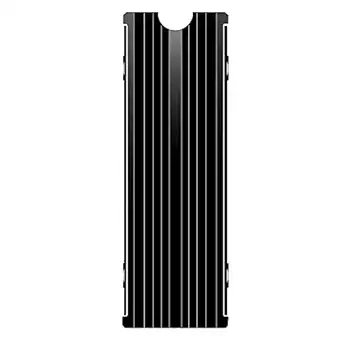 | Best for PS5 and Desktop Crossover Builds | Material: Aluminum alloy | Compatibility: Desktop PCs, PS5, and compatible M.2 NVMe SSDs | Mounting type: Clip mount | VIEW ON AMAZON | See Our Full Breakdown |
| ATDCOEK 5-Pack M.2 2280 SSD Heatsinks with Thermal Pads |  | Best for Multi-Drive Workstations | Quantity: 5 heatsinks | Compatibility: Single- and double-sided M.2 2280 NVMe SSDs | Material: Aluminum | VIEW ON AMAZON | See Our Full Breakdown |
| be quiet! MC1 M.2 SSD Cooler Heatsink for Single- and Double-Sided 2280 Modules |  | Best for PS5-Compatible 2280 Drives | Compatible module size: M.2 2280 | Module compatibility: Single- and double-sided | Use: M.2 SSD cooling | VIEW ON AMAZON | See Our Full Breakdown |
| CaseDeer M.2 2280 NVMe SSD Heatsink, Black |  | Best for Compact PC and ITX Builds | Compatibility: M.2 2280 NVMe SSDs, including select Samsung, WD Black, Crucial, and Kingston models | Material: Aluminum | Mounting type: Chassis mount | VIEW ON AMAZON | See Our Full Breakdown |
| Deal4GO M.2 2280 SSD Heatsink for Dell XPS, Precision, and Latitude |  | Best for Compatible Dell Workstations | Brand: Deal4GO | Form factor: M.2 2280 | Compatible systems: Dell XPS 15 9500 (SSD 2), 9510 (SSD 1), 9520, 9530; Precision 5550, 5560, 5570, 5580; Latitude 15 5500 | VIEW ON AMAZON | See Our Full Breakdown |
| ssd heatsink for workstation | Included components | Material | Weight | Dimensions |
|---|---|---|---|---|
| GLOTRENDS M.2 SSD Heatsink for | Heatsink, thermal pad, 2 metal clasps, 2 rubber bands, user manual | Aluminum | 0.02 kg | 22 × 70 × 10 mm |
| SGTKJSJS M.2 2280 SSD Heatsink | None listed | Aluminum alloy | 0.04 kg | 3 × 0.95 × 0.4 in |
| ATDCOEK 5-Pack M.2 2280 SSD He | 5 heatsinks, 5 thermal pads, 10 silicone bands, 1 screwdriver, M.2 screw kit | Aluminum | — | — |
| be quiet! MC1 M.2 SSD Cooler H | — | — | — | — |
| CaseDeer M.2 2280 NVMe SSD Hea | M.2 2280 SSD heatsink | Aluminum | 50 g | — |
| Deal4GO M.2 2280 SSD Heatsink | Heatsink plate and screws | — | 0.02 kg | 3.5 × 0.9 × 0.2 in |
More Details on Our Top Picks
GLOTRENDS M.2 SSD Heatsink for 2280 NVMe/SATA SSDs
The GLOTRENDS suits a desktop workstation or NAS where drive clearance matters less than simple, silent cooling. Its 10 mm aluminum body spreads heat passively, and the thermal pad plus tool-free clasps and bands make installation straightforward. That height is also its main limitation: check the space above the SSD before fitting it, especially around large graphics cards or motherboard covers. Compared with the be quiet! MC1, which is also specified for PS5 use, GLOTRENDS is the more flexible pick for NVMe and SATA drives in desktop and NAS setups, but it is explicitly unsuitable for PS5 bays and slim laptops. Choose it for a roomy system that needs no fan or power connection; skip it when clearance is tight.
Pros:- Fanless cooling runs silently and needs no power connection.
- Supports 2280 M.2 NVMe and SATA SSDs.
- Tool-free clasps and rubber bands simplify installation.
- Thermal pad and two mounting options are included.
Cons:- The 10 mm height can conflict with nearby components or motherboard covers.
- Not suitable for PS5 bays or slim laptops.
Best for: Desktop workstation and NAS owners with a 2280 NVMe or SATA drive and at least 10 mm of overhead clearance.
Not ideal for: PS5 owners, slim-laptop users, and compact workstation builders who cannot spare 10 mm above the SSD.
- Compatible SSDs:2280 M.2 NVMe and SATA
- Material:Aluminum
- Dimensions:22 × 70 × 10 mm
- Cooling:Passive, fanless
- Installation:Tool-free; metal clasps and rubber bands
- Included components:Heatsink, thermal pad, 2 metal clasps, 2 rubber bands, user manual
- Weight:0.02 kg
- Stated compatibility:Desktop PCs, NAS enclosures, and workstations; not PS5 bays or slim laptops
Our verdict“Pick GLOTRENDS for a roomy desktop workstation or NAS that needs silent cooling across 2280 NVMe or SATA drives.”
SGTKJSJS M.2 2280 SSD Heatsink with Thermal Pads for PS5 and PC, Black
The SGTKJSJS is the crossover choice for a workstation drive that may also go into a compatible PS5: its listed fit covers both desktop PCs and PS5 systems. The clip mount and included thermal silicone pads keep setup simple, while the aluminum alloy body adds passive heat spreading without a fan. Its claimed 10–30°C reduction depends on conditions, so I would treat that as a variable claim rather than a guaranteed result. Compared with the taller GLOTRENDS, this model is described for PS5 use, but its compatibility still depends on the drive and available space. It makes sense when one compact cooler needs to move between systems; workstation builders with several drives may get more coverage from the ATDCOEK 5-Pack.
Pros:- Listed for use in compatible desktop PCs and PS5 systems.
- Clip mount is described as easy to install.
- Thermal silicone pads are included.
- Lightweight aluminum alloy construction.
Cons:- The stated 10–30°C cooling effect varies by conditions.
- Fit depends on the SSD and available installation space.
- No included components are listed beyond the heatsink and pads described.
Best for: Builders using a compatible 2280 NVMe SSD in either a desktop workstation or a PS5 expansion bay.
Not ideal for: Workstation owners cooling several drives or anyone who needs a guaranteed temperature reduction rather than a condition-dependent claim.
- Material:Aluminum alloy
- Compatibility:Desktop PCs, PS5, and compatible M.2 NVMe SSDs
- Mounting type:Clip mount
- Dimensions:3 × 0.95 × 0.4 in
- Weight:0.04 kg
- Included components:None listed
- Cooling effect:10–30°C claimed, depending on conditions
- Part number:CNC1P-1
Our verdict“Choose SGTKJSJS when you need one clip-on cooler for a compatible workstation drive that may also be used in a PS5.”
ATDCOEK 5-Pack M.2 2280 SSD Heatsinks with Thermal Pads
For a workstation with several M.2 drives, the ATDCOEK 5-Pack solves a different problem from a single-drive cooler: it supplies five fin-type aluminum heatsinks, pads, and mounting accessories in one kit. Support for single- and double-sided 2280 NVMe SSDs makes it more adaptable across a mixed drive setup than the GLOTRENDS, which is specified for NVMe and SATA but is supplied as one heatsink. The pads are rated at 2.0 W/mK, and silicone bands allow installation without tools. Those bands may feel less secure or tidy than a fixed chassis mount, so check how the assembly sits in your case. This is the practical pick for equipping multiple drives; for a single PS5-compatible installation, the be quiet! MC1 is a more targeted option.
Pros:- Five heatsinks cover multiple workstation drives.
- Supports single- and double-sided M.2 2280 NVMe SSDs.
- Thermal pads are rated at 2.0 W/mK.
- Kit includes silicone bands, screwdriver, and M.2 screw kit.
Cons:- Silicone bands secure the heatsinks instead of a fixed mount.
- Compatibility is specified for 2280 NVMe drives only.
Best for: Workstation builders cooling multiple single- or double-sided 2280 NVMe drives.
Not ideal for: Users cooling one drive who prefer a fixed screw or chassis mount, or owners of SSDs outside the 2280 NVMe form factor.
- Quantity:5 heatsinks
- Compatibility:Single- and double-sided M.2 2280 NVMe SSDs
- Material:Aluminum
- Thermal pad conductivity:2.0 W/mK
- Installation:Tool-free; silicone bands
- Included components:5 heatsinks, 5 thermal pads, 10 silicone bands, 1 screwdriver, M.2 screw kit
Our verdict“Choose the ATDCOEK kit when several 2280 NVMe drives in one workstation need heatsinks and included mounting supplies.”
be quiet! MC1 M.2 SSD Cooler Heatsink for Single- and Double-Sided 2280 Modules
The be quiet! MC1 earns a distinct place for buyers who want a cooler specified for both single- and double-sided 2280 modules and suitable for an SSD installed in a PlayStation 5. Its stated purpose is to help maintain drive performance over extended use, a useful fit for sustained workloads when the module is mounted in a compatible system. The supplied details do not give dimensions, materials, or mounting hardware, so I cannot compare its installation demands as closely as the GLOTRENDS, which lists its 10 mm height and mounting parts. For a multi-drive workstation, the ATDCOEK 5-Pack offers broader quantity and more explicit kit contents. The MC1 is the more focused choice when one compatible drive and PS5 fit are the priority; buyers needing detailed fit specifications should check those before ordering.
Pros:- Supports single- and double-sided M.2 2280 modules.
- Suitable for cooling an M.2 SSD installed in a PlayStation 5.
- Designed to help maintain SSD performance during extended use.
Cons:- The provided specifications do not list dimensions or material.
- Mounting method and included components are not specified.
- The product is described for M.2 SSD cooling without broader compatibility details.
Best for: Owners of a single- or double-sided M.2 2280 SSD who want a heatsink specified for PS5 expansion use.
Not ideal for: Multi-drive workstation builders or buyers who need published dimensions and mounting details to confirm tight case clearance.
- Compatible module size:M.2 2280
- Module compatibility:Single- and double-sided
- Use:M.2 SSD cooling
- PlayStation 5 compatibility:Suitable for cooling an installed M.2 SSD
Our verdict“Pick the MC1 for a single 2280 drive when PS5 suitability and support for either module side configuration matter most.”
CaseDeer M.2 2280 NVMe SSD Heatsink, Black
The CaseDeer targets compact systems: its listing calls out standard PC cases, ITX builds, and PS5 expansion slots, alongside adjustable screws and mounting holes. The aluminum body, optimized fins, and included thermal pad provide the basic elements for passive heat transfer, while the 50 g weight is a useful fit detail for a small build. Its fit is limited to M.2 2280 NVMe, with compatibility naming select Samsung, WD Black, Crucial, and Kingston models, so check your exact drive and board layout. Compared with the GLOTRENDS, which explicitly supports SATA as well as NVMe but stands 10 mm tall, CaseDeer emphasizes compact-system fit. The provided text does not verify cooling performance, so I would choose it for mounting flexibility rather than a quantified temperature outcome.
Pros:- Compact design is listed for PC cases, ITX builds, and PS5 expansion slots.
- Aluminum construction with cooling fins.
- Thermal pad is included.
- Adjustable screws and mounting holes offer setup flexibility.
Cons:- Compatibility is limited to M.2 2280 NVMe SSDs.
- Cooling performance claims are not independently verified in the provided product details.
- The listed components do not specify additional mounting hardware beyond the heatsink.
Best for: ITX and compact-PC builders with a compatible 2280 NVMe drive who need adjustable mounting and listed PS5 fit.
Not ideal for: Owners of SATA M.2 drives, non-2280 SSDs, or buyers who require measured cooling results before choosing.
- Compatibility:M.2 2280 NVMe SSDs, including select Samsung, WD Black, Crucial, and Kingston models
- Material:Aluminum
- Mounting type:Chassis mount
- Included components:M.2 2280 SSD heatsink
- Weight:50 g
- Color:Black
Our verdict“Choose CaseDeer for a compatible 2280 NVMe drive in an ITX build when adjustable mounting and compact-system fit are priorities.”
Deal4GO M.2 2280 SSD Heatsink for Dell XPS, Precision, and Latitude
The Dell-specific fit gives this heatsink a different purpose from general-purpose options such as the be quiet! MC1: it is made for listed XPS, Precision, and Latitude laptop models and specified SSD slots. That targeted fit can suit a workstation owner who needs a replacement or add-on plate with mounting screws included, without buying a multi-pack like the ATDCOEK. Its compact aluminum-or-copper plate is intended for an M.2 2280 drive, but the description does not identify a thermal pad or provide cooling-performance figures, so I would not assume it matches a larger PC cooler’s thermal setup. Compatibility is the main tradeoff: slot placement differs across Dell models, and an incorrect match can make the part unusable. Check the exact laptop and SSD slot before choosing it.
Pros:- Designed for specified Dell XPS, Precision, and Latitude models
- Includes mounting screws
- Fits M.2 2280 SSDs
- Lightweight, low-profile plate measures 0.2 inches thick
Cons:- Compatibility depends on the exact laptop model and SSD slot
- Thermal pad is not listed among the included components
- Does not include an SSD or stated cooling-performance data
Best for: Owners of a listed Dell XPS 15, Precision, or Latitude model who have confirmed the specified SSD slot and need a compact heatsink plate with screws.
Not ideal for: Builders using a desktop motherboard, PS5, or an unlisted laptop model, since this plate is designed around particular Dell systems and slot positions.
- Brand:Deal4GO
- Form factor:M.2 2280
- Compatible systems:Dell XPS 15 9500 (SSD 2), 9510 (SSD 1), 9520, 9530; Precision 5550, 5560, 5570, 5580; Latitude 15 5500
- Compatible part numbers:4TW9C, 04TW9C, CN-04TW9C, 3JJDG, 03JJDG, CN-03JJDG
- Manufacturer part numbers:ET2SH000600, GDP51 SSD-R, ET37F0000D0
- Dimensions:3.5 × 0.9 × 0.2 in
- Weight:0.02 kg
- Mounting type:PCB mount
- Included components:Heatsink plate and screws
Our verdict“Choose this heatsink when you have verified a listed Dell laptop and SSD slot; for broader PC compatibility, compare it with the be quiet! MC1.”

How We Picked
I ranked these heatsinks around the needs of workstation owners: compatibility with common 2280 SSDs, support for different module designs, practical fit, and how well each option matches a one-drive or multi-drive setup. I also gave weight to stated thermal-pad inclusion and the clarity of the product’s intended use, while treating broad compatibility claims as a starting point rather than proof of fit in every system.
The be quiet! MC1 takes the lead for its stated support for both single- and double-sided drives. GLOTRENDS follows for NVMe and SATA coverage; ATDCOEK ranks as the strongest multi-drive choice because it is sold as a five-pack. The remaining picks address more specific needs: a PS5 and PC-oriented model from SGTKJSJS, a basic black 2280 heatsink from CaseDeer, and Dell-targeted hardware from Deal4GO. None should be chosen without checking dimensions, mounting method, and the system maker’s thermal solution.
| ssd heatsink for workstation | Material | Compatibility | Mounting type |
|---|---|---|---|
| GLOTRENDS M.2 SSD Heatsink for | Aluminum | — | — |
| SGTKJSJS M.2 2280 SSD Heatsink | Aluminum alloy | Desktop PCs, PS5, and compatible M.2 NVMe SSDs | Clip mount |
| ATDCOEK 5-Pack M.2 2280 SSD He | Aluminum | Single- and double-sided M.2 2280 NVMe SSDs | — |
| be quiet! MC1 M.2 SSD Cooler H | — | — | — |
| CaseDeer M.2 2280 NVMe SSD Hea | Aluminum | M.2 2280 NVMe SSDs, including select Samsung, WD Black, Crucial, and Kingston models | Chassis mount |
| Deal4GO M.2 2280 SSD Heatsink | — | — | PCB mount |
Factors to Consider When Choosing Ssd Heatsink For Workstations
Choosing a workstation SSD heatsink starts with the machine and SSD you already have. These broader checks can help avoid a cooler that blocks nearby hardware or conflicts with a system’s built-in thermal design.
Match the Heatsink to the SSD Form Factor
Most of the options here target M.2 2280, a common size, but the connector shape alone does not establish compatibility. Check the SSD’s full model specifications for its module length and whether components sit on one or both sides. A cooler designed around a single-sided drive may not clamp properly over a thicker double-sided module. Also confirm the heatsink’s mounting method and the space available above the slot. This is especially relevant when the slot sits beneath a graphics card or close to a workstation chassis panel. Verify the SSD and cooler dimensions together before buying.
Check the Motherboard’s Built-In Heatsink
Many workstation motherboards include an M.2 cover or heat spreader, so an add-on cooler may be unnecessary or incompatible. Removing the original cover can also affect how the board’s thermal pads contact the drive. Consult the motherboard manual to see which parts are intended to stay in place and whether its cooler is shared across more than one slot. A replacement heatsink can make sense if a slot lacks a cooler or the original part is missing. Avoid stacking heatsinks unless the motherboard maker explicitly supports that arrangement. The extra height can stop the cover from seating correctly and compromise contact.
Prioritize Clearance in Compact Systems
Workstation cases vary from roomy towers to compact systems with tight component spacing. A tall heatsink can interfere with a graphics card, a neighboring M.2 drive, or a chassis panel. Before selecting a model, compare its height and footprint with the space around the slot, including nearby screws and cables. Laptop designs demand even more care because small differences in thickness can prevent the bottom cover from closing. For a branded laptop, look for a part specified for the exact model or service configuration. General desktop heatsinks are not automatically suitable for laptop installation.
Choose Coverage for Your Drive Workload
Heatsinks are intended to help dissipate heat, but a larger-looking cooler does not guarantee a particular temperature or sustained performance. Drive workload, airflow, and contact between the thermal pad and SSD all affect results. Continuous large transfers and scratch-disk work can place different demands on storage than occasional project loading. If the workstation has several populated M.2 slots, consider airflow across the whole area instead of treating each drive as an isolated part. A multi-pack can simplify outfitting several slots, though it may not provide the same fit flexibility as a model built to accommodate different module thicknesses. Match the solution to the workload and system layout.
Treat Thermal Pads as Part of the Fit
A thermal pad must bridge the gap between the SSD components and the heatsink to transfer heat effectively. A pad that is too thick can press unevenly on the module, while one that is too thin may leave poor contact. Check whether the package includes pads and whether it gives guidance for single- or double-sided drives. Follow the installation instructions and remove any protective film before assembly. Keep the pad aligned with the components it is meant to contact, rather than assuming it should cover every part of the board. If the SSD already has a label or manufacturer-installed spreader, consult its documentation before removing or covering it.
Decide Whether You Need One or Several
A single replacement heatsink is easier to match carefully to a primary workstation drive, while a multi-pack can suit systems with several open M.2 slots. Count the drives you plan to install and check whether all slots share the same clearance. Secondary slots may sit beneath a graphics card or use a different motherboard cover, so one heatsink design may not fit everywhere. For mixed-drive systems, compatibility with both SATA and NVMe can be useful, but check the motherboard slot specifications because not every M.2 slot supports both protocols. Buy for the actual slot layout rather than the number of heatsinks in a pack. This helps avoid unused parts or forced fits.
Frequently Asked Questions
Will any 2280 heatsink fit my workstation motherboard?
No. The 2280 label describes the SSD’s size, not the clearance around its slot or how the cooler attaches. Check the motherboard manual for the M.2 slot location, built-in cover, and supported drive thickness. Compare those details with the heatsink dimensions and mounting hardware. A graphics card or nearby component can block an otherwise compatible cooler.
Should I replace the heatsink that came with my motherboard?
Usually, start with the motherboard’s included cooler if it is present and in good condition. It is designed for that board’s layout and may use a cover that also protects or cools nearby components. An aftermarket part may be useful when a slot lacks a cooler, the original piece is missing, or the board documentation supports a replacement. Check the manual before removing factory thermal pads or mixing parts from different designs.
Can I use one of these heatsinks in a laptop?
Only if the laptop has enough internal clearance and the part matches the device’s thermal design. Laptop covers leave little room for added height, and an ill-fitting heatsink can press against the chassis or SSD. The Deal4GO is specifically presented for select Dell XPS, Precision, and Latitude models, so verify the exact laptop model and configuration. A desktop-oriented heatsink should not be assumed to fit just because the SSD is 2280.
Is a five-pack the right choice if my workstation has several M.2 drives?
It can be practical when several slots accept the same 2280 heatsink shape and have enough clearance. Check each slot separately: some motherboards place one beneath a graphics card or supply a dedicated cover for another. Also confirm the drive protocols supported by those slots, especially if your storage includes both SATA and NVMe modules. A multi-pack helps with quantity, but it does not guarantee that one design suits every position.
How do I know whether the thermal pad is making proper contact?
Follow the product instructions and confirm that the pad sits between the SSD components and the heatsink without its protective film. The cooler should assemble as designed, with no parts forced together or visibly tilted. Check the motherboard and SSD guidance before removing labels or existing thermal material. After installation, monitor drive temperatures during the kind of sustained workload your workstation runs; if readings remain unusually high, inspect airflow and mounting contact.
Conclusion
For most desktop workstation builders, I recommend the be quiet! MC1 as the best overall because it is specified for both single- and double-sided 2280 modules. The GLOTRENDS is my best value-style pick for buyers who want a simple heatsink listed for both NVMe and SATA drives, while the ATDCOEK pack is best when several slots need coverage. Beginners can start with the MC1 if their motherboard has no conflicting built-in cover and the dimensions fit. For a Dell XPS, Precision, or Latitude owner seeking a model aimed at those systems, the Deal4GO is the specific-fit candidate; check the exact model before ordering. Choose SGTKJSJS for its stated PS5 and PC focus or CaseDeer for a basic black 2280 option, after confirming clearance and module support.