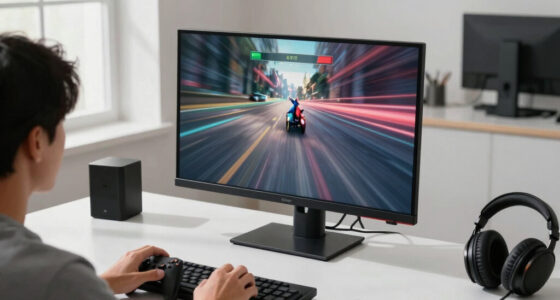

Gaming monitors with high refresh rates are essential for smooth, responsive gameplay, especially in fast-paced titles. The best options combine refresh rates of 165Hz or higher with quick response times and adaptive sync technology. The ASUS TUF Gaming VG259QM5A stands out as the overall top pick thanks to its 240Hz refresh rate, quick 0.3ms response, and G-SYNC compatibility. For more immersive experiences, the LG 34G630A-B offers a curved ultrawide display with 240Hz, perfect for wider viewing angles. However, there are tradeoffs: higher refresh rates often come with premium pricing, and not every monitor balances resolution, size, and responsiveness equally. Keep reading for a detailed breakdown of each option to find the best fit for your gaming needs.

Get the latest gadgets delivered free — and shop member deals
- Fast, free delivery on millions of items
- Access to Prime Big Deal Days deals on October 6–7
- Prime Video, Amazon Music and more included
Key Takeaways
- A 240Hz refresh rate provides the smoothest gameplay, but 165Hz and 180Hz models often offer better value for most gamers.
- G-SYNC and FreeSync compatibility are key features for reducing screen tearing, but choose based on your GPU brand to maximize performance.
- Ultra-wide monitors enhance immersion but tend to have higher prices and may require more powerful hardware.
- Response times of 1ms or less are critical for competitive gaming, yet some high refresh rate monitors compromise slightly on resolution or size.
- Build quality and ergonomic features vary widely; adjustable stands and screen durability are worth considering for long gaming sessions.


More Details on Our Top Picks
ASUS TUF Gaming VG259QM5A 24.5-Inch Full HD Gaming Monitor, 240Hz, 0.3ms, G-SYNC Compatible, FreeSync Premium
This monitor stands out for its lightning-fast 240Hz refresh rate and 0.3ms response time, making it ideal for fast-paced competitive gaming where every millisecond counts. Its support for both FreeSync Premium and G-SYNC ensures tear-free performance across different GPU brands, a feature that gives it an edge over the LG 34G630A-B, which lacks adaptive sync technology. However, the full HD resolution limits its appeal for gamers seeking higher detail levels, especially considering the increasing popularity of 1440p and 4K displays. Its compact size and lack of built-in speakers keep the focus purely on performance, but may be a drawback for those wanting all-in-one solutions. Overall, this pick is perfect for players prioritizing ultra-smooth gameplay without the need for high resolution or extra features.
Pros:- Exceptional 240Hz refresh rate for ultra-smooth motion
- 0.3ms response time significantly reduces motion blur
- Supports both FreeSync Premium and G-SYNC for tear-free gaming
- Excellent color accuracy with 99% sRGB coverage
Cons:- Limited to 1080p resolution, which may feel outdated for some
- No built-in speakers, requiring external audio solutions
Best for: eSports athletes and competitive gamers seeking top-tier responsiveness in a small form factor
Not ideal for: Casual gamers or content creators who prefer higher resolution or built-in audio features
- Display Size:24.5 inches
- Resolution:1920 x 1080 (FHD)
- Refresh Rate:240Hz
- Response Time:0.3ms
- Display Technology:LCD
- Contrast Ratio:1000:1
Bottom line: This monitor is best suited for competitive gamers who prioritize speed and responsiveness over resolution or extra features.
Acer Nitro 27 Inch QHD IPS Gaming Monitor with AMD FreeSync, 180Hz Refresh Rate, 0.5ms Response Time, DCI-P3 95%, HDR10 Support
The Acer Nitro KG271U offers a bright, sharp 2560 x 1440 resolution paired with a 180Hz refresh rate and quick 0.5ms response time, making it a versatile choice for gamers who also do creative work. Compared with the LG 34G630A-B, which has a larger, curved display, this monitor excels in color accuracy thanks to its 95% DCI-P3 coverage and HDR10 support, providing vivid visuals. Its mid-sized IPS panel ensures wide viewing angles and precise color reproduction, ideal for gaming as well as photo editing. However, its connectivity options are somewhat limited, with only DisplayPort 1.2 and two HDMI 2.0 ports, which may not satisfy users with multiple devices. It lacks the immersive curve and ultra-wide aspect ratio of the LG 34G630A, but its balance of speed and color makes it a strong choice for gamers who value picture quality.
Pros:- High 180Hz refresh rate for smooth gameplay
- Excellent color accuracy with DCI-P3 95% coverage
- Fast 0.5ms response time reduces motion blur
- IPS panel provides wide viewing angles
Cons:- Limited connectivity options may restrict device compatibility
- Design may be too gaming-focused for some professional environments
Best for: Gamers and content creators seeking a high-resolution display with accurate colors
Not ideal for: Users who need extensive connectivity options or ultra-wide screens for multitasking
- Screen Size:27 inches
- Resolution:2560 x 1440 (QHD)
- Refresh Rate:180Hz
- Response Time:0.5ms
- Color Gamut:DCI-P3 95%
- HDR:HDR10
Bottom line: This monitor is ideal for gamers who want sharp, colorful visuals without sacrificing speed and responsiveness.
LG 34G630A-B 34-Inch Ultragear WQHD Curved Gaming Monitor, 240Hz, 1ms, FreeSync Premium, HDR400, HDMI, DisplayPort, USB-C, Adjustable Stand
This 34-inch curved Ultragear monitor delivers a captivating experience with its ultrawide 3440 x 1440 resolution, high 240Hz refresh rate, and 1ms response time. Its curved design enhances immersion, making it a top choice for racing or flight sims, especially when compared to smaller, flat monitors like the ASUS TUF VG259QM5A. The HDR400 support and 95% DCI-P3 coverage provide vibrant visuals, although it’s primarily aimed at gaming rather than professional color accuracy. The multiple connectivity options, including USB-C, make it versatile for various devices. However, its size and curve might be overwhelming for desk setups that favor a more traditional flat display. This monitor makes sense for users who want a wide, immersive experience without sacrificing responsiveness.
Pros:- High 240Hz refresh rate for ultra-smooth motion
- Curved design enhances immersion
- 1ms response time reduces ghosting
- Multiple connectivity options including USB-C
Cons:- Large size may be unsuitable for compact desks
- Primarily designed for gaming, less ideal for color-critical tasks
Best for: Gamers interested in immersive, ultrawide experiences and multimedia enthusiasts
Not ideal for: Professional colorists or users with limited desk space who prefer flat monitors
- Size:34 inches
- Resolution:3440 x 1440
- Refresh Rate:240Hz
- Response Time:1ms
- HDR:HDR400
- Curvature:1000R
Bottom line: This monitor is perfect for gamers seeking an expansive, immersive display for fast-paced action.
Samsung 32″ Odyssey G55C Series QHD Curved Gaming Monitor, 165Hz, 1ms, HDR10, FreeSync
The Samsung Odyssey G55C provides a solid 32-inch curved QHD display with 165Hz and 1ms response time, striking a good balance between speed and affordability. Its 1000R curvature enhances immersion, similar to the LG 34G630A-B but on a smaller scale. With HDR10 support and FreeSync, it offers vivid visuals and tear-free gameplay, comparable to other mid-range monitors like the Sceptre 24.5-inch Curved model. However, at 165Hz, it falls behind the 180Hz and 240Hz competitors in raw speed, making it less ideal for professional eSports play. The monitor’s design and features cater to gamers who want a capable, curved screen without paying premium prices, though it could benefit from more detailed build quality insights.
Pros:- 165Hz refresh rate for smooth gaming
- 1ms response time for quick reactions
- Curved display enhances immersion
- HDR10 support for better visuals
Cons:- Lower max refresh rate compared to 180Hz and 240Hz options
- Limited detailed build quality info available
Best for: Budget-conscious gamers seeking a good mix of speed, size, and affordability
Not ideal for: Players needing the absolute fastest response times or professional-level color accuracy
- Size:32 inches
- Resolution:2560 x 1440
- Refresh Rate:165Hz
- Response Time:1ms
- HDR:HDR10
- Curvature:1000R
Bottom line: This monitor offers a compelling combination of performance and value for gamers on a budget who want a curved gaming experience.
Sceptre 24.5-inch Curved Gaming Monitor with 240Hz Refresh Rate and 1ms Response Time
The Sceptre 24.5-inch Curved Gaming Monitor combines a compact size with impressive gaming specs, including a 240Hz refresh rate and 1ms response time. Its 1500R curvature creates an immersive feel despite the smaller footprint, making it ideal for users with limited desk space who still want high responsiveness. Its 1080p resolution aligns it with budget-friendly options like the ASUS TUF VG259QM5A, but it lacks higher resolution options for those seeking more detail. The inclusion of built-in speakers and AMD FreeSync Premium adds value, although the absence of detailed build quality assessments might concern some buyers. This monitor makes the most sense for gamers who prioritize speed and a curved design in a smaller size.
Pros:- High 240Hz refresh rate for ultra-smooth gameplay
- 1ms response time reduces ghosting and motion blur
- Curved design boosts immersion
- Built-in speakers save space
Cons:- Limited to 1080p resolution, less sharp for detailed visuals
- No detailed info on build quality or adjustability
Best for: Gamers with limited space who want high refresh rates and fast response times in a compact form
Not ideal for: Those seeking 1440p or 4K resolution or professional color accuracy
- Display Size:24.5 Inches
- Resolution:1920 x 1080 (Full HD)
- Refresh Rate:240Hz
- Response Time:1ms
- Curvature:1500R
- Contrast Ratio:1,000,000:1
Bottom line: This monitor is ideal for gamers who need a responsive, curved display in a smaller size for quick action and limited desk space.
Alienware 27 Gaming Monitor – AW2725DM – 27-inch QHD 180Hz 1ms Display, IPS, NVIDIA G-SYNC, AMD FreeSync, VESA AdaptiveSync
This Alienware 27-inch monitor stands out for its combination of a 180Hz refresh rate and a 1ms response time, ensuring ultra-smooth gameplay that surpasses many standard 144Hz models. Its vibrant DCI-P3 95% coverage and HDR400 support deliver rich visuals, making it an excellent choice for gamers seeking both speed and color accuracy. Compared with the LG UltraGear 32-inch, which offers a larger screen and immersive curvature, the Alienware’s smaller size and premium build make it more suited for competitive gaming setups. The tradeoff here involves a higher price point and a more compact display, which might not satisfy users wanting a larger or more versatile workspace. Overall, this pick is ideal for serious gamers who prioritize fast response and vibrant visuals over size or multi-purpose use.
Pros:- Exceptional 180Hz refresh rate with 1ms response time for ultra-smooth gameplay
- Vivid visuals with DCI-P3 95% coverage and HDR400 support
- Supports multiple adaptive sync technologies for broad compatibility
Cons:- Higher price compared to similarly specced models
- Limited to 27 inches, which may feel small for some users
Best for: Competitive gamers and enthusiasts who want a premium, fast, and color-accurate display in a 27-inch size
Not ideal for: Users who prefer larger screens or need a monitor for multitasking and productivity, where size and versatility matter more than speed
- Size:27 inches
- Resolution:QHD
- Refresh Rate:180Hz
- Response Time:1ms
- Color Coverage:DCI-P3 95%
- HDR:VESA DisplayHDR 400
Bottom line: This monitor suits high-end gamers seeking speed, color, and premium features in a compact size.
LG UltraGear 32-inch Curved Gaming Monitor QHD (2560×1440), 180Hz, 1ms, AMD FreeSync, HDR10, HDMI x2, DisplayPort, Black
This 32-inch curved LG UltraGear offers a larger, more immersive experience with its 1000R curvature and a 180Hz refresh rate, making it well-suited for gamers who prefer a broader visual field. Its QHD resolution and HDR10 support ensure vibrant, detailed images comparable to the Alienware’s color coverage, but with a more expansive display. Unlike the smaller Alienware or the 25-inch AOC, the LG’s size makes it ideal for those who want an all-in-one gaming and multimedia hub. The tradeoff involves its bulkier profile and a slightly lower refresh rate compared to the AOC 25G51Z, which offers a 260Hz overclock for more rapid motion clarity. If size and immersion outweigh absolute speed, this monitor makes a compelling choice.
Pros:- Large 32-inch curved display enhances immersion
- Vivid visuals with HDR10 and wide color coverage
- Supports AMD FreeSync for smooth gameplay
Cons:- Bulkier size may not fit all desks comfortably
- Limited to 180Hz, slightly below the 260Hz of the AOC 25G51Z
Best for: Gamers who value an immersive, curved display for both gaming and multimedia entertainment
Not ideal for: Desk setups with limited space or users prioritizing the fastest possible refresh rate over larger size
- Size:32 inches
- Resolution:2560×1440
- Refresh Rate:180Hz
- Response Time:1ms
- HDR:HDR10
- Curvature:1000R
Bottom line: Ideal for gamers wanting a large, immersive screen without sacrificing refresh rate or color quality.
Dell 24 240Hz Gaming Monitor – SE2426HG – 23.8-inch FHD IPS Display with FreeSync Premium, 240Hz, 0.5ms Response, Tilt
This Dell SE2426HG offers an impressive 240Hz refresh rate combined with a 0.5ms response time, making it an excellent choice for fast-paced, competitive gaming where reaction time counts. Its 23.8-inch IPS panel provides vibrant colors and wide viewing angles, comparable to larger models but in a more compact, affordable package. Unlike the AOC 25G51Z, which emphasizes overclocking and frameless design, Dell focuses on speed and eye comfort, certified by TÜV Rheinland. The main tradeoff is its FHD resolution, which may feel limiting compared to QHD options for multitasking or detailed visuals. For gamers who want the fastest response and smooth visuals at a lower price point, it’s an excellent choice.
Pros:- Outstanding 240Hz refresh rate with 0.5ms response time
- Vivid IPS panel with 99% sRGB coverage
- Eye comfort certification for extended gaming sessions
Cons:- Limited to 1080p resolution, less ideal for multitasking
- No built-in speakers or extensive connectivity options
Best for: Budget-conscious gamers seeking high refresh rates and quick response times for competitive play
Not ideal for: Users desiring higher resolution for productivity or detailed visual work, or those who want a larger screen
- Size:23.8 inches
- Resolution:1920×1080
- Refresh Rate:240Hz
- Response Time:0.5ms
- Color Coverage:99% sRGB
- Panel Type:IPS
Bottom line: Best suited for competitive gamers needing speed and clarity without extra cost or size.
AOC 25G51Z 25-inch Gaming Monitor FHD 1920×1080, 240Hz Native with 260Hz Overclock, 0.5ms MPRT, IPS Panel, HDR, Frameless Design, HDMI 2.0, DisplayPort, 3-Year Zero-Bright-Dot
The AOC 25G51Z makes a strong case for gamers who want an ultra-responsive display with a native 240Hz and overclocked 260Hz refresh rate. Its IPS panel ensures vibrant colors and wide viewing angles, matching or exceeding the visual quality of the Dell. The frameless design is perfect for multi-monitor setups, and its 0.5ms MPRT reduces motion blur effectively. However, the monitor’s 1080p resolution limits detailed multitasking or creative work, similar to the Dell. While it offers a slightly higher overclocked refresh rate than the Dell, this comes with the same tradeoff of limited resolution. It’s a compelling choice for gamers prioritizing speed, modern aesthetics, and overclocking flexibility.
Pros:- Overclocked 260Hz refresh rate for ultra-smooth motion
- Vibrant IPS panel with 99% sRGB coverage
- Frameless design ideal for multi-monitor gaming setups
Cons:- Limited to 1080p resolution, not suitable for multitasking
- No built-in speakers or additional ports beyond HDMI and DisplayPort
Best for: Gamers looking for an ultra-fast, modern-designed monitor with overclocking capabilities
Not ideal for: Those needing higher resolution or more versatile features for work or media editing
- Size:25 inches
- Resolution:1920×1080
- Refresh Rate:260Hz (overclocked)
- Response Time:0.5ms
- HDR:Yes
- Panel Type:IPS
Bottom line: This monitor appeals to gamers wanting maximum speed and a sleek aesthetic in a 25-inch form factor.
Sceptre 34-Inch Curved Ultrawide WQHD Monitor (3440 × 1440), 165Hz, DisplayPort x2, 99% sRGB, 1ms, Built-in Speakers, Machine Black, 2025
The Sceptre 34-inch curved ultrawide monitor offers a distinct experience compared to standard 16:9 displays. Its 3440×1440 WQHD resolution and 165Hz refresh rate balance immersion with smooth motion, making it ideal for both gaming and productivity. The 1ms response time reduces motion blur effectively, similar to smaller, high-refresh models but on a broader canvas. The ultrawide aspect ratio provides an expansive view, surpassing the typical 27-inch or 32-inch options for multitasking and immersive gaming. The main compromise involves its size and weight, which may require a sturdy mount or desk setup. For those seeking a combination of speed, wide visuals, and multitasking, this monitor offers a compelling package.
Pros:- Ultrawide 3440×1440 resolution enhances immersion
- Fast 165Hz refresh rate with 1ms response time
- Supports multiple ports, including DisplayPort and HDMI
Cons:- Large size and weight may require strong mounting
- Limited to 60Hz or 165Hz, not as high as smaller, dedicated gaming monitors
Best for: Gamers and productivity users who want an ultrawide, high-refresh-rate display for immersive gaming and multitasking
Not ideal for: Users with limited desk space or those needing a standard aspect ratio for typical gaming or work tasks
- Size:34 inches
- Resolution:3440×1440
- Refresh Rate:165Hz
- Response Time:1ms
- Aspect Ratio:21:9
- Panel Type:VA
Bottom line: Perfect for gamers who want an ultrawide experience with fast response and multitasking capabilities.
Acer Nitro 27” 4K UHD Gaming IPS Monitor with AMD FreeSync Premium, 160Hz Refresh Rate, 0.5ms Response Time
The Acer Nitro VG270K stands out for combining stunning 4K UHD resolution with a high 160Hz refresh rate, making it ideal for gamers who want crisp visuals without sacrificing smoothness. Compared to the Samsung Odyssey G5, which offers a slightly higher refresh rate of 180Hz at QHD, the Acer excels in detail clarity thanks to its 4K panel, though its HDR support is basic and may disappoint color professionals. Its 0.5ms response time reduces motion blur effectively, but the limited size (27 inches) might feel small for immersive experiences. This monitor is perfect for gamers who prioritize high resolution and vibrant visuals but are willing to accept modest HDR capabilities.
Pros:- Stunning 4K UHD resolution with vibrant colors
- Fast 0.5ms response time for smooth gameplay
- High refresh rate up to 160Hz for competitive gaming
- Zero-frame design for multi-monitor setups
Cons:- Limited to 27 inches, which may feel small for some users
- HDR support is basic and lacks professional-grade color accuracy
Best for: Gamers who want a high-resolution display for immersive gaming and multimedia use
Not ideal for: Professional color editors or users needing advanced HDR for color grading
- Screen Size:27 inches
- Resolution:3840 x 2160 UHD
- Panel Type:IPS
- Refresh Rate:160Hz at 4K, 320Hz at FHD with DFR
- Response Time:0.5ms GTG
- HDR:HDR 10
Bottom line: This monitor suits gamers seeking stunning 4K visuals combined with fast response times and high refresh rates, accepting modest HDR performance.
Samsung 27″ Odyssey G5 (G51F) Gaming Monitor – QHD, 180Hz, 1ms, AMD FreeSync, HDR10, Height Adjustable Stand
The Samsung Odyssey G5 offers a compelling blend of 180Hz refresh rate and 1ms response time, making it a strong choice for fast-paced competitive gaming. Its QHD resolution provides sharper images than 1080p but falls short of 4K detail, unlike the Acer Nitro 27”. The monitor’s ergonomic stand with height, tilt, and pivot adjustments enhances comfort during long sessions, though its size and bulk might clutter smaller desks. Supports HDR10 and FreeSync, delivering vivid visuals and tear-free gameplay. This display makes the most sense for gamers wanting a responsive, feature-rich experience with ergonomic flexibility, but not for those needing ultra-high resolution or color grading accuracy.
Pros:- High refresh rate and fast response time for competitive play
- Vivid visuals with HDR10 support
- Ergonomic stand with multiple adjustments
Cons:- Limited to 27 inches, which may be small for immersive gaming
- Requires a capable GPU to fully benefit from FreeSync
Best for: Competitive gamers who value responsiveness and ergonomic comfort at QHD resolution
Not ideal for: Professional content creators or users needing 4K detail or professional-grade HDR
- Screen Size:27 inches
- Resolution:2560 x 1440 (QHD)
- Refresh Rate:180Hz
- Response Time:1ms
- HDR:HDR10
- Stand Adjustments:Height, tilt, pivot
Bottom line: Ideal for gamers prioritizing responsiveness, vivid visuals, and ergonomic flexibility over ultra-high resolution.
ASUS TUF Gaming 34” Ultra-Wide Curved Monitor (VG34VQ3B)
The ASUS TUF VG34VQ3B offers an expansive 34-inch curved ultrawide display with a 3440×1440 resolution, creating an immersive gaming environment. Its 180Hz refresh rate and 1ms response time deliver smooth, tear-free gameplay, especially when paired with FreeSync Premium and HDR support. Compared to traditional 16:9 monitors like the SANSUI 32 Inch Curved, this monitor’s ultra-wide aspect provides a more panoramic experience, ideal for racing or simulation games. The large size demands a spacious desk and can be overwhelming for multitasking. Best suited for gamers who want an all-encompassing view and are willing to invest in a premium setup, though it’s not ideal for color professionals or typical office use.
Pros:- Ultrawide 34-inch curved display enhances immersion
- High refresh rate and fast response time for smooth gameplay
- Supports FreeSync Premium and HDR for vibrant visuals
Cons:- Large size demands significant desk space
- Limited professional color fidelity for editing tasks
Best for: Gamers seeking maximum immersion with ultra-wide, curved display for racing, flight sims, or open-world titles
Not ideal for: Professional content creators needing precise color accuracy or users with limited desk space
- Size:34 inches
- Resolution:3440×1440 (QHD)
- Curvature:1500R
- Refresh Rate:180Hz
- Response Time:1ms
- Features:FreeSync Premium, HDR
Bottom line: This monitor is perfect for immersive gaming experiences where wide field of view matters most, accepting the premium size and cost.
SANSUI 32 Inch Curved Gaming Monitor 240Hz FHD 1080P HDR FreeSync VESA
The SANSUI 32 Inch Curved Gaming Monitor emphasizes speed with a 240Hz refresh rate and 1ms response time, making it highly suitable for fast-paced titles. Its 1080p resolution, while less detailed than QHD or 4K options, ensures high frame rates on a wide 32-inch curved display that enhances immersion. Compared to the Acer Nitro 27” 4K UHD, this model sacrifices resolution for higher refresh rates, appealing to competitive gamers focused on responsiveness. The monitor’s HDR and FreeSync support improve visual fluidity, but its lack of built-in speakers and limited port options could be drawbacks for some users. This pick is best for gamers prioritizing speed and response time over resolution and professional color accuracy.
Pros:- High 240Hz refresh rate for ultra-smooth gameplay
- 1ms MPRT response time reduces motion blur
- Curved 1500R display enhances immersion
- Supports HDR and FreeSync technology
Cons:- No built-in speakers, requiring external audio
- Limited port options and no USB connectivity
Best for: Fast-paced gamers needing high refresh rates and quick response times in FHD resolution
Not ideal for: Content creators or users wanting higher resolution or detailed color work
- Screen Size:32 Inches
- Display Resolution:1920 x 1080 (FHD)
- Refresh Rate:240Hz
- Response Time:1 ms MPRT
- Curvature:1500R
- HDR:Supported
Bottom line: Best suited for competitive gamers seeking ultra-fast response and high refresh rates in an affordable, curved FHD display.
Acer Nitro KG241Y Sbiip 23.8” Full HD Gaming Monitor with 165Hz Refresh Rate and AMD FreeSync Premium
The Acer Nitro KG241Y provides a 23.8-inch Full HD display with a 165Hz refresh rate and 1ms VRB response time, making it accessible for gamers seeking a balance of performance and affordability. Compared to larger models like the SANSUI 32 Inch, this monitor is more suitable for smaller desks and setups, though it sacrifices screen real estate and resolution. Its VA panel offers high contrast ratios, but the limited 1080p resolution might not satisfy those wanting sharper visuals at higher resolutions. This pick is ideal for gamers new to high refresh rate monitors or those with limited space, but it may feel restrictive for multi-monitor or professional use.
Pros:- High 165Hz refresh rate ideal for fast gaming
- Fast 1ms response time reduces motion blur
- VESA mount compatible for flexible setup
- Affordable price point
Cons:- Limited to 1080p resolution, not suitable for high-res gaming
- No built-in speakers or USB ports
Best for: Gamers seeking a compact, affordable high-refresh-rate monitor for competitive play
Not ideal for: Content creators needing higher resolution or color accuracy for professional work
- Display Size:23.8 inches
- Resolution:1920 x 1080 (Full HD)
- Refresh Rate:165Hz
- Response Time:1ms VRB
- Panel Type:VA
- VESA Mounting:Yes
Bottom line: This monitor is a solid choice for budget-conscious gamers with limited desk space who prioritize speed over resolution.
How We Picked
The monitors included in this list were evaluated based on their refresh rate performance, response times, and adaptive sync compatibility, as these significantly impact gaming fluidity. We also considered display quality, including color accuracy, resolution, and panel type, to ensure vibrant visuals and sharpness. Price-to-performance ratios helped distinguish models that offer high-end features without excessive costs. Finally, usability factors like ergonomic design, connectivity options, and build quality played a role, making sure each monitor suits different gaming setups and preferences. Our ranking reflects a balance of these criteria, prioritizing models that deliver consistent, high-quality gaming experiences at various price points.Factors to Consider When Choosing Gaming Monitors With High Refresh Rate
Choosing a gaming monitor with a high refresh rate involves balancing several key factors. Beyond raw specs, understanding how features interact helps prevent common pitfalls like overspending on unnecessary features or settling for inadequate response times. Each gamer has different priorities—whether competitive edge, immersive visuals, or budget constraints—so recognizing these differences is essential when selecting the right monitor. The following sections outline the most important considerations to keep in mind during your decision-making process.Refresh Rate and Response Time
The core of any high refresh rate monitor is, of course, its refresh rate—measured in Hz—which determines how often the image updates per second. For fast-paced gaming, 165Hz or higher is generally recommended. Response time, typically 1ms or less, minimizes motion blur and ghosting, crucial for competitive titles. However, higher refresh rates often come with increased costs, and some monitors may have exaggerated specs that don’t translate into real-world benefits. It’s important to match your GPU’s capabilities to avoid bottlenecks and maximize performance.
Adaptive Sync Technology
Adaptive sync technologies like G-SYNC and FreeSync are vital for smooth gameplay without tearing or stuttering. G-SYNC is optimized for NVIDIA GPUs, while FreeSync is compatible with AMD graphics cards. Some monitors support both, offering flexibility regardless of your setup. Ensuring your monitor’s sync technology matches your GPU can prevent visual artifacts and provide a more polished gaming experience. Compatibility issues are a common mistake, so verifying this before purchase saves frustration later.
Resolution and Screen Size
While high refresh rates are essential, resolution also influences visual quality. Full HD (1080p) monitors are more affordable and easier to run at high frame rates, but QHD (1440p) or 4K offers sharper images at the cost of requiring more powerful hardware. Screen size impacts immersion and desk space; ultrawide monitors (like 34 inches) enhance peripheral vision but may be less practical for smaller setups. Finding the right balance depends on your gaming style, hardware, and available space.
Panel Type and Color Performance
TN panels typically offer the fastest response times but have limited viewing angles and color accuracy. IPS panels excel in color reproduction and viewing angles but are usually a bit slower. For gaming, an IPS panel with a 1ms response time is ideal, providing both responsiveness and vibrant visuals. HDR support can improve contrast and color depth, but not all monitors deliver meaningful HDR experiences at high refresh rates, so check the HDR standards supported.
Build Quality and Ergonomics
Durability, adjustable stands, and screen stability matter over long gaming sessions. A monitor with height, tilt, and swivel adjustments can reduce fatigue and improve comfort. Ports and cable management options add convenience, especially for cluttered setups. Budget models may cut corners here, so if ergonomics are a priority, consider investing more in a model that offers better build quality and adjustability.
Frequently Asked Questions
Is a 240Hz monitor worth it for casual gaming?
For casual gaming, a 240Hz monitor may offer diminishing returns compared to 144Hz or 165Hz options, unless you regularly play fast-paced competitive titles. The higher refresh rate can provide smoother gameplay and quicker reactions, but the hardware cost and potential need for a very capable GPU might outweigh the benefits for less intense gaming. If you mainly play single-player or slower-paced games, a slightly lower refresh rate with better resolution or image quality might serve you better.
Do I need G-SYNC or FreeSync, or can I skip them?
Adaptive sync technologies significantly improve visual quality in high refresh rate gaming by reducing screen tearing. If your GPU supports G-SYNC, choosing a compatible monitor maximizes performance. Similarly, FreeSync provides a cost-effective alternative for AMD users. While you can technically skip these features, doing so may lead to less smooth gameplay with tearing or stuttering. For competitive gaming, enabling adaptive sync is often considered essential for the best experience.
How important is response time compared to refresh rate?
Response time directly affects motion clarity, especially in fast-moving scenes, while refresh rate determines how often the image updates. Both are crucial for a responsive gaming experience. A monitor with a 1ms response time and a 240Hz refresh rate will deliver the smoothest, clearest images, giving you an edge in competitive play. If response time is significantly higher, motion blur and ghosting can hinder gameplay even if the refresh rate is high, so prioritize both for high-performance gaming.
Should I prioritize screen size or resolution?
Choosing between size and resolution depends on your gaming preferences and hardware. Larger screens, especially ultrawides, enhance immersion but require more powerful GPUs to maintain high frame rates at higher resolutions. If your system is mid-range, a 27-inch QHD monitor might deliver a good balance. Conversely, if you have a high-end GPU, a 32-inch or ultrawide 3440×1440 monitor can provide stunning visuals without sacrificing performance. Consider your desk space and the types of games you play when making this choice.
Is HDR support necessary for gaming monitors?
HDR can improve contrast and color richness, making visuals more vibrant and lifelike. However, high refresh rate monitors with true HDR support, like HDR400 or higher, tend to be expensive and may not offer significant benefits in fast-paced gaming where response time and refresh rate matter more. If you primarily want immersive visuals for single-player games or media consumption, HDR is worth considering. For competitive gaming, prioritize response time and refresh rate first, and treat HDR as a bonus feature.
Conclusion
For gamers seeking the best overall experience, the ASUS TUF Gaming VG259QM5A offers a remarkable blend of 240Hz refresh rate, quick response time, and G-SYNC support at a competitive price. Budget-conscious players should consider models like the Dell SE2426HG with 240Hz and FreeSync, which deliver excellent performance without breaking the bank. Enthusiasts or those with high-end hardware might prefer the LG UltraGear 32-inch QHD for its larger, more immersive display and high refresh rate. Beginners or casual gamers can start with a reliable 165Hz monitor, such as the AOC 25G51Z, which balances affordability and performance. Ultimately, your choice depends on your gaming style, hardware, and budget, but this list provides options for every type of gamer in 2026.Fall Picks
fall essentials
As an affiliate, we earn on qualifying purchases.