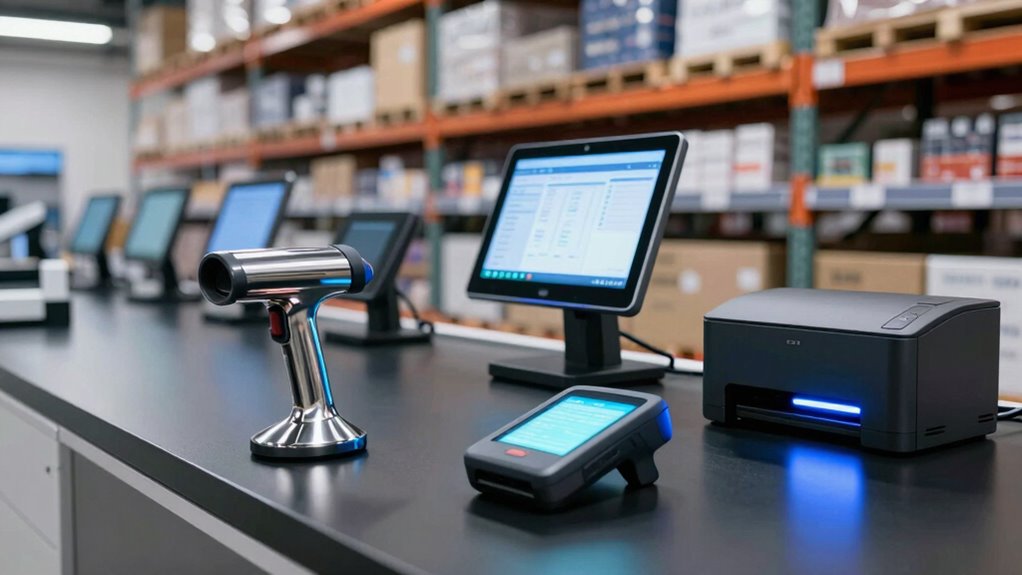

An inventory management hardware bundle can range from a handheld scanner to a full POS station, so the right choice depends on where and how you track stock. I’d put the Wasp Inventory Control RF Enterprise with DT60 and WPL305 first for businesses that need a coordinated inventory system, handheld computer, and label printer. The Wasp HC1 is a more focused mobile option, while the CLABEL Thermal Label Printer and Scanner Kit suits buyers who mainly need to create and scan labels. The tradeoff is between a complete workflow, portability, and the setup demands of a larger system. Read on for the full breakdown by buyer and use case.

Get the latest gadgets delivered free with Prime
- Fast, free delivery on millions of items
- Prime Video, Amazon Music and more included
- Member-only deals all year
Complete the kit



Key Takeaways
- Wasp Inventory Control RF Enterprise with DT60 and WPL305 is the most complete inventory-focused bundle here, pairing inventory software with a mobile computer and label printer.
- The Wasp HC1 is a better fit when mobile stock control matters more than a full workstation; it includes an inventory control license but offers a narrower hardware setup.
- CLABEL’s printer-and-scanner kits center on label production, making them more relevant to labeling workflows than to buyers seeking a full inventory platform.
- The JRHC handhelds offer a compact data-collection route, while the LCD and 1D/2D scanning details vary by model; buyers should match the specific scanner to their barcode mix.
- The POS bundles add checkout hardware such as receipt printers and cash drawers, but that extra equipment makes sense mainly when sales transactions and stock handling share a counter.
| Wasp HC1 QWERTY Mobile Computer with Inventory Control License |  | Best for Keyed Inventory Work | Display: 3.8-inch WVGA LCD | Keypad: QWERTY | Barcode scanner: Integrated laser scanner for 1D barcodes | VIEW ON AMAZON | See Our Full Breakdown |
| CLABEL Thermal Label Printer and Scanner Kit |  | Best for Starter Labeling | Printer type: Thermal | Print output: Monochrome | Supported media: Labels and thermal paper | VIEW ON AMAZON | See Our Full Breakdown |
| Rugged Handheld Barcode Scanner for Inventory Management |  | Best for Rugged Mobile Scanning | Processor: MTK6762 octa-core, up to 2.0 GHz | Operating system: Version 11 | Memory: 4 GB RAM, 64 GB storage | VIEW ON AMAZON | See Our Full Breakdown |
| JRHC Wireless 1D/2D Barcode Scanner and Inventory Data Collector with 2.8-Inch LCD |  | Best for Offline Batch Counts | Barcode types: 1D and 2D, including QR, DataMatrix, PDF417, Aztec, EAN, UPC, Code 128, and Code 39 | Connectivity: 2.4 GHz wireless USB receiver | Wireless range: Up to 150 m outdoors; up to 50 m indoors or with obstacles | VIEW ON AMAZON | See Our Full Breakdown |
| CLABEL Desktop Thermal Label Printer and Scanner Kit |  | Best Compact Desktop Bundle | Printer type: Thermal | Output: Monochrome | Print media: Labels | VIEW ON AMAZON | See Our Full Breakdown |
| Cash Drawer with Bracket, Receipt Printer, and Barcode Scanner for Square Stand and Register |  | Best Square Checkout Bundle | Included items: USB thermal receipt printer with autocut, Symbol USB barcode scanner, EOM-100 cash drawer, mounting brackets | Compatibility: Square Stand and Square Register | Printer connection: USB | VIEW ON AMAZON | See Our Full Breakdown |
| Wasp Inventory Control RF Enterprise with DT60 and WPL305 |  | Best for Wasp System Buyers | Brand: Wasp | Included components: DT60 and WPL305 | Model number: 633808929428 | VIEW ON AMAZON | See Our Full Breakdown |
| JRHC Portable 1D/2D Wireless Barcode Scanner with 2.8-Inch LCD |  | Best for Mobile Stock Counts | Barcode types: 1D and 2D | Wireless connection: 2.4G USB receiver | Transmission range: Up to 150 m outdoors without obstacles; up to 50 m indoors or with obstacles | VIEW ON AMAZON | See Our Full Breakdown |
| Retail POS System with 15-Inch Touchscreen PC, Software, Receipt and Label Printers, Scanner, and Cash Drawer |  | Best Complete Retail Counter | Touchscreen size: 15 inches | Operating system: Windows 10 Pro | Software: Cash Register Express (CRE) | VIEW ON AMAZON | See Our Full Breakdown |
| Dual-Screen POS Terminal Bundle with 58mm Printer, Scanner, and Cash Drawer |  | Best Dual-Screen Checkout | Processor: i5 | Memory: 8GB RAM | Storage: 256GB SSD | VIEW ON AMAZON | See Our Full Breakdown |
| SmartPOS 129 All-in-One POS System for Small Businesses |  | Best Complete Checkout Bundle | Cashier touchscreen: 15 inches | Customer-facing display: 15 inches | Included components: Cash drawer, handheld barcode scanner, thermal printer | VIEW ON AMAZON | See Our Full Breakdown |
| JRHC 2D Wireless Barcode Scanner with LCD Screen |  | Best for Offline Stock Counts | Brand and model: JRHC S-7106T | Barcode types: 1D and 2D | Connectivity: 2.4G wireless, USB | VIEW ON AMAZON | See Our Full Breakdown |
| SVANTTO Android 13 Handheld Barcode Scanner with 4-Inch Touchscreen |  | Best Rugged Connected Handheld | Operating system: Android 13 | Barcode formats: 1D and 2D | Display: 4-inch touchscreen | VIEW ON AMAZON | See Our Full Breakdown |
More Details on Our Top Picks
Wasp HC1 QWERTY Mobile Computer with Inventory Control License
The Wasp HC1 combines a QWERTY keypad, an integrated 1D laser scanner, and an inventory control license in one mobile unit. That setup suits staff who need to scan items and enter counts or notes without carrying a separate computer. Compared with the Rugged Handheld Barcode Scanner for Inventory Management, the HC1 gives more room for text entry, while the other handheld covers 2D codes and lists newer wireless options. The HC1’s 802.11a/b/g Wi-Fi supports PC data transfer, but the supplied details do not describe offline storage or a cellular connection. Its 1D-only scanner also limits it where QR or other 2D labels are common. I’d choose it for barcode workflows built around 1D labels and frequent keypad input.
Pros:- Inventory control mobile license is included
- QWERTY keypad supports text and count entry on the device
- Integrated laser scanner reads 1D barcodes
- Wi-Fi supports data transfer to a PC
Cons:- Scanner is specified for 1D barcodes only
- Listed Wi-Fi standards are 802.11a/b/g
- At 2.75 pounds, it is heavier than a compact handheld scanner
Best for: Inventory staff who enter item counts or notes by keypad and work mainly with 1D barcodes
Not ideal for: Teams scanning QR or other 2D codes, or buyers who need a specified cellular connection
- Display:3.8-inch WVGA LCD
- Keypad:QWERTY
- Barcode scanner:Integrated laser scanner for 1D barcodes
- Wireless connectivity:802.11a/b/g Wi-Fi
- Operating temperature:14°F to 122°F
- Item weight:2.75 pounds
- Manufacturer:Wasp Barcode Technologies
- Model number:633808342203
Our verdict“Choose the HC1 if your inventory workflow pairs 1D barcode scans with frequent keypad entry.”
CLABEL Thermal Label Printer and Scanner Kit
This CLABEL kit puts label printing and barcode scanning in one desktop bundle, making it a practical fit for a small stockroom that needs to create product, price, or asset labels and scan them back into a workflow. Its scanner reads 1D, 2D, and QR codes, a broader range than the 1D-only Wasp HC1, while the HC1 is the more mobile choice for counting away from a desk. The CLABEL printer uses thermal output, so there is no ink or toner to replenish, and it accepts labels from 0.98 to 1.96 inches. The tradeoff is its narrow job: it is not intended for shipping labels or receipts. Both printer and scanner use USB with a PC, so this bundle fits a fixed workstation better than a mobile operation.
Pros:- Combines a thermal label printer and scanner in one kit
- Scanner reads 1D, 2D, and QR codes
- Thermal printing needs no ink or toner
- Supports label widths from 0.98 to 1.96 inches
Cons:- Not designed to print shipping labels or receipts
- Printer and scanner both connect to a PC by USB
- Monochrome, simplex printing only
Best for: Small shops or storerooms setting up a fixed workstation for product, price, and asset labels
Not ideal for: Shipping desks that need parcel labels or receipts, or teams seeking a wireless PC connection
- Printer type:Thermal
- Print output:Monochrome
- Supported media:Labels and thermal paper
- Label width:0.98–1.96 inches
- Printer connectivity:USB; Bluetooth to phone
- Scanner:T27H auto-sensing 1D/2D/QR code scanner
- Scanner connectivity:USB
- Duplex printing:Simplex
Our verdict“Pick this kit for a desk based product-label workflow that needs broad barcode scanning without ink supplies.”
Rugged Handheld Barcode Scanner for Inventory Management
For inventory work that moves through warehouses or industrial spaces, this handheld combines 1D and 2D scanning with an IP65 rating and stated 1.5 m drop resistance. Those protections address a different need than the desktop CLABEL printer kits, which can create labels but are designed around a workstation. The 4G, Wi-Fi, Bluetooth, and NFC options give this device more ways to connect than the Wasp HC1’s listed Wi-Fi, and the 5000 mAh battery supports a mobile workflow. Its Android-based handheld format also brings a touchscreen and onboard storage, though no inventory software license is specified in the supplied details. The 4-inch display is compact, so staff who need extensive data entry may prefer the HC1’s QWERTY keypad.
Pros:- Scans both 1D and 2D barcodes
- IP65 rating and 1.5 m drop resistance suit tougher work areas
- Supports 4G, Wi-Fi, Bluetooth 5.0, and NFC
- 5000 mAh rechargeable battery
Cons:- 4-inch touchscreen offers limited space for detailed entry
- Memory card for expandable storage is not included
- No inventory control software license is specified in the supplied product data
Best for: Warehouse and industrial teams that scan mixed 1D and 2D labels while moving between work areas
Not ideal for: Buyers needing a specified inventory software license or a larger screen for extended data entry
- Processor:MTK6762 octa-core, up to 2.0 GHz
- Operating system:Version 11
- Memory:4 GB RAM, 64 GB storage
- Expandable storage:Memory cards up to 128 GB (not included)
- Scan modes:1D and 2D
- Display:4-inch LCD touchscreen, 800 × 480 pixels
- Connectivity:4G, Wi-Fi, Bluetooth 5.0, NFC
- Durability:IP65 rated; 1.5 m drop resistance
Our verdict“Choose this handheld for mobile scanning in rougher work areas where broad connectivity and 2D support matter.”
JRHC Wireless 1D/2D Barcode Scanner and Inventory Data Collector with 2.8-Inch LCD
The JRHC stands out for offline batch collection: it stores up to 100,000 barcodes and offers scan, collection, and inventory modes, with date and time records for exported data. That makes it more suited to periodic counts in areas where a PC connection is not always at hand than the Wasp HC1, whose listed workflow centers on Wi-Fi data transfer. It also reads 1D and 2D formats, including QR and DataMatrix, so it handles more label types than the HC1. Its 2.4 GHz USB receiver keeps setup simple on compatible Windows systems, but this is not a universal POS device; proprietary systems may need direct integration. Wireless range can shrink indoors or around obstacles, and the supplied compatibility list only names Windows XP through 10.
Pros:- Stores up to 100,000 barcodes offline
- Includes scan, data collection, and inventory modes
- Reads a broad range of 1D and 2D formats
- 2.4 GHz USB receiver is plug-and-play
Cons:- Compatibility may exclude POS systems that require proprietary hardware or direct app integration
- Indoor obstacles can reduce the wireless range
- Listed system compatibility only covers Windows XP, 7, 8, and 10
Best for: Small warehouse teams that collect barcode counts offline and later export them to a compatible Windows computer
Not ideal for: Retailers relying on proprietary POS integration or buyers whose computers fall outside the listed Windows versions
- Barcode types:1D and 2D, including QR, DataMatrix, PDF417, Aztec, EAN, UPC, Code 128, and Code 39
- Connectivity:2.4 GHz wireless USB receiver
- Wireless range:Up to 150 m outdoors; up to 50 m indoors or with obstacles
- Display:2.8-inch LCD
- Storage:16 MB internal flash; up to 100,000 barcodes offline
- Battery capacity:2000 mAh
- Continuous use:Over 48 hours
- Compatible systems:Windows XP, 7, 8, and 10
Our verdict“Choose the JRHC for offline inventory batches that can be exported to a compatible Windows computer.”
CLABEL Desktop Thermal Label Printer and Scanner Kit
This desktop CLABEL bundle pairs a 2-inch thermal label printer with an adjustable-angle USB scanner, a tidy fit for a counter or small stockroom station. It shares the first CLABEL kit’s core strengths: monochrome labels, support for 0.98–1.96-inch media, and scanning across 1D, 2D, and QR codes. The earlier kit also lists thermal paper among its supported media, while this model specifies labels; buyers focused on product, price, and asset tags get the essentials either way. Compared with the JRHC wireless data collector, this bundle creates physical labels but does not gather large batches away from a computer. USB connection keeps it straightforward at a desk, though it also anchors the printer and scanner to a wired setup. It cannot print shipping labels or receipts.
Pros:- Combines label printing and plug-and-play barcode scanning
- Scanner reads 1D, 2D, and QR codes
- Thermal output avoids ink and toner supplies
- Compact design includes an adjustable scanner angle
Cons:- Not suitable for shipping labels or receipts
- Scanner connects by USB, limiting use away from the workstation
- Monochrome simplex output only
Best for: Small retail counters and storerooms that need a compact station for printing product tags and scanning inventory
Not ideal for: Shipping stations, receipt workflows, or teams that need wireless scanning and offline batch collection
- Printer type:Thermal
- Output:Monochrome
- Print media:Labels
- Supported label width:0.98–1.96 inches
- Scanner:T27H auto-sensing 1D/2D/QR code
- Printer connectivity:USB; Bluetooth to phone
- Scanner connectivity:USB
- USB ports:2
Our verdict“Pick this compact bundle for a fixed desk that needs product-label printing and broad barcode scanning.”
Cash Drawer with Bracket, Receipt Printer, and Barcode Scanner for Square Stand and Register
For a Square counter that needs the basics working together, this bundle pairs a USB thermal printer, Symbol barcode scanner, and EOM-100 cash drawer with mounting brackets. The printer and scanner connect to Square Stand USB ports without installation, while the drawer opens through its connection to the printer. That linked setup makes it a more focused checkout kit than the Retail POS System with 15-Inch Touchscreen PC, which also supplies a computer and retail software. It is a better fit when Square is already the center of the operation and a separate POS computer would add clutter. The tradeoff is its narrower scope: it does not include inventory software or a computer, and the 80 mm thermal paper must be supplied separately. I’d shortlist it for Square users who want a straightforward hardware bundle.
Pros:- Combines a barcode scanner, thermal printer, cash drawer, and mounting brackets
- Printer and scanner connect to Square Stand USB ports without installation
- Cash drawer opens automatically through its connection to the printer
- Thermal printing requires no ink or toner
Cons:- Thermal paper rolls are required but not listed among the included items
- Does not include a computer or inventory management software
- Compatibility is specified for Square Stand and Square Register
Best for: Small retailers already using Square Stand or Register who need a scanner, receipt printer, and cash drawer at one checkout station.
Not ideal for: Retailers building a new POS system from scratch or needing included inventory software, a touchscreen computer, or paper rolls.
- Included items:USB thermal receipt printer with autocut, Symbol USB barcode scanner, EOM-100 cash drawer, mounting brackets
- Compatibility:Square Stand and Square Register
- Printer connection:USB
- Cash drawer connection:Built-in RJ12/11 cable to printer
- Paper width:80 mm (3-1/8 inches)
- Warranty:2 years
- Technical support:Lifetime
Our verdict“Choose this bundle if Square is already your checkout platform and you need its core counter hardware in one kit.”
Wasp Inventory Control RF Enterprise with DT60 and WPL305
This Wasp bundle is the most specialized pick in this group: its listed contents are a DT60 and WPL305, aimed at buyers already considering Wasp inventory control equipment. That makes it a different proposition from the JRHC portable scanner, whose barcode types, display, storage, and Windows connection are described in detail. Here, the product data does not explain what the bundled components do, how they connect, or what the RF Enterprise software includes, so I can’t judge how well it will handle a particular stock workflow from the listing alone. The single-unit package and stated U.S. manufacture may suit buyers who have confirmed compatibility through their existing Wasp setup. The tradeoff is limited information for anyone comparing capabilities or planning a new system. I’d choose it only after verifying the bundle contents and requirements.
Pros:- Includes the DT60 and WPL305 components
- Designed as a Wasp inventory control product
- Listed as a single-unit package
- Manufactured in the United States
Cons:- Product details provide little information about capabilities or workflow
- Compatibility and connection requirements are not specified
- The listing does not explain what the DT60 and WPL305 contribute to the bundle
Best for: Businesses already using or specifying Wasp inventory control equipment that can confirm the DT60 and WPL305 fit their existing setup.
Not ideal for: First-time inventory system buyers who need clear information about scanning features, connectivity, software functions, or device compatibility before choosing.
- Brand:Wasp
- Included components:DT60 and WPL305
- Model number:633808929428
- Manufacturer part number:633808929428
- UPC:633808929428
- Unit count:1
- Item weight:16 ounces
- Shape:Rectangular
- Manufacture:United States
Our verdict“Consider this Wasp bundle only if you can verify that its DT60 and WPL305 components match your inventory system.”
JRHC Portable 1D/2D Wireless Barcode Scanner with 2.8-Inch LCD
For stock counts away from a checkout counter, this JRHC scanner can read 1D and 2D barcodes, collect data, and hold up to 400,000 records on the device. Its color LCD and physical controls let staff work with the handheld directly, while the 2.4G USB receiver connects it to a Windows computer for data transfer. That makes it more self-contained for counting than the Square cash drawer and printer bundle, which is built around a fixed checkout station. The stated battery life of 20–40 hours also supports extended counting sessions, though the wireless range can fall to 50 m indoors or around obstacles. It is a Windows-oriented tool rather than a broad POS kit: listed compatibility covers Windows and common document software, not a computer-free inventory platform. I’d pick it for teams that need portable counts and can work within that setup.
Pros:- Reads both 1D and 2D codes, including codes displayed on screens
- Combines scanning, data collection, and inventory counting
- Stores up to 400,000 records and has a 2.8-inch color LCD
- Stated battery life is 20–40 hours
Cons:- Wireless range is reduced indoors or when obstacles are present
- Listed computer compatibility is limited to Windows systems
- Requires a Windows computer and software workflow for transferring collected records
Best for: Warehouse and retail staff who conduct stock counts away from the counter and can transfer records to a Windows computer.
Not ideal for: Businesses seeking an all-in-one checkout station, macOS compatibility, or a fully specified inventory software platform.
- Barcode types:1D and 2D
- Wireless connection:2.4G USB receiver
- Transmission range:Up to 150 m outdoors without obstacles; up to 50 m indoors or with obstacles
- Display:2.8-inch TFT color LCD
- Storage capacity:Up to 400,000 records; 16 MB stated storage
- Battery capacity:1,000 mAh
- Charging time:About 2 hours
- Battery life:20–40 hours
- Compatibility:Windows XP/7/8/10; WORD, EXCEL, and text software
Our verdict“Choose this handheld for portable inventory counts when its Windows data-transfer workflow suits your team.”
Retail POS System with 15-Inch Touchscreen PC, Software, Receipt and Label Printers, Scanner, and Cash Drawer
This bundle is the clearest choice for a retailer who wants inventory management built into a staffed checkout workflow: it includes a 15-inch touchscreen PC, Cash Register Express software, receipt and label printers, a barcode scanner, and a cash drawer. The software is listed for inventory, sales, returns, and employee tracking, so this package reaches beyond the Square hardware bundle, which supplies checkout peripherals but no inventory software or computer. QuickBooks Desktop integration may also help connect retail records to an existing bookkeeping process. The tradeoff is that this is a more committed software-and-hardware setup, and the specified accounting integration is limited to QuickBooks Desktop. Setup and training support lasts 30 days, while the hardware warranty is one year. I’d rank it as the strongest full-counter option for a retailer prepared to use its Windows-based POS package.
Pros:- Includes touchscreen PC, POS software, receipt and label printers, scanner, and cash drawer
- Software supports inventory, sales, returns, and employee tracking
- QuickBooks Desktop integration is specified
- Includes 30 days of setup and training support
Cons:- Accounting integration is specified for QuickBooks Desktop
- Standard care for setup and training lasts only 30 days
- Hardware warranty is one year
Best for: Independent retailers setting up a dedicated checkout station who need inventory, sales, returns, and employee tracking in one POS package.
Not ideal for: Businesses already committed to Square, retailers needing a stated accounting integration beyond QuickBooks Desktop, or buyers wanting longer included setup support.
- Touchscreen size:15 inches
- Operating system:Windows 10 Pro
- Software:Cash Register Express (CRE)
- Receipt printer:Thermal, USB
- Barcode scanner:Laser, USB
- Cash drawer:16 inches
- Label printer:USB
- Support and warranty:30 days of standard care for setup and training; 1-year hardware warranty
- Software integration:QuickBooks Desktop
Our verdict“Pick this system if you want a dedicated retail counter with inventory functions and checkout hardware in one package.”
Dual-Screen POS Terminal Bundle with 58mm Printer, Scanner, and Cash Drawer
The standout feature here is a separate 15.6-inch customer display beside the staff touchscreen, giving checkout a customer-facing screen without adding a second computer. Package B also includes a 58 mm thermal printer, barcode scanner, cash drawer, and retail management software. Compared with the Retail POS System with 15-Inch Touchscreen PC, this terminal gives customers their own display and specifies an i5 processor, 8GB RAM, and a 256GB SSD; the other system describes more of its inventory and employee software functions. That leaves a key tradeoff: the software’s functions and compatibility depend on the package and third-party devices. A card reader and payment processing service are not included either, so payment setup needs separate planning. I’d choose it for a counter where the dual-screen layout matters and the software fit has been confirmed.
Pros:- Separate staff touchscreen and customer-facing display
- Package B includes a thermal printer, barcode scanner, cash drawer, and retail management software
- Includes an i5 processor, 8GB RAM, and 256GB SSD
- Provides USB, HDMI, VGA, LAN, and audio connections
Cons:- No card reader or payment processing service is included
- Software functions and compatibility depend on the selected package and third-party devices
- 58 mm printer paper is required, but paper details are not specified
Best for: Retailers who want staff and customer displays at the checkout and can source compatible payment hardware separately.
Not ideal for: Buyers who need a card reader, payment service, or clearly documented inventory software functions included in the bundle.
- Processor:i5
- Memory:8GB RAM
- Storage:256GB SSD
- Main display:15.6 inches, 1366 × 768, capacitive multi-touch
- Customer display:15.6 inches, 1366 × 768, non-touch
- Ports:4 × USB, HDMI, VGA, LAN, audio input/output, DC power
- Power input:DC 12V / 5A
- Item weight:22 pounds
- Package B contents:POS terminal, 58mm thermal receipt printer, black cash drawer, barcode scanner, retail management software, user manual
Our verdict“Choose this terminal if a dedicated customer display is central to your checkout layout and you can arrange payment hardware separately.”
SmartPOS 129 All-in-One POS System for Small Businesses
The SmartPOS 129 earns its place for shops that want checkout hardware and inventory scanning in one bundle: it includes a cashier touchscreen, a customer-facing display, cash drawer, handheld barcode scanner, and thermal printer. Compared with the Retail POS System with 15-Inch Touchscreen PC, Software, Receipt and Label Printers, Scanner, and Cash Drawer, the SmartPOS listing highlights broad processor integration and no forced subscription fees, while the other bundle calls out a label printer and software. That makes this a stronger fit when payment flexibility matters more than having a label printer included. The tradeoff is that you still need to select a compatible card processor, so the hardware does not remove that setup decision. Its included setup call and Retail360 app may help a small business get started, but buyers should confirm their workflow and processor compatibility before choosing.
Pros:- Combines a cashier touchscreen, customer display, cash drawer, scanner, and thermal printer
- Supports more than 50 card processor integrations
- Does not require a forced subscription fee
- Includes a setup call and the Retail360 mobile app
Cons:- Requires the buyer to choose a compatible card processor
- Does not list a label printer among the included components
Best for: Small retailers who want a ready-to-assemble checkout station and the flexibility to choose among supported card processors
Not ideal for: Businesses that need a label printer in the box or want a card processor already selected and configured
- Cashier touchscreen:15 inches
- Customer-facing display:15 inches
- Included components:Cash drawer, handheld barcode scanner, thermal printer
- Card processor integrations:More than 50
- Mobile app:Retail360
- Subscription:No forced subscription fees
Our verdict“Choose the SmartPOS 129 if you want a broad checkout hardware bundle with processor flexibility and can handle selecting the payment provider.”
JRHC 2D Wireless Barcode Scanner with LCD Screen
For a buyer whose main job is counting stock away from a checkout, the JRHC S-7106T offers a focused tool: it scans 1D and 2D codes, collects data, and stores up to 100,000 barcodes for offline use. That makes it more suited to batch counts than the JRHC Portable 1D/2D Wireless Barcode Scanner with 2.8-Inch LCD, whose listed display is larger but whose supplied details do not specify this model’s storage capacity. The 2-inch color screen and wireless receiver or USB connection give staff a way to work without a phone or tablet. The tradeoff is a narrower device ecosystem: it is listed for desktop and laptop use, not tablets or smartphones. Also, exporting offline data requires a separate tool from customer service, which can add friction when moving counts into inventory software.
Pros:- Reads 1D and 2D barcodes from paper and screens
- Stores up to 100,000 barcodes for offline work
- Combines scanning, data collection, and inventory counting
- Connects by 2.4G wireless receiver or USB
Cons:- Not suitable for iPads, tablets, or smartphones
- Exporting stored offline data requires a separate tool from customer service
Best for: Stockroom staff who need to count and retain barcode data offline, then transfer it using a Windows, Linux, or Mac computer
Not ideal for: Teams that count inventory on phones or tablets, or need a straightforward self-service export workflow
- Brand and model:JRHC S-7106T
- Barcode types:1D and 2D
- Connectivity:2.4G wireless, USB
- Display:2-inch color LCD
- Storage:16 MB; up to 100,000 barcodes
- Battery:2000 mAh; stated battery life 20–40 hours
- Wireless range:Up to 150 m outdoors without obstacles; up to 50 m indoors with obstacles
- Compatible systems:Windows, Linux, Mac
- Compatible devices:Desktop, laptop
Our verdict“Pick this JRHC when offline stock counts and high barcode storage capacity matter more than mobile device compatibility or simple data export.”
SVANTTO Android 13 Handheld Barcode Scanner with 4-Inch Touchscreen
The SVANTTO Android 13 handheld is the more self-contained choice for inventory teams that need a mobile computer as well as a scanner. Its 4-inch touchscreen, cellular connectivity, GPS, and stated compatibility with software such as Odoo and inFlow Inventory give it a broader field role than the JRHC 2D Wireless Barcode Scanner with LCD Screen, which is designed around data collection and computer connectivity. The SVANTTO’s IP66 rating and stated 1.5-meter drop resistance also suit work across busy stockrooms or sites where a consumer phone may be a poor fit. That durability and software range come with limits: battery life is stated at up to 12 hours, and the camera cannot operate at the same time as the scan engine. Buyers should also check that their software and shipping workflows are supported.
Pros:- Runs Android 13 with a 4-inch touchscreen and 4GB RAM
- Supports Wi-Fi, cellular networks, and GPS
- IP66 water resistance and stated drop resistance up to 1.5 meters
- Compatible with several named inventory applications, including Odoo and inFlow Inventory
Cons:- Camera and barcode scan engine cannot operate simultaneously
- Stated battery life is up to 12 hours, which may not cover every extended shift
- Not compatible with Correos Express or QuickBooks Desktop
Best for: Inventory teams needing a rugged handheld for supported inventory apps across Wi-Fi or cellular-connected work areas
Not ideal for: Businesses that require simultaneous camera and barcode scanning, QuickBooks Desktop, or Correos Express compatibility
- Operating system:Android 13
- Barcode formats:1D and 2D
- Display:4-inch touchscreen
- Memory and storage:4GB RAM; 64GB storage
- Battery:Detachable 4,500mAh; up to 12 hours stated battery life
- Connectivity:Wi-Fi, 4G, 3G, 2G, GPS
- Durability:IP66; drop resistance up to 1.5 meters
- Charging:USB Type-C
- Compatible software:Odoo, Zoho Inventory, Ocra Scan, inFlow Inventory, Finale Inventory
Our verdict“Choose the SVANTTO for a rugged, connected inventory handheld when its supported apps fit your workflow and simultaneous camera use is unnecessary.”

How We Picked
I ranked these bundles by how directly their included hardware and software support inventory work: scanning items, collecting data, printing labels, and fitting the workflow where stock is received, counted, or sold. I gave more weight to purpose-built inventory components and a coherent set of tools than to the number of devices in the box. Usability, portability, stated barcode support, and whether a bundle suits a back room, shop floor, or checkout counter also shaped the order.
The ranking reflects the category’s distinct needs rather than treating every POS terminal or scanner as interchangeable. A bundle with an inventory license and mobile computer ranks ahead of a general checkout package for stock control, while simpler kits can be better value for focused tasks. Product descriptions provide limited detail on software compatibility, included accessories, and service support, so buyers should confirm those points before choosing.
Factors to Consider When Choosing Inventory Management Hardware Bundle
Start with the job you need the hardware to do, then check that the devices and software work together in your actual environment. A bundle can look complete on paper yet leave gaps in barcode compatibility, connectivity, or day-to-day replenishment.
Map the workflow before choosing the hardware
Write down where inventory work happens: receiving, shelf counts, picking, labeling, or checkout. A stationary printer-and-scanner kit can suit a packing bench, while a handheld unit is easier to carry through aisles or a stockroom. Businesses doing both may need a mobile scanner plus a separate label station, even if that means buying components outside one bundle. A common mistake is choosing around the checkout counter when most stock work happens elsewhere. Match the device to the task that takes the most staff time, then check whether the other tasks still have a practical path.
Check barcode formats and label needs
Confirm which barcode types your suppliers, products, and internal labels use before settling on a scanner. A listed 1D/2D capability can help with varied formats, but it does not answer every question about damaged labels, screen-based codes, or scanning distance. Check label width, media type, and printer connection needs against the labels you already use. A printer bundled with a scanner may simplify a basic labeling station, but it may not fit specialized tags or high-volume printing. Ask for exact compatibility details when the product description does not name them.
Treat software compatibility as part of the purchase
Hardware only improves inventory accuracy when its data reaches the system your team uses. Verify the software license, operating system, supported integrations, and any recurring fees before ordering. Bundles that name an inventory application can reduce the uncertainty of assembling a workflow, though a named license does not guarantee it connects to your accounting or point-of-sale tools. Ask how records sync, whether multiple users can work at once, and what happens when Wi-Fi is unavailable. Testing those details with a sample item list can prevent a costly mismatch.
Choose mobility with battery and connectivity in mind
A handheld computer and a lightweight data collector serve different levels of work: one may run broader applications, while a scanner with a small display can be dedicated to scanning and reviewing entries. Consider shift length, charging access, wireless range, and whether staff must scan in areas with weak coverage. If counts happen offline, find out how captured data is stored and later transferred. Buyers often focus on screen size and overlook how devices are assigned, charged, and shared between shifts. A simple charging and handoff routine can matter as much as the scanner’s listed features.
Pay for a complete station only when checkout is part of the job
Cash drawers, receipt printers, touchscreen terminals, and customer-facing displays add value when inventory updates happen alongside sales. They add setup and counter space when the main task is warehouse counting or stockroom labeling. Before selecting a POS bundle, confirm that its software handles inventory functions you need, not only payment and receipts. Also check what is included for payment processing, peripherals, and support, since a hardware bundle may not cover those services. Paying for a full station makes sense when it replaces several existing checkout components; otherwise, a focused scanner may be the more efficient fit.
Frequently Asked Questions
Do I need a full POS bundle to manage inventory in a small shop?
No. A POS bundle is useful when the same station handles checkout and stock updates, but it may add equipment that a small shop does not need. If staff mainly receive deliveries, scan shelves, and print labels, a handheld scanner or printer kit may cover the core workflow. Check whether your existing sales software supports inventory counts and barcode scanning before replacing the checkout setup. The right choice depends on where employees spend time, not simply on shop size.
What should I verify before buying a bundle with inventory software?
Confirm the exact software edition and license included, along with supported devices, operating systems, and integrations. Ask whether the license is perpetual or subscription-based and whether setup or technical support is included. Check how the system handles multiple users, backups, and syncing when a handheld device goes offline. A bundle can reduce the work of sourcing compatible parts, but only if its software connects to the records your business already maintains. Request a demonstration or compatibility confirmation using your current workflow.
Is a scanner with an LCD screen enough for stock counts?
It can be enough for straightforward counts if the unit can store scans, show useful item details, and transfer results into your inventory system. The display helps staff review entries as they work, but screen presence alone does not confirm reliable offline storage or easy syncing. Check how many records it can hold and what export or connection methods it supports. For workflows that need receiving, adjustments, or broader app use, a mobile computer may be a better fit. Match the device to the steps staff actually perform during a count.
Should I choose a 1D scanner or a 1D/2D scanner?
Choose based on the codes found on your products and labels, not on a general assumption that newer formats are always needed. A 1D scanner can cover familiar linear product barcodes, while 2D support accommodates square codes and can provide more flexibility for mixed inventory. Check that the scanner reads the code sizes and surfaces in your environment, including labels that may be worn or printed small. If suppliers or internal systems use different formats, broader scanning support can reduce exceptions. Verify compatibility with your software as well as with the physical labels.
When is a separate label printer a better choice than a complete POS station?
A separate label printer is the simpler choice when your main need is identifying products, bins, or shelves and checkout is already handled elsewhere. It can keep the labeling workflow close to receiving or packing without dedicating counter space to a cash drawer and receipt printer. A POS station makes more sense when staff need sales, receipts, and inventory updates at one point of service. Compare the software included and the label formats supported before deciding. If your needs span both areas, plan for how labels and stock records will stay consistent across systems.
Conclusion
For the strongest inventory-centered setup, I’d choose the Wasp Inventory Control RF Enterprise with DT60 and WPL305 as the best overall pick. The CLABEL Thermal Label Printer and Scanner Kit is the best value for buyers focused on a straightforward label-and-scan station, while the Wasp HC1 is my pick for beginners who want a mobile computer with an inventory control license. For a premium, counter-based workflow, consider the Retail POS System with 15-Inch Touchscreen PC, which combines checkout and printing hardware, though its broader setup is unnecessary for stockroom-only work. Choose a JRHC handheld for compact data collection, a CLABEL kit for dedicated labeling, and a POS bundle when sales and inventory tasks need to meet at the same counter.