
TL;DR

Get the latest gadgets delivered free with Prime
- Fast, free delivery on millions of items
- Prime Video, Amazon Music and more included
- Member-only deals all year
Prebuilt AI workstations are now often faster and more cost-effective than building your own, thanks to component shortages and bulk buying. Your decision should balance speed, control, and support, not just initial price.
Imagine you’re ready to jump into AI model training or inference. You’re staring at two options: build a workstation yourself, or buy a ready-made one. It used to be simple — building was cheaper, buying was just for speed. But today, the game has changed. The AI boom, plus market shortages and bulk buying, mean that prebuilt systems can be just as affordable, if not more so.
So, what should you really consider — cost, time, or control? This guide cuts through the noise, showing you when it pays to buy, and when it makes sense to build. You’ll learn how to weigh the heat, noise, support, and future upgrades — all through the lens of today’s market realities.
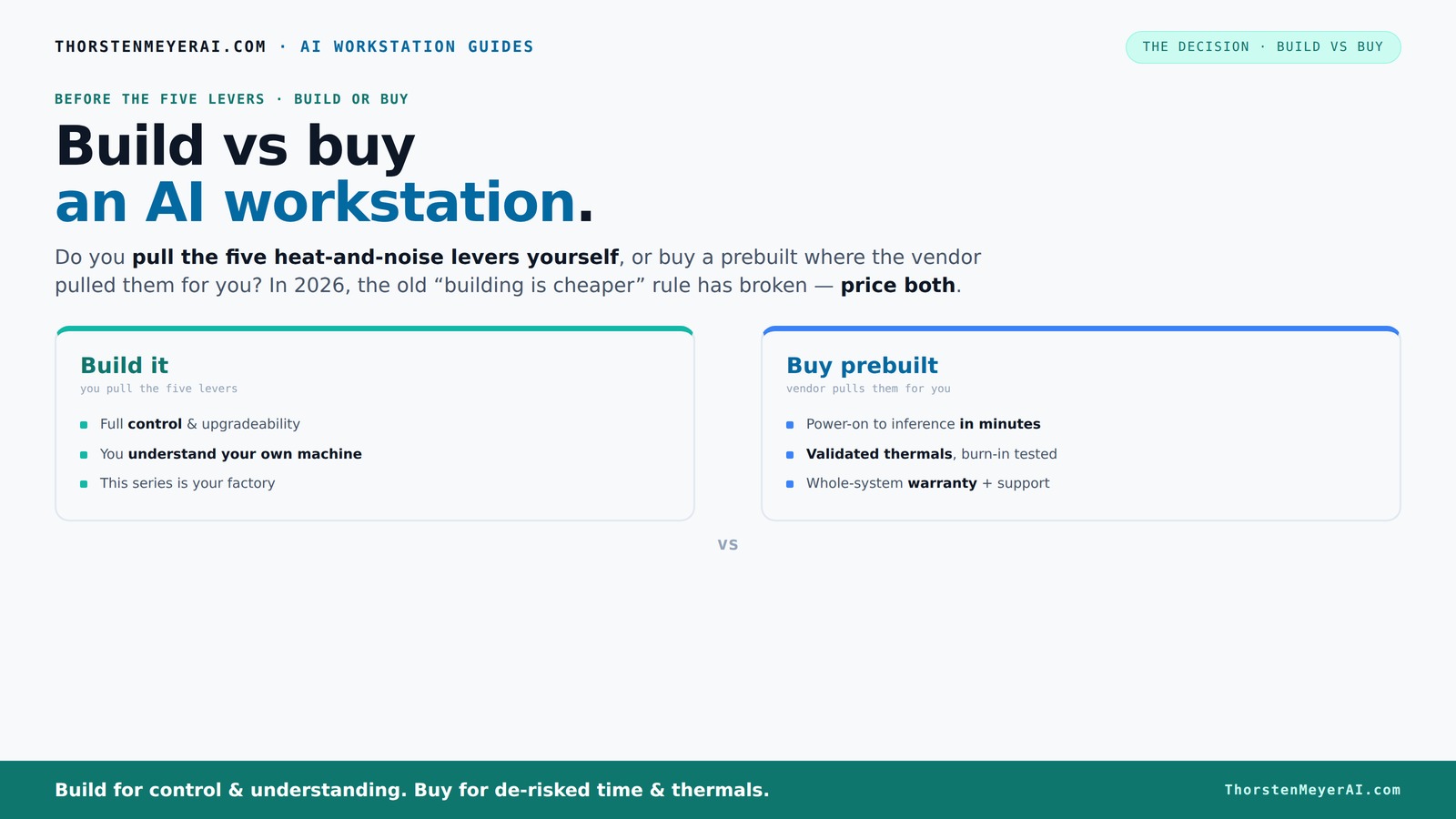
Build vs buy
an AI workstation.
The real question behind this whole series: do you pull the five heat-and-noise levers yourself, or buy a prebuilt where the vendor pulled them for you? And in 2026, the old “building is cheaper” rule has broken. Match your situation in Part 3.
Key Takeaways
- Market shortages and bulk buying have made prebuilt AI workstations often cheaper or equal in price to DIY builds in 2026.
- Prebuilts save time — they arrive ready to deploy, with software stack and thermal validation completed.
- Support and warranties reduce risk and downtime, especially critical for professional or business workloads. You can also explore cybermediacreations.com for more insights on AI hardware support.
- Thermal management and power delivery are key to stable AI performance; vendors often validate these at scale. To learn more about thermal solutions, visit press-report.net.
- Your workload determines whether local hardware or cloud rental makes more sense — heavy, ongoing use favors local.
As an affiliate, we earn on qualifying purchases.
Why Cost Now Favors Prebuilt Systems More Than Ever
Building a high-end AI workstation used to be a no-brainer for saving money. Now, market shortages and bulk deals have flipped the script. Components like DDR5 RAM and high-end GPUs have spiked in price, often making a DIY build more expensive than a prebuilt system from a major vendor.
For example, a DIY rig with two GPUs used to cost around $2,000, but today, due to component scarcity, that same build can easily surpass $2,500. Meanwhile, vendors like Lambda or BIZON buy in bulk and pass those savings onto you, sometimes at a lower price than piecing it together yourself.
According to recent data, a prebuilt with similar specs can cost **about $1,250 to $1,500**, which is competitive with or cheaper than DIY options today. The old rule — build cheaper — no longer holds true without carefully hunting discounts and deals.
Beyond raw costs, this shift impacts decision-making because it reduces the financial incentive to DIY, especially when factoring in the time and effort involved in sourcing, assembling, and troubleshooting components. The market conditions now favor prebuilt systems as a practical, cost-effective choice for most users, especially those who value reliability and speed to deployment. This means that for many, the tradeoff between cost and convenience has tipped decisively in favor of prebuilt options, making them the smarter investment in 2026.
As an affiliate, we earn on qualifying purchases.
Time-to-Productivity: Why Prebuilts Get You Running Faster
If speed matters, prebuilt systems are your best bet. Imagine you need a machine today to start training models or running inference. Building takes days or even weeks — sourcing parts, assembling, testing, troubleshooting BIOS issues, and installing software.
Building a system involves multiple stages: ordering components, waiting for delivery, carefully assembling hardware, updating BIOS, troubleshooting potential incompatibilities, and installing the OS and AI frameworks. For detailed guidance, see this guide on build vs buy. Each step introduces delays and potential technical hurdles that can extend setup time significantly. For someone eager to start their project, these delays can mean missed deadlines or lost opportunities.
A prebuilt arrives ready to go, with OS and AI software stack installed, tested, and verified. You simply unpack, plug in, and power on. This rapid deployment is critical for researchers or developers with tight schedules or urgent project deadlines. The ability to start training or inference immediately can translate into substantial cost savings, faster iteration cycles, and a competitive edge in AI development. In essence, prebuilt systems reduce the gap between purchase and productive work, making them invaluable for time-sensitive projects.
high performance GPU for AI training
As an affiliate, we earn on qualifying purchases.
As an affiliate, we earn on qualifying purchases.
Support, Warranty, and Peace of Mind — Why It Matters
When your AI project hits a snag, support can save your day. Prebuilt vendors often include comprehensive warranties — sometimes up to five years — and offer direct support. They test thermals, stability, and performance before shipping, reducing your troubleshooting load.
Imagine a critical training run that stalls because of overheating. A prebuilt vendor has already tuned the fans and validated thermal performance. If hardware fails, they handle the RMA, not you.
This support infrastructure minimizes downtime and mitigates the risks associated with hardware failures. For professional environments where every minute counts, having a reliable support system means less time troubleshooting and more time focusing on your AI models. Moreover, warranties often cover parts replacement and technical assistance, which can be costly and time-consuming if you’re managing a DIY build. This peace of mind is especially valuable when your work involves sensitive data or high-stakes projects, making prebuilt systems the safer choice for mission-critical AI workloads.
As an affiliate, we earn on qualifying purchases.
Thermal Management and Power: Who Pulls the Levers?
Running a powerful AI workstation at high load means managing heat, noise, and power delivery. Building your own gives you control — you pick fans, coolers, and case airflow. You undervolt GPUs, tune fans, and optimize cooling for silence and stability.
Buying prebuilt shifts that work to the vendor. Many vendors validate thermals with burn-in testing, employ liquid cooling, and optimize fan curves before shipping. This scale-driven validation ensures that thermal solutions are designed for consistent performance, reducing the risk of overheating, thermal throttling, or excessive noise during intensive workloads. For example, vendors like BIZON or Lambda incorporate advanced cooling techniques and rigorous testing phases, which are difficult to replicate reliably on a smaller scale.
This scale validation translates into more reliable thermal management and power efficiency, which directly impact the stability and longevity of your hardware. Proper thermal design prevents thermal throttling that can slow down your AI training, while optimized power delivery ensures consistent performance without risking hardware damage. Whether DIY or prebuilt, thermal and power management are critical for sustained AI workloads, but vendors’ ability to validate these at scale offers a significant advantage in reliability and peace of mind.
GPU and VRAM Planning: How Much Do You Really Need?
AI workloads demand serious GPU power — and VRAM. Whether training large models or running inference, you need to match your hardware to your workload. Building gives you flexibility to choose specific GPUs like the RTX 4090 or A100, with custom VRAM configurations.
Prebuilt systems often come with validated GPU configurations that balance cooling, power, and performance. If you’re doing multi-GPU setups, vendors like Lambda test for stability over hours of high load, reducing your guesswork.
Understanding your VRAM needs is crucial because it directly impacts the size and complexity of the models you can work with. For example, a 24GB VRAM GPU can handle many large models without needing to split data or optimize memory usage, which simplifies workflow and reduces potential bottlenecks. Building your own system allows for selecting multiple or enterprise-grade GPUs tailored precisely to your workload, but requires careful planning and testing. Prebuilt systems, on the other hand, provide validated configurations that ensure stability and performance out of the box, saving you time and reducing trial-and-error. Ultimately, aligning GPU and VRAM choices with your workload ensures smooth training and inference, avoiding performance bottlenecks or costly hardware upgrades down the line.
Upgrade Path and Resale: Future-Proofing Your Investment
Building your own system offers the best upgrade options — more slots, better cooling, and easier swapping of parts. You can plan for future GPU or RAM upgrades, extending the system’s lifespan. This flexibility allows you to adapt your workstation as AI models grow larger or more demanding, potentially saving money over time by avoiding complete replacements.
Prebuilt systems are improving in upgradability but often come with proprietary parts or limited expansion. Still, they tend to hold value well if maintained properly, especially high-end models with premium components. This means that if you decide to sell your system later, you can recoup a significant portion of your investment, especially if it’s kept in good condition and upgraded thoughtfully. The decision here depends on your willingness to tinker and invest in future-proofing versus preferring a more streamlined, maintenance-free experience. Both paths can be viable, but understanding your long-term plans helps you choose the right approach.
In essence, consider whether your future needs will require frequent upgrades, and how much effort you’re willing to put into maintaining or customizing your system. This foresight can influence whether building or buying offers better value over the lifespan of your AI workstation.
When Cloud AI Makes More Sense Than a Local Machine
Sometimes, the cloud still wins. For sporadic or short-term projects, renting GPU time on cloud platforms like AWS or Azure can be more cost-effective. AI workloads that aren’t continuous don’t justify a high-end local setup.
However, for heavy, ongoing use, local workstations often save money over months or years. A recent study shows that a dedicated AI rig can be cheaper than cloud rental if used more than 10 hours per week.
Evaluating your workload pattern is key. If your projects are infrequent, cloud offers flexibility without upfront investment, but if you’re running large models regularly, the cumulative cost of cloud rentals adds up quickly. Latency and data security also influence this decision—local hardware provides lower latency and better control over sensitive data. Ultimately, the choice depends on your project frequency, budget, and data needs, but understanding these tradeoffs helps you select the most economical and efficient solution for your AI workload.
Who Should Build, Who Should Buy? Making the Right Choice
If you crave control, customization, and future upgrade flexibility, building your own AI workstation makes sense. But if you prioritize speed, support, and minimizing downtime, a prebuilt is often smarter.
For example, a researcher with a tight schedule might prefer a prebuilt for immediate start, while a hobbyist with spare time and a tight budget might enjoy building for control and savings. Your decision should also consider your technical skills—building requires comfort with hardware and troubleshooting, while buying prebuilt minimizes that need.
Ultimately, aligning your choice with your priorities—whether it’s maximum control and upgradeability or convenience and support—will ensure you get the best value and satisfaction from your investment. Recognizing your own comfort level and long-term goals will guide you to the right path, whether that’s building or buying.
Frequently Asked Questions
Is it cheaper to build or buy a prebuilt AI workstation?
It depends on current market prices. Recent shortages make prebuilt systems often as affordable or cheaper than DIY builds, especially when considering the time and effort saved.What matters most for AI performance: GPU, VRAM, RAM, or CPU?
GPU and VRAM usually top the list for training large models, but RAM and CPU matter for data preprocessing and feeding the GPU efficiently. Balance is key based on your workload.When does a prebuilt make more sense than a custom build?
When you need a machine fast, want reliable thermals, or prefer vendor support for troubleshooting. It’s ideal for busy professionals or those who value plug-and-play simplicity.Is a local AI workstation cheaper than cloud GPUs over time?
Yes, if you’re running heavy workloads regularly. A dedicated local machine can cost less over months or years compared to cloud rental, especially with high utilization.How much does warranty/support matter for AI workstations?
Support and warranties can save you from costly downtime. Prebuilt vendors often include this, giving peace of mind during critical training or inference tasks.Conclusion
Choosing between build and buy for your AI workstation boils down to your priorities. Want immediate, reliable performance with support? Prebuilt systems are your best bet. Crave control, customization, and future-proofing? Building your own could save you money and give you more flexibility.
In 2026, market realities mean you should carefully compare costs and benefits — and remember, sometimes the fastest way to AI success is to buy a system already tuned and tested for heavy lifting.
Fall Picks
fall essentials
As an affiliate, we earn on qualifying purchases.