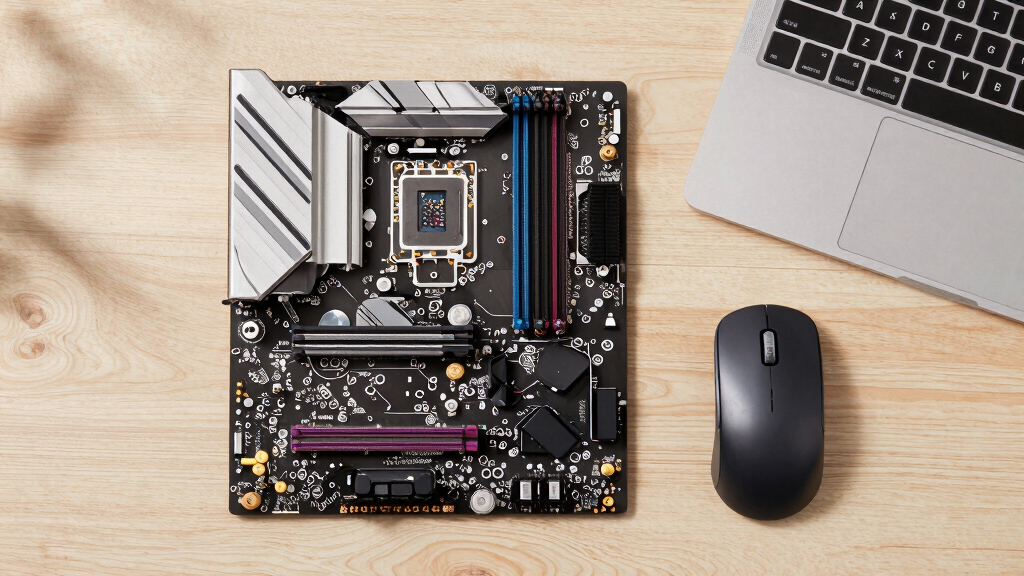

When searching for the best Windows PC CPUs, you want a processor that combines high performance with good value and reliable compatibility. The Intel Core Ultra 9 285K stands out as the overall best, offering a balanced mix of cores and high clock speeds for demanding tasks. On the other hand, the AMD Ryzen 9 9950X3D excels for gaming with its 3D V-Cache technology, providing superior frame rates. The main tradeoffs involve choosing between raw power, efficiency, and price—more cores often mean higher costs, but not always better performance for your specific needs. Continue reading for a detailed breakdown of these options to help you find the right fit.
Key Takeaways
- The top CPUs blend high core counts with high clock speeds for versatile performance.
- AMD’s 3D V-Cache models provide a noticeable boost in gaming performance compared to similar cores.
- Intel’s latest generation offers excellent single-threaded speed, ideal for gaming and light workloads.
- Value varies significantly; some high-end models are priced for enthusiasts, not casual users.
- Core count is less critical for gaming but essential for heavy multitasking and professional workloads.
| Intel Core Ultra 9 Desktop Processor 285K – 24 Cores (8 P-cores + 16 E-cores), Up to 5.7 GHz, 40 MB Cache |  | Best Overall for High-End Multitasking and Content Creation | Cores/Threads: 24 cores (8 P-cores + 16 E-cores), 24 threads | Max Clock Speed: Up to 5.7 GHz | Cache Size: 40 MB | VIEW LATEST PRICE | See Our Full Breakdown |
| Intel® Core™ Ultra 7 Processor 270K Plus 24 cores (8 P-cores + 16 E-cores) up to 5.5 GHz |  | Best for Enthusiast Gamers and Creators on a High-Performance Platform | Cores/Threads: 24 cores (8 P-cores + 16 E-cores), 24 threads | Max Turbo Frequency: Up to 5.5 GHz | Wattage: 125W base, 250W turbo | VIEW LATEST PRICE | See Our Full Breakdown |
| AMD Ryzen 5 5500 6-Core, 12-Thread Unlocked Desktop Processor with Wraith Stealth Cooler |  | Best Value for Mid-Range Gaming and Productivity | Cores/Threads: 6 cores, 12 threads | Max Boost Clock: 4.2 GHz | Cache: 19 MB | VIEW LATEST PRICE | See Our Full Breakdown |
| AMD Ryzen 7 5700G 8-Core, 16-Thread Desktop Processor with Radeon Graphics |  | Best for Integrated Graphics and Mid-Range Performance | Cores/Threads: 8 cores, 16 threads | Max Boost Clock: 4.6 GHz | Cache: 20 MB | VIEW LATEST PRICE | See Our Full Breakdown |
| AMD Ryzen 5 5600 6-Core, 12-Thread Unlocked Desktop Processor with Wraith Stealth Cooler | | Best for Gaming and VR-Ready Systems on a Budget | Cores/Threads: 6 cores, 12 threads | Max Boost Clock: 4.4 GHz | Cache: 32 MB | VIEW LATEST PRICE | See Our Full Breakdown |
| AMD Ryzen™ 9 5900XT 16-Core, 32-Thread Unlocked Desktop Processor |  | Best Overall for Content Creators and Gamers | Processor Series: Ryzen 9 | Processor Speed: 3.3 GHz (Max Boost 4.8 GHz) | Processor Socket: AM4 | VIEW LATEST PRICE | See Our Full Breakdown |
| Intel® Core™ i9-14900K Desktop Processor |  | Best for High-End Gaming and Creative Work | Processor Series: Core i9 | Max Clock Speed: 6.0 GHz | Cores/Threads: 24 cores / 32 threads | VIEW LATEST PRICE | See Our Full Breakdown |
| AMD Ryzen 9 9950X3D 16-Core Processor | 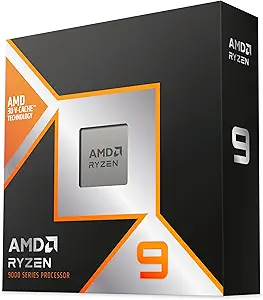 | Best for Gaming and Heavy Content Creation | Processor Series: Ryzen 9 | Base Clock: 4.3 GHz | Boost Clock: 5.7 GHz | VIEW LATEST PRICE | See Our Full Breakdown |
| Intel® Core™ i7-12700KF Desktop Processor (12 Cores, 8 Performance + 4 Efficiency, up to 5.0 GHz Unlocked) |  | Best Overall for High-Performance Gaming and Multitasking | Base Clock Speed: 3.6 GHz | Max Turbo Boost: 5.0 GHz | Cores/Threads: 12 Cores (8 Performance + 4 Efficiency) / 20 Threads | VIEW LATEST PRICE | See Our Full Breakdown |
| AMD Ryzen 7 7800X3D 8-Core, 16-Thread Desktop Processor |  | Best for High-End Gaming and Efficient Multithreading | Base Clock Speed: 4.7 GHz | Max Boost Clock: 5.2 GHz | Cores/Threads: 8 Cores / 16 Threads | VIEW LATEST PRICE | See Our Full Breakdown |
| AMD Ryzen 5 9600X 6-Core, 12-Thread Unlocked Desktop Processor |  | Best for Mainstream Gaming with Overclocking Potential | Max Boost Speed: 5.4 GHz | Cores/Threads: 6 Cores / 12 Threads | Cache: 38 MB | VIEW LATEST PRICE | See Our Full Breakdown |
| AMD Ryzen 7 5800XT Desktop Processor |  | Best for High-Performance Gaming on AM4 | Max Boost Clock: 4.8 GHz | Cores/Threads: 8 Cores / 16 Threads | Cache Size: 36 MB | VIEW LATEST PRICE | See Our Full Breakdown |
More Details on Our Top Picks
Intel Core Ultra 9 Desktop Processor 285K – 24 Cores (8 P-cores + 16 E-cores), Up to 5.7 GHz, 40 MB Cache
The Intel Core Ultra 9 285K stands out for its hybrid architecture, combining 8 performance cores and 16 efficiency cores, making it ideal for multitasking, heavy workloads, and content creation. Compared to the AMD Ryzen 5 5600, it offers more cores and higher clock speeds, but at a higher power and motherboard requirement. Its unlocked multiplier enables overclocking up to 5.7 GHz, giving enthusiasts room to push performance further. The major tradeoff involves its need for a compatible Intel 800 series motherboard and the absence of a bundled cooling solution, which can add to overall cost. This CPU is best suited for power users who demand maximum multitasking and overclocking headroom without concern for budget constraints.
Pros:- Hybrid architecture optimizes multitasking and power efficiency
- Unlocked multiplier supports overclocking up to 5.7 GHz
- Supports PCIe 5.0 and latest Intel chipsets for future upgrades
- Advanced cooling efficiency for quieter operation
Cons:- No included thermal solution increases initial setup cost
- Requires an expensive compatible motherboard
- High power consumption at maximum load
Best for: Content creators, professionals, and enthusiasts seeking top-tier multitasking and overclocking capabilities.
Not ideal for: Casual users or gamers on a budget who do not need extreme multi-core performance or overclocking features.
- Cores/Threads:24 cores (8 P-cores + 16 E-cores), 24 threads
- Max Clock Speed:Up to 5.7 GHz
- Cache Size:40 MB
- Motherboard Compatibility:Intel 800 series chipset
- PCIe Support:PCIe 5.0 and 4.0
- Wattage:Unspecified but high
Bottom line: This CPU is ideal for users who need maximum multitasking and overclocking potential, and are willing to invest in compatible hardware.
Intel® Core™ Ultra 7 Processor 270K Plus 24 cores (8 P-cores + 16 E-cores) up to 5.5 GHz
The Intel Core Ultra 7 270K Plus offers a balanced high-core count with 8 performance cores and 16 efficiency cores, reaching up to 5.5 GHz. It supports high-speed DDR5 memory and PCIe 5.0, making it a solid choice for demanding gaming and creator workloads. Compared with the Intel Core Ultra 9 285K, it has a slightly lower clock speed but is more accessible with a 125W base power and compatibility with a broad range of Intel 800 Series motherboards. Its unlocked feature supports overclocking, though at slightly lower maximum frequencies. Its primary tradeoff is its higher power draw and the need for premium motherboard support, making it ideal for overclockers and high-performance PC builders who want the latest platform features without going to the absolute top-tier CPU.
Pros:- Supports DDR5 and PCIe 5.0 for future-proofing
- High core count with 24 cores (8 P + 16 E)
- Unlocked for overclocking
- Good thermal and power management for high loads
Cons:- Relatively high power consumption at turbo speeds
- Requires high-end motherboard and DDR5 RAM
- Slightly lower max frequency compared to top-tier models
Best for: Enthusiasts, gamers, and creators who want a high-core, high-clock CPU with room for overclocking and future-proof platform features.
Not ideal for: Budget-conscious users or those seeking minimal power consumption and simpler upgrades.
- Cores/Threads:24 cores (8 P-cores + 16 E-cores), 24 threads
- Max Turbo Frequency:Up to 5.5 GHz
- Wattage:125W base, 250W turbo
- Memory Support:DDR5 up to 7200 MT/s
- Motherboard Compatibility:Intel 800 Series
- Socket:LGA1851
Bottom line: This CPU makes the most sense for overclockers and enthusiasts who want cutting-edge features and robust performance for gaming and creative tasks.
AMD Ryzen 5 5500 6-Core, 12-Thread Unlocked Desktop Processor with Wraith Stealth Cooler
The AMD Ryzen 5 5500 offers a solid 6-core, 12-thread configuration with a maximum boost clock of 4.2 GHz, making it suitable for gaming, light content creation, and everyday productivity. Compared with the AMD Ryzen 7 5700G, it provides fewer cores but at a significantly lower price point, making it appealing for budget-conscious builders. Its unlocked multiplier allows overclocking, and it includes the Wraith Stealth cooler, reducing additional costs. Although its core count is lower than higher-end options, it still delivers reliable performance for most mainstream workloads. The main tradeoff involves its limited future upgrade path due to the socket and its lower core count, which could impact heavy multitasking or demanding creative workloads.
Pros:- Unlocked for overclocking
- Includes Wraith Stealth cooler for cooling needs
- Good performance in gaming and everyday tasks
- Affordable price point
Cons:- Limited core count for heavy multitasking
- Lower clock speed compared to higher-tier Ryzen CPUs
- Socket AM4 limits future upgrade options
Best for: Budget gamers and mainstream users seeking a balanced CPU for gaming and light productivity.
Not ideal for: Power users or content creators requiring higher core counts and multitasking performance.
- Cores/Threads:6 cores, 12 threads
- Max Boost Clock:4.2 GHz
- Cache:19 MB
- Socket:AM4
- Wattage:65W
- Included Cooler:Wraith Stealth
Bottom line: This processor offers excellent value for users building a capable gaming PC on a budget without requiring extreme multitasking capacity.
AMD Ryzen 7 5700G 8-Core, 16-Thread Desktop Processor with Radeon Graphics
The AMD Ryzen 7 5700G combines 8 cores and 16 threads with built-in Radeon graphics, making it an excellent choice for compact or budget systems that need decent gaming capability without a discrete GPU. Its 4.6 GHz max boost clock and 20 MB cache provide strong performance in both gaming and productivity. Compared to the Intel Core Ultra 9 285K, it offers integrated graphics that can handle 1080p gaming, which is absent on Intel’s high-end CPUs. The unlocked overclocking feature adds flexibility for enthusiasts. However, its reliance on integrated graphics limits performance for high-end gaming or professional graphics work, and the AM4 socket restricts future CPU upgrade paths. It is best suited for users who want a balanced system with gaming and productivity in a smaller or integrated build.
Pros:- Built-in Radeon graphics support 1080p gaming
- Unlocked for overclocking
- Strong multi-core performance with 8 cores and 16 threads
- Includes AMD Wraith Stealth cooler
Cons:- Integrated graphics are not suitable for high-end gaming
- Limited upgrade path due to AM4 socket
- Power consumption can be higher with integrated GPU load
Best for: Budget-conscious gamers and compact system builders needing integrated graphics for light gaming or multimedia tasks.
Not ideal for: High-end gaming or professional workloads that require discrete GPU performance.
- Cores/Threads:8 cores, 16 threads
- Max Boost Clock:4.6 GHz
- Cache:20 MB
- Socket:AM4
- Integrated Graphics:Radeon Graphics
- Wattage:65W
Bottom line: This CPU is ideal for budget gamers and small form factor systems that need integrated graphics and capable multi-core performance.
AMD Ryzen 5 5600 6-Core, 12-Thread Unlocked Desktop Processor with Wraith Stealth Cooler
The AMD Ryzen 5 5600 offers a 6-core, 12-thread configuration with a 4.4 GHz boost clock, making it a strong choice for gaming, VR, and general productivity. Compared with the Ryzen 7 5700G, it has fewer cores but benefits from a lower power draw and cost, making it attractive for budget-conscious gamers. Its unlocked overclocking feature allows some tuning potential, and it includes the Wraith Stealth cooler for efficient thermal management. The main limitation is its socket compatibility: it uses AM4, which may restrict upgrade options in the future. While it performs well in gaming and VR, it lacks the core count needed for heavy multitasking or content creation workloads.
Pros:- Unlocked for overclocking
- Includes Wraith Stealth cooler
- Excellent performance in gaming and VR
- Affordable for mid-range builds
Cons:- Limited to AM4 socket, limiting future upgrades
- Lower core count than higher-end Ryzen CPUs
- Thermal limits in sustained overclocking
Best for: Mainstream gamers and VR enthusiasts who want a capable CPU at a lower price point.
Not ideal for: Heavy multitaskers or creative professionals needing higher core counts.
- Cores/Threads:6 cores, 12 threads
- Max Boost Clock:4.4 GHz
- Cache:32 MB
- Socket:AM4
- Wattage:65W
- Included Cooler:Wraith Stealth
Bottom line: This CPU is a great choice for mainstream gamers and VR users on a budget who prioritize gaming performance over multitasking.
AMD Ryzen™ 9 5900XT 16-Core, 32-Thread Unlocked Desktop Processor
The AMD Ryzen 9 5900XT stands out for its impressive 16 cores and 32 threads, based on Zen 3 architecture, delivering excellent multi-threaded performance for both gaming and content creation. Compared with the Intel Core i9-14900K, it offers a more balanced power draw and cost efficiency, making it a strong choice for demanding workflows. Its unlocked design allows overclocking, while 72 MB of cache ensures swift data access, translating into smoother performance in intensive tasks. However, it lacks included cooling, which can add to the overall cost, and its DDR4 support means it may lag slightly behind newer DDR5 platforms in future upgrades. This CPU is ideal for high-end desktop users who need versatile power without the premium price of Intel’s top-tier chips. Tradeoffs include limited compatibility with newer DDR5 memory and potential need for aftermarket cooling.
Pros:- Excellent 16-core, 32-thread performance for multitasking and demanding applications
- Unlocked for overclocking flexibility
- Supports PCIe 4.0 for fast data transfer
Cons:- Cooler not included, adding to build cost
- Limited to DDR4 memory, potentially less future-proof
Best for: Power users who build custom gaming and content creation rigs seeking excellent multi-core performance at a balanced price.
Not ideal for: Casual gamers or office users who won’t utilize the full core count or overclocking features.
- Processor Series:Ryzen 9
- Processor Speed:3.3 GHz (Max Boost 4.8 GHz)
- Processor Socket:AM4
- Cache Memory:72 MB
- Processor Count:16
- Threads:32
Bottom line: This CPU is best suited for enthusiasts who want high performance for gaming and productivity without paying Intel’s premium prices.
Intel® Core™ i9-14900K Desktop Processor
The Intel Core i9-14900K offers a formidable 24 cores (8 P-cores + 16 E-cores) and 32 threads, with a top clock speed of up to 6.0 GHz, making it ideal for gamers and creators demanding raw power. It supports both DDR4 and DDR5 memory, providing flexibility for future upgrades, and supports PCIe 5.0, ensuring compatibility with the latest SSDs and GPUs. Compared to the AMD Ryzen 9 5900XT, it excels in single-threaded performance and raw clock speed, though at a higher power consumption (125W TDP). Its high price and complex setup requirements could deter budget-conscious builders. This processor suits enthusiasts aiming for maximum gaming and multitasking performance, especially when paired with a compatible motherboard. Tradeoffs include higher power draw and premium cost for the latest features.
Pros:- Up to 6.0 GHz max clock speed for exceptional gaming performance
- Supports both DDR4 and DDR5 memory for flexibility
- Massive 152MB cache enhances data access speeds
Cons:- High power consumption requiring robust cooling solutions
- Premium pricing limits affordability for casual builders
Best for: Hardcore gamers and professional content creators who need top-tier single-thread and multi-thread performance combined with advanced platform features.
Not ideal for: Casual users or those on a tighter budget who won’t leverage the full multi-core capabilities or latest PCIe 5.0 speeds.
- Processor Series:Core i9
- Max Clock Speed:6.0 GHz
- Cores/Threads:24 cores / 32 threads
- Socket Type:LGA 1700
- Cache Memory:152MB
- Platform Compatibility:Windows 11
Bottom line: This CPU is perfect for enthusiasts who want cutting-edge performance for gaming and intensive workloads, willing to invest in premium components.
AMD Ryzen 9 9950X3D 16-Core Processor
The AMD Ryzen 9 9950X3D is designed for gamers and creators who need maximum efficiency, featuring 16 cores and a base clock of 4.3 GHz with a boost up to 5.7 GHz. Its second-gen AMD 3D V-Cache™ technology provides a significant boost in gaming performance by reducing latency and increasing cache size, outperforming many competitors in game-heavy workflows. Compared to the Ryzen 7 5700X, it offers double the core count and a specialized cache boost, but at a higher power draw and price. Its AM5 platform supports DDR5, making it more future-proof than Zen 3-based chips. This CPU is ideal for high-end gamers who also do content creation, but it may be overkill for lighter workloads. Tradeoffs include higher power consumption and premium pricing.
Pros:- Incredible boost clock of up to 5.7 GHz for gaming
- Second-generation AMD 3D V-Cache™ for superior gaming cache performance
- Supports DDR5 memory for future upgrades
Cons:- Higher power consumption (170W TDP)
- More expensive due to advanced cache technology and platform costs
Best for: Gamers and creators who prioritize gaming performance but also need strong multitasking capabilities.
Not ideal for: Budget-conscious users or those not interested in the latest AMD platform and DDR5 support.
- Processor Series:Ryzen 9
- Base Clock:4.3 GHz
- Boost Clock:5.7 GHz
- Core Count:16
- Cache Memory:Up to 144 MB
- Platform:AM5
Bottom line: This CPU is best for gamers seeking top-tier cache and clock speeds, coupled with future-proof DDR5 support, at a premium price.
Intel® Core™ i7-12700KF Desktop Processor (12 Cores, 8 Performance + 4 Efficiency, up to 5.0 GHz Unlocked)
This Intel Core i7-12700KF stands out for its hybrid architecture, which balances high clock speeds with energy-efficient cores, making it an excellent choice for gamers and power users. Compared to the AMD Ryzen 7 5800XT, it offers better multitasking capabilities thanks to its 20 threads and higher turbo speeds, although it demands robust cooling due to its 125W TDP. Its unlocked multiplier makes overclocking accessible, giving enthusiasts room to push performance further. However, the lack of integrated graphics means you’ll need a dedicated GPU, and its high power consumption requires a solid cooling solution. This pick makes the most sense for users who want top-tier gaming combined with demanding productivity tasks, provided they are prepared for a higher power setup.
Pros:- Hybrid architecture balances gaming and multitasking
- Unlocked multiplier supports overclocking
- High turbo boost up to 5.0 GHz
Cons:- High TDP (125W) requires robust cooling
- No integrated graphics, necessitating a discrete GPU
Best for: Gamers and creators who need high performance, overclocking flexibility, and multitasking power
Not ideal for: Casual users or office setups where integrated graphics or low power consumption are priorities
- Base Clock Speed:3.6 GHz
- Max Turbo Boost:5.0 GHz
- Cores/Threads:12 Cores (8 Performance + 4 Efficiency) / 20 Threads
- Socket Type:LGA1700
- Cache Memory:25 MB L3 Cache, 12 MB L2 Cache
- TDP:125W
Bottom line: Ideal for high-end gaming and multitasking enthusiasts who can handle higher power and cooling needs.
AMD Ryzen 7 7800X3D 8-Core, 16-Thread Desktop Processor
The AMD Ryzen 7 7800X3D leverages 3D V-Cache technology to deliver exceptional gaming performance, outperforming many competitors in frame rates and responsiveness. Compared with the AMD Ryzen 7 9800X3D, it offers a slightly lower TDP but maintains impressive clock speeds up to 5.2 GHz, making it an excellent choice for gamers who want maximum frame rates without excessive power draw. Its 96MB L3 cache significantly enhances gaming performance, though it requires an AM5 motherboard and does not include a stock cooler. The high power consumption (140W TDP) means a capable cooling system is necessary. This processor makes the most sense for dedicated gaming builds with emphasis on thermal efficiency and high IPC uplift.
Pros:- Exceptional gaming performance with large cache
- High clock speeds up to 5.2 GHz
- Optimized for power efficiency at high performance
Cons:- Requires AM5 motherboard compatibility
- High power consumption (140W TDP)
Best for: Gaming enthusiasts seeking top-tier performance and high cache capacity
Not ideal for: Users focused on productivity tasks or who prefer integrated cooling solutions
- Base Clock Speed:4.7 GHz
- Max Boost Clock:5.2 GHz
- Cores/Threads:8 Cores / 16 Threads
- L3 Cache:96 MB
- Socket Type:AM5
- TDP:140 W
Bottom line: Perfect for gamers who want cutting-edge performance with efficient thermal management, assuming they invest in compatible hardware.
AMD Ryzen 5 9600X 6-Core, 12-Thread Unlocked Desktop Processor
The AMD Ryzen 5 9600X provides solid gaming performance, especially for mid-range builds, with its 6 cores and 12 threads based on Zen 5 architecture. Compared to the Ryzen 7 5800XT, it offers fewer cores but maintains high clock speeds up to 5.4 GHz, making it well-suited for gaming where single-thread performance is critical. Its support for DDR5-5600 and PCIe 5.0 adds future-proofing, though the cooler is not included, and 65W TDP means careful cooling is advised for overclocking. The processor’s lower core count makes it less ideal for heavy multitasking but excellent for gamers wanting to overclock and maximize in-game FPS. This CPU is best for budget-conscious gamers who want a capable overclocking platform.
Pros:- High clock speeds up to 5.4 GHz
- Supports DDR5 and PCIe 5.0 technologies
- Unlocked for overclocking
Cons:- Cooler not included, additional cost
- Limited cores for multitasking or productivity
Best for: Gaming-focused users on a mid-range budget seeking overclocking headroom
Not ideal for: Heavy multitaskers or content creators needing more cores and threads
- Max Boost Speed:5.4 GHz
- Cores/Threads:6 Cores / 12 Threads
- Cache:38 MB
- Memory Support:DDR5-5600
- Socket Type:AM5
- TDP:65 W
Bottom line: A strong choice for gamers who want to overclock and get high FPS without overspending on core count.
AMD Ryzen 7 5800XT Desktop Processor
The AMD Ryzen 7 5800XT offers excellent gaming performance with its 8 cores and 16 threads based on Zen 3 architecture. Compared to the newer Ryzen 7 7800X3D, it provides slightly lower clock speeds but is compatible with a wide range of existing AM4 motherboards, making it a versatile choice for upgrades. Its max boost clock of 4.8 GHz and 36 MB cache ensure smooth gameplay and multitasking. The included Wraith Prism RGB cooler adds aesthetic appeal and decent thermal management, which is a plus for compact builds. However, it requires DDR4-3200 memory and PCIe 4.0 support, slightly limiting future upgrades. This processor is best suited for gamers who want high performance now and value broader motherboard compatibility.
Pros:- Excellent gaming performance with Zen 3 architecture
- Unlocked for overclocking
- Includes RGB cooler for aesthetics
Cons:- Requires DDR4-3200 memory, limiting upgrade options
- Not compatible with newer DDR5 or PCIe 5.0 hardware
Best for: Gaming enthusiasts looking for a proven platform with good upgrade paths on AM4
Not ideal for: Future-proof builders seeking DDR5 support or PCIe 5.0 features
- Max Boost Clock:4.8 GHz
- Cores/Threads:8 Cores / 16 Threads
- Cache Size:36 MB
- Memory Support:DDR4-3200
- Socket Compatibility:AM4
- Cooler Included:Wraith Prism RGB
Bottom line: A reliable, high-performance gaming CPU for users wanting to upgrade existing AM4 systems with minimal hassle.
How We Picked
Our evaluation focused on performance benchmarks across gaming, productivity, and creative tasks, emphasizing real-world usability. We prioritized recent, widely compatible CPUs from Intel and AMD, considering their core and thread counts, clock speeds, and cache sizes. Reliability and platform longevity also played key roles, ensuring that these processors offer upgradability and solid support. We ranked products based on value for money, factoring in pricing trends, features, and power efficiency. This approach helps identify options that excel in different use cases, from budget builds to high-end workstations.
Factors to Consider When Choosing Best Windows PC CPUs
Choosing the best Windows PC CPU involves balancing several important factors. Beyond raw specs, consider your typical workload, upgrade plans, and budget. The right processor should match your intended use—whether gaming, content creation, or general productivity—without overspending on unnecessary features. Here’s what to keep in mind when selecting a CPU:Performance Needs
Assess whether you need a CPU for gaming, professional work, or multitasking. High core counts benefit content creators and multitaskers, while gamers often prioritize high clock speeds and single-thread performance. Matching your workload with the right CPU prevents overspending or underperforming.
Budget and Value
More expensive CPUs generally offer better performance, but the margin of improvement varies. Consider the total platform costs, including motherboard and cooling. Sometimes a mid-range CPU paired with a good motherboard delivers better value than overspending on top-tier models that won’t be fully utilized.
Compatibility and Future-Proofing
Check socket compatibility and platform longevity. Newer CPUs often require the latest motherboards, which may affect upgrade options. Investing in a platform with support for future CPU upgrades can save money long-term.
Efficiency and Power Consumption
Power efficiency impacts long-term running costs and cooling needs. High-performance CPUs tend to consume more power and generate more heat, requiring better cooling solutions. Balance performance with your system’s thermal and power capabilities.
Special Features and Ecosystem
Identify any platform-specific features like PCIe 4.0/5.0, DDR5 support, or integrated graphics. These can influence your build’s expandability and future upgrades. Consider whether these extras align with your planned use and budget.
Frequently Asked Questions
Is it worth paying extra for a high-core-count CPU for gaming?
For gaming, high core counts often provide minimal benefit compared to high clock speeds and strong single-threaded performance. Most modern games rely heavily on fewer cores, making mid-range CPUs with higher clock speeds a better investment. Spending more on a high-core-count processor may be justified if you simultaneously plan to do streaming, video editing, or other multi-threaded tasks, but for pure gaming, it’s usually more cost-effective to prioritize high-performance cores and fast single-thread speeds.
Should I choose an Intel or AMD CPU for my new Windows build?
Both Intel and AMD have compelling options, but your choice depends on your specific needs. Intel’s latest processors excel in single-threaded speed, making them ideal for gaming, while AMD’s Ryzen chips often offer more cores at similar price points, benefiting multitasking and content creation. Compatibility, platform features, and price are also key factors, so consider your future upgrade plans and the ecosystem that best aligns with your workload and budget.
How important is CPU cache when selecting a processor?
Cache size directly influences how quickly a CPU can access frequently used data, impacting overall speed, especially in gaming and professional applications. Larger cache can reduce latency and improve performance in workloads with large datasets. However, cache alone isn’t decisive; it must be balanced with core count, clock speed, and architecture for best results.
Can I upgrade my CPU later, or should I buy the latest platform now?
Upgradability depends on your motherboard’s socket and chipset. Many current platforms support future CPU upgrades, but this varies. Investing in a newer platform may cost more upfront but can extend your system’s lifespan by allowing newer CPUs without replacing the entire motherboard. Check platform compatibility and roadmap support before committing to a specific CPU and motherboard combo.
Is a high-end CPU necessary for everyday tasks and browsing?
For basic tasks like browsing, streaming, and office work, a mid-range or entry-level CPU is sufficient, and spending on high-end processors offers little tangible benefit. These tasks do not require the high core counts or clock speeds of premium CPUs, so focusing on a balanced build with integrated graphics and sufficient RAM provides better value for everyday use.
Conclusion
For most users, the Intel Core Ultra 9 285K offers a balanced mix of power and efficiency, making it the best overall choice. Those prioritizing gaming should consider the AMD Ryzen 7 7800X3D for its superior frame rates. Budget-conscious builders will find excellent value in the AMD Ryzen 5 5600 or Intel Core i7-12700KF. Creators and professionals needing maximum multitasking and rendering performance should look at the AMD Ryzen 9 9950X3D or Intel Core i9-14900K. Your ideal CPU depends on your specific needs, but understanding this lineup helps you make an informed choice tailored to your workflow and budget.